-
-
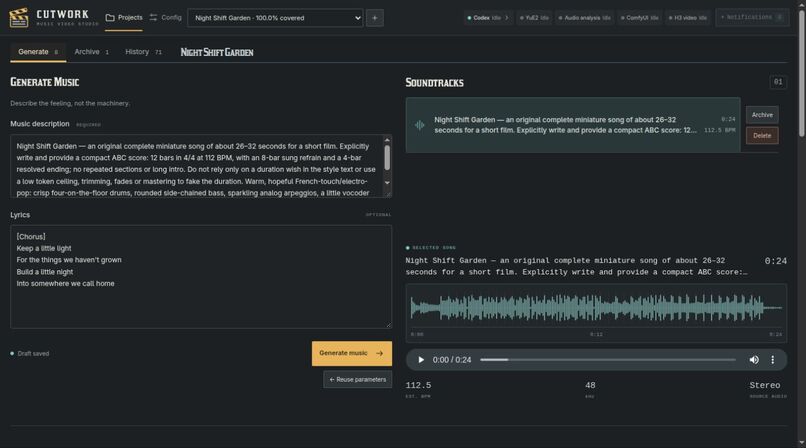
1. The first step is to generate music for the music video.
-
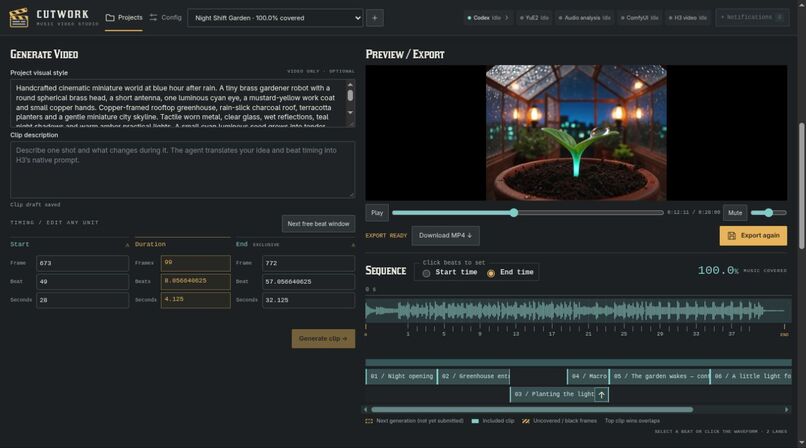
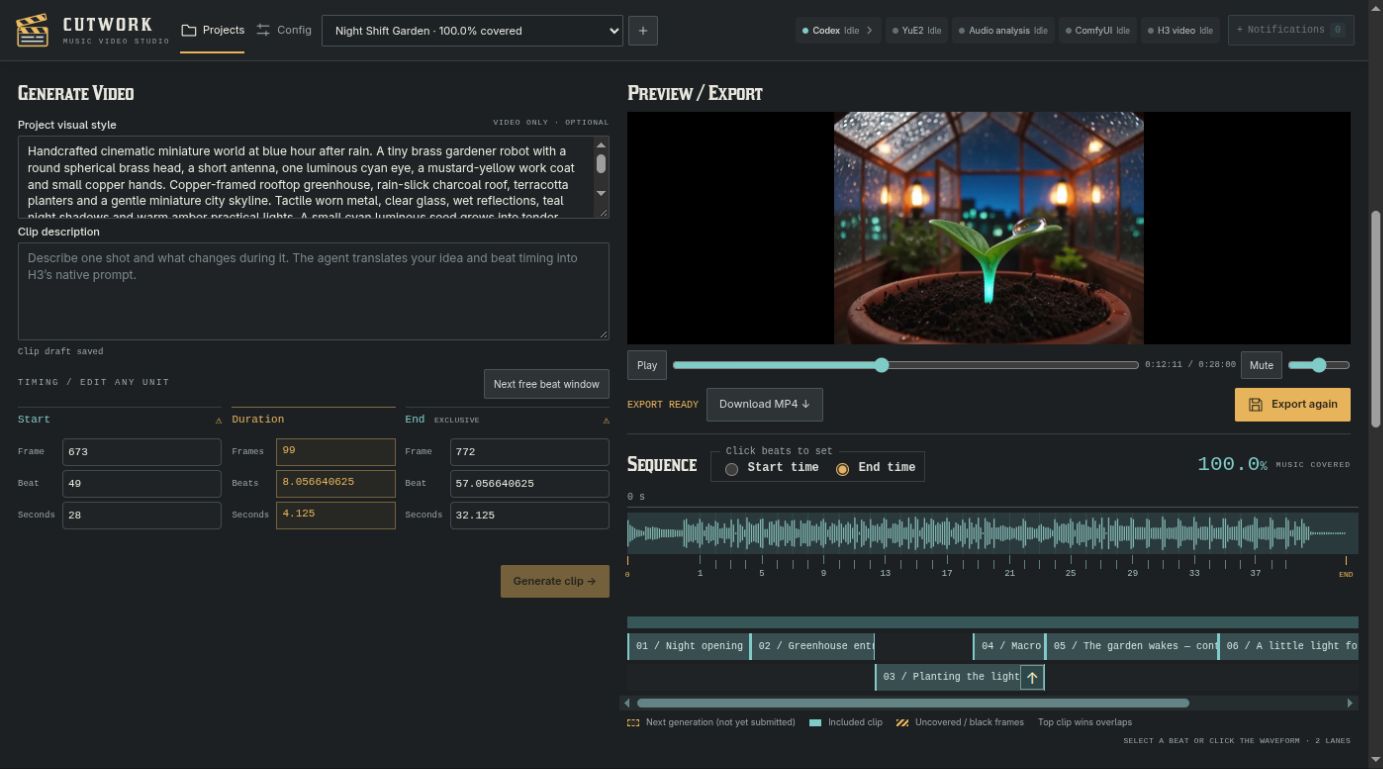
2. Generate video clips and even chain together multiple clips to make longer video segments than native H3 generations would allow.
-
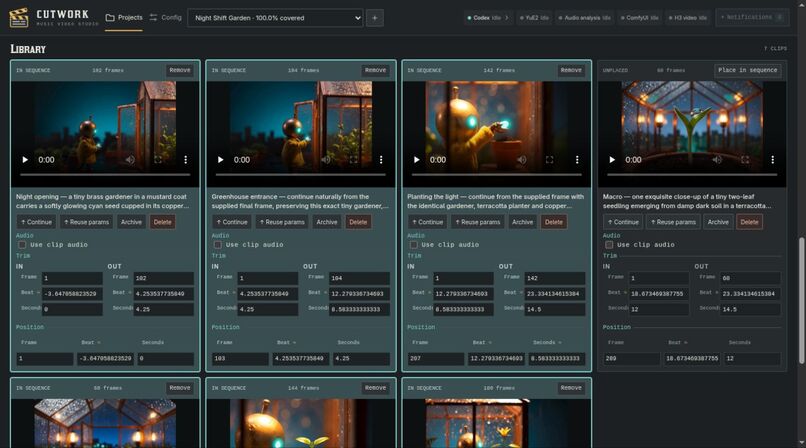
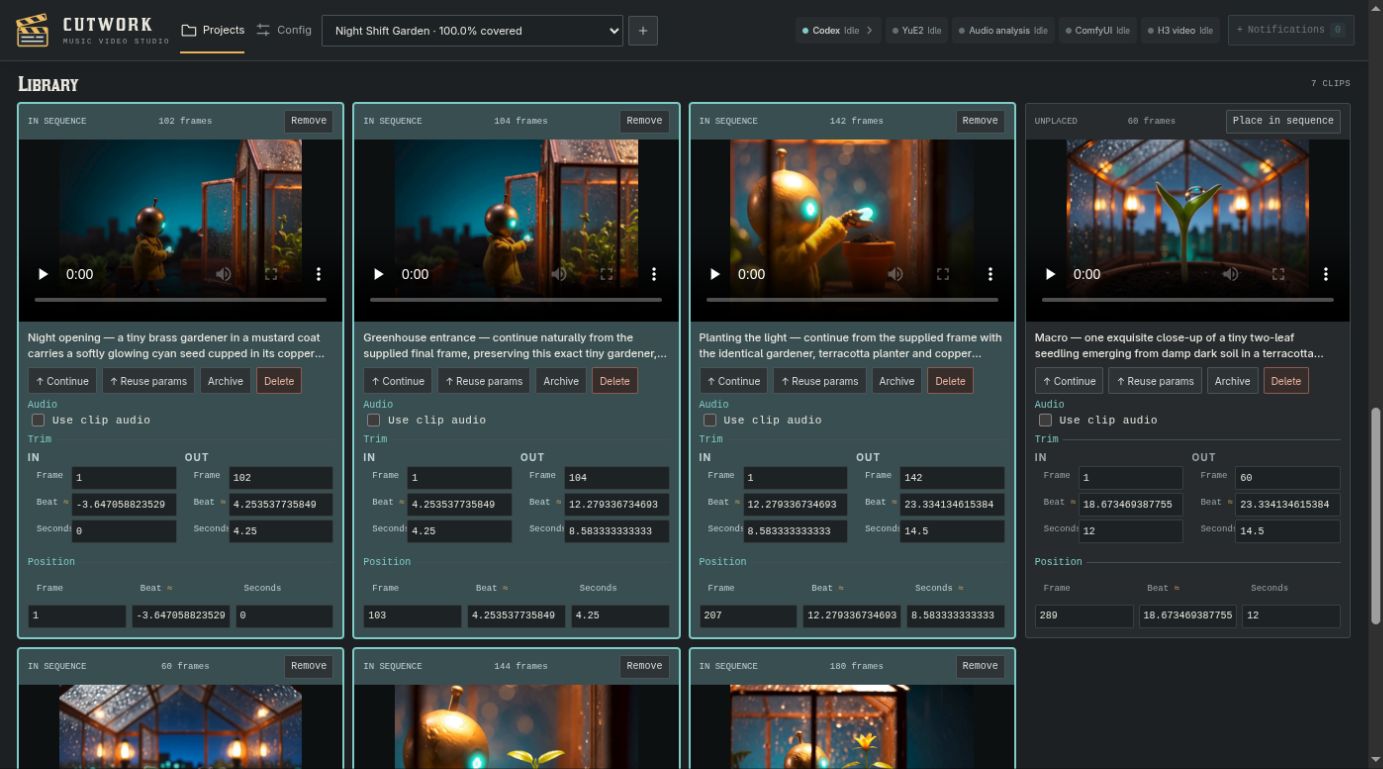
3. Your clip library contains all the video segments you have generated and allow for fine grained and advance controls if desired.
-
 GIF
4. Export your final generation to make music videos as long or as complicated as your heart desires.
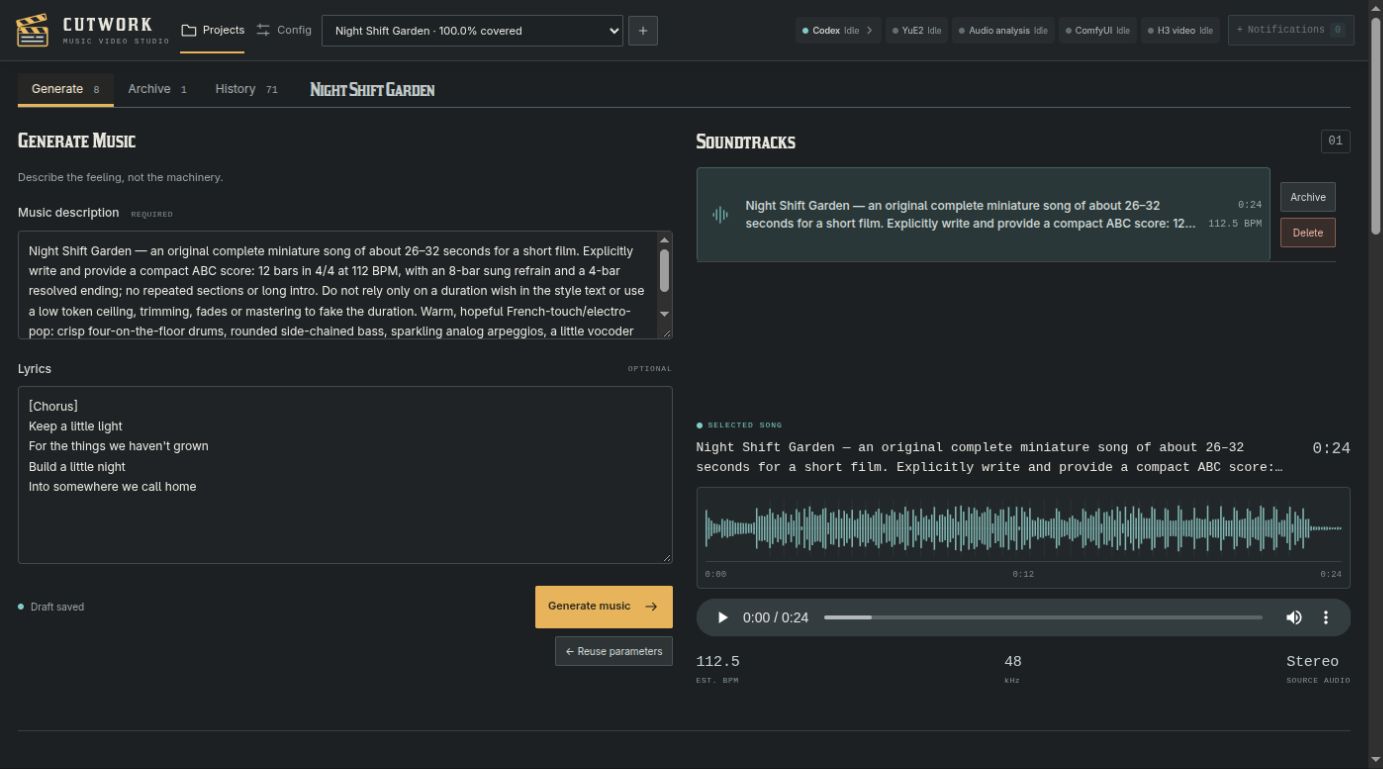

Example output from Cutwork: Example Output Video
Inspiration
To get the best results for music video generation with local AI like YuE2 and H3 there is a lot of obscure prompting syntax and you need to know what kinds of prompts are going to work and the technical terms for the kinds of things you want.
Maybe you know what a coda is, and maybe you know the general style of music you want, but do you know how to edit an ABC Score file, do you want to have to learn the four different settings and special prompting required to get an instrumental track.
Do you really want to slice up the audio track into a dozen slices short enough to feed into a H3 Comfyui workflow, and calculate the exact timing of beats so you can sync up action in the music with the visuals. Even then you still have to feed in each audio and keep track of the image exports of the final frames of the videos to stitch together a longer scene and keep switching back an forth between new generations and continuations with starting frames.
Well, I used to and it was painful and slow and really breaks you out of the creative flow and all the technical details distract you from the creative vision you are trying to bring to life.
What it does
Cutwork does all this and more, bringing creative freedom to anyone with a Claude or Codex subscription, a spare 16gig Nvidia gpu and an Ubuntu box lying around the house (ok, it's maybe still a bit of a niche product :p).
Just run the setup script on the Ubuntu box and Cutwork takes care of installing all the required tools and AI models to perform local AI music and video generations, and it enables your agents to take care of the messy details so all you have to do is describe your musical dream and then describe the visuals to go along with it and your agent will take care of all the messy prompting and timing details for you.
How we built it
Simple, just a few hundred dollars worth of Astra ;)
But really, I had already prototyped a very simple version of the application about a month ago and wanted to use the hackathon to try to make a more accessible and user friendly version that others would be able to use. So I had some idea of the feature set I wanted the generation side to have, but needed to explore how to setup the tooling for someone who might not even know about Comfyui or H3, let alone YuE2. I also decided on a full stack Typescript project as I have had very little experience with typescript before.
Challenges we ran into
The biggest two challenges I faced were:
- Presenting complex controls in a way that would not seem super intimidating for a new user while still retaining enough power that a user could create just about anything they could think of. This resulted in something I hope is at least comprehensible to a motivated creative individual, but if i had more time to devote to it my first priority would still be in simplifying and visualizing controls and rather than making the prospective user fiddle with actual numbers and labeled buttons. In this regards I fell like my biggest success is the ability to visually overlay clips over each other in the sequencer and easily change precedence without having to resort to something complex like z-ordering .
and
- Defining and cutting down the scope of the project after really fleshing out the idea. There was so much I wanted to do and add to the project and at the start of the project I had all sorts of ideas about other tools that could be incorporated and would be useful for music video generation, like foley sounds, video transitions and audio mixing just to name a few, but quickly realized I did not have enough time to incorporate all the ideas into this first version.
The humongous "little" bonus challenge I ran into was attending the will it ship livestream a couple of days ago and realizing how completely impossible it would be for judges to do anything but look at the video and read the docs. The self contained nature of the isolated environment and encapsulation of the tools and downloading a huge video model as part of that means the install and setup takes on the order of two to three hours. A bit of an own goal there.
Accomplishments that we're proud of
I kind of mentioned the avoiding of z-ordering before, but the simplicity of the interface and how nice the sequencer looks is probably my favorite. I spent a lot of time taking something that was fundamentally functional and giving it some nice and hopefully pleasant visual flare, and while I did go for a techno-industrial look I do hope it comes off as both polished and as user friendly as a tool like this could be.
What we learned
I was particularly interested going into this in the distinction and benefits of splitting the pre coding work into separate scope, prd and spec documents. I generally do prepare a kind of all in one project document for AI work and was interested in how this would compare. In this case in particular I did get a lot of value going through the scoping step very deeply before proceeding as my initial thoughts were probably too over ambitious and without that there was a good chance I would have never been able to complete what I started in the time available to me. I found the prd and spec distinction less helpful and meaningful, probably uniquely to this project compared to others because a lot of the requirements were constrained by the specs and capabilities of the tooling like H3 and YuE2 defining what was possible.
What's next for Cutwork
The million and one ideas that had to be cut from the prototype. Apart from foley and transitions I would also like to work out sensible details for how something like this could work for non musical long form video projects. For that I think I would also need a specialist image generator which I have Qwen2.1 in mind as H3 cannot take reference images and a starting frame at the same time, so for long form video with consistent characters I think I would need to be able to use something like Qwen2.1 that can take several reference images in order to preserve character consistency across different scenes... so still lots of work to be done.
Built With
- claude
- codex
- comfyui
- fastify
- ffmpeg
- h3
- librosa
- node.js
- react
- sqlite
- systemd
- typescript
- vite
- yue2

Log in or sign up for Devpost to join the conversation.