-
-
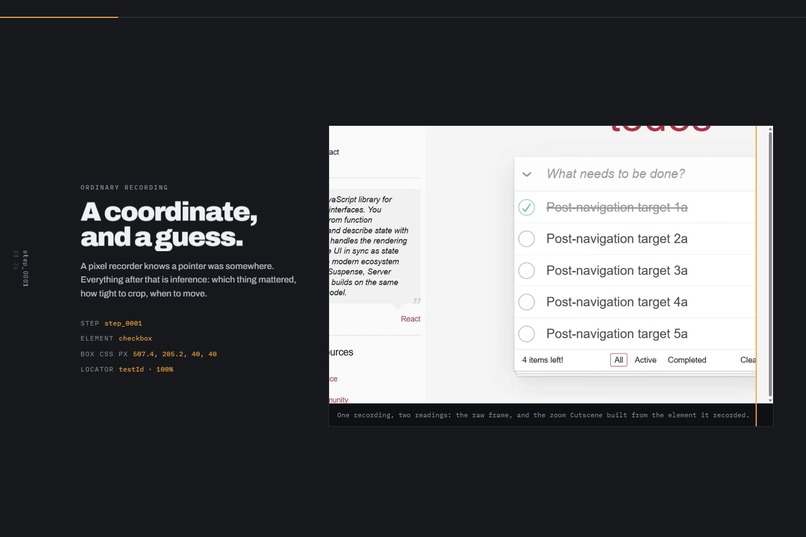
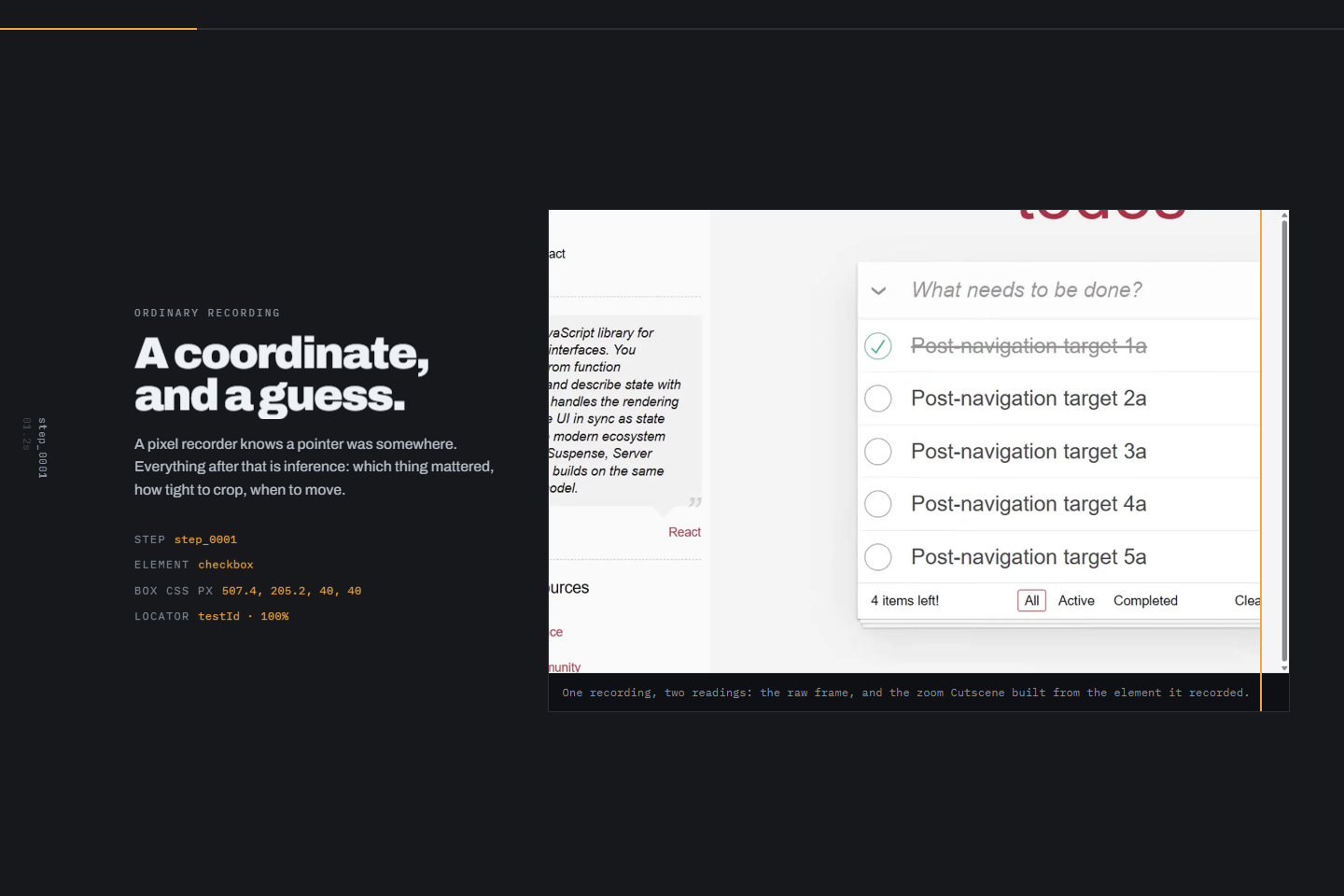
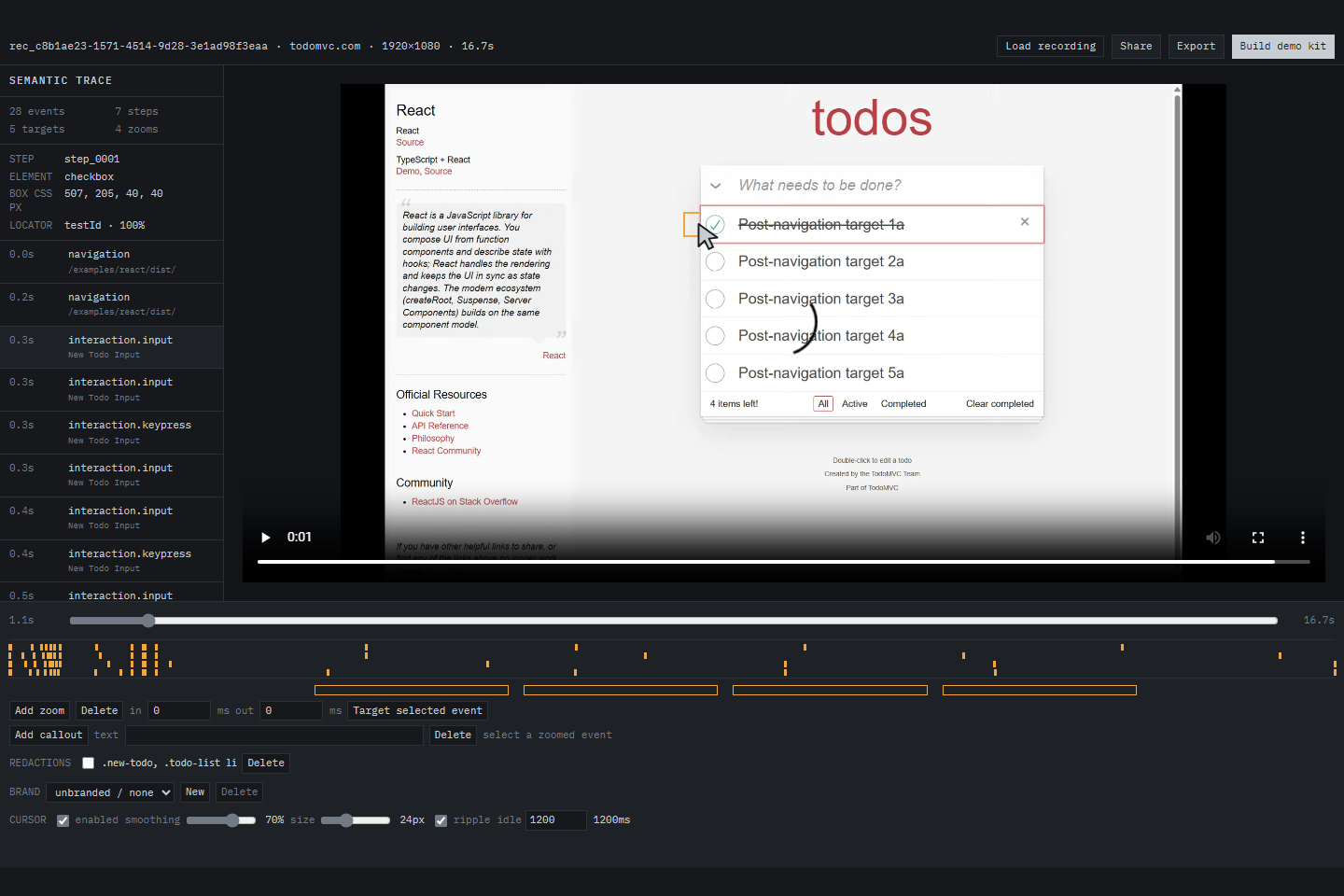
One recording, two readings: the raw frame, and the element-locked zoom Cutscene built from the step, bounds and locator it recorded.
-
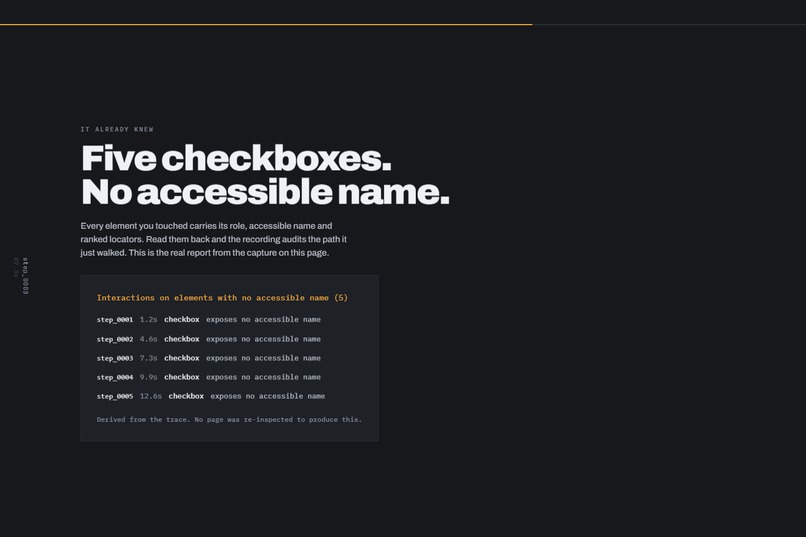
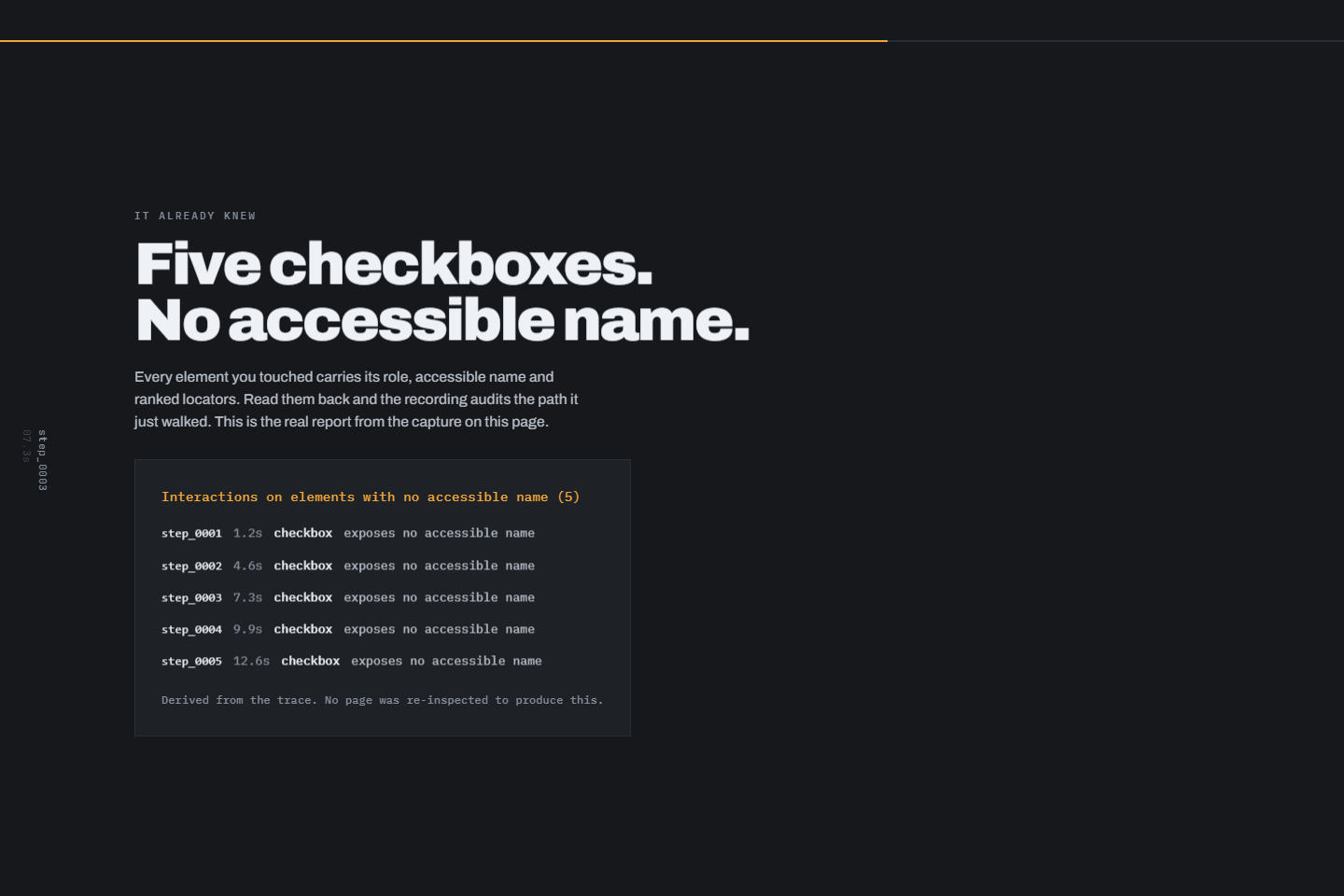
The recording audits its own path. All five checkboxes on the TodoMVC flow expose no accessible name. Read from the trace, not the page.
-
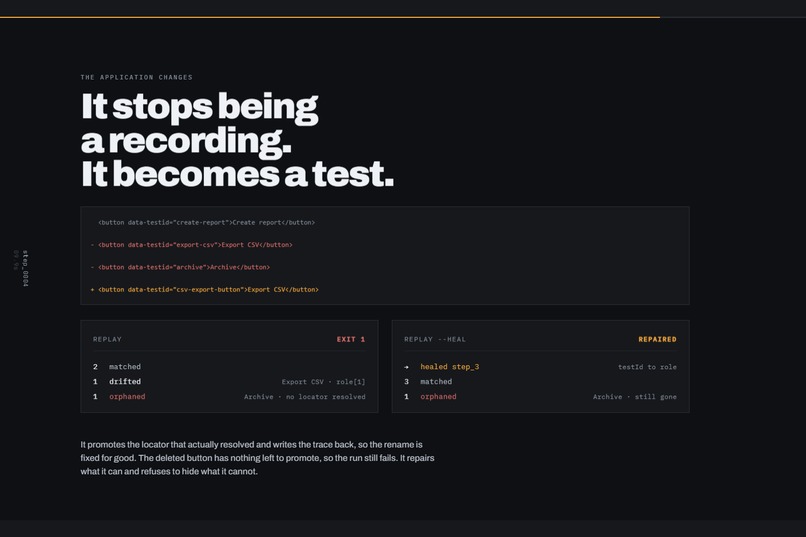
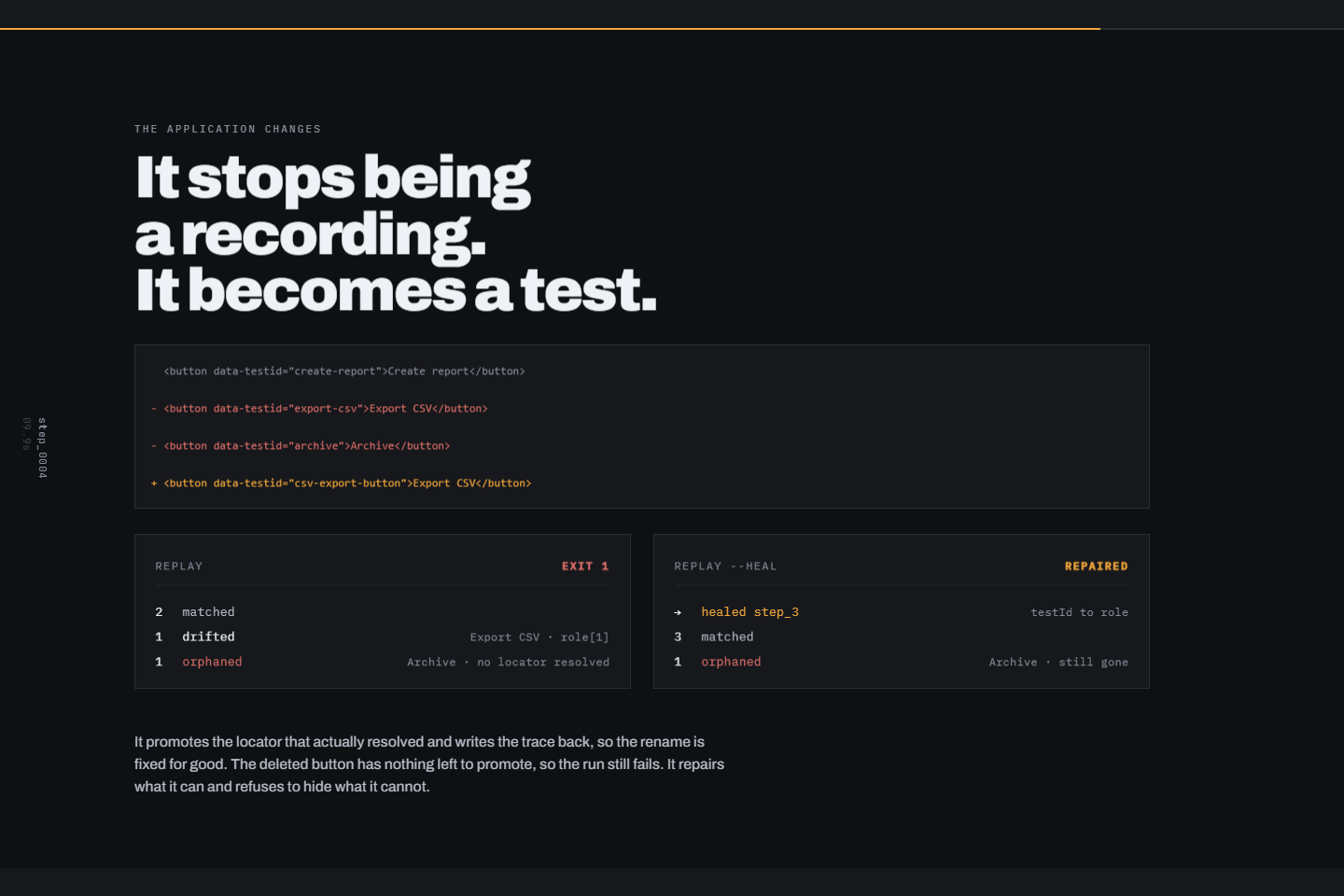
A test ID is renamed, a button deleted. Replay exits 1. --heal repairs the rename; Archive stays orphaned because it is genuinely gone.
-
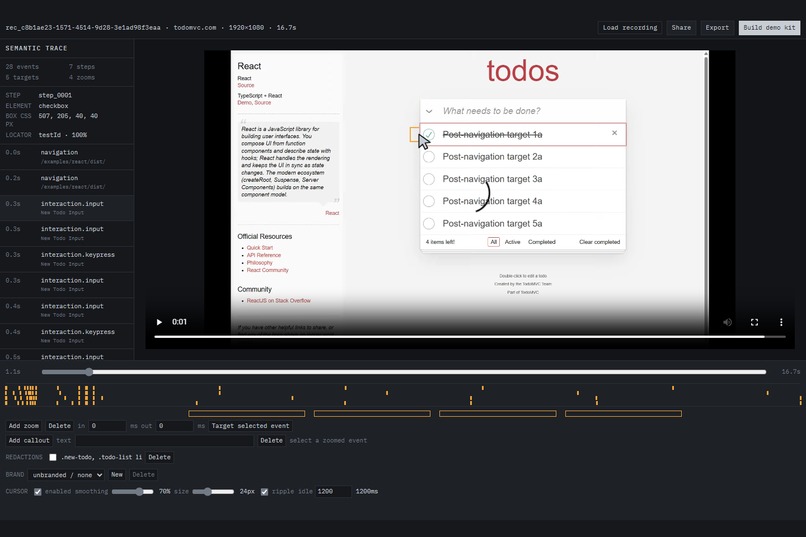
The editor: semantic trace on the left, element-locked zoom in the preview, zoom and redaction tracks along the timeline.
-
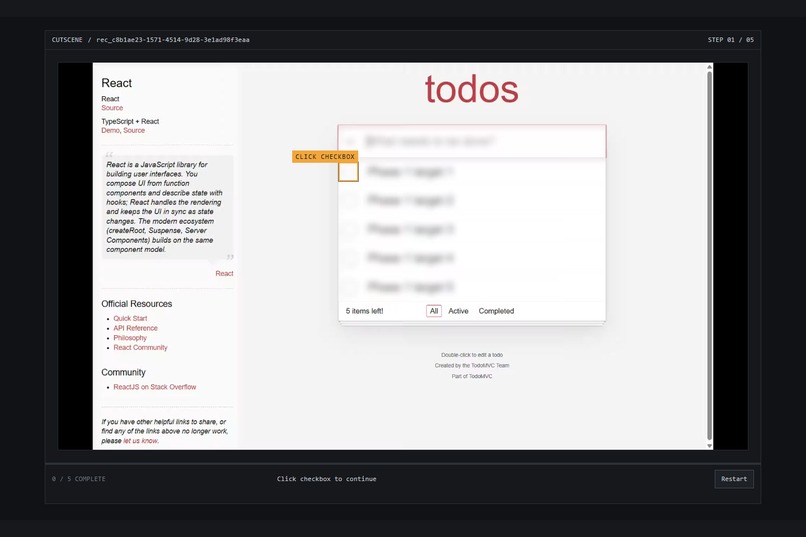
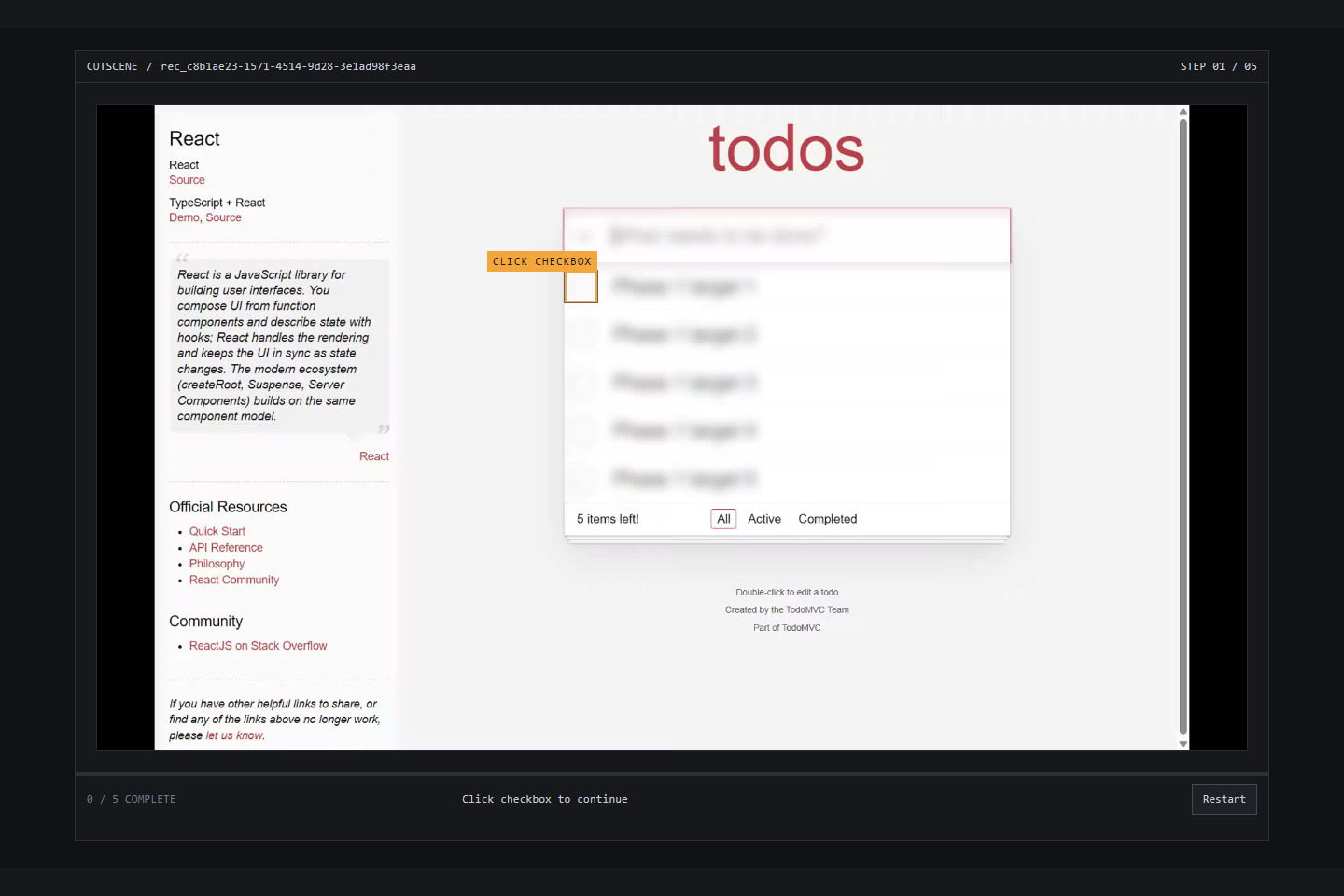
The exported interactive guide. A static file that pauses the video at every recorded click and waits for you to hit the real element.
-
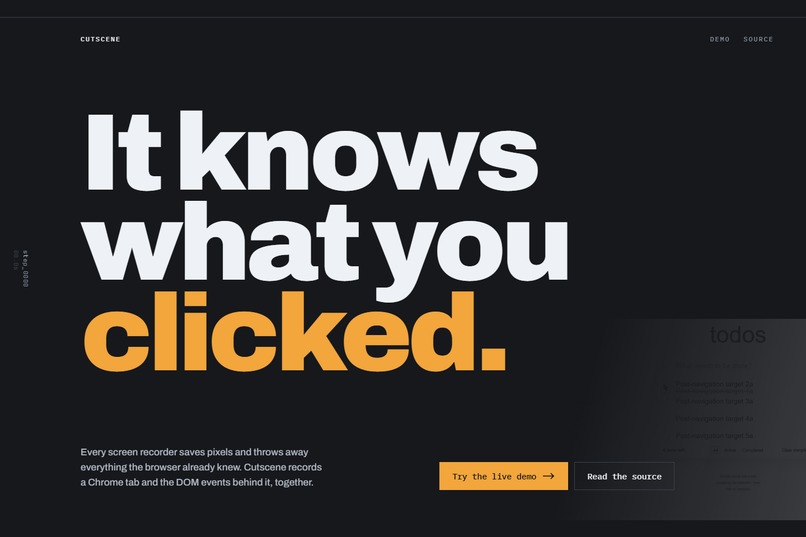
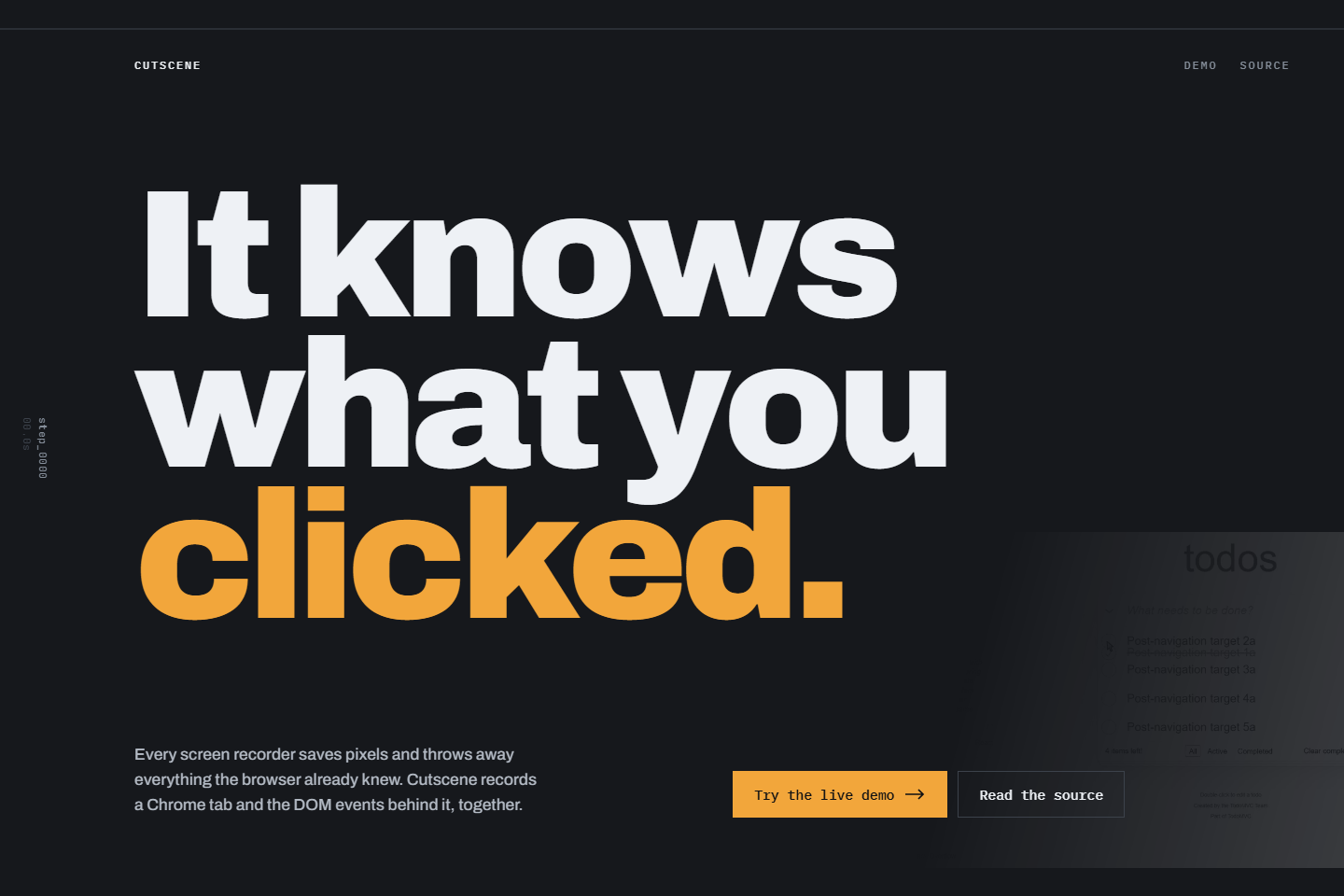
The launch page. One capture, then a video, an interactive guide, docs, screenshots, a test skeleton and an accessibility report.
Inspiration
I kept re-recording the same README GIF. The product would change, the GIF would go stale, and nobody noticed until someone opened an issue about it.
Screen recorders store a demo as pixels. The editor then has to guess what mattered. It guesses the zoom target from a click coordinate and the section boundary from a pause. The guess is often wrong, and it always looks like a guess.
The recording is the problem, not the editor. If the recorder captures the page structure at the same time as the pixels, it does not have to guess anything. It knows the click landed on the "Create report" button and it knows that button's exact bounds.
What it does
Cutscene records a Chrome tab and the DOM events behind it into one bundle: a WebM file, a versioned JSONL trace, and a metadata file. The trace holds clicks, inputs, navigation, scrolling, viewport changes, ranked locators, element bounds, and clock sync markers.
From that single capture you get:
- Zooms that frame the recorded element instead of the cursor position.
- A 1080p MP4, a README GIF with one global palette, a 9:16 crop, step docs, cropped screenshots, per-step GIFs, captions, and a Playwright flow skeleton.
- An interactive demo. It is a static ZIP that pauses the video at every recorded click and waits for you to click the real element. No backend and no sign-in.
- A recording quality report. Every element you touched already carries its role, accessible name, and ranked locators, so the report flags interactions on elements with no accessible name and steps whose best locator is one that an ordinary edit breaks.
- Regeneration. A demo.yml file declares the trace, a base URL, and the outputs to maintain. The runner replays the stored locators against a current build and rebuilds the outputs.
Input values and sensitive elements are masked at capture time, before anything is written to disk.
How I built it
Five packages.
The extension is Manifest V3 and deliberately thin. It uses chrome.tabCapture for video, MediaRecorder for encoding, and a content script for the trace. There is no product logic in it, because the extension is the only part I cannot easily change later.
packages/trace holds the real work: the schema, ranked locator generation, privacy masking, clock fitting, coordinate math, zoom generation, quality analysis, and drift healing. It has no DOM dependency and both the extension and the editor import it.
The editor is React, TypeScript, Vite, and Zustand, with plain CSS tokens. Rendering runs on ffmpeg.wasm, so nothing leaves the machine.
The runner validates demo.yml, replays in Chromium, and writes drift and staleness reports.
The whole project ran off a phase-gated PRD. Each phase had numeric exit criteria and could not start until the previous phase reported its numbers. Phase 0 was allowed to fail.
Challenges I ran into
Three clocks. The video clock, the DOM event clock, and the recorder's own clock do not start together. A zoom that fires two frames late reads as a mistake even when the element is correct. Sync markers and a shared media clock model got the acceptance run to a mean timing error of 0.258 frame across ten sampled zooms, with a worst case of 0.422.
Failing honestly. Regeneration is only useful if a replay against a changed build fails instead of clicking the wrong thing. Locators are captured as a ranked list. If the best one stops resolving and a weaker one still finds the element, the step is marked drifted. If nothing resolves, it is orphaned, the replay stops, and the command exits 1 with the declared outputs untouched.
Knowing when not to repair. I added a --heal flag that promotes the locator that actually resolved and writes the trace back, so a renamed test ID is fixed permanently. The hard part was making it refuse to go further. A deleted button has no locator left to promote, so it stays orphaned and the run still fails. A tool that quietly hides a real break would be worse than no tool.
Privacy in the interactive export. Masking at capture time was the easy half. The exported player had to carry enough data to place hotspots and nothing else. The manifest is five top level keys and four keys per step. I verified zero locators, zero raw trace, and zero input values in the shipped HTML.
Accomplishments that I am proud of
Every claim here is a measured number I can reproduce locally.
- 10 of 10 sampled zooms landed on the correct element, with a mean timing error of 0.258 frame.
- The interactive export on a real TodoMVC recording completed 5 of 5 hotspots in order, with a maximum hotspot edge error of 0.014435 rendered pixels and no console errors.
- The quality report found a real defect on a real site. All five checkboxes on the recorded TodoMVC path expose no accessible name.
- 315 tests pass, typecheck is clean across 5 packages, and 6 of 6 Chromium end to end tests pass.
- The README states the limitations above the feature list. Chrome only, DOM based apps only, no cross origin iframes, open shadow roots only.
What I learned
Capture is cheap and permanent. Features are expensive and reversible. Phase 1 records every field in the schema, including ones that only much later phases read, and then uses almost none of them. That felt wasteful at the time. It was not. A field you failed to capture forces every existing user to re-record.
The quality report proved the point. It shipped this week and cost about two hours, because the two fields it needs were captured on day one and ignored for months.
I also learned how much a gated PRD changes agent assisted development. Ask an agent to "build the recorder" and it builds all eight phases badly. Give it three numbers that Phase 0 must hit before Phase 1 may start, and it builds one phase well and stops.
What's next for Cutscene
Regeneration in CI, so a pull request that changes a route arrives with a regenerated README GIF attached and fails when the demo no longer matches.
After that, comments anchored to elements rather than timestamps, so review survives a redesign.
Built With
- chrome
- chrome.tabcapture
- css3
- ffmpeg.wasm
- manifest-v3
- mediarecorder
- node.js
- playwright
- pnpm
- react
- typescript
- vite
- vitest
- webassembly
- zustand


Log in or sign up for Devpost to join the conversation.