-
-
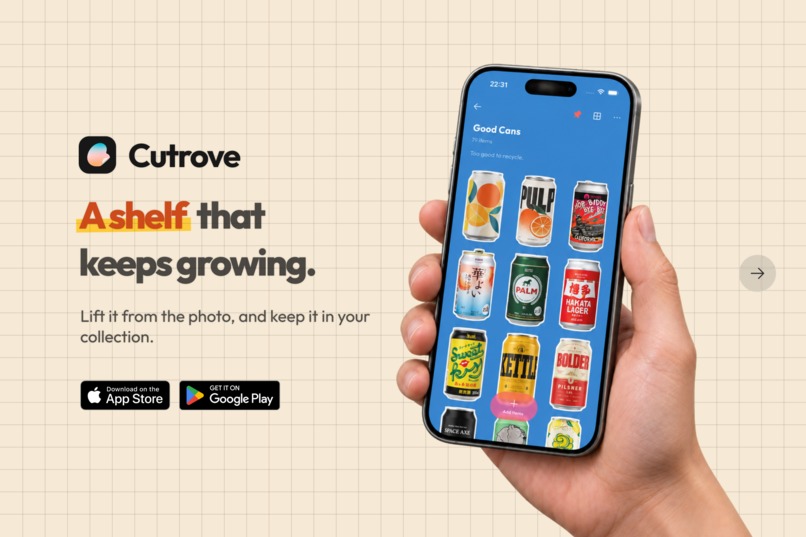
Cutrove: lift what you love from a photo, and watch your shelf grow.
-
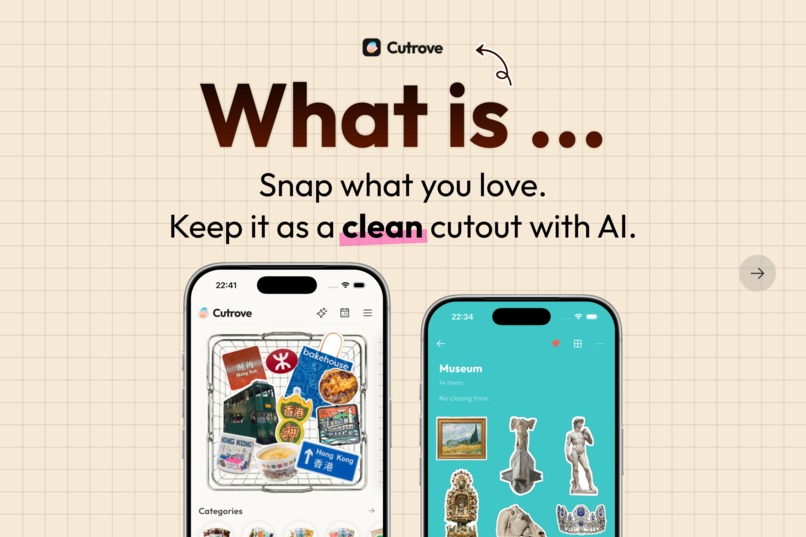
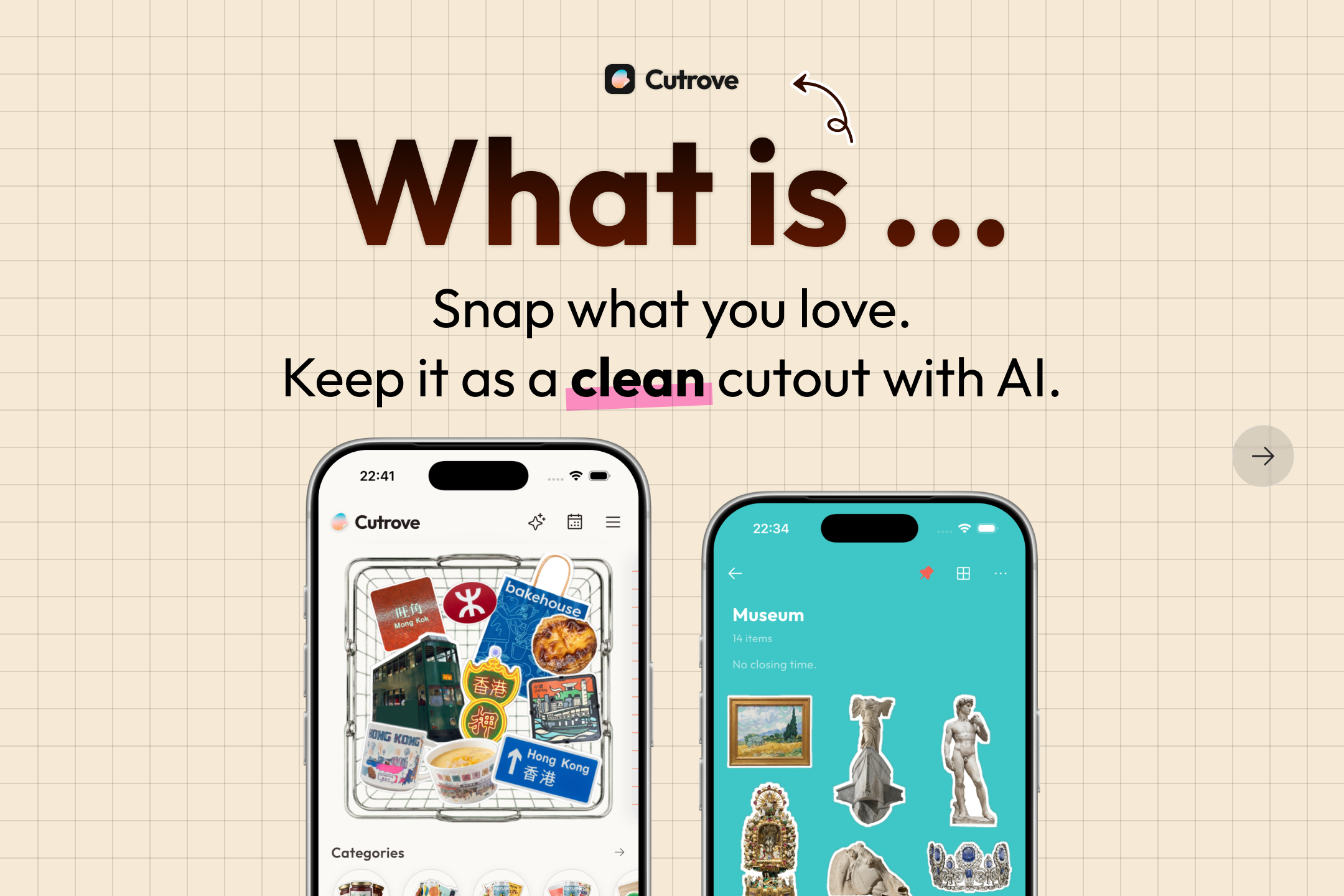
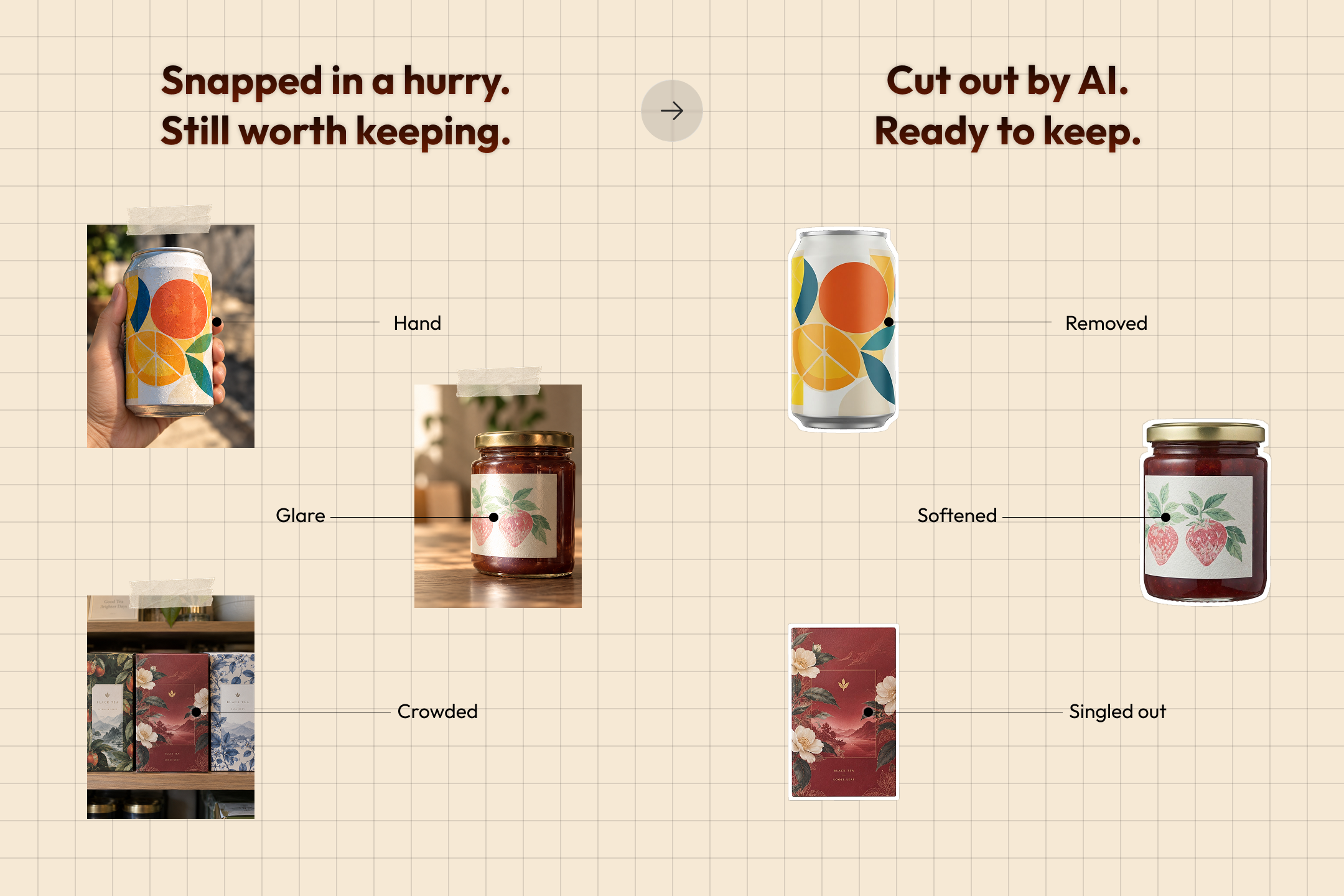
Snap what you love, and AI keeps it as a clean cutout.
-
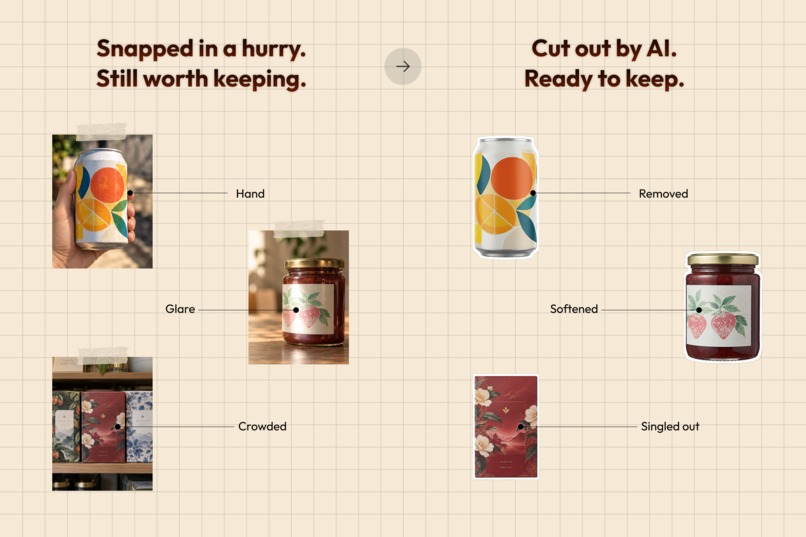
Hands, glare and crowded shelves: AI Cutout cleans up rough shots so they're ready to keep.
-
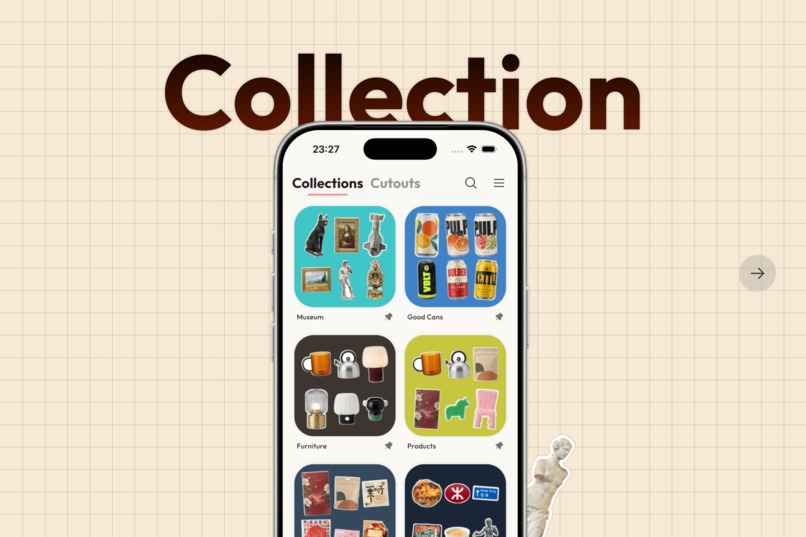
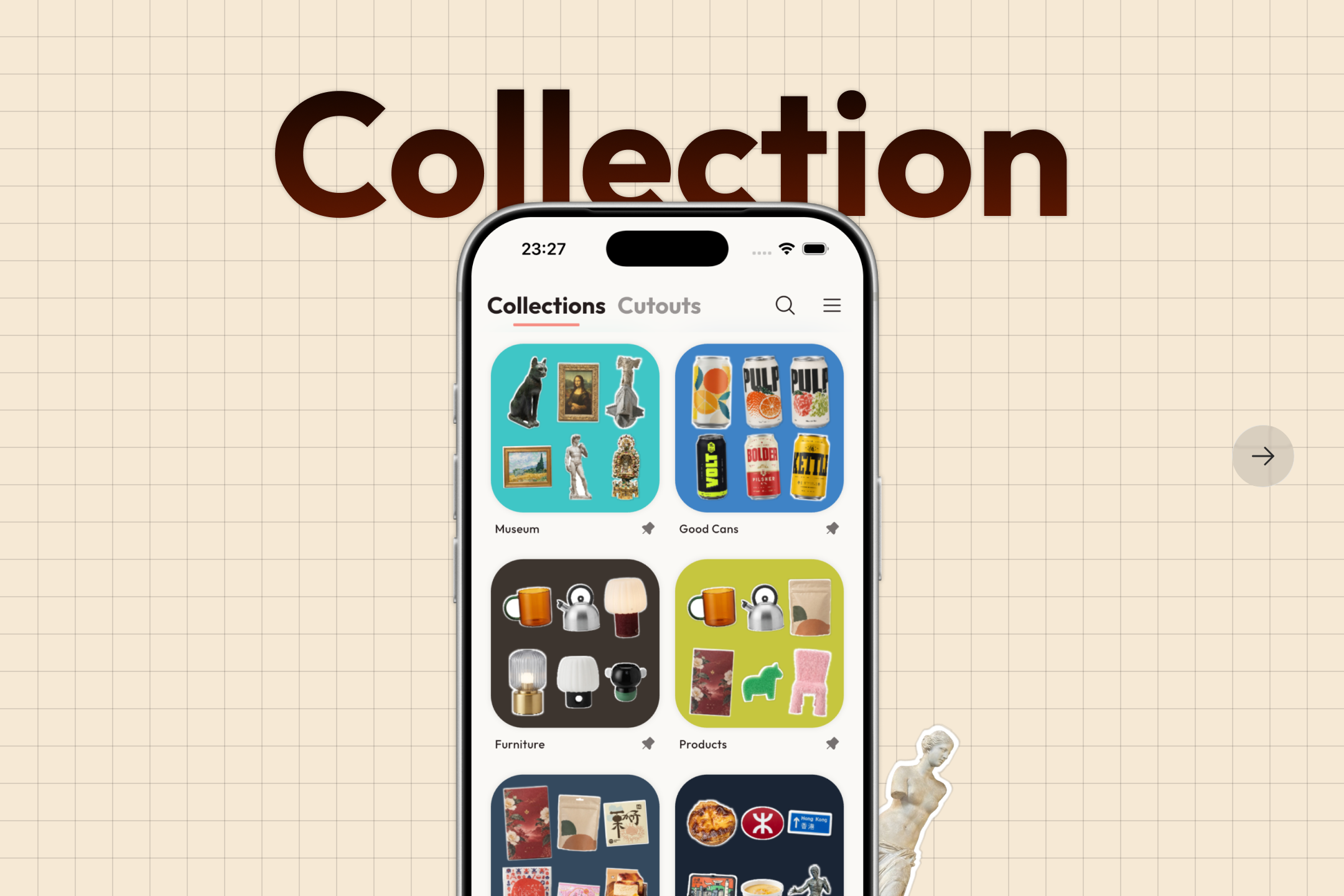
Cutouts are sorted into collections automatically, so your shelf builds itself as you go.
-
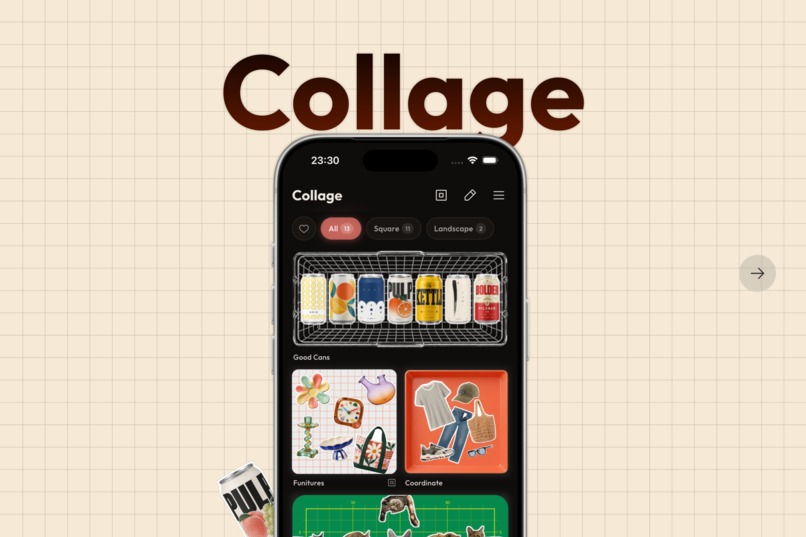
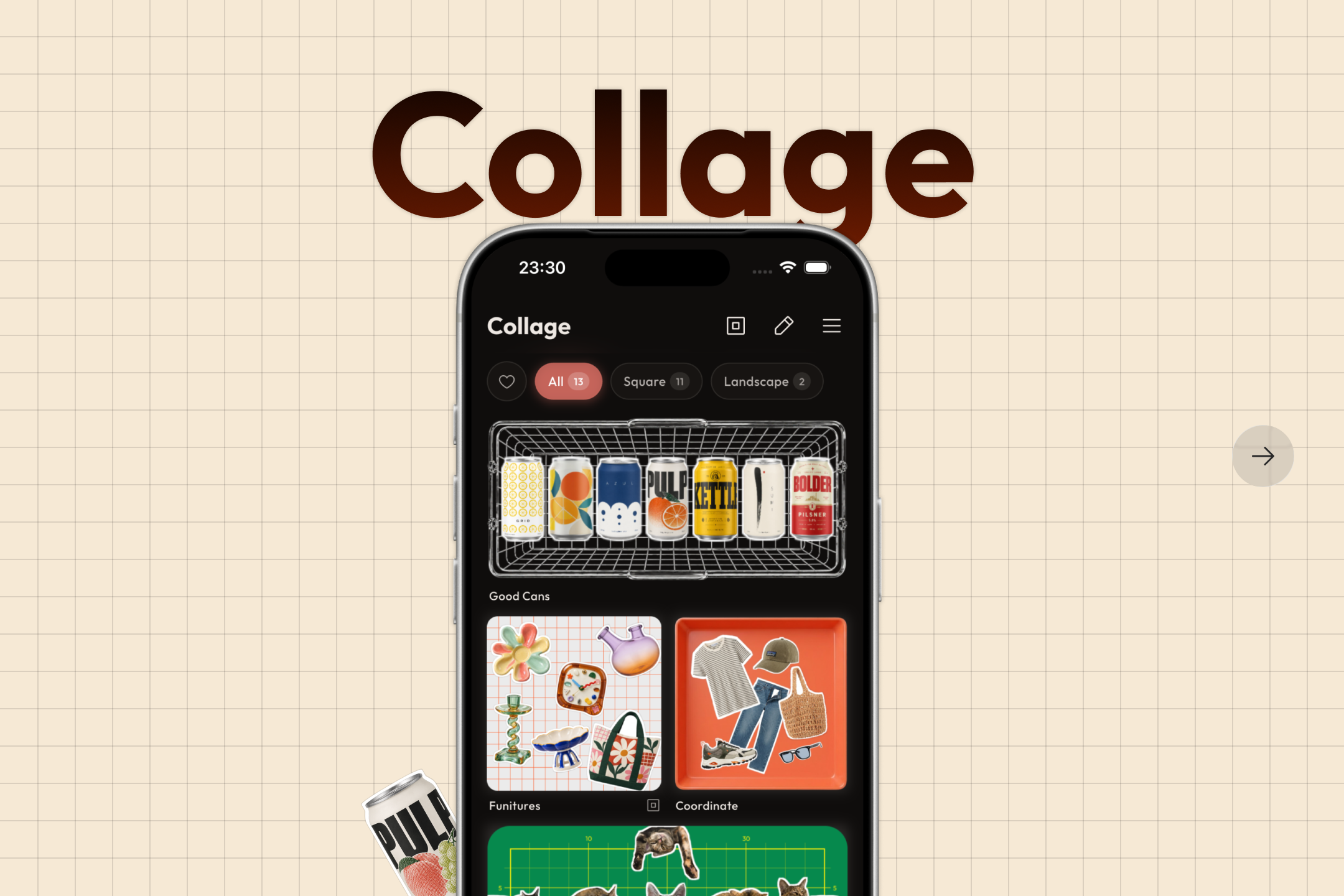
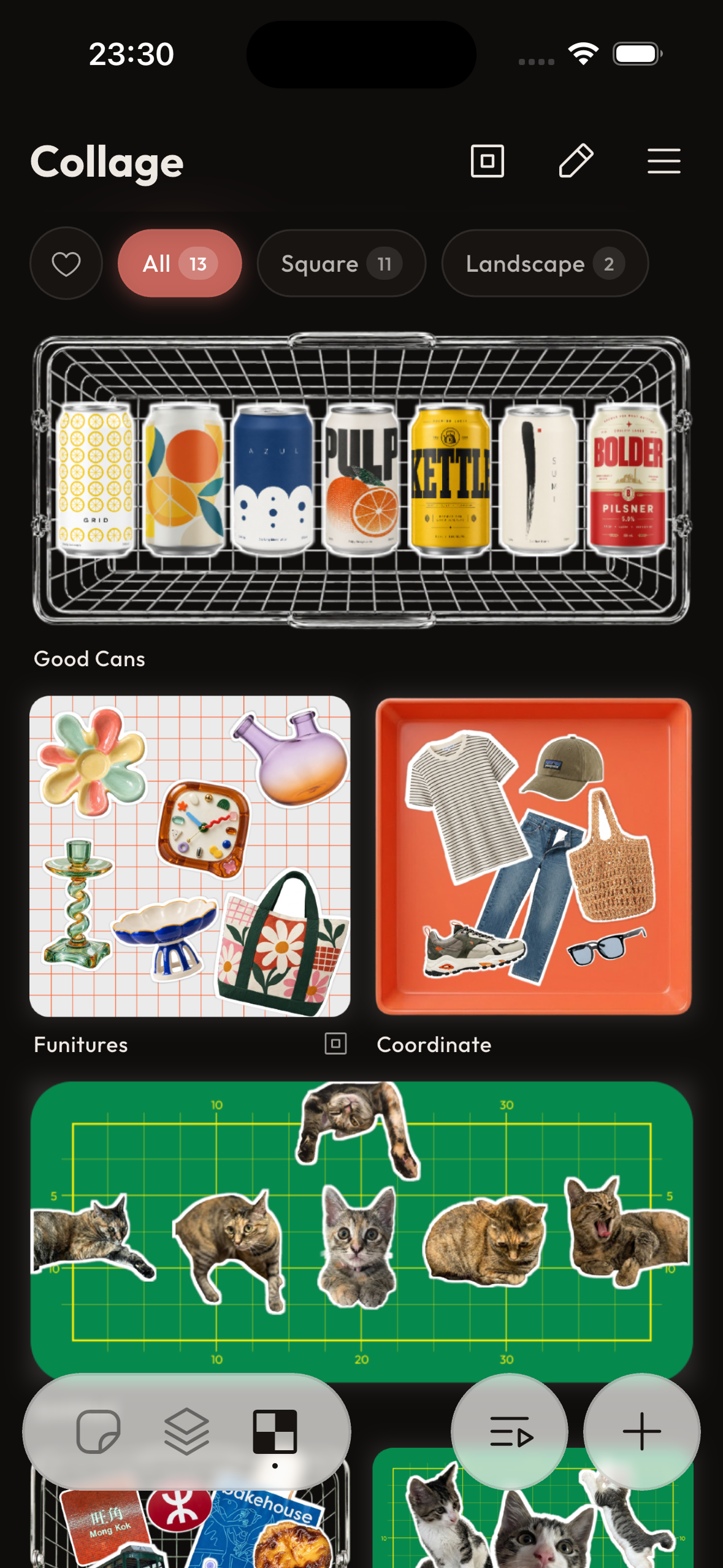
Combine your favorite cutouts into collages, in square or landscape.
-
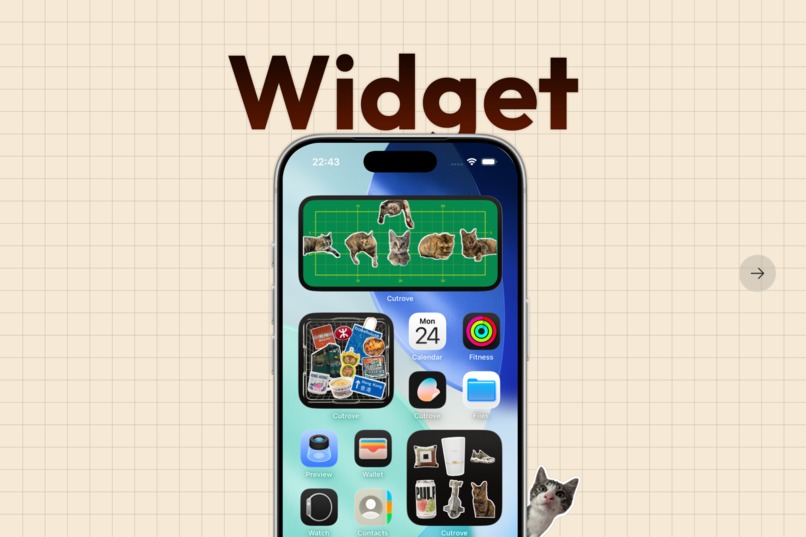
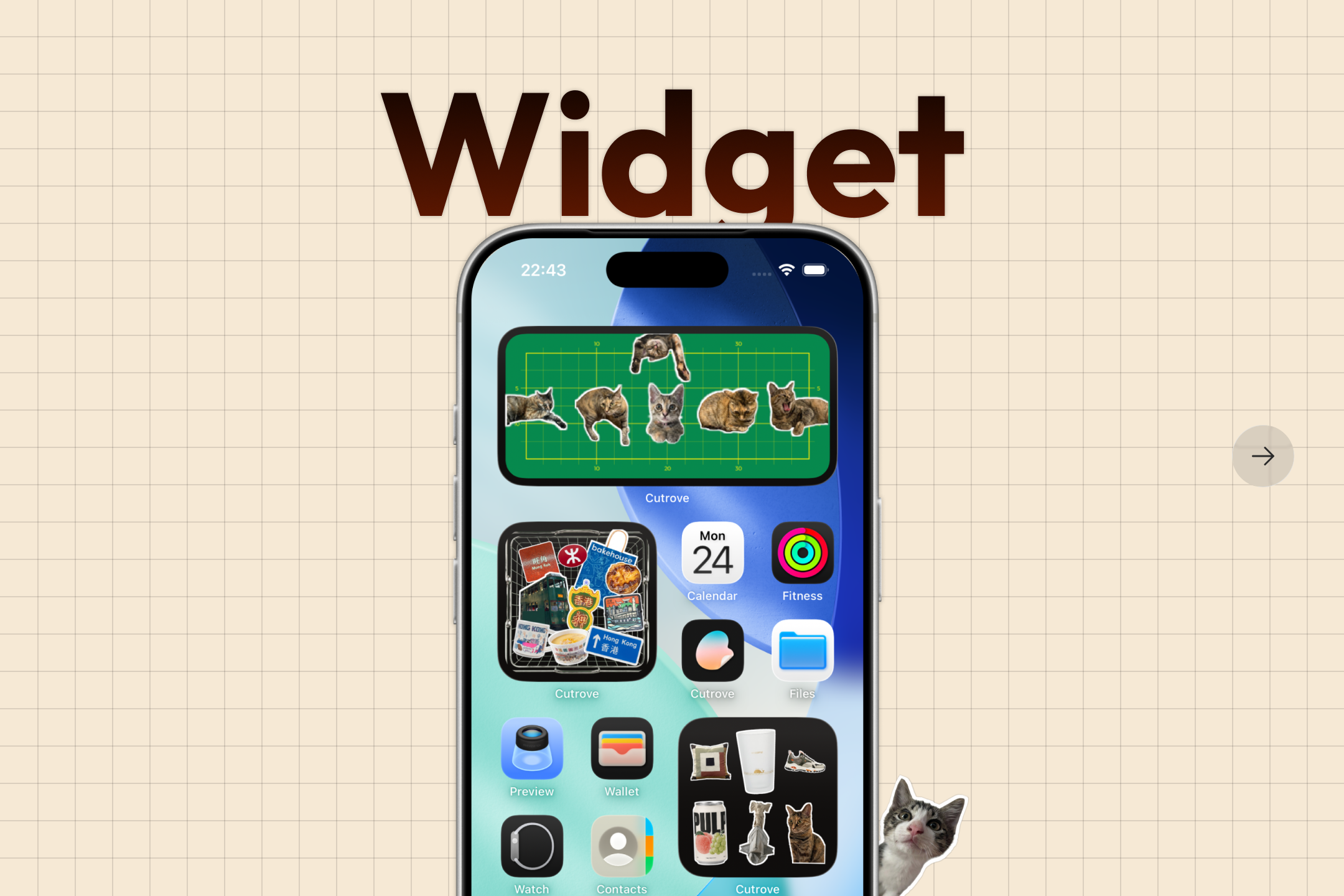
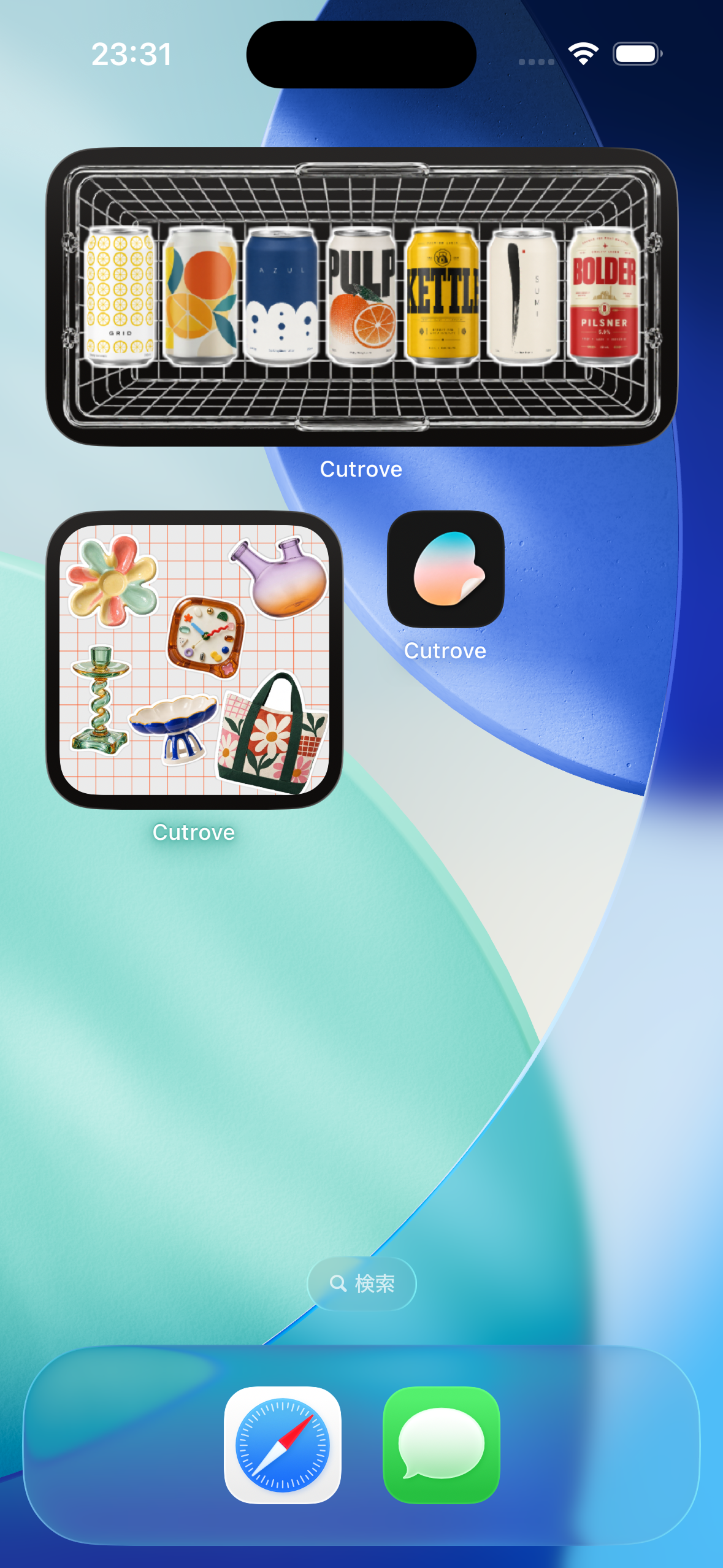
Put a collage on your home screen and see it every day.
-
Start your own collection. Available now on the App Store and Google Play.
-
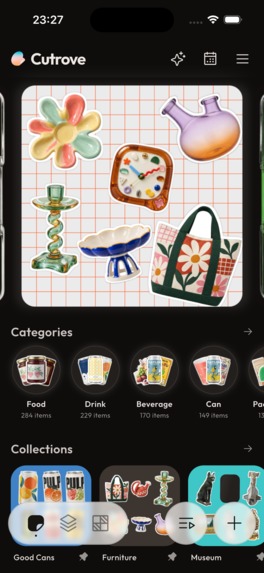
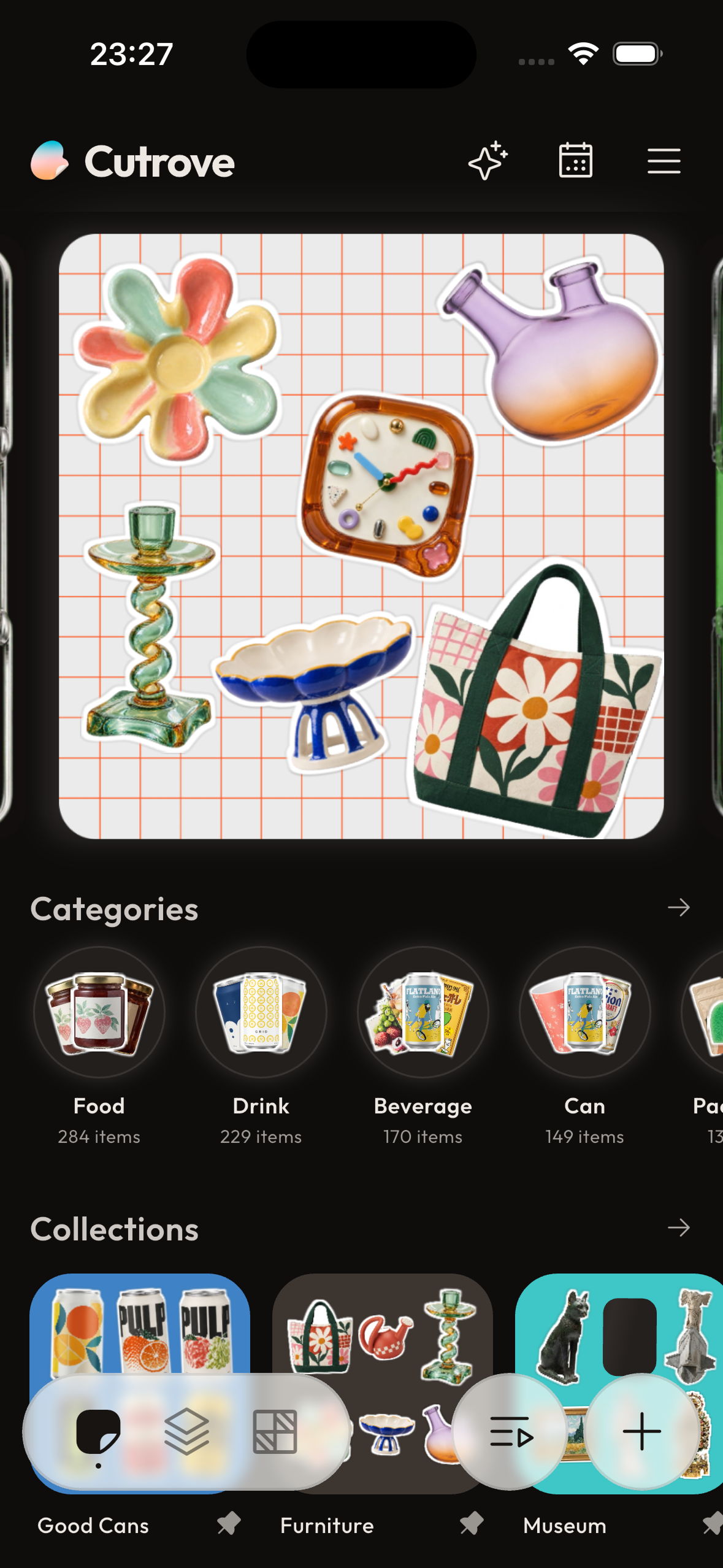
Home: your latest collage, categories and collections in one place.
-
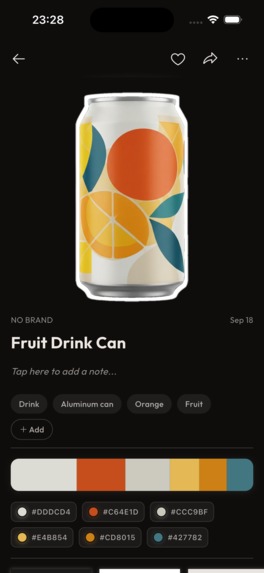
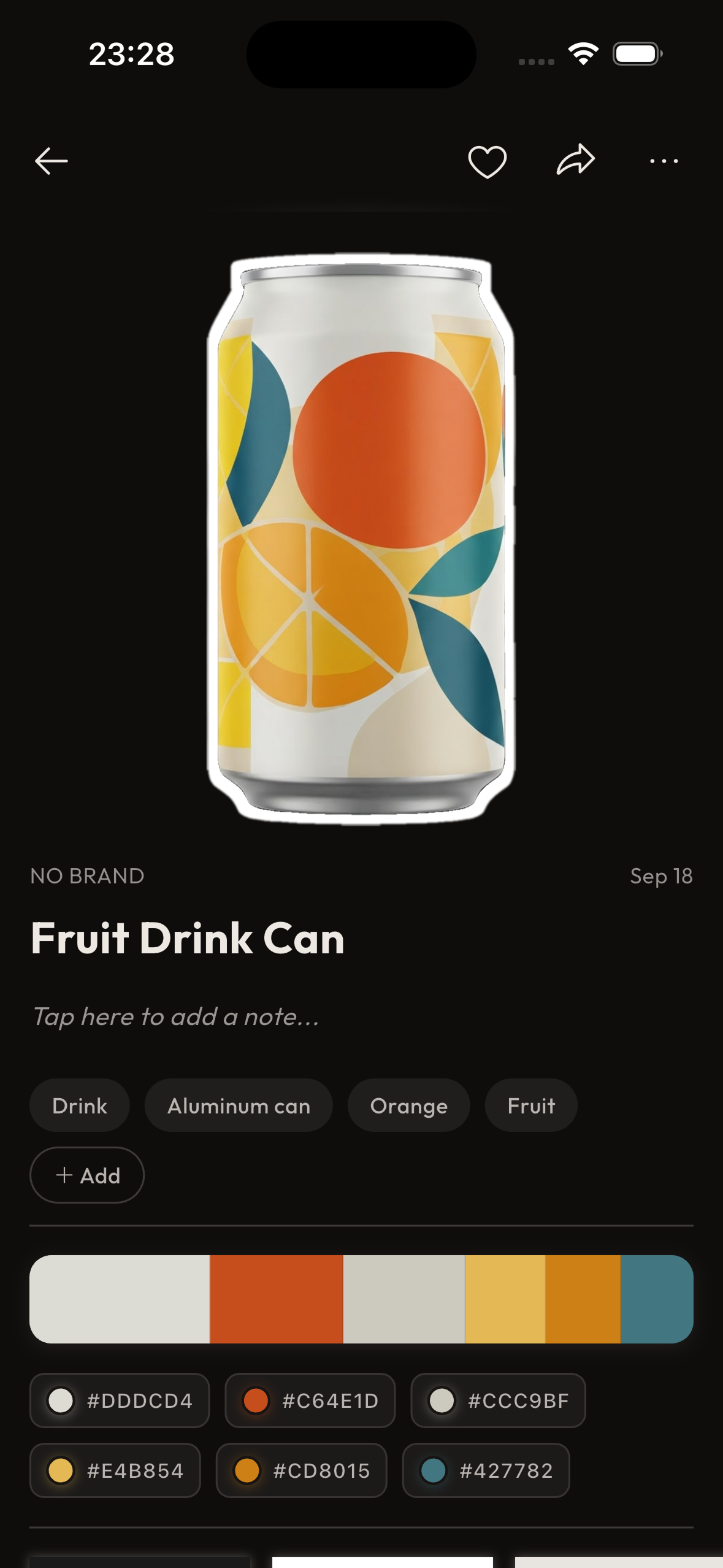
Each cutout is saved as a sticker, with a name, tags and its color palette.
-
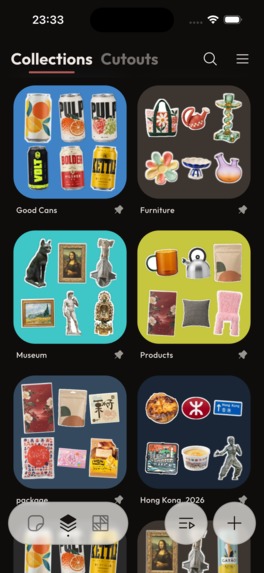
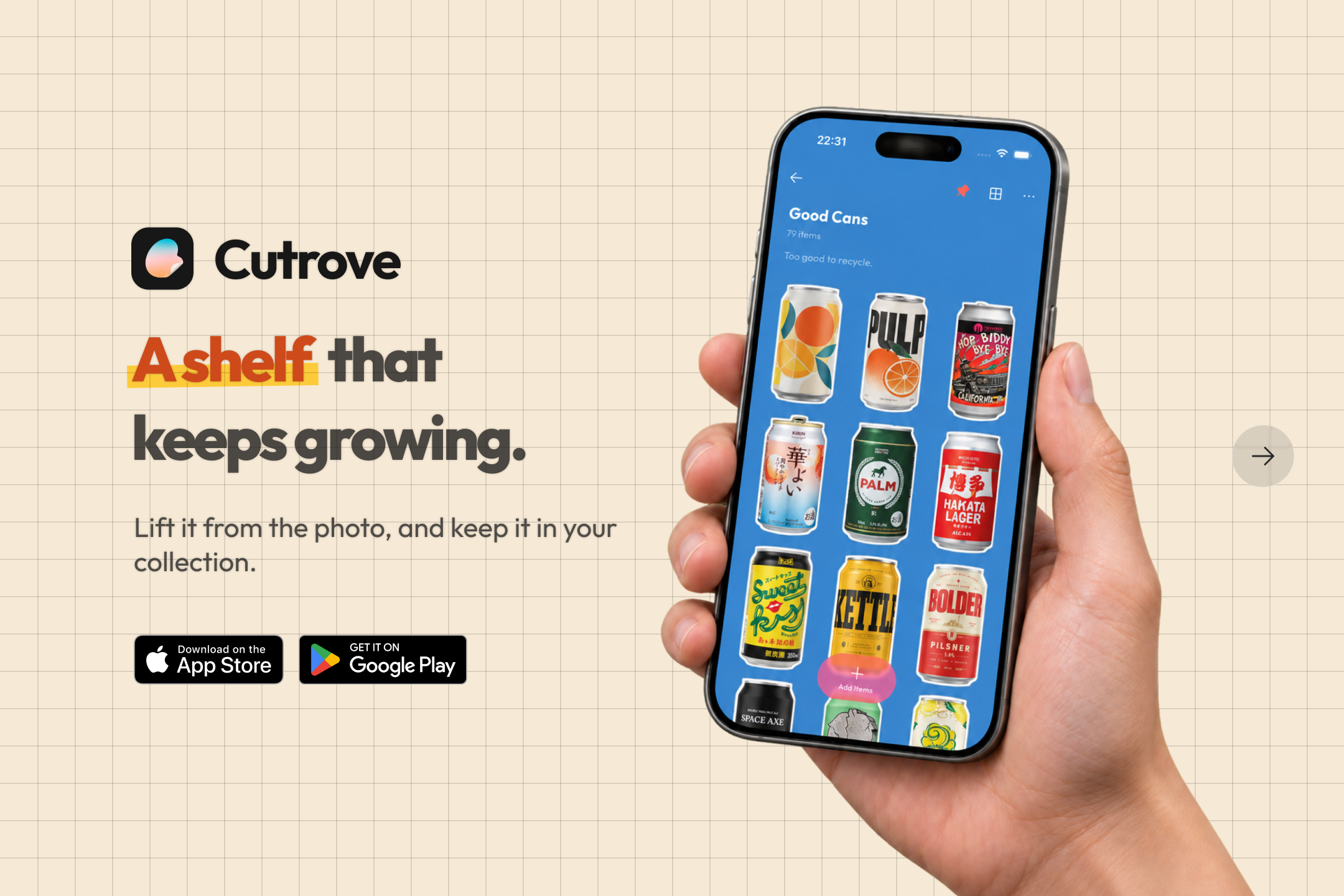
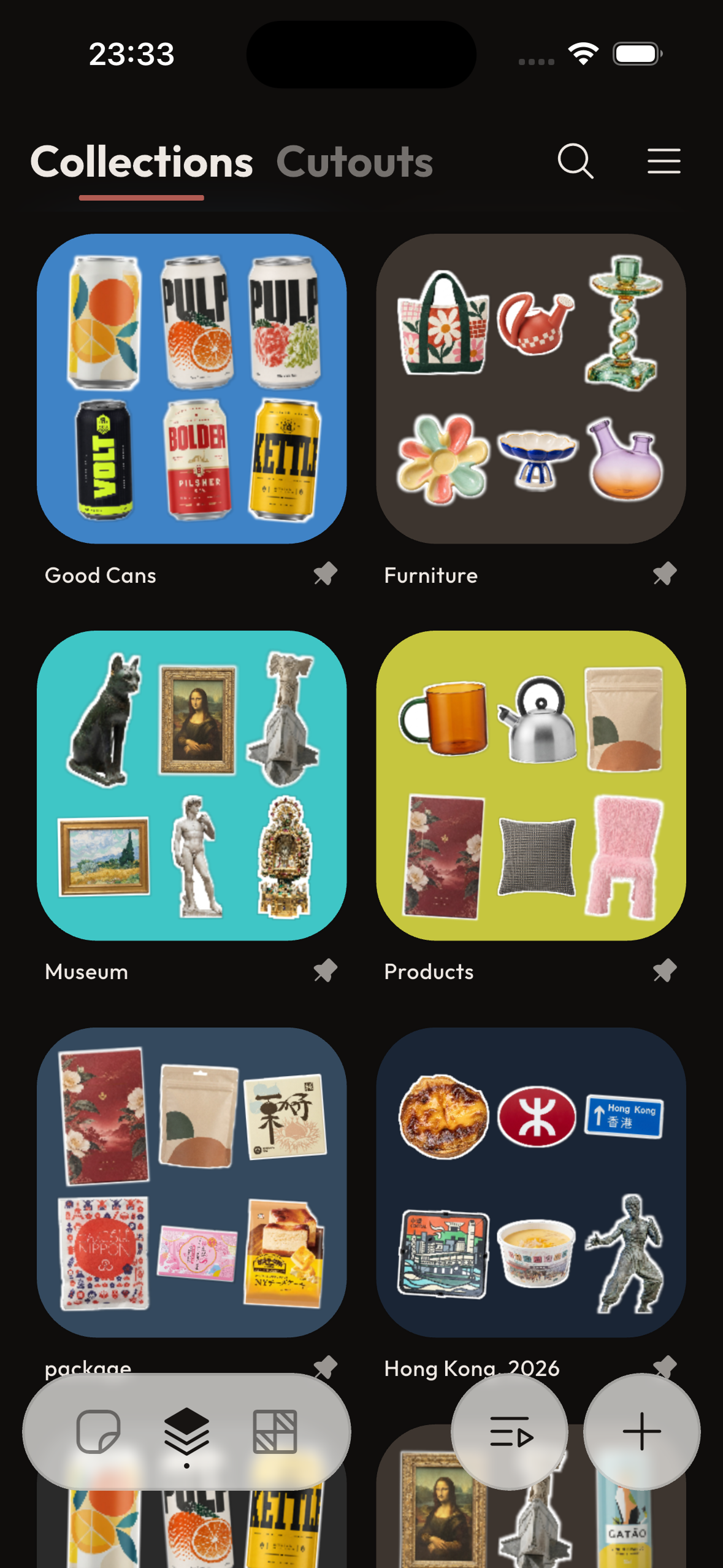
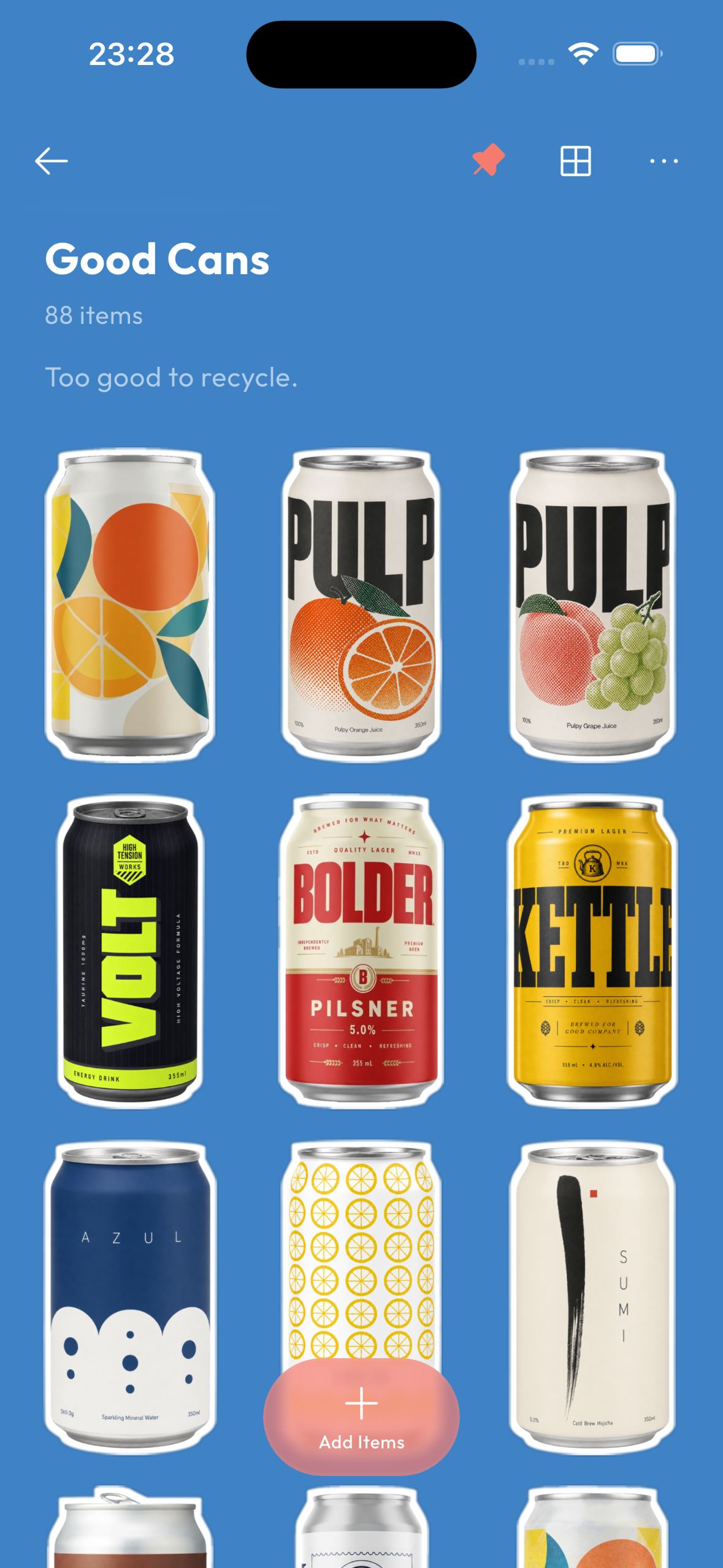
All your collections at a glance: cans, museums, travel finds and more.
-
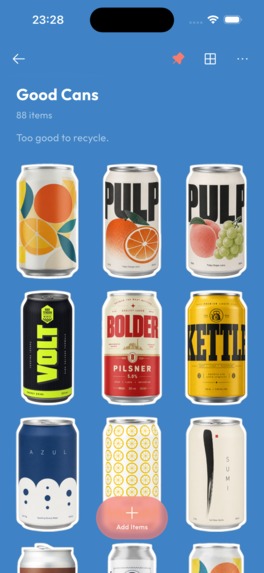
A collection of shots taken at different angles, lined up with matching shapes and angles.
-
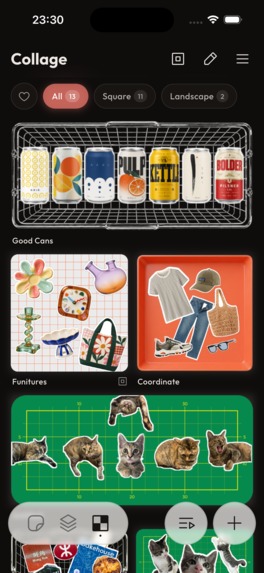
Your collages, ready to revisit, share or put on your home screen.
-
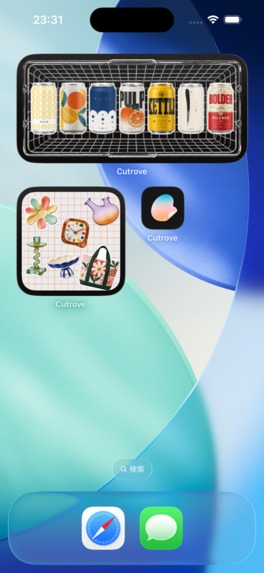
Home screen widgets in two sizes.
-
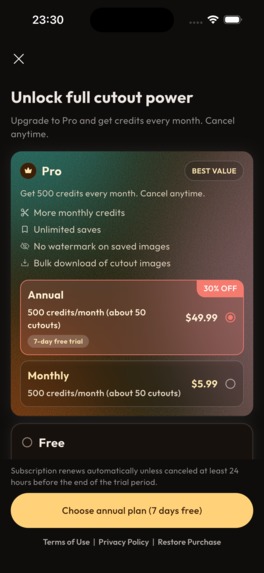
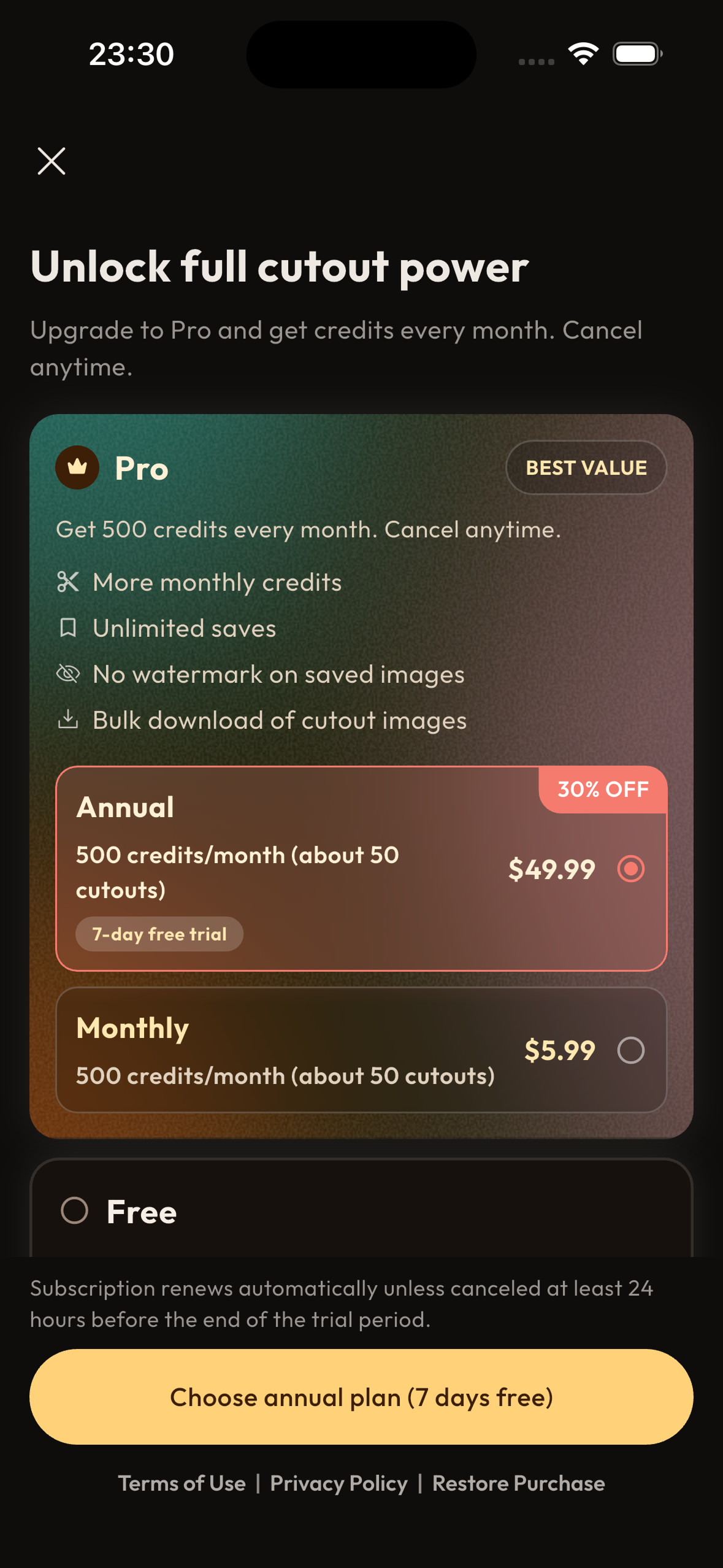
Pro adds monthly credits, unlimited saves, no watermark and bulk download. Subscriptions are powered by RevenueCat.
-

Cutrove app icon

Inspiration
A can in a corner shop, a mug at a flea market, a sign on a side street. When something catches my eye, I can't help taking a photo. But those photos sink to the bottom of a camera roll full of lunches, receipts and screenshots, and I never look at them again.
I wanted to pull out just the things I'd found and line them up as a collection of my own. So I built an app with Apple's VisionKit that cut the subject out of a photo and saved it.
But when I lined up the cutouts, they didn't look like a collection. My fingers got cut out along with the object. Glare and shadows stayed. Anything shot at an angle stayed crooked. The edge of whatever sat next to it came along too. A cutout just lifts the object out of the photo as it is, so it lifted out every flaw in the photo too.
The app wasn't what was missing. Photography skill was. Shoot it straight on, keep your hands out of the frame, avoid the glare. But when something catches your eye, there's no time to think about any of that. You only get one chance: next time you pass by, it may already be gone.
So why not let AI handle the photography part? Take one careless shot, and get back something that looks like it was carefully reshot. No need to take a good photo. If you love it, just snap it. That's where Cutrove started.
What it does
Cutrove turns a rough phone photo into a clean cutout of just the subject, and grows those cutouts into a collection that reflects your taste.
Who it's for
- People who want to keep the things that catch their eye: a shelf in a homeware shop, a sign on a trip, a can a friend was holding. Snap it the moment you find it, and come back to it later as a clean cutout
- People who love taking photos but don't trust their photography: crooked, still in your hand, full of glare, it's all fine. AI takes care of making it look carefully reshot
- People who want to collect and look back on what they love: things shot here and there become a collection with matching shapes and angles. Combine them into a collage, and put your one-of-a-kind picture on your home screen
Features
- AI Cutout: removes hands, backgrounds, glare and shadows, straightens the angle, and leaves just the subject as a sticker-style cutout
- Collections: cutouts are sorted into collections automatically, so a shelf builds itself as you go
- Collage: combine your favorite cutouts into a collage
- Home screen widget: put a collage on your home screen and see it every day
- Capture from anywhere: camera, photo library, or the share sheet from any app
- Available in 7 languages: English, Japanese, Korean, Simplified Chinese, Traditional Chinese, German and French
Each AI cutout uses credits. The free plan includes enough credits for 5 cutouts a month. The Pro subscription adds a monthly credit allowance, unlimited saves, no watermark and bulk download, and lets you buy credit packs when you need more. The annual plan comes with a 7-day free trial.
How we built it
I built the core features in August, and spent September on a closed beta and release preparation, including security hardening.
- App: Flutter, one codebase for iOS and Android. Collections and cutout images are cached on the device, so you can browse them offline
- Backend: built on Firebase and Google Cloud. AI Cutout combines several image generation models
- Billing and credits: RevenueCat handles subscriptions, credit pack purchases and entitlements. For credits, I adopted RevenueCat's Virtual Currency. Monthly credits that expire at the end of each cycle, purchased credits that carry over, and promotional credits for campaigns are three separate currencies, and the rules for granting and expiring them live in RevenueCat's configuration
- Closed beta: in September, 15 testers used Cutrove with photos they actually took around town. I tuned the output quality and the experience based on their feedback before release
Challenges we ran into
Finishing a photo with AI
To make a rough photo look like it was shot properly, several corrections have to be applied to a single image. It took more than 2,500 photos of trial and error to reach results I was happy with.
- Retouching: remove glare and shadows without changing the material's texture or color
- Angle correction: turn a crooked object to face straight forward. Too little and it stays tilted; too much and the object's shape itself changes
- Obstacle removal: erase the hand holding the object, or something in the foreground, without leaving a trace
- Restoring missing parts: fill in what's cut off at the edge of the frame or hidden behind a hand or another object, so it looks like the original. Overdo it and the label or shape no longer matches the real thing
The closed beta showed far more photos taken with the object in hand, or cut off at the edge of a shelf, than I expected. Obstacle removal and restoration turned out to matter most for satisfaction.
Prompt complexity and balance
Every time I added one more instruction to fix one more thing, the prompt got longer and more complex. The more complex it got, the more the AI hallucinated, drawing patterns and shapes that weren't on the real object. Strengthening one instruction would weaken another, so balancing the whole prompt was a constant struggle. And the same instruction behaves differently on different models. I built a tool to manage and compare prompts, running the same set of photos through each version and comparing the results side by side to tune the wording and strength of each instruction.
Even so, trying to solve everything with the prompt alone hit a wall. So I stopped handing everything to a single AI call and split the pipeline into pre-processing, AI, and post-processing. Before the AI sees the photo, it's analyzed and prepared, and only the instructions that photo needs are assembled. The AI's output is then finished in post-processing. The AI does only what only AI can do, the redrawing, and everything that can be done reliably by a fixed procedure is done in code. This division of labor reduced the dependence on the prompt, kept the instructions simple, and made the results far more consistent.
Speed, and not making people wait
I wanted to show the result before the "I like this" feeling faded, but higher quality means longer processing. In the closed beta, some testers closed the app before the result appeared when the wait was long. I made the server start faster, parallelized image uploads, and added fallback routes for when a path was congested or failed. I also added processing modes (Eco / Standard / Precision) so users can choose between speed and finish.
But the wait can't be zero. So I changed the approach: don't make people wait. Processing runs in the background. Close the app, go find the next thing to shoot, and it keeps going. When it's done, a push notification lets you know, and tapping it takes you straight to the finished cutout. There's no need to sit and stare at the screen.
Caching strategy in the app
A collection only means something if you can look at it whenever you want. At first, every launch waited on the server, and images were re-fetched every time they were shown. Beta testers also said they wanted to open their collection in places with a weak signal, on the train or while traveling. So I moved to caching on the device in stages: collection data, cutout images, and the rendered collection views. On launch, the previous state appears immediately, and the latest data is fetched in the background and swapped in. By treating the server's response as the source of truth, the app stays simple, and the cache is now strong enough to browse collections fully offline.
The complexity of managing credits
Managing credits involves a lot more than granting and expiring them:
- Which credits to spend first when there are several kinds
- Refunds when AI processing fails
- Returning credits when a user reports an unsatisfying result (added after beta testers said losing credits on a poor result didn't feel fair)
- Grants during trials, and the differences between iOS and Android purchases
Building all of this myself would have been a major project just to keep balances consistent. By adopting RevenueCat's Virtual Currency and letting RevenueCat own balance management and the granting and expiry rules, I could spend my development time on the core features above: the AI cutout and the app experience.
Developer responsibility
Even as a solo developer, the moment I charge money, Cutrove is a product. I treated quality, security and user protection as responsibilities as important as building features.
- Quality as a product: if AI processing fails, credits are refunded automatically. If you're not happy with a cutout, you can report it from the app and get your credits back. If a billing event can't be processed right away, it's reprocessed later so nothing slips through. Failures and anomalies are monitored and alert me immediately. Before release, I checked all 7 languages for layout breaks and awkward translations
- Security: as an app that holds people's photos, I layered on protections
- Firebase App Check is fully enforced, so requests from anything other than the genuine app are rejected
- Every API accepts requests only from authenticated users, and users can only reach their own data
- Image uploads and downloads use short-lived signed URLs; storage is never exposed directly
- Secrets such as API keys live in a dedicated secret manager, never in code or the app. Cloud permissions are kept to the minimum, and infrastructure is managed as code so nothing is misconfigured by hand
- Dependencies are scanned for known vulnerabilities in CI and updated regularly
- A full security review before release, with the findings fixed in stages
- User protection: accounts and stored data can be deleted at any time. AI processing history can be deleted item by item. Contact messages and reports reach me right away, so problems get a quick response
RevenueCat was a major part of the security and quality story too. Receipt validation and credit balances live server-side with RevenueCat, so there's no room for the app to tamper with purchase state or balances. Purchases on iOS and Android map to the same entitlements and balances, so there are no cross-platform inconsistencies. Entrusting the money side to a proven platform is, I think, part of what it means to take responsibility for users.
Accomplishments that we're proud of
- Building an experience where photos that were all shot carelessly come out as a collection with matching shapes and orientation
- Shipping on both iOS and Android, in 7 languages, in about two months
- Releasing without compromising on quality, security or user protection, even as a solo developer
- Hearing beta testers say "I stopped trying to take good photos" and "I take pictures of things I like more casually now". That is exactly the change I wanted Cutrove to bring
- The numbers are still to come, but from day one the foundation is in place to keep users safe and keep improving: the billing and credit system, a setup where user reports get handled fast, and ASO and social operations to get the app in front of people
What we learned
- Failures I never saw with my own photos showed up one after another in the closed beta. People shoot in far more ways than a builder imagines. Getting real users on it early matters
- AI isn't a magic box; the more you hand it, the less stable it gets. Give AI only what only AI can do, and lock down everything before and after with deterministic processing. That design was the shortest path to consistent quality
- Rescuing the moment you can't go back and reshoot is the heart of the product's value
- Knowing what to build myself and what to delegate. Credits need to be exact and don't differentiate the product, so they belong with RevenueCat; my time belongs on the experience users touch directly. That line paid off in both speed and quality
What's next for Cutrove | AI Cutout Collection
Release is a starting line, not a finish line. From here, getting Cutrove to the people who need it matters as much as making it better.
Reaching people
- ASO: the first round is already done: store listings rewritten around the value of growing a collection, subtitle and keywords reworked, and store pages added for Spanish (Mexico) and English (UK). Next, I'll track search rankings and store page conversion, improve screenshots and the preview video, and expand the languages and regions covered
- Social marketing: cutouts and collages are eye-catching content in themselves. On X, Instagram and TikTok, the focus will be before-and-after posts showing how a rough shot transforms. A weekly plan-track-review routine is already set up
- Paywall and pricing optimization: use RevenueCat Experiments to A/B test how plans are presented and priced
Growing the product
- Faster processing: a cutout currently takes about 20 seconds. The goal is under 5, so you see the result on the spot and the thing you liked joins your collection before the feeling fades
- Referral program: invite a friend and both of you receive Promotion Credits, granted through RevenueCat's Virtual Currency API, with no balance kept on the app side. Splitting credits into three currencies was designed with this in mind
- RevenueCat Customer Center: manage subscriptions, answer a survey before cancelling, receive a retention offer, and request refunds, all inside the app. Putting cancellation and refunds in plain sight inside the app is what being honest with users looks like to me
- Sharing and publishing: share and publish collections and collages with friends
- Looking back at what you love: surface patterns in what you've collected, so you can discover what you're actually drawn to

Log in or sign up for Devpost to join the conversation.