Inspiration
Video editing often involves hours of repetitive work before a creator even reaches the creative part: transcribing footage, finding the best moments, trimming clips, and adding captions. This can be especially challenging for creators producing podcasts, tutorials, commentary, and talking-head videos.
We built CutPilot to make this preparation faster while keeping creators in control of their edits.
What it does
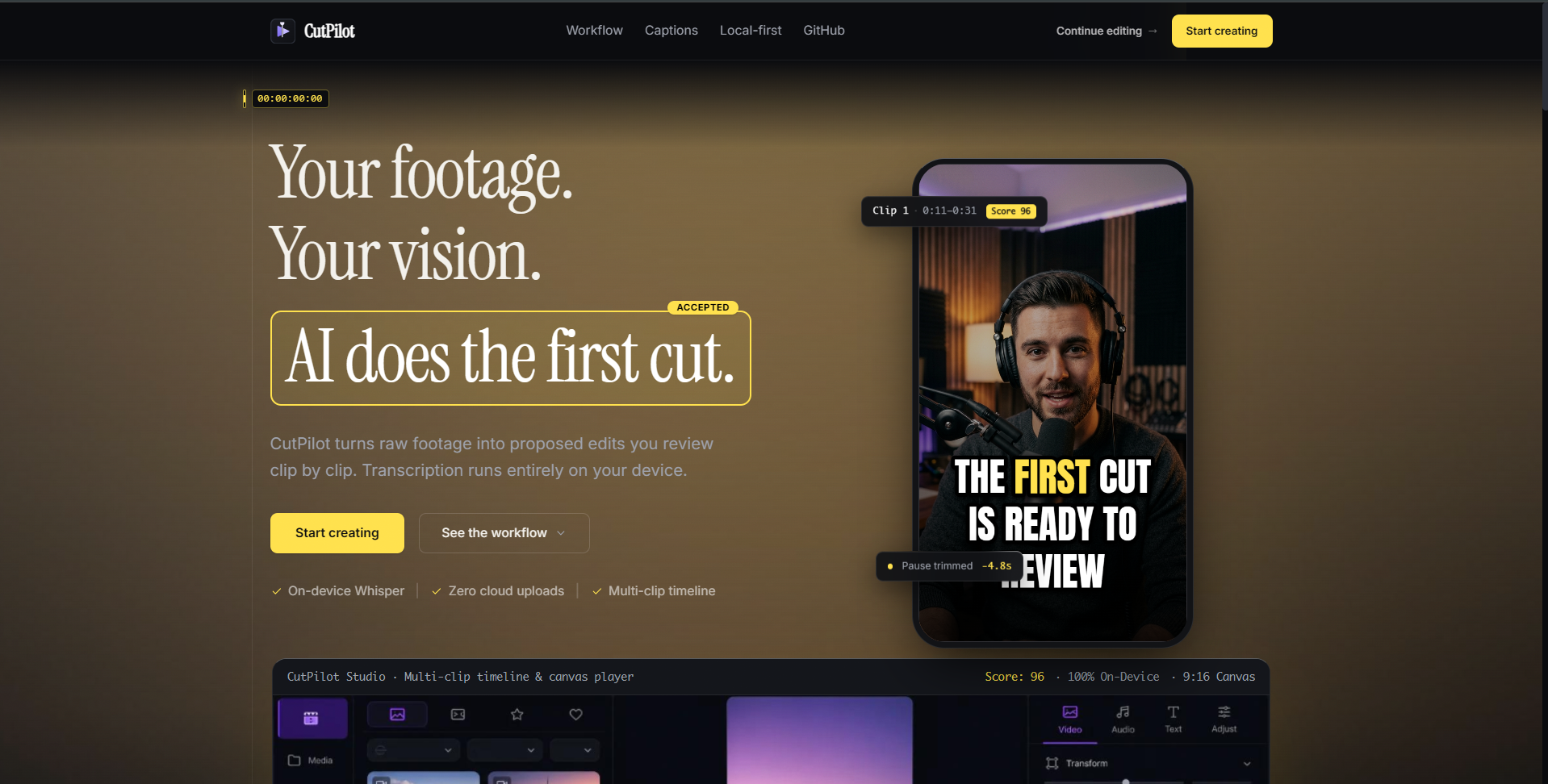
CutPilot is a browser-based AI video pre-editor and editing studio that helps transform raw footage into an editable first draft.
Users can upload a video, generate a transcript, review suggested clips, accept or reject recommendations, and apply their selections to a project. They can then refine their edits using a timeline, customize captions, preview the result, and export their video.
Key features include:
- Local transcription: Uses Whisper through Transformers.js to transcribe video content in the browser.
- Assisted clip selection: Ranks potential clips using transcript-driven rules and provides scores and reasons for suggestions.
- Interactive draft review: Lets users review suggestions, adjust clip boundaries, and choose which edits to apply.
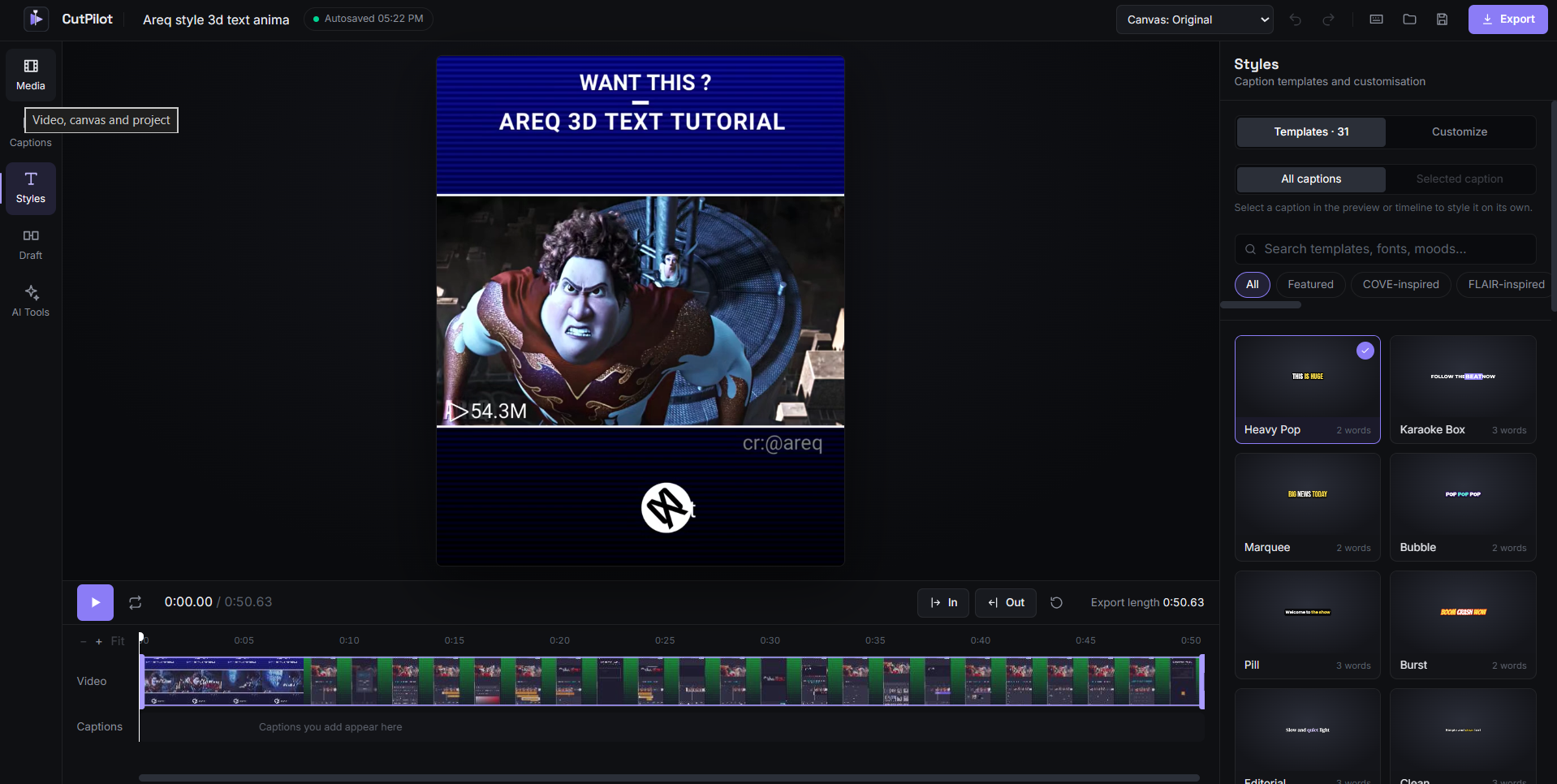
- Editing studio: Provides a timeline, trimming controls, caption positioning, and video preview.
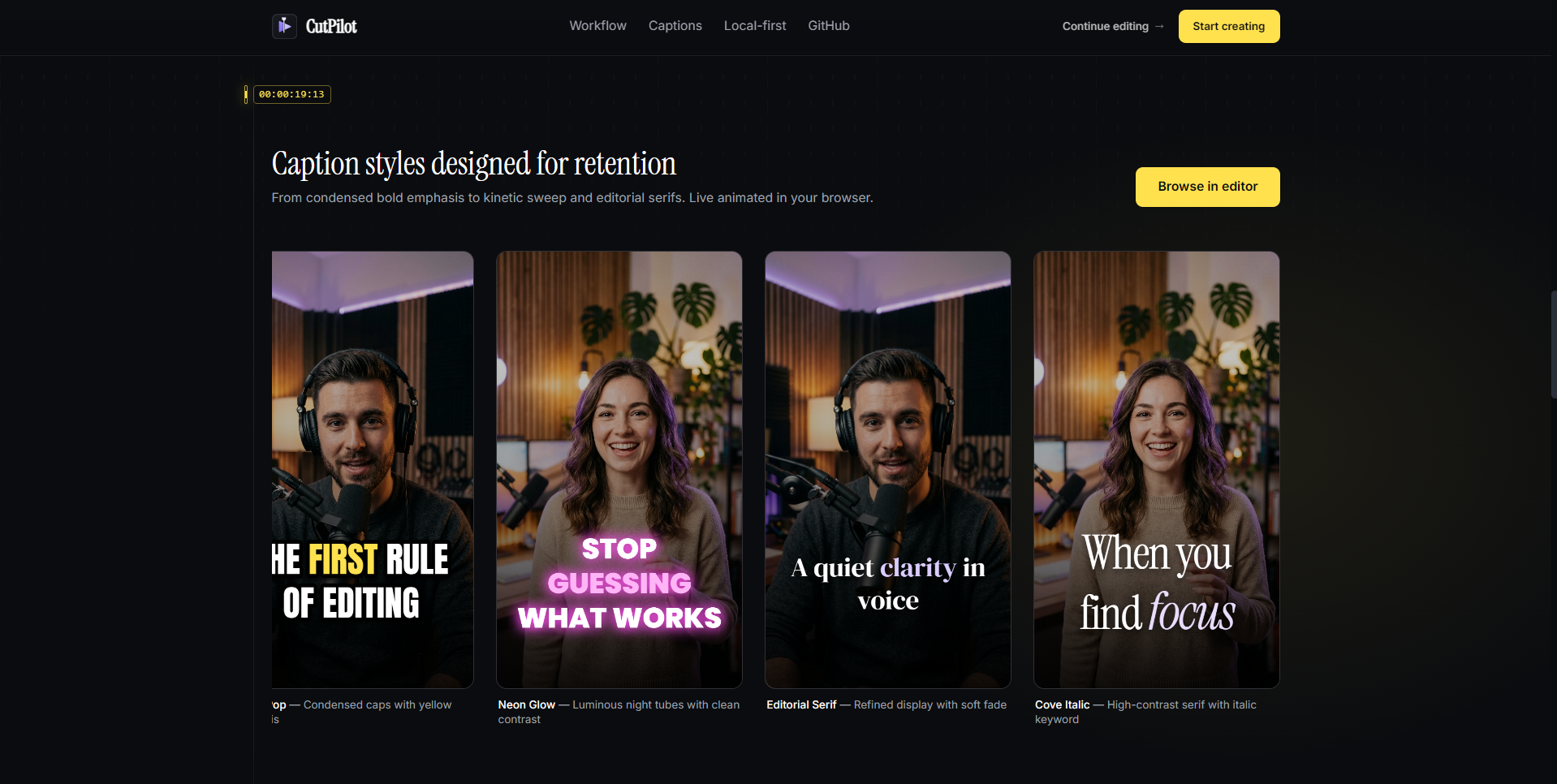
- Caption customization: Offers caption templates, font options, styling controls, and animations.
- Project persistence: Uses IndexedDB to save sessions and support project recovery.
- Export and subtitles: Includes video export functionality and SRT subtitle import and export.
How we built it
We built CutPilot as a browser-based application using React, TypeScript, and Vite. For transcription, we integrated a local Whisper workflow using Transformers.js and Web Workers.
Rather than relying on a paid language model API for draft generation, we implemented transcript-based ranking and deterministic rules to identify potential clips. This keeps the core workflow accessible without requiring a paid AI service.
We also developed an editing workspace with timeline controls, caption templates, preview rendering, session persistence, and video export capabilities.
Challenges we faced
One of our biggest challenges was integrating several complex workflows into one application. Transcription, clip selection, timeline editing, caption customization, persistence, and export all needed to work together without losing the user's progress.
We also had to consider browser performance when running transcription locally and make sure that suggested edits remained adjustable rather than forcing creators to accept an automated result.
What we learned
Building CutPilot taught us the importance of designing AI-assisted tools around a complete user workflow, not just a single AI feature. A transcript or a list of suggested clips is only useful if users can review those suggestions, refine them, and carry the results into a practical editing environment.
We also learned to balance local processing, application performance, and creative flexibility when building browser-based tools.
What's next
We want to improve export reliability, add more flexible timeline operations, expand conversational editing commands, and make clip recommendations more intelligent. Our longer-term goal is to help creators spend less time on repetitive editing preparation and more time creating content.
What it does
CutPilot is a browser-based AI video pre-editing and editing studio designed to help content creators prepare videos more efficiently. It uses local AI transcription to turn speech into text and generates transcript-driven clip suggestions that creators can review, accept, or reject before applying edits to their projects.
The editor includes a timeline with trimming controls, customizable captions, multiple caption templates, fonts and animations, subtitle import and export, undo and redo, and video preview and export. By bringing these tools together, CutPilot helps creators move from raw footage toward a more organized, ready-to-refine edit.
How we built it
We built CutPilot using React, TypeScript, and Vite. We integrated Transformers.js to run speech transcription locally in the browser, used IndexedDB for project persistence, and relied on browser media APIs for video preview and export.
The editing workflow combines transcript processing, clip suggestions, timeline controls, caption customization, and project state management. We developed and tested the features iteratively, refining the interface and addressing issues as the application evolved.
Challenges we ran into
One major challenge was bringing several video editing workflows together in a browser-based application while keeping the experience responsive and manageable. Local transcription, video processing, timeline interactions, and caption rendering each introduced different technical considerations.
We also had to manage editing state, project persistence, and interactions between features such as clip selection, timeline changes, and captions. Balancing functionality with a usable interface required repeated testing and refinement.
Accomplishments that we're proud of
We are proud to have turned CutPilot into a working browser-based video editing application that combines local AI transcription with transcript-driven clip suggestions and hands-on editing tools.
We brought together video upload, transcription, clip review, timeline editing, caption customization, subtitle handling, undo and redo, and export in one application. We also built a collection of caption templates, fonts, and animations to give creators more flexibility over the visual style of their videos.
What we learned
We learned that building an AI-powered application involves much more than integrating an AI model. The surrounding workflow, interface design, state management, persistence, and testing are equally important to making the product useful.
We also gained practical experience using AI-assisted development to build and refine a multi-feature application, break work into manageable stages, investigate bugs, and improve the experience through iteration.
What's next for CutPilot
We want to improve export reliability, add more flexible timeline operations, expand conversational editing commands, and make clip recommendations more intelligent.
We also plan to introduce user accounts and a dedicated project dashboard where creators can organize multiple projects, save unfinished drafts, and return to previous edits without losing their progress.
Our longer-term goal is to help creators spend less time on repetitive editing preparation and more time creating content.
Built With
- css
- html
- indexeddb
- javascript
- react
- transformers.js
- typescript
- vite
- web
- whisper


Log in or sign up for Devpost to join the conversation.