-
-
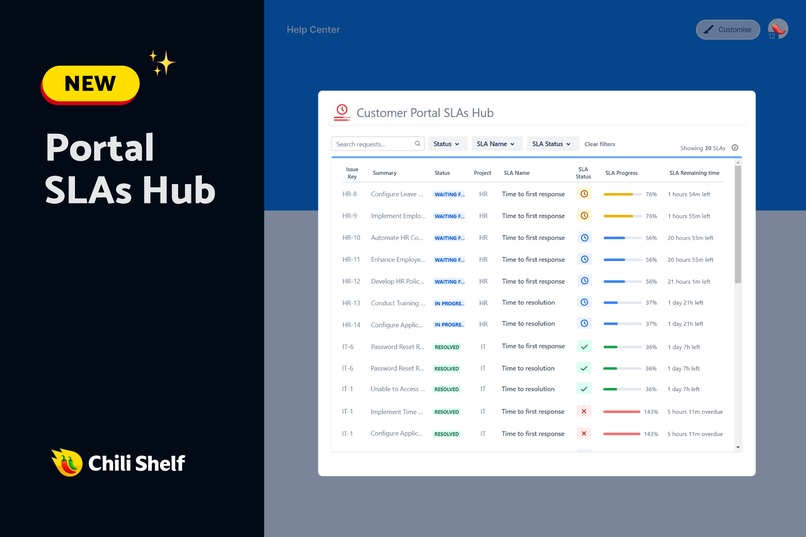
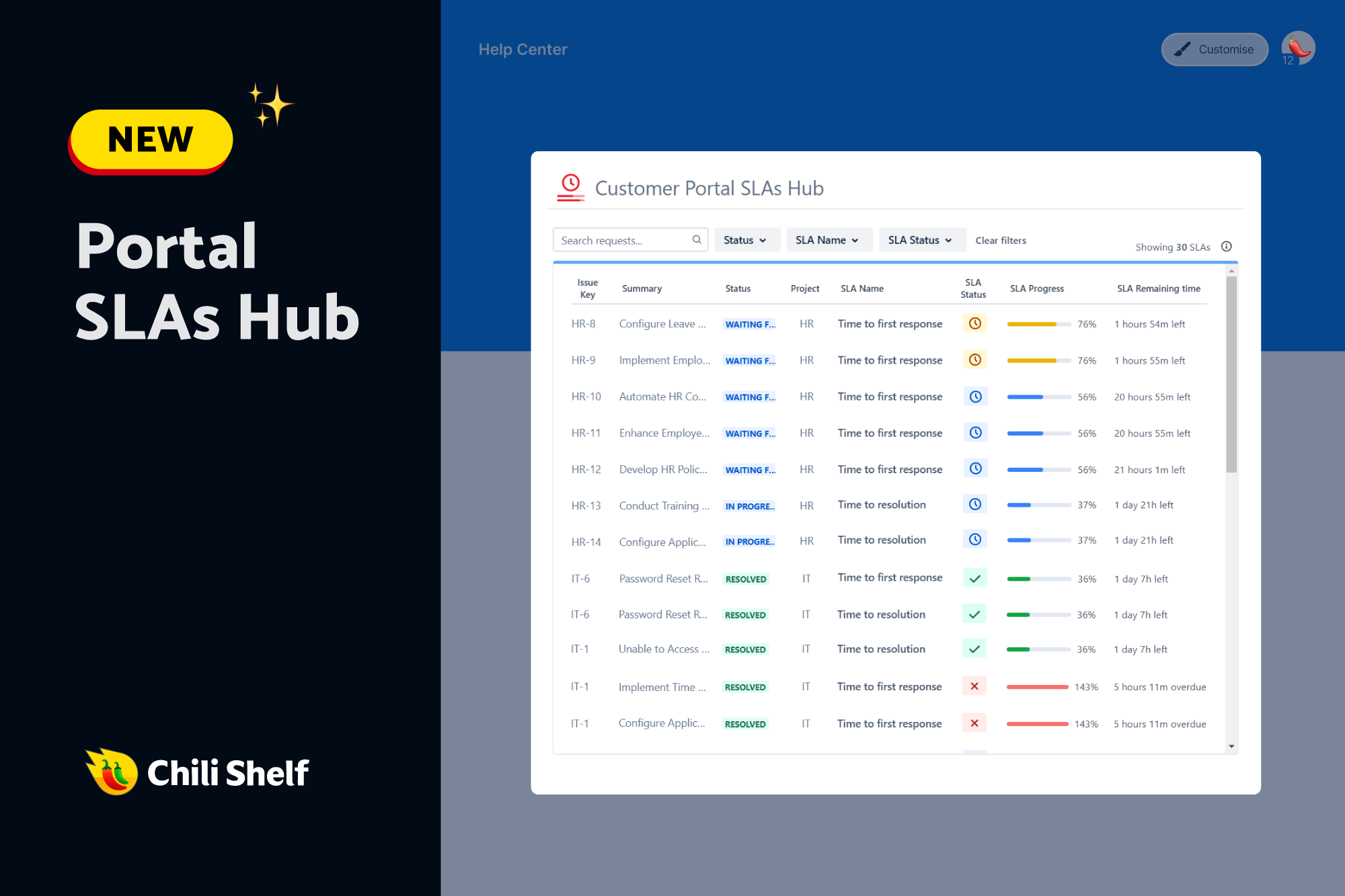
NEW SLAs Hub - All customer SLAs in one place
-
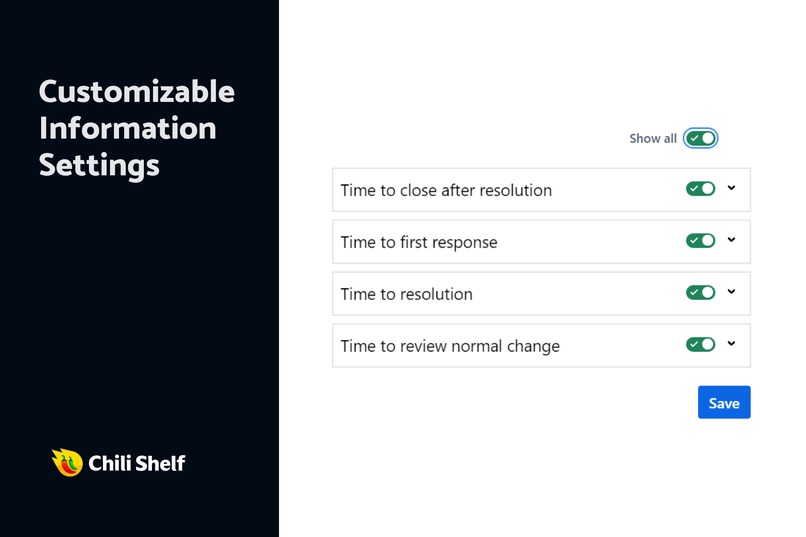
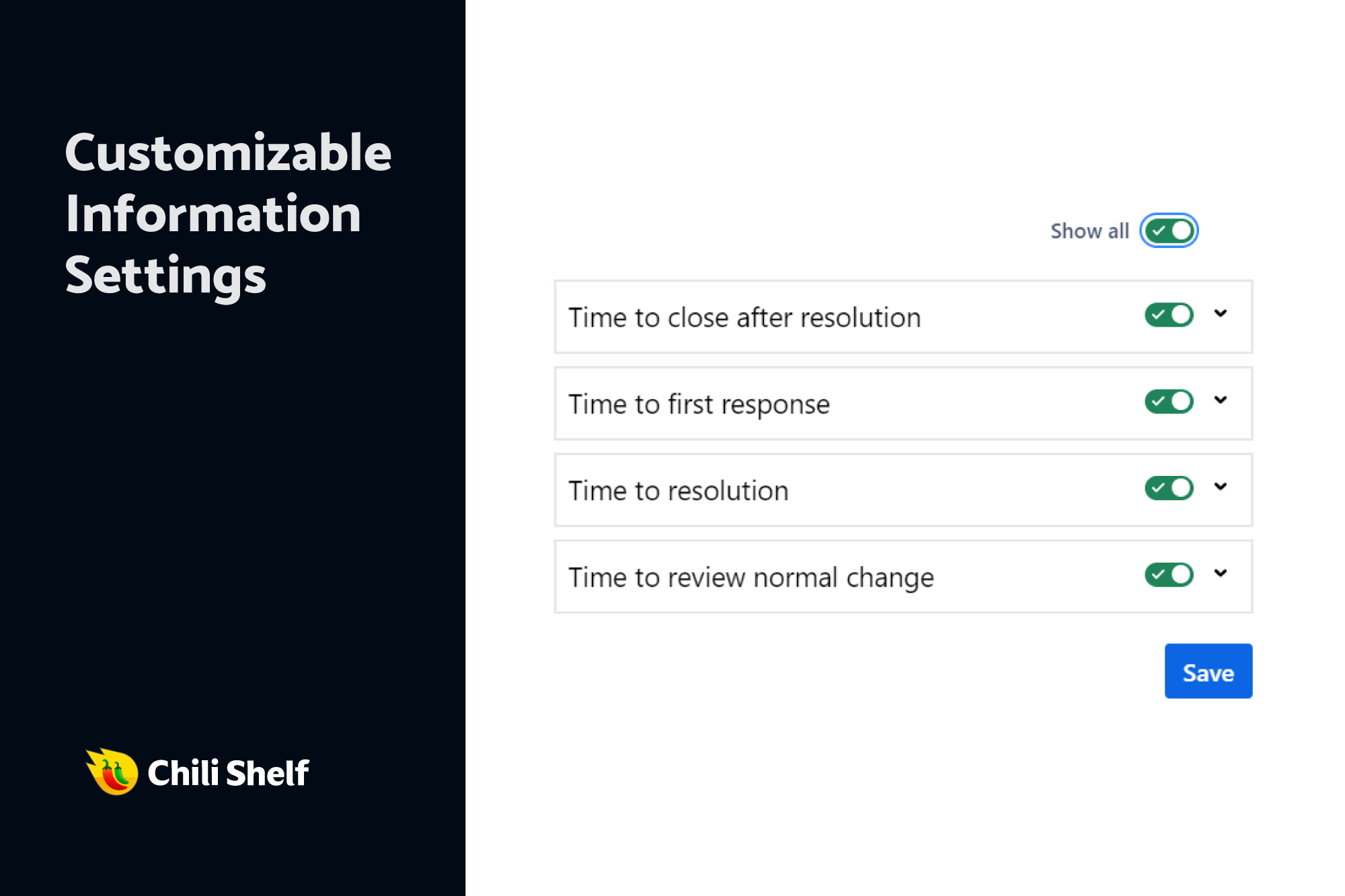
SLA configuration
-
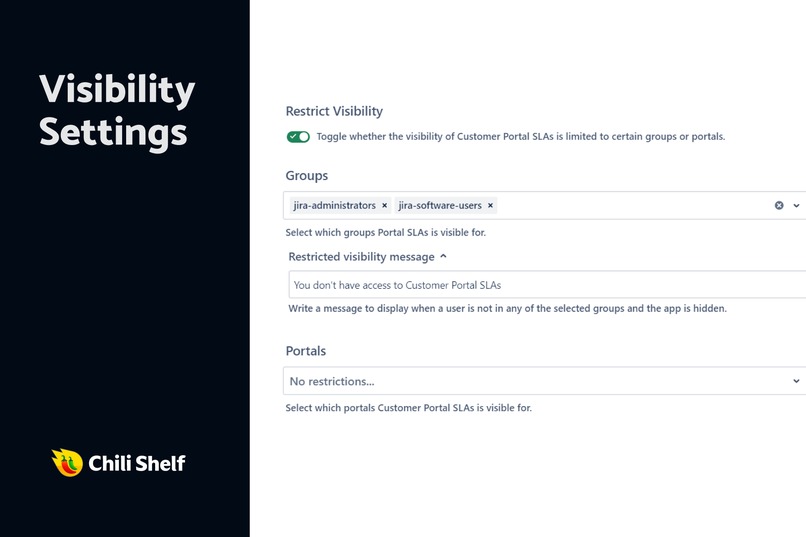
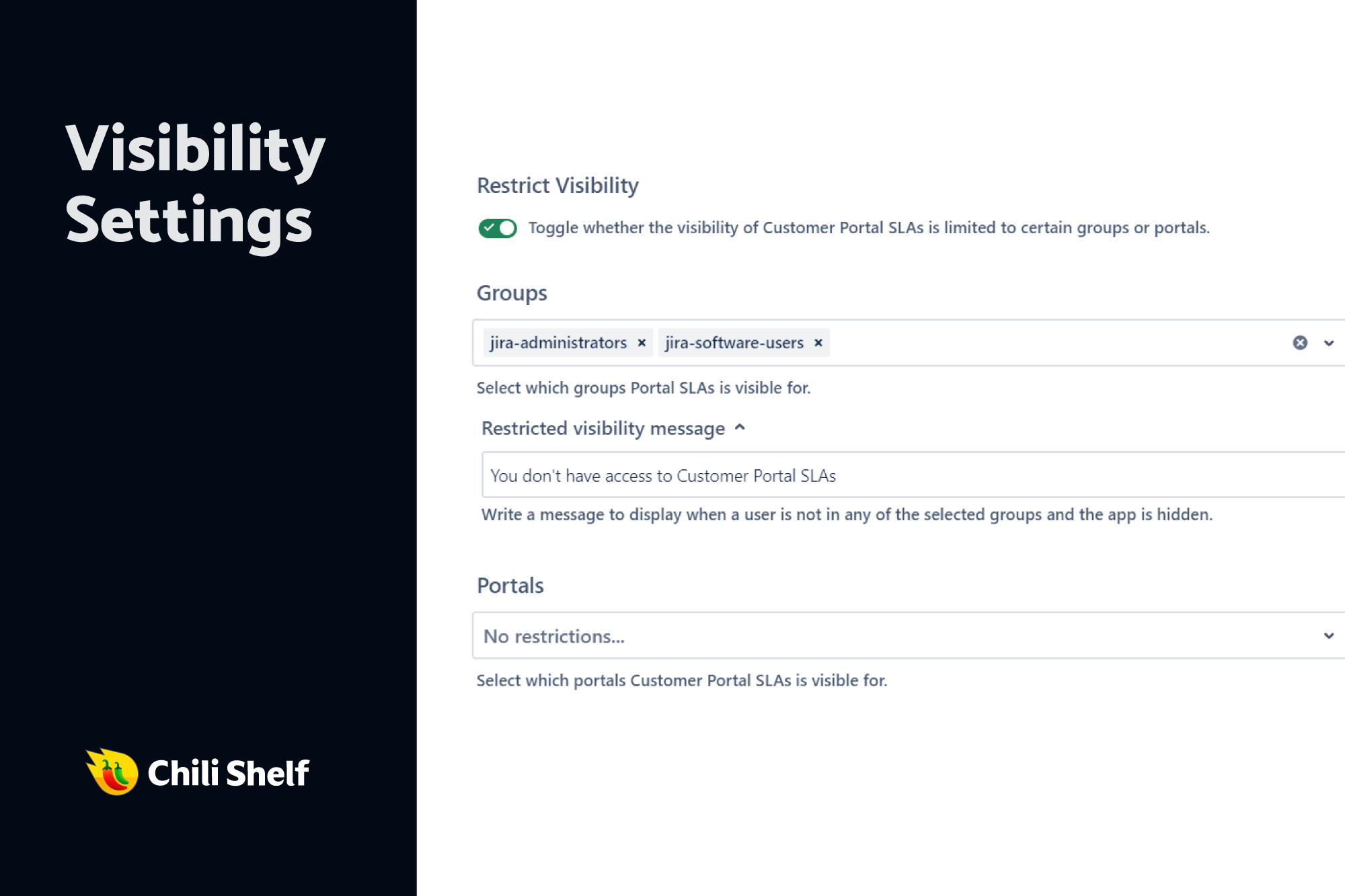
Visibility restriction of SLAs based on group roles
-
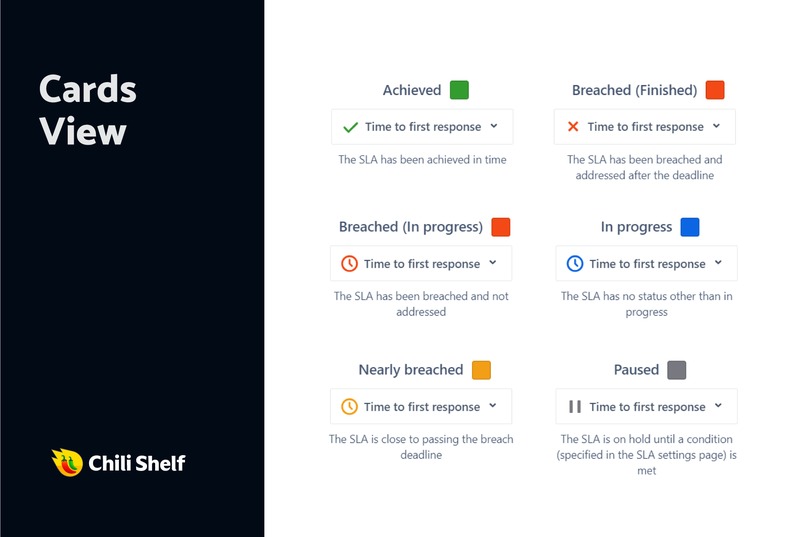
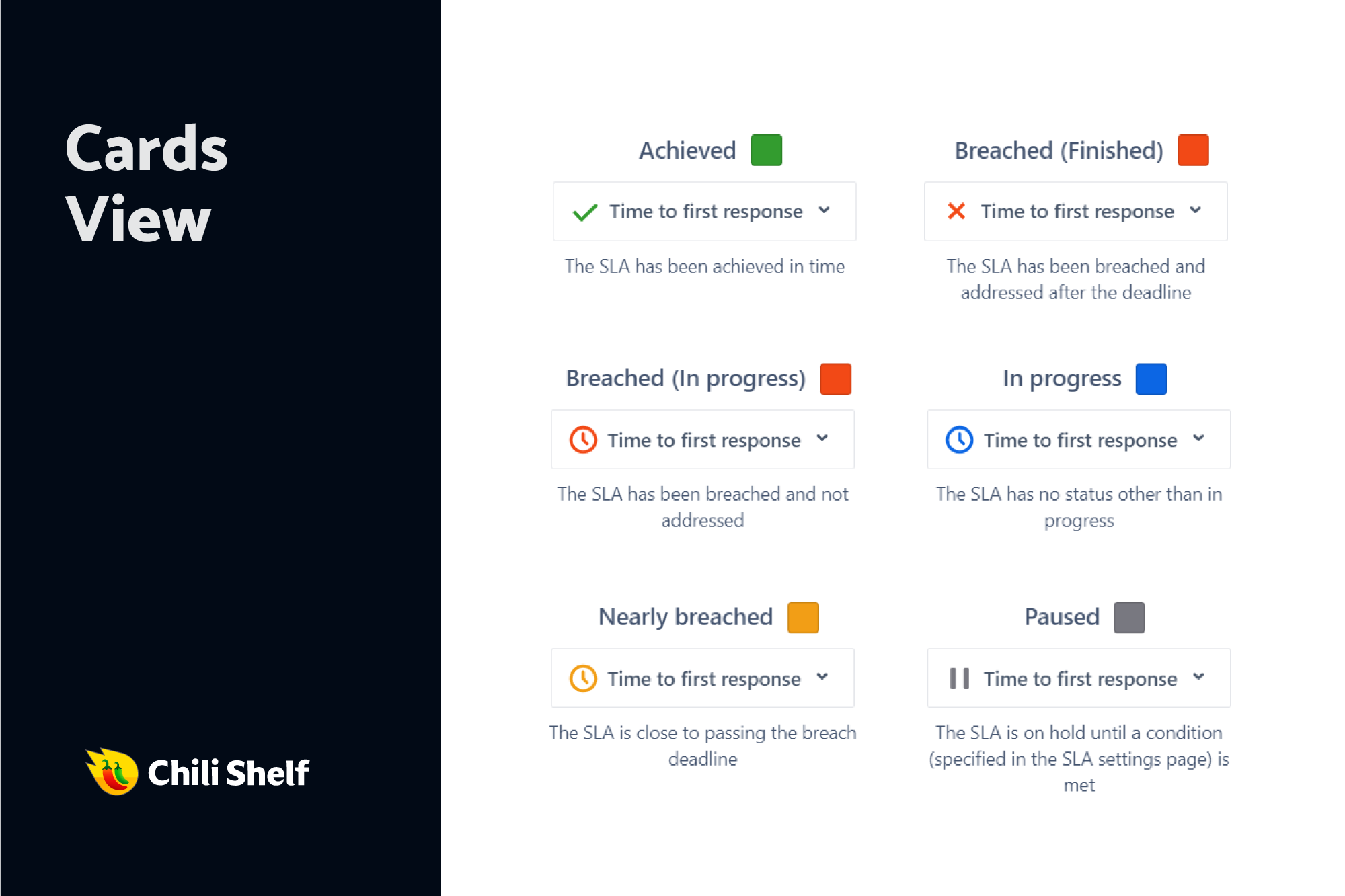
Card display of SLAs
-
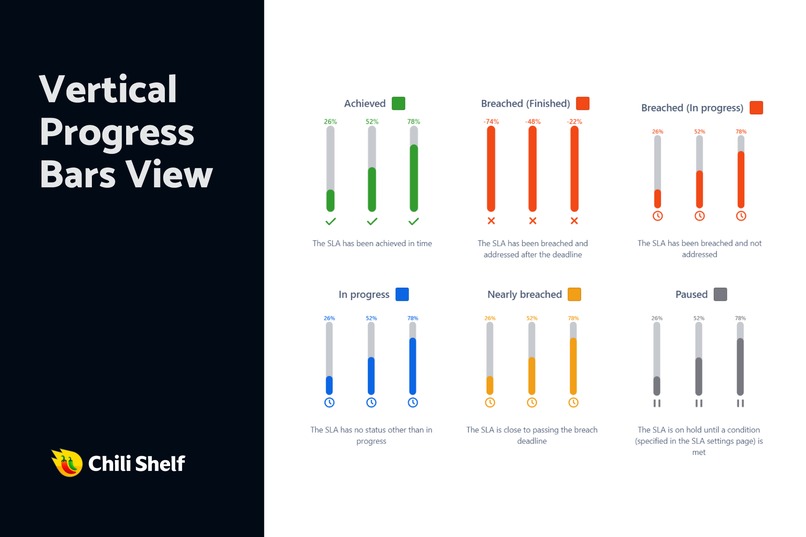
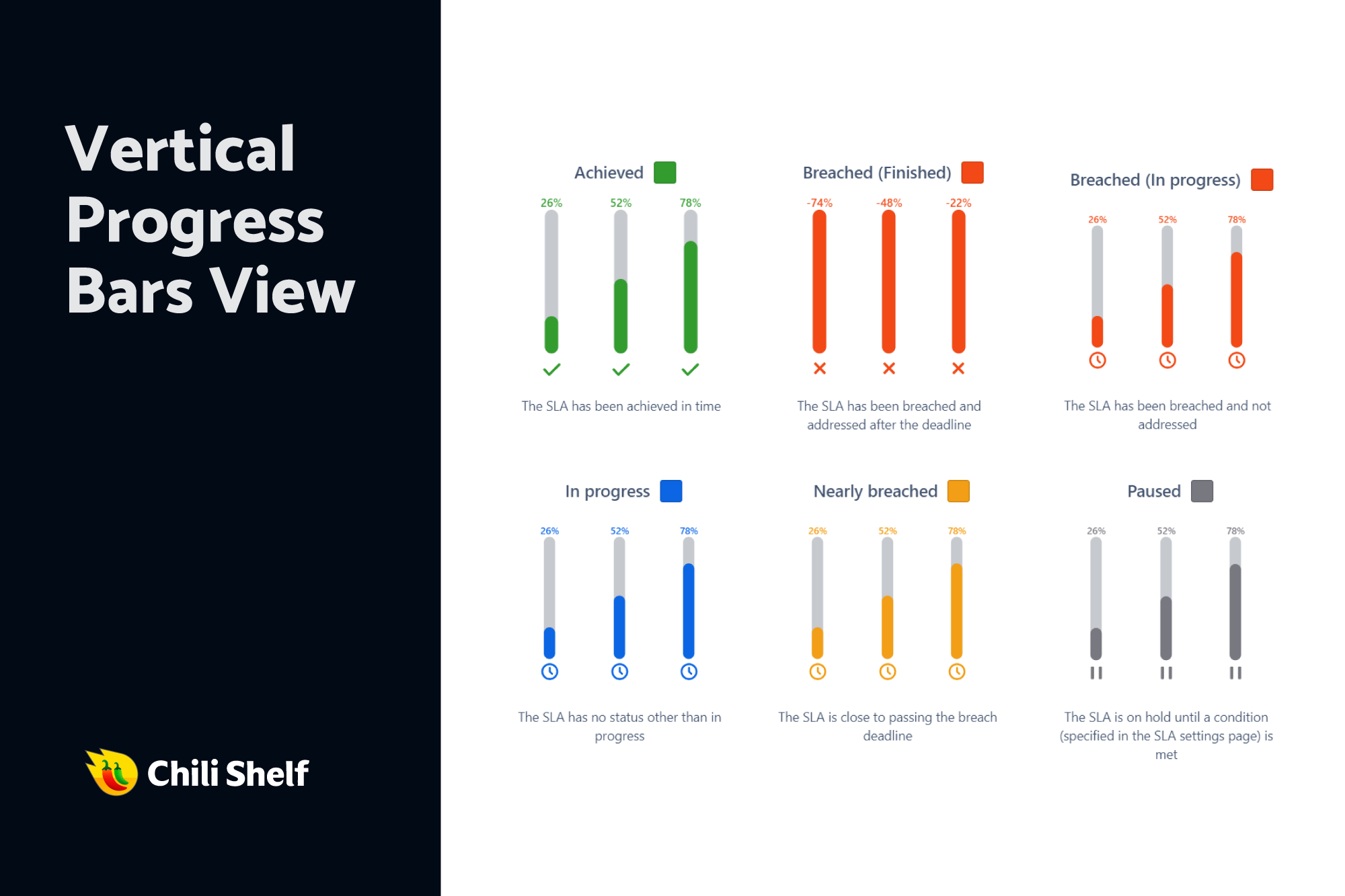
Progress bar display of SLAs
-
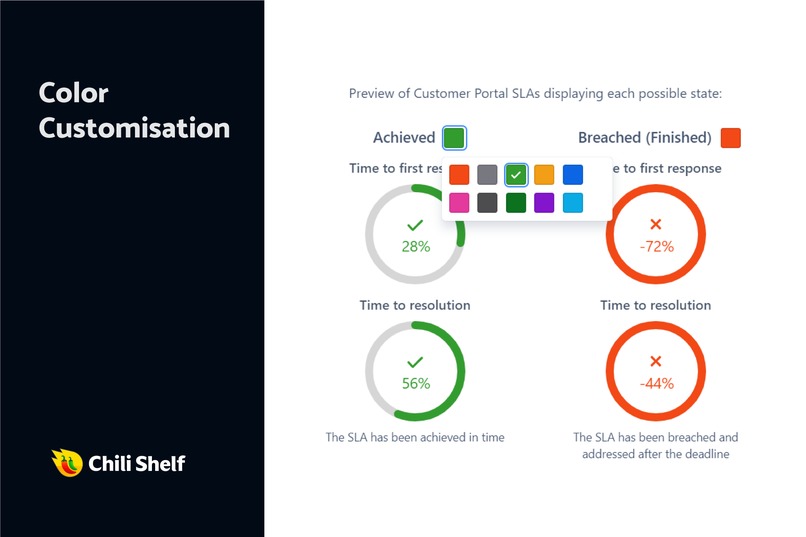
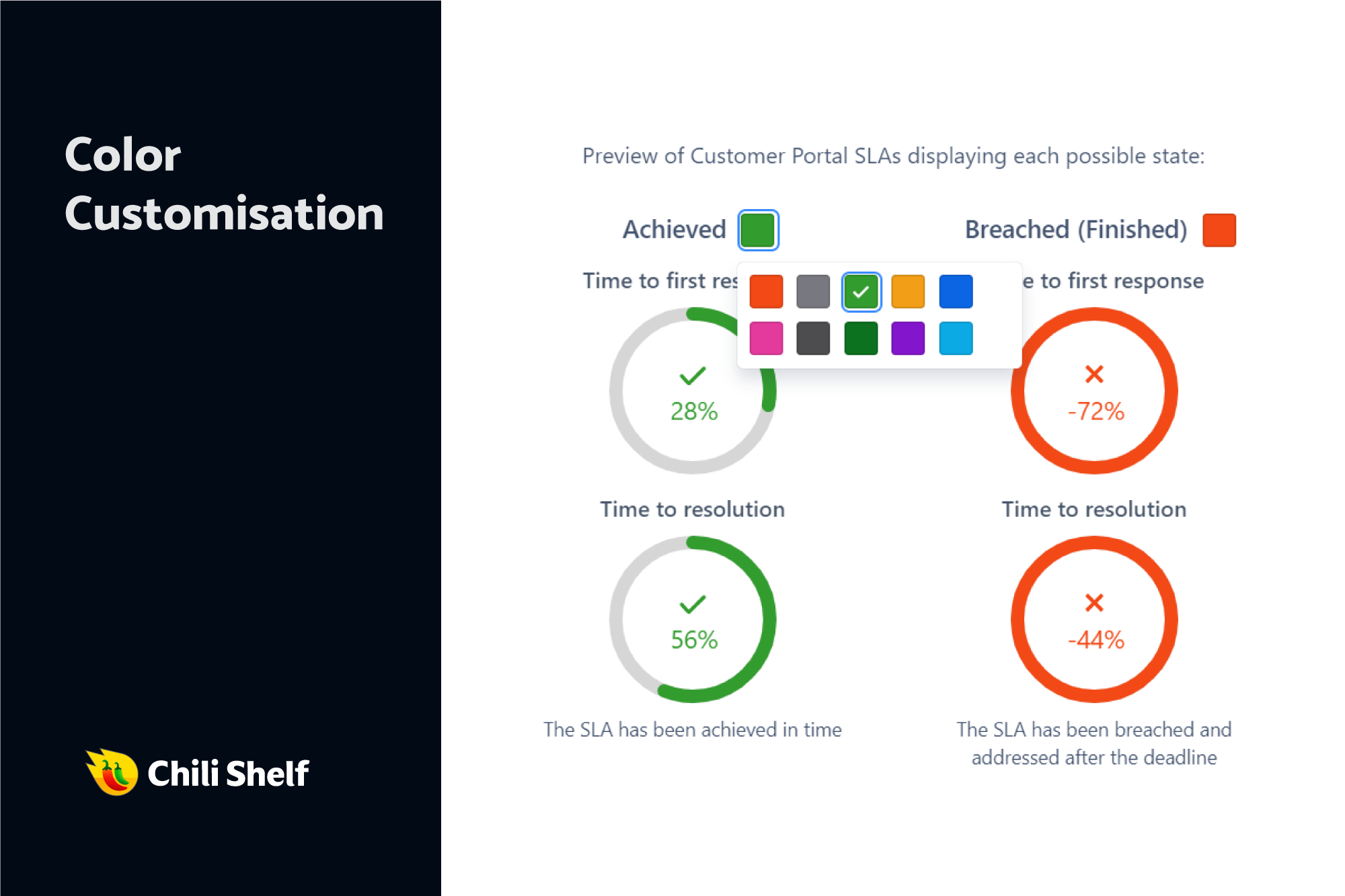
Color customization of SLA statuses
-
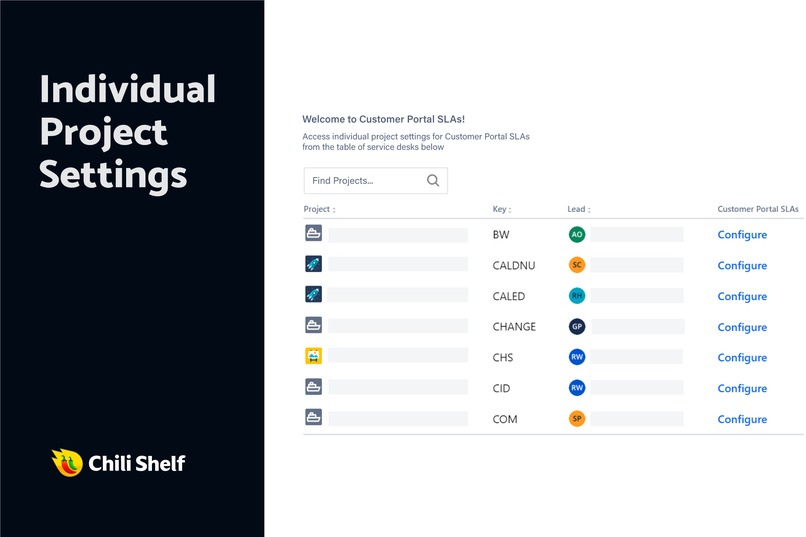
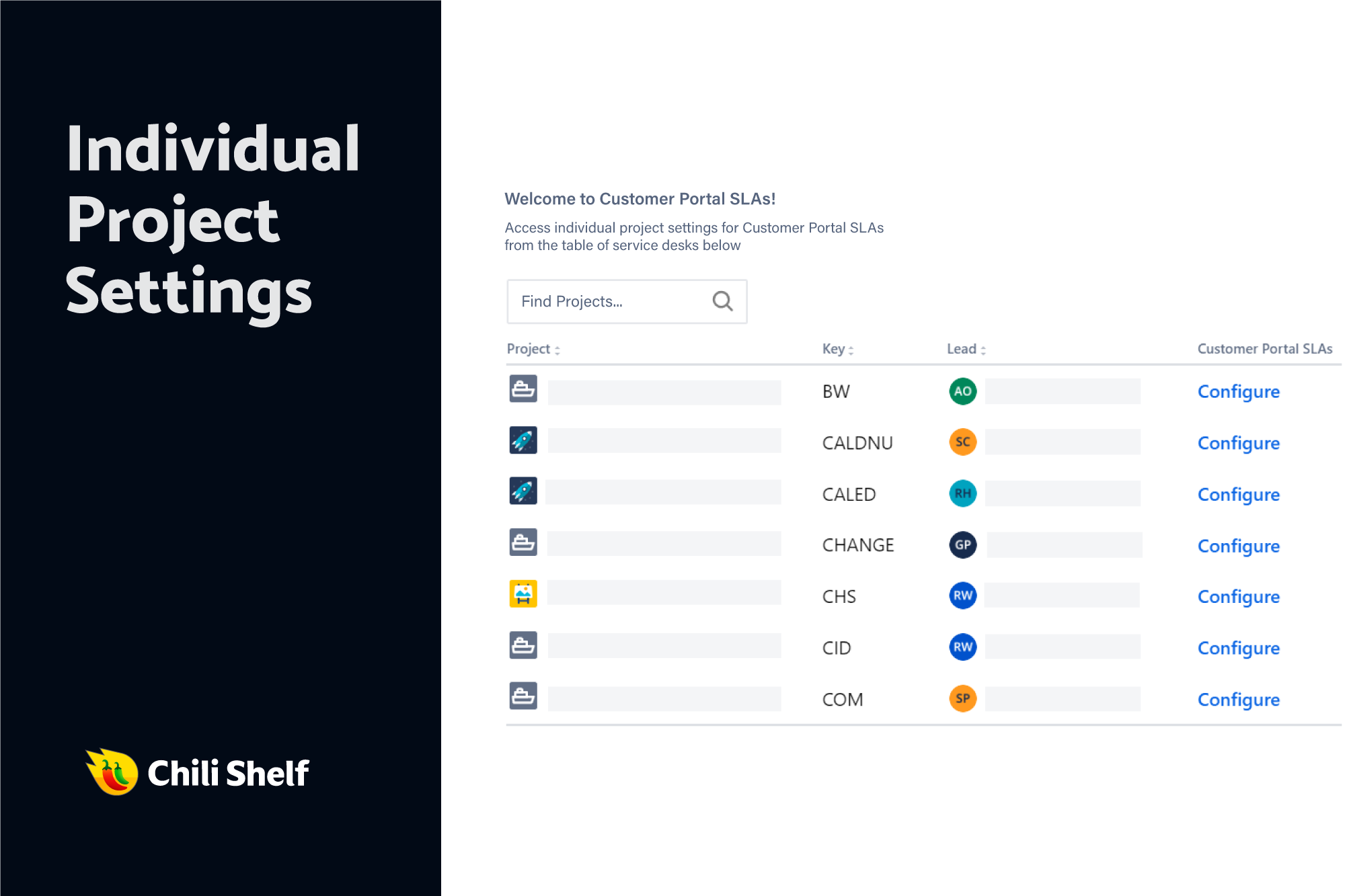
Configure each project seperately
-
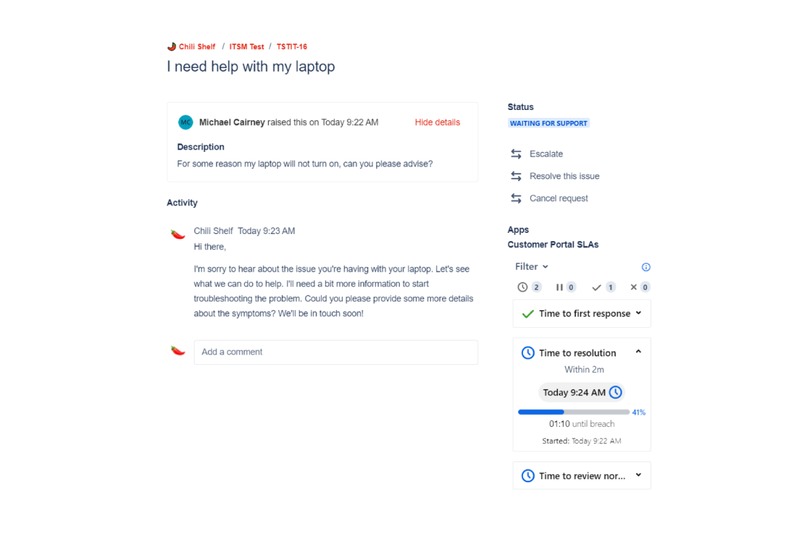
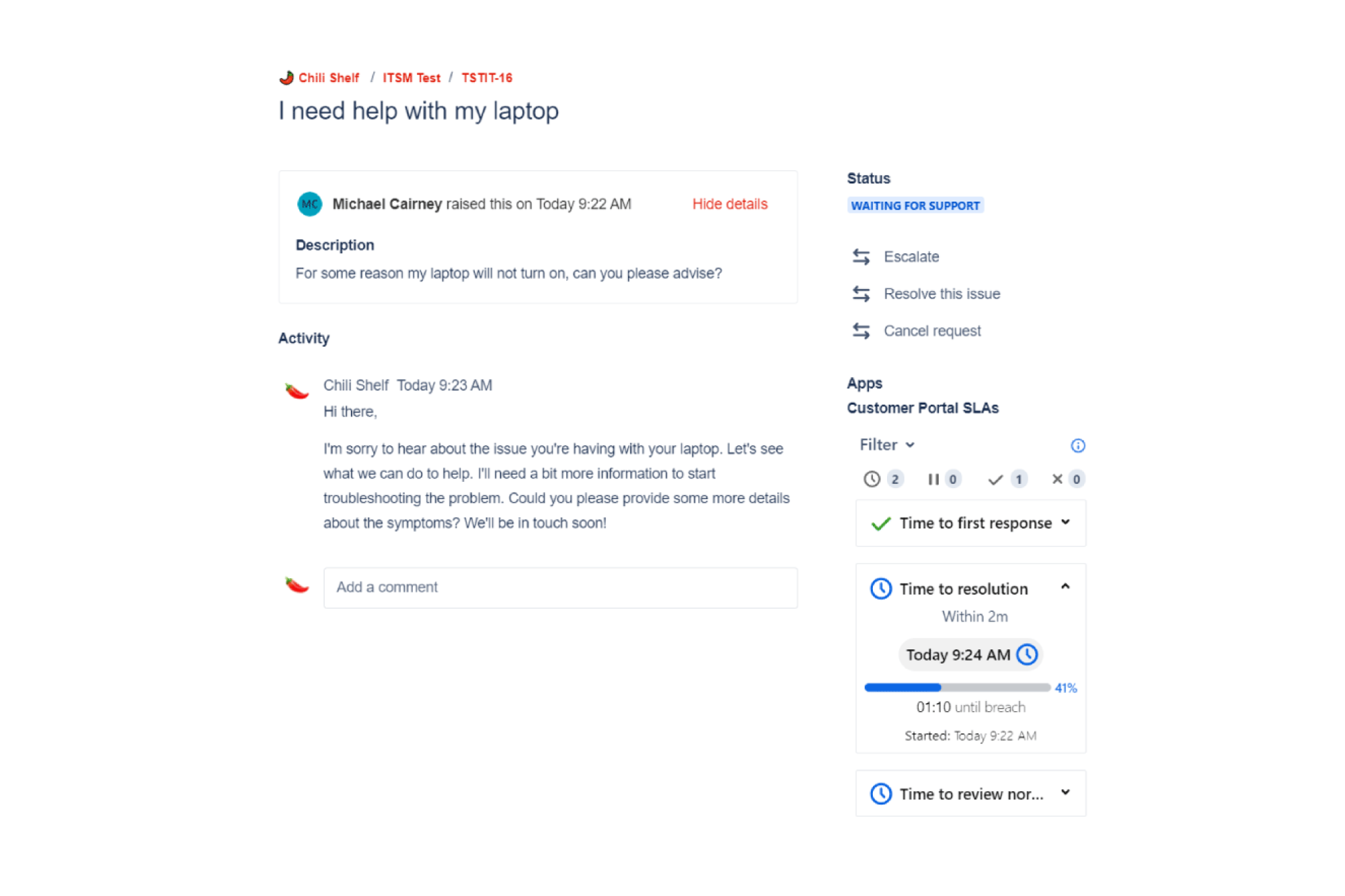
SLAs displayed in the portal request page
Hello! 👋
I'm Michael from 🌶️ Chili Shelf and I am very excited to share our app Customer Portal SLAs and it's new features for Codegeist 2024 (our second year, and we're just as thrilled!).
💡 Inspiration
Managing customer service expectations is no small challenge. Whether you’re a customer waiting for help or a service desk agent handling requests, clarity and accountability are critical—but not always easy to achieve.
SLAs (Service Level Agreements) provide good structure for managing communication but they are not exposed to customers so there is a lack of transparency.
This got us thinking:
- ❓ Why are SLAs so opaque for customers?
- ❓ How can we improve visibility and reduce frustration for everyone involved?
Thus, the idea for Customer Portal SLAs was born! 🚀
We wanted to give customers a way to see their SLA statuses clearly, empower teams to customize how SLAs are presented, let them decide which specific SLAs they want to be presented and build a solution that’s intuitive, flexible, and easy to use.
💡 What it does
👉 Introducing Customer Portal SLAs 👈
When customers create tickets or agents pick up tasks, SLAs are no longer hidden in some obscure backend setting. Instead, Customer Portal SLAs makes SLA policies and progress crystal-clear for users in the Customer Portal.
Here’s a quick rundown of what makes it special:
- Customer SLA visibility: Customers can see detailed SLA information directly within their request panel, including progress bars, statuses, and countdowns.
- Customizable SLA displays: Choose how SLAs appear—whether as cards, progress bars, or radial indicators—and rename SLAs for a more customer-friendly touch.
- SLA visibility control: Restrict visibility to only specific SLAs and/or specific user groups for better control over what’s shared.
- New SLA hub: Customers can view all their active SLAs in one place, filter by status (e.g., in progress, breached), and even sort by urgency.
🎨 Our app design tenets
To build this app, we focused on the following principles:
- 🔍 Clarity: Simplify SLA data to make it easy for non-technical users to understand.
- ⚙️ Customization: Let admins tailor the SLA presentation to suit their teams and customers.
- 📈 Insightful and Actionable: Provide detailed information so customers know exactly what to expect.
- 🎨 Integration: Ensure the app feels like a seamless extension of Jira Service Management.
🛠️ How we built it
For the forge app, we used custom UI with typescript, tailwind, atlaskit, vite.js + hot reloading, prettier and VSCode as IDE.
Documentation
What we used to help build our app:
- Forge doc https://developer.atlassian.com/platform/forge
- Atlaskit doc for UI components - https://atlassian.design/components/
- Forge APIs for seamless integration with Jira Service Management.
- Atlassian Forge dev community - https://community.developer.atlassian.com/c/forge/
🤦♂️ Challenges we faced
Building Customer Portal SLAs wasn’t without its hurdles:
- 🛠️ Working with limited screen real-estate for certain modules like the request panel and portal modal.
- 🤯 Handling complex SLA information while maintaining simplicity for end users.
- 🚀 Ensuring performance doesn’t take a hit when pulling a large volume of information.
💪 Accomplishments we’re proud of
Here’s what we’re most excited about:
- 🕒 Customer SLA hub: A one-stop shop for customers to view all their active SLAs in one place.
- 🎨 Customizable displays: Giving admins the power to make SLA presentations intuitive and on-brand.
- 🚀 Dynamic SLA insights: Helping customers see not just what the SLAs are but when they’re due and what state they are in.
🤓 What we learned
We gained so much from this journey, including:
- The importance of keeping user interfaces simple but powerful.
- Advanced customization features that give admins flexibility without overwhelming them.
- How critical it is to keep all user roles in mind—customers, agents, and admins all benefit when SLA data is clear and accessible.
🚀 What’s next for Customer Portal SLAs?
We’re just getting started! Here’s what’s on our roadmap:
- More sections added to the Hub such as an information page for customers that can be configured by the admin.
- A way for the customer to notify the request agent of a breaching SLA or opt-in to receive automatic notifications about requests about to breach.
- Various UI improvements to the app
🙏 Thank you for reading!
Building this app has been an incredible experience, and we’re so excited to share it with the Atlassian community. If you’d like to collaborate, give feedback, or try it out, drop us a line at [email protected]—we’d love to hear your thoughts!
Stay spicy, Michael & the Chili Shelf team🌶️


Log in or sign up for Devpost to join the conversation.