-
-

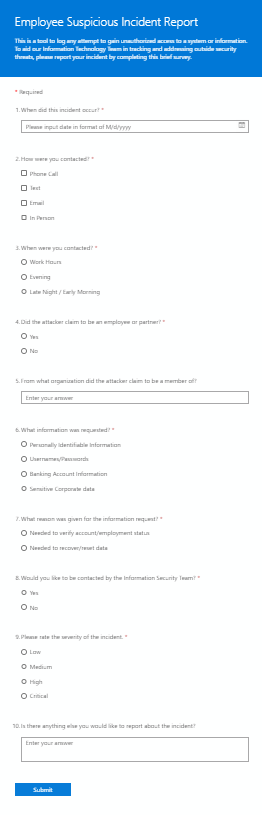
This is our user-facing front end, a Microsoft Form that will allow users to self-report suspicious activity.
-

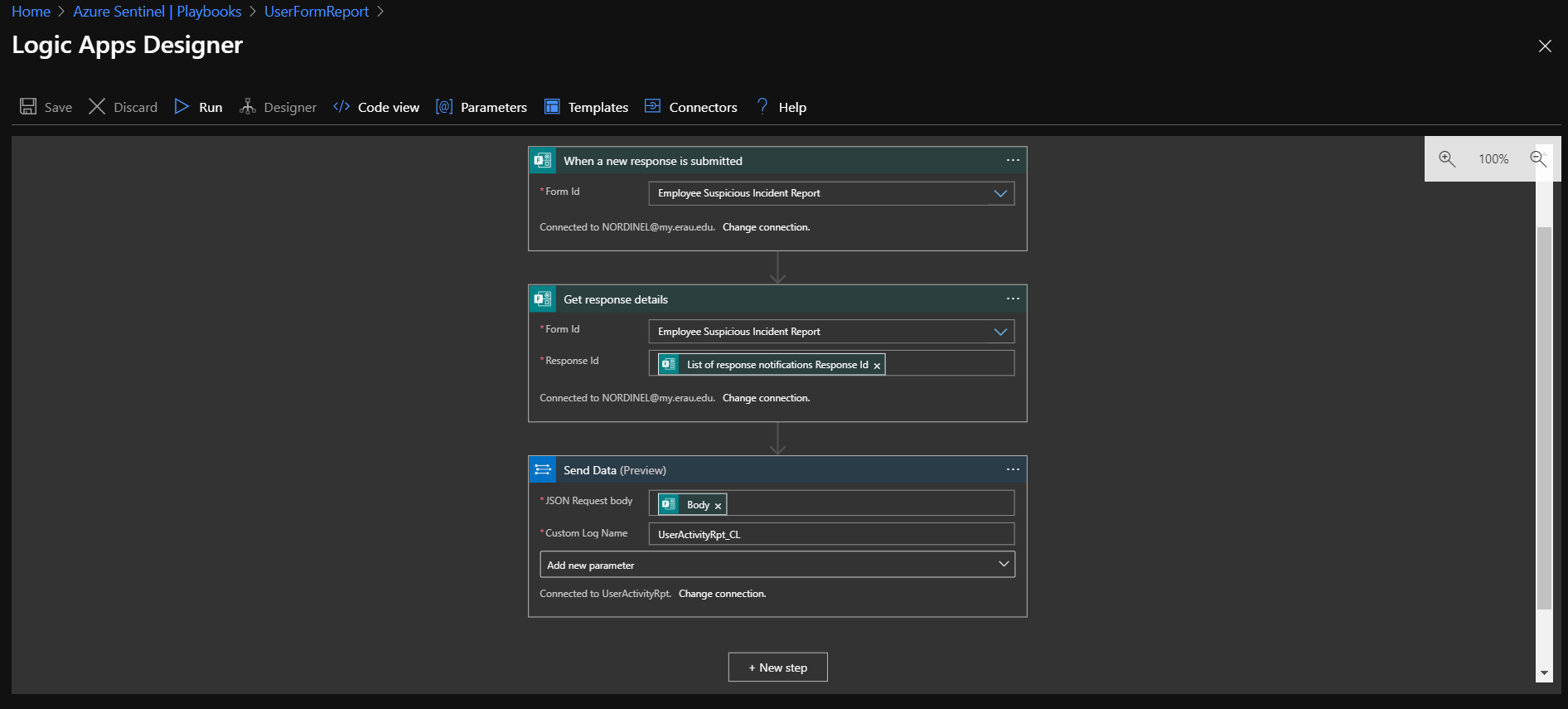
Form submissions are fed into a logic app that will direct the data to Log Analytics.
-
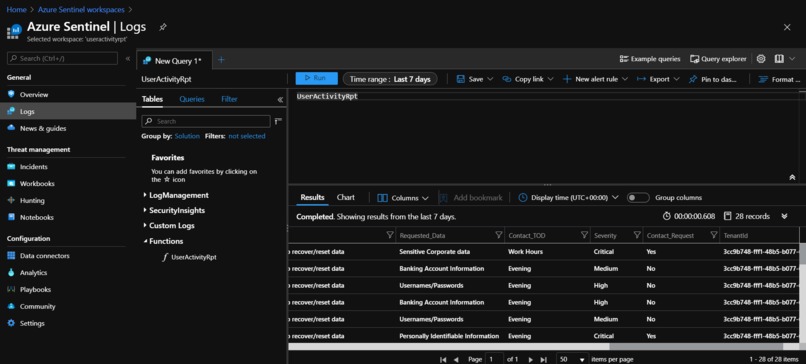
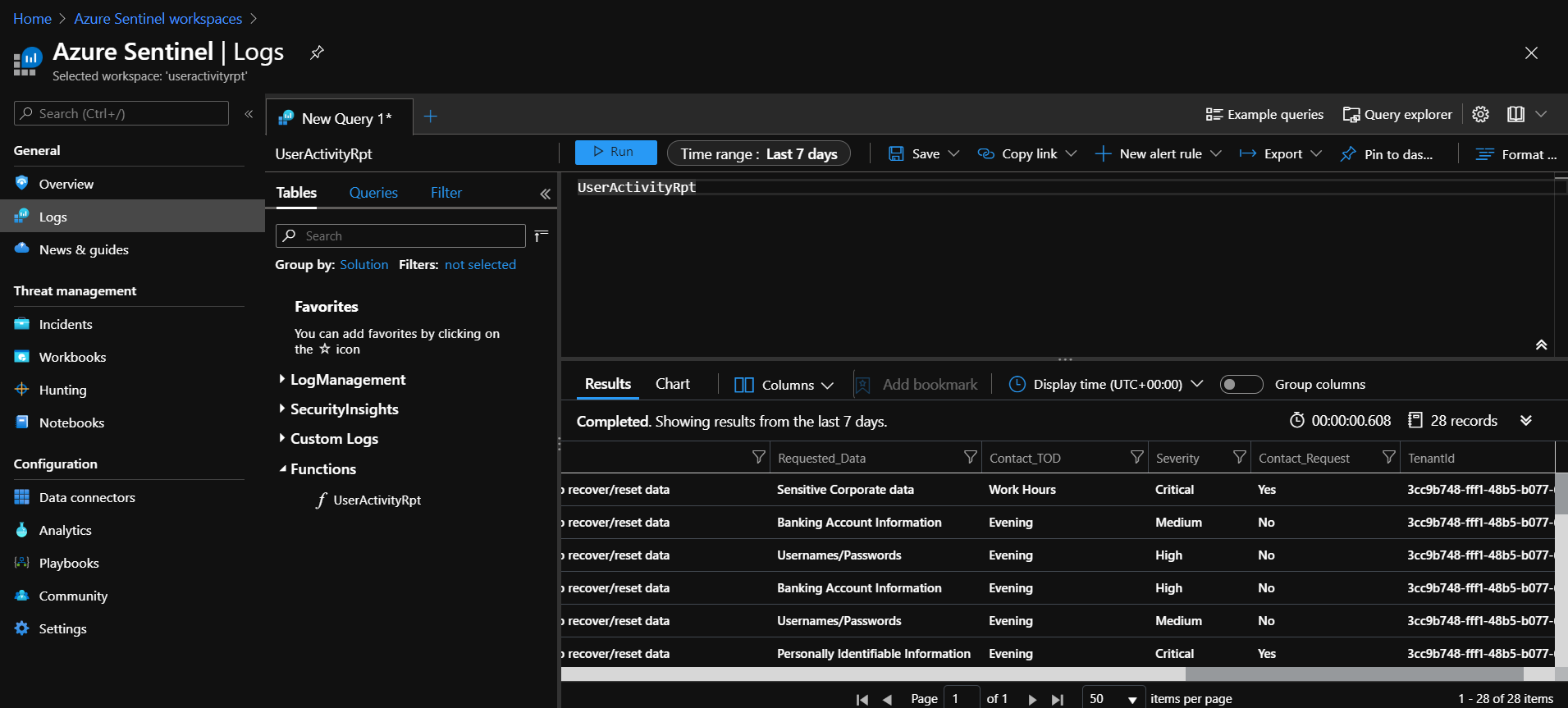
A function was written in KQL to translate raw data from form submissions into readable metrics.
-
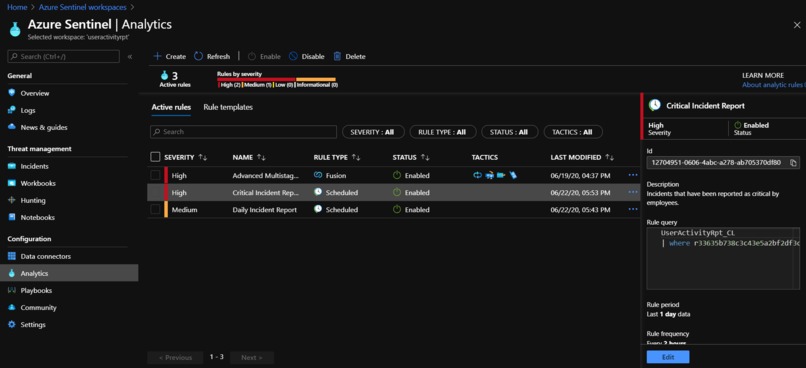
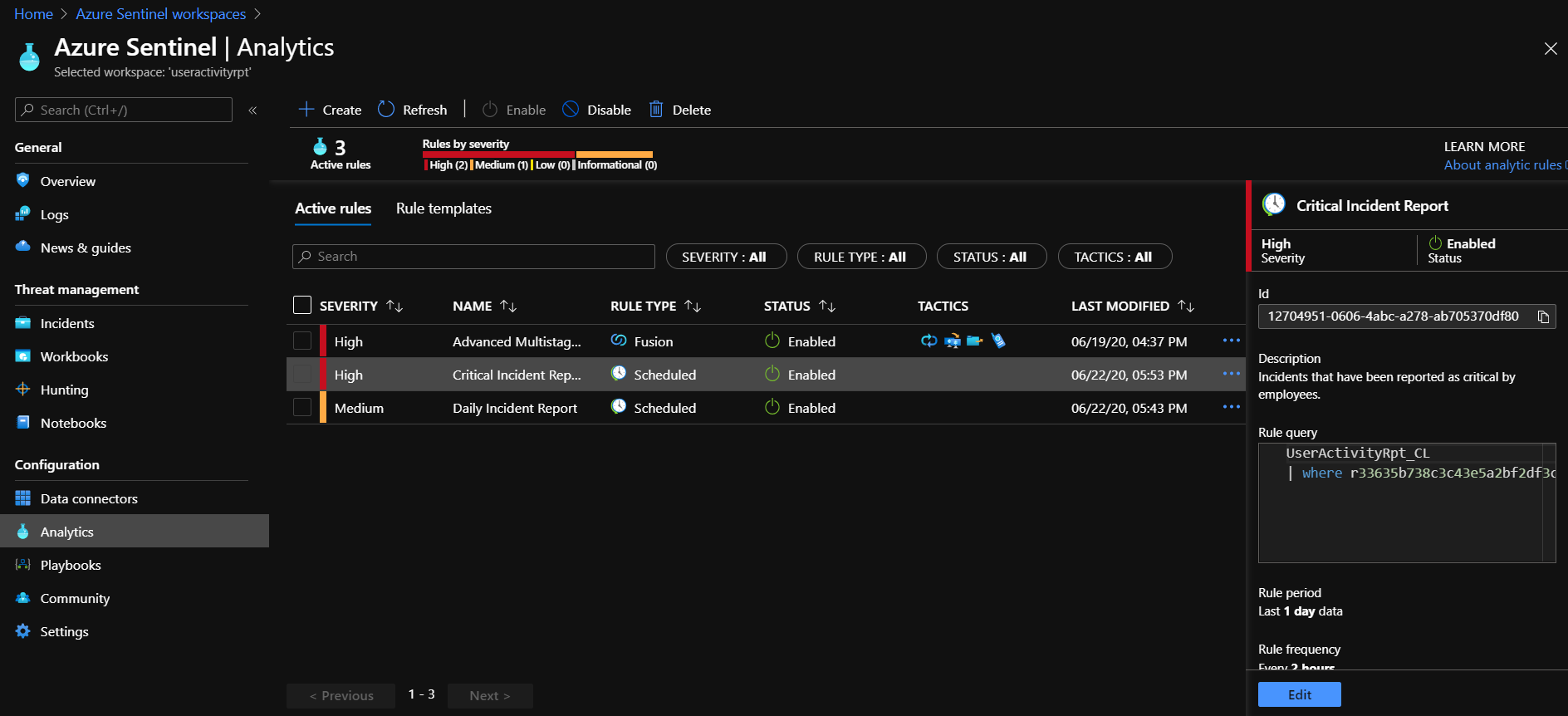
An analytic rule will create incident tickets when a user describes their experience as having a High or Critical level of severity.
-

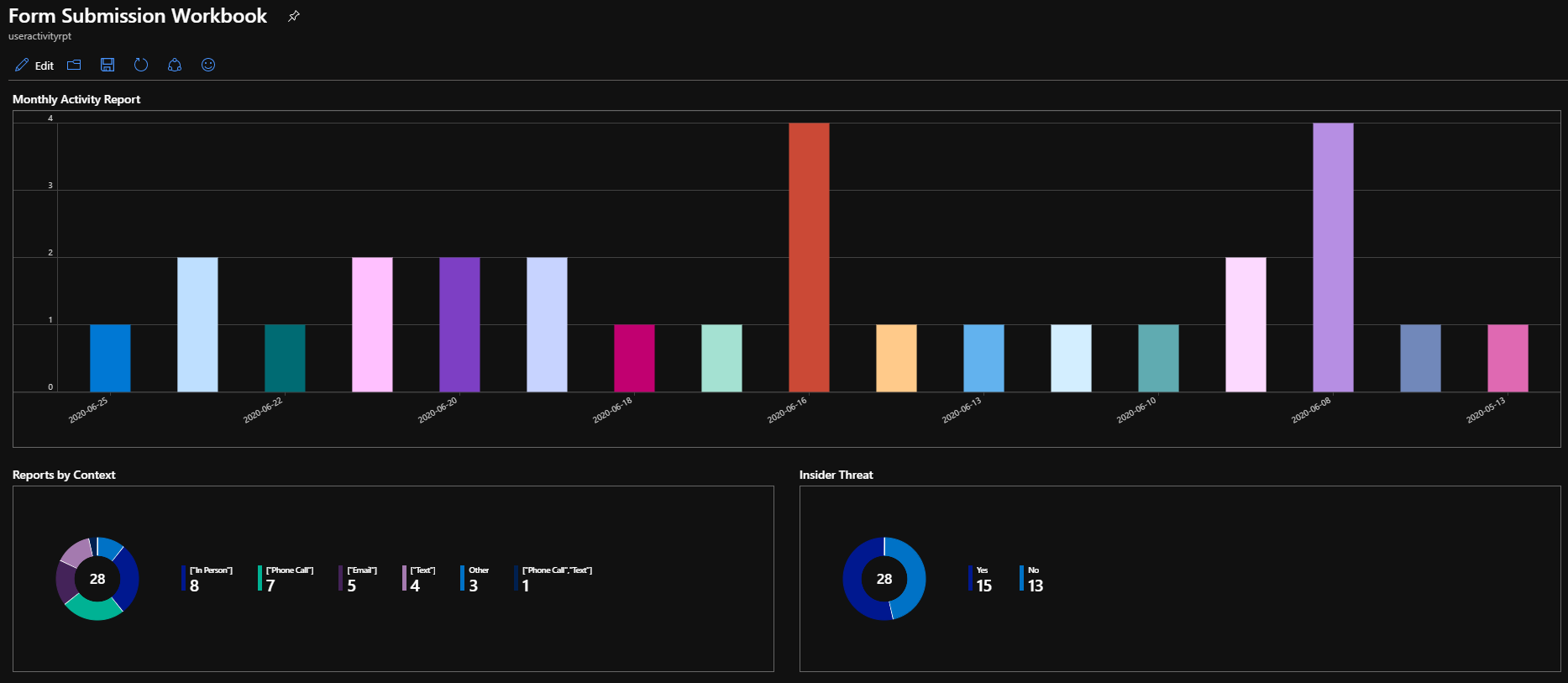
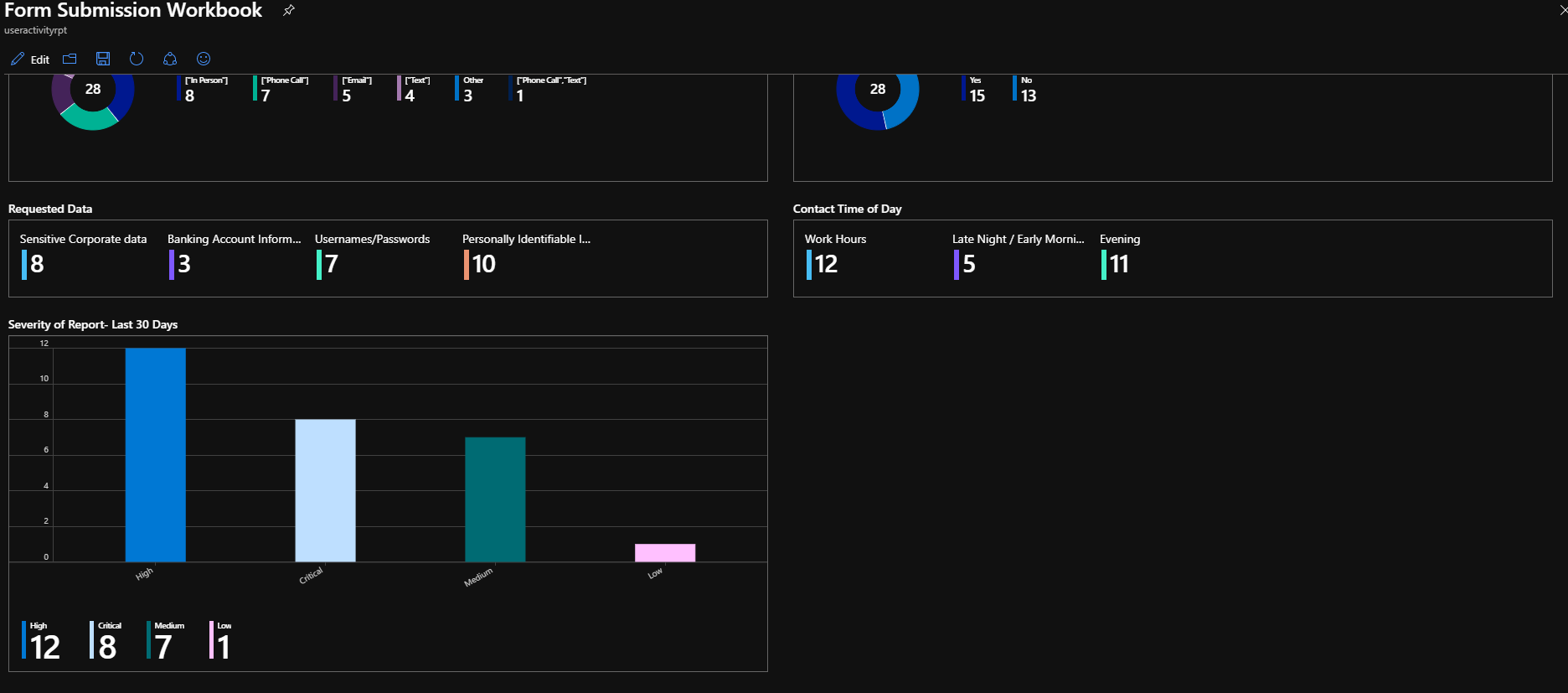
A workbook was designed to query submission information from the last thirty days and display it in a graphic format.
-
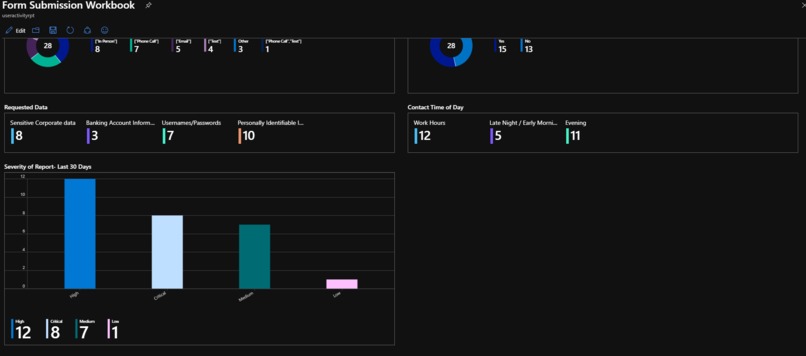
The workbook can be configured to display information graphically to provide administrators with an easy-to-read front end.
Inspiration
Working within the military, our developers have experienced IT obstacles and deficiencies from first hand experience in the user process. Whenever large enterprise environments are implemented, the end user becomes obfuscated; we hope to eliminate that disconnection through the use of Microsoft Forms and Azure. Our team within the Microsoft Software and Systems Academy have created a self-reporting system for end users in an Azure environment.
What it does
When an end user feels there is something not quite right with their Information Security experience, they can self-report and request response from a team that is listening to their feedback. This data is fed into Azure Sentinel to create incident tickets and display statistics for administrator review.
How we built it
Before Azure Sentinel, our first task was to create a Microsoft Form wherein users could detail their concerns and experiences to include requesting contact with the information security team. This organizationally available Form will then feed responses into our Azure Sentinel analytics space to include a tracking system and Workbook for critical incidents and response requests for individual users.
Challenges we ran into
Creating workbooks and logic apps are sometimes restricted to organizational accounts. This restriction may prohibit outside users from implementing the solution.
Accomplishments that we're proud of
I am proud of my teammates endeavoring to put forth their individual competencies to learn more about Incident Creation Rules, KQL Queries, and Workbook creation. We decided that incidents should be created based on certain criteria from our responses, and created an incident query line based on analytic rules.
What We learned
KQL is a language that we learned together in order streamline our solution; after multiple conferences to create a more readable environment for our solution platform, we were finally able to navigate the language with fluency.
What's next for our Customer Incident Report Solution
Our next step is to create a domain environment to test individual user response against assignment of incident tickets.
Built With
- kql
- log-analytics
- logic-apps
- workbooks





Log in or sign up for Devpost to join the conversation.