Curiso.ai


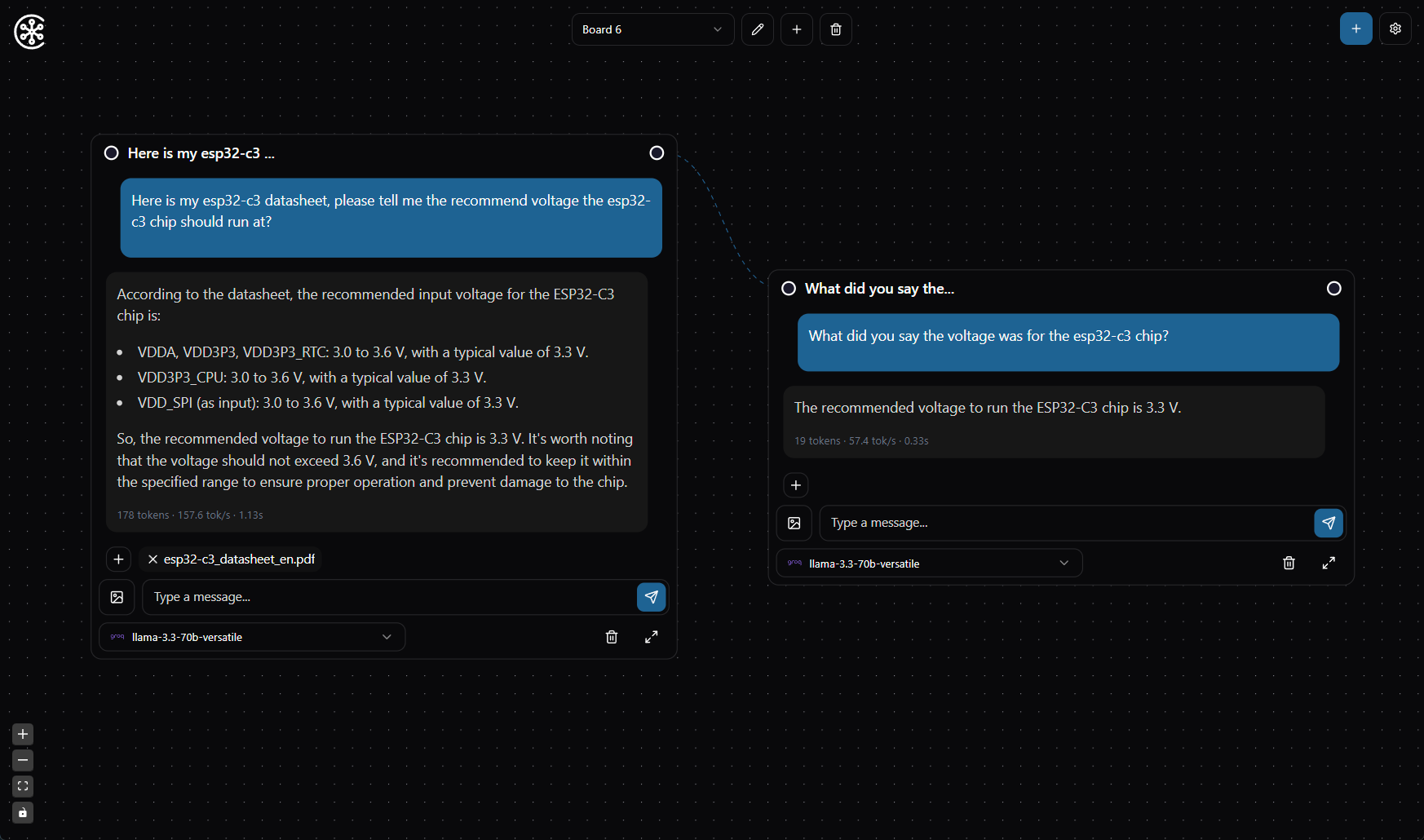
Curiso AI is an infinite canvas for your thoughts—a platform that seamlessly connects nodes and AI services to explore ideas in depth without repeating yourself. By guiding the direction of each conversation, Curiso.ai empowers advanced users to unlock richer, more accurate AI interactions. Created by Carsen Klock.
Features
- Multi OS: Windows, macOS, and Linux app
- Infinite Canvas: Create and organize your thoughts visually on an unlimited workspace
Multiple AI Provider Integration:
- OpenAI
- Anthropic
- xAI
- Groq
- OpenRouter
Local AI Inference Provider Integration:
- Ollama
- Exo
- Jan.ai
- LM Studio
- vLLM
Custom Model Support: Add and configure custom AI models
Model Metrics: View metrics for models like tok/sec and total tokens
RAG Support (Retrieval Augmented Generation): Add and configure RAG documents and websites locally
Local Transformers.js Embedding Models or OpenAI: Add and configure local embedding models or OpenAI embedding models
Local VectorDB IndexedDB: Local VectorDB IndexedDB for RAG
Inference Parameters: Customize the inference parameters for your conversations
Multiple Boards: Create and manage multiple workspaces
Vision Model Support: Add images to your chats for vision models
Customizable Interface:
- Theme color selection
- Grid snapping
- Pan and zoom controls
- Double-click zoom functionality
Node-Based Conversations: Connect ideas and conversations through an intuitive node chat system
Secure: Local encrypted storage of API keys and sensitive data


Donate
If you find Curiso.ai useful, please consider donating to support its development.
Bitcoin (BTC) Address: bc1qgamupnnd2v0uj8a5cffyn8d25atahwq3wexue8
Solana (SOL) Address: FLXQhZgyNGgNzE7MEniiHkrh3bs8kfHjd4J1L7KgBWso
Getting Started
Download and Install latest release
Available for Windows, macOS, and Linux. Download latest release
Developers
Prerequisites
- Bun runtime installed on your system
- API keys for the AI services you plan to use or Ollama installed locally
Installation
- Clone the repository:
git clone https://github.com/metaspartan/curiso.git
- Navigate to the project directory:
cd curiso
- Install dependencies:
bun install
- Run the development build:
bun run desktop
Known Issues
- On Windows, you will get CORS errors when trying to connect to a local running Ollama instance. Run the command below in command prompt and restart Ollama to resolve this issue.
set OLLAMA_ORIGINS=*
Contributing
Contributions are welcome! Please feel free to submit a pull request. If you have any questions, ideas, or suggestions, please feel free to open an issue.
License
This project is licensed under the MIT License - see the LICENSE file for details.
Author
Carsen Klock - @metaspartan @carsenklock

