Curio Labs
Rapid poster prototyping with an AI creative director. Talk through an idea, get an editable poster direction in minutes, and hand it off to Photoshop as a layered PSD.
Talk it out. Lay it out. Take it to Photoshop.
Inspiration
Most posters begin with a vague idea: a restaurant wants something warm and inviting, a festival needs an energetic lineup poster, or an artist wants a visual direction that feels completely different from their last project. Turning that idea into a clear composition can take hours before the first real design decision is made.
Image generators are fast, but they usually return a finished-looking image instead of an editable design. The user cannot easily adjust the hierarchy, typography, spacing, or individual elements.
We built Curio Labs to provide a different starting point: an AI creative director that helps transform an idea into an editable visual system. Curio is designed for exploration and iteration. It gives the user a structured canvas, meaningful design choices, and direct control over every layer.
What it does
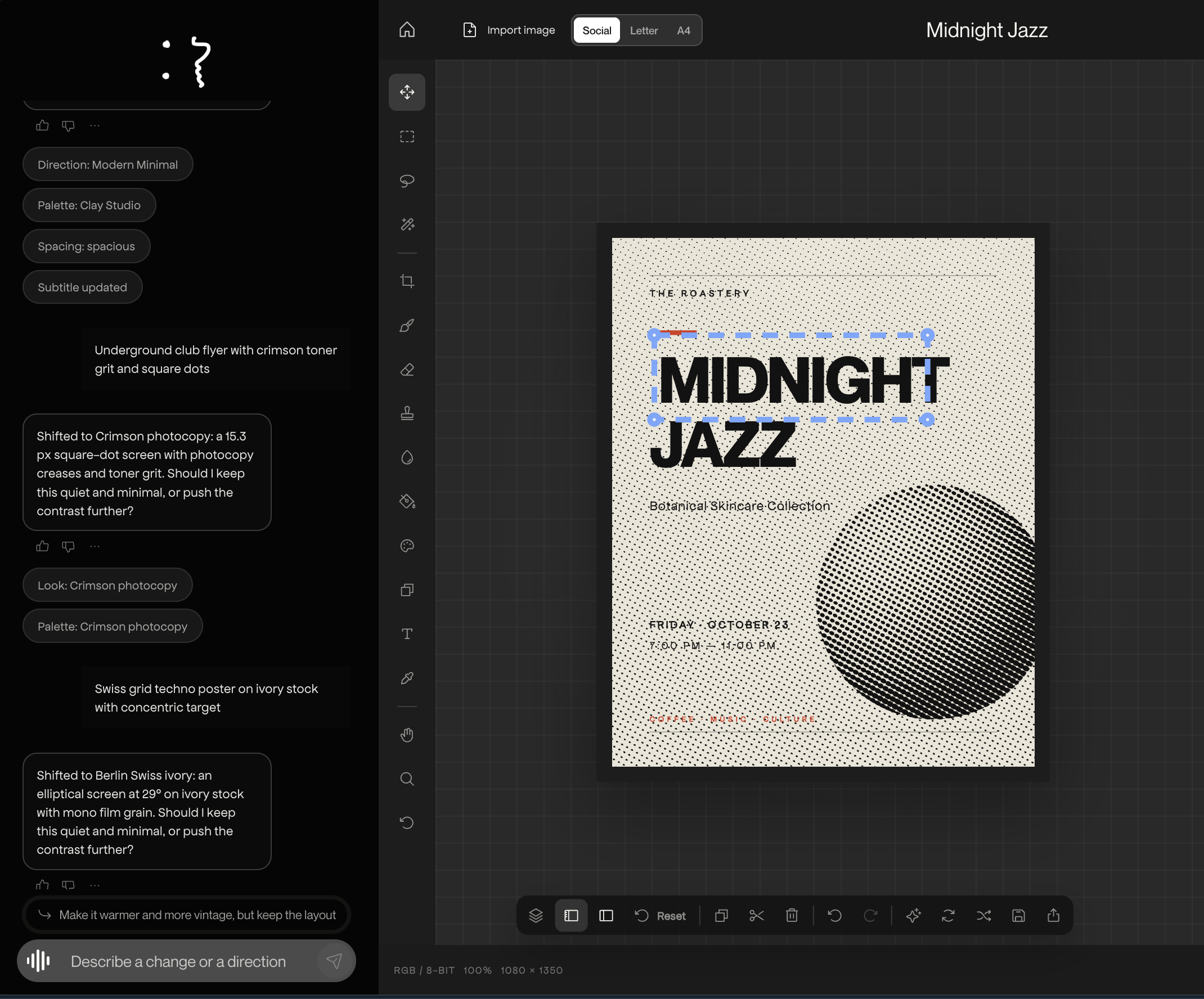
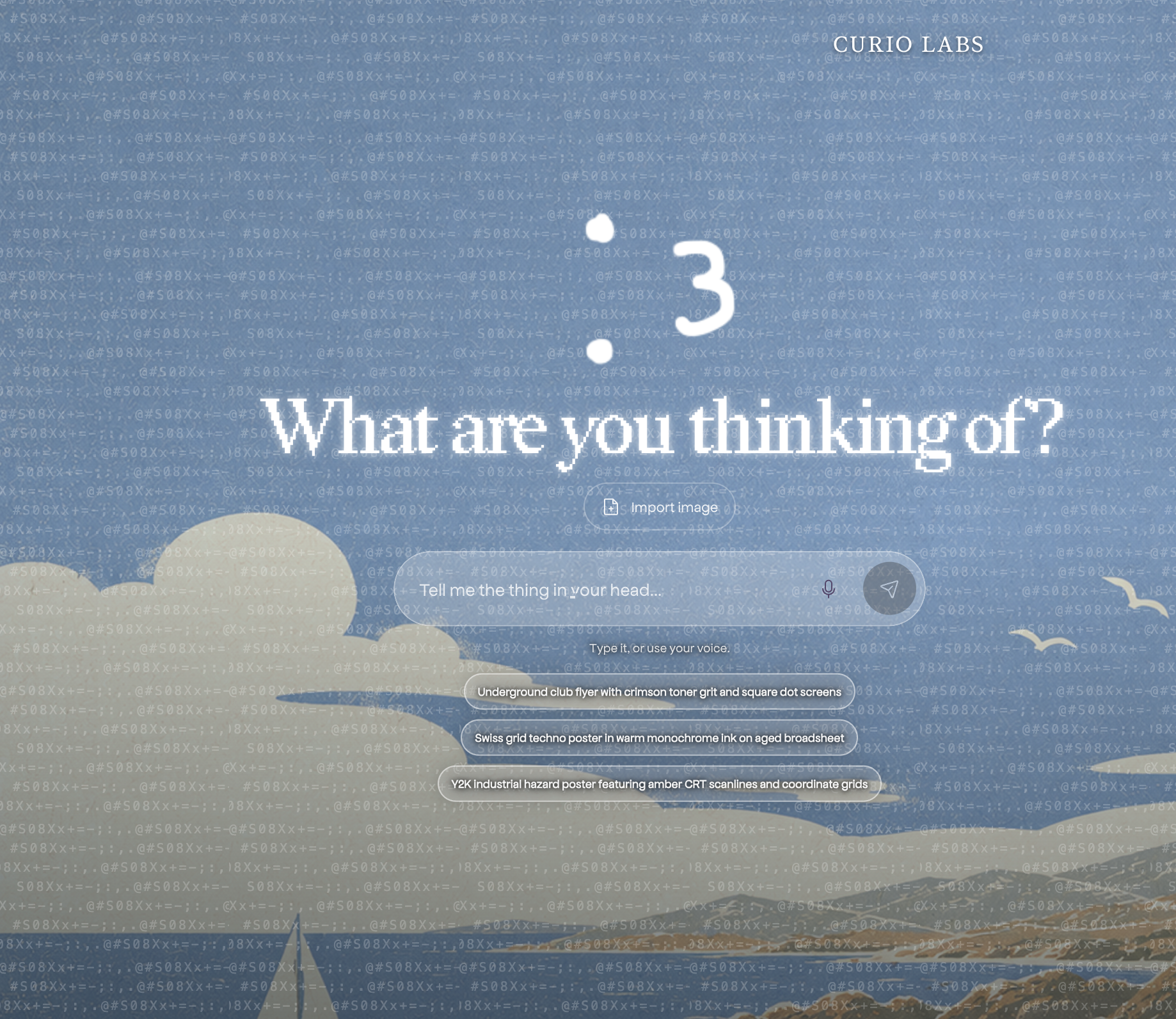
Curio Labs is a conversational poster prototyping studio.
A user can start with a blank brief such as:
“Create a cozy late-night poster for a neighborhood kebab shop.”
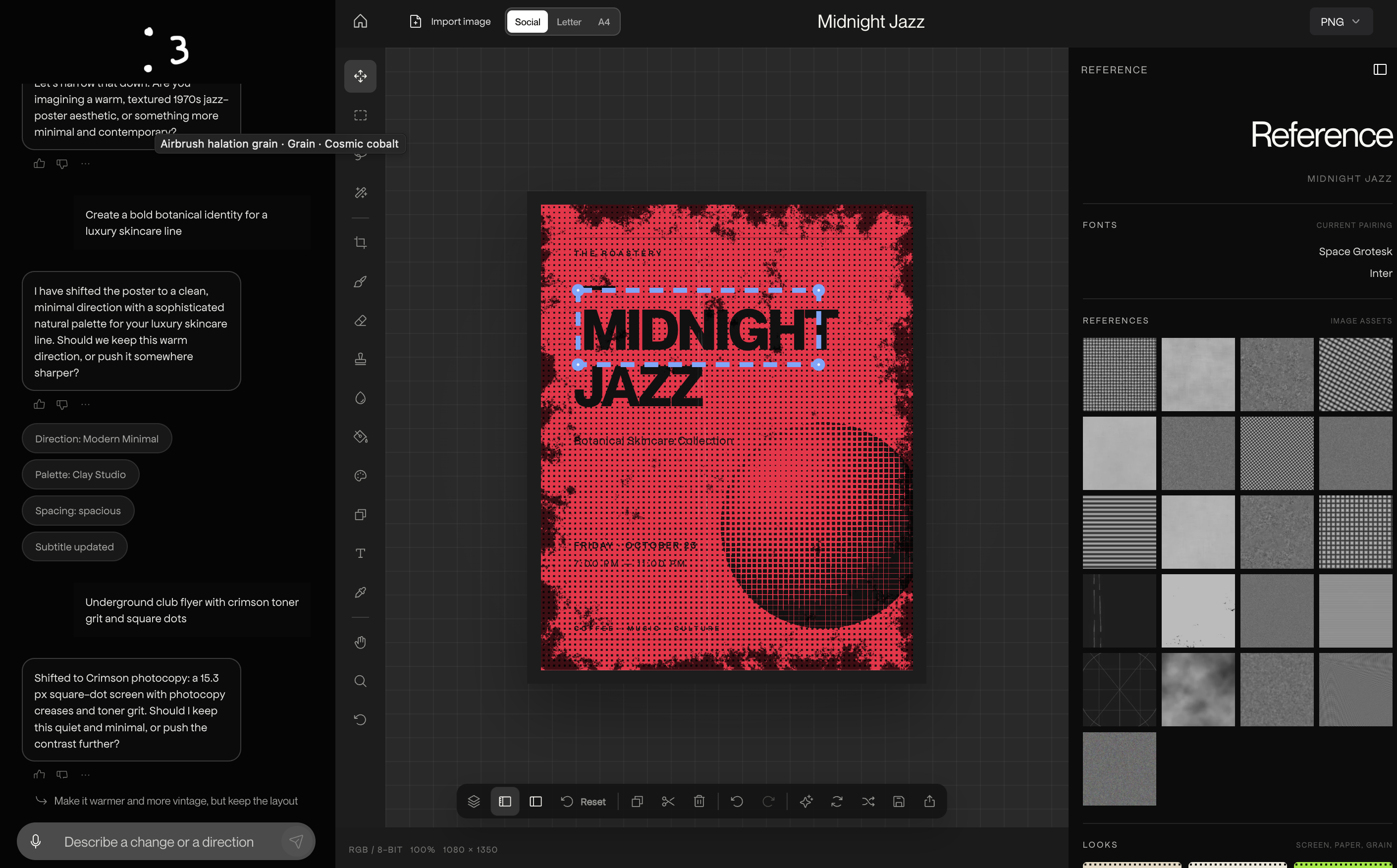
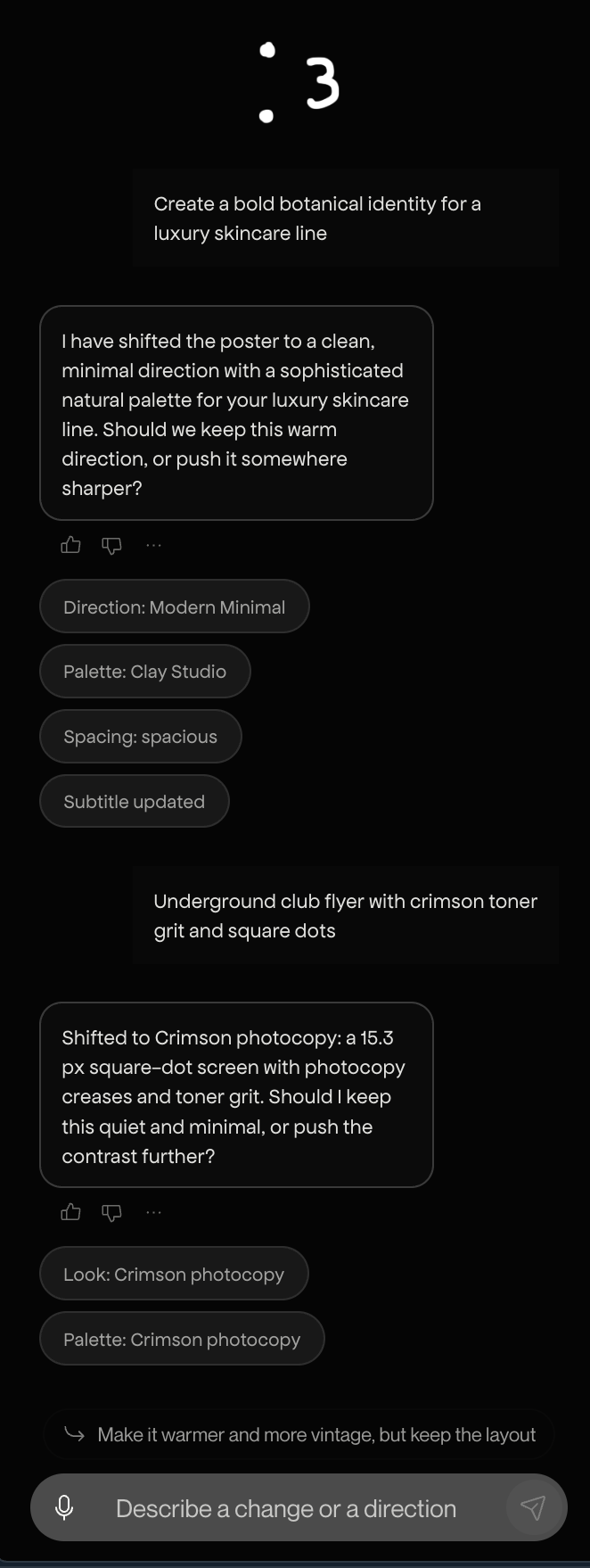
Curio interprets the brief, proposes distinct creative directions, and creates an editable composition. The user can then continue the conversation with instructions such as:
- “Make the title more playful.”
- “Move the food image into the lower-right corner.”
- “Use a warmer palette.”
- “Keep the hierarchy, but make the date feel more prominent.”
- “Replace the image with the one I imported.”
The AI does not return a flat image. It returns structured design changes that are applied directly to the canvas. Typography, colors, spacing, layout, shapes, image placement, and layer properties can all be adjusted independently.
Users can:
- Start from a new brief or an existing workspace.
- Generate multiple creative directions for comparison.
- Import their own reference images.
- Analyze imported images with Gemini.
- Insert selected images directly into the canvas.
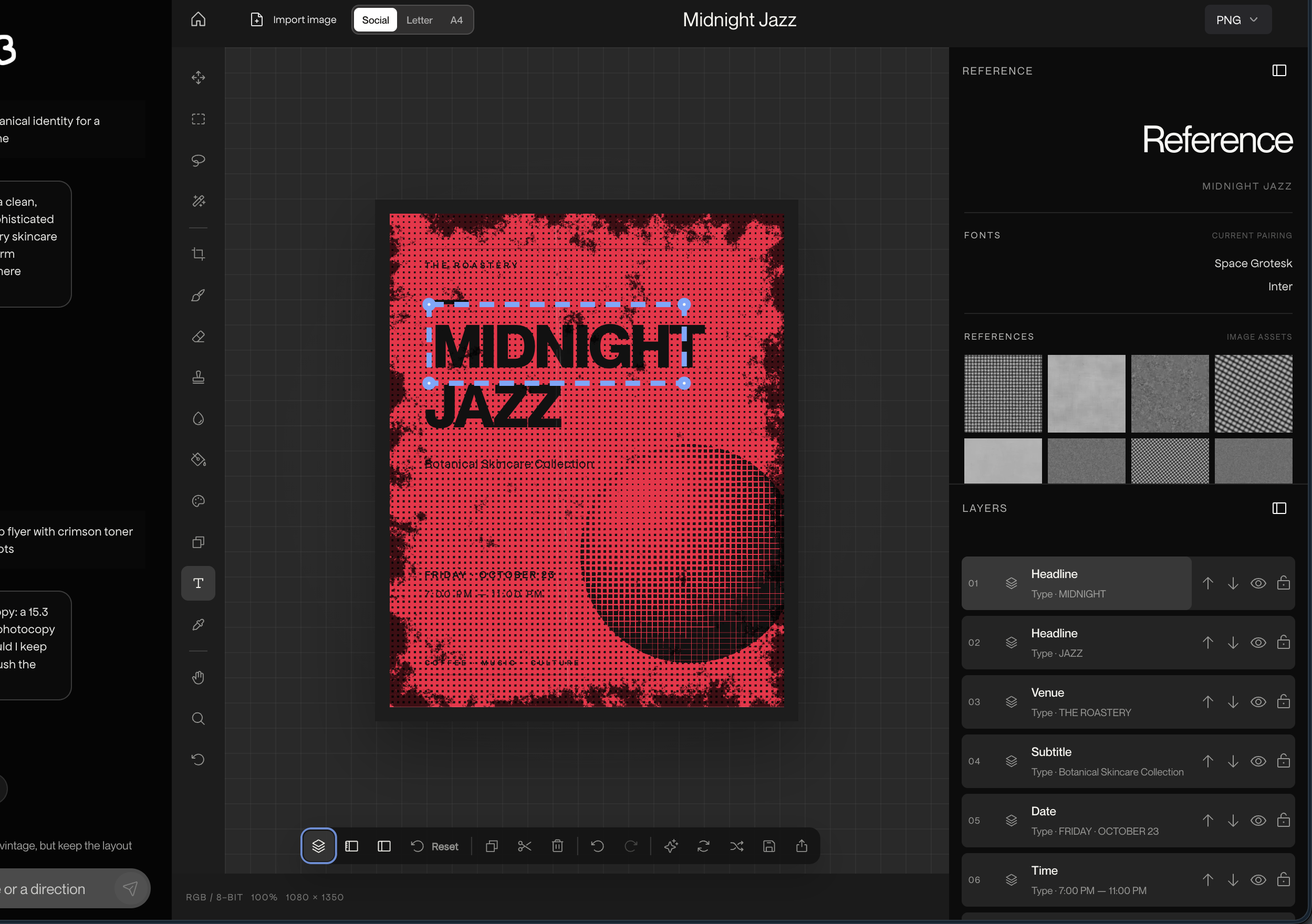
- Edit text, fonts, colors, geometry, and layer order.
- Hide, lock, delete, move, scale, and rotate layers.
- Undo and redo both manual and AI-assisted changes.
- Maintain a live creative brief alongside the canvas.
- Export PNG, JPG, and layered Photoshop PSD files.
Reference assets are treated as inspiration and user-controlled inputs. Curio does not automatically place images from the server’s reference library into a design. Users decide which imported assets should become part of the canvas.
Why PSD export matters
Curio is not trying to replace Photoshop. It helps users reach a strong first direction faster.
The canvas is a rapid prototyping environment for testing hierarchy, typography, imagery, spacing, and visual tone. Once the direction is working, the user can export a layered PSD and continue refining the design in Photoshop.
The result is an editable production file—not a screenshot that has to be recreated manually.
How we built it
Curio is built with Next.js, React, TypeScript, Tailwind CSS, and Radix-based UI components.
The editor uses a reducer-driven design state. A single poster model powers the interactive SVG canvas, raster exports, and PSD output. This keeps the on-screen composition and exported files consistent.
Text or voice brief
        │
        ▼
Gemini creative director
        │
        ├── structured design patch
        ├── live research with Google Search grounding
        ├── imported-image analysis
        └── creative coaching with TigerData tools
        │
        ▼
Validated patch
        │
        ▼
Shared studio reducer
        │
        ▼
Editable SVG canvas
        │
        ├── PNG
        ├── JPG
        └── layered PSD
Google Gemini: the creative director
Gemini powers the central creative workflow.
The Creative Director receives the current canvas state, layer geometry, typography, recent conversation, creative brief, and the user’s latest instruction. It returns a structured patch describing the exact changes to apply.
Gemini can update:
- Font family, size, weight, tracking, and alignment.
- Text content and hierarchy.
- Palette, fills, strokes, and contrast.
- Layer position, scale, rotation, and visibility.
- Shapes, rules, frames, and decorative elements.
- Image placement and canvas composition.
- Mood, direction, and layout strategy.
The response is validated before it reaches the editor. Only supported properties, known fonts, valid palettes, bounded text, and existing layer identifiers are accepted. The validated changes are then passed through the same reducer used by manual editing.
This means AI changes are:
- Editable.
- Reversible.
- Explainable.
- Applied directly to the canvas.
- Limited to the properties the user requested.
For live research, Curio can use gemini-2.5-flash-lite with Gemini’s Google Search grounding tool. It performs up to five targeted searches, summarizes relevant design or subject-matter context, and passes that research into a separate structured generation step.
Curio also supports:
- Pipeline brief generation.
- Multiple concept directions.
- Design critique.
- Revision planning.
- Imported-image analysis.
- Creative coaching through Gemini function calling.
- Starter prompts for new users.
The Gemini API key remains server-side and is never exposed to the browser.
ElevenLabs and voice interaction
Curio supports voice-based creative direction so users can talk through an idea naturally.
Voice transcription can use local Whisper through whisper.cpp, with ElevenLabs speech-to-text available as a fallback. Curio also uses ElevenLabs text-to-speech to turn creative feedback into spoken responses.
This makes the workflow feel closer to working with an art director: describe the direction, hear the response, and immediately see the design change.
TigerData: memory and design knowledge
TigerData provides Curio’s persistent workspace and design knowledge layer.
It stores:
- Workspaces.
- Briefs.
- Conversations.
- Canvas state.
- Imported files.
- Asset metadata.
- Pipeline concepts.
- Design versions.
- Evaluations.
- Export records.
- Background jobs.
Curio also uses a curated design-principles corpus to give Gemini more specific guidance about hierarchy, contrast, typography, spacing, and composition.
The Creative Coach can call a library search tool to find relevant fonts, palettes, textures, and asset metadata. These results help the assistant make suggestions that correspond to real assets available in the application.
Reference images remain user-controlled. They can be imported, analyzed, and placed on the canvas intentionally rather than being inserted automatically.
Vultr infrastructure
Curio runs on a Vultr Ubuntu server with:
- Nginx for HTTPS and reverse proxying.
- Next.js managed by PM2.
- Self-hosted Whisper for private voice transcription.
- PostgreSQL/TigerData for workspace and asset storage.
- Firewall rules restricting public access.
- Automated deployment through GitHub Actions.
The self-hosted speech service allows voice input to remain within infrastructure controlled by the project.
Challenges
One of the hardest problems was making the AI change only what the user asked for. Early design assistants often changed the palette, layout, and typography when the user only requested a font adjustment.
We addressed this with a validation and reconciliation pipeline. The model proposes a patch, the server checks it against the current design state and the user’s instruction, and the editor applies only the approved changes.
We also had to keep multiple output formats synchronized. SVG, PNG, JPG, and PSD can easily drift apart if they are produced by separate layout systems. Curio solves this by using one shared poster model to drive the canvas and exports.
Other challenges included:
- Preventing speech recognition from interpreting silence as words.
- Supporting microphone access securely in production.
- Handling Gemini model availability and fallback behavior.
- Making AI changes reversible through the same undo system as manual edits.
- Keeping imported images editable and controllable instead of treating them as final outputs.
- Designing a workflow that feels exploratory rather than template-driven.
What we learned
For creative tools, the most useful AI output is often a structured decision rather than a finished image.
A small, precise instruction—such as changing a title’s tracking or moving an image to a specific region—can be more valuable than generating an entirely new poster.
We also learned that users want AI to be ambitious, but they still need control. The best interaction is not AI replacing the designer. It is AI proposing a direction, applying meaningful changes, and leaving the user with an editable system they can continue shaping.
Accomplishments
- Built an end-to-end AI-to-editable-canvas workflow.
- Connected Gemini structured generation directly to canvas editing.
- Added live research through Gemini Google Search grounding.
- Added imported-image analysis and intentional canvas placement.
- Created layered PSD export for Photoshop handoff.
- Added undoable AI and manual editing.
- Added persistent workspaces through TigerData.
- Added voice input and spoken creative feedback.
- Built a self-hosted production deployment with CI/CD and rollback support.
What’s next
- Expand the creative pipeline from concept generation through critique, revision, and version comparison.
- Add richer PSD text-layer support.
- Improve image search and licensing metadata for user-selected assets.
- Add collaborative workspaces and account-based projects.
- Continue expanding the range of poster categories, visual grammars, and creative directions.
Built with
gemini · google-search-grounding · elevenlabs · tigerdata · timescaledb · postgresql · vultr · whisper.cpp · next.js · react · typescript · tailwindcss · radix-ui · ag-psd · nginx · pm2 · github-actions · playwright
Try it out
Built With
- elevenlabs
- gemini
- next.js
- postgresql
- python
- react
- tailwindcss
- tigerdata
- typescript
- vultr

Log in or sign up for Devpost to join the conversation.