-
-
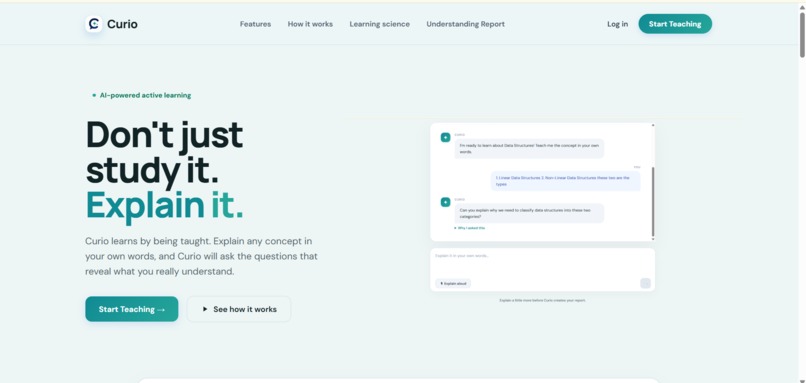
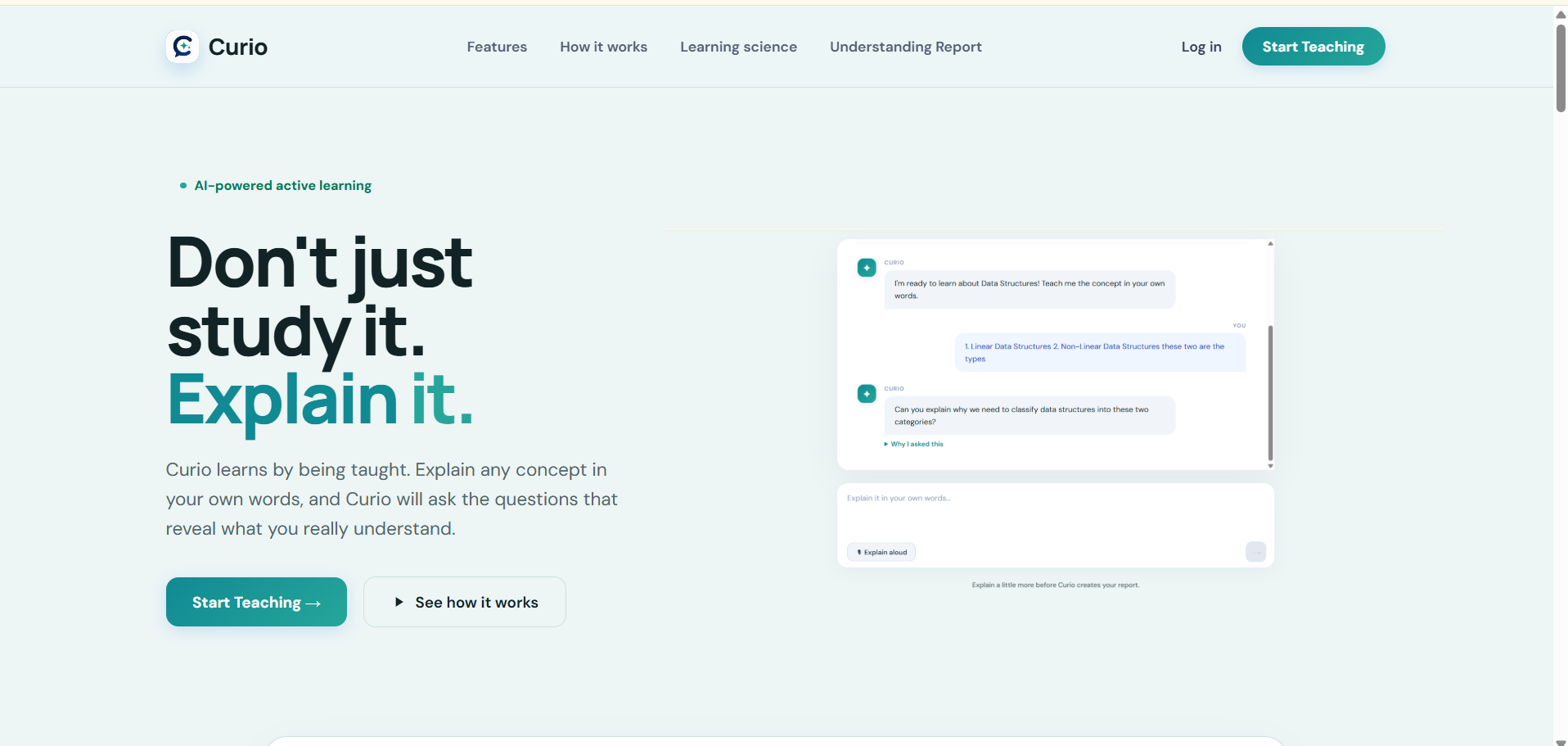
Curio Landing Page
-
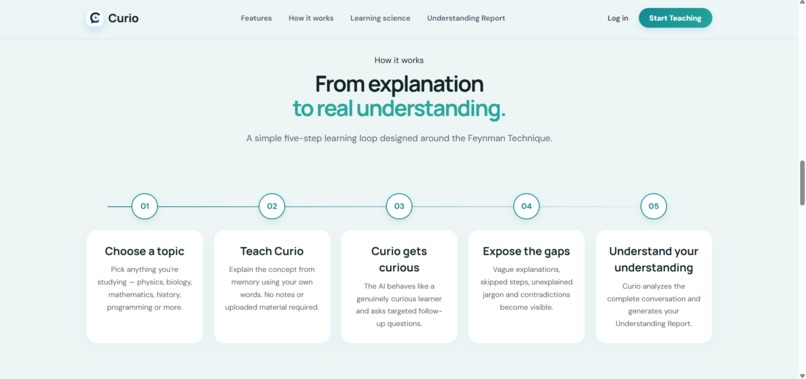
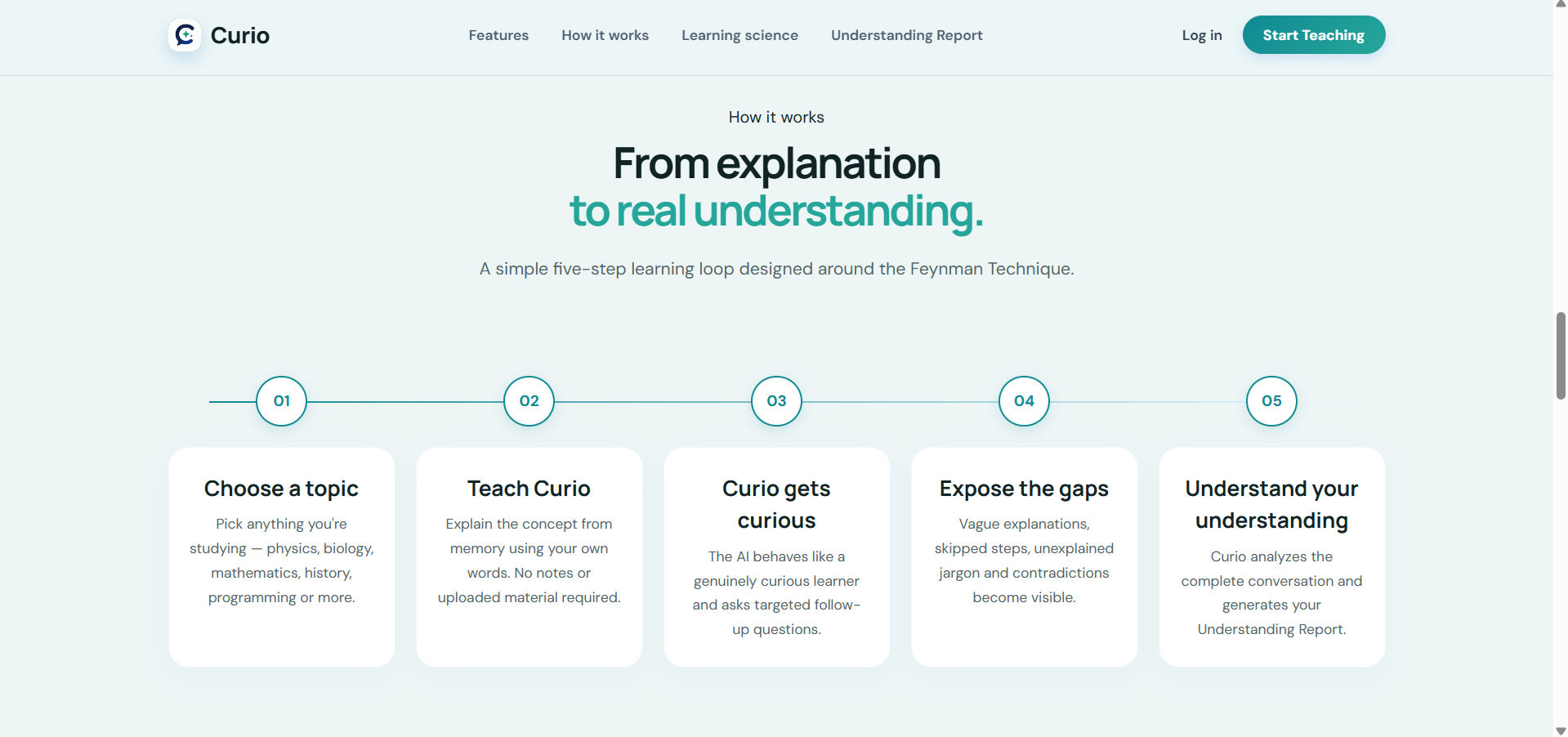
How it works
-
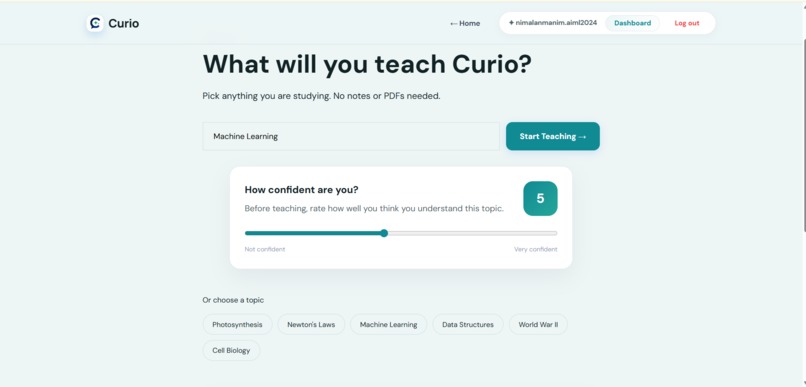
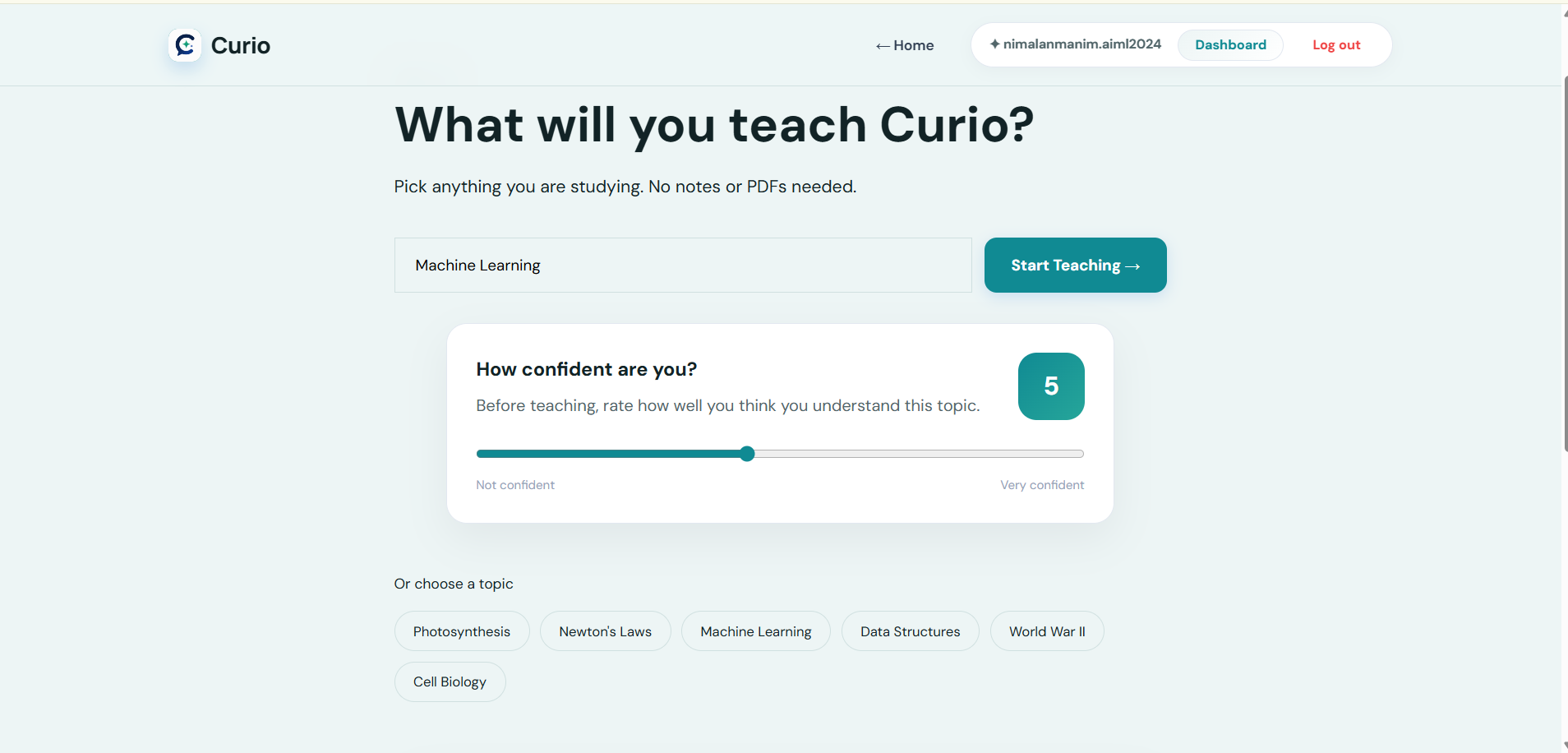
Topic and confidence selection screen
-
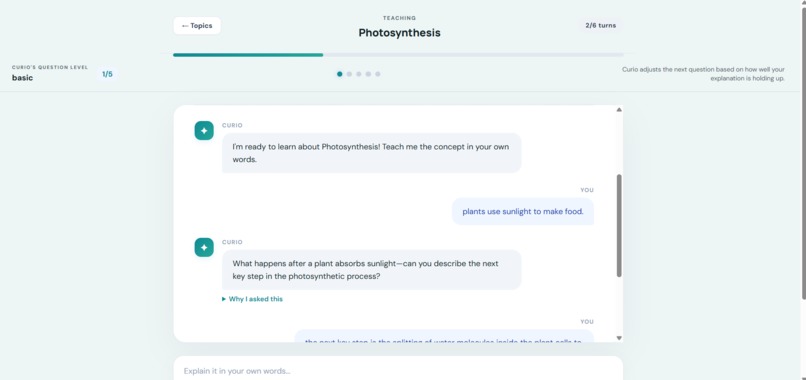
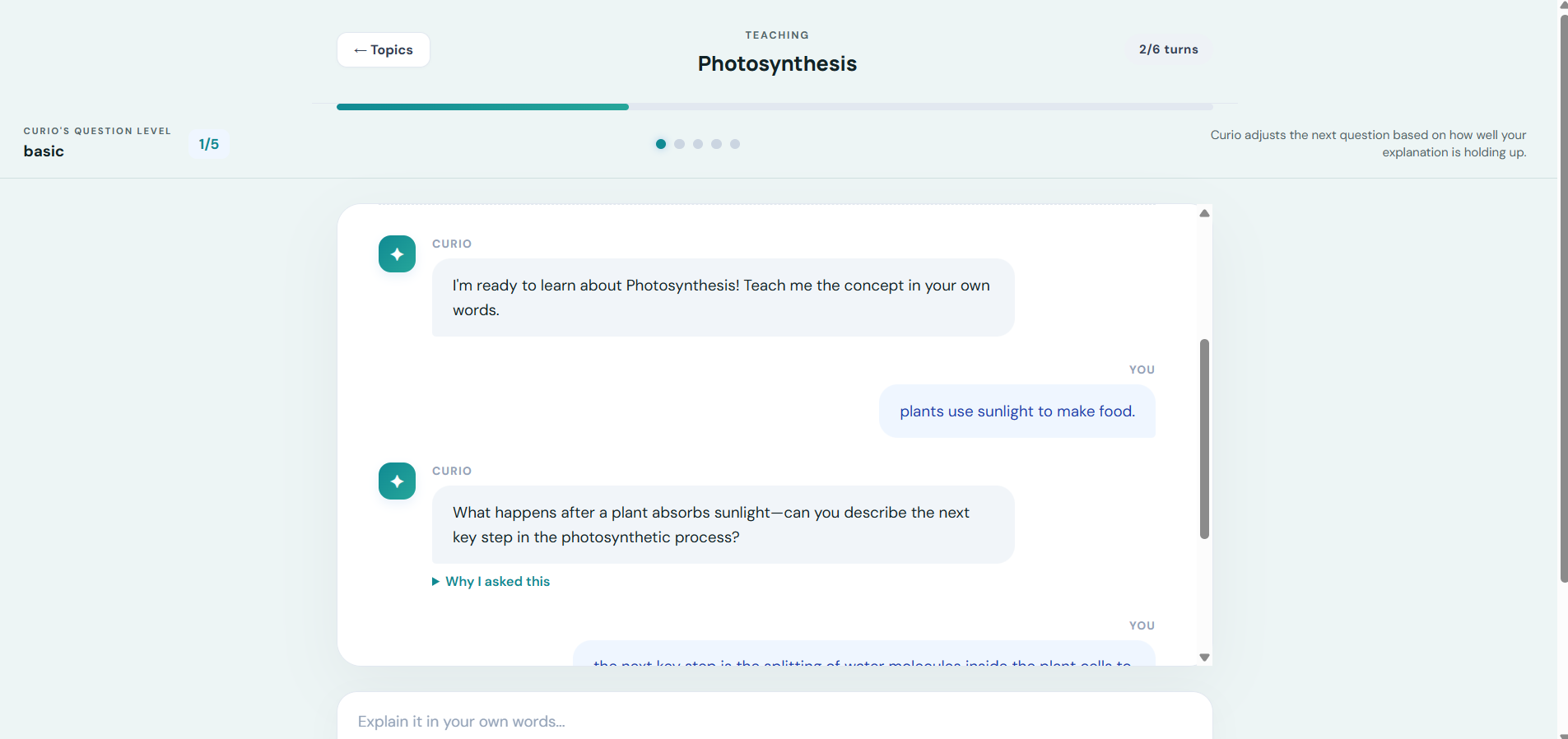
Student explanation with AI follow-up question
-
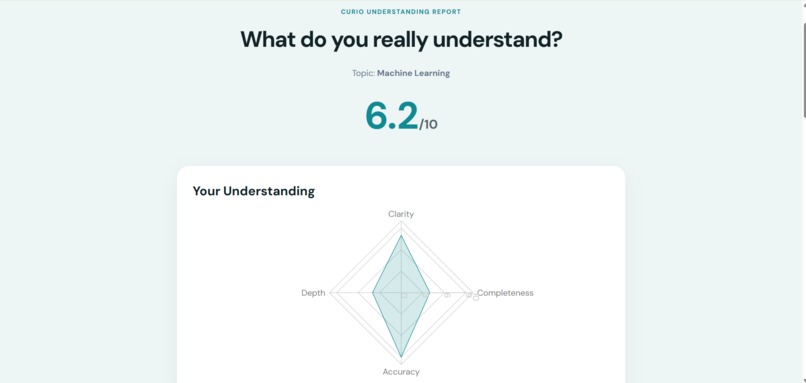
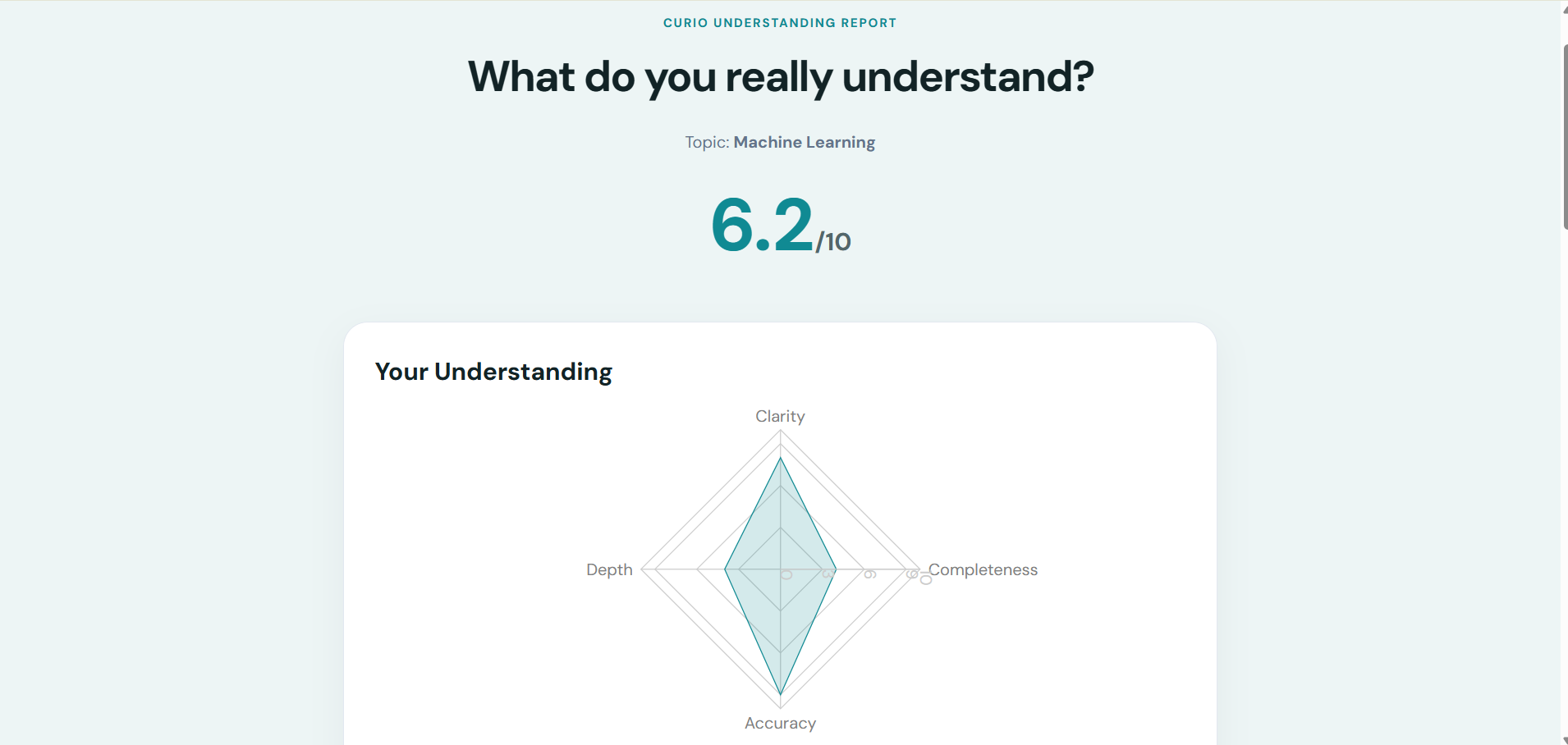
Understanding Report
-
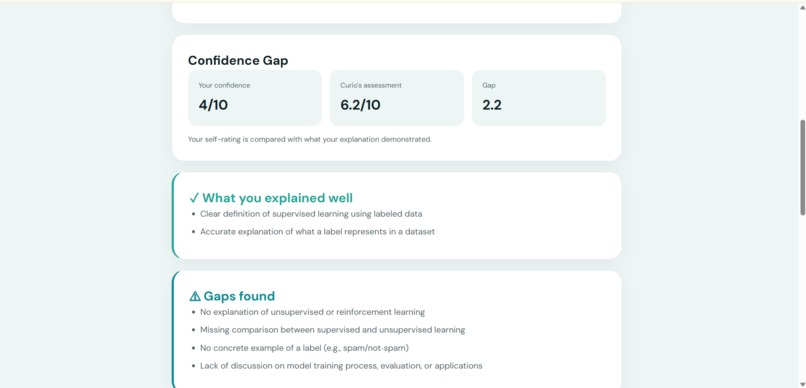
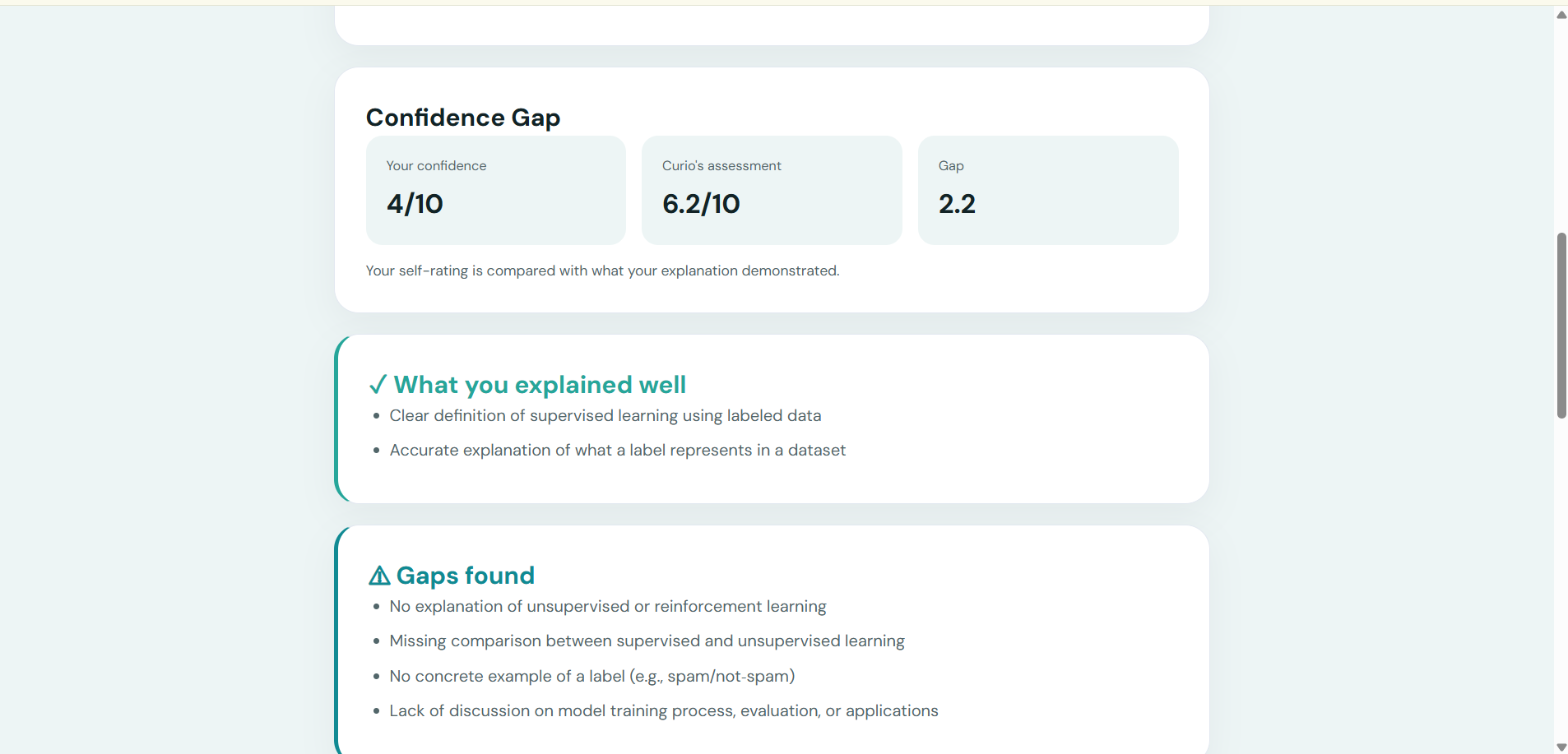
Confidence and Gap Score
-
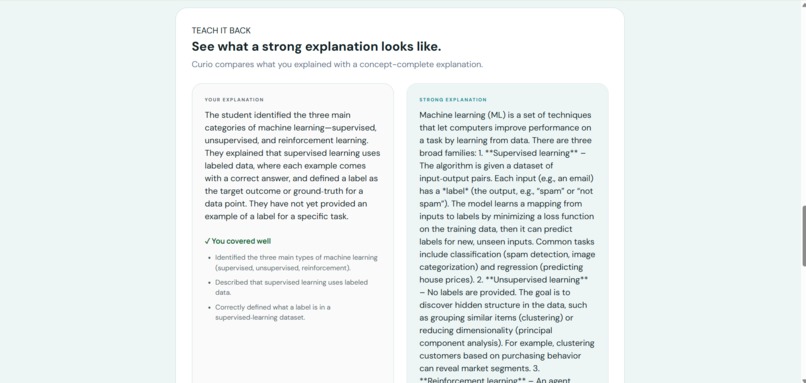
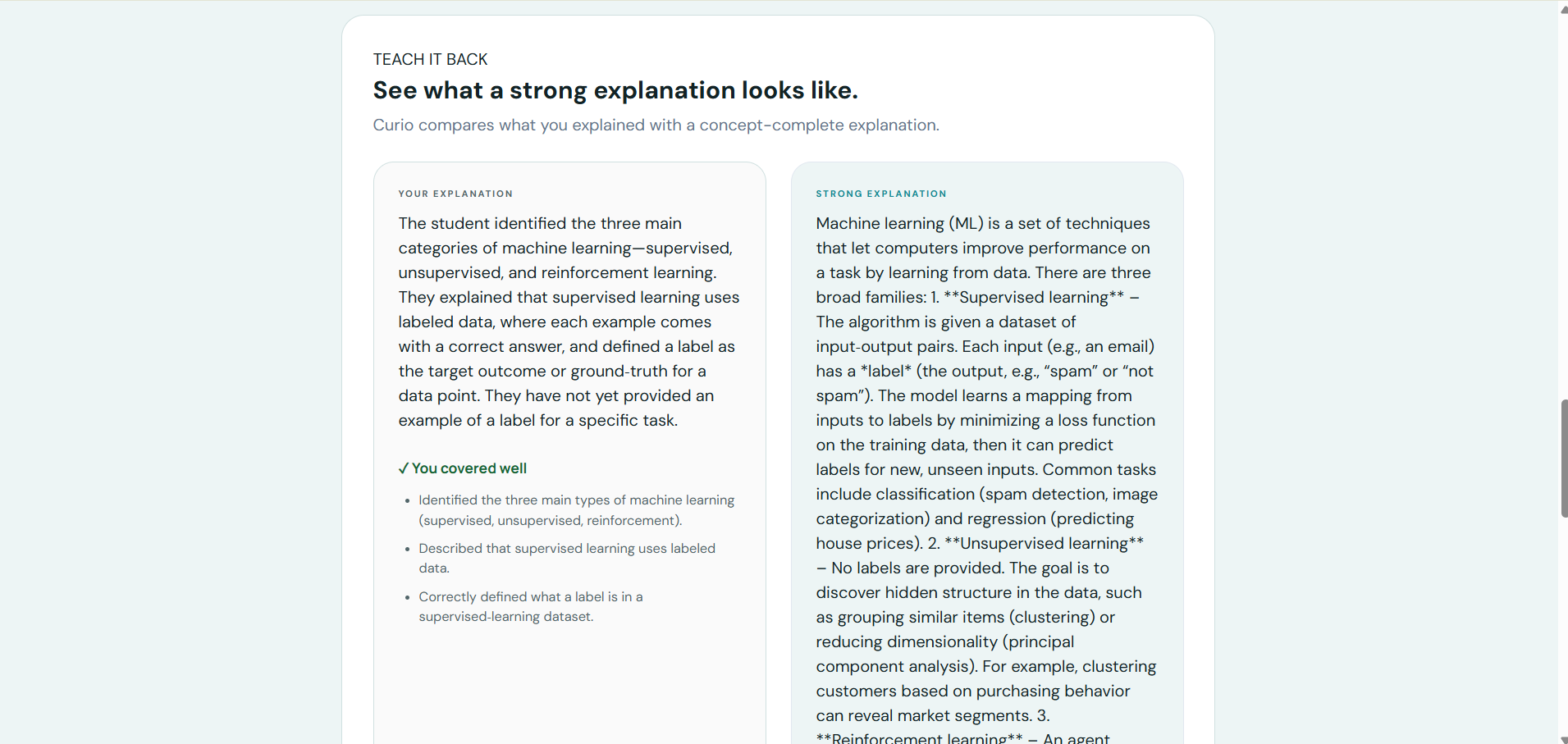
TeachBack Implementation
-
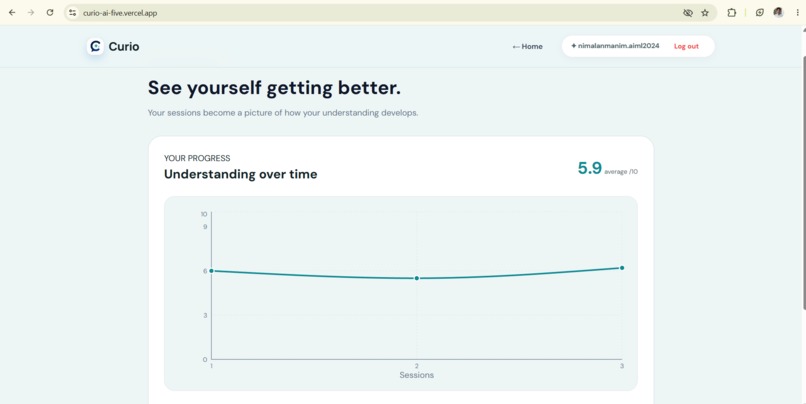
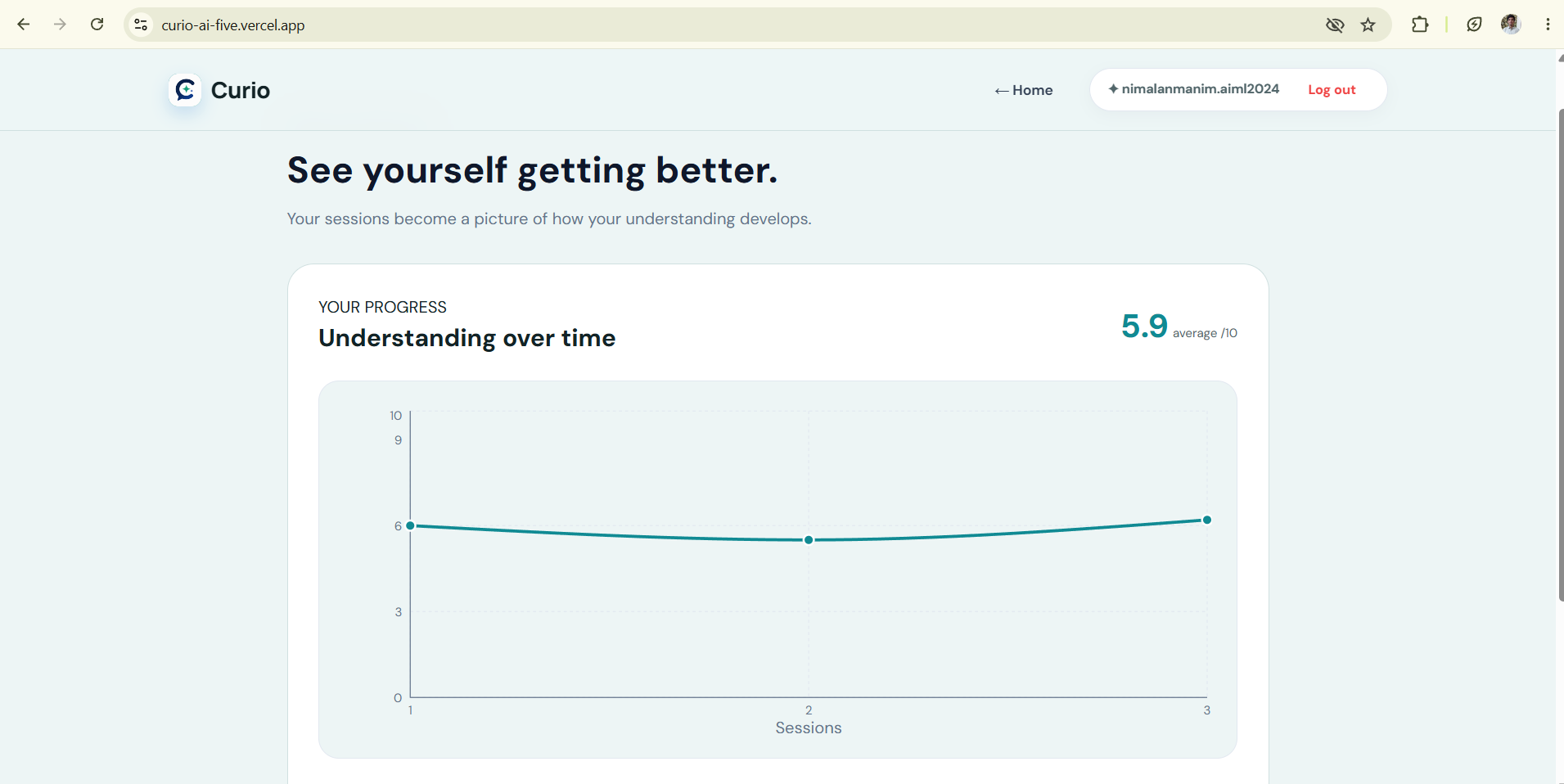
Growth Dashboard
Inspiration
Many students can recognize an answer but struggle to explain the same concept in their own words. Traditional learning tools often focus on reading notes, watching videos, or answering multiple-choice questions. These methods may create the feeling of understanding without actually testing it.
We were inspired by the idea that the best way to check understanding is to teach the concept to someone else. This led us to build Curio, an AI-powered active learning assistant that helps students learn by explaining.
What the project does
Curio asks students to explain a topic in their own words. Instead of immediately providing the correct answer, Curio behaves like a curious learner and asks targeted follow-up questions.
It identifies gaps in the explanation and evaluates:
- Clarity
- Accuracy
- Completeness
- Depth
- Misconceptions
- Areas for improvement
After the learning session, Curio generates an Understanding Report. The TeachBack feature allows students to compare their explanation with a stronger ideal explanation and identify the concepts they missed.
The Growth Dashboard saves session results and helps students track their progress across different topics.
How we built it
Curio was developed using a full-stack architecture:
- Frontend: React and Vite
- Backend: FastAPI and Python
- AI integration: Local Ollama models and Groq cloud models
- Authentication: Google OAuth
- Database: SQLite for development
- Deployment: Vercel for the frontend and Render for the backend
The frontend communicates with the FastAPI backend through REST APIs. The backend manages authentication, learning sessions, messages, reports, and progress tracking. The AI layer is designed with a provider-based structure so that the application can use a local model during development and a cloud model when deployed.
Challenges we faced
One of our main challenges was making the AI behave like a curious student instead of a normal chatbot. A regular chatbot tends to provide the answer immediately, while Curio needs to ask meaningful questions that reveal the learner’s understanding.
We also faced challenges with:
- Connecting the React frontend to the deployed backend
- Configuring Google OAuth for both local and production environments
- Handling cloud AI model availability
- Managing environment variables securely
- Deploying a FastAPI backend on Render
- Preserving user sessions and learning progress
- Designing a simple interface that is easy for students to use
These challenges helped us understand how frontend, backend, authentication, databases, and AI services work together in a real-world application.
What we learned
Through this project, we learned how to:
- Build and deploy a full-stack AI application
- Integrate local and cloud-based language models
- Design REST APIs using FastAPI
- Implement Google OAuth authentication
- Connect a React frontend with a production backend
- Create structured AI prompts for educational use cases
- Handle API errors and deployment issues
- Design an AI experience focused on learning rather than just answering
We also learned that an effective educational AI system should not only provide information. It should encourage students to think, explain, reflect, and improve.
Future improvements
In the future, we plan to add:
- Persistent cloud database storage
- More learning modes and subject categories
- Voice-based explanations
- Support for multiple languages
- Teacher and classroom dashboards
- More detailed learning analytics
- Personalized study recommendations
- Integration with uploaded notes and study materials
Conclusion
Curio is designed around one simple principle:
Don’t just study it. Explain it.
By asking students to teach, identifying gaps, and providing useful feedback, Curio helps learners move from memorizing information to developing real understanding.

Log in or sign up for Devpost to join the conversation.