-
-
Application logo
-
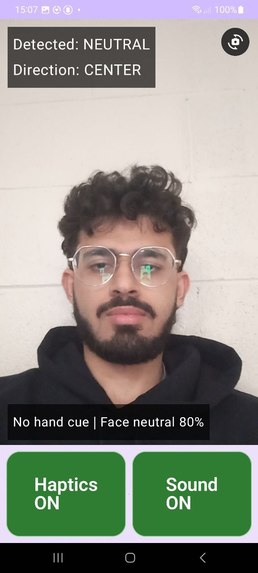
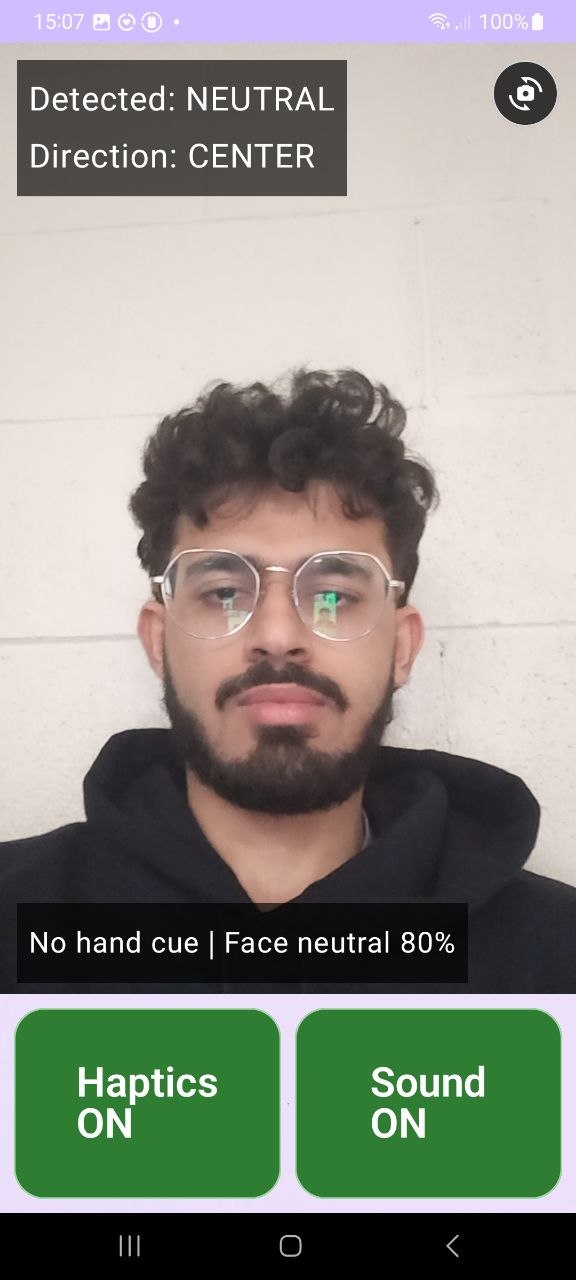
Neutral, no gesture
-
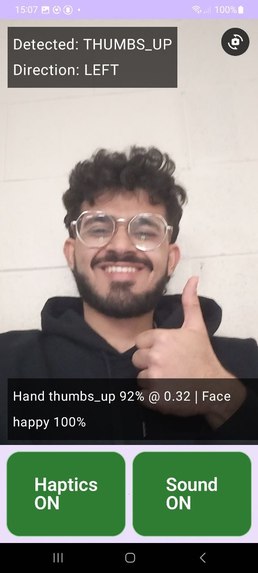
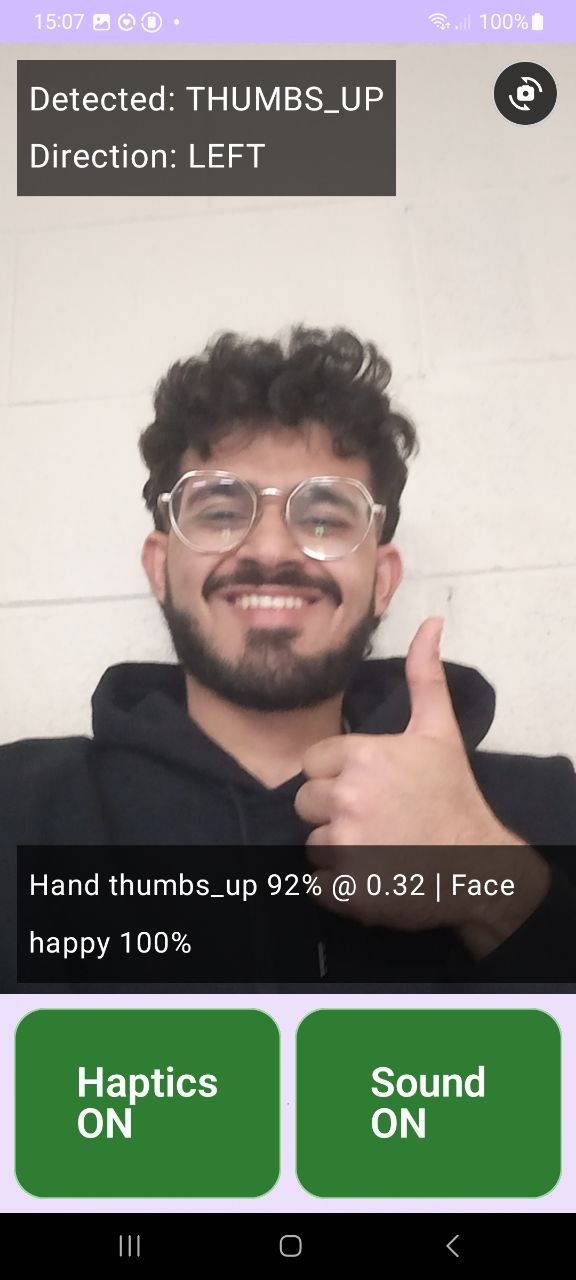
Happy, having thumbs up
-
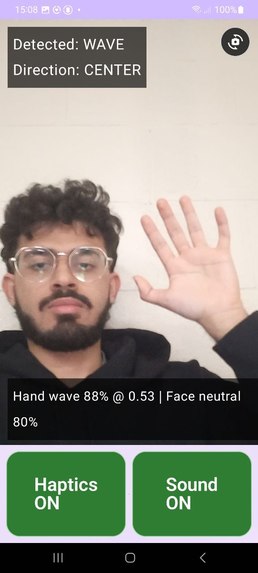
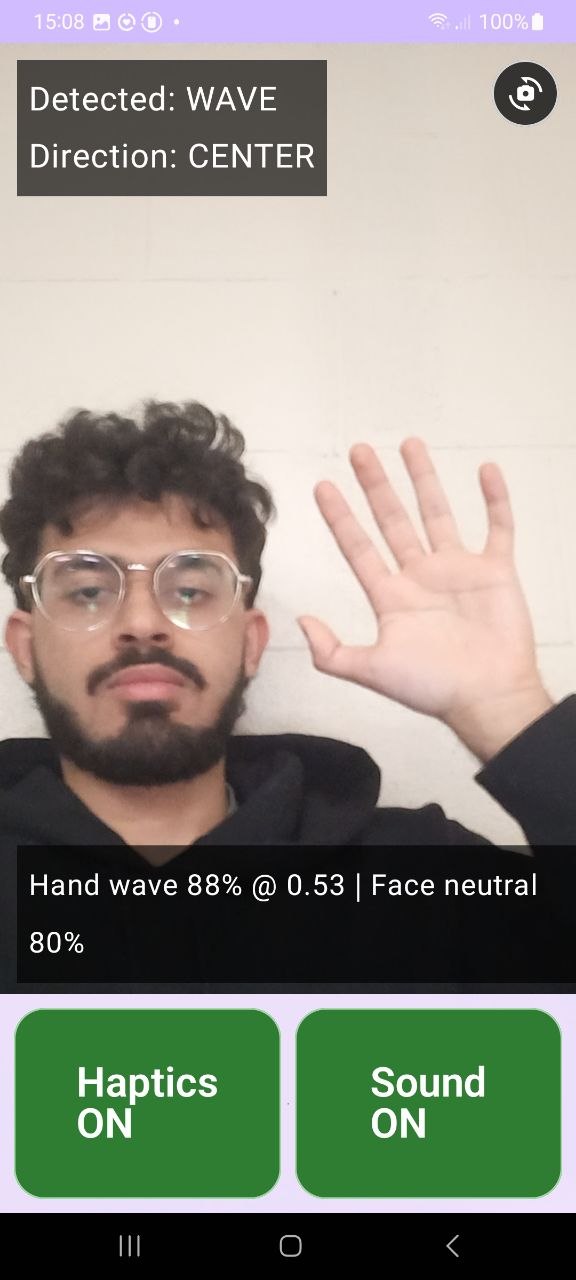
Neutral, waving hi/goodbye
Inspiration
The idea for CueMate was born from a simple yet powerful realization: computer vision technology has the potential to restore independence to millions of people with disabilities, especially the visually impaired. While researching assistive technologies, I noticed that most solutions required expensive specialized equipment—smart glasses, wearable cameras, or dedicated devices that many people couldn't afford or didn't want to wear.
I asked myself: What if we could deliver this life-changing technology through a device people already own and use every day—their smartphone? This question became the foundation of CueMate.
What it does
CueMate restores non-verbal social awareness for blind and visually impaired individuals by transforming invisible social cues into actionable audio feedback. The app uses the phone's camera to detect:
- Facial expressions: Smiling, surprise, and neutral expressions through robust facial landmark analysis
- Social gestures: Waving, thumbs up, thumbs down, and fist bump
- Real-time audio feedback: Clear spoken announcements that help users understand what's happening around them
The app features large, accessible buttons, full voice assistance, and a plug-and-play interface requiring zero technical setup. Directional context (left/ahead/right) is planned for future releases.
How we built it
CueMate is built entirely in Kotlin using modern Android development practices:
- Camera Pipeline: CameraX captures live frames optimized for real-time processing at 12 FPS
- Computer Vision: Google's MediaPipe Tasks Vision API runs face landmarking and gesture recognition entirely on-device
- Custom Algorithms: We developed geometric analysis algorithms that calculate expression intensity (smile width, eye openness) and gesture classification based on hand landmark positions
- Fusion Engine: A debouncing system aggregates raw detections to prevent flickering and ensure stable, reliable feedback
- Accessibility Layer: Text-to-speech converts detections into natural spoken cues, with TalkBack-compliant UI navigation
The entire pipeline runs locally—no internet connection required, no data sent to the cloud.
Challenges we ran into
Gesture Ambiguity: Distinguishing between similar hand poses (like a sideways thumb vs. thumbs up). We're continuously refining threshold values based on real-world testing data.
Accessibility First Design: Building an interface that's truly usable without sight required extensive testing with TalkBack and rethinking every UI decision from a non-visual perspective.
Privacy Constraints: Committing to 100% offline processing meant we couldn't rely on cloud-based accuracy improvements. Every model and algorithm had to work flawlessly on-device.
MediaPipe Integration: Working with the new MediaPipe Tasks Vision API required debugging delegate fallbacks and ensuring graceful degradation when GPU acceleration wasn't available.
Accomplishments that we're proud of
- Zero-dependency privacy: Achieved complete offline functionality with no user data collection—protecting both the user and everyone they interact with
- Accessible by design: Built a fully TalkBack-compliant interface with large buttons and voice guidance from day one, not as an afterthought
- Real-time performance: Delivered sub-100ms inference latency on devices as old as API 28, making the feedback feel instantaneous
- No specialized hardware: Proved that a smartphone camera + smart algorithms can deliver assistive technology that rivals expensive dedicated devices
- Plug-and-play simplicity: Created an app that works immediately after installation—no calibration, no training, no configuration needed
What we learned
Accessibility isn't a feature—it's a foundation: Designing for visually impaired users from the start made the entire app more intuitive and robust for everyone.
On-device AI is powerful but demanding: Running computer vision models locally requires careful optimization, but the privacy and latency benefits are worth it.
Threshold tuning is an art: Gesture and expression detection isn't binary—it requires balancing sensitivity vs. false positives through extensive real-world testing.
The human element matters most: Technology is only as good as its impact on daily life. Every technical decision should serve the user's independence and dignity.
Smartphones are underutilized assistive devices: Billions of people already own powerful sensors and processors in their pockets—we just need to build the right software to unlock their potential.
What's next for CueMate
- Directional awareness: Adding left/center/right context to help users locate where people and gestures are positioned
- Expanded gesture library: Adding pointing, handshake reaches, and culturally-specific gestures
- More facial expressions: Detecting frowning, confusion, happiness variations, and emotional intensity levels
- Multi-person tracking: Distinguishing between multiple people in the frame and tracking individual interactions
- Scene understanding: Detecting environmental context (indoor/outdoor, crowded/quiet spaces) to adapt feedback sensitivity
- Wearable integration: Optional Bluetooth earbud support for truly hands-free operation while keeping processing on the phone
- Community-driven thresholds: Allowing users to customize sensitivity settings based on their personal preferences and environments
- Open-source release: Sharing our implementation to help other developers build accessible, privacy-first computer vision applications
CueMate proves that assistive technology doesn't need to be expensive, invasive, or complicated—it just needs to be built with empathy and the right tools.


Log in or sign up for Devpost to join the conversation.