Inspiration
Modern teams do not suffer from a lack of information. They suffer because that information is scattered across Slack, Linear, GitHub, Notion, analytics tools, deployment logs, and customer conversations.
When something breaks in production, someone has to manually search Slack for symptoms, Linear for ownership, GitHub for the relevant code change, Notion for expected behavior, PostHog for impact, and Vercel for deployment timing. After that, they still need to connect the dots, explain what happened, and coordinate the next action.
We built Cue to reduce all of that work to one question.
Cue is designed as a company-wide work intelligence and execution layer. It connects information across tools, explains how the evidence fits together, identifies owners and impact, and prepares actions that a human can review before execution.
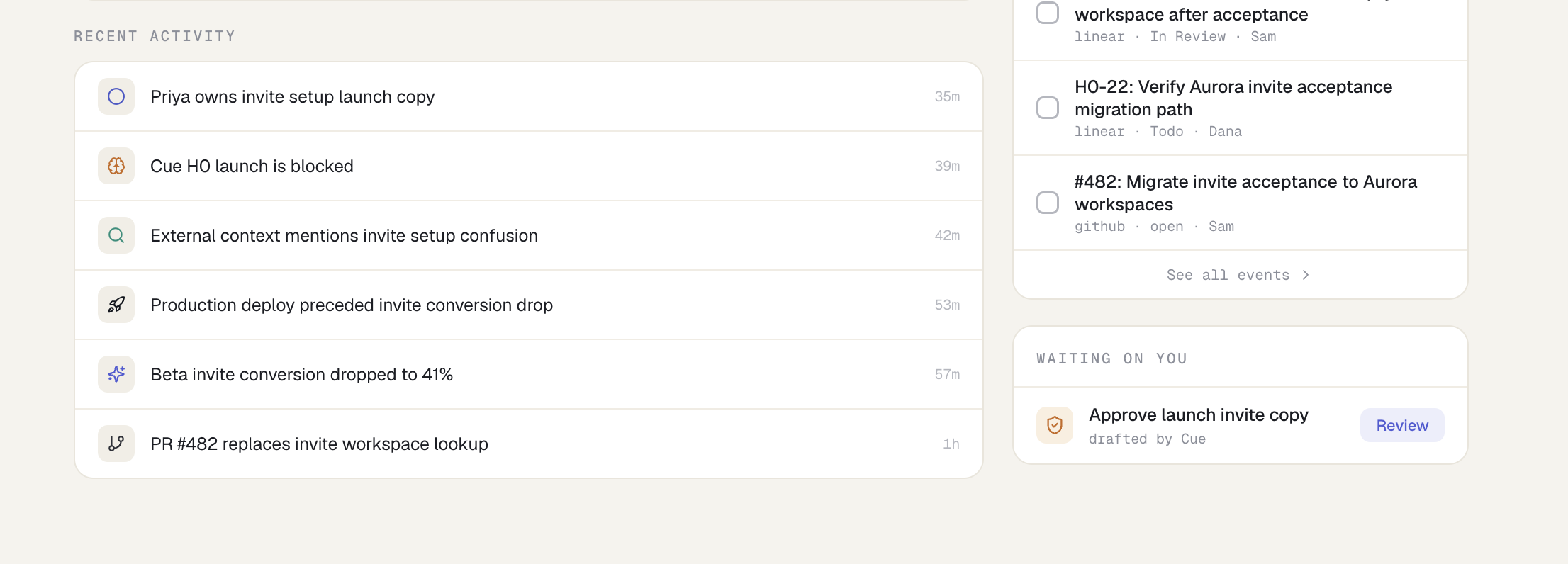
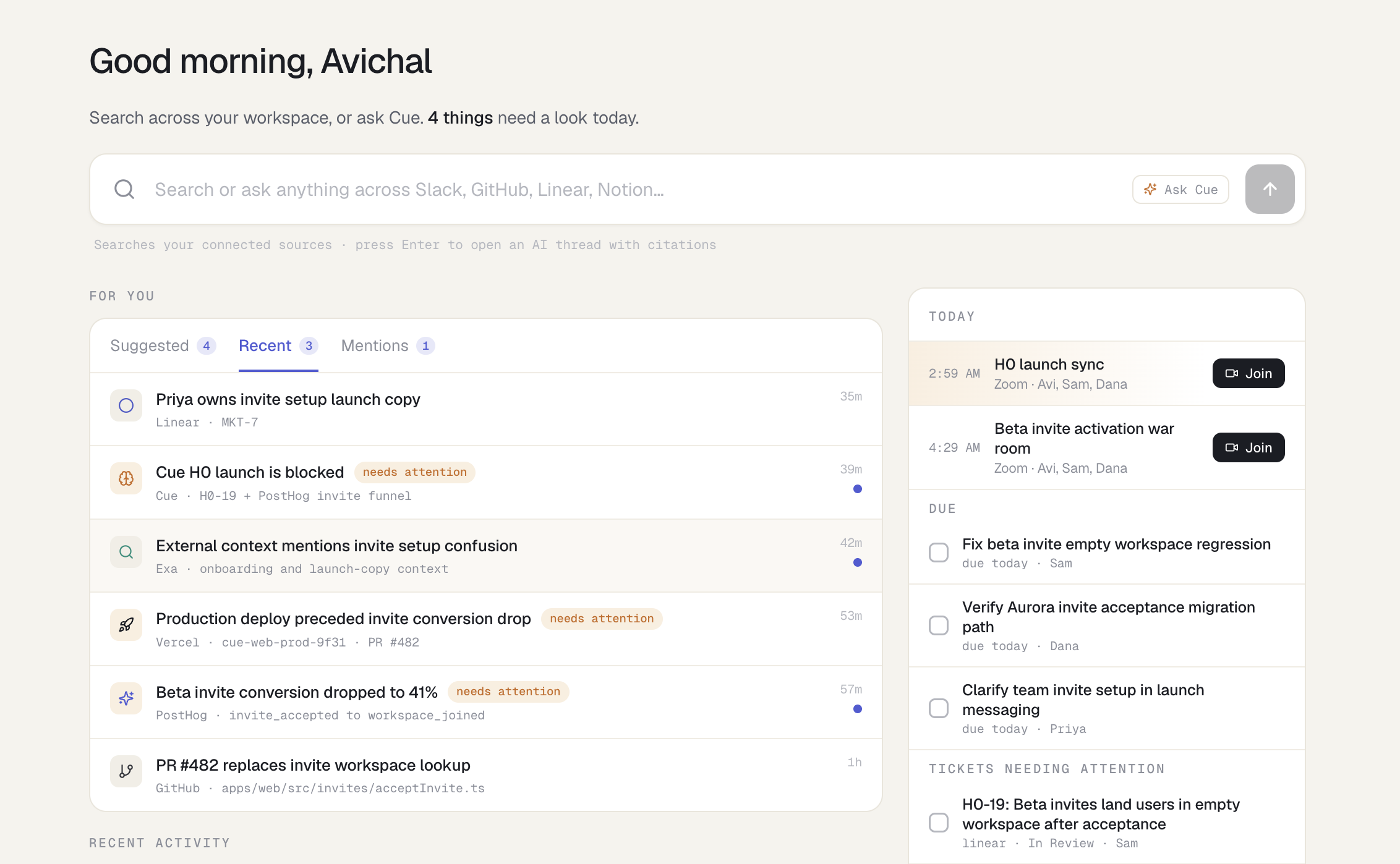
Our demo focuses on an upcoming product launch where beta users accept invitations but land in empty workspaces after a workspace migration. This scenario shows how the same evidence can support both an engineering investigation and a GTM decision.
What it does
Cue provides a unified workspace for understanding and acting on company information.
A user can ask:
Production code is breaking. Find the issue, who owns it, impact, and draft a Slack ping.
Cue then:
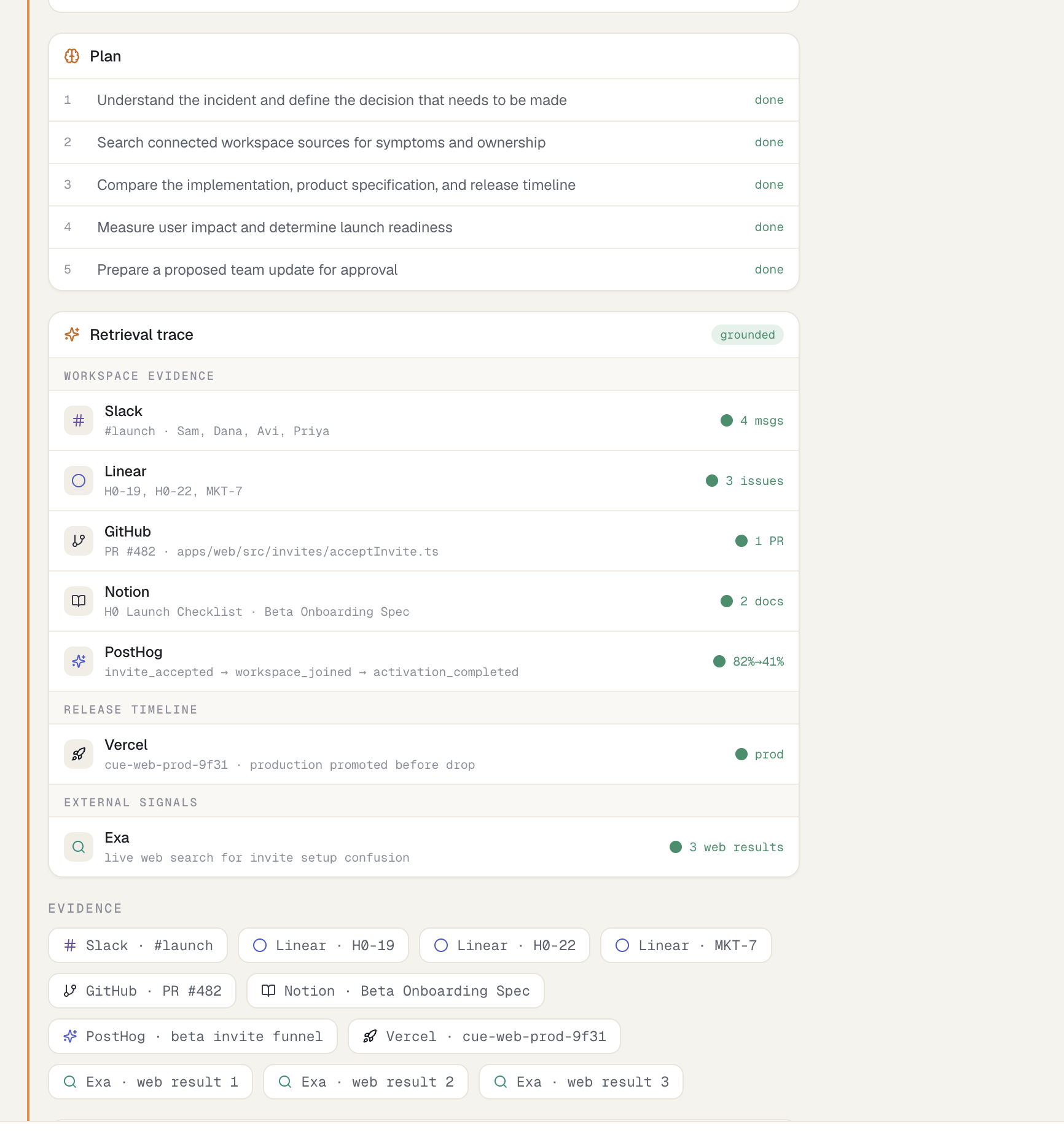
- Plans the investigation
- Searches relevant connected sources
- Shows retrieval progress source by source
- Connects symptoms, code changes, owners, metrics, and deployment timing
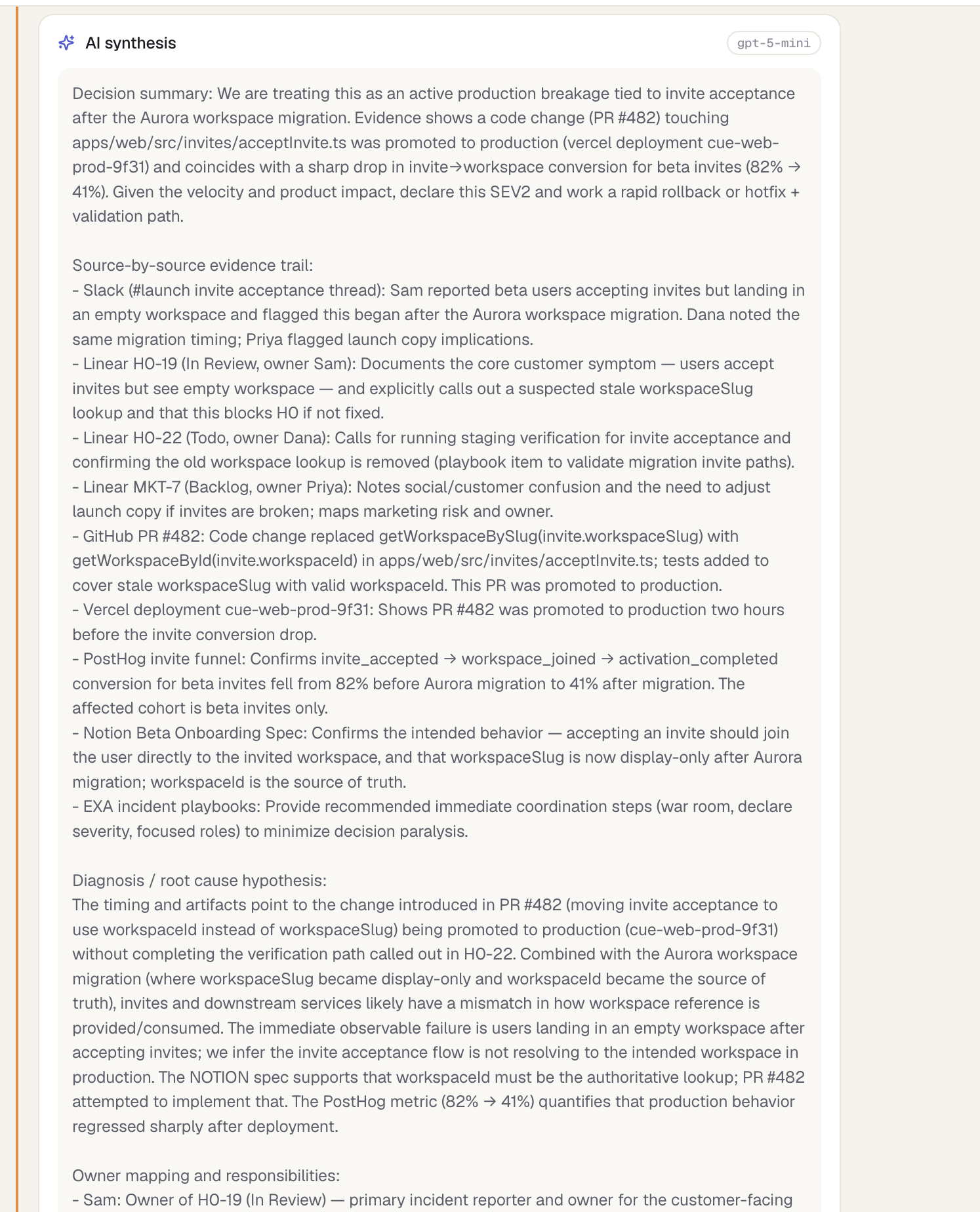
- Produces a detailed answer with citations
- Drafts an action, such as a Slack update
- Waits for explicit approval before posting anything
In our demo, Cue connects evidence from multiple tools:
- Slack reports that beta users accept invitations but enter empty workspaces
- Linear identifies the bug ticket and its owner
- GitHub identifies the related pull request and affected file
- Notion explains that
workspaceIdis the source of truth after the migration - PostHog shows invite conversion falling from 82% to 41%
- Vercel connects the conversion drop to the production deployment timeline
- Exa adds live external context
- OpenAI synthesizes the evidence into a clear explanation and proposed action
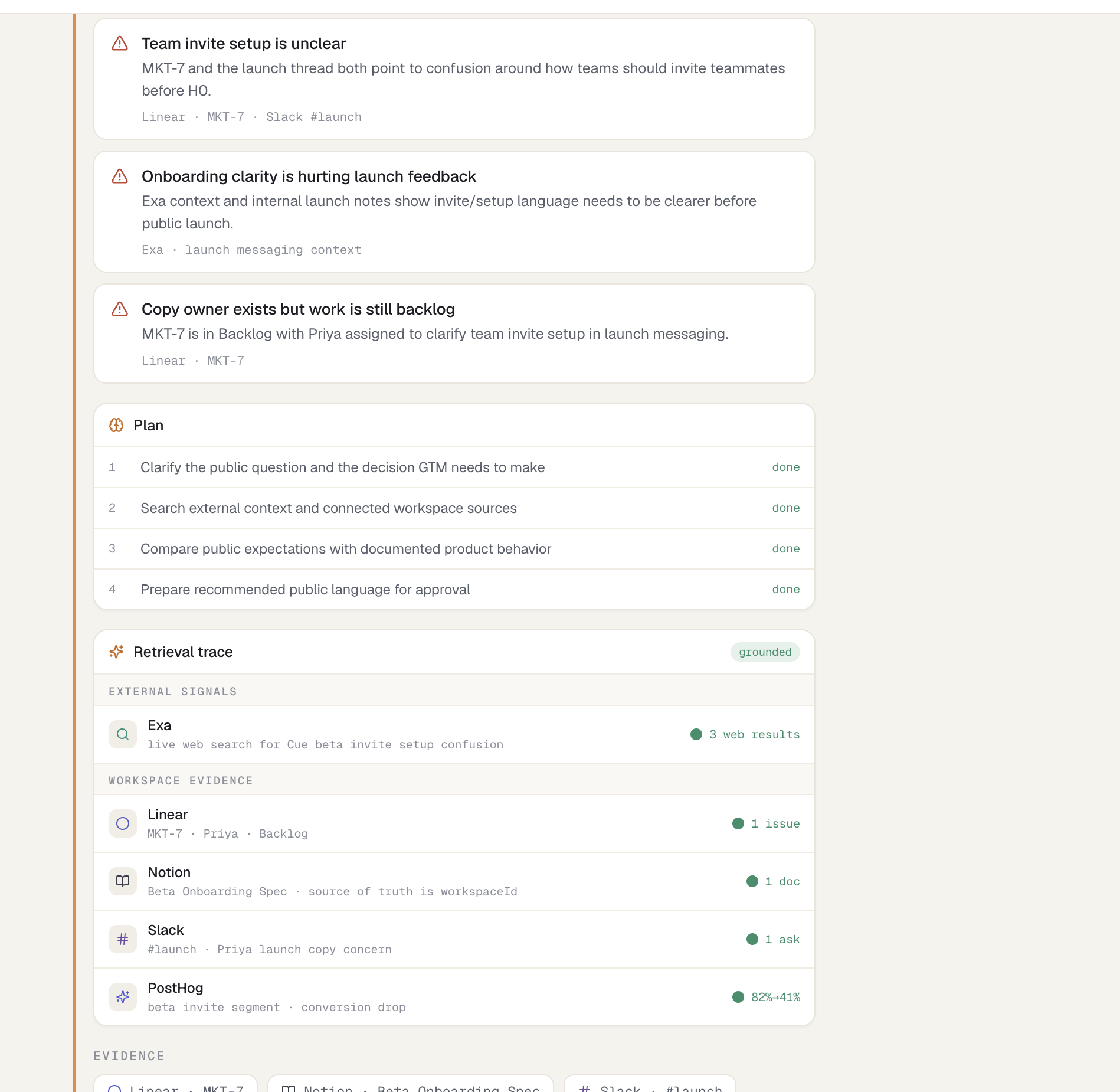
Cue also supports non-engineering questions. A GTM user can ask:
What should GTM say publicly about beta invite confusion before launch?
Cue uses the same company context to identify the customer-facing issue, find the messaging owner, explain what can safely be communicated, and draft public copy.
This shows that Cue is not limited to incident response. The same architecture can support product decisions, customer research, sales preparation, project status, operational reviews, and executive questions.
How we built it
Cue is implemented as a TypeScript monorepo with separate packages for the web app, runtime, shared types, database layer, Slack integration, and supporting services.
Agent runtime
The runtime follows a structured agent loop:
Request classification
Cue determines whether the request is an engineering investigation, GTM question, launch-readiness check, or general workspace question.Planning
It generates a task-specific investigation plan.Retrieval
Cue collects relevant evidence from connected sources and normalizes everything into a common citation format.Synthesis
OpenAI’s Responses API withgpt-5-miniproduces a detailed answer using only the supplied evidence.Action generation
Cue prepares suggested actions such as Slack updates or Linear follow-ups.Approval
External side effects are blocked until the user explicitly approves them.Execution
Approved Slack messages are sent through the Slack Web API.
Plan steps and retrieval states are displayed progressively. Pending steps do not reveal findings before retrieval has completed.
Unified evidence model
Every source is converted into a shared citation structure containing:
- Source
- External record ID
- Title
- Excerpt
- URL
- Author
- Timestamp
- Freshness
- Workspace association
This allows Cue to connect information across tools using common identifiers such as ticket numbers, pull requests, migrations, owners, and product concepts.
In our demo, the H0 workspace uses shared references such as:
H0-19H0-22PR #482- Aurora workspace migration
- Invite acceptance
- Empty workspace
workspaceIdversusworkspaceSlug
Because these references appear across multiple sources, Cue builds an evidence graph instead of returning disconnected search results.
AI synthesis
We use the OpenAI Responses API with gpt-5-mini.
The model receives:
- The user’s question
- Classified intent
- Retrieved citations
- Source excerpts
- Required factual constraints
- Suggested actions
- Pending approval context
The model is instructed to use only retrieved evidence and return structured output containing a detailed summary and an action-ready draft.
External search
Exa provides live web search for public context. Its results remain grouped separately from internal workspace evidence so users can distinguish company facts from outside information.
Approval-gated execution
Cue never performs an external action immediately after generating it.
For a Slack update:
- Cue generates the draft
- The interface displays an approval action
- The user reviews the draft
- The approval API resolves the pending action
- Cue posts through Slack’s
chat.postMessageAPI - The result is shown in the interface and appears in the real Slack channel
Data and persistence
The data layer supports PostgreSQL through Drizzle ORM and postgres.js.
The schema includes:
- Workspaces
- Connector accounts
- Citations
- Tickets
- Tasks
- Memory records
- Launch checks
- Activity events
- Chat threads
- Structured chat messages
- Workflow runs
- Approvals
Structured plans, retrieval traces, citations, and model outputs are stored with chat messages, preserving the complete investigation.
A repository abstraction separates the runtime from the storage implementation and supports reliable local development alongside PostgreSQL deployment.
Frontend
The frontend is built using Next.js and React.
It includes:
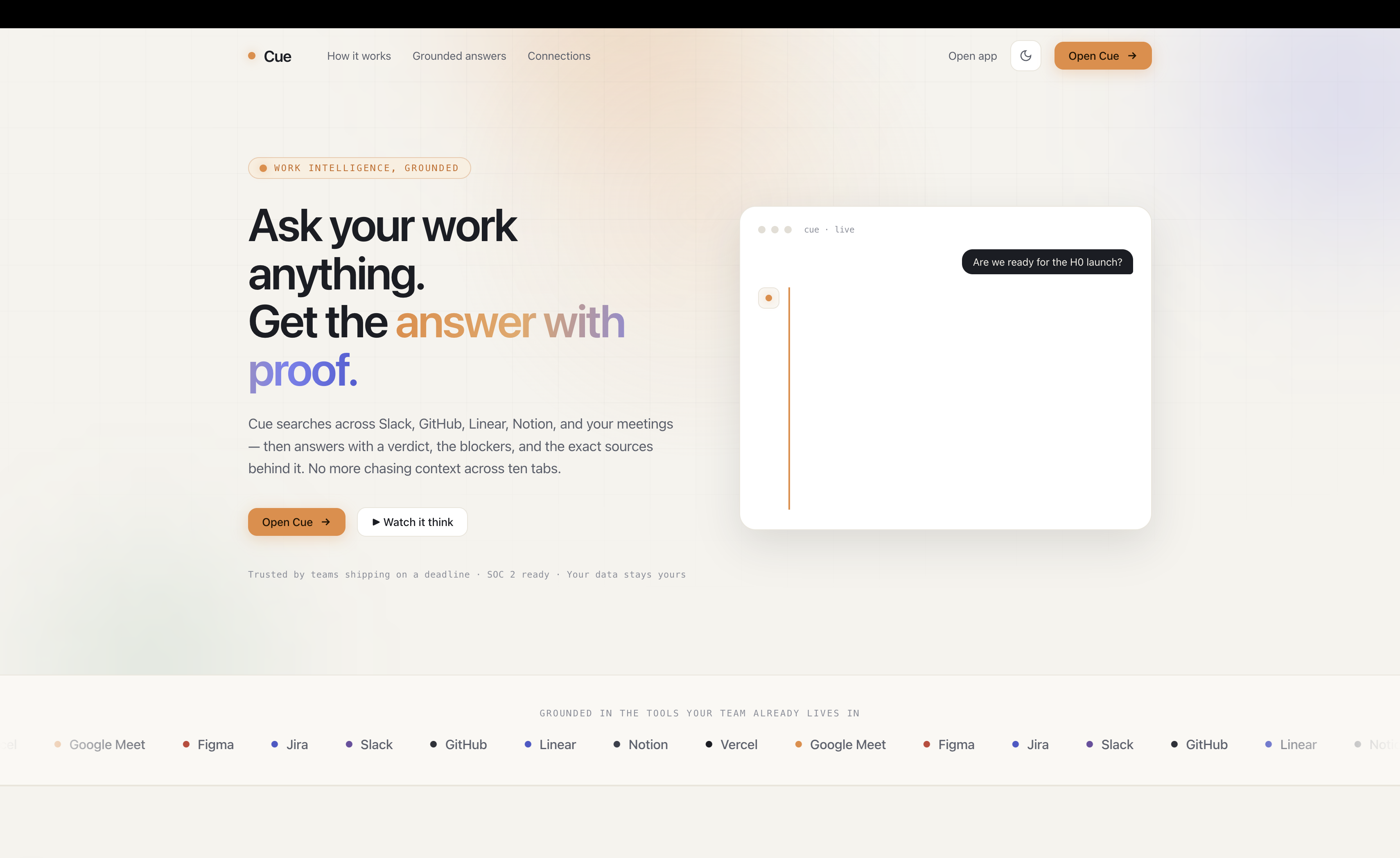
- Landing page
- Clerk authentication
- Workspace home
- Search and chat
- Progressive planning states
- Source-by-source retrieval trace
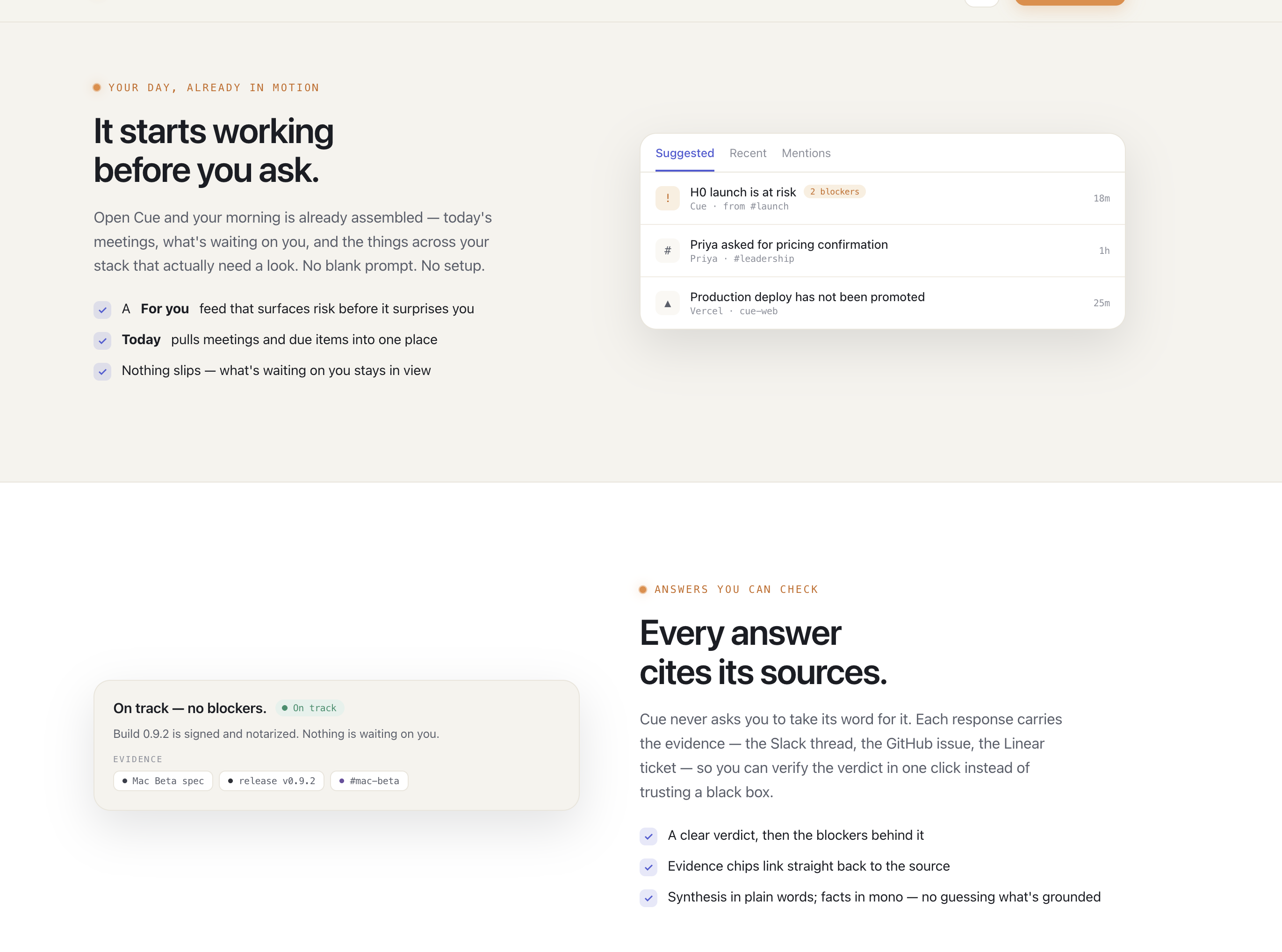
- Evidence chips
- Detailed AI synthesis
- Approval modals
- Light and dark themes
- Responsive layouts
- Real Slack action confirmation
Challenges we ran into
Connecting evidence across unrelated systems
Every platform represents data differently. Slack has messages, Linear has issues, GitHub has pull requests, Notion has documents, and PostHog has events and funnels.
The hard part was not fetching data. The hard part was creating a shared representation that allowed Cue to understand that all those records described the same incident.
We solved this by normalizing every result into citations and using stable identifiers and repeated domain phrases to connect them.
Showing agent progress honestly
Displaying the entire result instantly made the experience look scripted. But showing final findings inside pending retrieval rows was also incorrect because it exposed the conclusion before the source had been processed.
We redesigned the agent UI so that:
- Planning appears first
- Pending retrieval steps show no result
- Active steps show the current operation
- Findings appear only after that source completes
- Plan steps progress from queued to running to done
- Final synthesis appears only after retrieval completes
Keeping AI responses grounded
Long responses can become vague or introduce unsupported claims. Short responses did not explain enough for a strong investigation.
We added structured prompts, required facts, citation context, output validation, minimum detail checks, and deterministic evidence constraints. This helped produce detailed answers without allowing the model to invent owners, metrics, or records.
Balancing latency and presentation
A multi-source agent should feel active, but artificial waiting can frustrate users. We designed progressive retrieval states so useful information appears throughout the run instead of showing a blank loading screen.
Making actions safe
Drafting a message is useful, but automatically posting it would be risky. We created a reusable approval model that separates recommendation, approval, and execution.
Maintaining a coherent end-to-end story
A convincing multi-connector demo requires every source to agree. Ticket ownership, code changes, analytics, documentation, deployment timing, and Slack conversations all needed to describe the same underlying event.
Building this coherent evidence graph was one of the most important parts of the project.
Accomplishments that we're proud of
We are proud that Cue works as an end-to-end agent workflow from a natural language question to an approved external action.
Some of the biggest accomplishments include:
- Built a full agent workflow from question to approved Slack execution
- Connected engineering, product, analytics, deployment, and GTM evidence in one investigation
- Added visible planning and progressive source retrieval
- Produced detailed OpenAI responses constrained by source evidence
- Added citations that link answers back to original records
- Implemented live Exa web search
- Implemented real approval-gated Slack posting
- Added Clerk authentication
- Designed PostgreSQL persistence for chats, citations, workflows, and approvals
- Built both engineering and GTM workflows on the same evidence graph
- Created a polished workspace interface with light and dark modes
- Kept the system modular through shared types, runtime, database, and connector boundaries
The strongest accomplishment is that Cue does more than summarize individual tools. It reconstructs the relationship between a user report, an assigned ticket, a code change, a product rule, a metric drop, and a deployment.
What we learned
Data structure matters as much as model quality
A strong model cannot reliably connect company information if the evidence is poorly structured. Shared citations, stable identifiers, ownership data, timestamps, and source links significantly improved the quality of answers.
Planning improves both execution and trust
Planning helps the runtime choose relevant sources. Showing that plan also helps users understand why Cue is searching each system.
Internal and external evidence must remain separate
Company records determine what happened internally. Web search provides broader context. Mixing them without clear labels makes answers harder to trust.
Progress states influence credibility
Users notice when a system reveals results before completing retrieval. Correct sequencing made the experience feel more understandable and defensible.
Actions need explicit control
The most useful agents eventually perform actions. Approval gates provide a practical bridge between passive search and autonomous execution.
One evidence graph can serve many roles
Engineering and GTM users ask different questions, but often need the same underlying facts. Once Cue creates a shared context layer, multiple teams can use it without rebuilding the investigation.
What's next for Cue
Continuous connector synchronization
Add background synchronization, webhooks, incremental indexing, and freshness tracking for every connected system.
Permission-aware retrieval
Mirror source permissions so users only receive information they are authorized to access.
Hybrid search
Combine keyword search, semantic retrieval, entity relationships, timestamps, and source authority scoring.
Company knowledge graph
Build persistent relationships between people, projects, customers, documents, code changes, incidents, metrics, and decisions.
More execution tools
Expand approval-gated actions to include:
- Creating and updating Linear issues
- Commenting on GitHub pull requests
- Updating Notion documents
- Creating PostHog annotations
- Rolling back Vercel deployments
- Sending customer communications
- Scheduling follow-up meetings
User-generated workflows
Allow teams to define recurring workflows such as launch checks, incident reviews, customer-risk reports, and weekly operating summaries.
Evaluation and observability
Add automated grounding evaluations, citation verification, retrieval-quality metrics, model tracing, and action audit logs.
Enterprise readiness
Add multi-tenant isolation, role-based access control, connector administration, retention controls, encryption policies, and compliance auditing.
Built With
- amazon-rds-relational-database-service
- amazon-web-services
- clerk-authentication
- css
- drizzle-orm
- evidence-constrained-synthesis
- exa-search-api
- github
- github-api
- gpt-5-mini
- html
- intent-classification
- javascript
- langgraph
- linear-graphql-api
- lucide-react
- next.js-15
- next.js-app-router
- next.js-route-handlers
- node.js
- notion-api
- openai-responses-api
- pnpm
- postgres.js
- postgresql
- posthog
- react-19
- repository-pattern
- slack-bolt
- slack-web-api
- sql
- structured-json-chat-content
- structured-model-output
- task-planning
- typescript
- vercel
- vercel-api

Log in or sign up for Devpost to join the conversation.