-
-
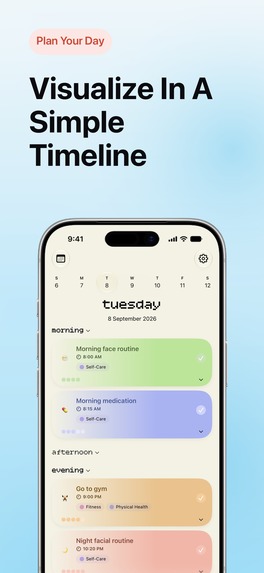
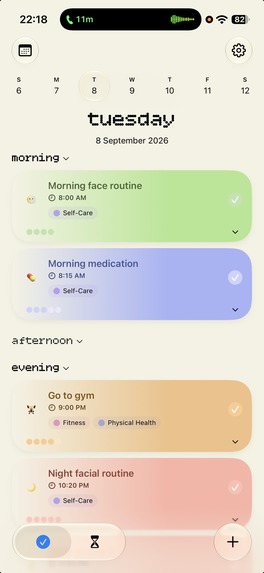
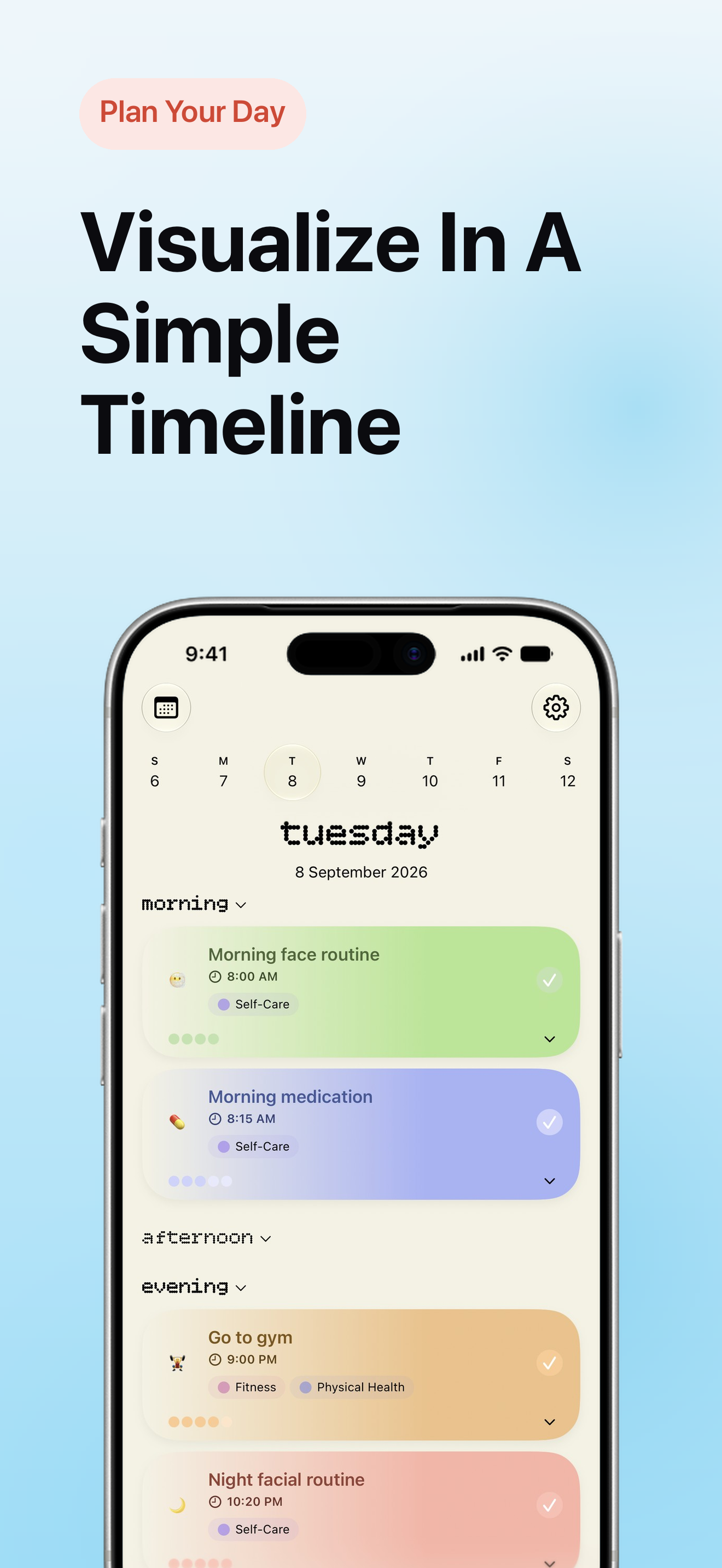
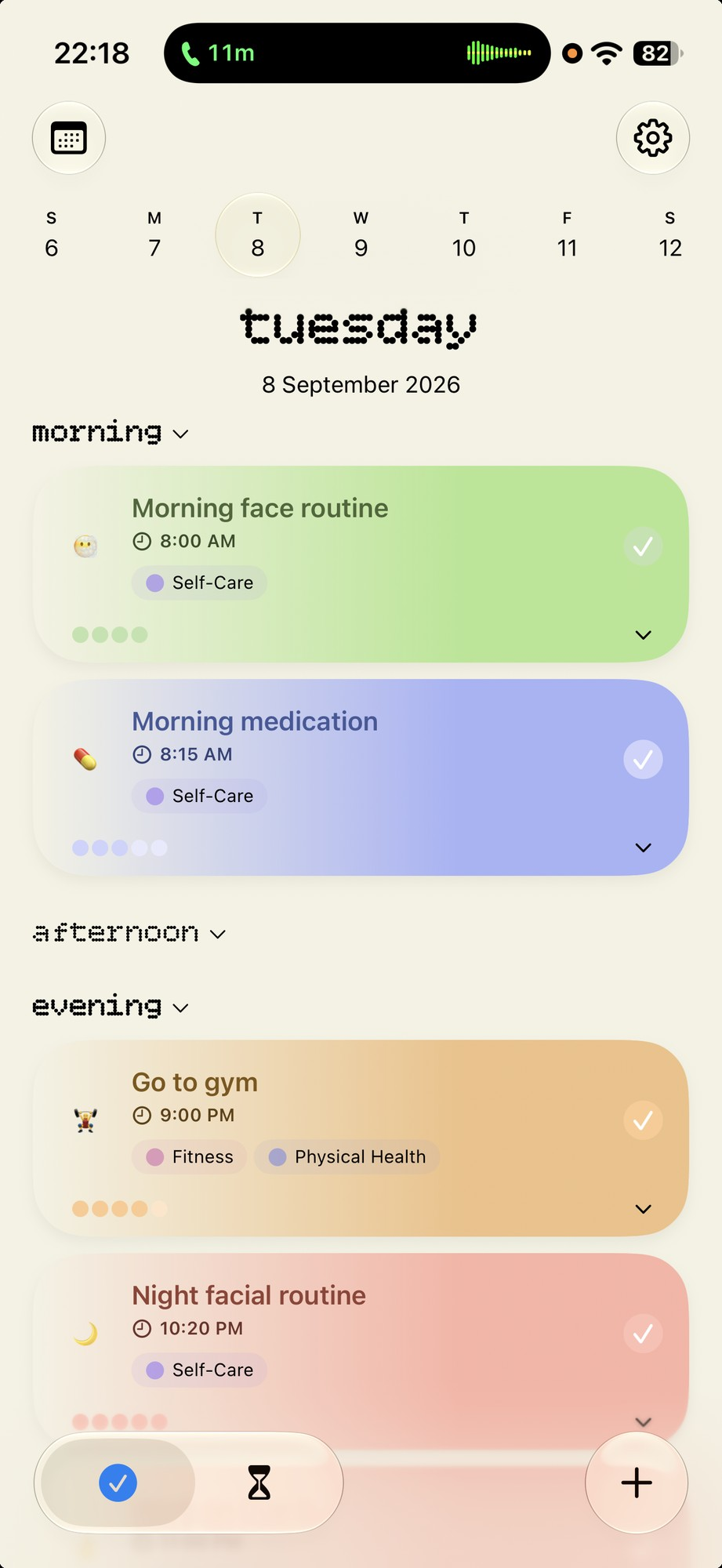
Your routines scheduled for today , in a glance.
-
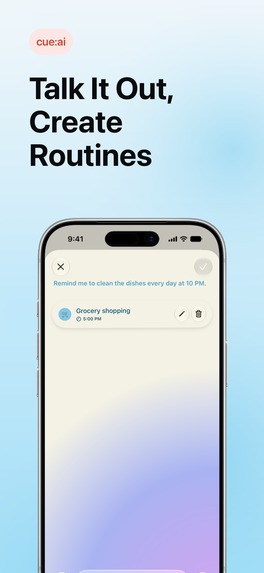
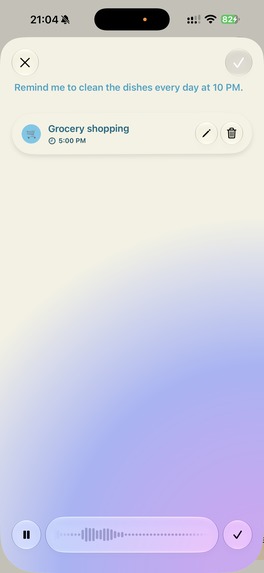
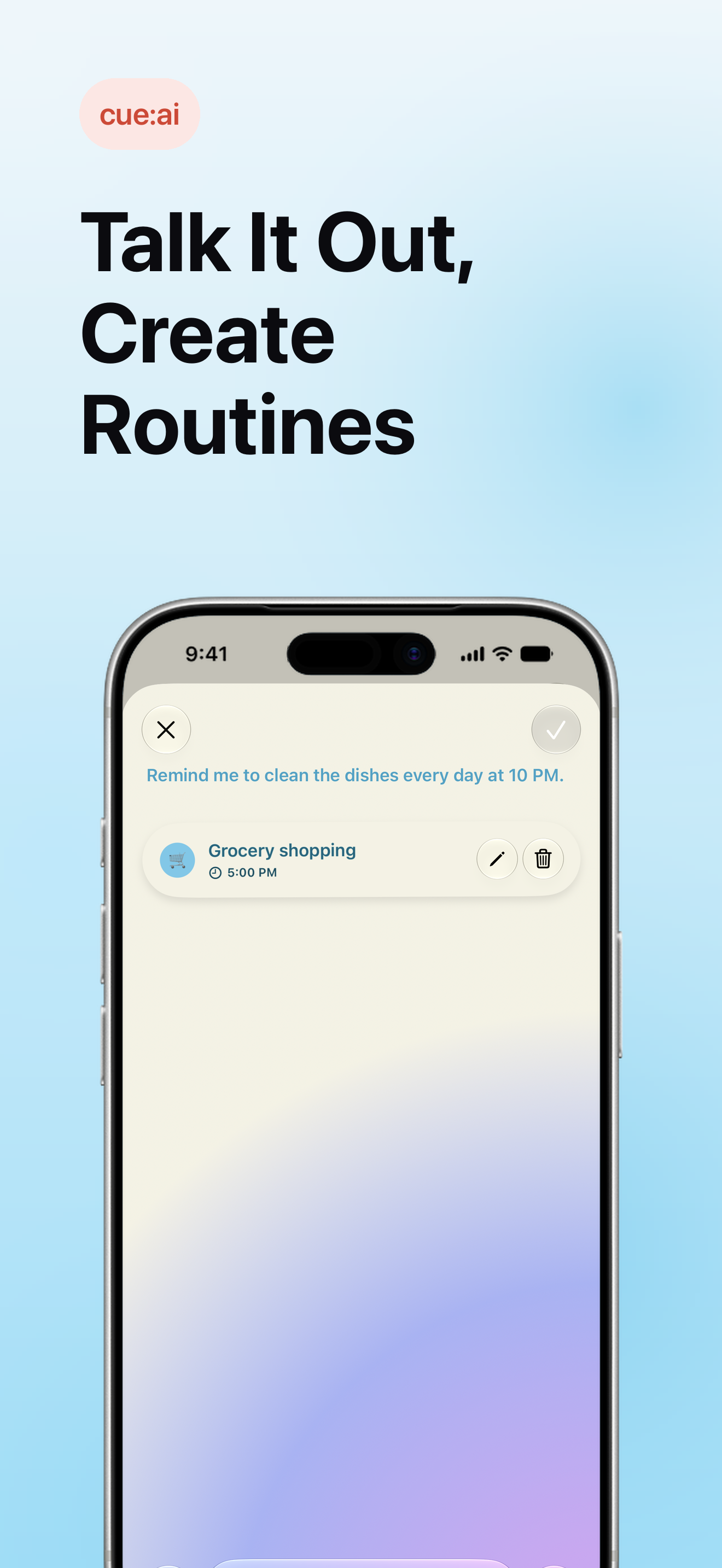
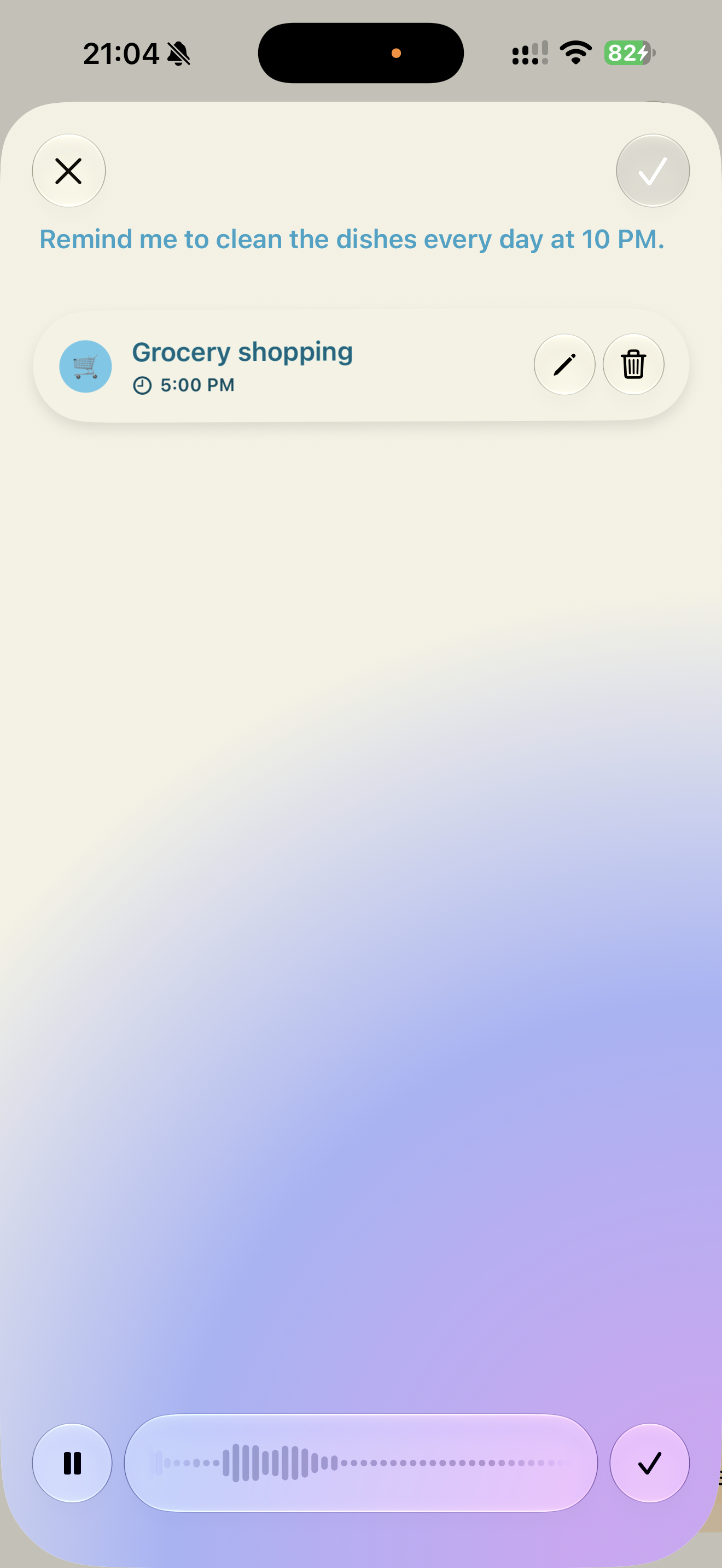
Speak it -> Plan your routines.
-
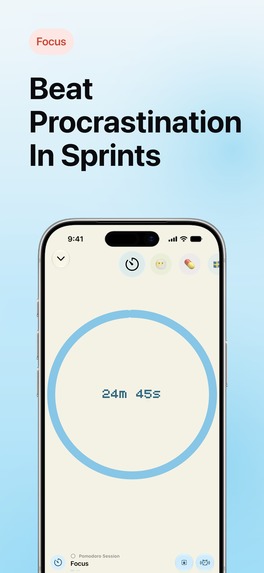
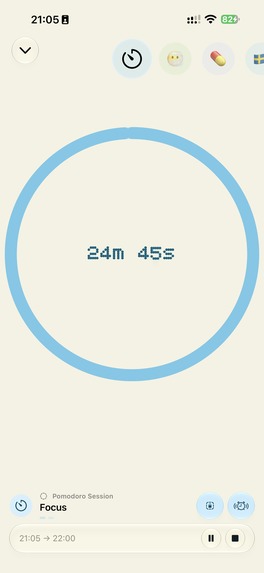
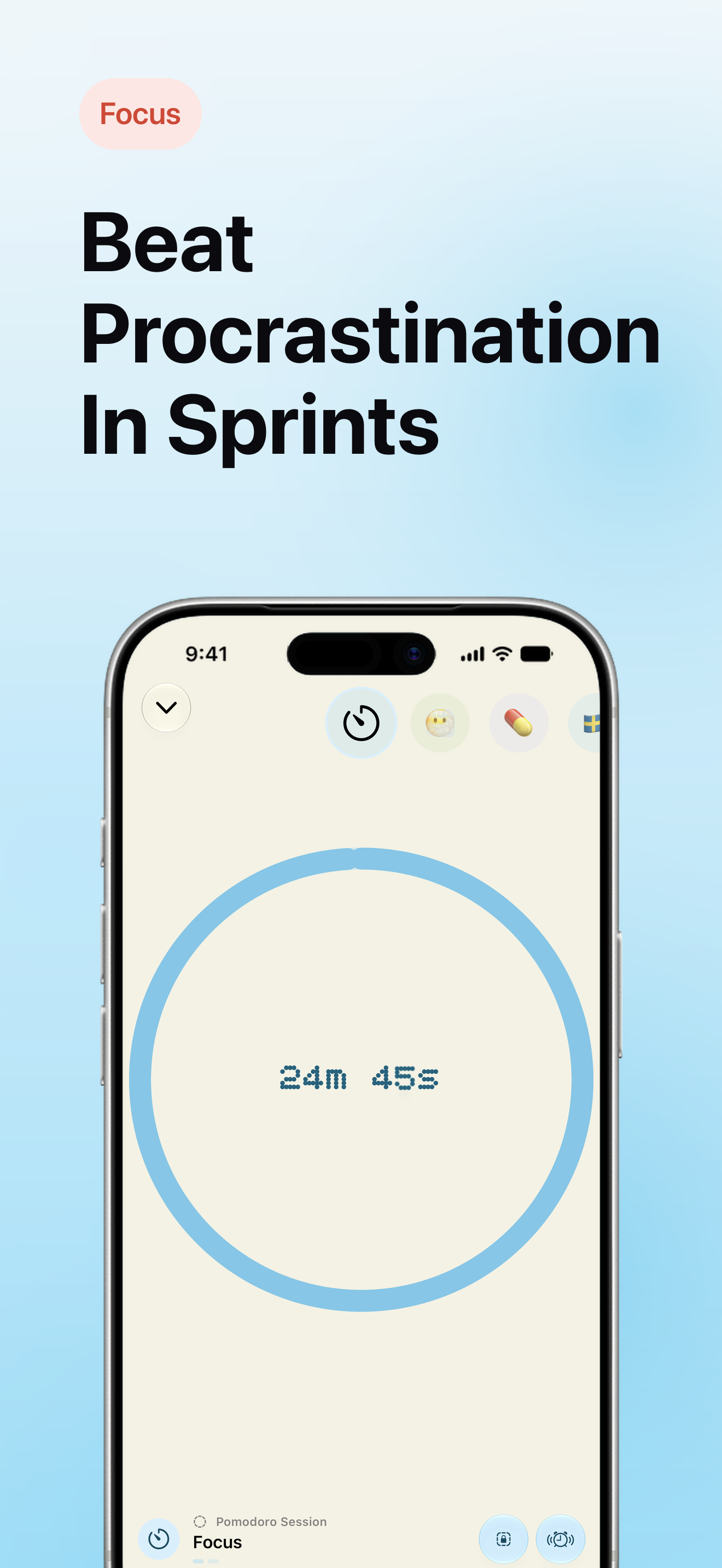
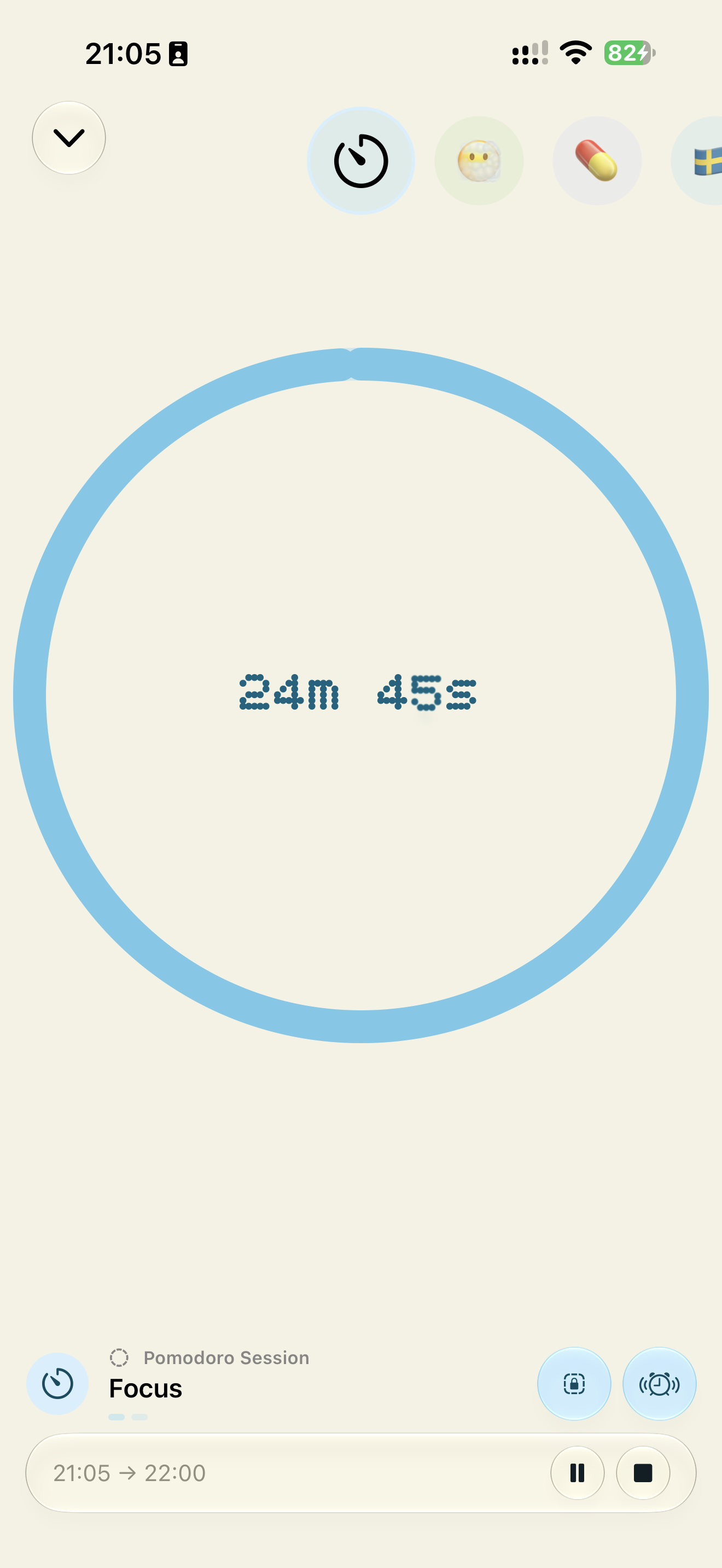
Focus Session in action, simple way to track your routine progress and time elapsed
-
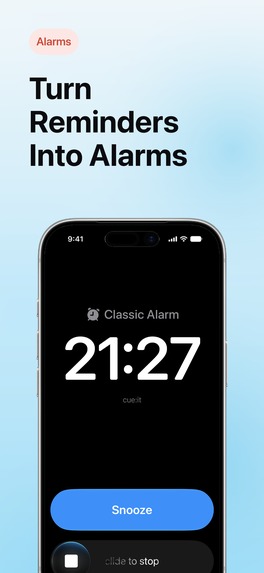
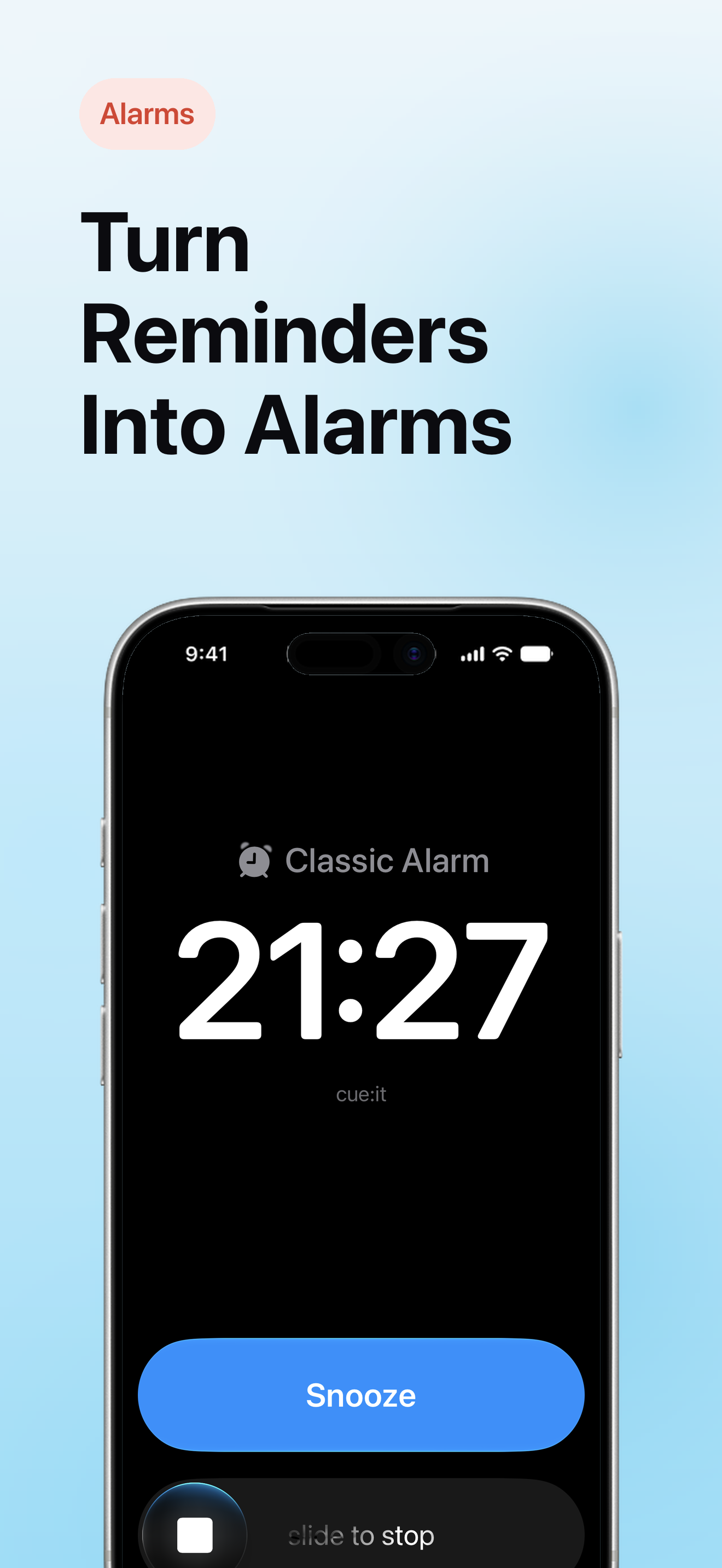
Alarms to reminder you to kick-start your routine(s) planned for the day
-
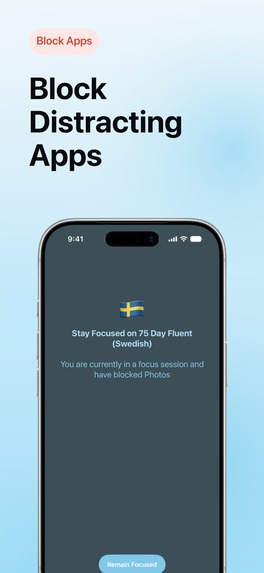
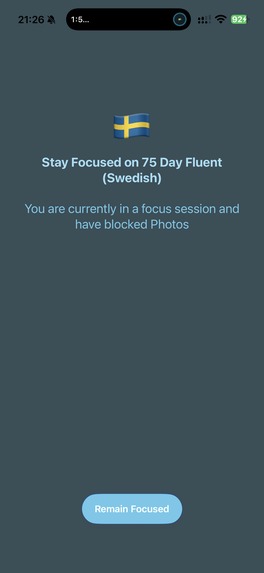
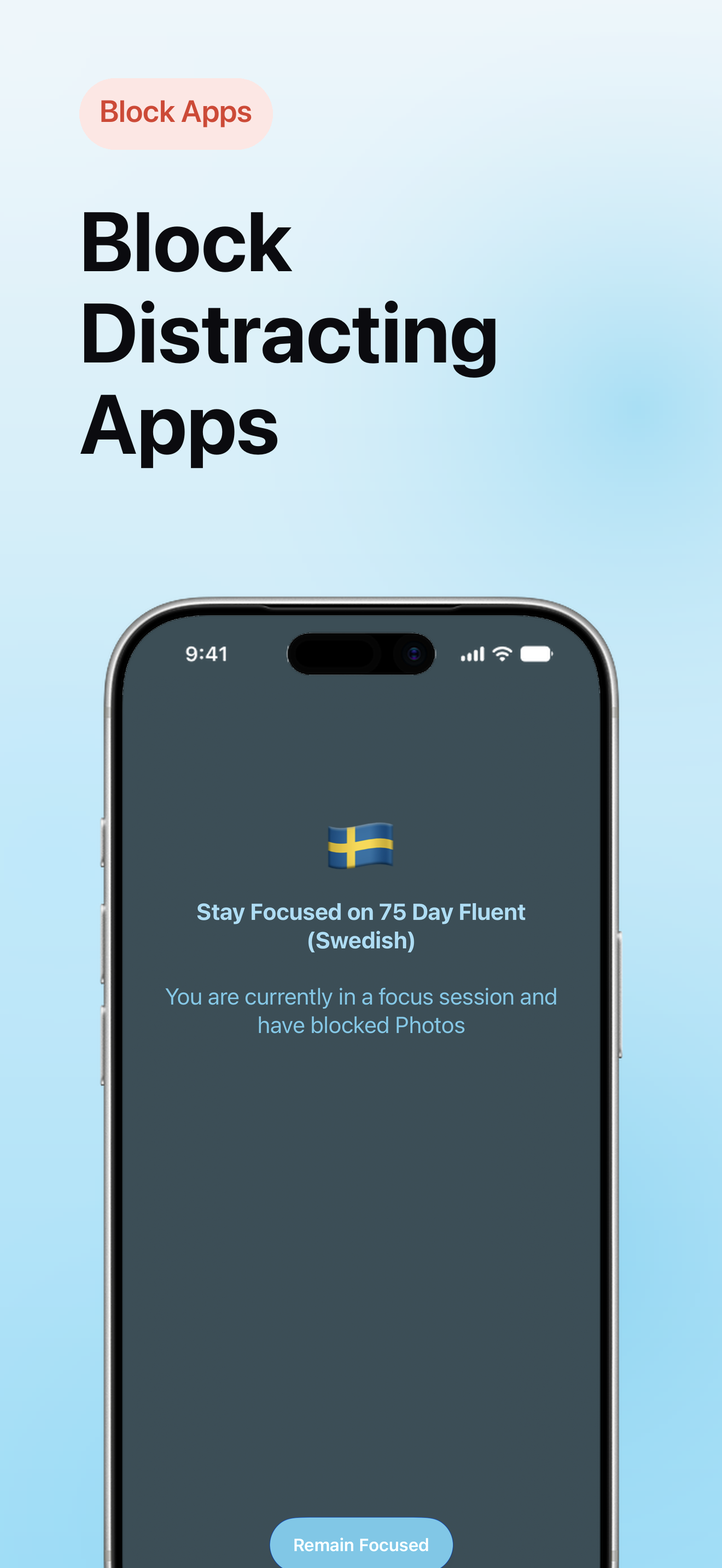
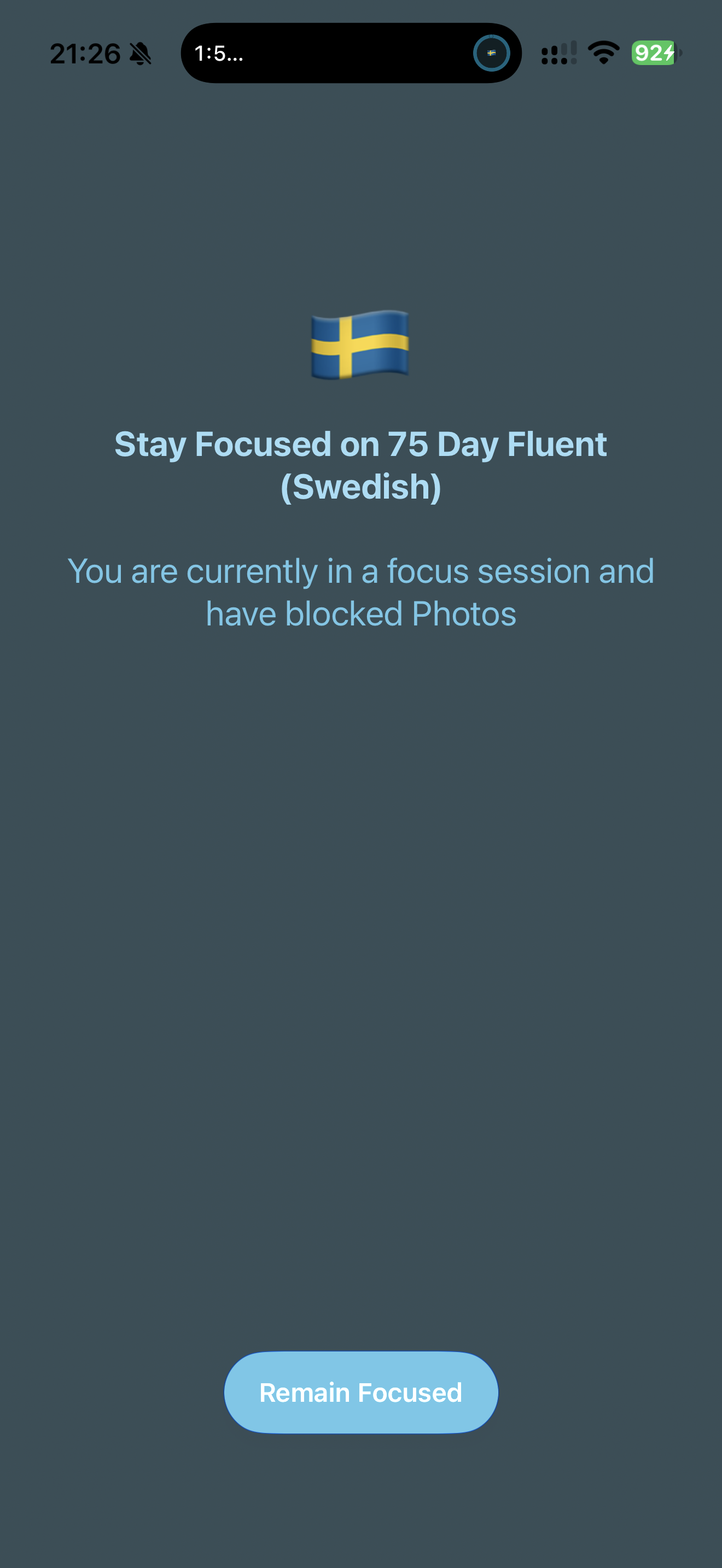
Screen Blocking in Action
-
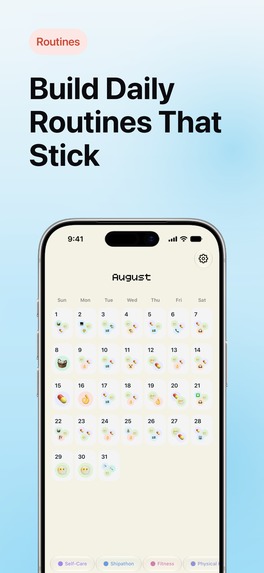
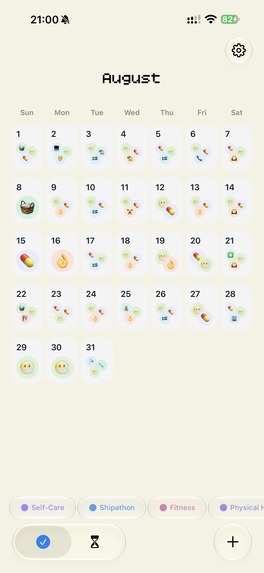
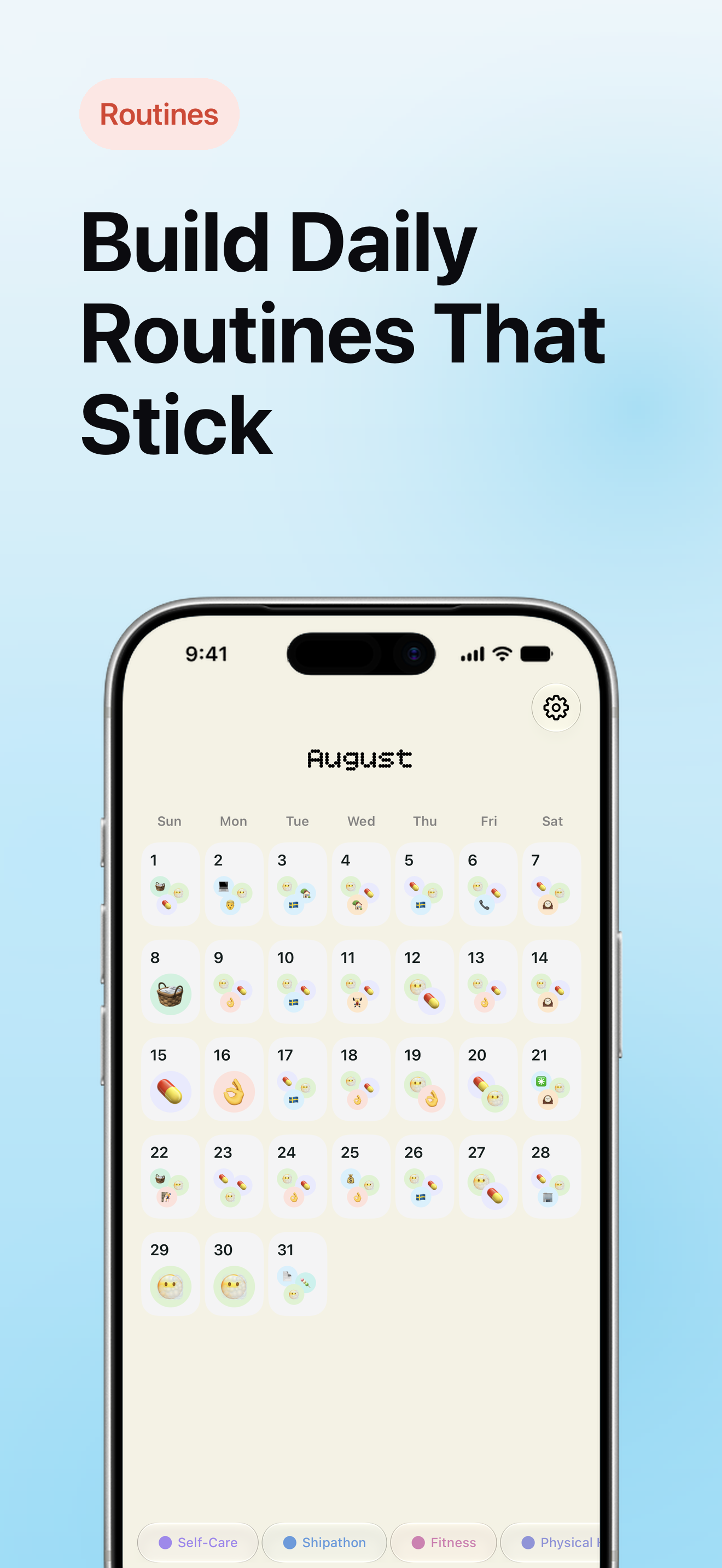
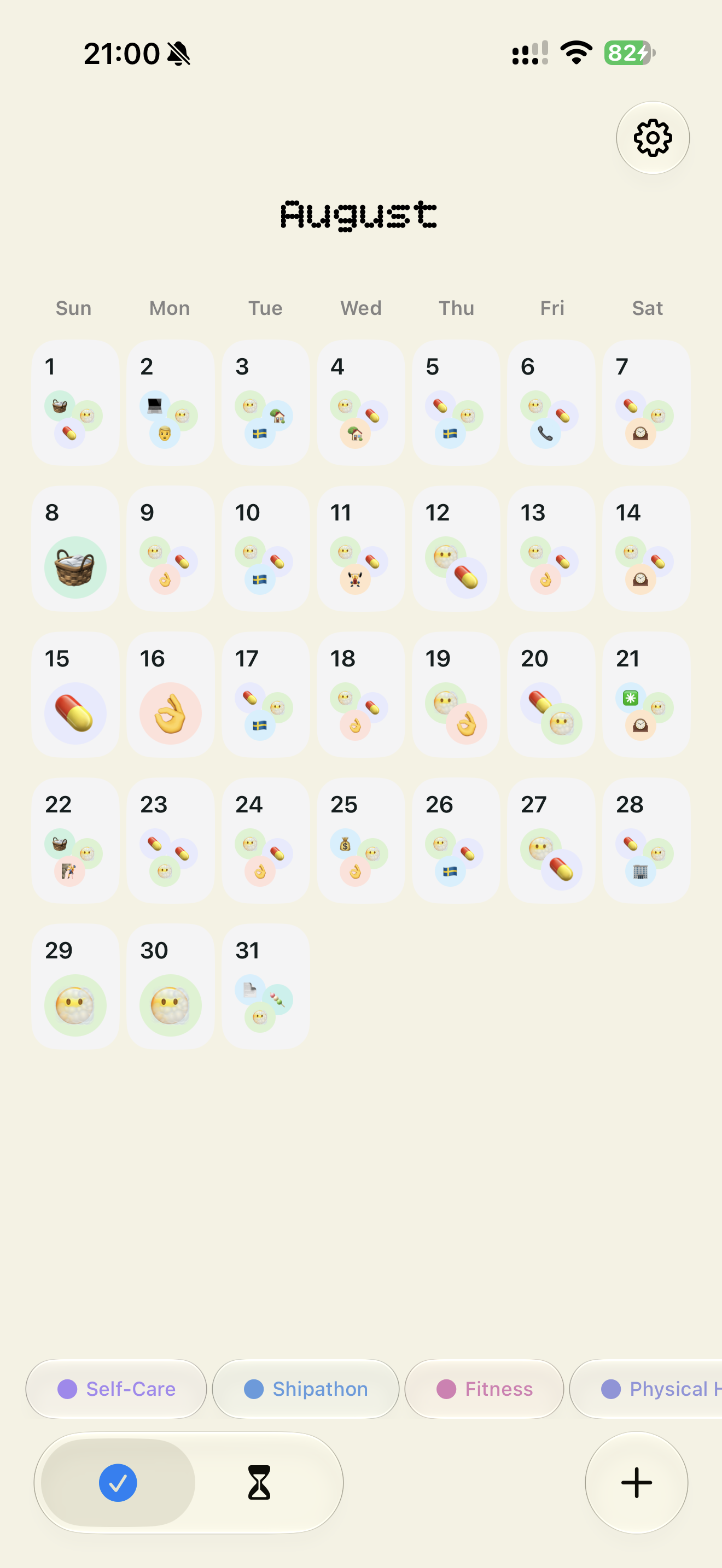
Simple calendar view, serving as a snapshot of you "sticking" to your routines.
-
App Icon
-
-
-
-
-
Inspiration
Every productivity app I tried was good at helping me write down what I meant to do, and bad at helping me do it. A reminder goes off, I swipe it away, and twenty minutes later I'm still scrolling. Planners like Tiimo and Structured help you plan your day but don't enforce anything. Blockers like Opal lock your apps but don't know what you were supposed to be doing. Nothing joined the two.
I wanted one app that takes a routine from "I should do this" to "it's done": easy to plan, hard to ignore when it's time, and hard to escape once you've started. That's especially important for people with ADHD, who have usually already given up on the mainstream reminder and habit apps.
What it does
cue:it is a routine-building app for iPhone. It follows a routine through its whole life:
- Say it: Tap cue:ai and describe your routines out loud ("Gym every Monday, Wednesday and Friday at 7am"). On-device speech transcription and Apple's Foundation Models turn that into structured routines with titles, emoji, schedules and subtasks. Cards appear live as you speak.
- See it: The Today view shows your day as a list of routine cards. The Manage tab groups routines by tag, and each routine has a detail page with its steps, focus time and a streak calendar.
- Hear it: A routine can use an AlarmKit alarm instead of a notification, so it goes off like a real alarm rather than a banner you can swipe away.
- Stay on it: Start a Classic or Pomodoro focus session and cue:it blocks the apps you picked. If you open one, you get a custom "Stay Focused on " screen instead of the app.
- Finish it: A Live Activity keeps the countdown on your Lock Screen and in the Dynamic Island. You check the routine off, and your streak grows.
How we built it
cue:it is a native iOS 26 app written entirely in SwiftUI, with Core Data for storage.
- cue:ai uses SpeechAnalyzer / SpeechTranscriber for live on-device transcription and feeds each finished sentence to Apple's Foundation Models framework.
@Generabletypes and guided generation return structured routines, and tool calls handle schedules and emoji. Schedule parsing is backed by deterministic code, so weekdays and repeat rules come out right even when the model is unsure. Nothing leaves the device. - App blocking uses FamilyControls and ManagedSettings, plus two app extensions (Shield Configuration and Shield Action) that draw the custom block screen and handle its buttons. The app shares routine data with them through an App Group.
- Alarms use AlarmKit, and focus-session details travel with each alarm.
- Focus sessions show on the Lock Screen and in the Dynamic Island through ActivityKit Live Activities, and App Intents let you control them from outside the app.
- Widgets (WidgetKit), TipKit for first-run hints, and Image Playground for optional session artwork.
- RevenueCat handles the Pro subscription.
- The UI is built on VanorUI, my own SwiftUI component library, so every screen shares the same design tokens.
Challenges we ran into
- Getting reliable output from a small on-device model. Early versions of cue:ai mixed up weekdays, invented repeat rules, and split one sentence into two broken routines. The fix was to ask the model for less: weekdays became an enum it picks by name, it returns "days from today" instead of real dates, a code-based parser overrides schedules it recognizes, and each request uses greedy sampling on a fresh prewarmed session.
- No simulator for AI. iOS 26 simulators crash on a Foundation Models symbol, so every cue:ai change had to be tested on a physical device.
- Devices without Apple Intelligence. cue:ai has to fail gracefully on phones that don't support it, with a clear explanation and a manual way to create routines.
- Screen Time extensions are restrictive. The shield extensions run as separate processes with tight limits, so everything the block screen shows (routine name, emoji) has to be stored ahead of time in the shared App Group container.
- App Review. Alarms, app blocking and on-device AI all require sensitive permissions. It took several rounds of fixes and resubmissions, plus proper handling for when users deny alarm or Screen Time access, to get the app approved.
Accomplishments that we're proud of
- Planning and enforcement in one app. As far as I know, cue:it is the only app that combines voice planning, real alarms and app blocking around the same routine.
- cue:ai runs entirely on-device: it's private, works offline, and costs nothing per request.
- Speaking a sentence and watching a finished routine card appear still feels a bit magical.
- I shipped it to the App Store as a solo developer and am already iterating on version 1.1, which adds the Manage tab, routine detail pages and a rebuilt onboarding.
What we learned
- With small on-device models, constrain the model and let code do the rest. Deterministic parsing plus a tight schema beat prompt tweaks every time.
- Enforcement is a UX problem, not just an API problem. Blocking an app is easy. Blocking it in a way that reminds you why (by showing the routine's name) and still gives you a way out is what makes it feel supportive rather than punishing.
- Apple's newer frameworks (AlarmKit, Foundation Models, SpeechAnalyzer) are powerful but new, so real devices and careful permission handling matter a lot.
- Positioning matters: "routines" instead of "reminders" changed how I designed every screen.
What's next for cue:it : Focused Routines
- cue:habit: A new way to build and track habits. Log them, set goals, and get detailed insights into your progress.
- Getting back on track: Easier ways to keep a routine going, and science-backed techniques to help you restart routines you've dropped instead of quietly giving up on them.
- AI insights: Today cue:ai turns speech into routines. Next, it will analyze how your routines actually go and show you the patterns behind when you follow through and when you slip.
- Siri integration: Log, check and start routines by asking Siri, without opening the app.
- Auto-Focus: Focus sessions that start on their own at the right time and place, so a routine's focus time begins automatically.
- Motivational widgets: Home and Lock Screen widgets that keep your goals and streaks in view.
- iCloud Sync, iPad & Apple Watch: Your routines, goals and habits on all your devices, starting with iPad and Apple Watch.

Log in or sign up for Devpost to join the conversation.