-
-
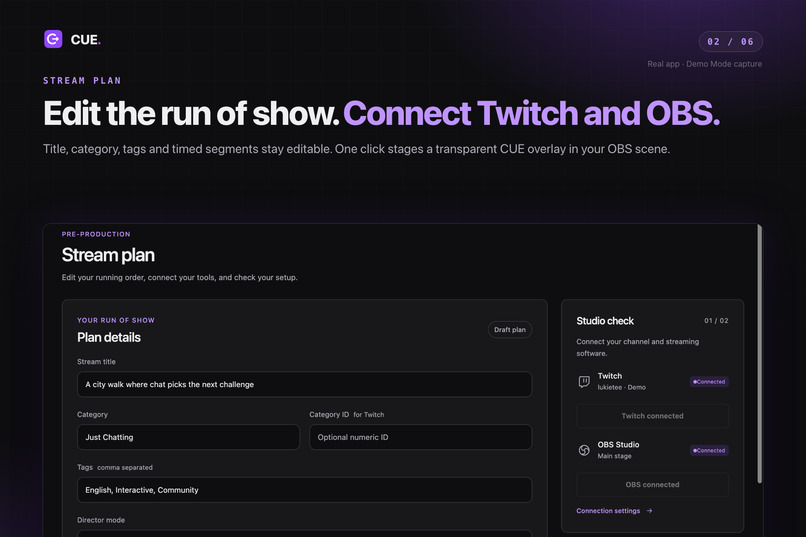
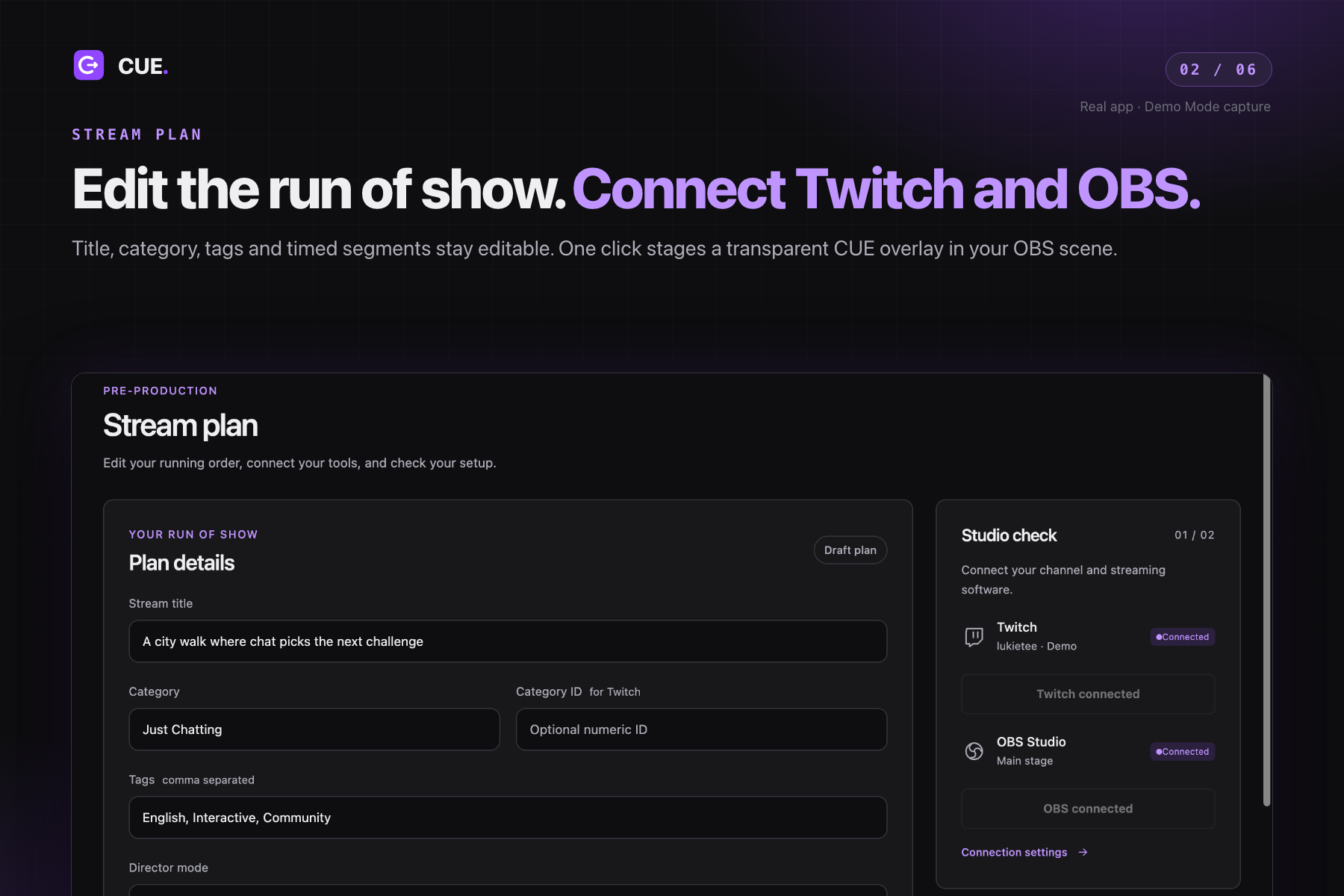
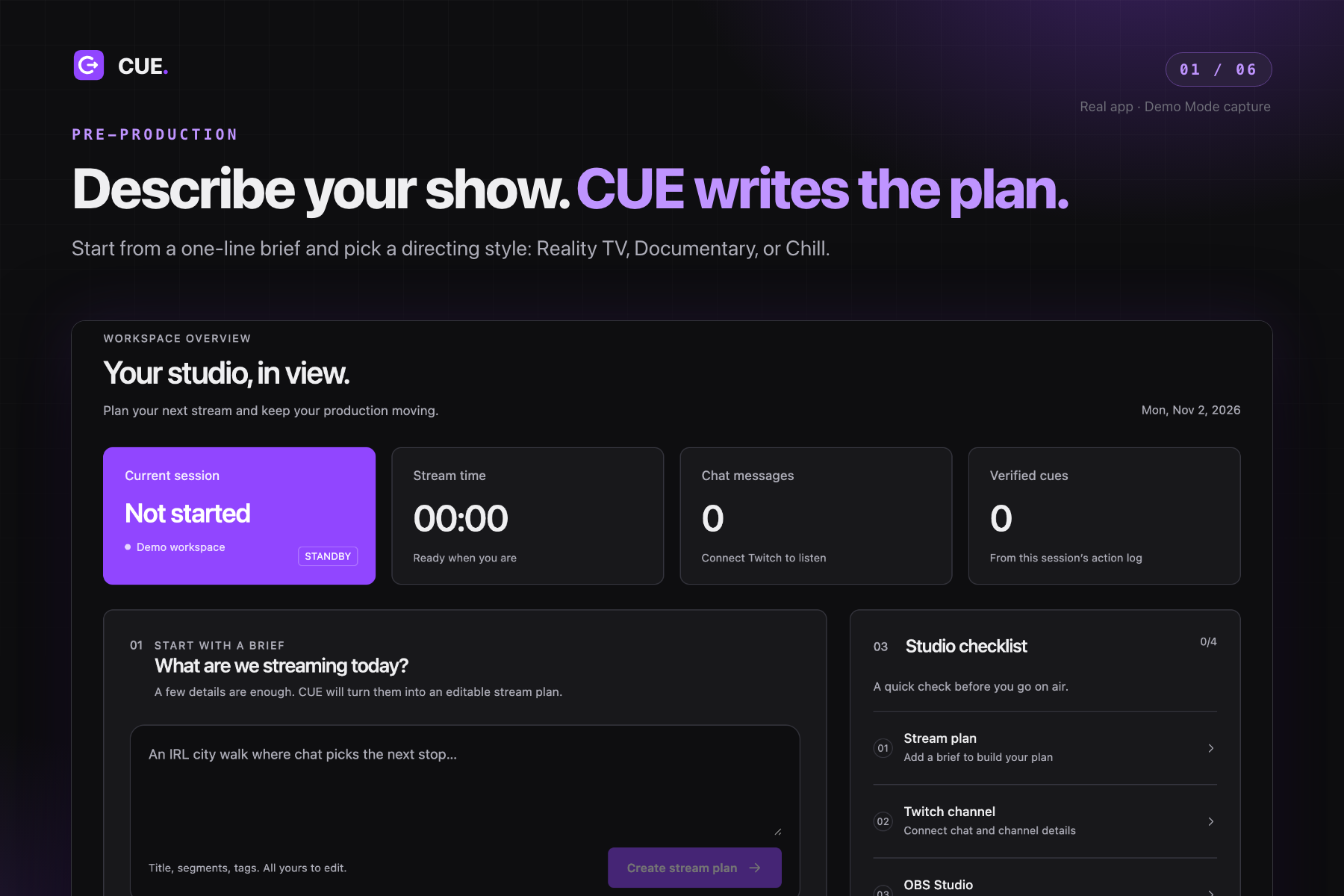
CUE drafts an editable run of show and connects to Twitch and OBS
-
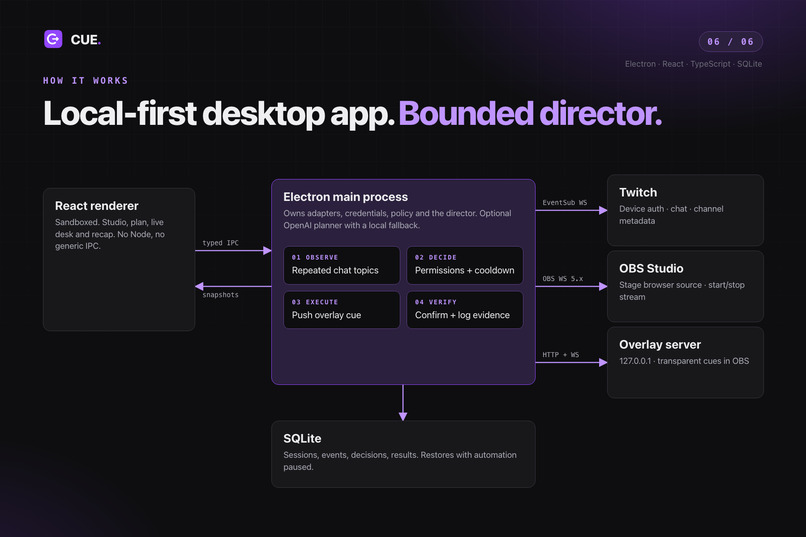
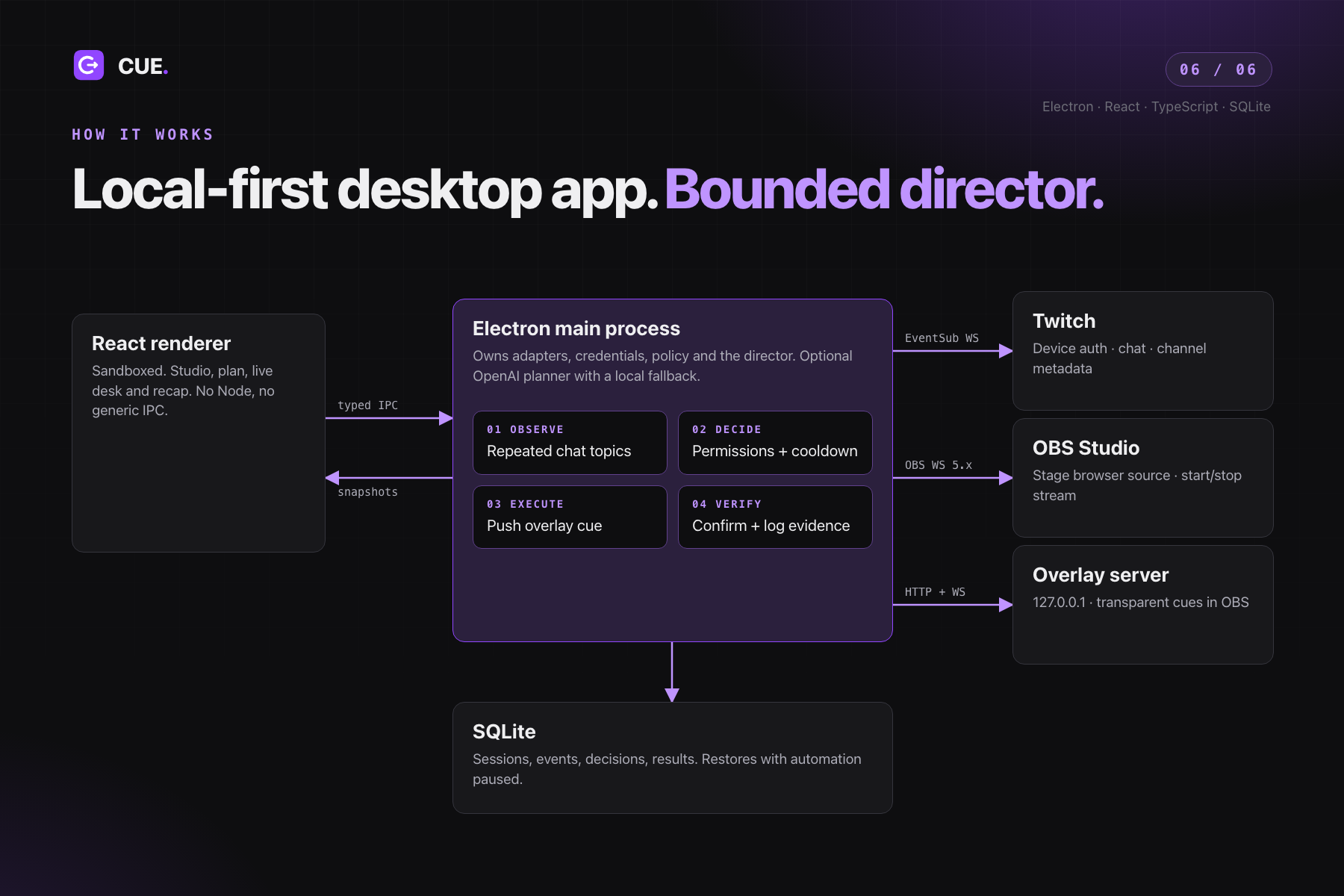
Electron, React, and SQLite on your desktop, connected to Twitch EventSub and OBS Websocket
-
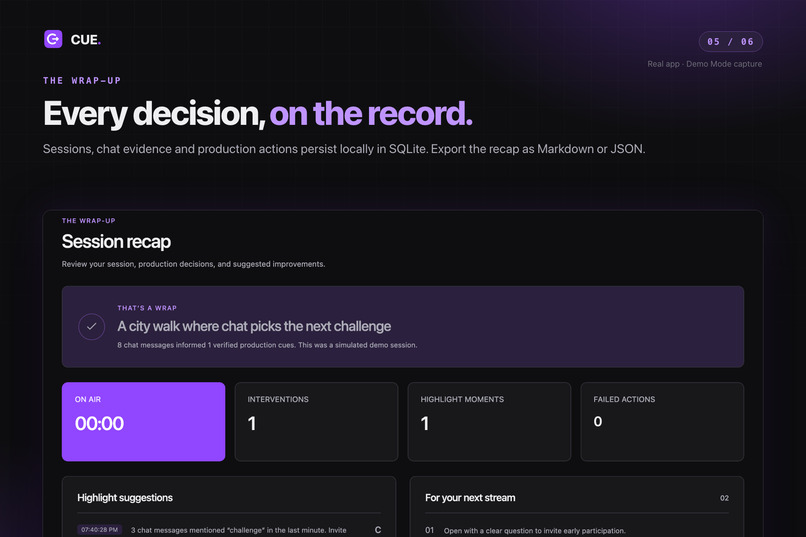
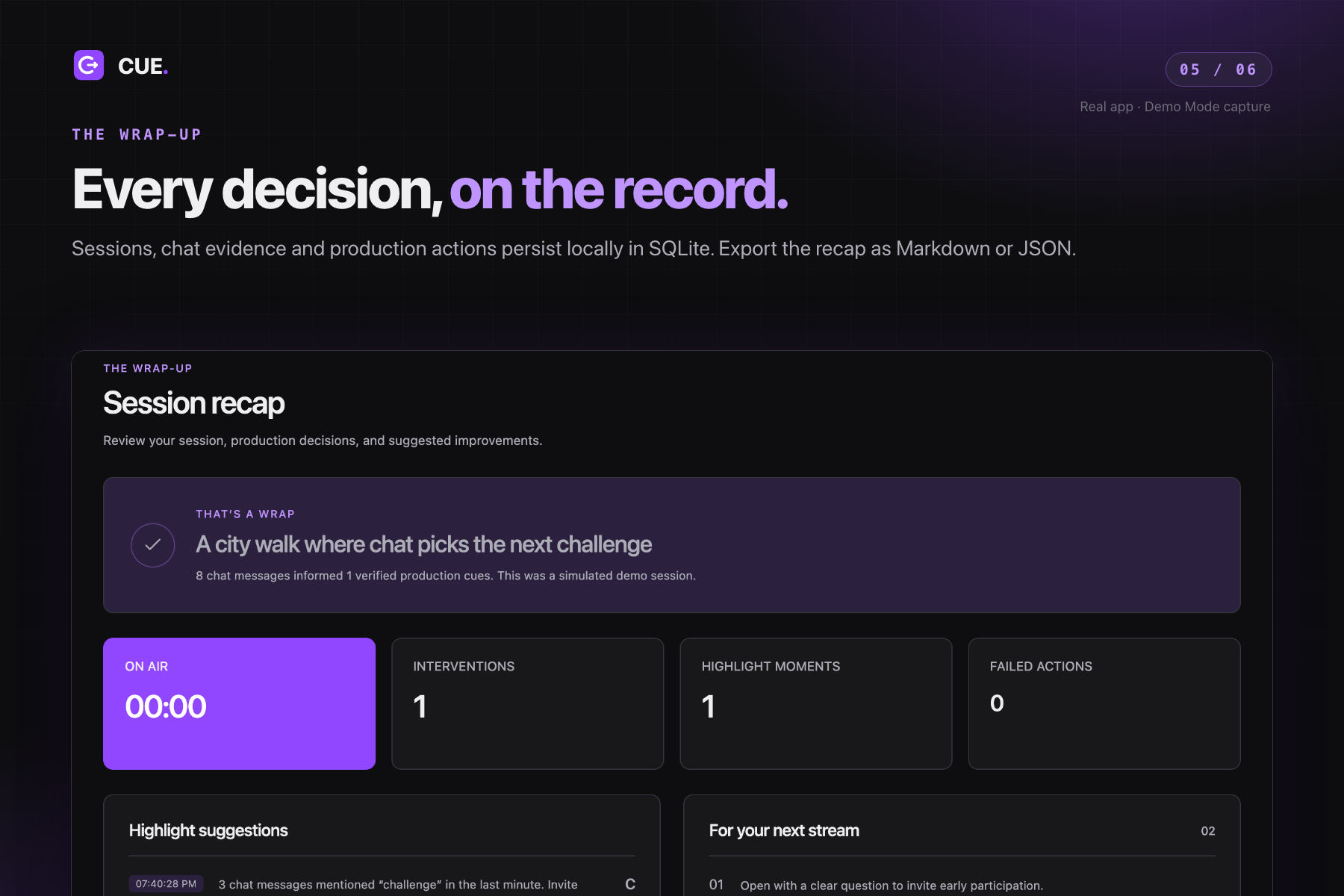
Every stream ends with a recap you can export as Markdown or JSON
-
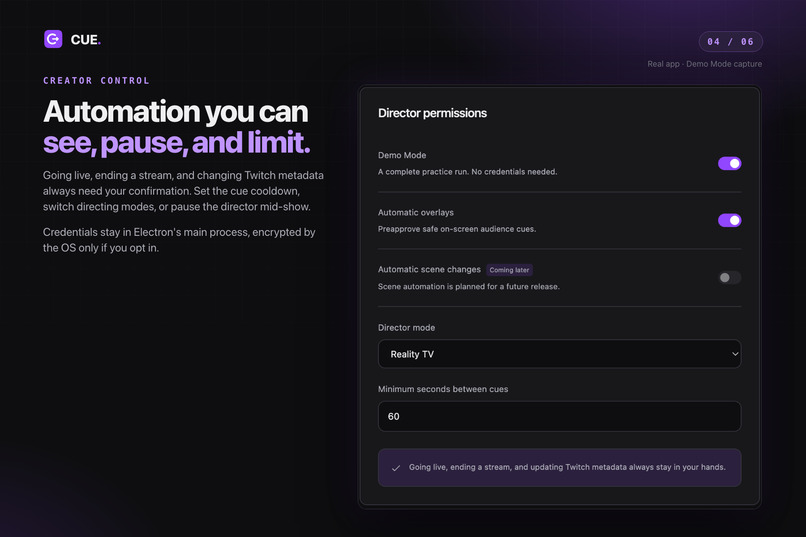
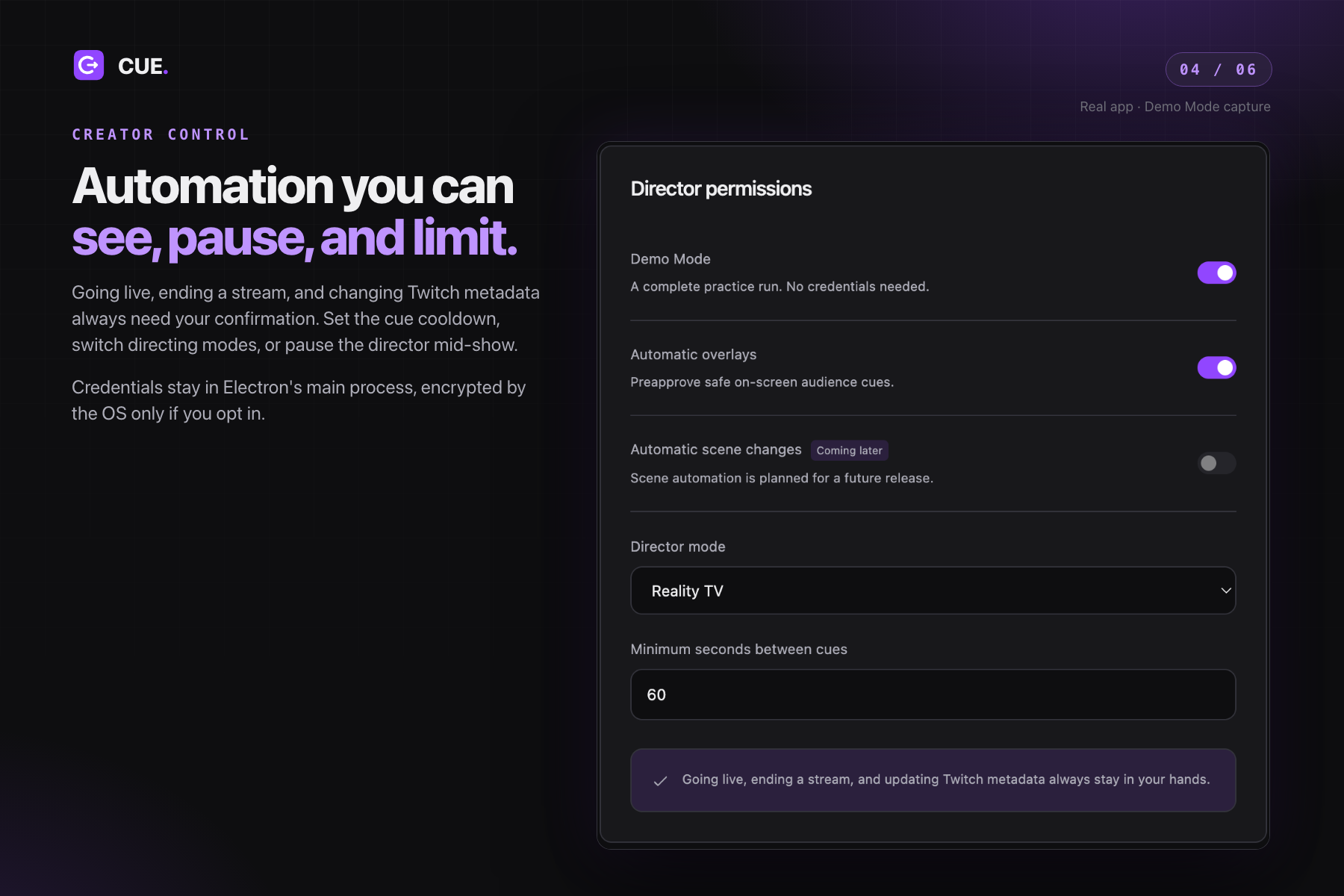
You approve every big decision and set how much the director can do
-
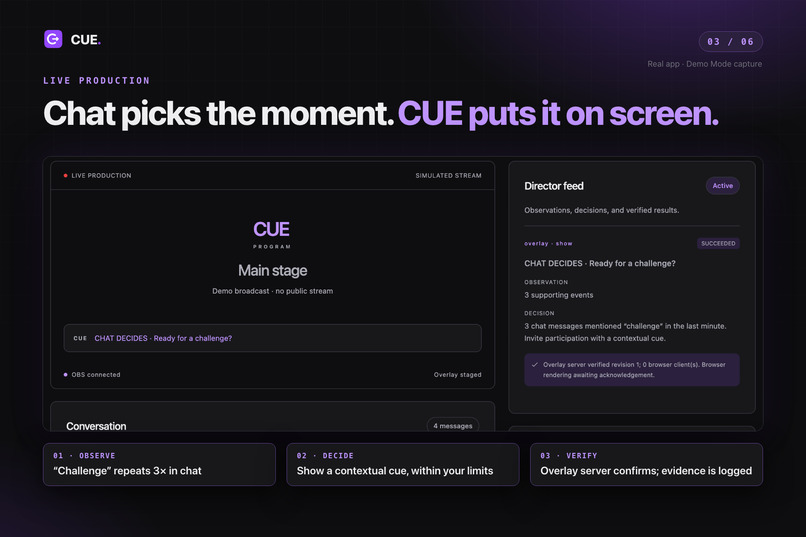
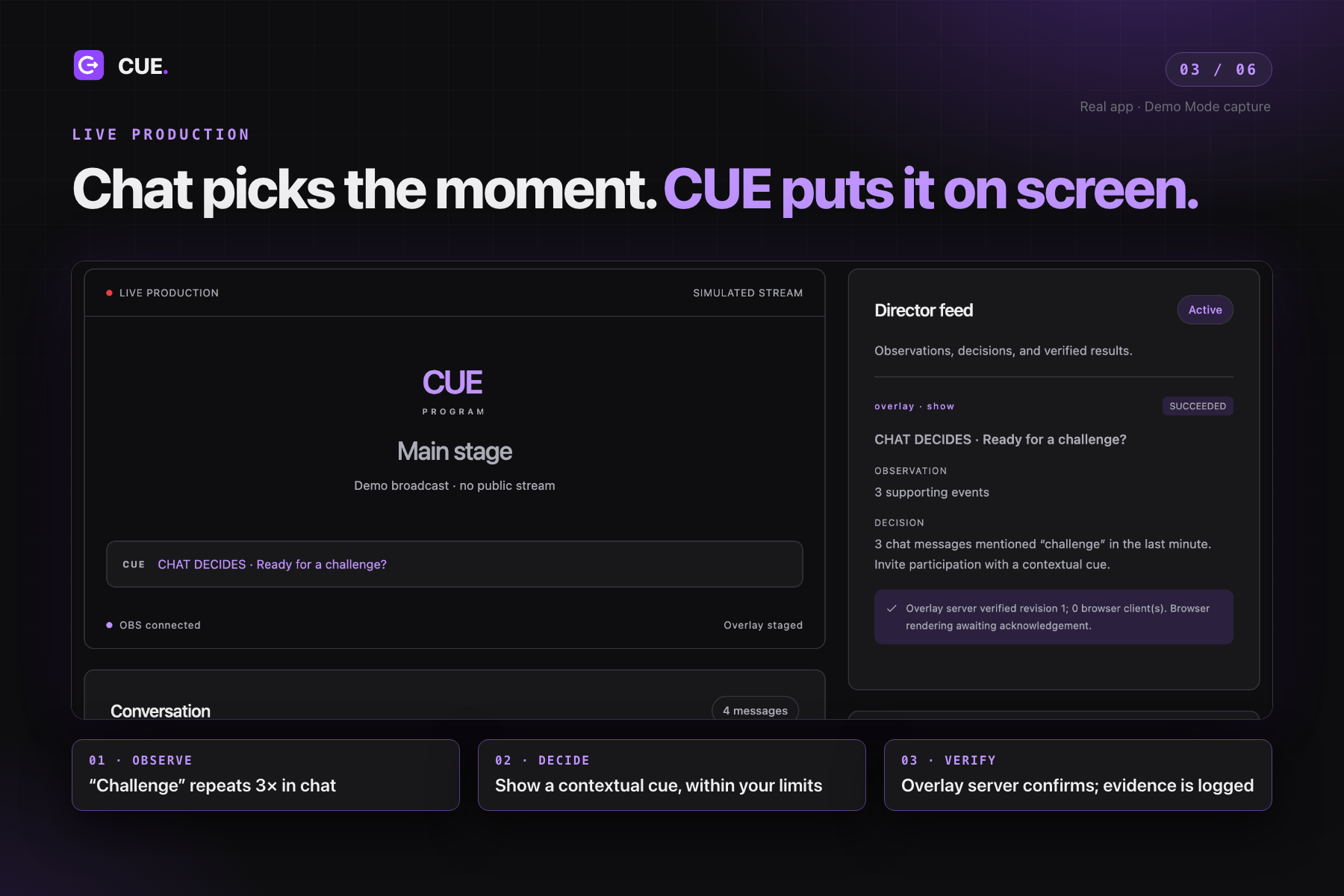
When chat calls for a challenge, CUE puts a verified cue on stream
-
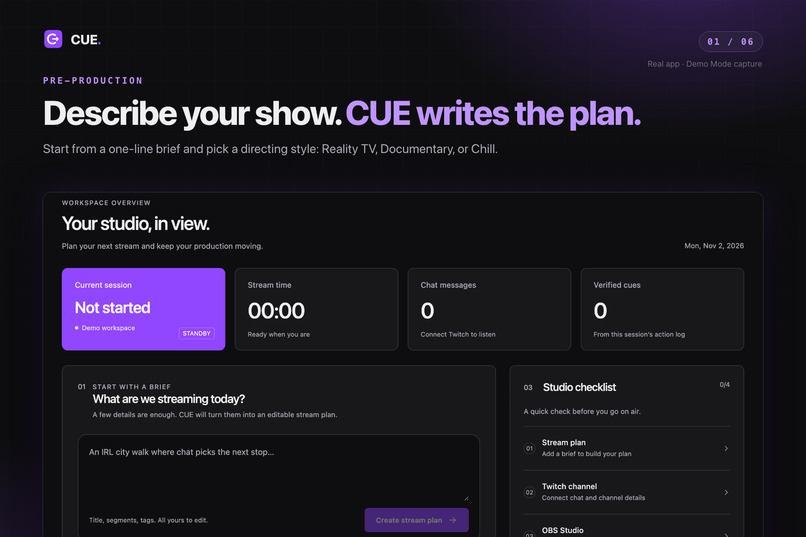
Describe your stream in one line and pick a directing style
Inspiration
Going live should feel like putting on a show, but solo creators also have to act as producers: plan segments, manage OBS, watch chat, and decide what happens next. The more attention production takes, the less attention they can give their audience.
We built CUE around a simple idea: give streamers a production partner that helps them prepare, notices when chat has an idea, and brings that idea into the show while the creator stays in control.
What it does
CUE is a desktop livestream producer that connects a stream brief, Twitch chat, and OBS in one workspace.
- Plan the show: Describe a stream and turn it into an editable run of show with a title, category, tags, and timed segments. Choose Reality TV, Documentary, or Chill to shape the production style.
- Connect the studio: Authorize Twitch, connect to OBS through its local WebSocket server, review channel metadata changes, and stage a transparent CUE browser-source overlay in the current OBS scene.
- Bring chat into the show: During a session, the director watches for repeated chat topics and creates contextual audience prompts. Those prompts appear through the OBS overlay, with an accompanying explanation and supporting chat evidence in the director feed.
- Keep the creator in control: Preview metadata updates, explicitly confirm broadcast start and stop, pause the director, and adjust the cue cooldown.
- Review the session: Keep a local history of events, decisions, and production actions, then export a session recap as Markdown or JSON.
CUE also includes a credential-free Demo Mode for exploring the full workflow before connecting a real channel. Its production preview shows stream status and the current overlay cue; OBS remains the place to view the actual broadcast video.
How we built it
We built the desktop app with Electron, React, and TypeScript. The React interface presents the studio, stream plan, live production controls, and session recap. Electron's main process owns the service connections, credentials, local storage, and production actions, exposed through a typed, validated IPC bridge.
The Twitch integration uses device authorization and EventSub over WebSockets to receive chat. It also supports channel metadata updates and category lookup. The OBS integration uses the OBS WebSocket 5.x protocol to authenticate locally, stage browser sources, and manage stream start and stop.
A local HTTP/WebSocket overlay server delivers transparent graphics to OBS. SQLite stores session history and the evidence behind director decisions. OAuth tokens use operating-system-backed encryption when available.
For planning, an optional OpenAI integration turns the creative brief into a structured, editable show plan. A local planner keeps the app usable without a model key. The live director uses bounded topic detection, permissions, and cooldowns to make cue behavior predictable.
Challenges we ran into
The biggest challenge was coordinating several systems that change independently. Twitch authorization can expire, chat connections can drop, OBS can disconnect, and a request to start streaming does not mean a broadcast is already active. We built connection handling and explicit state checks around those boundaries.
Another challenge was making automation understandable. A cue needs more than an interesting message: the creator should see why it happened, which chat messages supported it, and what was actually verified. We separated observation, decision, execution, and verification in the director feed.
We also worked through desktop-specific details, including native confirmations, window behavior, responsive layouts, and keeping credentials outside the renderer. Recovering a session with automation paused helps creators reconnect and review their studio before resuming.
Accomplishments that we're proud of
We brought the production workflow into one app: brief, plan, connections, overlay staging, live cues, and recap. The same workflow can be rehearsed in Demo Mode and used with real Twitch and OBS adapters.
We're especially proud of making director actions inspectable. CUE connects a chat signal to a production decision and records the result, giving creators a clear explanation of what their assistant did.
We validated the app with unit and integration tests and an automated Electron rehearsal covering plan creation, confirmations, cue execution, pause behavior, recap export, and compact layouts. Real-account Twitch and OBS rehearsal is the next validation step before presenting it as production-ready.
What we learned
Livestream assistance is as much a coordination problem as an AI problem. A useful producer needs reliable connections, clear permissions, timely actions, and a visible way to stop automation.
We learned to distinguish an action being requested from it actually happening, and to distinguish an overlay update reaching the server from it being acknowledged by a browser. Those details shaped both our architecture and the information we show creators.
We also learned that editable plans and small, explainable production actions provide a practical foundation for a creative assistant.
What's next for CUE
Our next priority is testing with creators on real Twitch and OBS setups, refining authorization and reconnection, and improving cue timing through rehearsal feedback.
From there, we want to add richer audience interactions, including Twitch polls, more overlay formats, and optional scene transitions with clear approval controls. Longer-term ideas include transcription, clip suggestions, and more personalized session insights.
The goal stays the same: help a solo creator run an interactive show while keeping their attention on the audience.
Built With
- codex

Log in or sign up for Devpost to join the conversation.