-
-
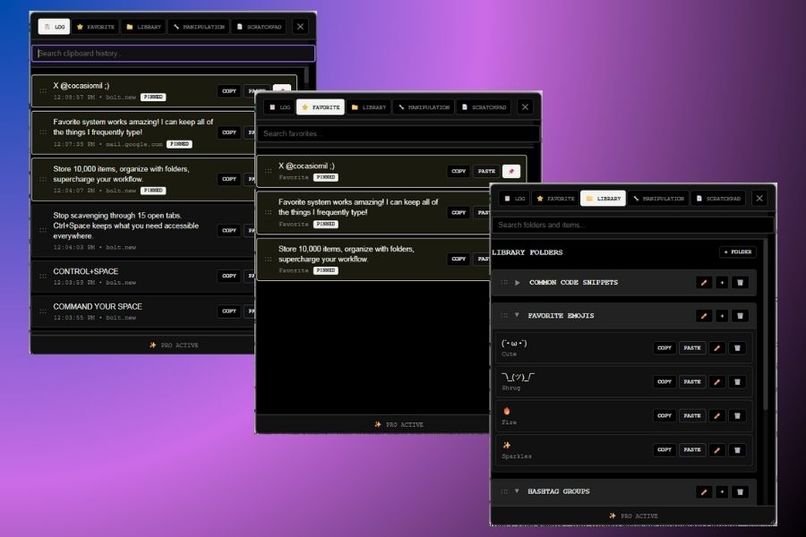
Popup Tabs
-
logo
Inspiration
At heart, I'm an inventor and entrepreneurship is in my blood: I see problems as opportunities to build tools that make life easier and I won't stop until I've sold everything, everywhere. This drive comes from watching my mom work grueling night shifts in a job she dislikes. I've seen how it impacts her sleep, health, and our time together. Yet she still supports me, and I want to flip the script.
I never found a good program or automation process to list many items in different platforms quickly (at least not for cheap). That's how Ctrl+Space began as a simple idea to log my product names, descriptions, and prices, and have them ready to paste so I could sell everything, everywhere faster.
From there, I added features like libraries to keep it organized or a scratchpad for quick notes without having to scurry to your google docs.
What it does
Ctrl+Space is a browser extension that automatically saves the last 10,000 items that you copy and much more. To open it, you simply press Ctrl+Space.
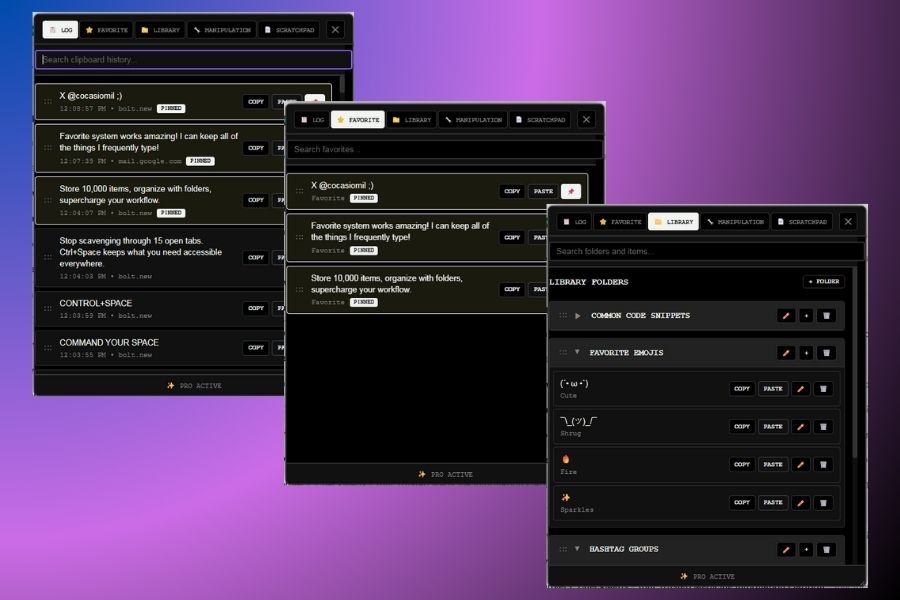
Inside of it there are 5 different tabs with unique functions: Clipboard Log Real-time clipboard history with up to 10,000 items. Search, pin, and organize with drag-and-drop functionality.
Favorites Repository of pinned clips with drag-and-drop ordering for instant access to your most-used content.
Library Folder-based organization with pre-filled templates for forms, job applications, and code snippets.
Text Tools Transform selected text with formatting, and analysis tools. Results automatically logged to clipboard.
Scratchpad Quick note-taking area with one-click logging to send notes directly into your clipboard history.
How we built it
Using bolt, it made the website, landing page and everything around the extension, while bolt isn't the best option for extension as I realized throughout the challenge it is still a great programmer and it did a heck of a job. Through a lot of iteration help from Gemini, ChatGPT, Cursor, Supabase, Netlify, Entri Google Chrome and many many more it was possible for me to make a fully functional and truly useful extension.
I used Gemini to talk through the process of working with bolt without wasting my precious bolt credits, I would give it the full ideas of what I wanted to happen so it generated steps for me to give to bolt. Cursor, was used when I had to open the files locally and make so quick iterations to my extension. Chatgpt for generating copyright, modifying command, prompts bug fixes, etc. Supabase and Netlify and Entri really did their thing I had never used them before, but they reallly performed, they connected surprisingly well with Bolt, as someone without any practical coding skills and this being my first truly working "thing" I was truly impressed by how simple it made things.
Challenges we ran into
Making Extension with Bolt:
Uploading Images: Bolt had some trouble uploading images, then it would, but then it wouldn't place them where I wanted I think it was a little finnicky in that says.
My manual Changes being reversed: I would go in and change things like text or even code that I had made using cursor, but then when I prompted bolt to do other things it would reverse those changes.
Every single thing: Whenever I tried to do little things it was never right the first time, it always had to go through a process of iteration over and over until things worked, when it got stuck I would go to gemini or cursor to tackle the specific problem.
Im writing this after, I'm not sure why, but I'm having a lot of problems with bolt today, everytime I ask it to implement something new that last features that I had it implement aren't there anymore so then I try to implement and then something else goes wrong and like that over and over.
Accomplishments that we're proud of
All of it! As I mentioned this is my absolute first project, I am truly proud of making a tool that really is useful, I'm even using it right now while filing this project, as I copy and paste some of the the things I've already written in my about section and etc. Being able to visualize in my computer and seeing the actual extension on my screen truly is a goal that is still mind-boggling. I am a person that likes to start a lot of projects whether software or else, but it is hard for me to actually finish them, I feel like bolt and its integrations did make it easier and helped me finish this one (which of course is never truly done).
What we learned
I learned about everything of course, once again this was my first project, so connecting my own website that I program online, putting that on the web, creating an extension, the steps to publish it, how to accept payment, how to log pro users, how to record demos, publish those, and so much more. I'm learning as I go almost every step of the way, thanks to AI!
What's next for Ctrl+Space
Image & video clipboard support AI-powered text suggestions & corrections Cross-platform synchronization Advanced automation workflows
Ultimately, the vision is for Ctrl+Space to be a mini portable drive/clipboard companion
Built With
- bolt
- chatgpt
- chrome
- cursor
- entri
- gemini
- google-docs
- netlify
- notion
- photoshop
- supabase

Log in or sign up for Devpost to join the conversation.