-
-
Introducing ctrl-f
-
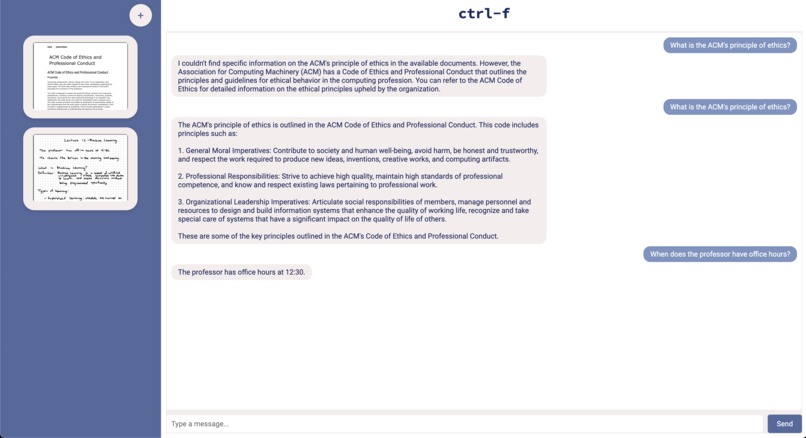
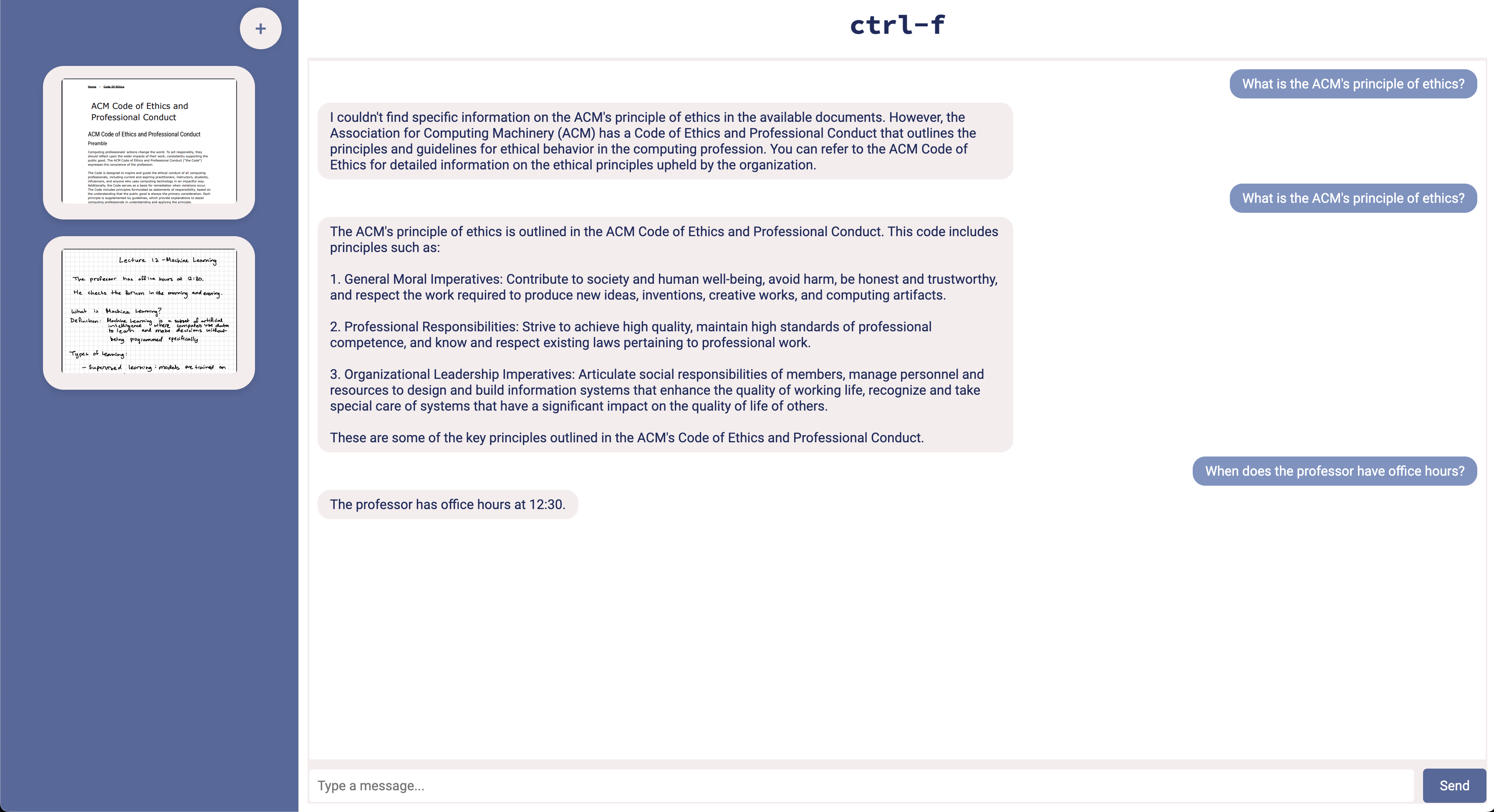
Using the chatbot, before and after uploading documents.
-
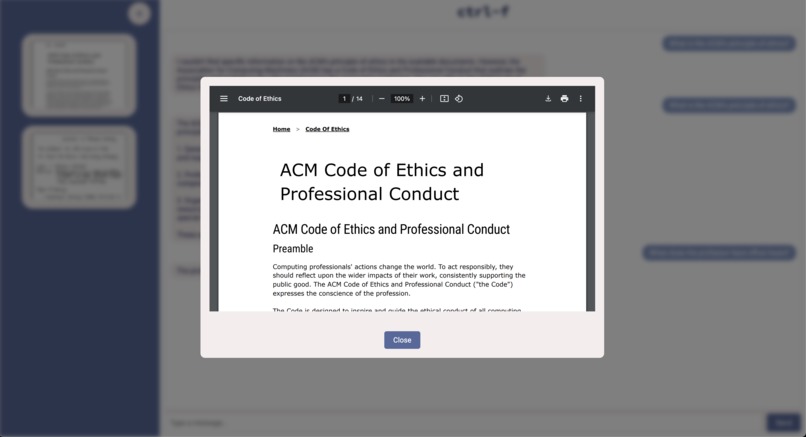
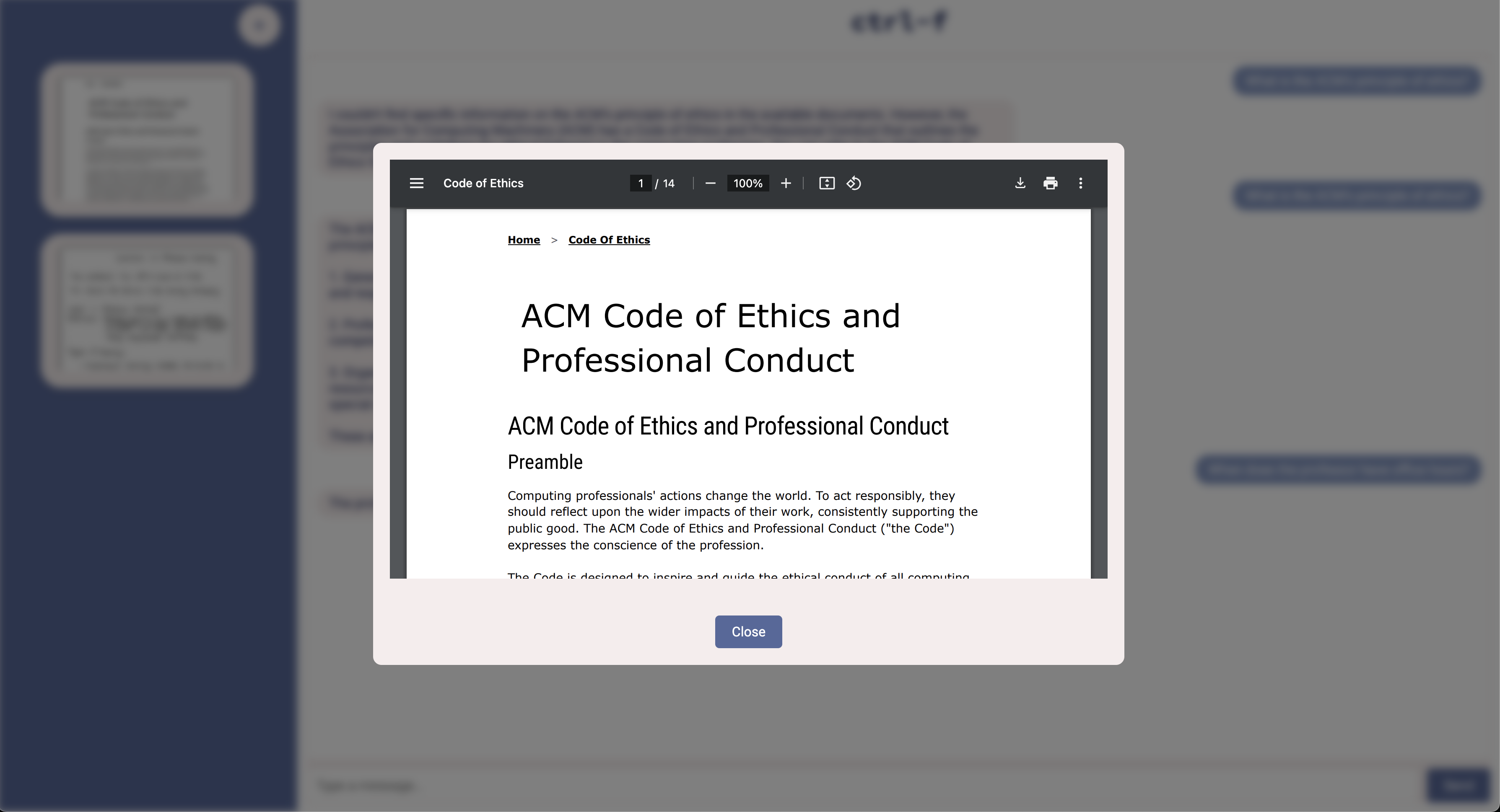
Previewing an uploaded document.
✨ Inspiration
We’ve all been there—digging through class notes or documents, trying to find that one piece of info. ctrl-f was born out of the frustration of endless "Ctrl+F" searches and trying to remember where we saved that essential fact. Why not let AI handle it for us?
🔍 What it does
ctrl-f scans and searches through your uploaded documents using AI, instantly finding key information for you. It doesn’t just find keywords like a regular search—it analyzes your content, pulls out the exact information you need, and even provides a helpful summary so you’re never lost in the details again!
🛠 How we built it
We used JavaScript, HTML, CSS to create the front end and Flask was used for the backend along with Langchain, and OpenAI’s embeddings to build an intuitive app. We created routes using Flask to serve up related documents as well as save them so they would remain even after closing the server session. We used various python libraries such as pypdf, os, and re to parse and store information and it is served to Langchain and OpenAI which will keep it for future reference.
When a user messages the chatbot, an endpoint is triggered that retreives information from OpenAI and then returns it to the user. We engineering prompts for OpenAI to ensure that the information being served to the user is primarily from the documents uploaded rather than it's own knowledge.
As for the AI portion, we built our app using retrieval-augmented generation (RAG), combining LangChain for document parsing and FAISS for storing document embeddings. User-uploaded documents are processed by PyPDF and converted into vector embeddings, allowing us to search and retrieve relevant content based on queries. When a user asks a question, the system pulls context from the documents, augments the query, and uses OpenAI’s API to generate accurate, context-specific answers. This process transforms the app into a “supercharged control-F,” giving users detailed insights from their uploaded documents.
🤖 Best use of Generative AI
The use of generative AI in our app represents one of its best applications because it enhances the user's ability to access and interact with information from their documents. By leveraging AI to transform raw data into insightful, context-specific answers, we provide a more efficient way to navigate and understand large amounts of text. Unlike traditional search tools, our approach combines retrieval-augmented generation with document embeddings, allowing users to get answers directly from their content rather than relying on generalized knowledge. This not only streamlines the search process but also ensures accuracy, making learning and information retrieval more intuitive and tailored to the user's needs.
🧗♀️ Challenges we ran into
- Setting up python environment
- PDF parsing and saving the file for persistent storage
- Using new APIs and learning about them through documentation
- Engineering AI prompts so that information was returned correctly and without errors
- Understanding how generative AI worked and how it can be manipulated to narrow it down to specific resources rather than allowing it to use its global knowledge base
- Coordinating between different Python libraries (like PyPDF, LangChain, and FAISS) might have resulted in compatibility issues or conflicts.
- Breaking down a complex project and building it piece by piece
🏆 Accomplishments that we're proud of
- One of our members' first hackathon!!
- Some members' first time working with APIs so coordinating the integration of multiple Python libraries (like PyPDF, LangChain, and FAISS) and overcoming compatibility issues was a big win
- Lots of our members' first time working with AI
- Fully understanding the complexities behind AI and how text gets generated and parsed
- Completed a prototype of the project in less than 24 hours
- Crafted and fine-tuned AI prompts that reliably returned accurate and contextually relevant information
📚 What we learned
- Gained hands-on experience with various technologies, including Flask, LangChain, OpenAI API, and PDF parsing libraries, enhancing overall technical skills
- Overcoming challenges such as API integration issues and compatibility conflicts among libraries
- Deepened understanding of generative AI concepts and retrieval-augmented generation (RAG), learning how to leverage AI for context-specific queries
- Learned about how to engineer prompts to gain the best results from a search query
🚀 What's next for Ctrl-F
- Expanding our document format support so we can welcome all your favorite files (eg. images, recordings)
- Tracking what areas you ask about the most and creating a customized study sheet
- Enhanced search filters to find exactly what you're looking for
- Engineering more accurate prompts and updating prompts to account for prompt drift
- Using our own Generative AI model so that if companies want to use this as an internal tool for all of their documents, information stays within the company rather than outsourced to OpenAI
Built With
- css
- faiss
- flask
- html
- javascript
- langchain
- openai
- pypdf
- python


Log in or sign up for Devpost to join the conversation.