-
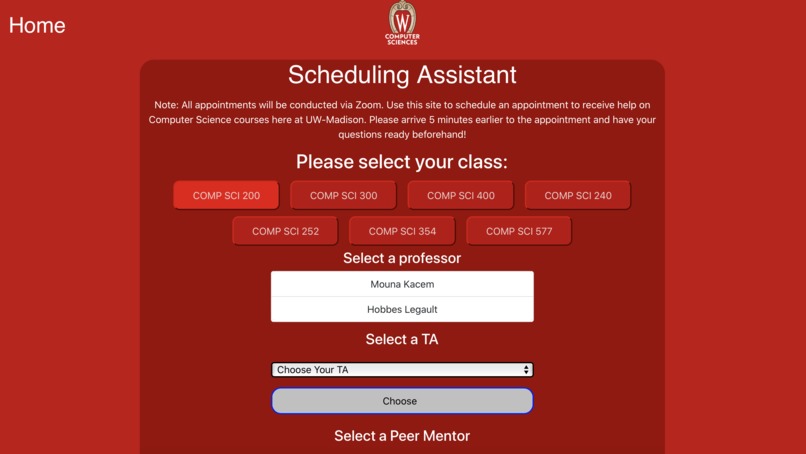
View of the webpage
-

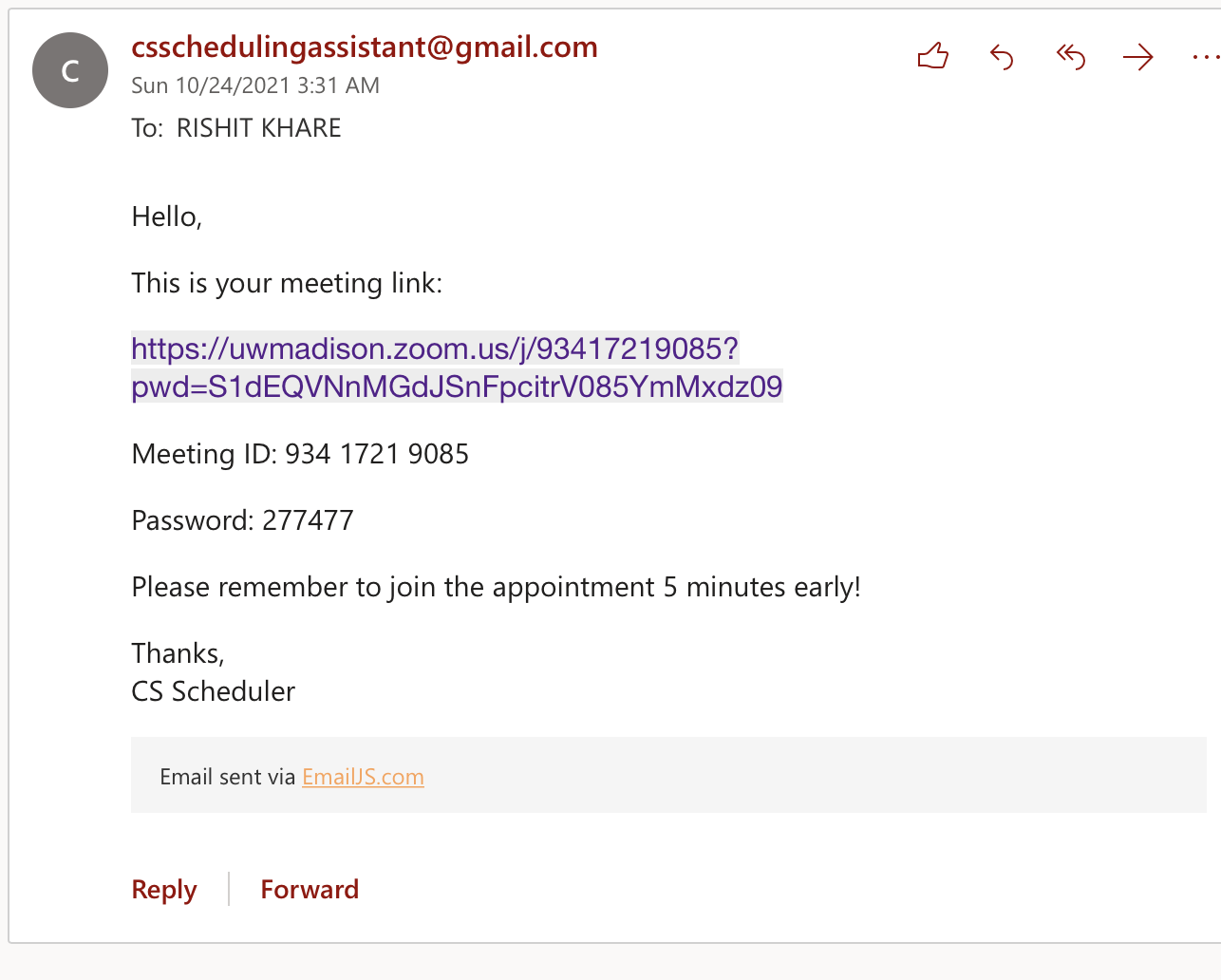
Email being sent to user after scheduling appointment

Inspiration
Across the many many difficult hours of Computer Science 300 assignments at the University of Wisconsin, there were several times where we as students wanted to get help. However, we felt that the process for getting help as it is was a little confusing and hidden from the user. Currently, students have to fill out a google form to request to be in the queue for student help. They are then emailed a google sheets link with the queue which is managed manually by the teachers. We felt that this process could be streamlined with the use of a simple, user-friendly application that manages this queuing and sign-in automatically.
What it does
It allows for students to efficiently and easily schedule their office hours appointments. Students must simply fill out their name and email, and then select the appropriate class and teacher/TA that they would like to meet with. Then, an email will be sent to the given email with a zoom link that students will be able to join. Teachers would be able to manage the zoom meeting with host privileges.
How we built it
We used React.js and Node.js to build the website framework. We were initially going to use firebase for login capabilities and database management, but we ran into a couple of issues here and there, and ultimately had to downsize on the scope of our project and choose to not use firebase. We did use email.js, an API for sending emails to people.
Challenges we ran into
Downsizing the scale of our project was a common theme throughout this hackathon. We initially started with an idea of being able to login to manage appointments and view current appointments, and a multi-page website with a navigation bar to go to different pages. However, the time crunch forced us to really take a look at which aspects of the project were central to the core theme of the issue we were trying to resolve. We ended up getting rid of some of the fluff and bringing the application to the bare bones: a simple webpage where information is entered and then subsequently emailed to the user.
Accomplishments that we're proud of
We are proud of having implemented the emailing using the email.js plugin, and working on a page that felt and looked nice. While some functionality (such as changing TA options based on what class the user has selected) were not implemented, we were able to get a very beautiful front-end UI on the screen that looks like something out of an official university webpage.
What we learned
For much of the team, this project was the first time working in JavaScript and the first time using react. We learned a lot about the component system of JavaScript, and how to use .css files to style webpages to our liking. While we weren't able to get firebase working in the end, we did learn a lot about firebase and we hope to use it sometime in the future.
What's next for CS Appointment Scheduler
We had many ideas that we ended up cutting from the final project. If we choose to continue this project, we may decide to implement login page, viewing previously scheduled appointments, and navigation between pages. We are also open to the idea of working with the UW Madison CS Dept to make our project a reality that is used in college classrooms across the University.





Log in or sign up for Devpost to join the conversation.