-
-

-
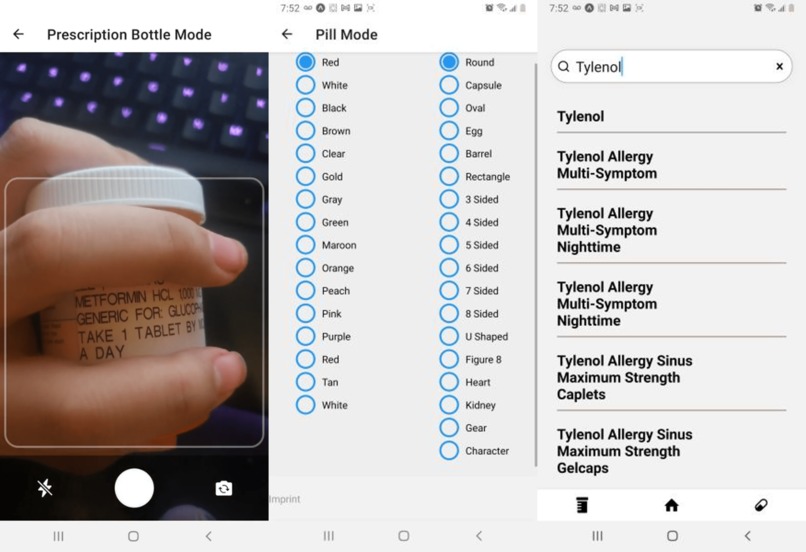
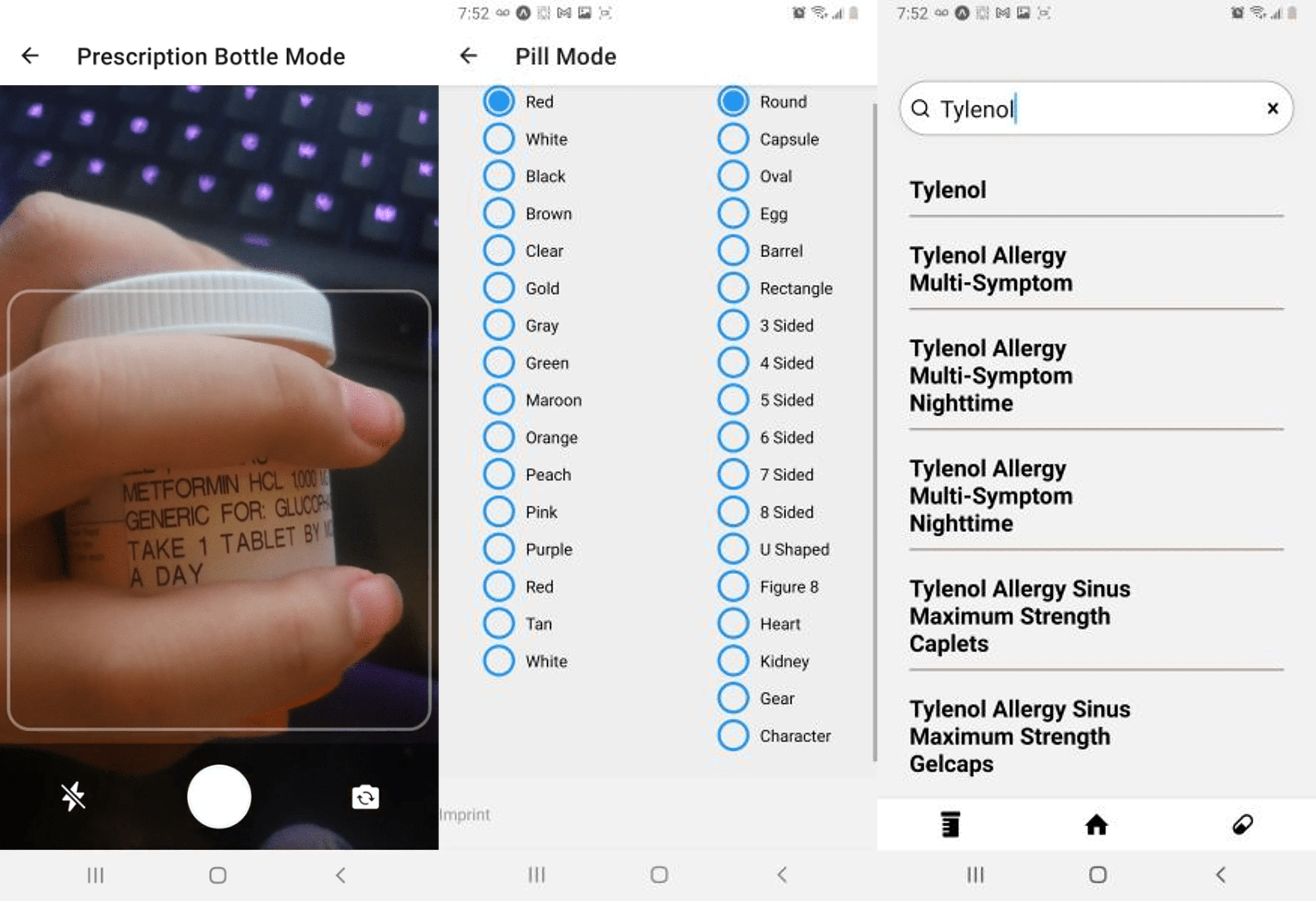
(L to R) Bottle Finder; Pill Finder; Search Feature
-
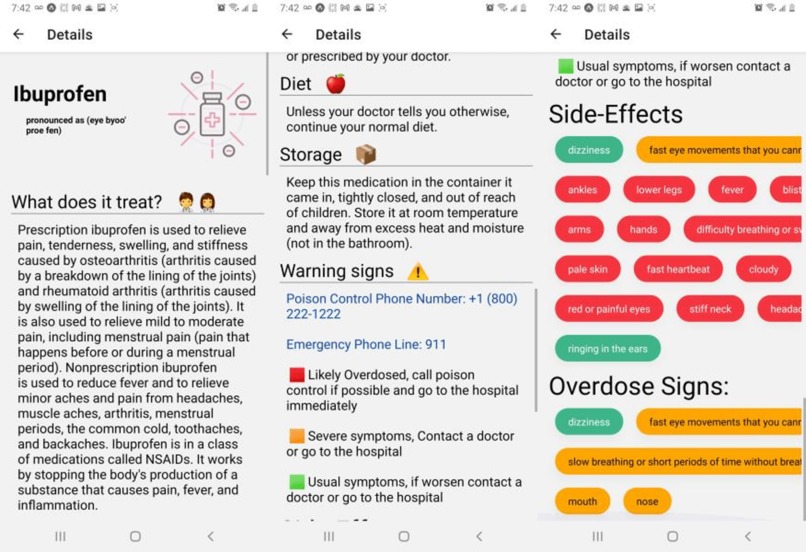
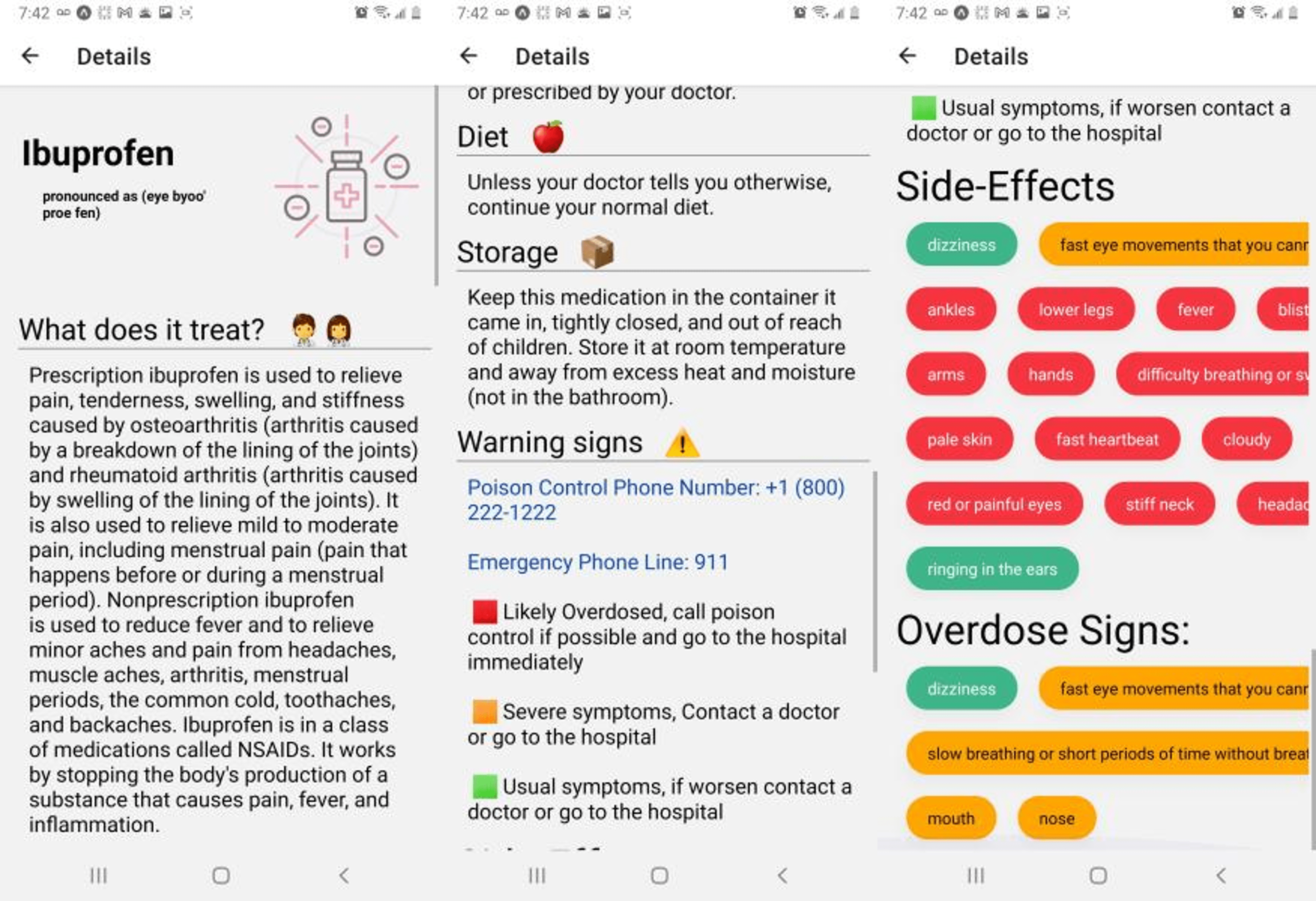
The Details for Ibuprofen
💡 Inspiration
Albert's father suffers from diabetes. He has to take a lot of pills in order to deal with it. However, this leads to a lot of confusion in keeping track of what each medication does and how it affects his body. Mr. Lee's plight is endured by many others, and it can have fatal consequences. Every year, 7,000 to 9,000 people die from accidentally taking the wrong medication. Thus we felt it was important to develop a way to solve this problem and ensure we can provide easily accessible information about medications in a timely manner.
💻 What it does
Remedia allows users to locate information about their medications through 3 methods:
- Taking a picture of your medication
- Searching the brand name (e.g. Advil) or the scientific name (e.g. Ibuprofen) in the search bar
- Selecting the feature of a pill such as color, imprint, and shape
When the user does the following, they are given information from our automated information retrieval system about the medication and provided the following information:
- What the medication does
- Why people would have to take said medication
- How to store the medication
- Side-effects (color-coded based on the severity)
- Signs of Overdose
- What to do if you or a loved one is experiencing an overdose
⚙️ How we built it
To allow for our app to work online, we used:
- Flask (For managing POST requests)
- Docker (Managing our backend as a container)
- Google Cloud Run (Running our application on the cloud)
We used React Native and Expo to develop our cross-platform
To develop the scraper, we used:
- Beautiful Soup (Web scraping library)
- Python
- Data from Drugs.com (for Pill Identification) and MedlinePlus (for Drug Information)
To design the application we used React Native with Expo as it was a scalable framework that allow us to develop cross-platform apps.
⛅ Use of Google Cloud
We used the Google Cloud Vision API to recognize the medication and that API talks to the scraper which finds the drugs that are the closest match. Google Cloud Vision API is a cloud-based service that allows you to identify and recognize objects in images. We have used it to identify and recognize medication.
🧠 Challenges we ran into
- Pill Identification: This was one of our hardest issues. Our initial plans started out as taking a picture of a pill. Implementing this wasn't feasible in the time allotted, so we went to a more accurate alternative of relying on user input that asks for the color, imprint, and shape of the pill.
- Web Scraping: As Albert eloquently stated, "Web scraping is hard." We ran into a lot of issues with web scraping, such as handling data, ensuring proper formatting, and handling different website layouts. It required a very dynamic system in order to ensure any data that was scraped would not break the design of our application.
- Altering the design: While this wasn't our most difficult challenge, we ran into issues with designing our application as running the app on the Web (which it wasn't designed to do) led to the contents of the main page being auto scrolled down. To fix this, we designed with static data and then once we completed designing, we added our dynamic data and everything went smoothly.
- Time: We did not have a lot of time on our hands. This pushed us to do planning early on because as opposed to creating every little feature possible, we looked at our goals and crafted a plan for our MVP (Minimum Viable Product) and then certain additions we can add if time permits us to do so. We were able to create our MVP with time left, and thus we proceeded with our modified version of pill identification.
🏅 Accomplishments that we're proud of
- Scraping the data from the web in the given time frame.
- Using the Google Cloud Vision API to recognize the image.
- Developing an automated system that provides information about 6000+ drugs.
- Building the full application in the given time frame.
- Having an application with a strong design language that is clean and intuitive.
- Creating a scalable application that lets us add more features that will make this app even more useful.
📖 What we learned
- Albert: "What I learned in my first hackathon and creating this app was primarily web scraping and backend work. Beautiful soup is beautiful and sadly very very soupy, navigating through separate websites was complicated, compromises were made, and duct tape was applied when creating our backend. Flask, Docker, and Google Cloud Run were essential in ensuring a portable and powerful application, and I had a lot of fun working with these components and how they connected to our app.
- Ameya: "This is the first time I used React Native. I heard of it before but I never used it until now. It was a really awesome experience. Additionally, learning about the frequency of people taking the wrong medications was eye-opening and I'm glad to have helped develop this app."
- Ankur: "Cruzhacks 2022 is my first-ever hackathon and I learned to query data effectively. We had 6,000 lines of drug data so we have to query them effectively to make it work. It was my largest challenge. I learned how to use Google Cloud Vision API to find the pill from the pill bottles. I learned how to launch things into Cloud Run without having to deal with local backend."
- Harshal: "During this hackathon, I learned a lot about app development through React Native. I learned how to make a cross-platform mobile application, how to animate, and how to make a responsive design."
🚀 What's next for Remedia
We're genuinely just scratching the surface with Remedia. We have two features we plan on adding:
- Letting users take an image of their pill for search: We wanted to have that feature work just like the medication box. We had to use our workaround of the radio buttons, but we hope to fix the shortcomings we faced in the future.
- Creating a medication scheduler: We plan to make a scheduling feature that uses the information provided by our data in order to have a calendar that lets users know when to take their medication. This feature would expand the usability of our app even further.
Quick FYI
The first Github repo link will take you to the code for the frontend. The second Github repo link will take you to the code for the backend.
Built With
- beautiful-soup
- docker
- expo.io
- flask
- google-cloud-run
- google-cloud-vision
- postman
- python
- react-native


Log in or sign up for Devpost to join the conversation.