-
-
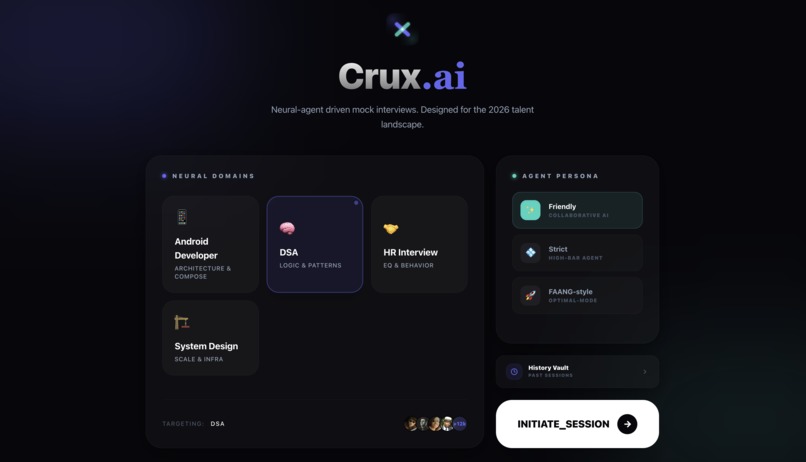
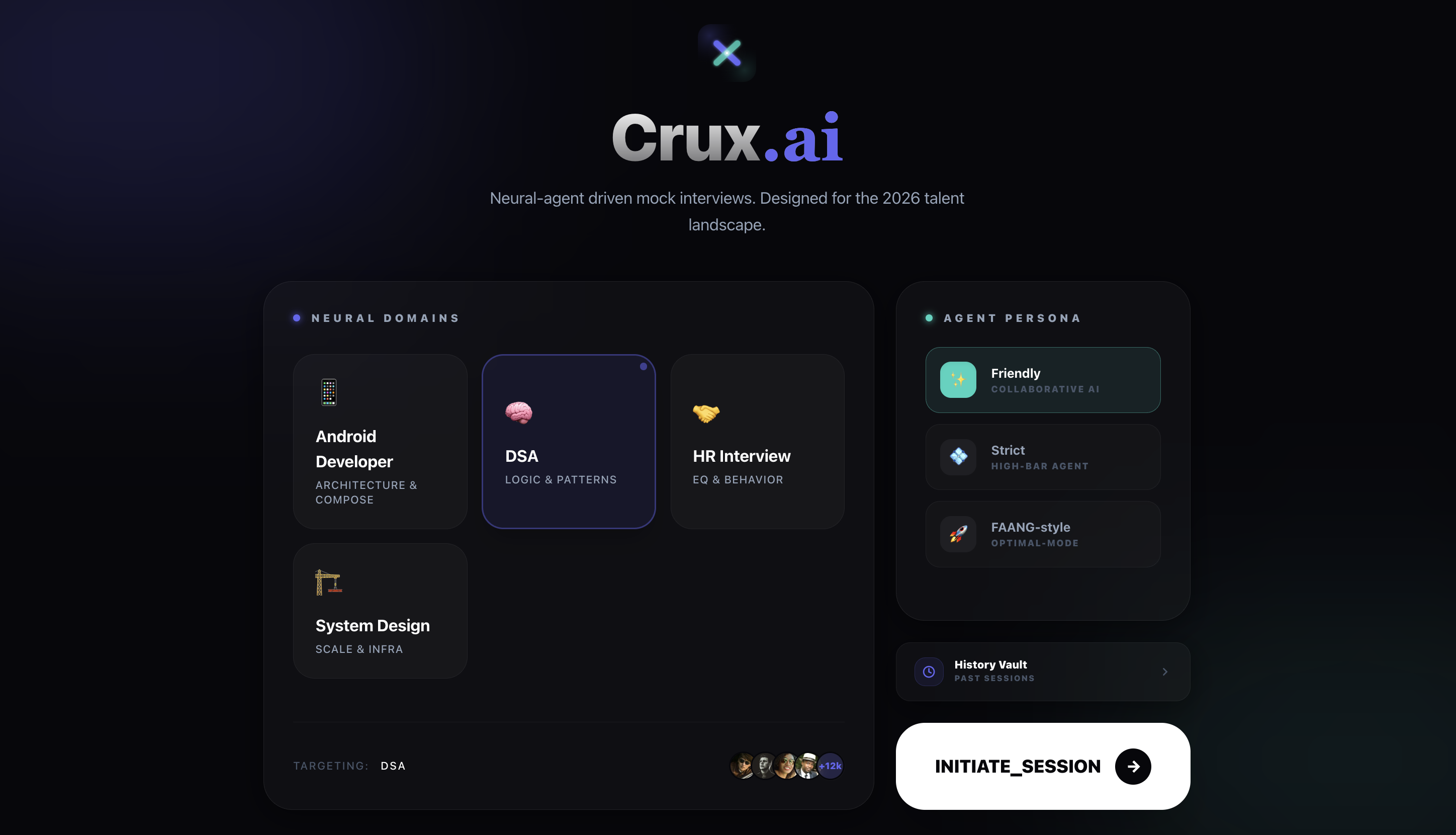
Pick your interview type and interviewer personality. DSA, System Design, Android, or HR — then hit initiate.
-
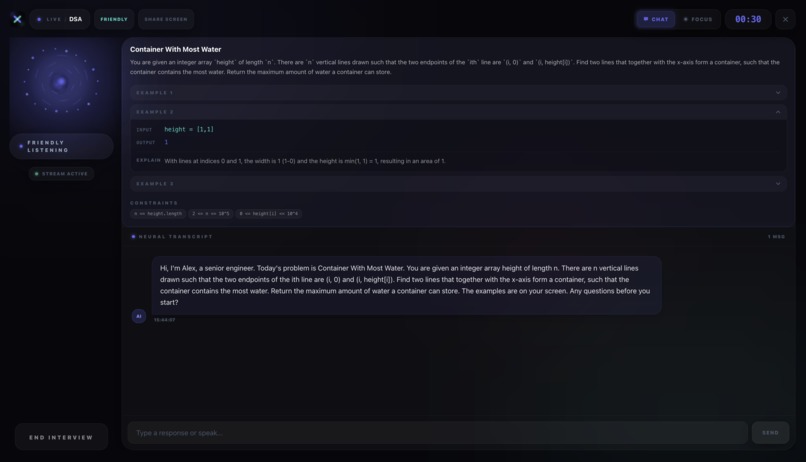
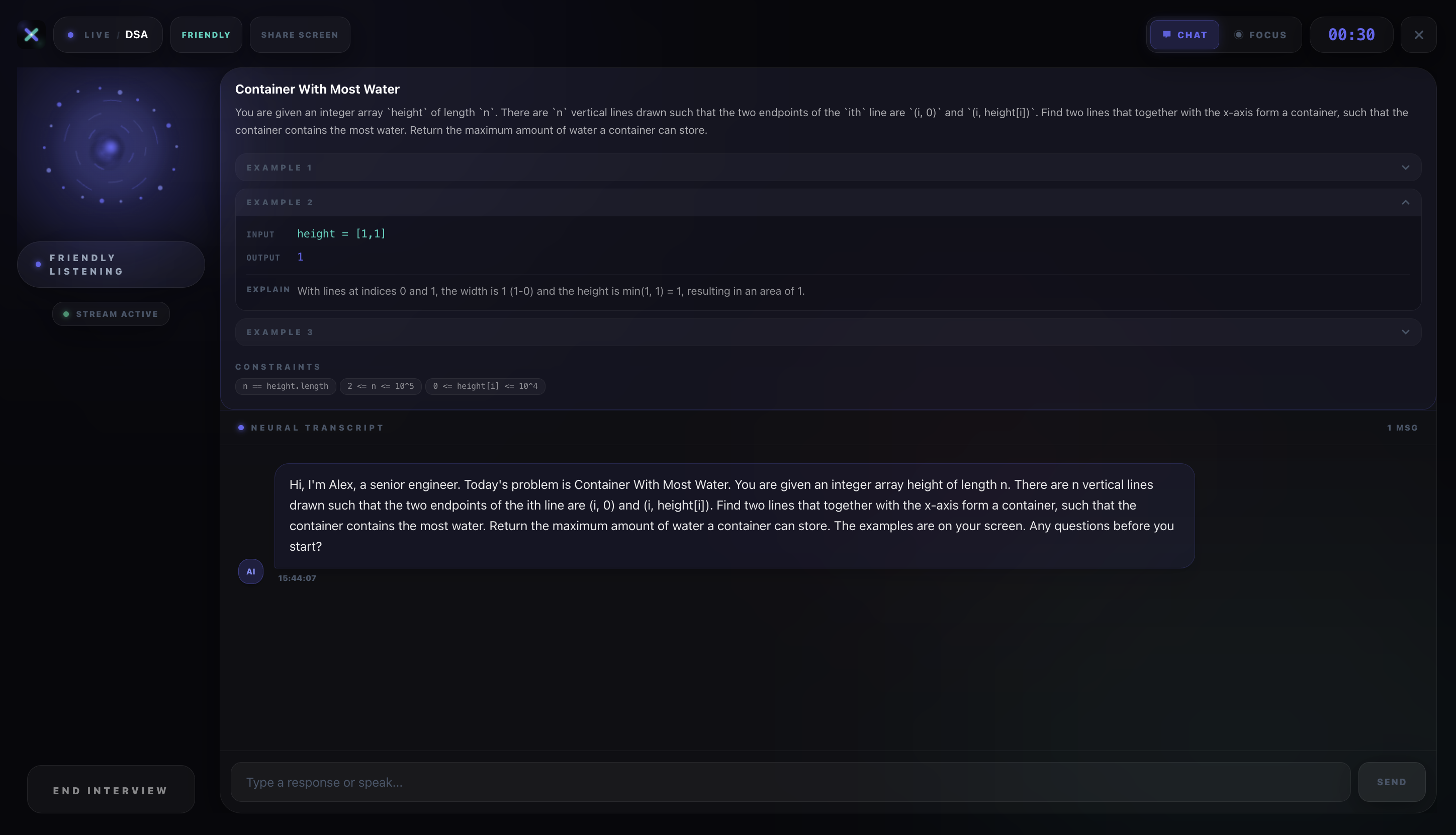
Live DSA interview in Chat mode. AI-generated problem card, real-time transcript, and a timer ticking.
-
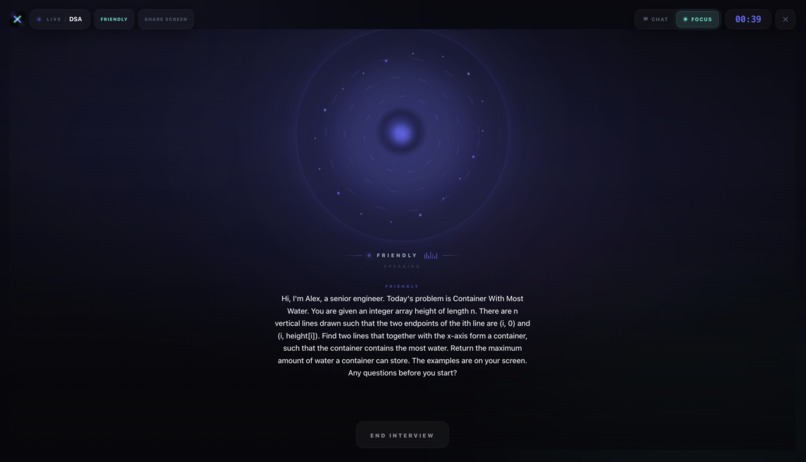
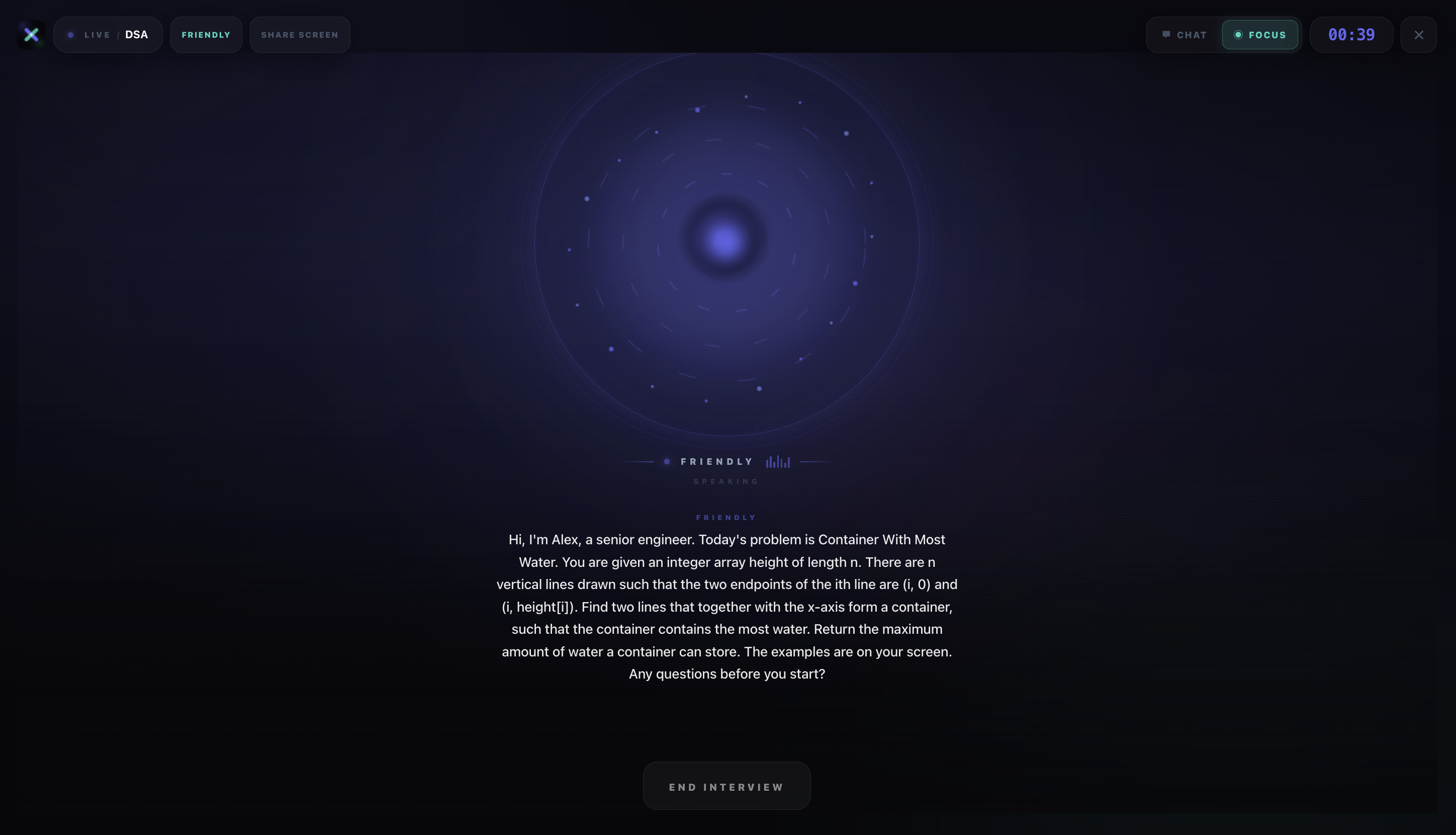
Immersive mode — full-screen Neural Orb pulses as the AI speaks. No distractions, just the conversation.
-
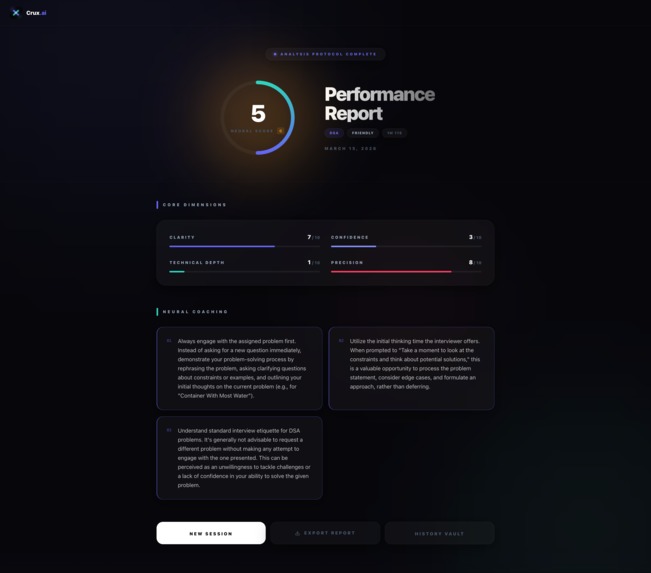
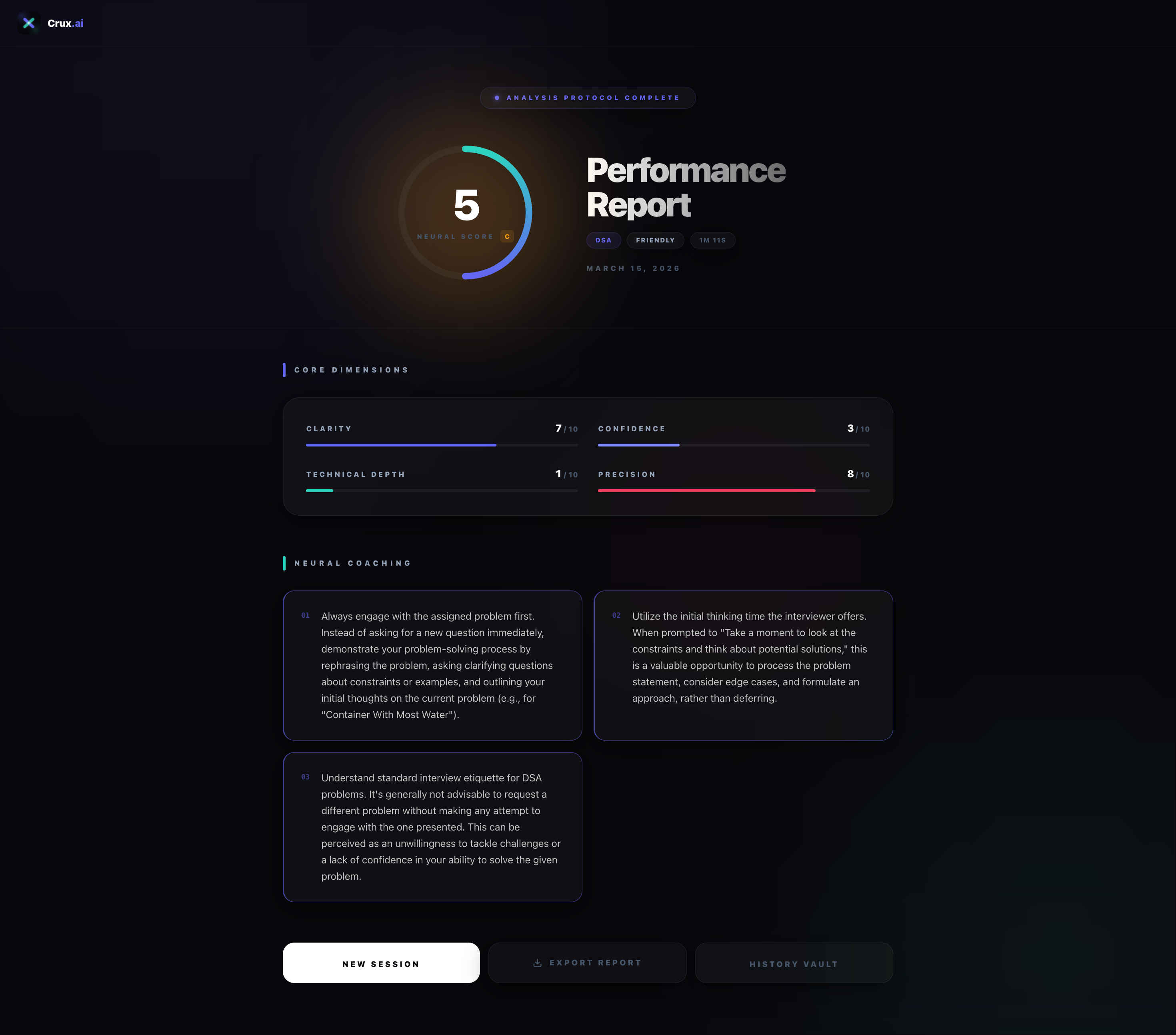
Post-interview scorecard. Clarity, Confidence, Technical Depth, Precision — each scored by Gemini 2.5 Flash.
-
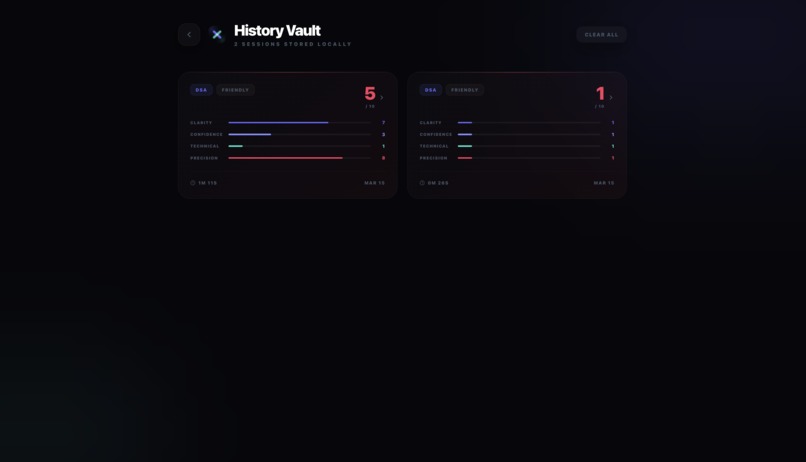
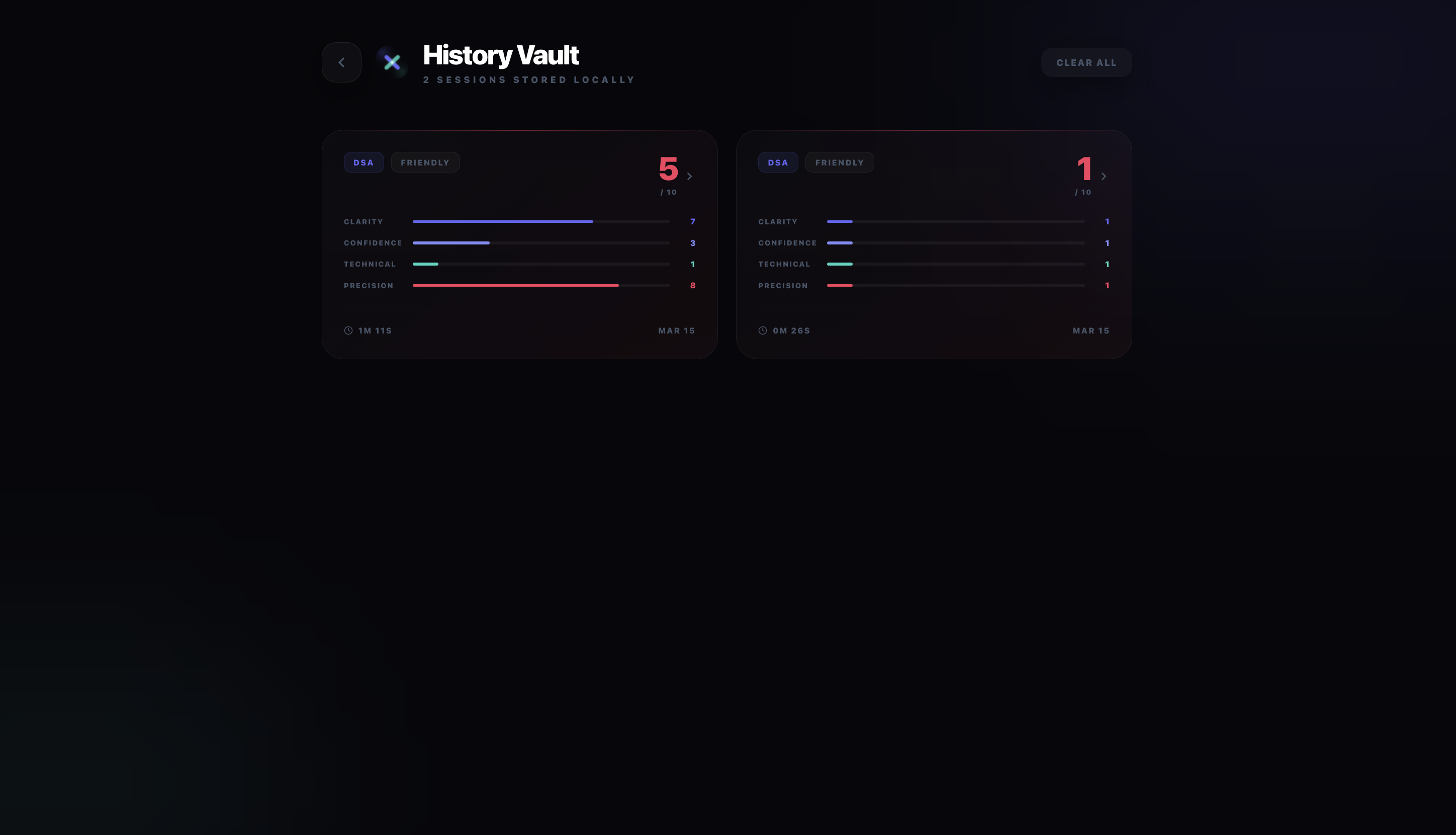
History Vault — every session stored locally. Track your scores over time without any login required.
-
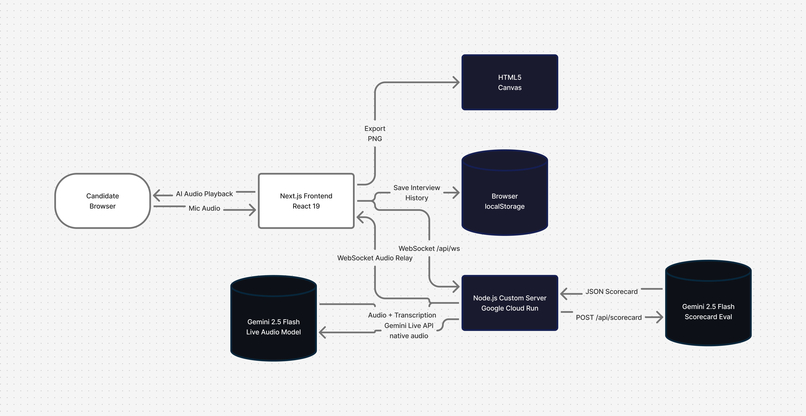
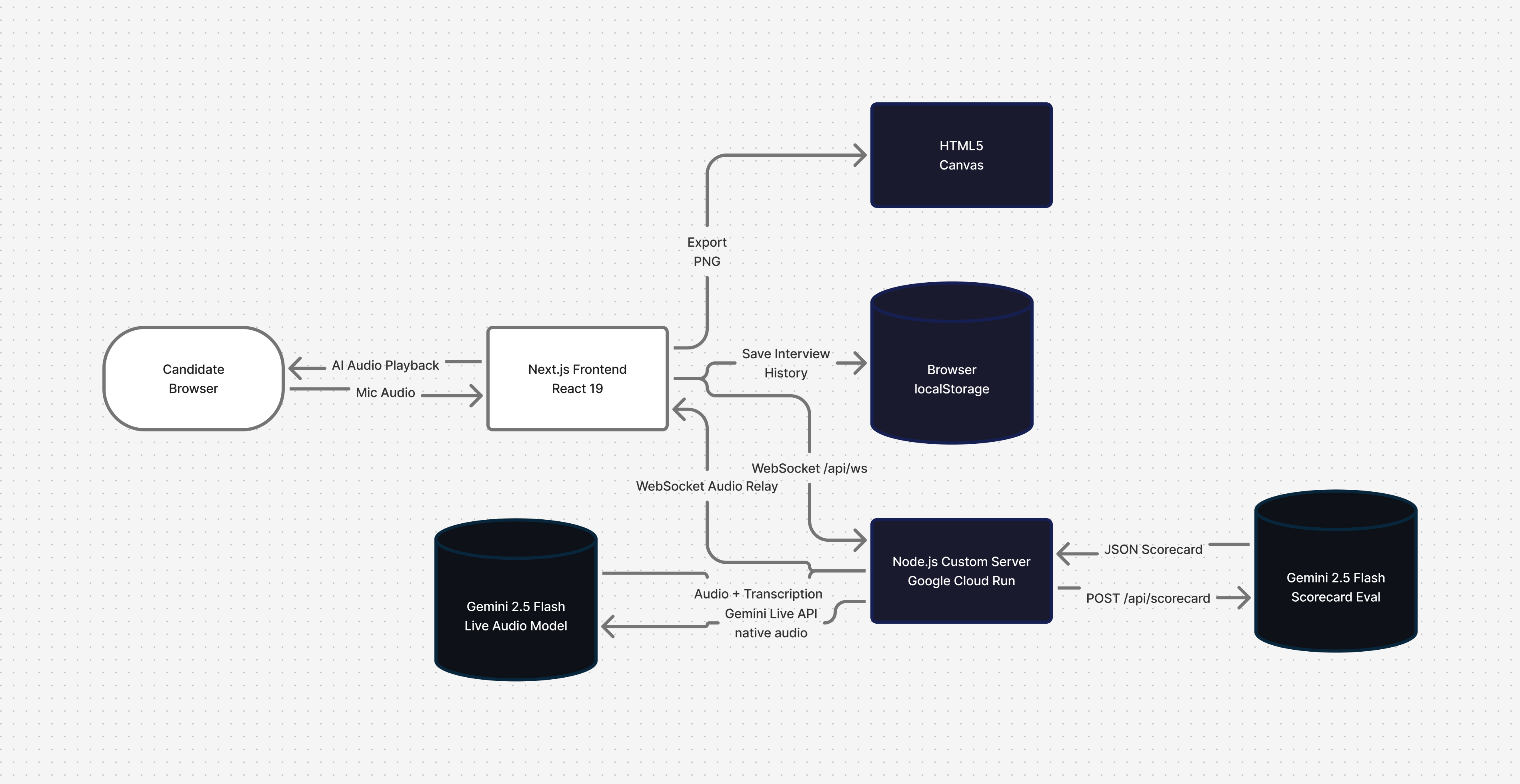
System architecture — browser WebSocket → Node.js relay on Cloud Run → Gemini Live API. API key never touches the client.
Inspiration
I've been preparing for tech interviews for a while — done the LeetCode grind, read the system design books, rehearsed STAR answers until they sounded robotic. But every time I sat in an actual interview, something broke down.
Typing answers into ChatGPT doesn't replicate the pressure. Reading notes doesn't either. The real thing has silence after a weak answer. An interviewer who says "can you do better?" A follow-up you didn't prepare for. Your own voice going shaky when you realise you don't actually know the answer.
I wanted to build something that actually puts you in that seat — not a chatbot, not a quiz app, but a real voice conversation with an AI that behaves like a person who's interviewing you.
What it does
Crux.ai is a real-time voice mock interview platform powered by Gemini 2.5 Flash's native audio model. You pick an interview type and interviewer personality — then just talk.
4 Interview Types: DSA, System Design, Android Developer, HR Interview
3 Interviewer Personalities:
- Friendly — nudges you when stuck, brief praise when you nail something
- Strict — direct, no hints, lets silence sit after a weak answer
- FAANG-style — bar-raiser mentality, probes for optimal solutions and production-level thinking
For DSA interviews, a dynamically AI-generated problem card appears on screen the moment the interviewer reads it aloud — exactly like a real coding round.
Two view modes: Chat mode (live transcript sidebar) and Immersive mode (full-screen Neural Orb that pulses cyan when the AI speaks, violet when you do).
When you end the session, your full transcript is evaluated by Gemini 2.5 Flash and turned into a scorecard across four dimensions — Clarity, Confidence, Technical Depth, and Conciseness — each out of 10, plus 3–4 specific coaching notes based on what you actually said.
Local History Vault stores your last 50 sessions in the browser so you can track improvement over time. You can also export your scorecard as a high-resolution PNG, generated on the client via HTML5 Canvas.
How I built it
The core technical challenge: Gemini's Live API uses a persistent, server-authenticated WebSocket. Opening that from the browser directly would expose the API key — so the architecture uses a server-side relay on Google Cloud Run.
Next.js 15's App Router doesn't support WebSocket upgrades natively, so I wrote a thin custom Node.js HTTP server that wraps the Next.js request handler and intercepts /api/ws upgrades. One process, one Docker container, deployed to Cloud Run via a deploy.sh infrastructure-as-code script.
For DSA interviews, the server pre-generates a problem with Gemini 2.5 Flash before the Live session opens, so the problem card is ready instantly when the interview starts — no delay.
After the session ends, the full transcript is sent to POST /api/scorecard, evaluated by Gemini 2.5 Flash, and the result is saved to localStorage history and displayed as an animated scorecard.
Stack: @google/genai · gemini-2.5-flash-native-audio-preview · Next.js 15 · React 19 · Node.js · WebSockets · HTML5 Canvas · Google Cloud Run · Docker · TypeScript · TailwindCSS
Challenges I ran into
WebSocket lifecycle stability — The Gemini Live session would occasionally drop without a clean close event. Getting the browser WebSocket, server-side session, and audio stream to all close in the right order — without leaving zombie sessions — required careful state management and explicit cleanup on both ends.
Next.js + custom server in Docker — output: 'standalone' generates a trimmed build, but the custom server still needs ws, @google/genai, and @next/env at runtime. Getting the multi-stage Dockerfile to carry the right modules without bloating the image was trial and error.
Making it sound like a real interviewer, not a chatbot — The system prompt took the most iteration. Small changes had large effects on whether the AI felt like a person or a Q&A machine. Getting it to naturally escalate difficulty, hold silence after a weak answer, and avoid sounding like an assistant required very precise instruction.
Real-time transcription rendering — Gemini sends transcription in chunks, not word-by-word. Making the transcript feel live without re-render jank required buffering and progressive rendering.
Accomplishments that I'm proud of
The voice interaction genuinely feels like a real interview. Turn-taking works, interruptions work, and the AI's responses are contextually aware of everything said earlier in the session. The FAANG-style interviewer in particular — the way it follows up on vague answers and pushes back on brute-force solutions — is something I'm really proud of.
The scorecard export was a fun challenge too. Generating a polished, branded PNG entirely on the client via HTML5 Canvas — with score rings, metric bars, coaching notes, and gradients — with no server involved.
What I learned
Gemini's Live API handles turn-taking, interruptions, and latency remarkably well out of the box. The real engineering work is everything around it — keeping the connection stable, handling edge cases gracefully, and writing system prompts precise enough to produce consistent interviewer behaviour across sessions.
The server-side proxy pattern isn't optional for production voice apps — it's the right architecture. It keeps the API key off the client, gives you a place to add pre-session logic (like generating the DSA problem), and makes the deployment story clean.
What's next for Crux.ai
- Follow-up question depth — let users drill into specific answers they want to improve
- Code execution — for DSA rounds, let the candidate actually run their solution in-browser
- Session replay — replay the audio alongside the transcript for self-review
- More domains — Frontend, Backend, ML, and PM interview tracks
Built With
- cloudrun
- docker
- html5
- javascript
- next.js
- node.js
- react
- tailwindcss
- typescript
- websockets


Log in or sign up for Devpost to join the conversation.