-
-

Rehearse saying no to an impossible deadline, a pay rise, or more work than your team can take on.
-
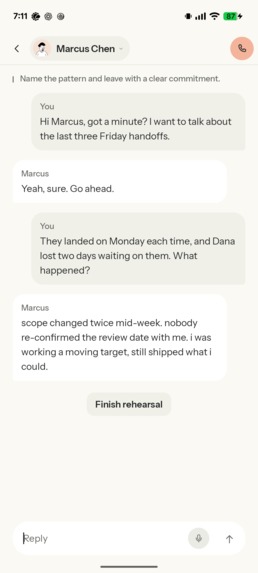
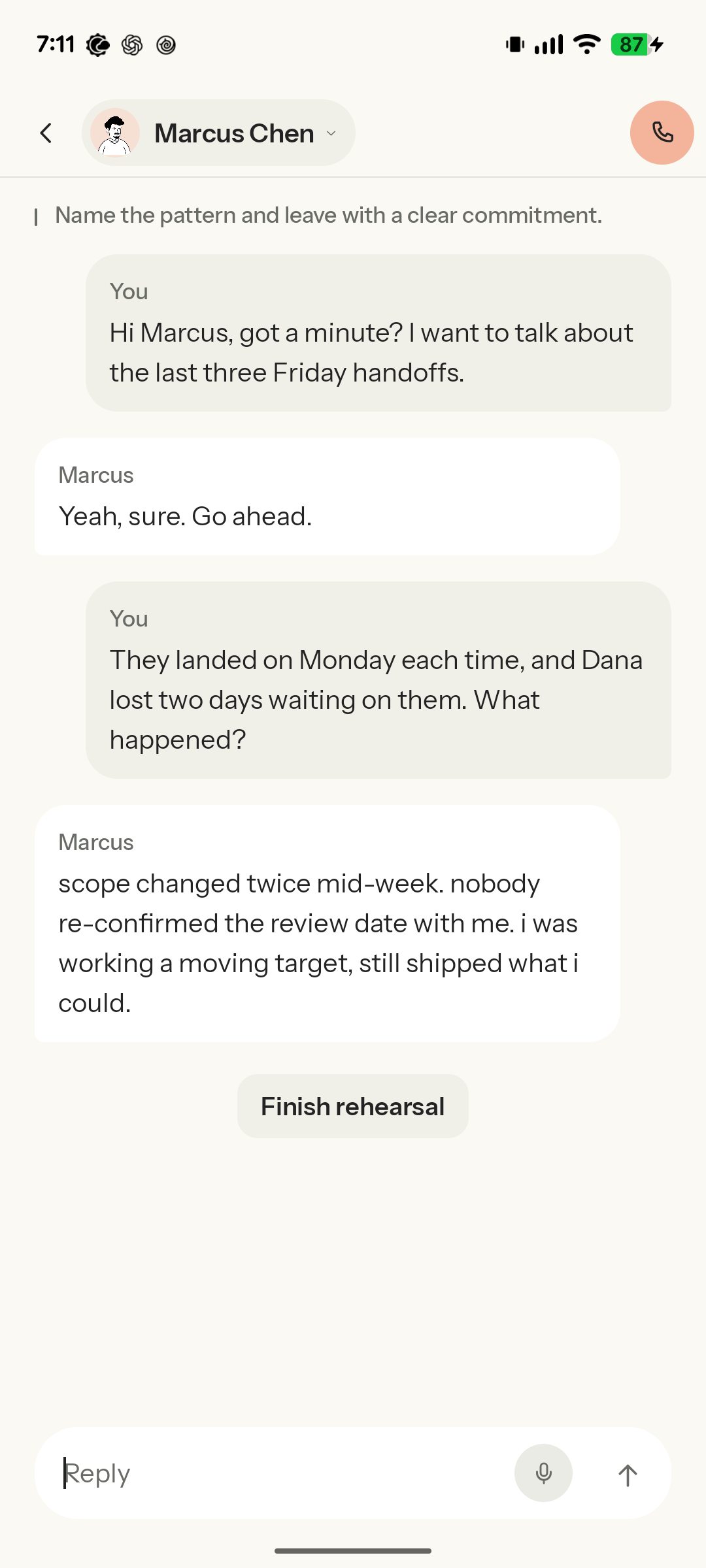
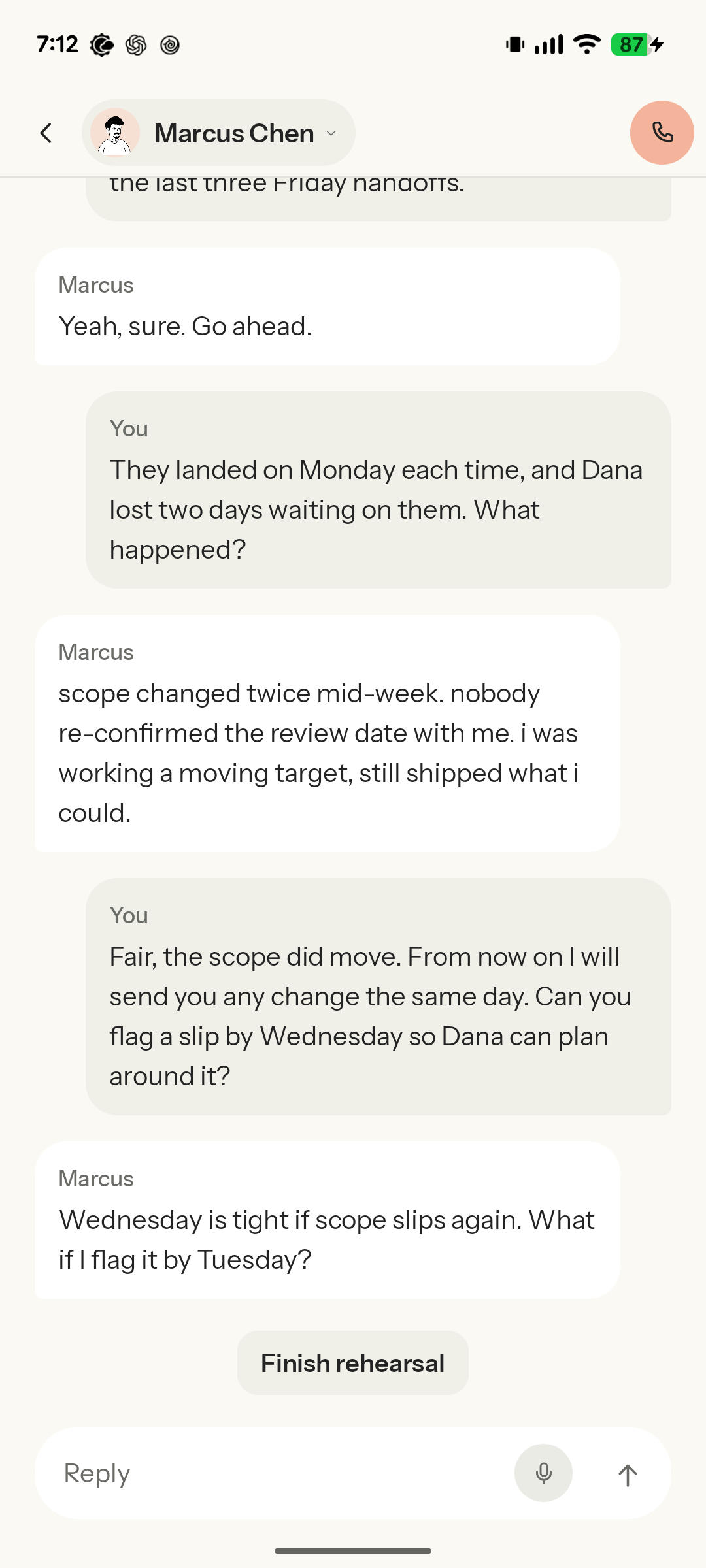
Try saying the difficult thing and work through the other person's response.
-
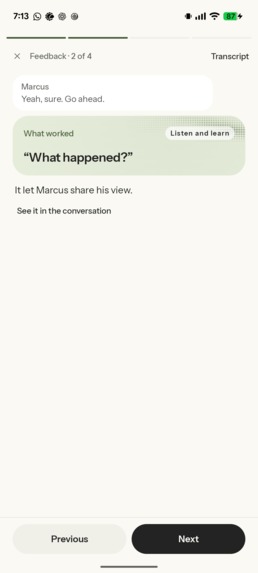
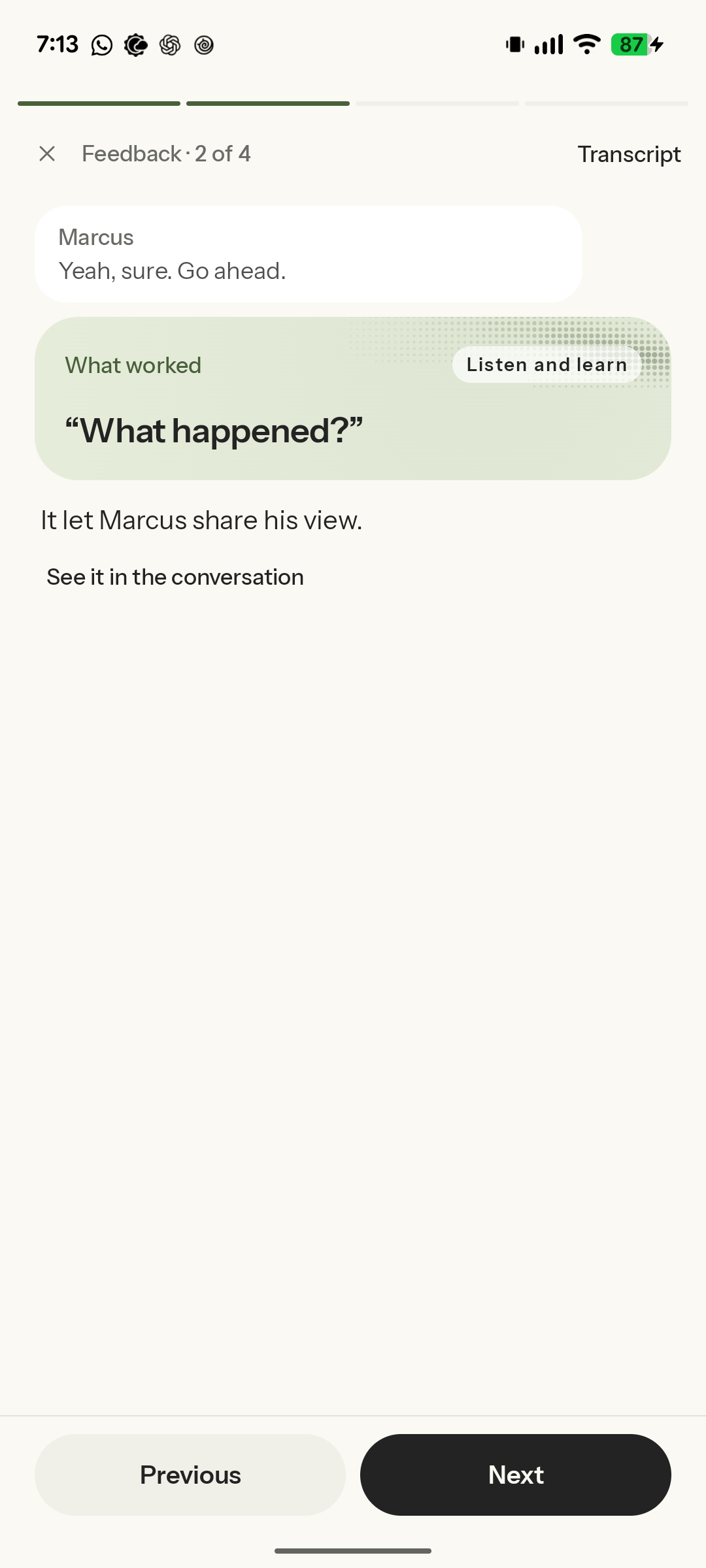
Get feedback on what worked, with quotes from your actual conversation.
-
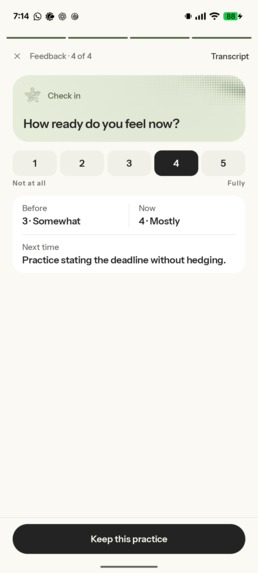
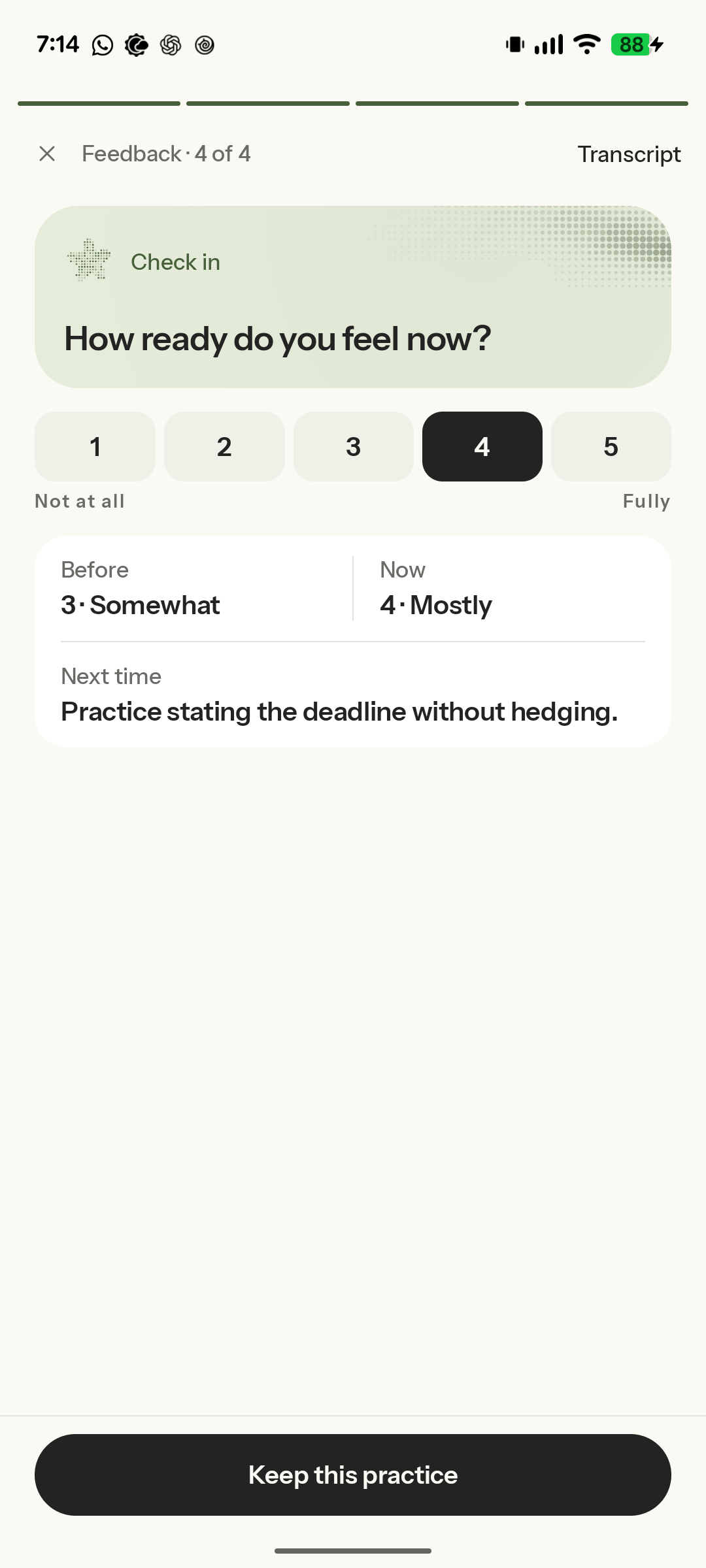
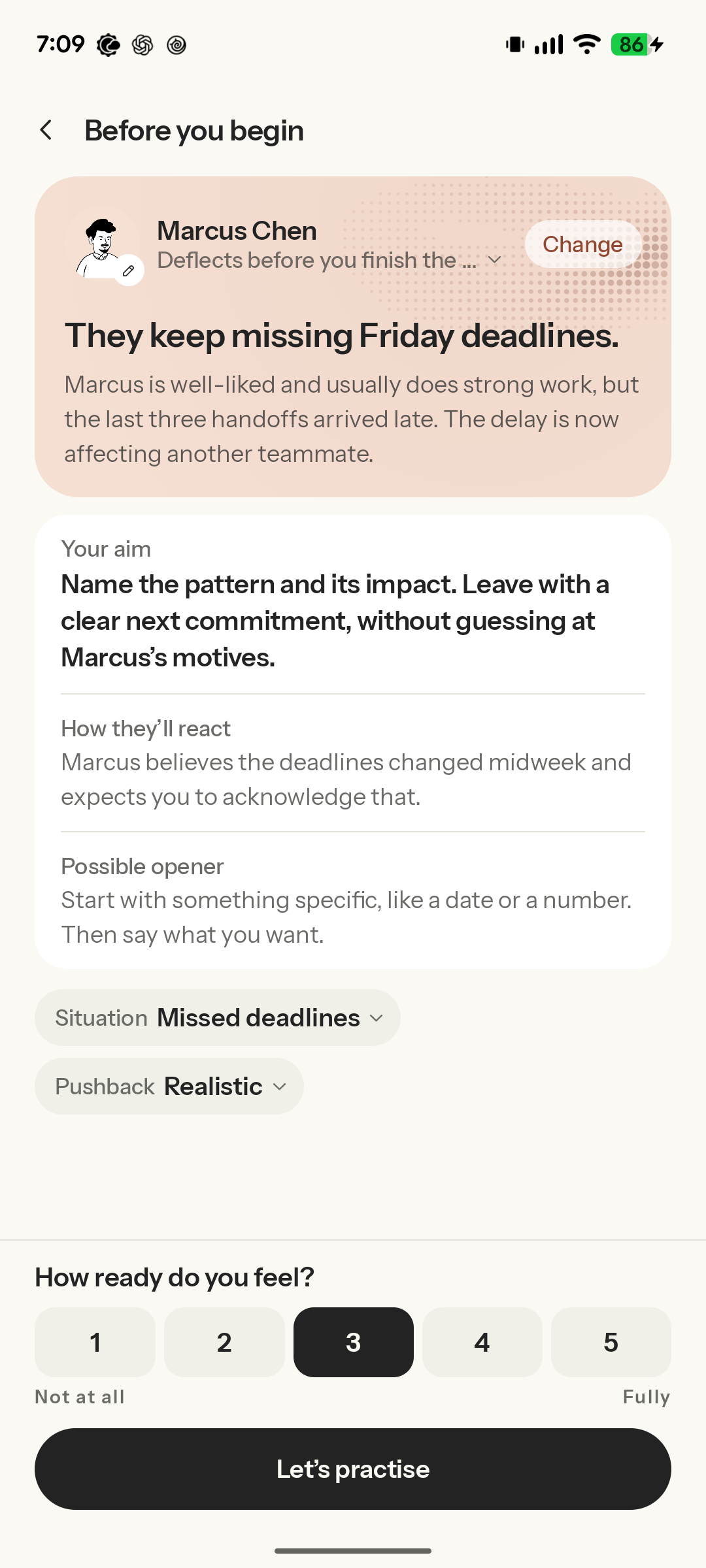
Check how ready you feel after practising and take one useful next step into the real conversation.
-
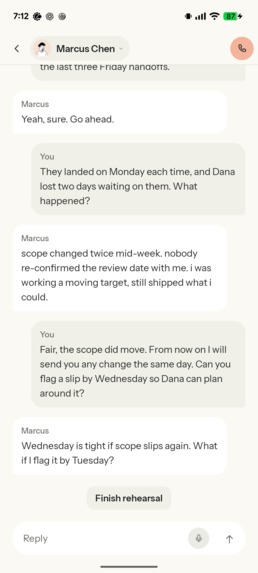
The other person can challenge your proposal and offer an alternative. Practise finding a next step you can both agree on.
-
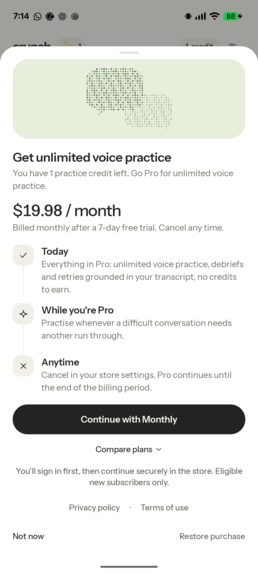
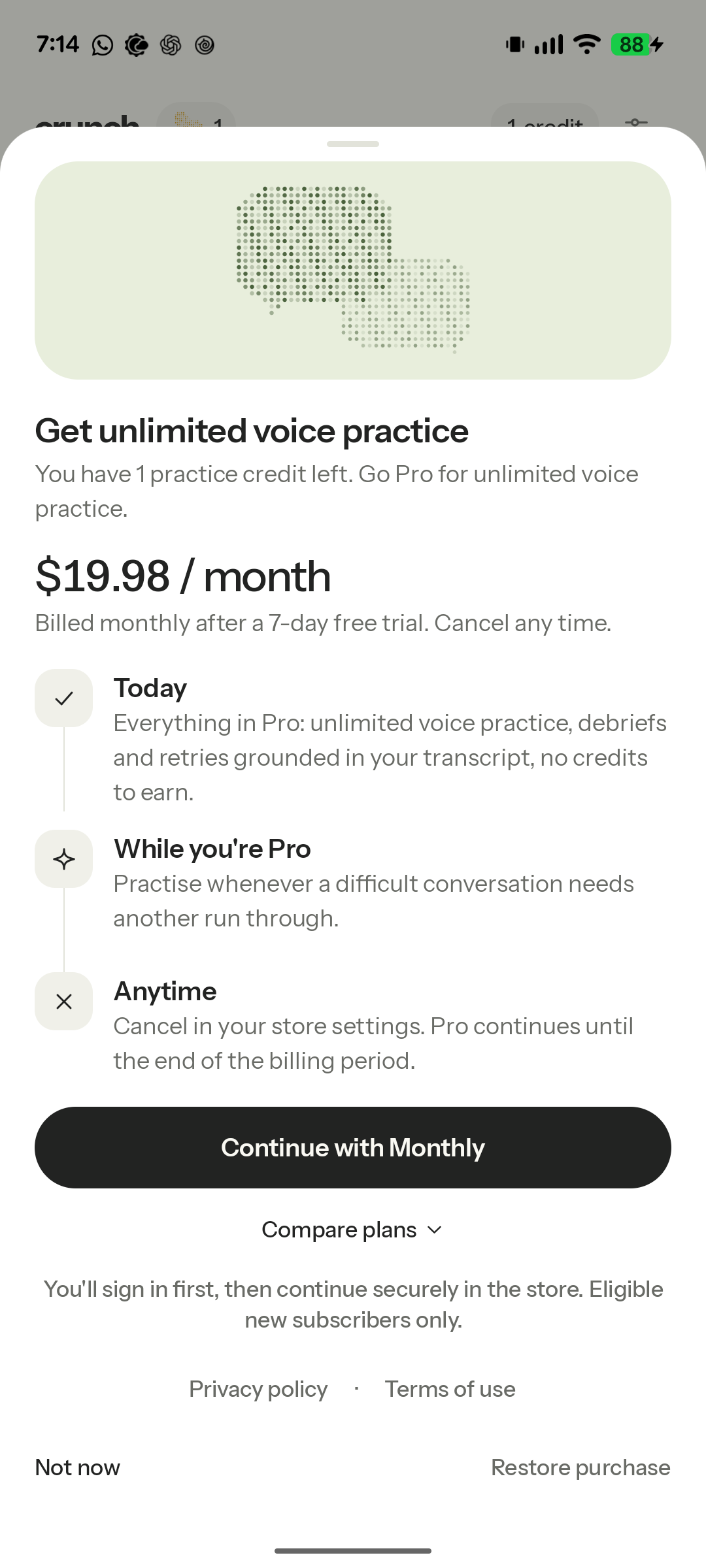
Go Pro for unlimited voice practice, debriefs, and retries. Text practice stays free.
-
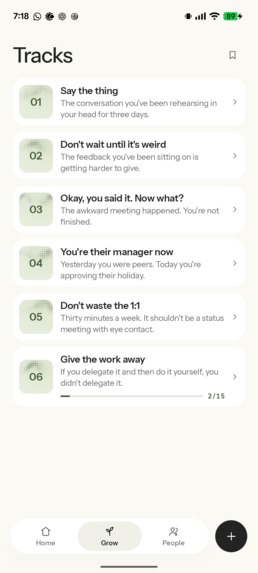
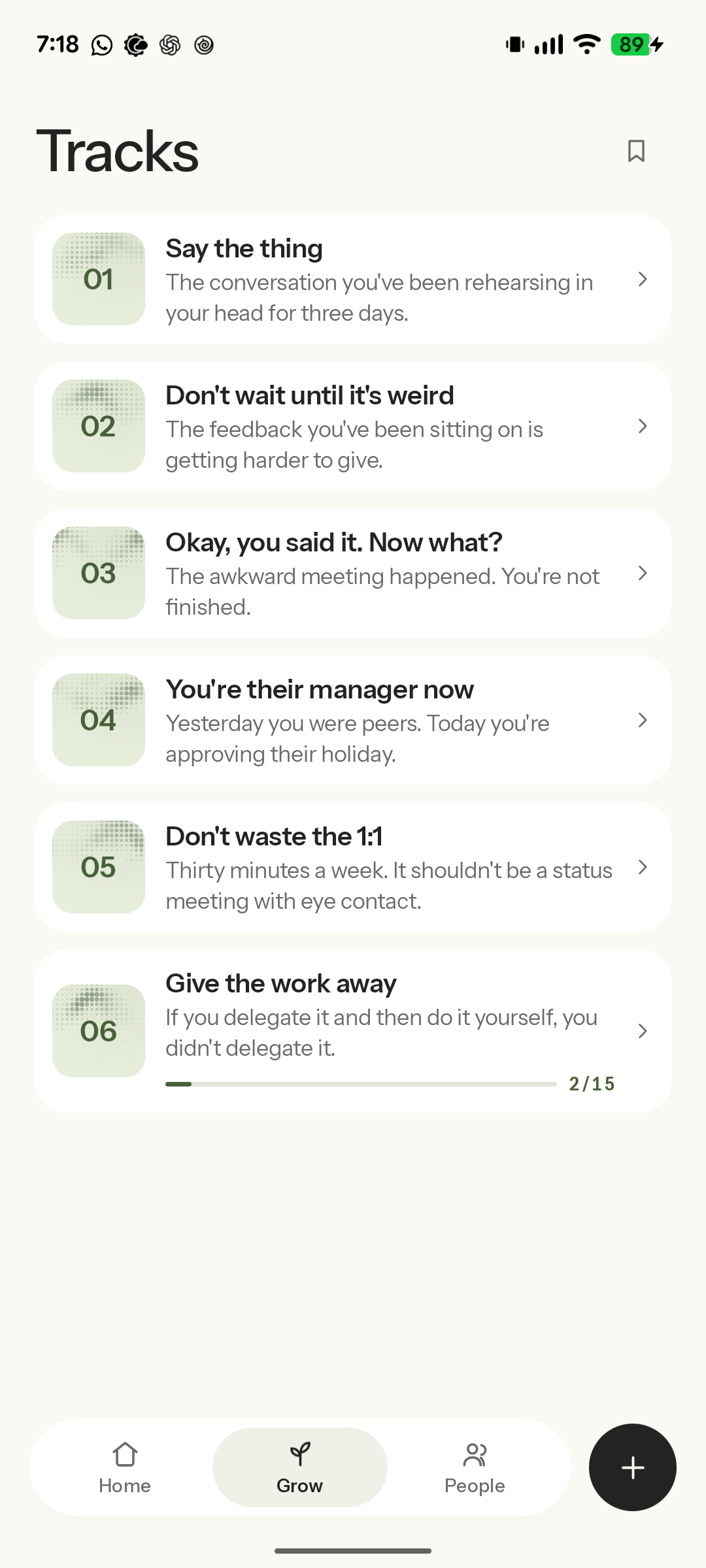
Learn about feedback, delegation, one-to-ones, and other conversations that come with managing people.
-
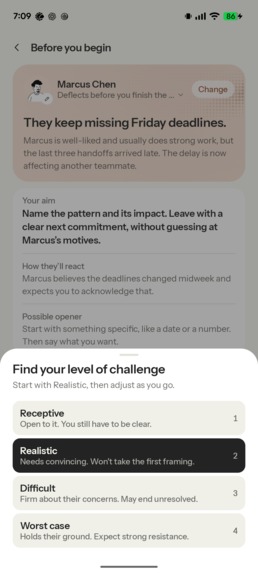
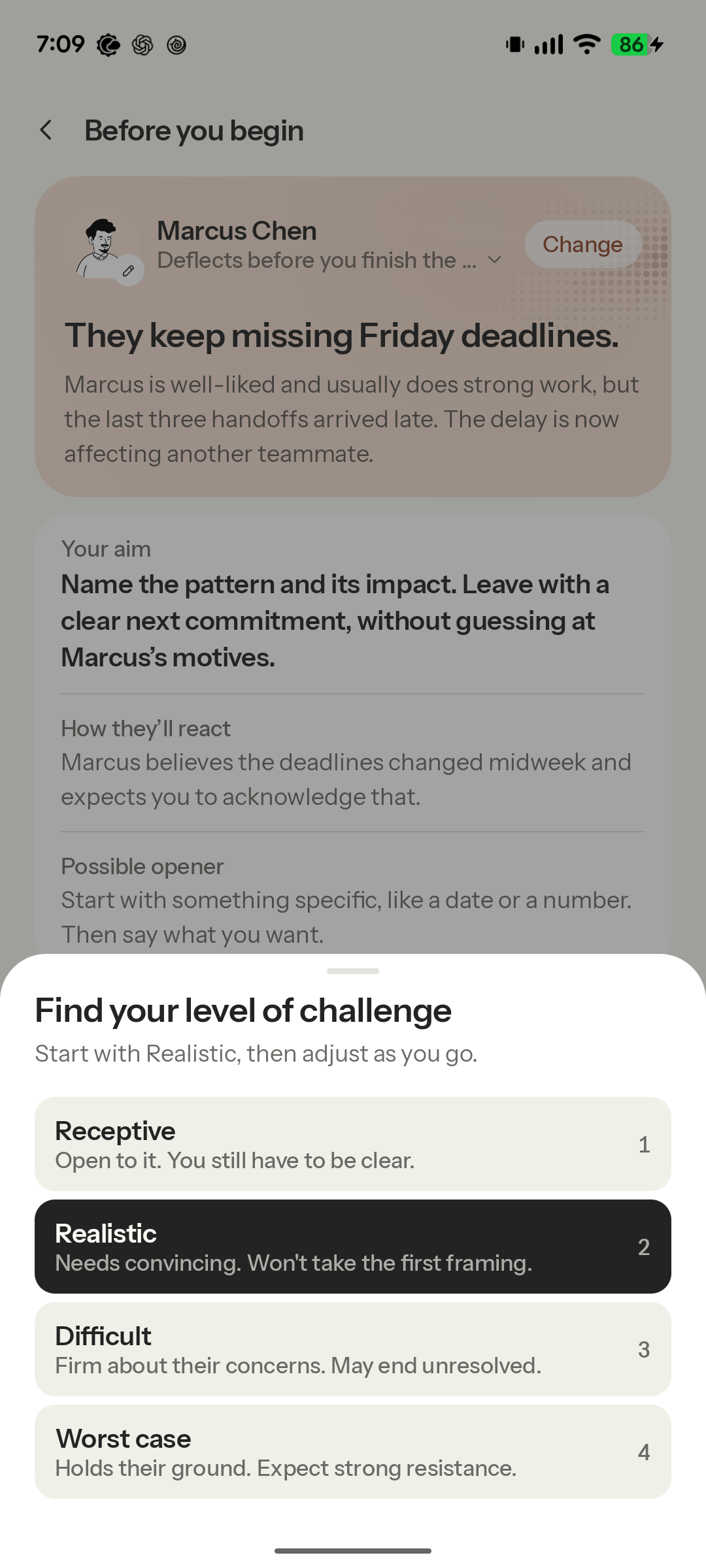
Choose how much pushback you want, from receptive to worst case.
-
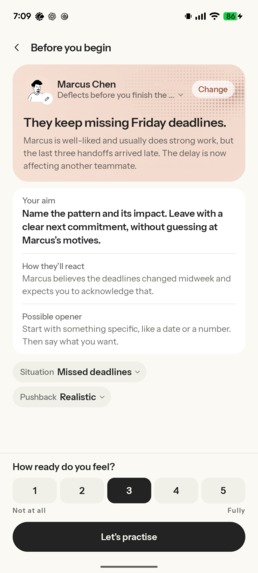
Get the context, know what you want to achieve, and check how ready you feel before starting.
-
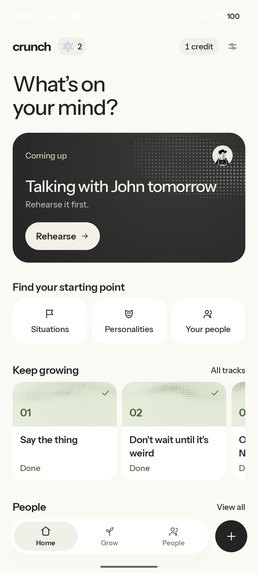
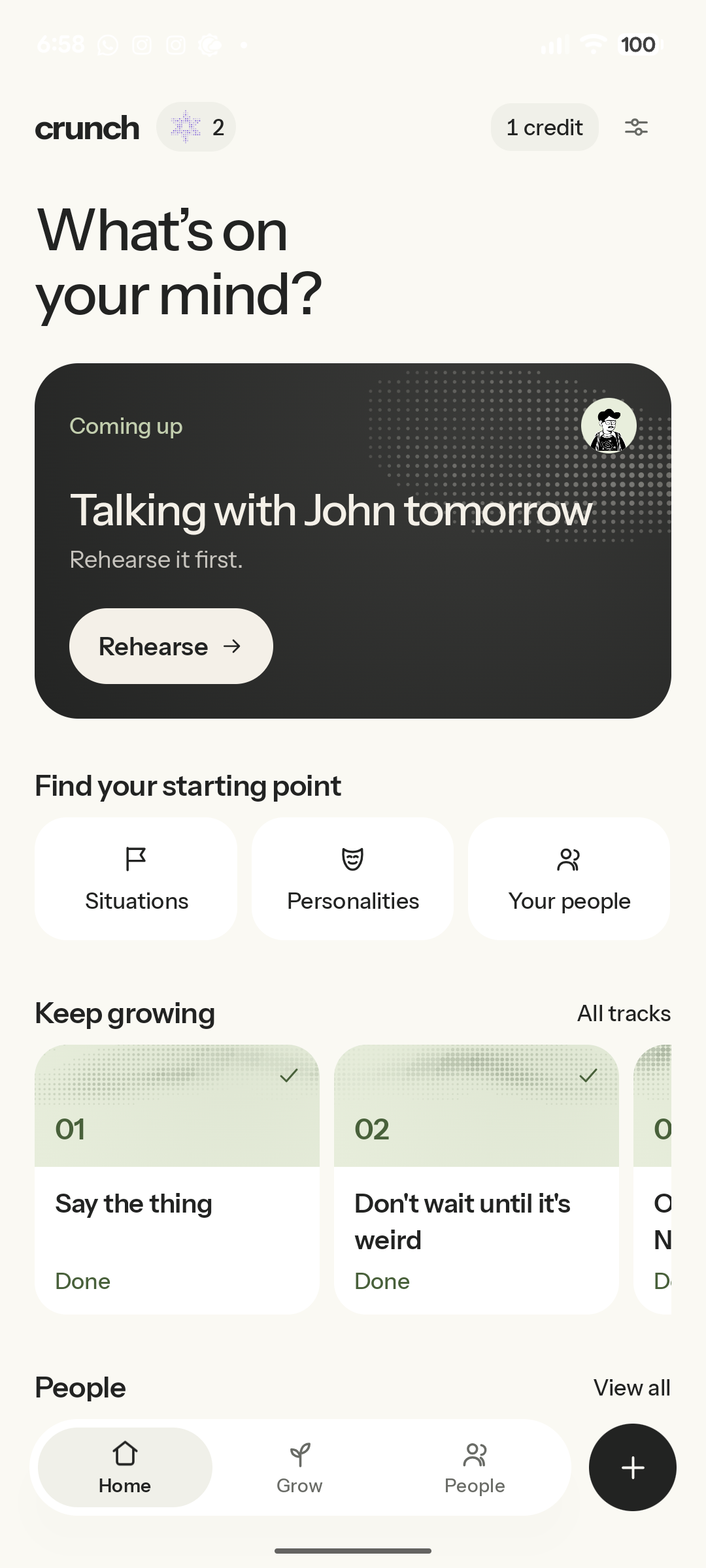
Pick a conversation to practise, catch up on your people, or learn something new.
-
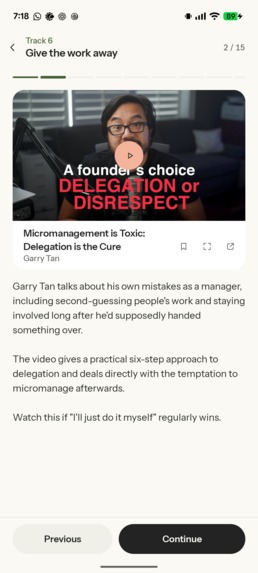
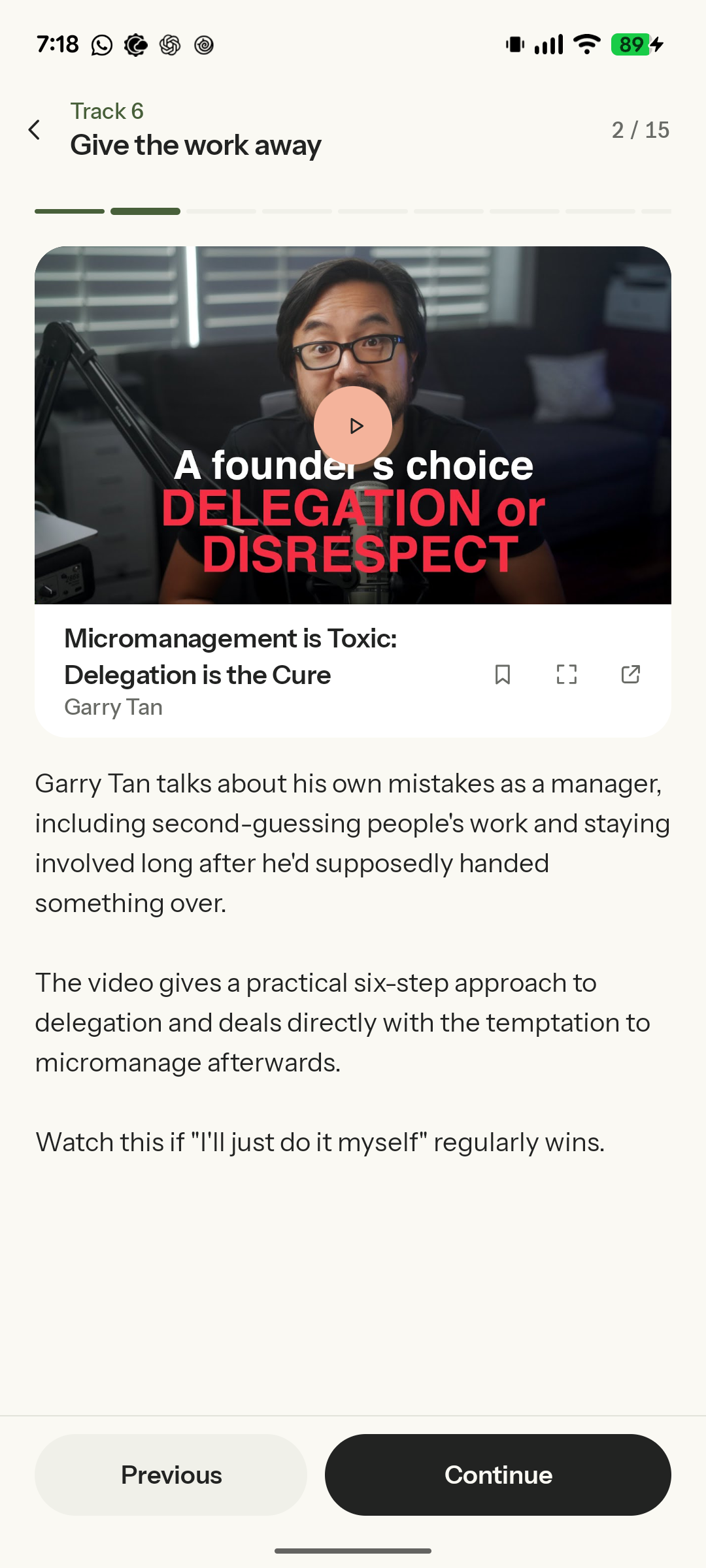
Watch a lesson and connect what you learn to the conversations you need to have.
-
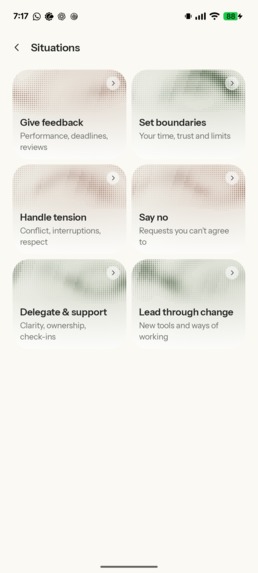
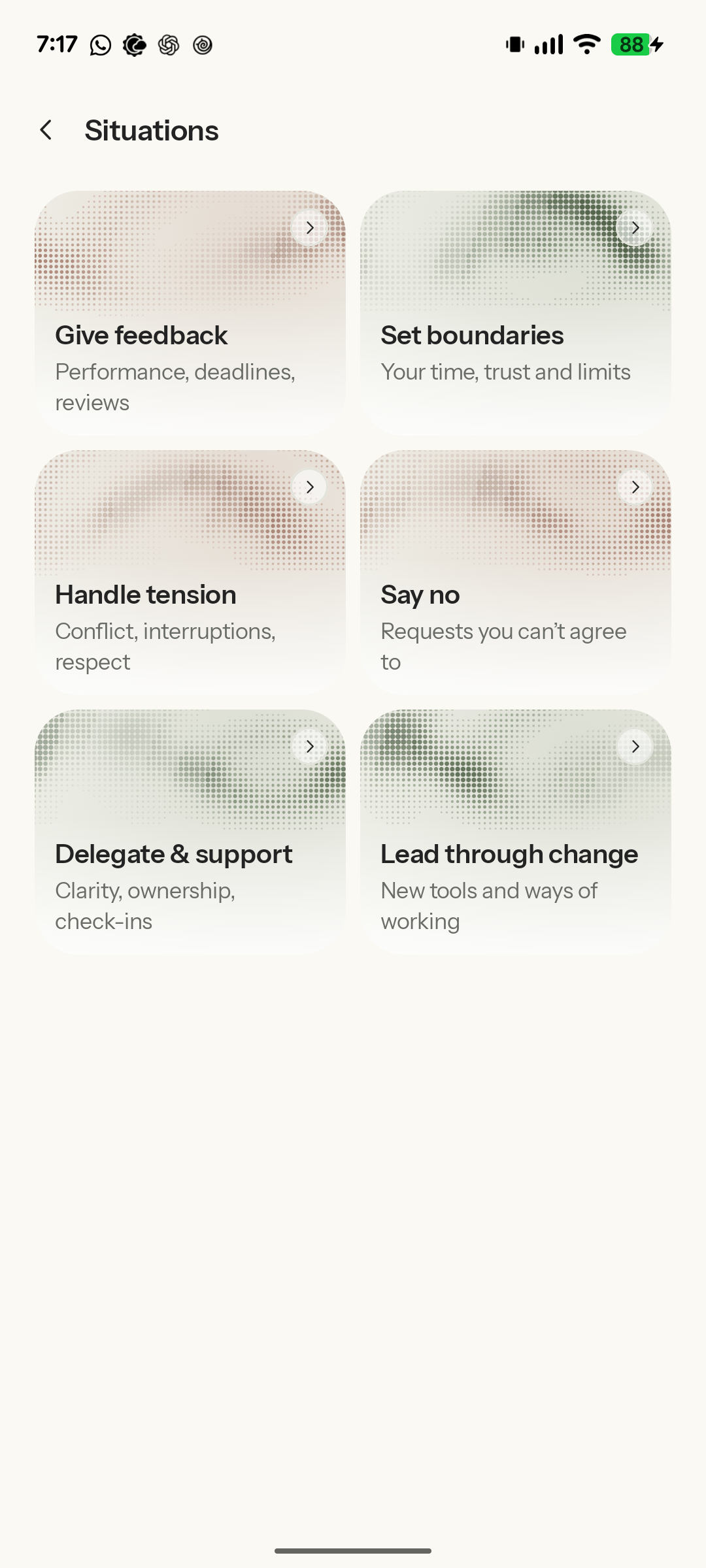
Practise giving feedback, setting boundaries, handling tension, saying no, and more.
-
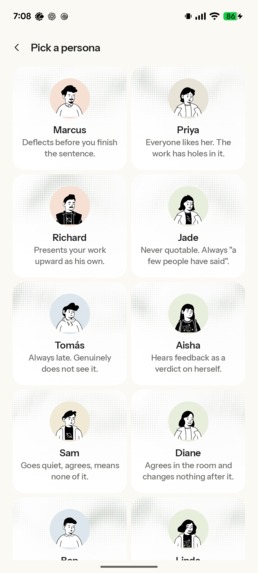
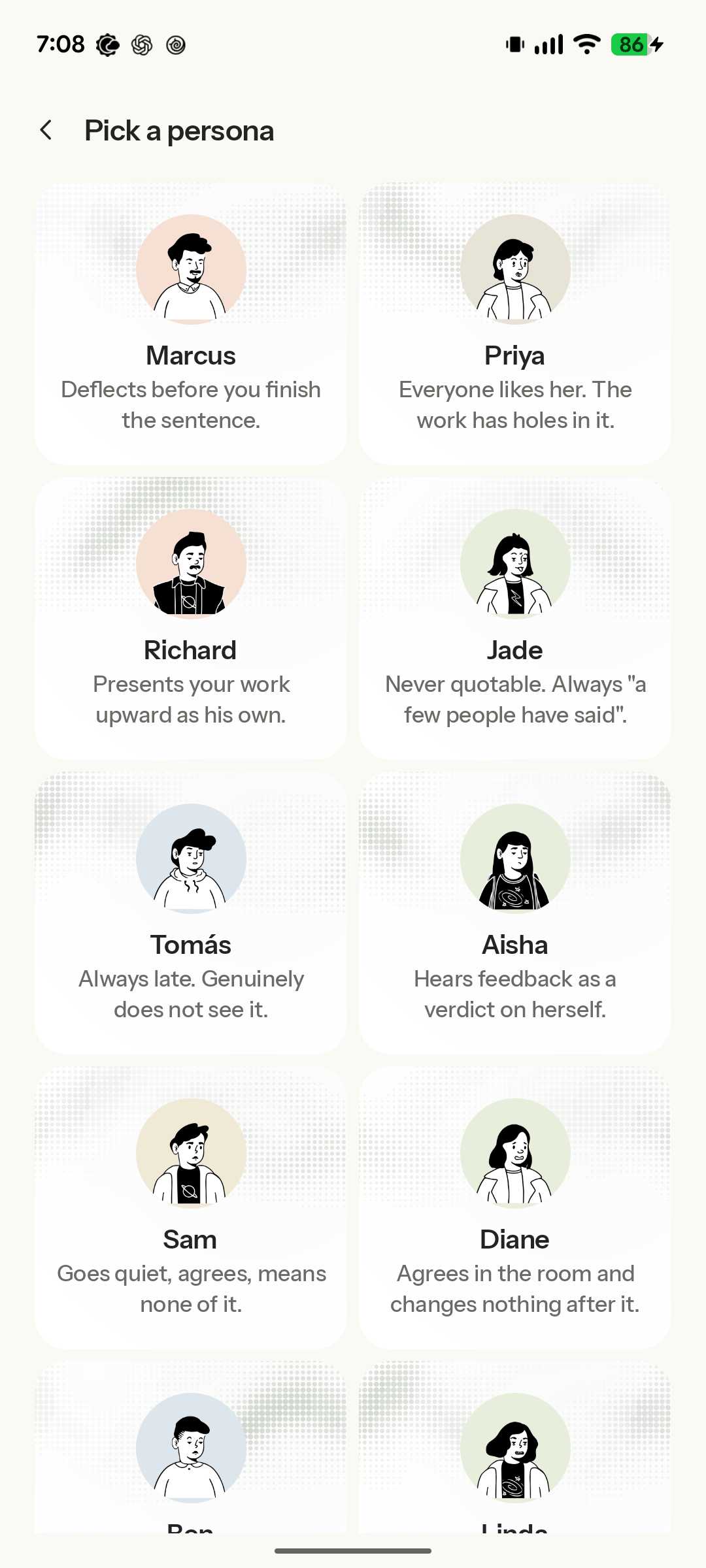
Choose someone to practise with. Each personality has their own habits and ways of pushing back.

Inspiration
New managers sometimes struggle with fitting into what management demands, and one of those is hard conversations. I can relate to this because, as a senior engineer, I get to manage subordinates, and there are some conversations that don't really come naturally. Knowing what needs to be addressed does not always mean knowing how to say it. Crunch gives them a place to practice how to respond when someone gets defensive, disagrees, or challenges your reasoning.
What it does
Crunch offers three ways to practice:
- Inbuilt situations
- Inbuilt personas
- Adding someone you actually work with
You start over text, and then you can easily switch to a voice call within the same conversation. The context carries across both. For real people you add, you can specify their role, their relationship, history, strengths, what makes conversations with them difficult and these notes would shape the practice counterpart's behavior.
You can choose how much resistance you want to practice against, and after the practice session you get a debrief that points to your actual words, explains what worked, and suggests what to try differently. You can also retry a difficult moment and compare the attempts. Managers can also use the "Grow" section for learning about feedback, delegation, one-to-ones, and other management conversations.
How we built it
It was built with Kotlin Multiplatform for shared application logic with Compose Multiplatform for UI on Android and iOS. The shared code handles the screens, conversations, and much of the rest of the UI, while the platform-specific code handles native things like microphones, speech recognition, audio playback, signing, and notifications. Supabase handles backend functions, AI requests, and access.
The voice flow combines speech recognition, conversation, and speech synthesis. And also, text and calls use the same conversation history. RevenueCat handles subscriptions and rewarded ads lets users earn call credits. Text practice is unlimited. Voice calls use credits, while Pro provides unlimited voice credits. Users can earn 1 credit per rewarded ad, up to 2 credits per day.
Challenges we ran into
I'll enumerate on these:
Finding the right design. The early design went through several revisions. The challenge was in making something as uncomfortable as a hard conversation actually feel inviting. Screens were kept simplified and clean, copy was shortened, typography and spacing were refined, and then motion, as well as an original dot artwork that reflects in the branding of the app.
Making characters believable. This took a lot of refining to make the characters exhibit some of the quirks that a human would, especially in that scenario.
Keeping the feedback trustworthy. AI can hallucinate, and so it was important to make sure that the feedback returned is actually in line with what the manager said. Hence, what is returned is checked against a transcript of what was said during the conversation.
Reducing the latency of the persona/character. This had to do with choosing the right models for speech synthesis, conversation, as well as text-to-speech. Also fine-tuning and taking out any bottleneck in that flow that could slow things down or serve as points of failure
Accomplishments that we're proud of
- Building a practice flow that connects text, voice, feedback, retries, with some gamification too.
- Making rehearsals personal through saved people and the relationship context
- Reworking the design across the app, including onboarding calls and the briefs and other minor UI joys
What we learned
- Opening straight into a microphone can be intimidating. Having people type first softens that barrier.
- The feedback that AI produces needs checking. There was hallucination in some earlier cases, and that warranted checking what was returned against the transcript of the conversation.
- UI design changes whether people feel willing to practice or not. Clearer entry points, shorter instructions, and UI that is friendly to the eyes actually help users to get immersed in practice.
What's next for Crunch
- Get feedback from more managers using Crunch.
- Use that feedback to improve situations, personalities, and debriefs.
- Improve voice responsiveness and reliability (and reduce latency) across devices.
- Expand the learning material with more practical examples.

Log in or sign up for Devpost to join the conversation.