Inspiration
People often know what they need to do but still can't get themselves to start. We wanted to tackle that gap by making tasks smaller until they feel easy enough to begin.
That led to Crumbles: what if AI guidance worked more like Google Maps? Instead of giving you a long plan, it keeps showing you the next step and reroutes when you get stuck.
What it does
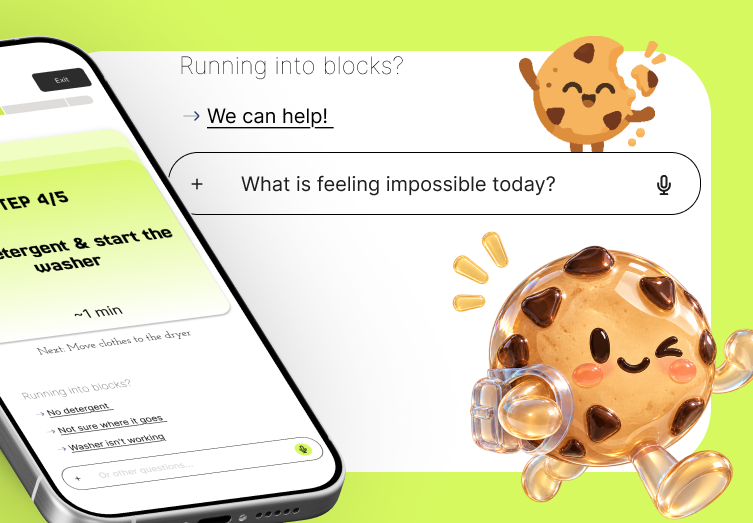
Crumbles is an AI task navigator that turns goals into small, concrete actions. Give it anything from "do my laundry" to "graduate in three years," and it breaks the goal into "crumbs" and schedules them on a built-in calendar.
The key interaction happens when you get stuck. You see one crumb at a time. Swipe right to complete it. Swipe left if you can't start it, and Crumbles breaks it into several smaller steps that fit into the same time slot. The calendar updates automatically.
No typing or explaining why you're stuck. Getting stuck costs one swipe.
How we built it
Crumbles is a Next.js/TypeScript app using Tailwind, Gemini, Framer Motion, FullCalendar, Zustand, and Vercel.
We chose a mobile-style web app instead of building natively so we could focus on the swipe interaction during a 36-hour hackathon. The crumb stack and calendar share one Zustand store, so breaking a crumb apart automatically updates both.
The AI uses Gemini function calling for two things: creating an initial task breakdown and recursively breaking down a crumb that is still too big. A lot of our time went into prompting the model to produce actual actions rather than vague tasks like "research internships."
Challenges we ran into
The hardest part was teaching the AI what small enough actually means. Early versions often returned reworded or still-vague tasks instead of genuinely smaller actions.
We also ran into a scheduling bug where tomorrow was sometimes off by a day. The problem turned out to be that the model didn't know the user's local time, so we started passing it explicitly with every request.
Finally, the swipe interaction had to work on both phones and laptops. Instead of maintaining separate desktop and mobile logic, we made the desktop buttons use the same handlers as the swipe gestures.
Accomplishments that we're proud of
The entire product revolves around one simple interaction: done - swipe right, stuck - swipe left.
The break-apart animation is also especially important to us. A crumb you can't face physically comes apart into smaller pieces in front of you, in the same time slot, and the calendar follows along. It makes recursion something you can see instead of something you have to understand.
At last, we shipped a coherent product instead of a feature list. Every cut we made was made so the one sequence that matters would work end to end.
What we learned
How to implement the features is not the center of our brainstorming. We spent more time imagine the problems of our user, thinking about how they fail to start. This is the part that many productivity tools just ignored.
We also learned that prompt design can be product design. Changing the definition of a "good crumb" often made a bigger difference than changing the UI.
What's next for Crumbles
Notifications: Reliable push notifications would make Crumbles much more useful as a real product. Voice input: Set goals without touching a keyboard. Smarter blockers: Distinguish between a task being too big and someone lacking information, resources, or an object they need. Learning integrations: Connect goals to real learning resources instead of generic steps.
Built With
- figma
- framer-motion
- fullcalendar
- gemini
- next.js
- react
- tailwindcss
- typescript
- vercel
- zustand


Log in or sign up for Devpost to join the conversation.