-
-
Starting
Inspiration
Working in the automotive industry taught us how powerful real‑world vehicle data can be. Our teams already collect sensor, radar, lidar and user behavior information from ECUs and infotainment systems, then anonymize and push it to the cloud. We saw an opportunity to harness one of the simplest yet most impactful controls in a car cruise control and turn collective driver behavior into an intelligent driving assistant.
What it does
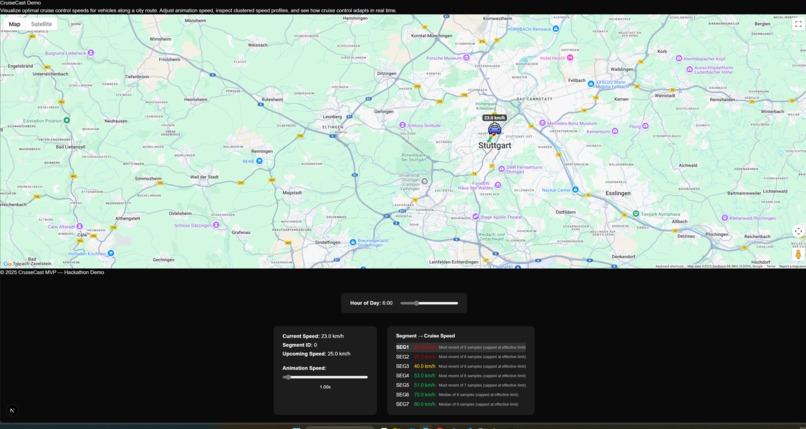
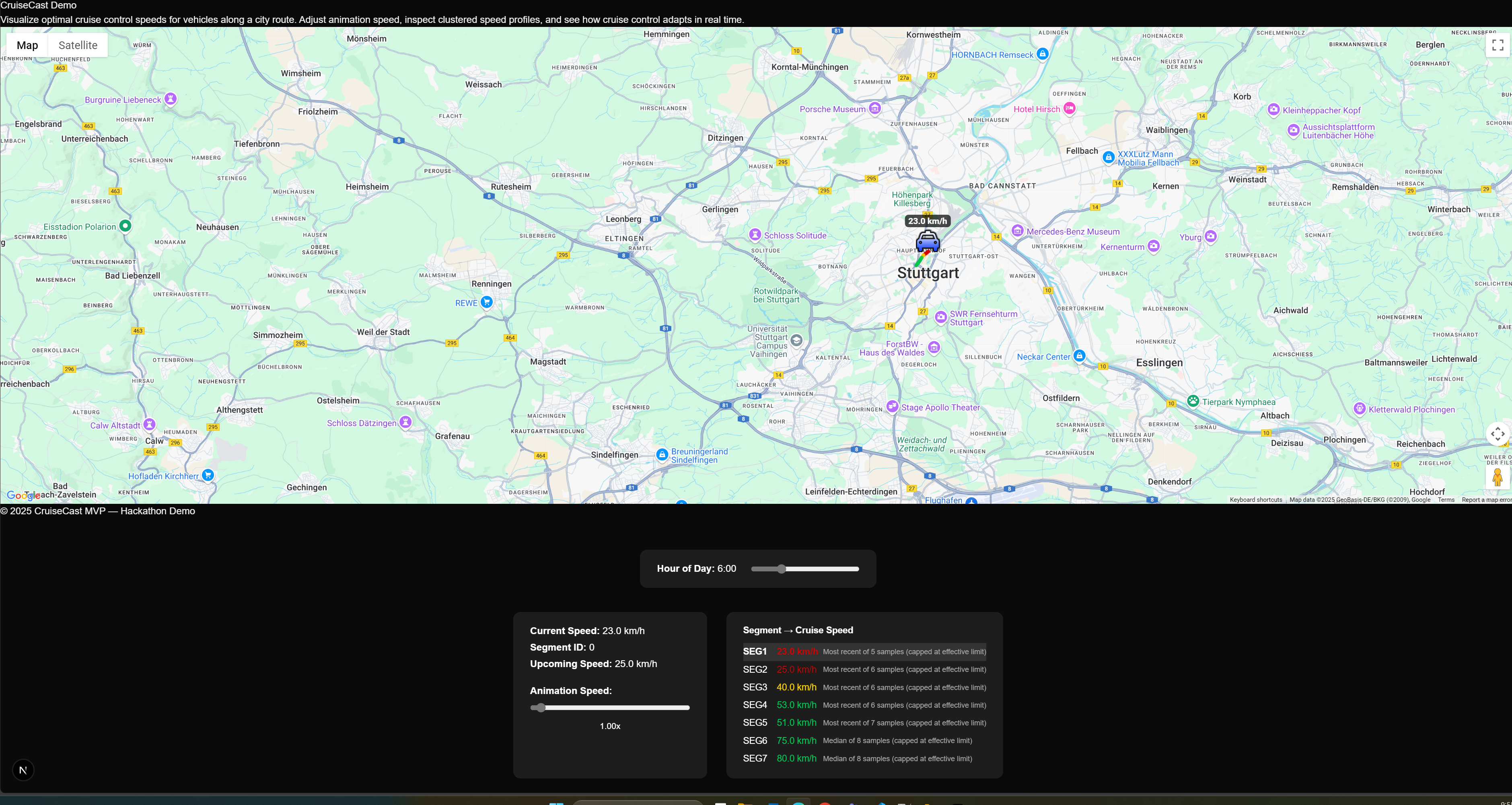
CruiseCast gathers cruise control settings from a global fleet of cars and maps them to precise road segments. We combine those live profiles with official speed limit data so that anytime a vehicle engages advanced adaptive cruise control on a known route, the system automatically applies the best‑rated speed settings. The driver’s only task is steering while CruiseCast manages speed, taking ticket worries and constant pedal adjustments off their plate.
How we built it
We built CruiseCast MVP using Next.js and React for the frontend, leveraging TypeScript for type safety and maintainability. The core cruise control profile algorithm was implemented in a modular way, allowing for easy testing and integration. We used mock data to simulate real-world road segments and cruise control samples, and visualized the results on a Google Map using the @react-google-maps/api library. The UI features interactive overlays, including a time-of-day slider that dynamically updates segment speed limits and cruise profiles, providing a realistic and engaging demonstration of the algorithm’s capabilities. The Algorithm itself is programming language independent.
Challenges we ran into
Time-dependent logic: Designing and testing the algorithm to handle complex, time-dependent speed limits (e.g., school zones, rush hours) and ensuring the UI reflected these changes accurately. Data variance: Creating mock data with enough variance to meaningfully demonstrate the algorithm’s filtering, outlier handling, and median logic. Performance: Keeping the UI responsive while recalculating cruise profiles in real time as the user interacts with the overlays.
Accomplishments that we're proud of
Dynamic, interactive demo: The ability to see cruise speed profiles update in real time as you change the hour of the day, making the impact of time-dependent speed limits immediately visible. Robust algorithm: A flexible, well-tested cruise profile algorithm that can handle outliers, sample filtering, and complex speed limit rules. Clean, modular codebase: Separation of concerns between algorithm, data, and UI, making the project easy to extend or adapt for real data. User-friendly UI: Overlays and controls that are both functional and visually appealing, with a focus on clarity and usability.
What we learned
Importance of data modeling: Careful design of data structures (for segments, samples, and configuration) made the algorithm both powerful and easy to test. Handling real-world complexity: Simulating real traffic scenarios (e.g., school zones, rush hours) highlighted the need for flexible, context-aware algorithms.
What's next for CruiseCast
Real data integration: Connect to live or historical vehicle and traffic data sources for more realistic demos and validation. Backend/API: Store and serve cruise profiles from a backend, enabling persistent data and multi-user scenarios. Advanced analytics: Add more sophisticated analytics, such as anomaly detection, user feedback loops, or predictive modeling. Edge Case Handling: Outliers must be discarded to reduce their impact on the median. High Volume Data Handling: Need to rethink data flow to optimize for large quantities of data from millions of cars.
Built With
- google-maps
- next
- react

Log in or sign up for Devpost to join the conversation.