-
-
logo
-
-
-
-
Inspiration
We kept coming back to the gap between receiving a dependency warning and knowing what to do about it.
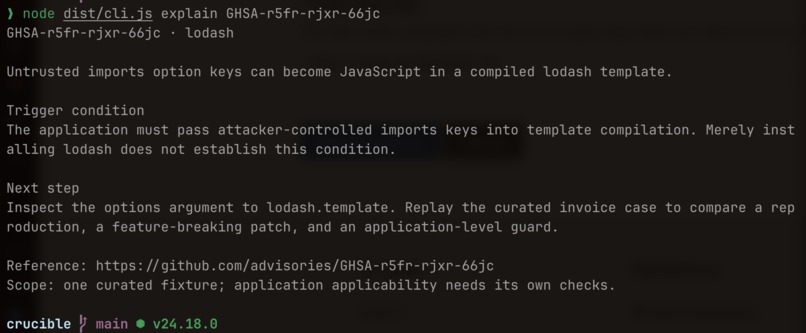
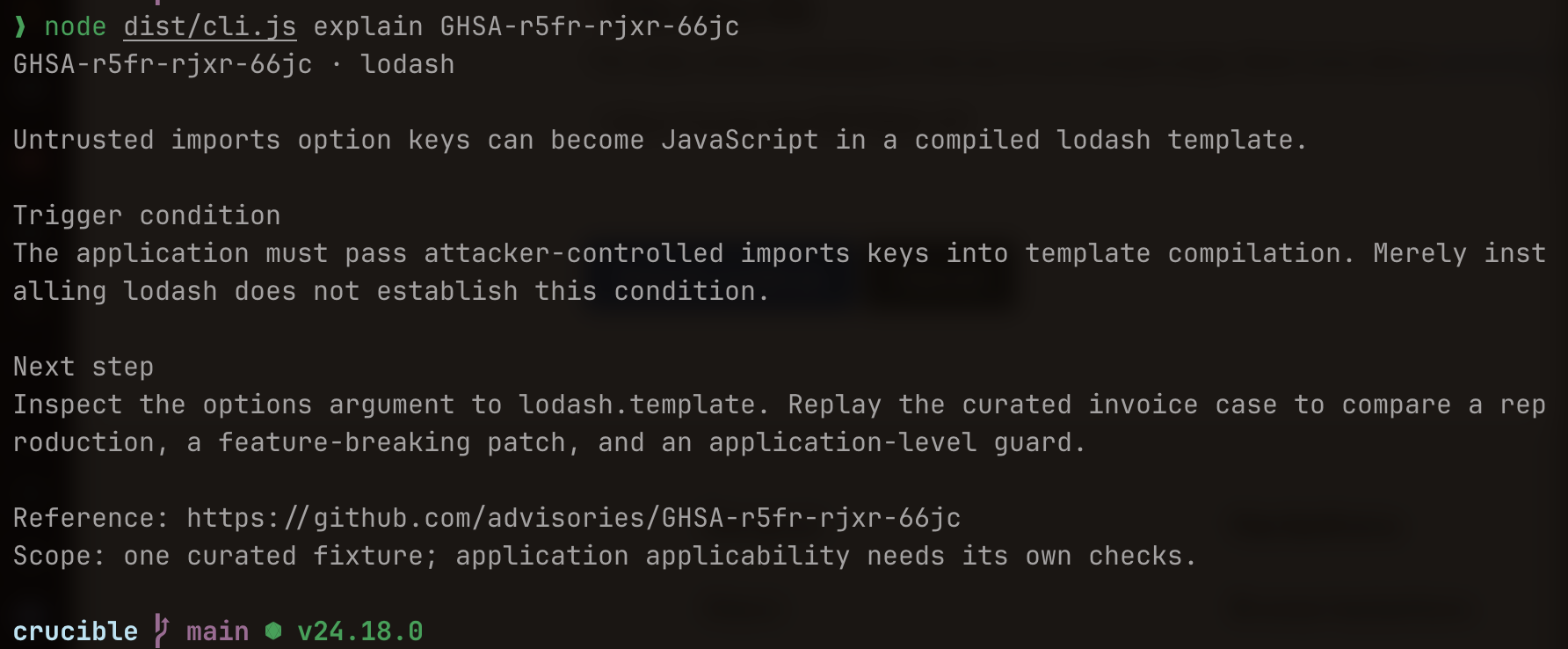
An npm audit report can tell you which package has a known vulnerability. You still have to work out whether your application exposes it, find a repair, and check that the repair doesn't break something people use.
We liked how React Doctor makes code checks approachable through a CLI. We wanted that kind of experience for investigating security findings, with something concrete to show at the end: an experiment another developer can rerun.
What it does
Crucible imports npm audit findings, points to candidate calls for a supported advisory, and runs a reviewed reproduction in disposable environments.
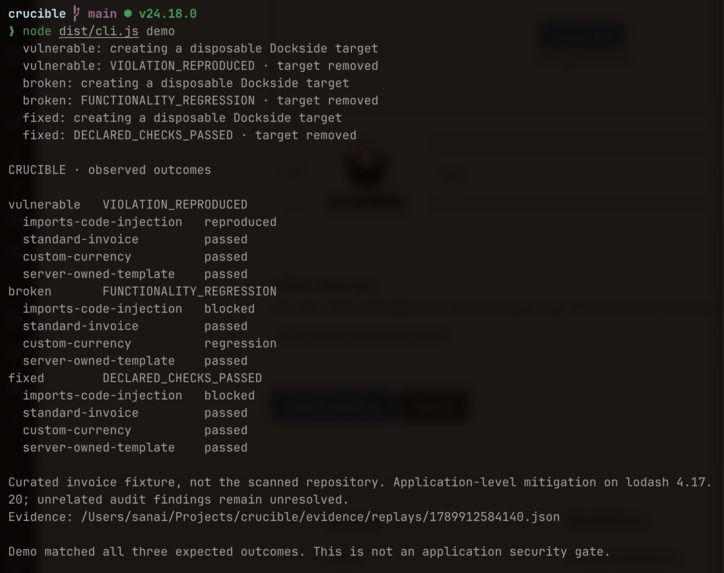
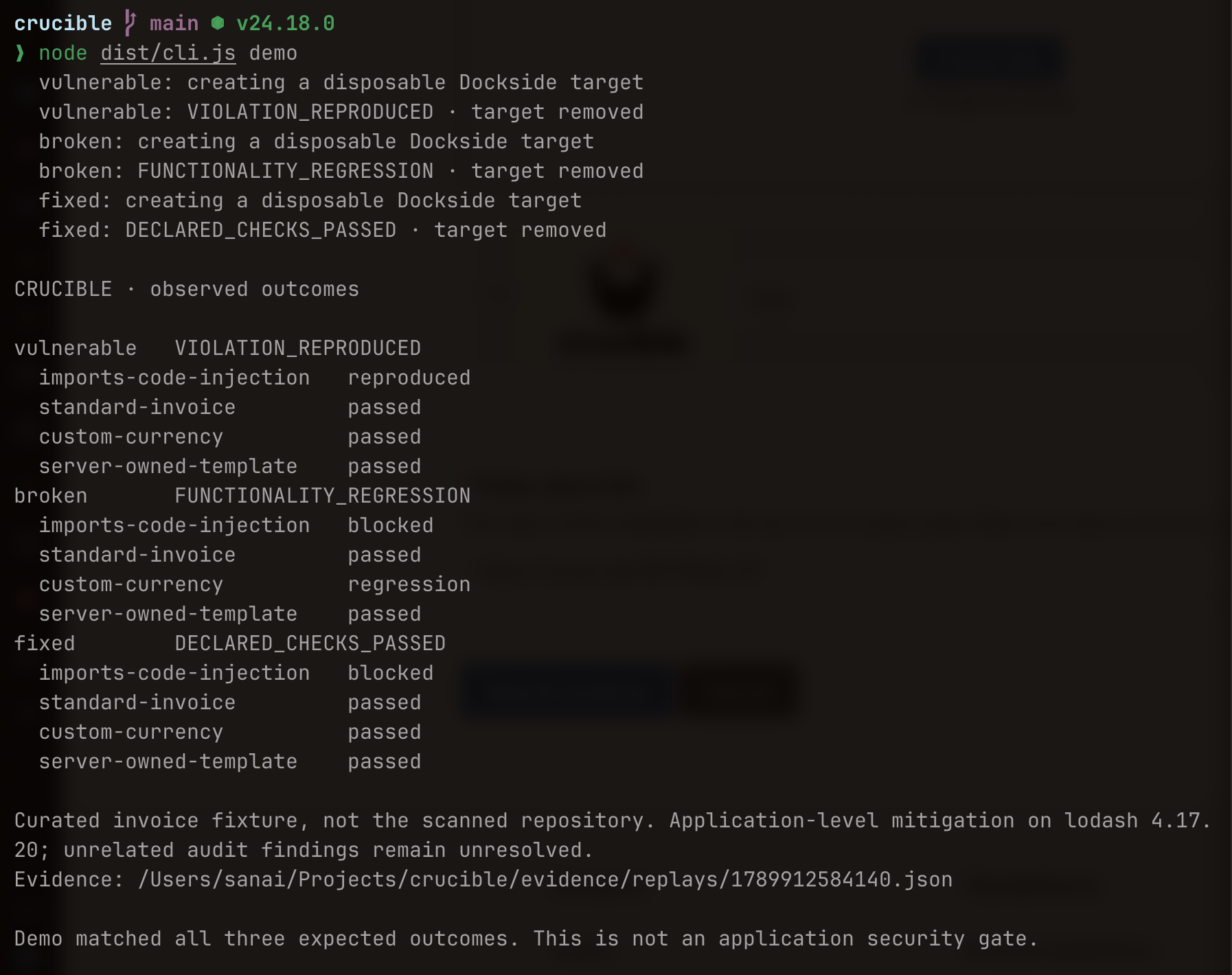
The demo uses an invoice-rendering application with a lodash template injection vulnerability. We compare the original application with two repairs.
The original executes a harmless marker supplied by our test. One repair blocks the injection by removing a feature, but breaks custom currency formatting. The other restricts the input and passes both the security check and the functional checks.
The broken repair is our favorite part of the demo. It looks promising until you try to produce a euro invoice.
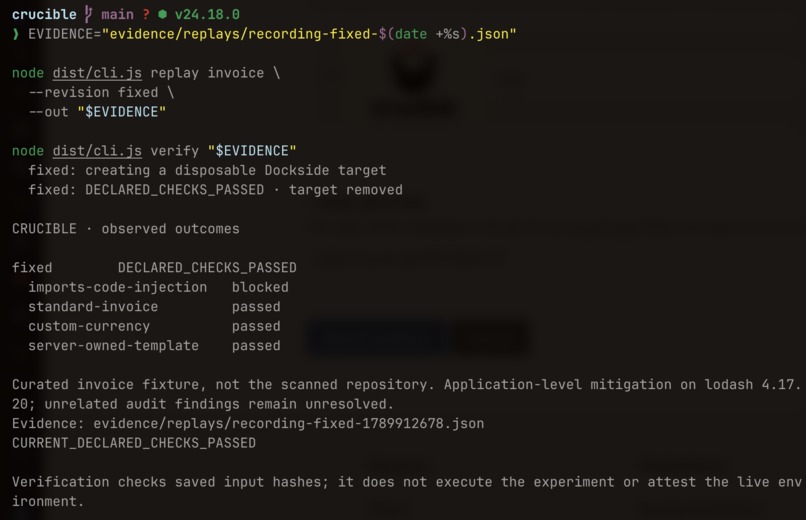
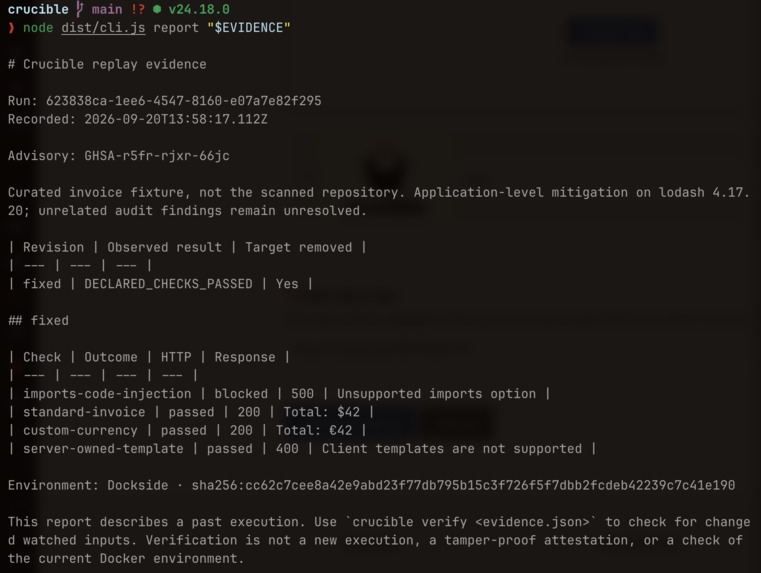
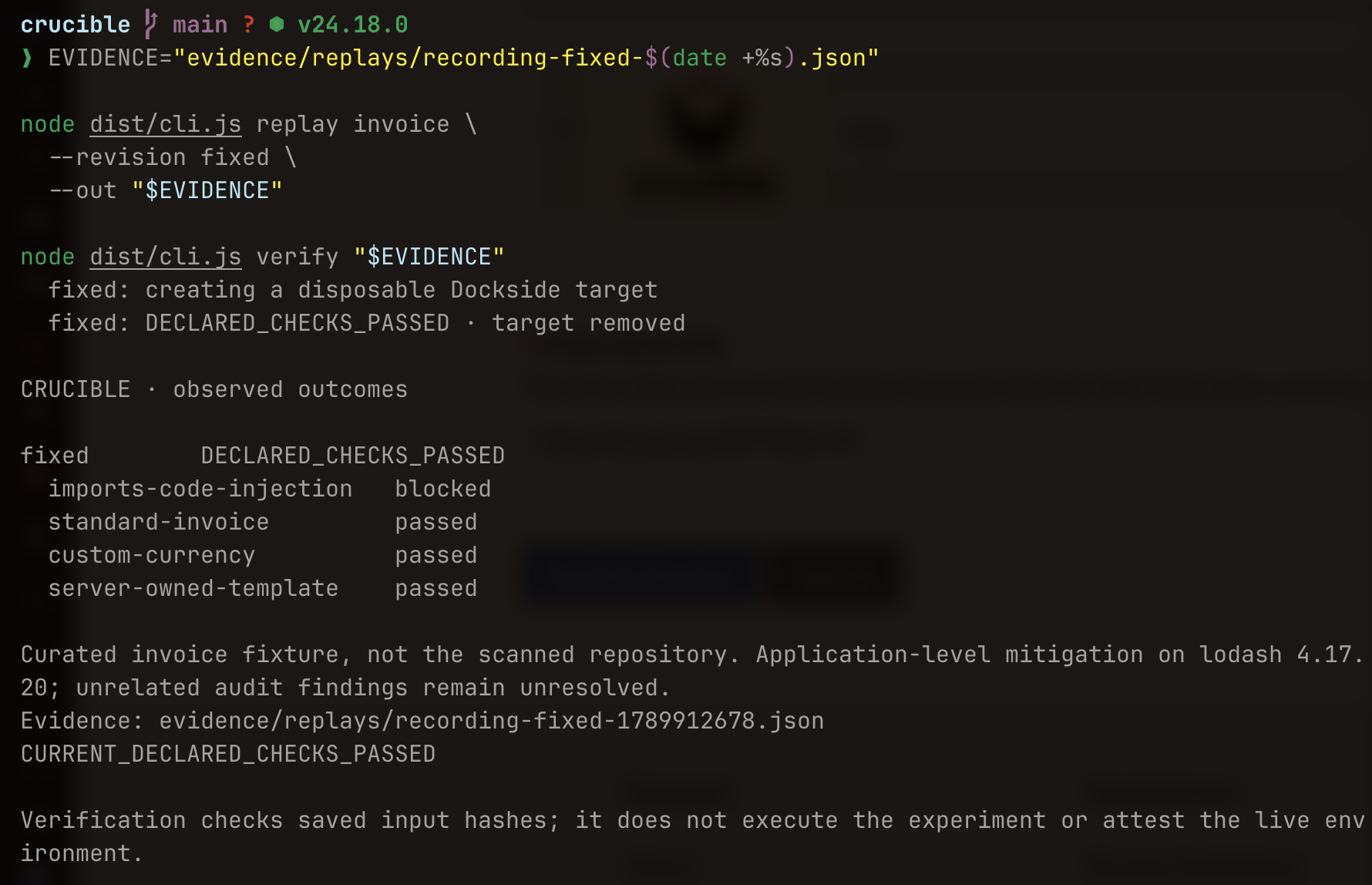
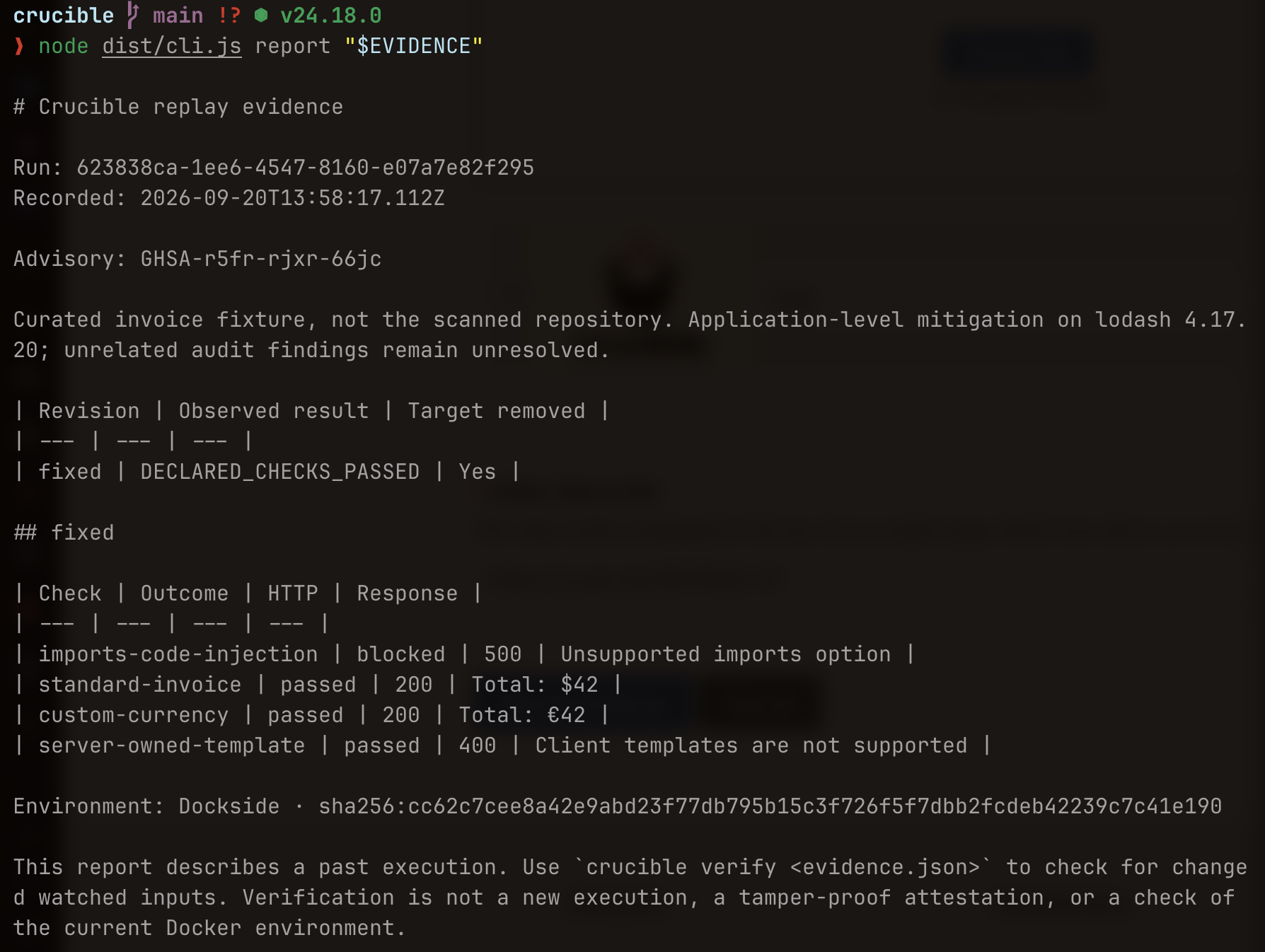
Crucible saves the requests, responses, and results as JSON and a Markdown report. It also records hashes of the experiment's inputs. Change a watched file and the old evidence becomes stale.
The prototype supports one reviewed lodash advisory in our example application. It can import audit reports from other repositories, but it cannot automatically reproduce their vulnerabilities.
How we built it
We wrote the CLI in TypeScript and Node.js. The TypeScript compiler API finds supported dependency call sites, and Zod validates audit data and environment responses.
Dockside manages the Docker environments. Each version of the application gets a separate target built from the same pinned image. The controller applies the reviewed source changes, waits for the application to start, and runs the checks.
The HTTP checker runs outside the target application. It looks for the injection marker and checks that ordinary invoice rendering still works. The controller records the results and removes the target afterward.
We used SHA-256 hashes to associate each saved run with the source and configuration it tested.
Challenges
Getting the verdicts right took more care than getting the application to run.
A function call in the source doesn't prove that an attacker can reach it. A failed request doesn't prove that an exploit was blocked. If the application crashes, calling that a successful repair would be misleading.
We made those distinctions explicit. Unexpected responses remain inconclusive. A reproduced violation stays visible even if another check fails.
We also had to fix a problem in our own example. The earlier invoice fixture accepted executable templates from the client, which left a separate risk even after addressing the named advisory. The new fixture uses a server-owned template.
Running vulnerable software required more than copying files into a temporary directory. We used a restricted Dockside profile, resource limits, network restrictions, and an external evaluator. We tested selected isolation boundaries for this fixture.
The deadline forced us to cut the broader web workspace and focus on a CLI journey we could actually finish and demonstrate.
What we learned
A security test needs enough context to explain its result. The dependency version matters, but so do application inputs, configuration, and the behavior the test exercises.
We also learned why functional controls belong beside security checks. Removing a feature can stop a trigger and still be the wrong repair.
Finally, evidence has a shelf life. Once the code or configuration changes, yesterday's passing result may no longer answer today's question. Our first version handles that conservatively by asking for another run whenever a watched input changes.
What we accomplished
We ran the complete investigation workflow against the invoice example and got the expected outcomes for the original application and both repairs.
Our recorded validation included 14 passing unit tests and two passing Dockside integration tests. The three-version replay took about 52 seconds on the prepared local environment. All three targets were removed afterward.
We also tested evidence invalidation. A repaired run passed verification, a watched-file edit marked it stale, and restoring the file returned it to the recorded state.
What's next
First, we want to improve static analysis so it handles bindings, aliases, and common import patterns more reliably. We also want to record which supported dependency functions execute during tests.
After that, we need to try the workflow on applications we didn't write. That will tell us how much setup each case needs and whether the saved experiments make investigations easier to repeat.
Python audit import and CI integration are useful extensions, but reliable results on real applications come first.
Built With
- docker
- dockside
- express.js
- javascript
- node.js
- npm
- typescript
- typescript-compiler-api
- zod


Log in or sign up for Devpost to join the conversation.