-
-
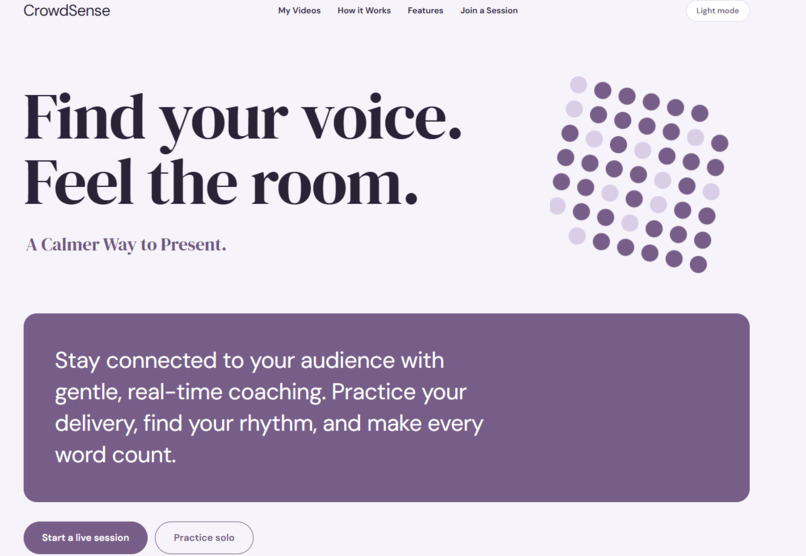
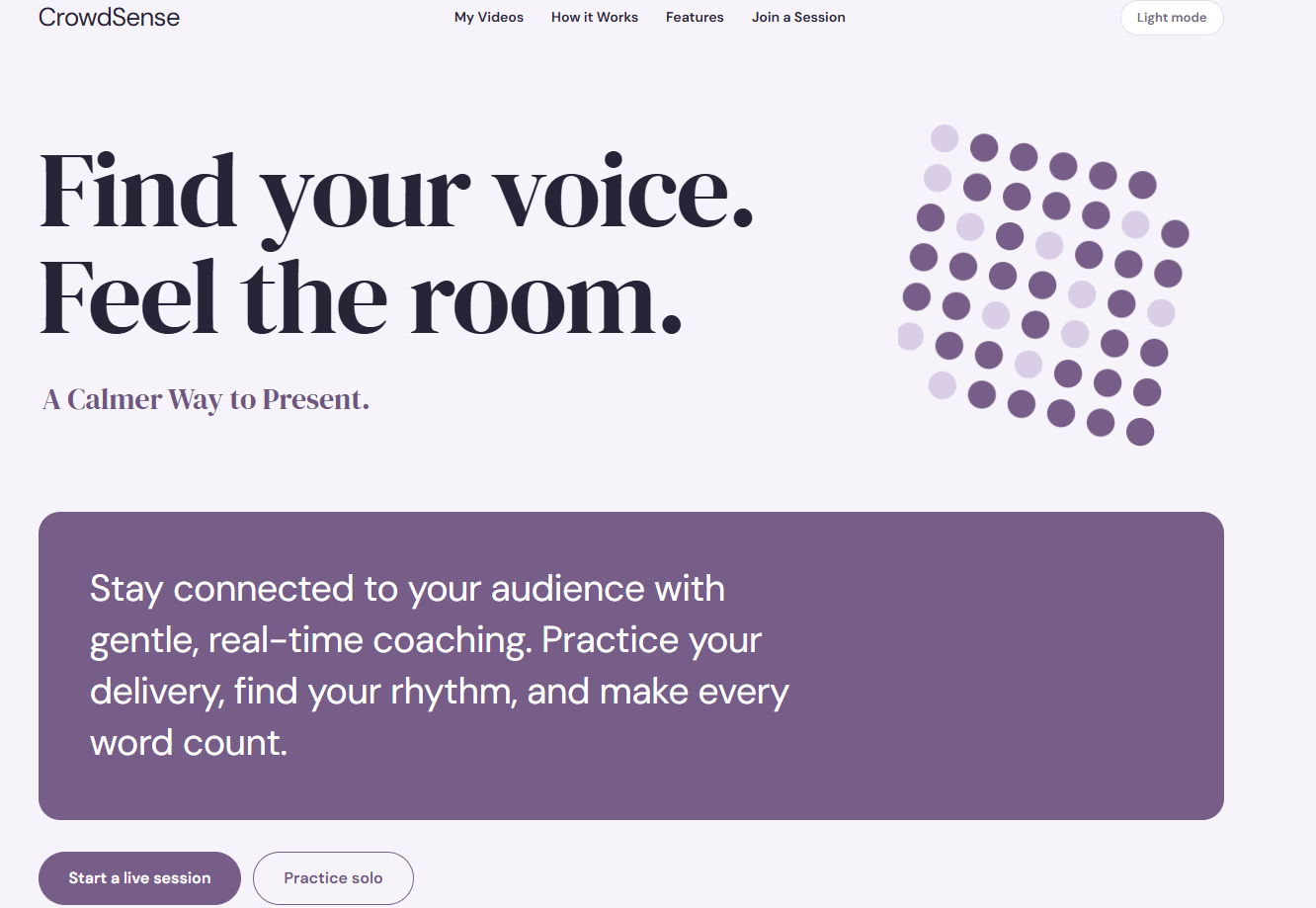
Homepage
-
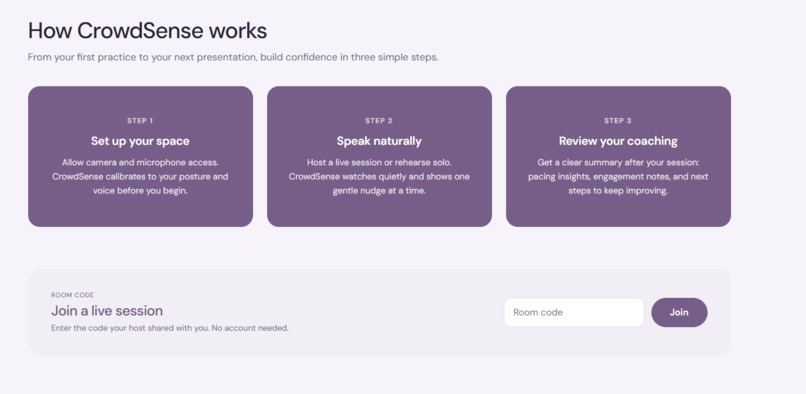
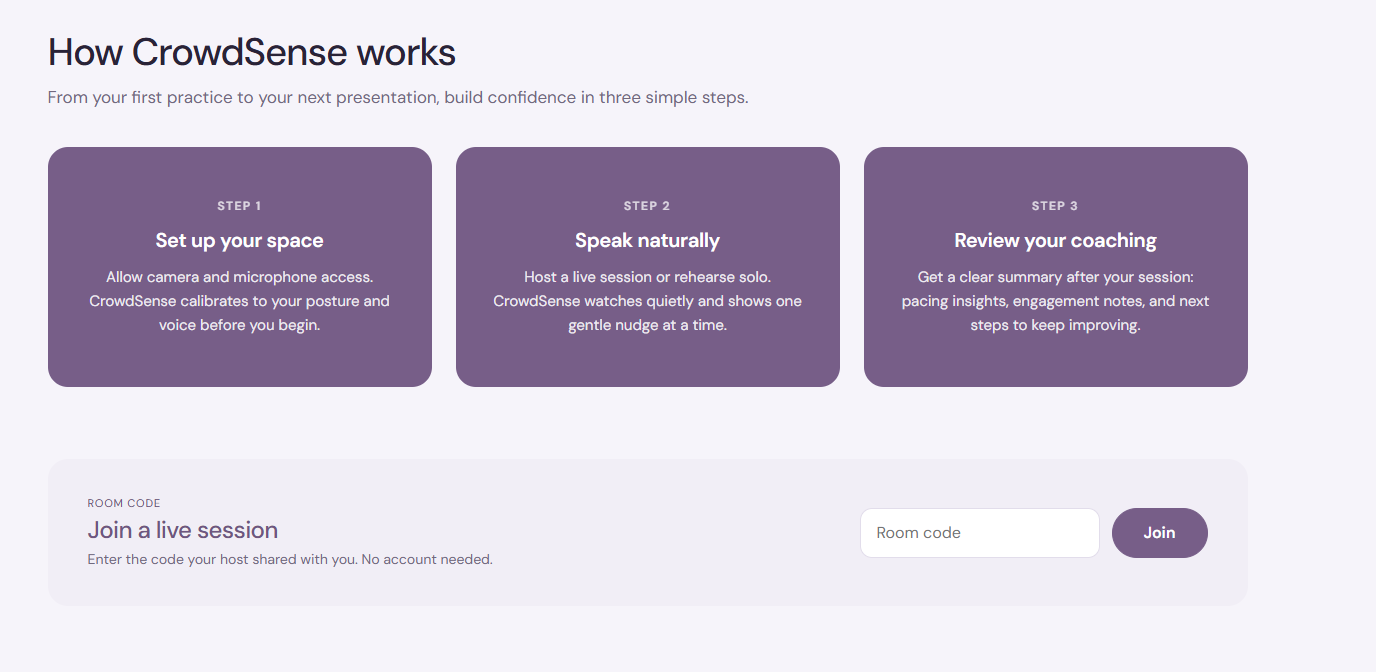
Description
-
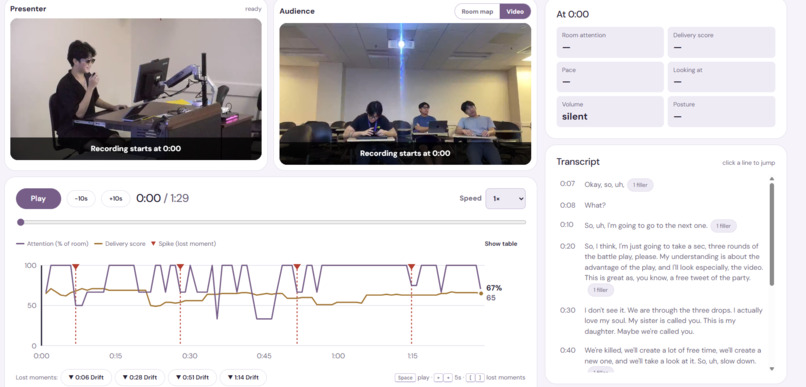
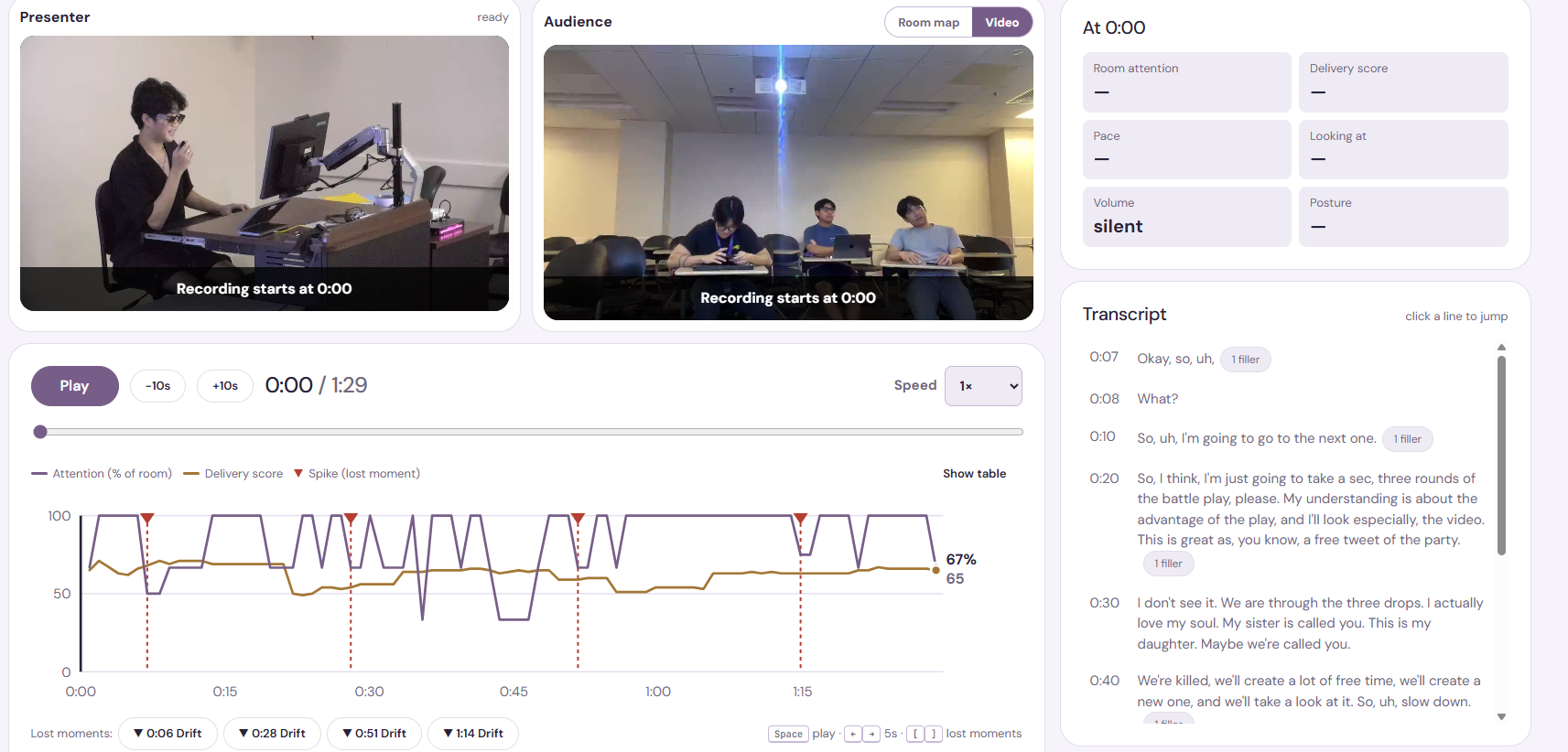
Video Analysis
-
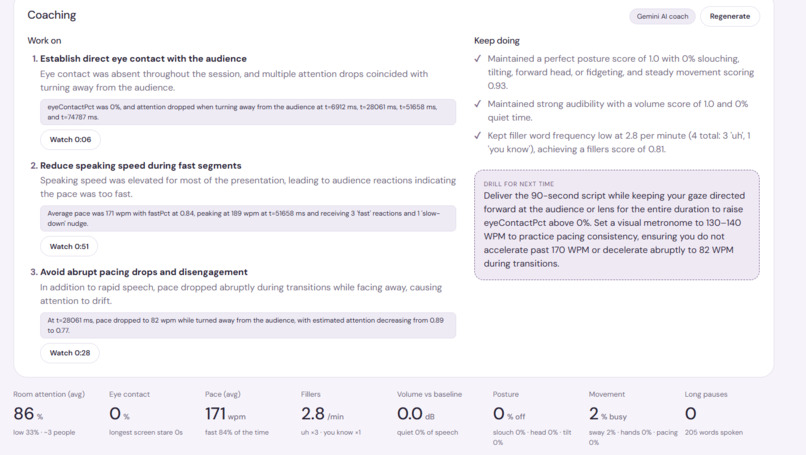
Video Report
-
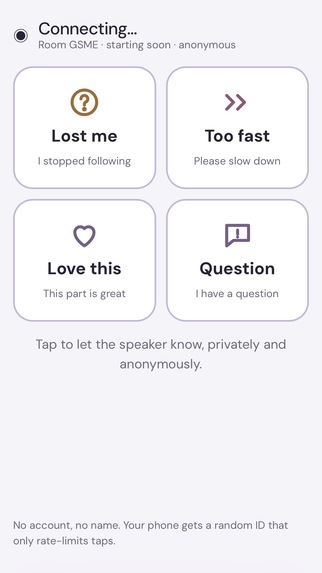
Audience Reaction
Inspiration
Presenters can't see themselves, and they can't watch the whole room while they talk. Feedback usually comes too late (a survey a week later) and is too vague to act on ("it felt a bit long"). By the time you find out you lost the back row, the talk is over.
This hits hardest for students rehearsing class talks and pitches alone, for lecturers who don't notice one side of the hall drifting, and for non-native or anxious speakers who speed up, say "um" and stare at their notes. We wanted feedback that arrives during the talk, based on measurements, with a clear reason for each nudge and privacy built in.
What it does
CrowdSense coaches you live using two cameras: one points at you and one points at your audience.
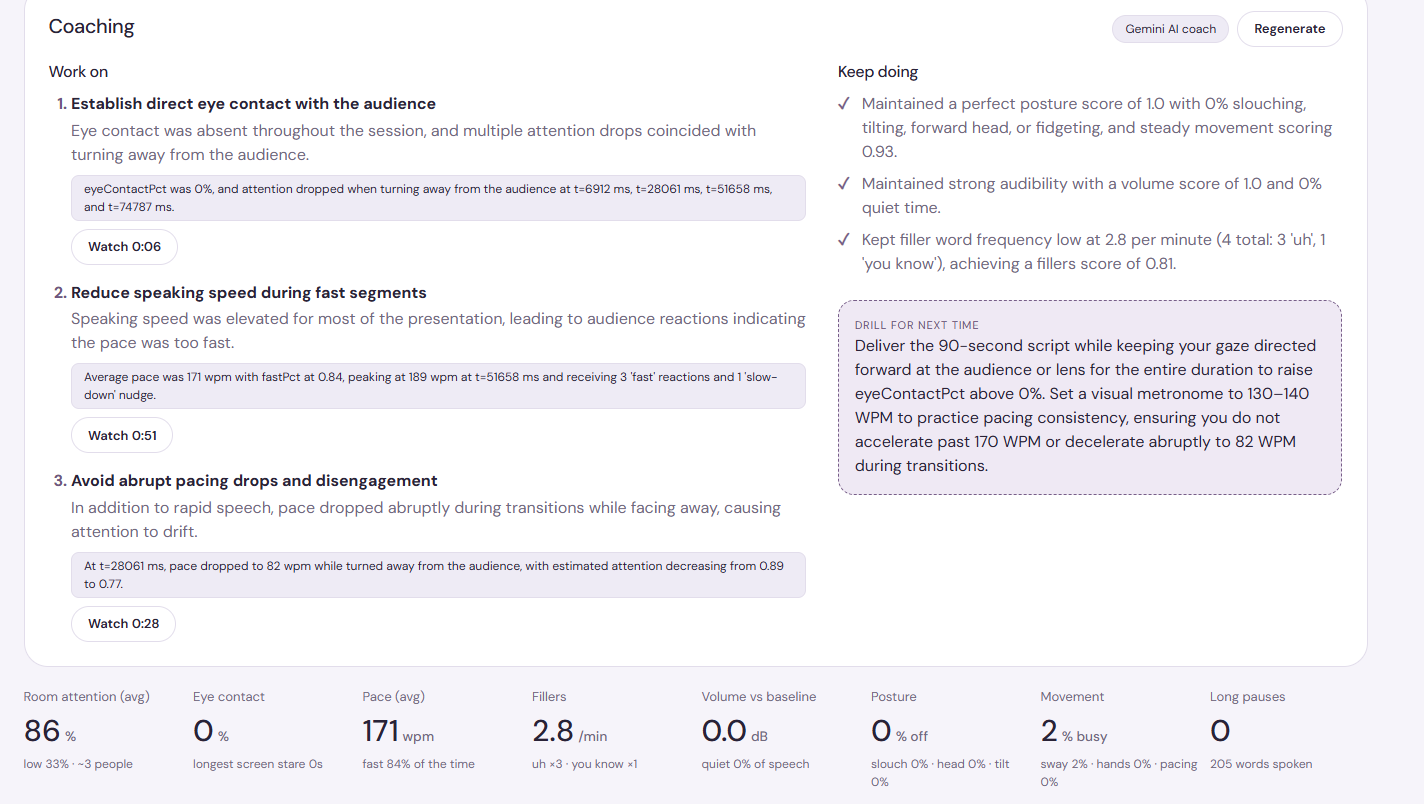
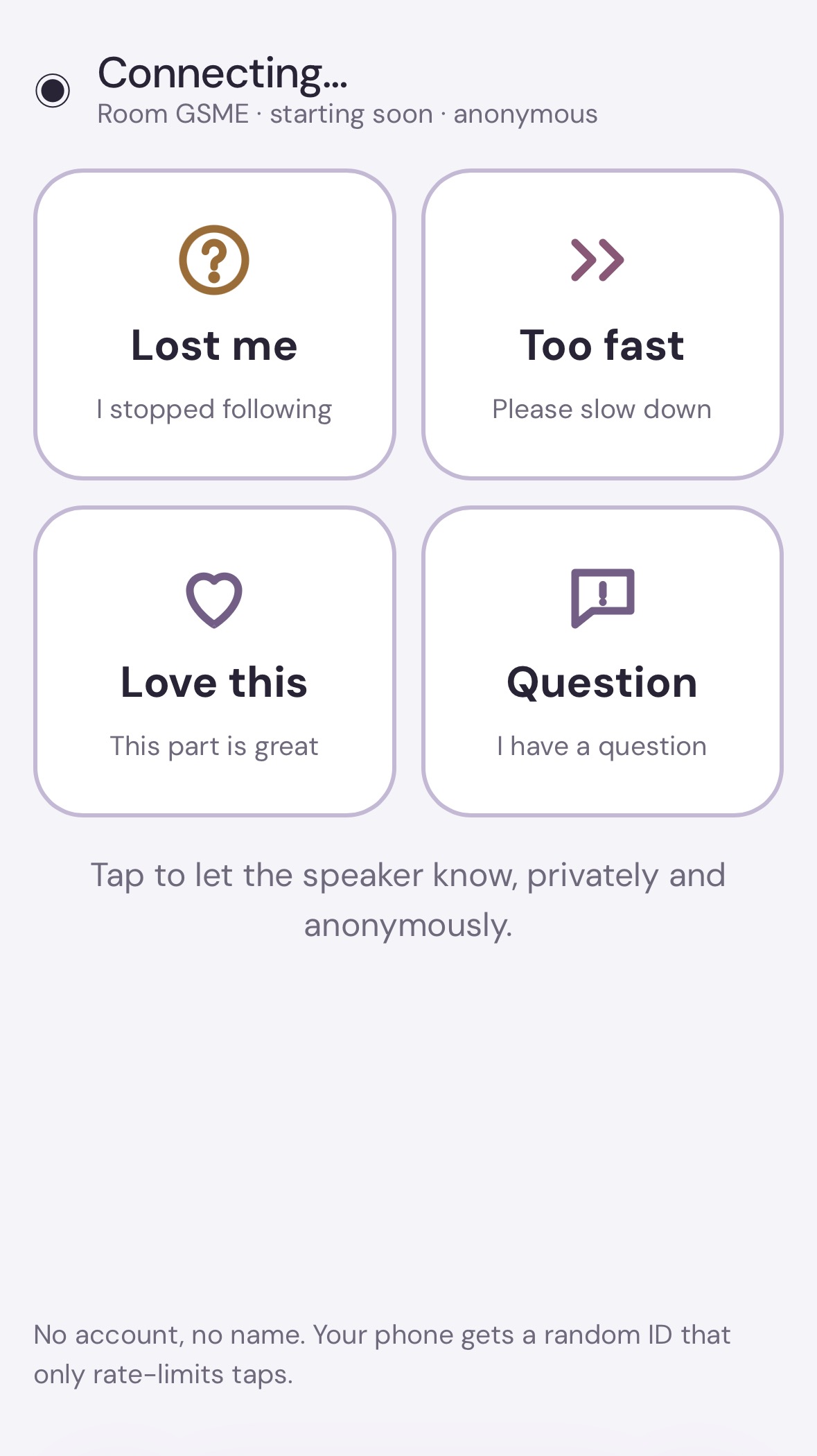
Presenter camera: tracks your posture, swaying, fidgeting, eye contact, volume, speaking pace and filler words. It compares each one to your own baseline, which it records in a 15-second calibration. Audience camera: turns every face into an anonymous dot on a room map. It estimates engagement from head pose and spots when one side of the room is drifting or people are looking down. Audience phones: people scan a QR code to tap Lost me, Too fast, Love this or Question without giving their name. Confidence Monitor: shows one quiet nudge at a time, with the reason behind it, for example "The right side is drifting. Look over there.", "Speak up." or "You've been looking at your screen for 40s." After the talk: you get a report with a delivery score, "lost moments" on a timeline showing what you were saying at the time, AI coaching tied to exact timestamps, a comparison with your last session, and a replay where both videos and the transcript stay in sync. Practice Mode: a virtual audience that reacts to your delivery, so you can rehearse alone. All video analysis runs in the browser. Only anonymous numbers leave the device, and recording is off unless you turn it on.
How we built it
Frontend: React, TypeScript and Vite. Each device (presenter camera, audience camera, dashboard, monitor, phone) is just a browser page connected by WebSockets. Computer vision in the browser: MediaPipe Pose and Face Landmarker for the presenter. For the audience, OpenCV's YuNet face detector (from Hugging Face) running on ONNX Runtime Web, followed by Face Landmarker on each face crop to get head pose and facial movement. Speech: Whisper runs on our server through Hugging Face Transformers.js. Hugging Face Inference Providers (Whisper Large v3) can be used instead, with local Whisper as the fallback. Backend: Node, Express and ws. Each live session runs as a room that updates once per second. It merges the signals, runs a shared nudge engine and a lost-moment detector, and scores the delivery. The browser and the server use the same TypeScript code for thresholds and scoring. Data: Neon Postgres stores sessions, metrics, transcripts, reactions and coaching tips. Opt-in recordings upload straight from each camera to AWS S3 in parts, using presigned links. ffmpeg then fixes the files so the replay can skip around. AI: Gemini writes the coaching report from the metrics, lost moments, transcript and past sessions. Gemini can also review a lost moment using a frame of the presenter (never the audience). An earlier version used Claude on Amazon Bedrock. Accounts and hosting: Amazon Cognito sign-in with a private video library. The app is deployed on AWS Lightsail behind CloudFront. No keys needed: every integration falls back to something that works without setup, such as local JSON storage, local disk, browser speech or rule-based coaching. That means npm run dev works out of the box.
Challenges we ran into
Faces in a real room are small. MediaPipe's face detector found only 3 of 29 people in a group photo. YuNet found all 29. Whisper cleans up speech too well. It strips out "um" and "uh", which are exactly what we needed to count. We had to prompt the decoder with filler-heavy text so it keeps them. Phone cameras need HTTPS. Browsers only allow camera access on secure pages, so getting phones on a local network, WSL and tunnels working took real effort. Keeping devices in sync. Clock sync between nodes, and replaying two recordings next to a transcript without drift, needed careful timing. Browser recordings couldn't skip. WebM files from MediaRecorder don't support seeking until ffmpeg reprocesses them. Too many nudges. A coach that talks constantly is worse than no coach. We added cooldowns, a gap between nudges and a priority order, so only one nudge shows at a time. AI reliability. We switched AI providers more than once, and had to handle timeouts and failed regenerations without wiping a report that was already fine.
Accomplishments that we're proud of
All video analysis runs on the user's device. There's no face recognition, no stored identities, and the audience preview is blurred by default. Every nudge shows the measurement that triggered it, so the coaching never feels like a black box. Small faces across a room actually get detected, and filler words actually get counted. The whole app runs with zero API keys, and turns on more features as you add them. It's built end to end and deployed: live session, report, synced replay, practice mode and accounts. What we learned Calibrating to each person beats fixed thresholds. "Slouching" means something different for everyone. A small, well-timed nudge helps more than a dashboard full of numbers while you're speaking. Head pose tells you about room-level engagement trends, not what one person is feeling. We learned to say so clearly. Designing for privacy from the start (consent screens, recording indicators, anonymous metrics) shaped the architecture for the better. Having a fallback for every external service made the project much easier to demo and to work on as a team.
What's next for CrowdSense
Better engagement estimates in large or poorly lit rooms, and tracking that survives people changing seats. Lower-latency transcription, and support for more languages and accents. Practice Mode audiences tuned to specific settings: a lecture, a pitch, a thesis defense. Progress tracking across many sessions, plus drills aimed at each person's weakest skill. Sharing a session with a teacher or mentor so they can comment on the replay. A mobile-first setup that needs just one phone on a stand.
Built With
- amazon-web-services
- css
- express.js
- google-gemini
- hugging-face
- mediapipe
- node.js
- react
- sql
- typescript
- whisper


Log in or sign up for Devpost to join the conversation.