Inspiration
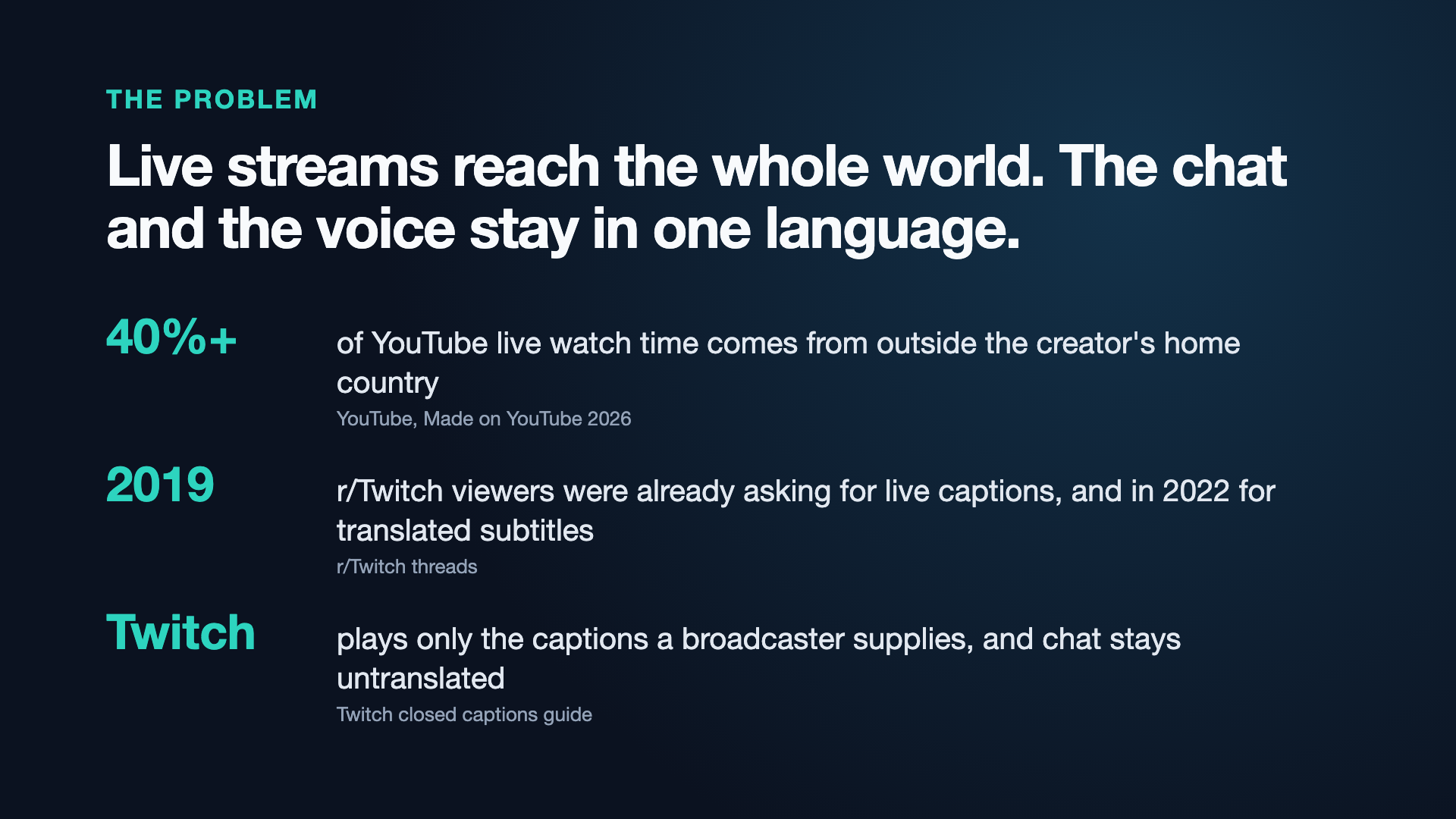
Live streams reach the whole world, but the chat and the streamer's voice stay in one language. YouTube says more than 40% of its live watch time comes from outside the creator's country. On Twitch, chat isn't translated, and captions only exist if the broadcaster brings their own. Viewers on r/Twitch were asking for live captions in 2019 and translated subtitles in 2022. In Asia, Bilibili and Niconico viewers have long watched with flying comments (danmaku), and Korea's SOOP added per-viewer chat translation this year. I wanted that feeling on Twitch, in every viewer's own language.
What it does
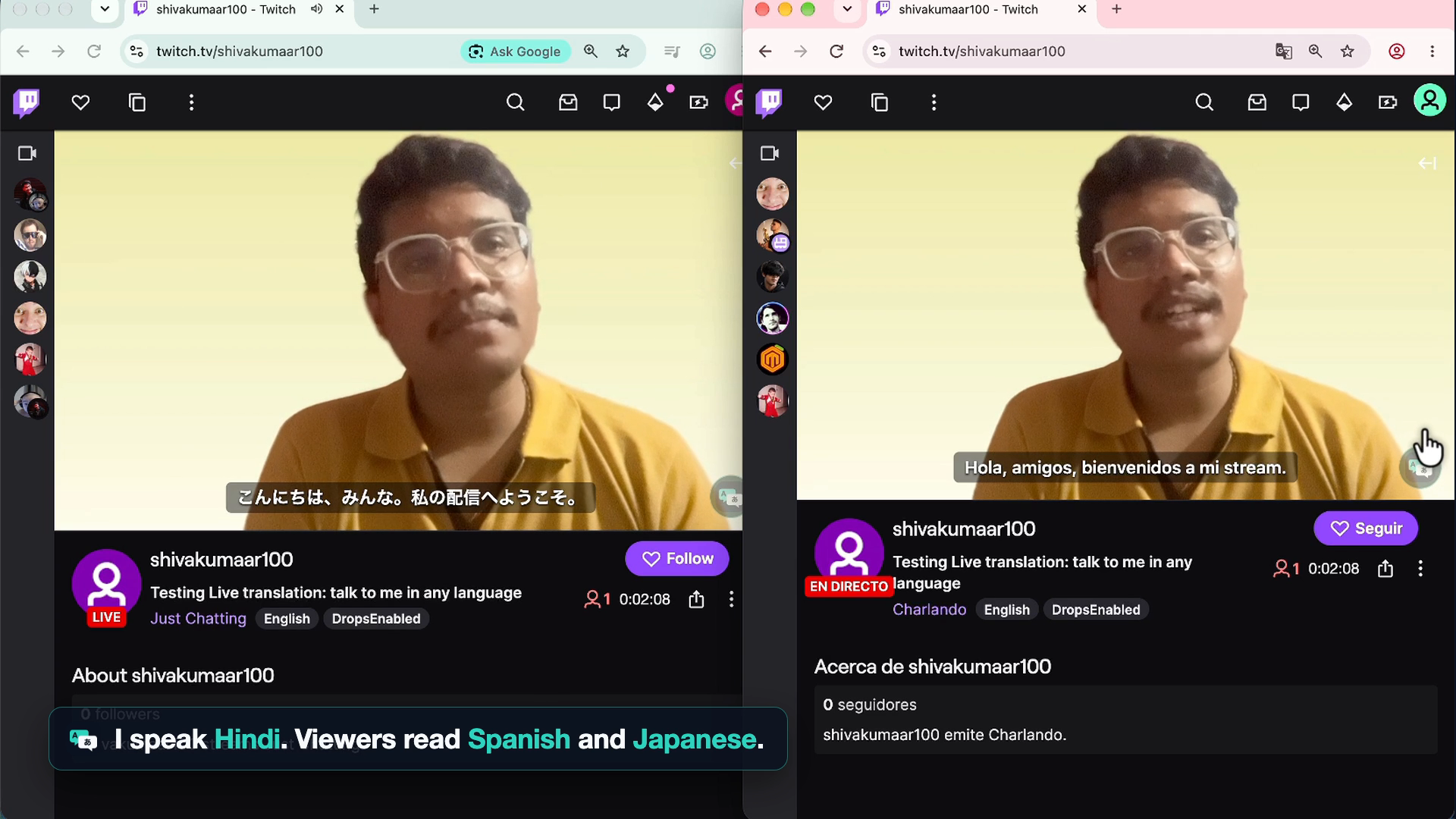
Crosstalk lets every viewer read, hear, reply and join in, in their own language, with nothing to install.
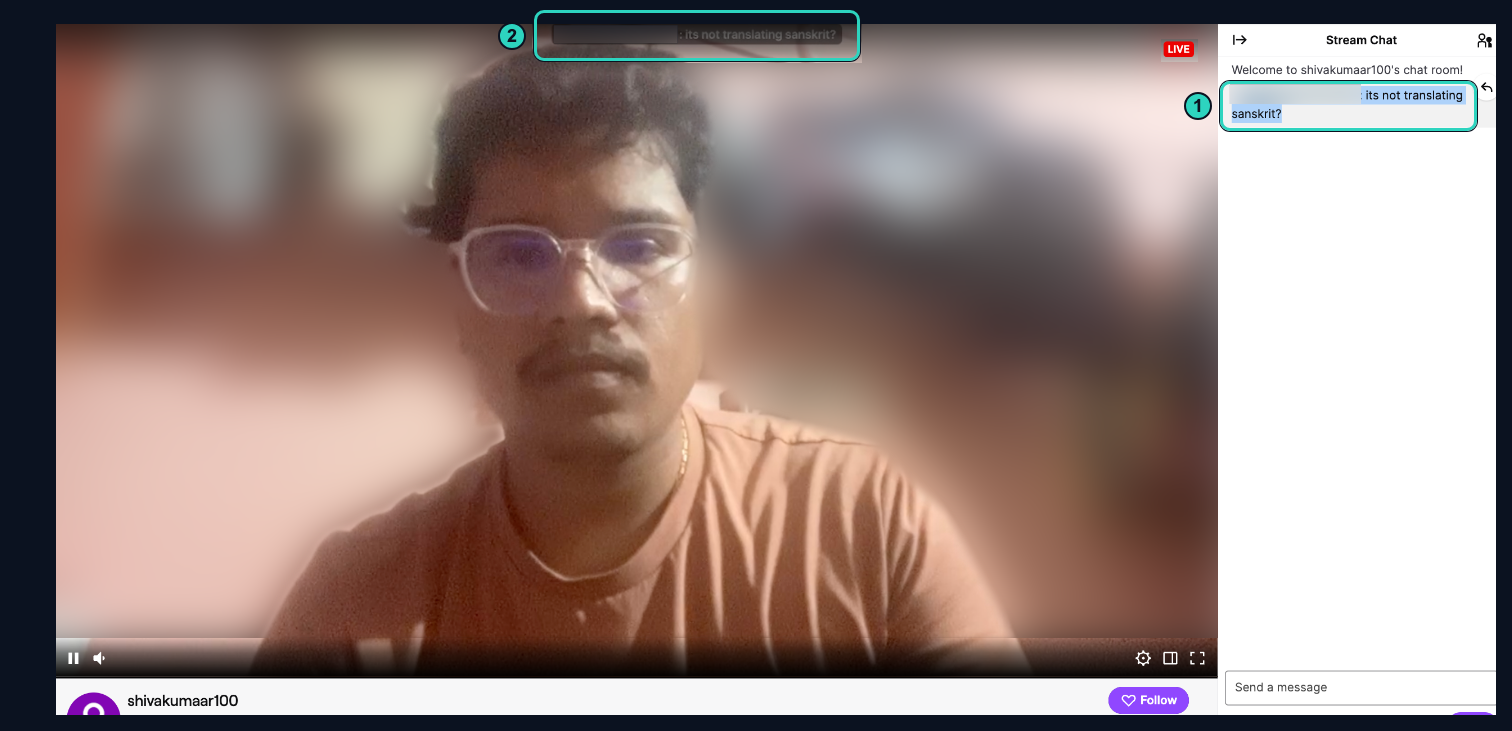
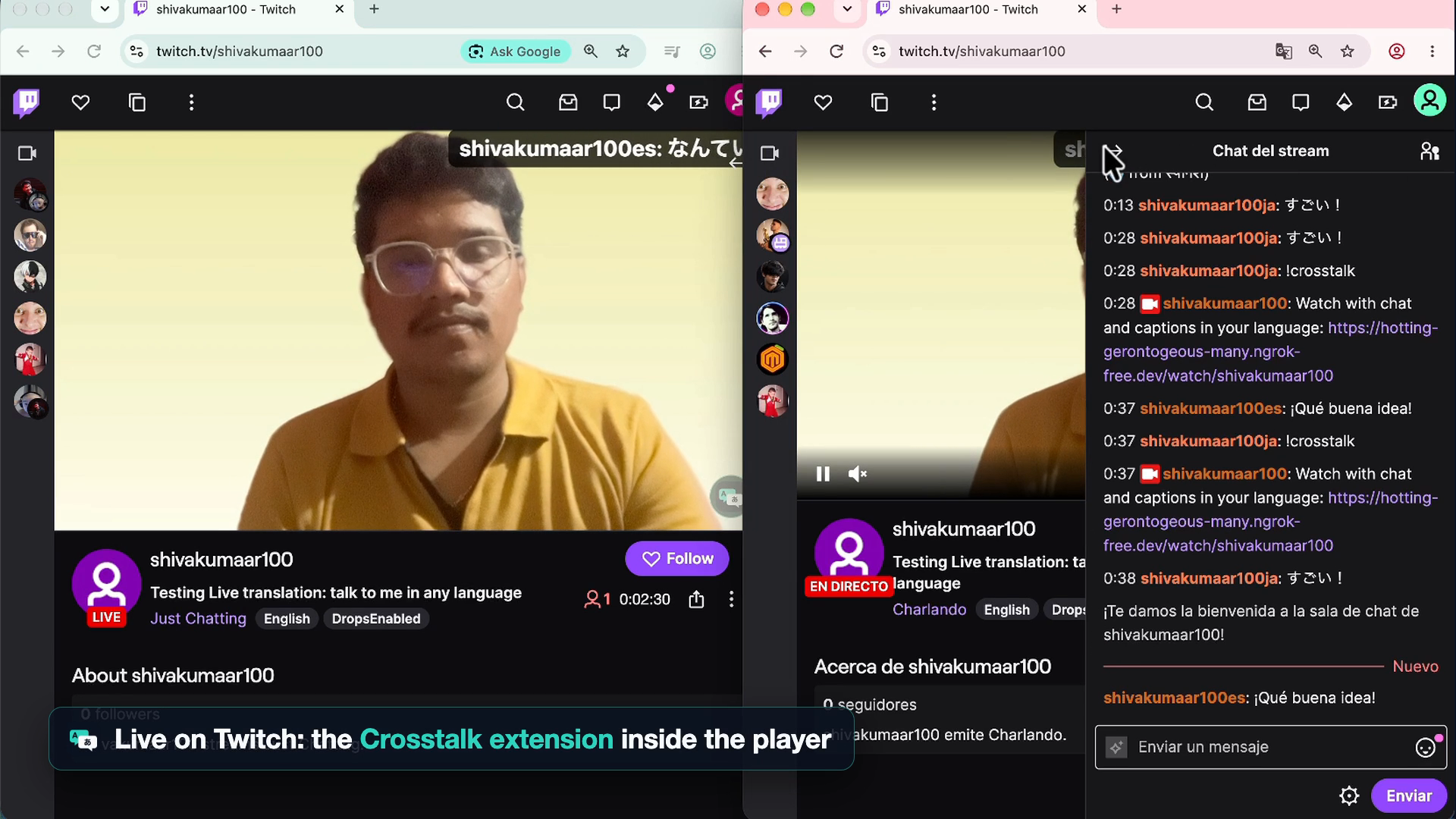
- Read: Twitch chat flies across the video, translated for each viewer, with emotes kept.
- Hear: live captions of the streamer's speech, timed to each viewer's own stream delay, plus an optional AI interpreter voice that is clearly labelled as AI.
- Reply: viewers write in their language, see exactly what the streamer will read, and send it from their own Twitch account.
- Join in: reactions in your own culture (jajaja, 草, 555) and a free Lucky Bag you enter by saying thank you in any language.
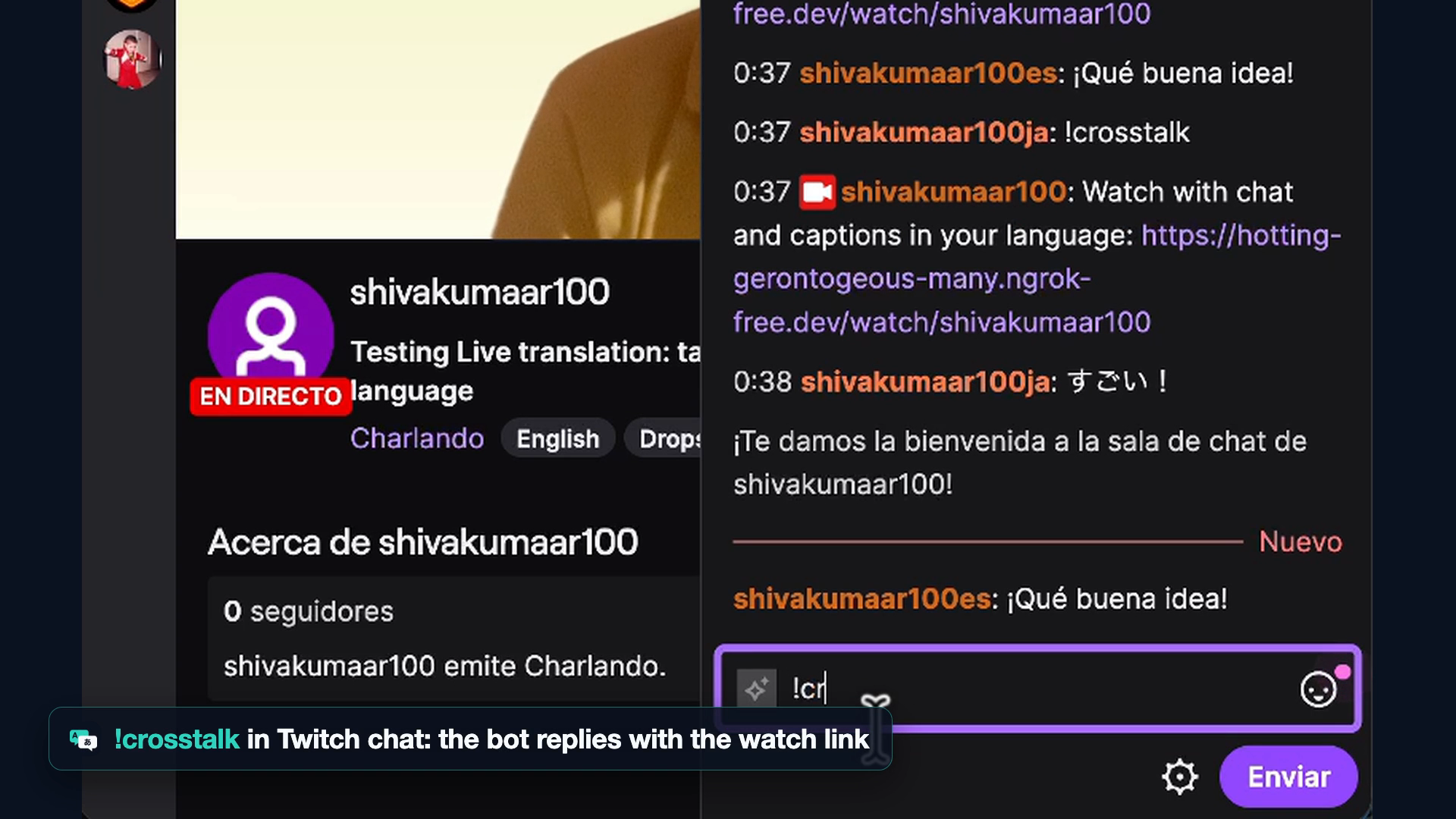
It works as a Twitch extension inside the player, a watch page the bot links with !crosstalk, and an OBS overlay. There is no fixed language list: interface text and culture notes are generated for any language a viewer picks.
How I built it
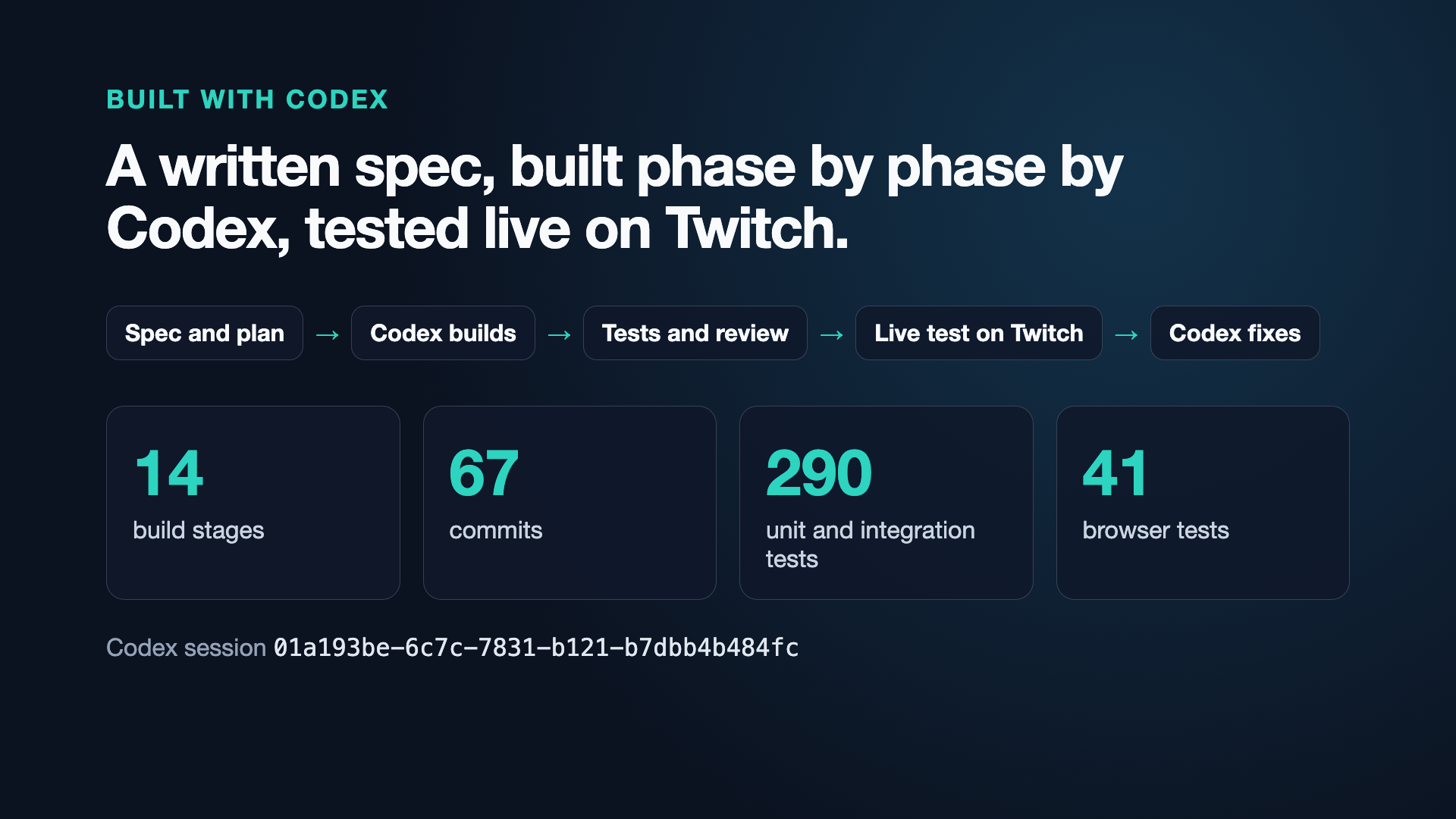
I built it with OpenAI Codex in one session, working phase by phase from a written spec and plan. Codex wrote the TypeScript backend (Fastify, Twitch EventSub chat, WebSockets), the shared renderer, the Twitch extension, the OBS overlay, the speech pipeline (OpenAI Realtime transcription), batched AI translation, the interpreter voice and the tests. After each phase I tested it live on my own Twitch channel and fed the problems back to Codex. The repo has more than 290 unit and integration tests and over 40 Playwright browser tests.
Challenges
- Twitch doesn't allow covering its embedded player, so the watch page puts comments above the player and captions below it.
- Timing the AI voice to each viewer's stream delay, without overlaps, was harder than translating.
- My live tests caught real bugs: captions were cut mid-sentence (fixed with sentence joining), and the extension turned the video black inside the Twitch player (a CSS color-scheme issue, fixed with a regression test).
- Supporting any language without hard-coded lists meant generating and validating language packs safely.
What I learned
Translation alone isn't enough. Laughter, slang, tone and timing are what make a stream feel shared. Speech quality also varies by language: Hindi and English worked well in my live test, while Telugu and Sanskrit still need work.
What's next
Publishing the Twitch extension after review, newer realtime voice models, and the streamer's own voice for the interpreter, with consent.
Built With
- fastify
- node.js
- obs
- openai
- openai-codex
- openai-realtime-api
- playwright
- twitch
- twitch-eventsub
- twitch-extensions
- typescript
- vite
- vitest
- websockets
- zod

Log in or sign up for Devpost to join the conversation.