-
-
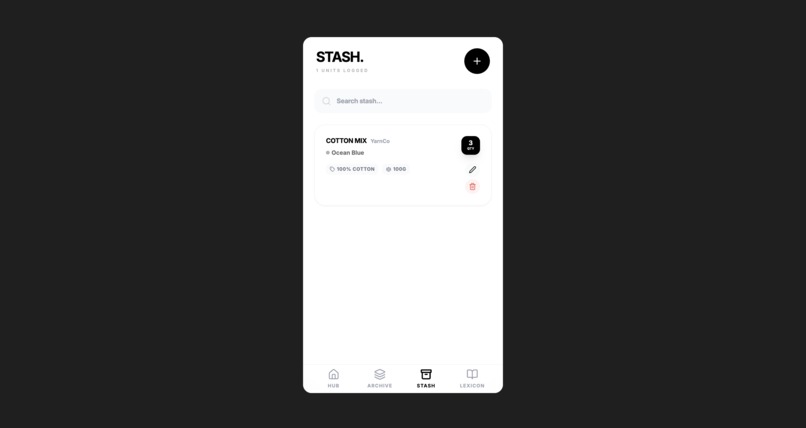
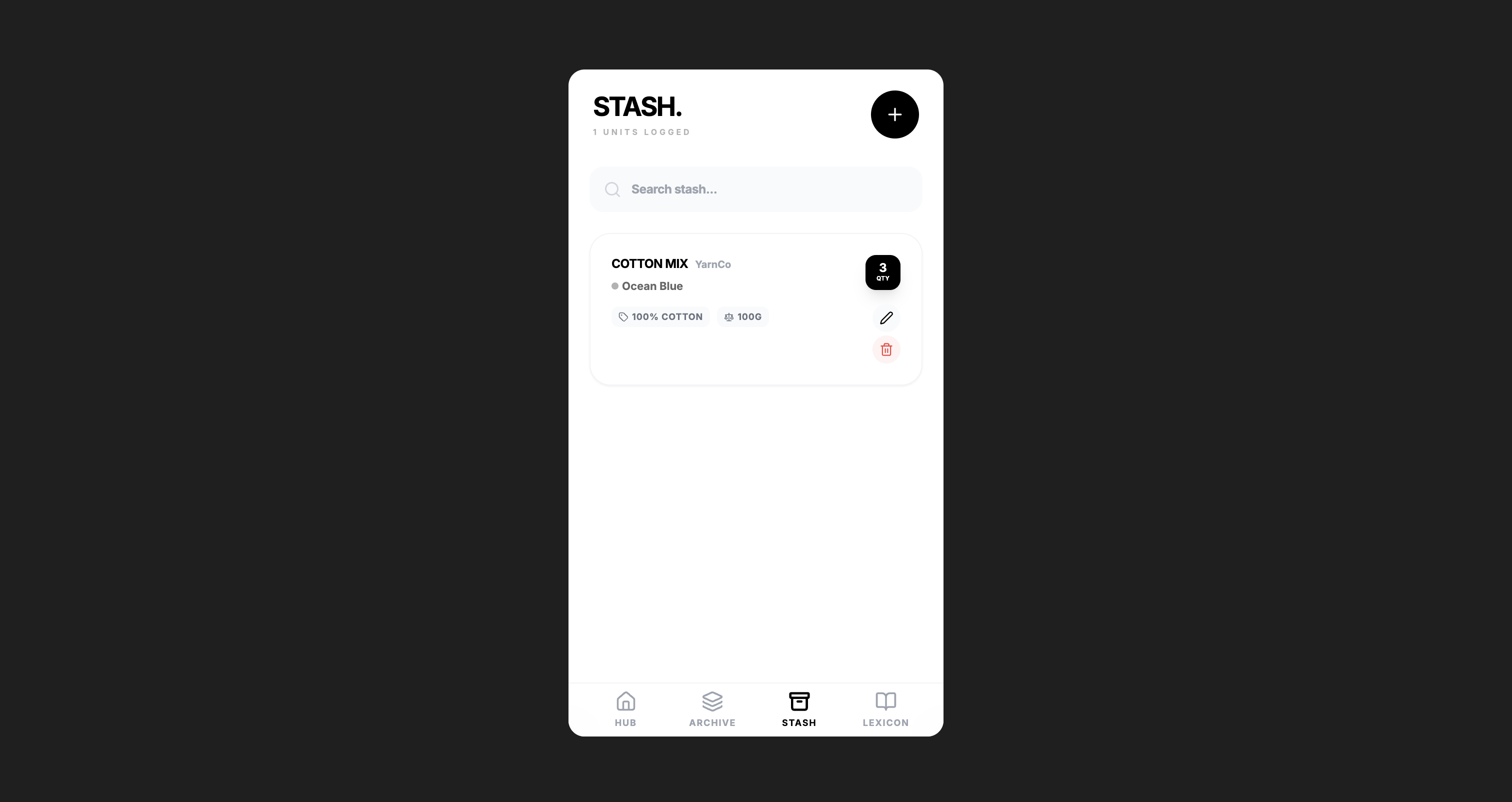
the stash interface
-
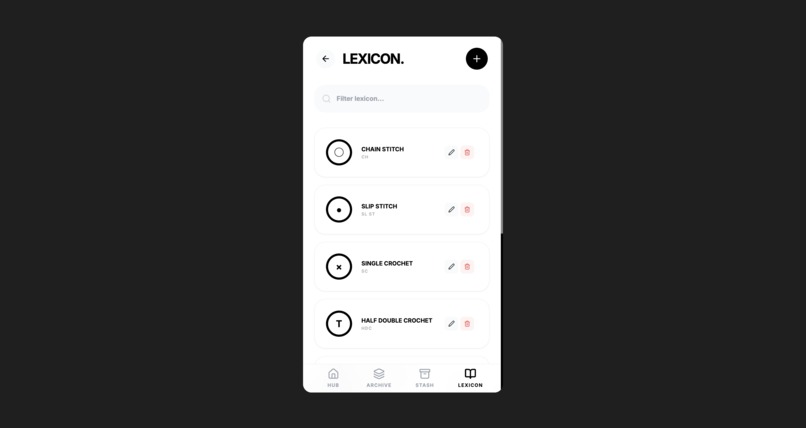
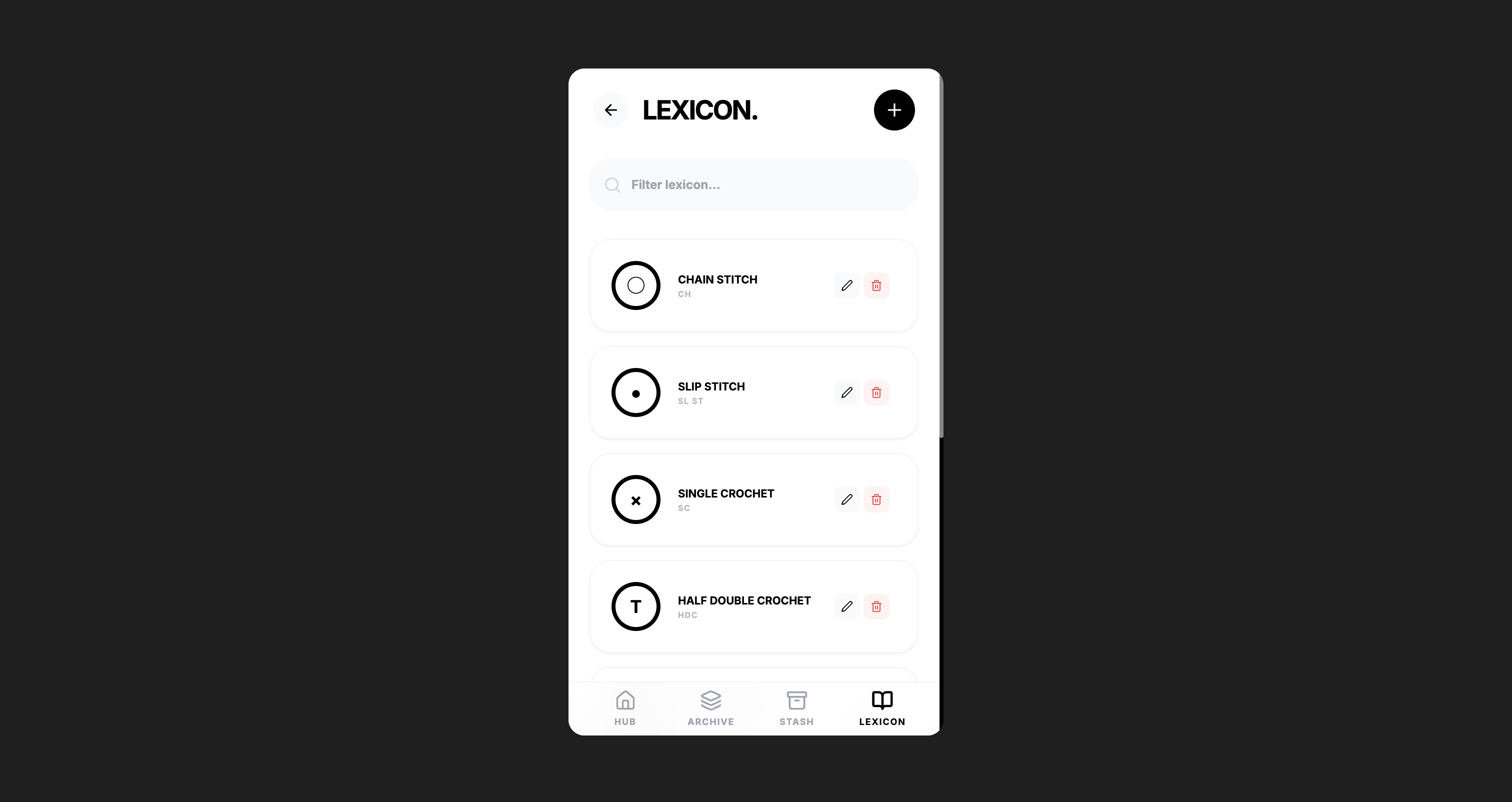
the lexicon interface
-
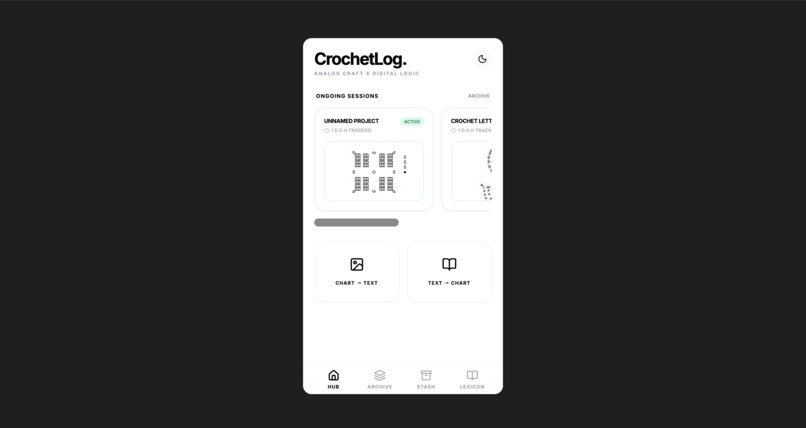
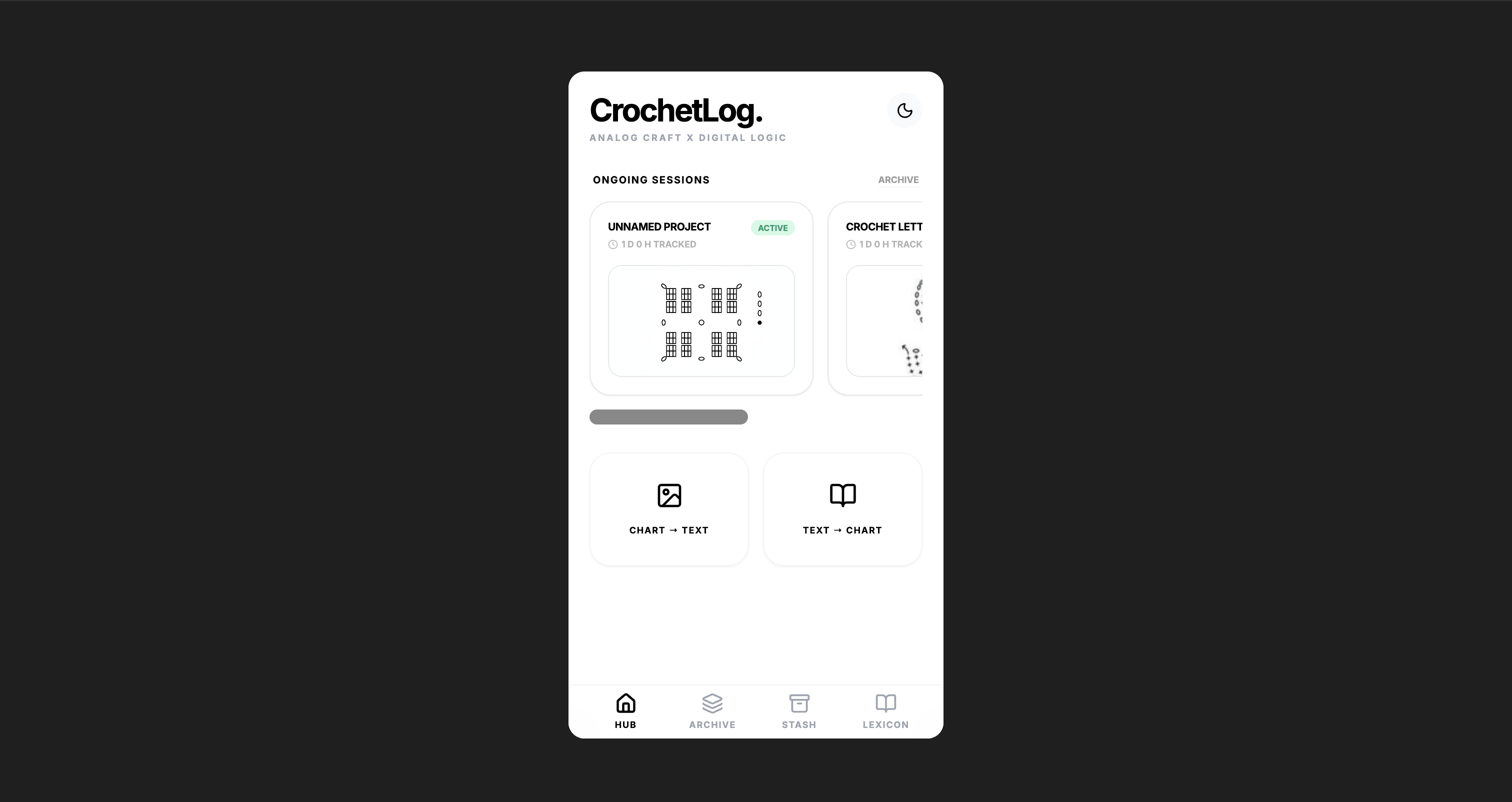
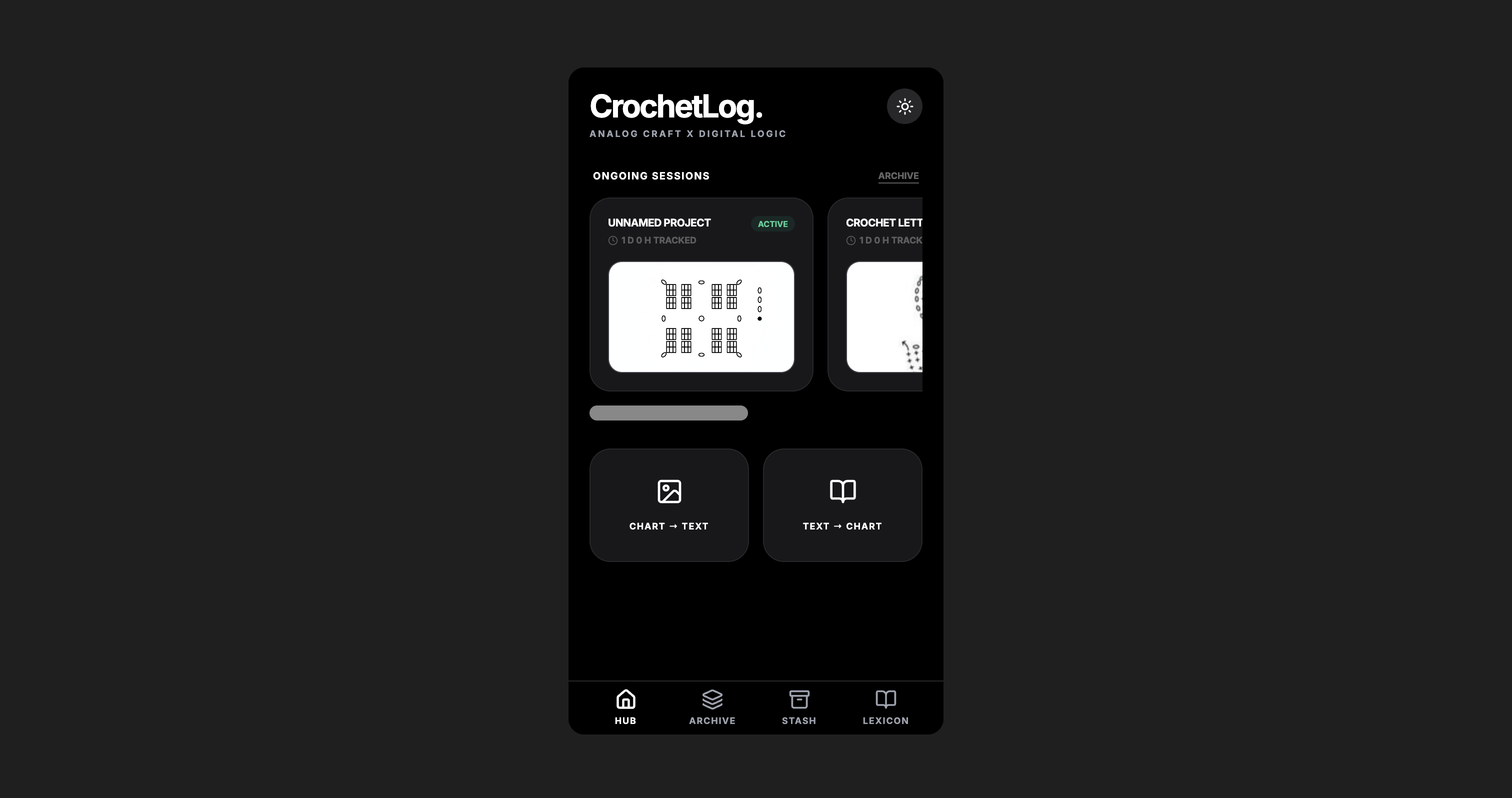
the hub interface
-
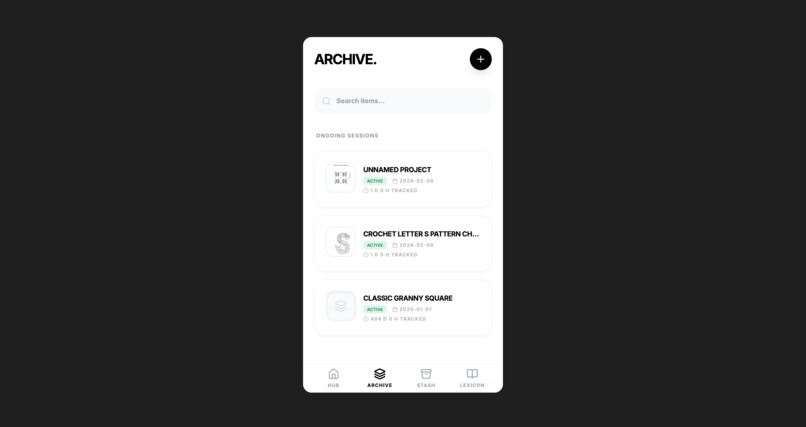
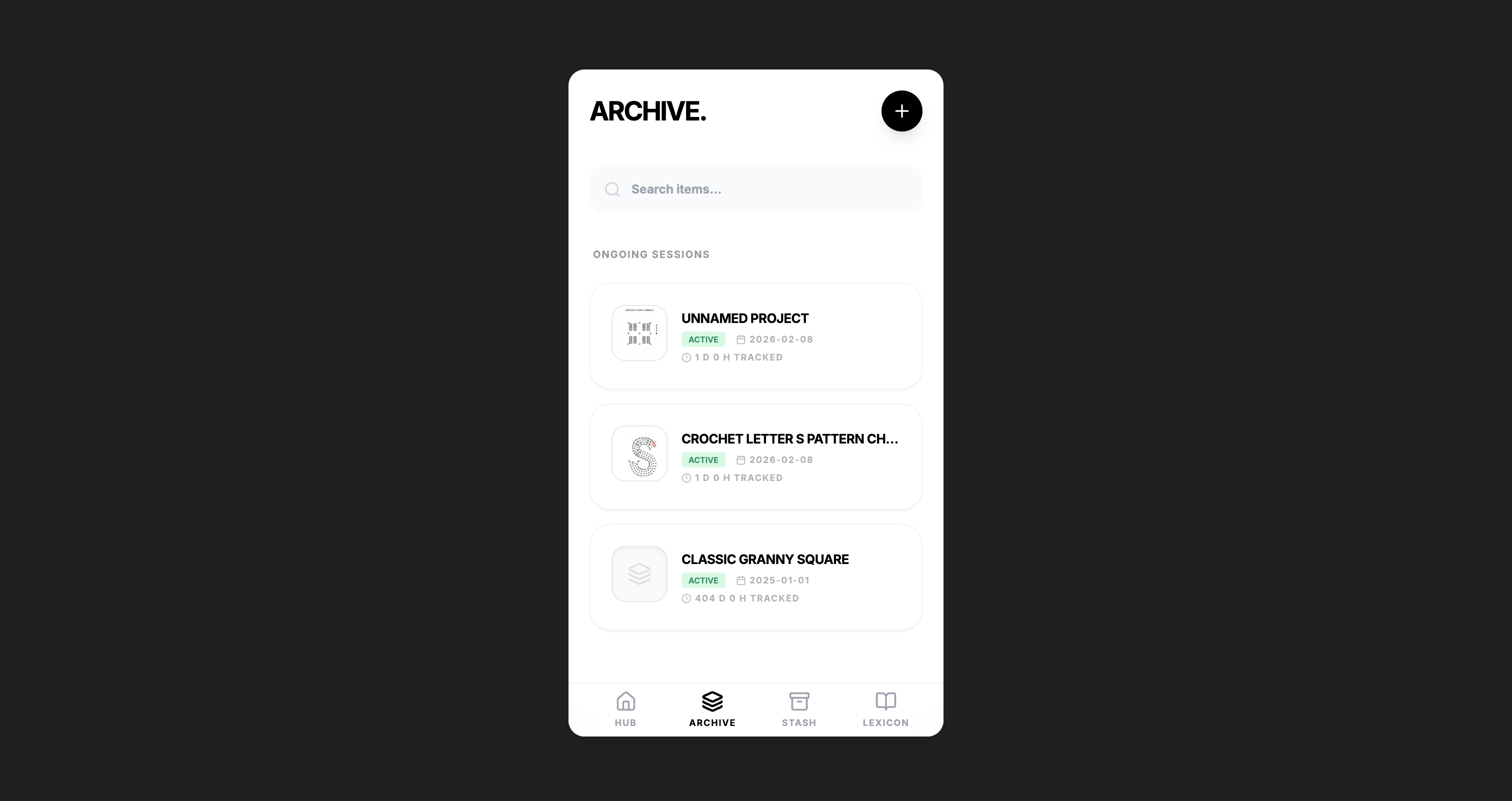
the archive interface
-
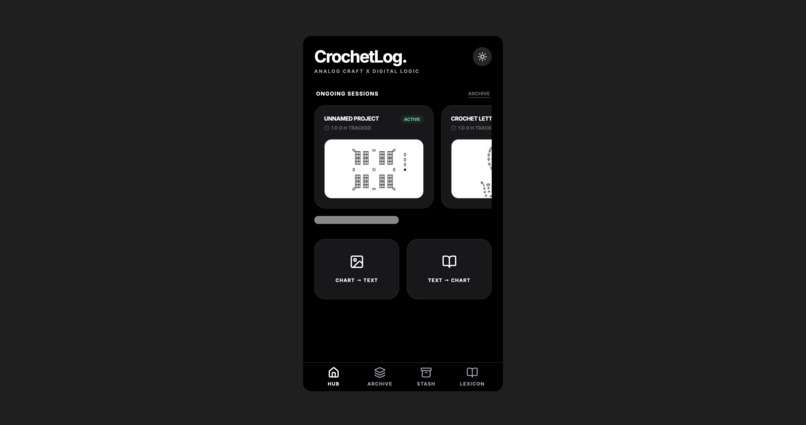
dark mode
🧶 CrochetLog
"Logic meets loops: Your digital companion for every stitch."
🌟 Inspiration
As a crochet beginner, I am constantly wondering how I could have the best crochet experience when starting a new project. Sometimes I came across a chart, sometimes just word descriptions with these colorful crochet jargons, and I couldn't recognize or remember how to do them at the first glance!
That's why we wanted to create an app that would help beginners start their projects easily, and also provide a tool for experts to keep records of their projects and yarns. Keeping everything logged is the secret to making everything tidy—you know it.
✨ What it does
CrochetLog is an all-in-one management suite powered by advanced AI to bridge the gap between complex patterns and handmade reality:
AI-Powered Pattern Converter: Our standout feature. It uses Gemini's Multimodal capabilities to convert visual Charts into written Text instructions and vice versa, making complex patterns accessible to everyone.
Interactive Archive & Tracker: Users can highlight text instructions or draw directly on image charts to log progress. It includes a built-in Time Tracker to monitor your "crochet endurance."
Smart Stash Management: A dedicated Stash UI to digitize your yarn warehouse. Track brand, material, weight, and quantity with a built-in search to prevent duplicate buys.
AI-Enhanced Lexicon: A comprehensive glossary of stitches. For unfamiliar terms, users can generate AI previews to visualize the finished texture before they even start.
🛠️ How we built it
We architected CrochetLog by utilizing the Gemini 3 Flash model (in Gemini 3 AI Studio) for its speed and multimodal prowess:
Visual Intelligence: We integrated Gemini's Image-to-Text capabilities to interpret hand-drawn or printed crochet charts.
Generative Logic: The Text-to-Chart feature utilizes Gemini's reasoning to map written logic into visual patterns.
Creative Assistance: In the Lexicon, we used Gemini's generative capabilities to simulate stitch textures, providing a 3D-like preview for users.
Development Workflow: We used Gemini as a pair-programmer to iterate on the UI flow and handle complex state management for the highlighter tools.
Developer's Note: Sometimes AI doesn't work exactly as expected. After carefully telling the AI precisely what we wanted through dozens of iterations, we finally landed on this current version that we feel is perfect for the Hackathon.
🚧 Challenges we ran into
The biggest challenge was the "Communication Gap" with the AI:
- The "Stubborn" Highlighter: We wanted a feature to highlight specific text to mark progress. We rephrased, re-prompted, and insisted more than 5 times before the AI finally captured the exact interaction we needed.
- The "Sneaky" Side Effects: We found that when we asked to fix a tiny detail, the AI would occasionally make "stealthy" changes to unrelated code. We had to be extremely vigilant to catch these "random changes" and restore our previous progress.
- The Balancing Act: We struggled to find the right balance: giving too much information overwhelmed the AI, but being too vague led to hallucinations.
🏆 Accomplishments that we're proud of
- Minimalistic & Classic Design: We achieved a clean, focused UI that respects the "Zen" nature of crocheting.
- Resilient UX: Successfully implementing the progress-marking feature despite the technical hurdles.
- Bridging the Worlds: A functional bridge between the digital world of data and the physical world of handmade crafts.
📚 What we learned
Building with Gemini 3 taught us the art of Prompt Engineering & Patience:
- Precision is King: You must be incredibly careful when describing requirements to avoid "scope creep" from the AI side.
- Incremental Progress: We learned not to rush. It’s better to modify one small piece at a time.
- The Importance of Backups: Finding the "sweet spot" of guidance is hard. We learned to save stable versions frequently!
- Finding the Degree: It's difficult to find the right "degree" of detail: not too little, not too much.
🚀 What's next for CrochetLog
- Bug Squashing: Polishing tiny UI inconsistencies and perfecting the tools.
- Yarn Calculator: An AI-powered tool to estimate exactly how many skeins you'll need for a specific pattern.
- Social Stitching: A platform for weavers to share logs, showcase projects, and discuss crochet tips and tricks.
Built With
- gemini
- googleaistudio


Log in or sign up for Devpost to join the conversation.