Inspiration
I wanted a lightweight browser companion that could overlay instant, context-aware help on any page. While building the extension I added the Mood Music experience as an immersive standalone page where MorphCast emotion AI, Three.js visuals, and curated Spotify playlists personalize music based on facial expressions. Together they show how real-time perception plus responsive guidance or entertainment can elevate productivity and mood.
## What it does
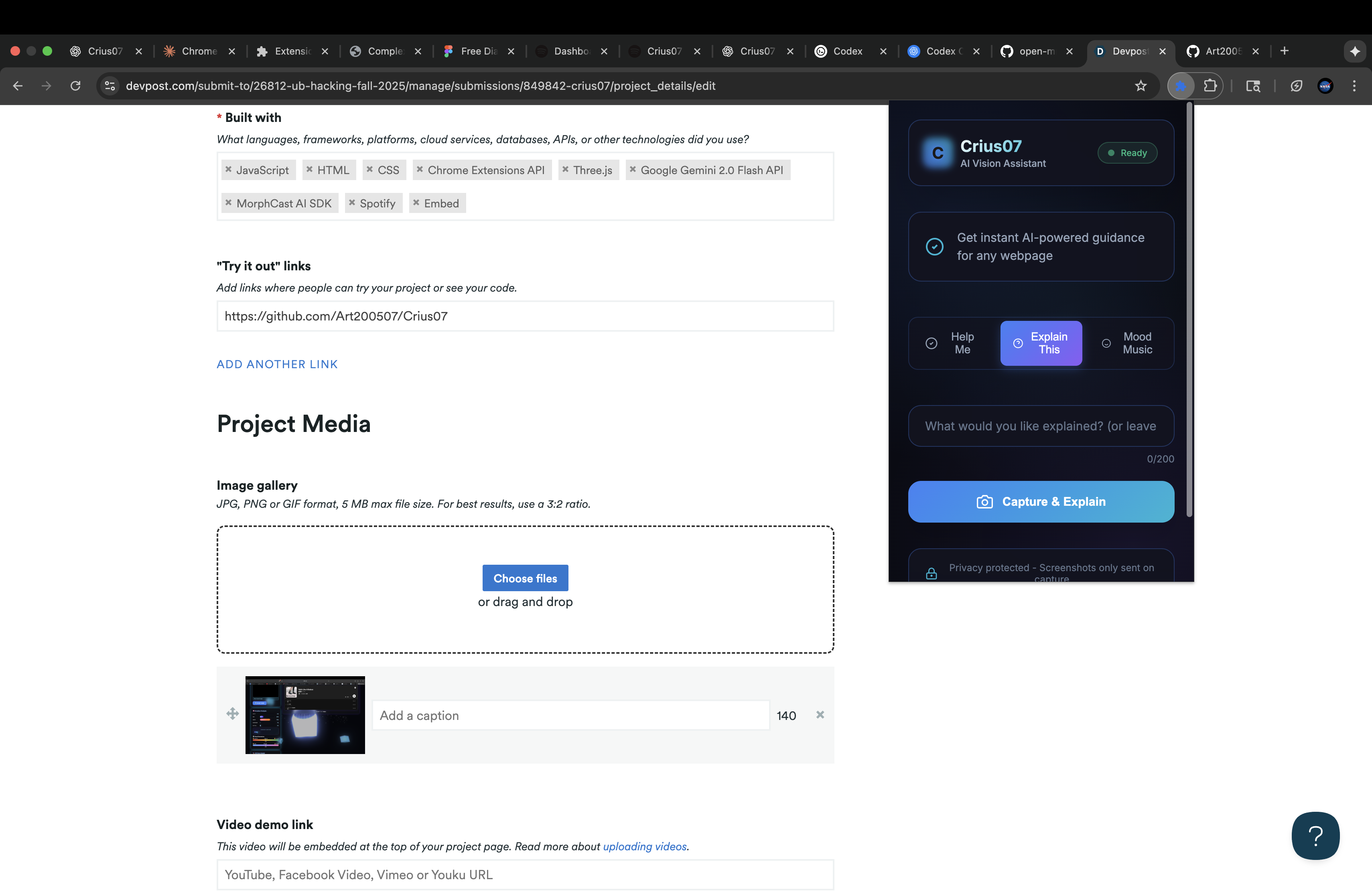
- Browser extension: Captures the active tab (only when I trigger it), pairs the screenshot with my typed question, and sends both to Google’s Gemini 2.0 Flash model. The response returns as step-by-step instructions rendered either in the popup (popup.html, popup.js) or via the floating action button injected with content.js. Background permissions and API handling live in background.js, and styling is handled by popup.css/content.css.
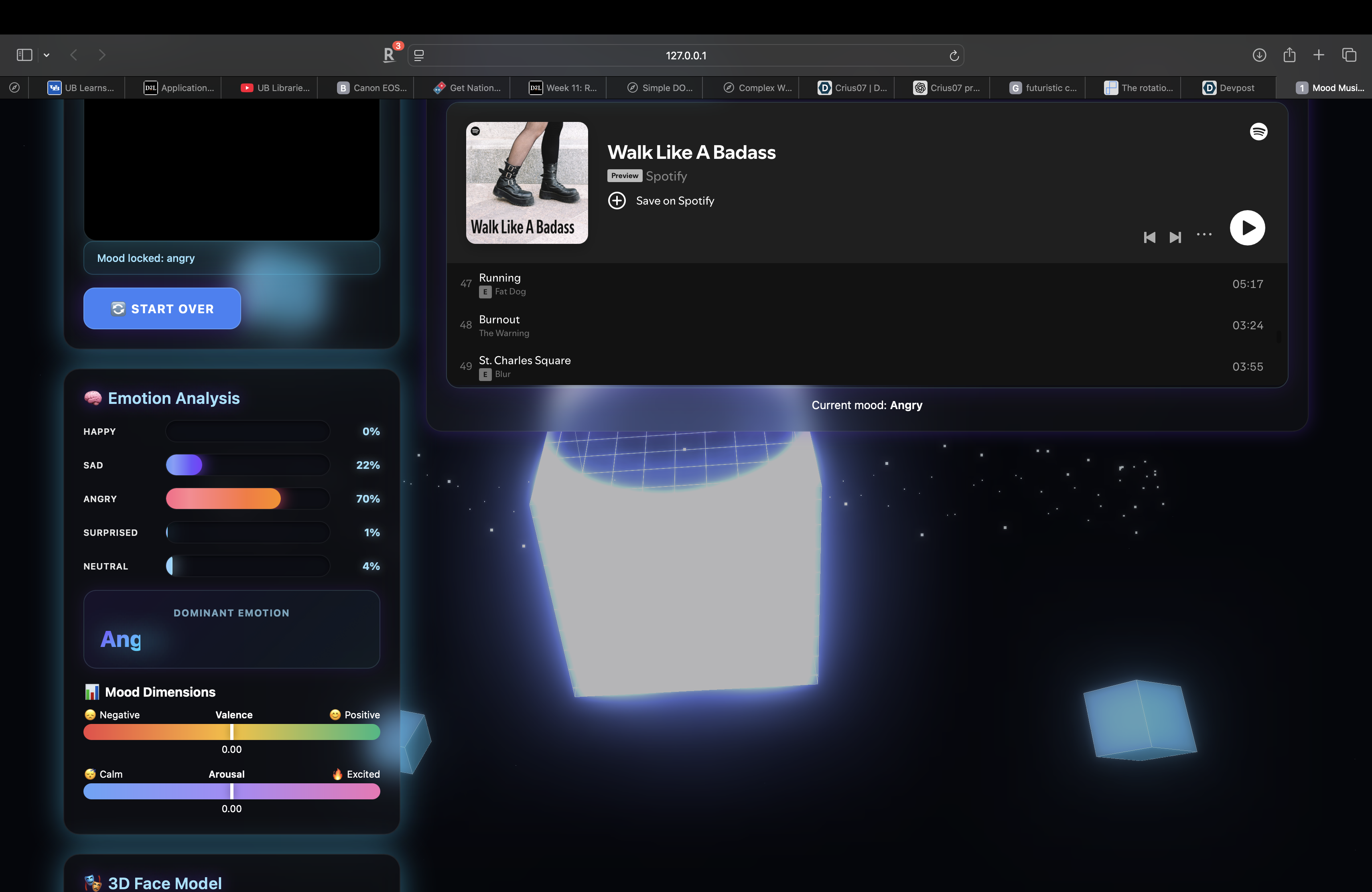
- Mood Music standalone: mood-music-standalone.html hosts a glassmorphic dashboard. The MorphCast SDK streams face emotion data into the UI (bars, valence/arousal indicators, and a 3D face proxy). Once I “Capture This Mood,” the Spotify iframe switches to the correct playlist based on the dominant emotion and selected mode (match, boost, or energy). Three.js drives both a neon cube background and a playful face visualization so the page feels like a futuristic studio.
## How I built it
- Extension stack: Vanilla JavaScript with Chrome extension APIs. manifest.json defines permissions (activeTab, scripting). content.js injects the floating “Get Help” control. popup.js handles screenshot capture, prompt assembly, and Gemini calls via background.js, which centralizes fetch requests with the API key stored through config.js. Styling relies on utility CSS plus custom glassmorphism to keep the UI minimal and readable.
- Mood Music stack: A single HTML file bundling CSS, MorphCast SDK, and Three.js modules. A MorphCastService class abstracts camera setup, MorphCast events, smoothing, and state callbacks. MoodMusicController orchestrates UI transitions (start, capture, restart), Spotify playlist selection, and pushes emotion updates to the scene. The background uses shader-based cubes, particle orbits, and post-processing to maintain a cyber aesthetic while respecting performance by toggling animation intensity when MorphCast is active. The 3D face is rendered with meshes (sphere head, torus mouth, primitives for eyes/brows) that react to emotion values.
## Challenges I ran into
- Browser-friendly vision: Extensions can’t embed heavy computer-vision models, so I relied on MorphCast’s web SDK for mood detection and made sure it worked smoothly with camera permissions already used elsewhere.
- Performance vs. visuals: The neon background, 3D face, and DOM UI all compete for GPU time. I solved stutter by adding a setCubePerformanceMode toggle that slows the background once analysis begins, and by tuning mesh counts and bloom usage.
- API key safety: Keeping the Gemini key out of version control required template configs plus documentation (README.md, SETUP.md, SPOTIFY_SETUP.md). The service worker stores it only in memory while the extension is running.
- State coordination: The Mood Music page needed to prevent automatic playlist swaps while the AI was still reading emotions. I buffered readings, only locked a playlist after the explicit capture action, and ensured energy mode had deterministic fallbacks even when emotions were neutral.
The extension and mood player now form a cohesive toolkit I can use: one side offers guidance and productivity, the other supports well-being through adaptive music and immersive UI.
Built With
- chrome-extensions-api
- css
- embed
- google-gemini-2.0-flash-api
- html
- javascript
- morphcast-ai-sdk
- spotify
- three.js


Log in or sign up for Devpost to join the conversation.