Inspiration
As a developer, I often finish building a website or writing code but still wonder whether the design is clear, the code is maintainable, or important accessibility and security issues were missed.
Most AI development tools respond through a chat interface. I wanted to build something that felt more like a professional engineering product: a workspace that analyzes work, produces structured reports, explains problems, and helps developers improve before shipping.
That idea became CritiForge — Review. Improve. Ship.
What it does
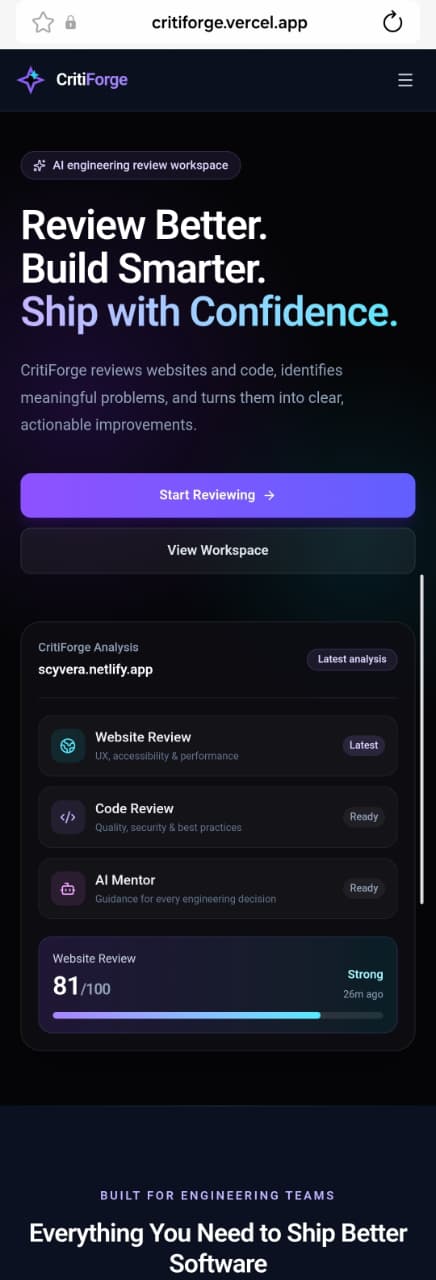
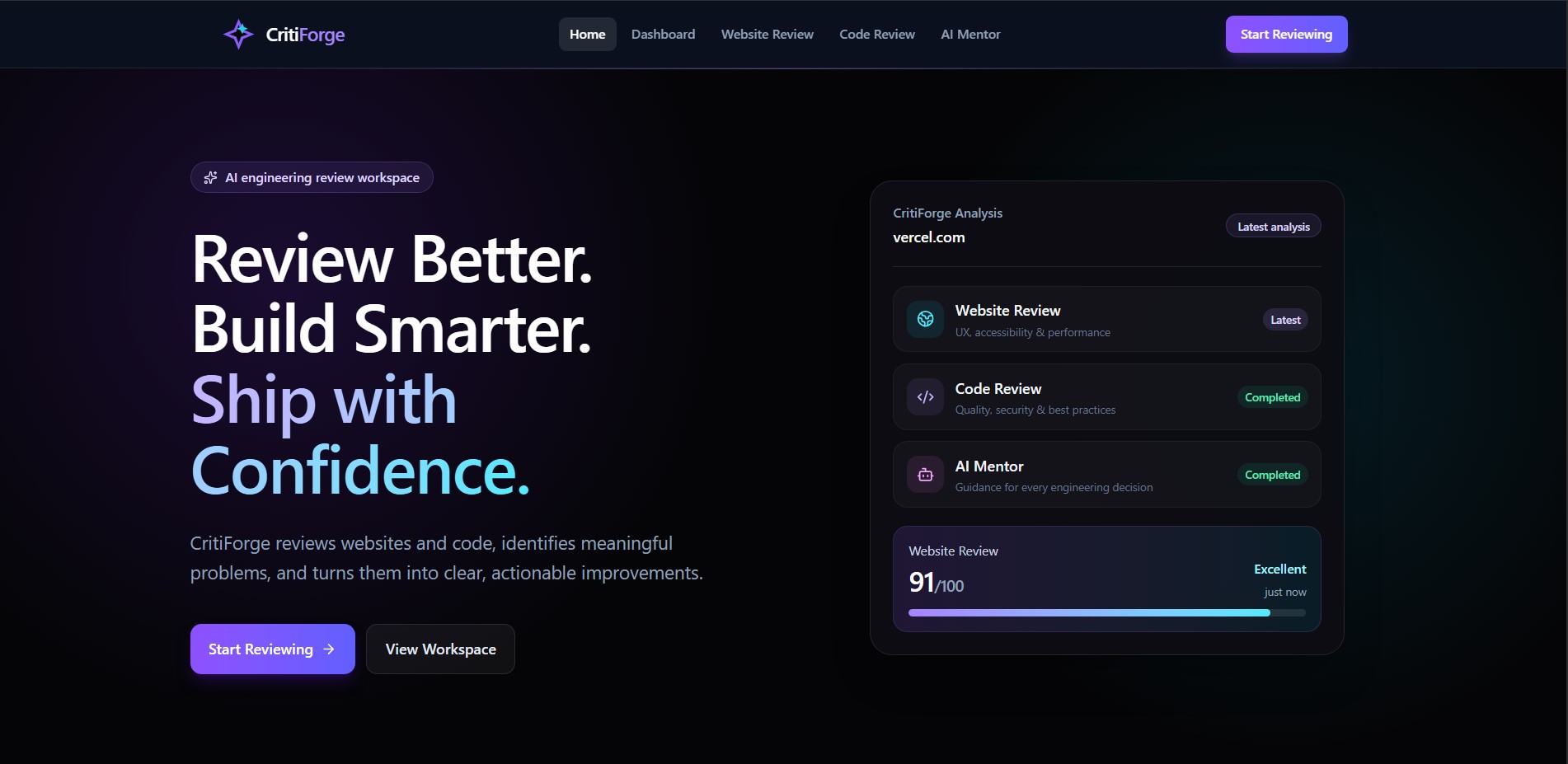
CritiForge is an AI engineering review workspace for developers, students, freelancers, and designers.
It provides three main tools:
Website Review
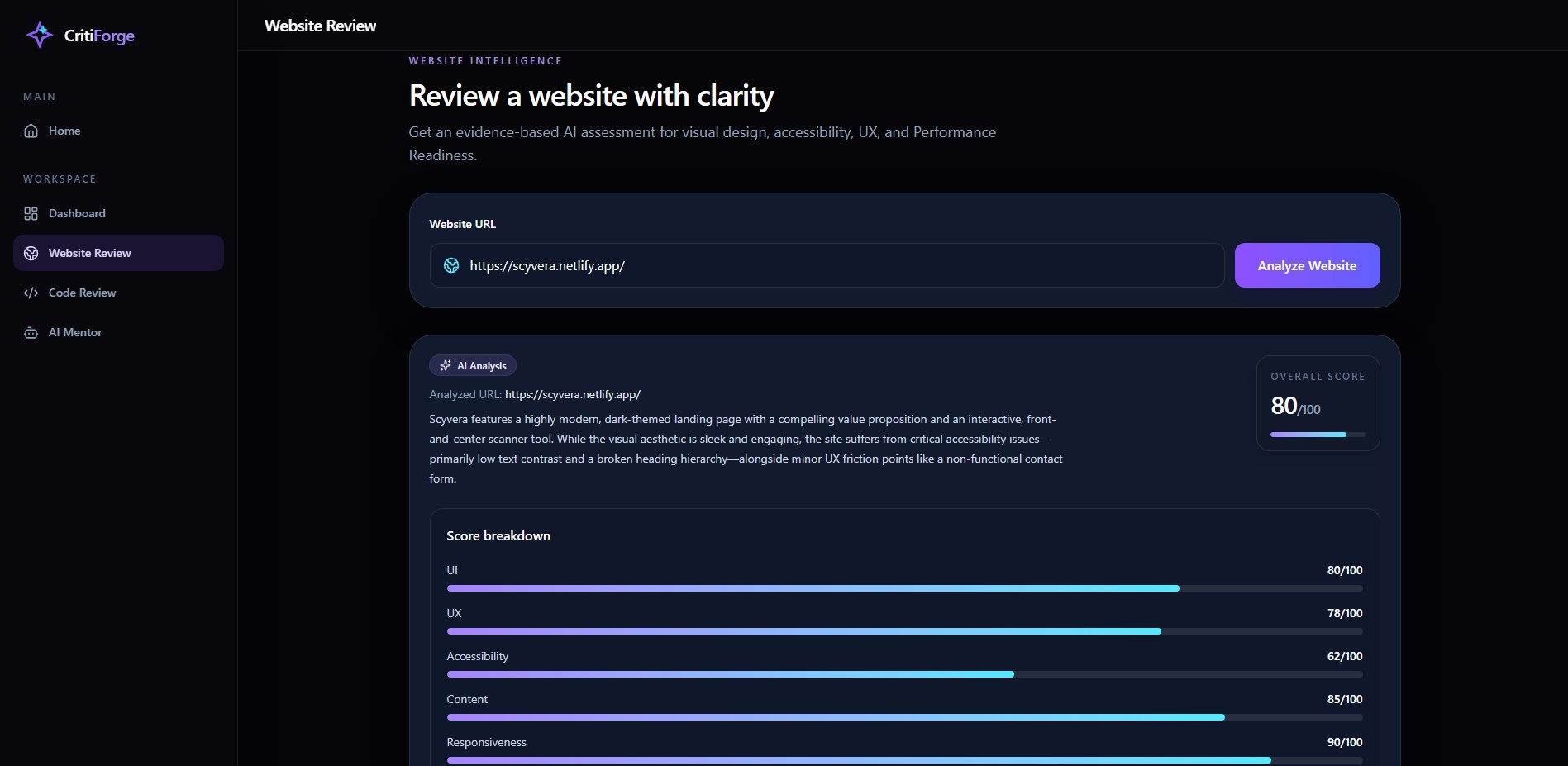
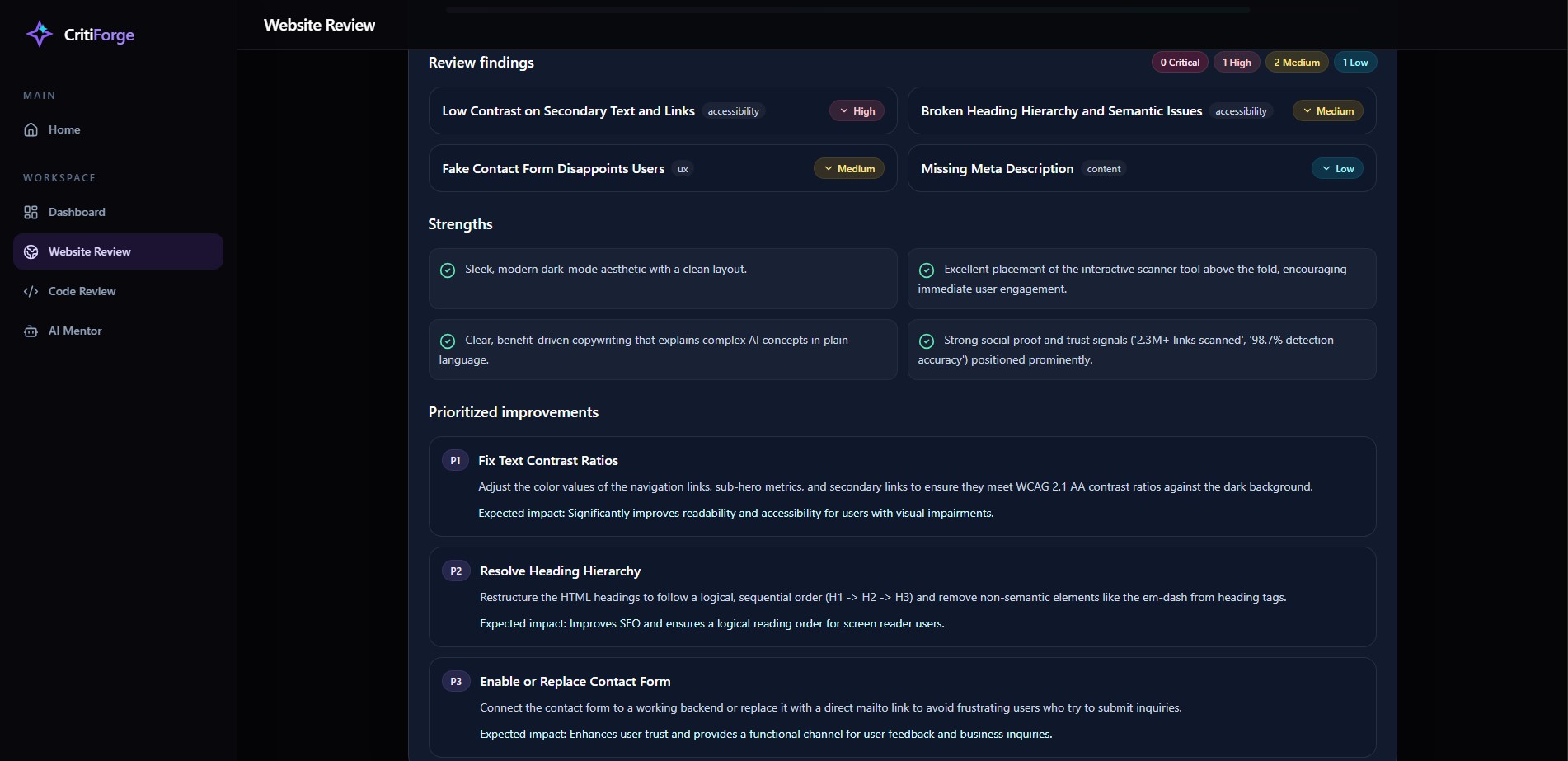
Users enter a public website URL. CritiForge collects page structure and a visual screenshot, then generates an evidence-based report covering:
- UI and visual hierarchy
- User experience
- Accessibility signals
- Content clarity
- Responsiveness
- Performance readiness
The result is presented through scores, severity-based findings, strengths, and prioritized recommendations.
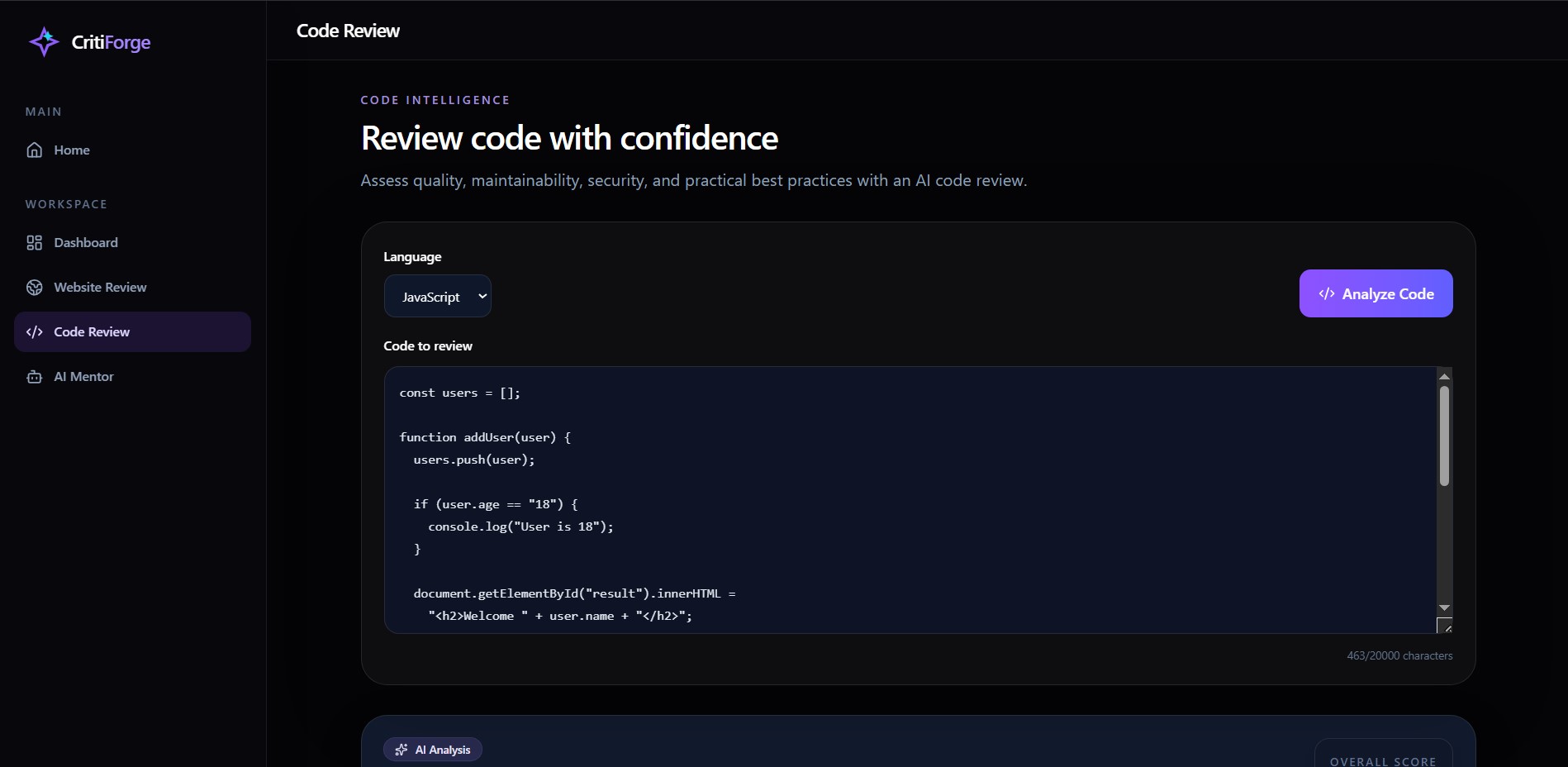
Code Review
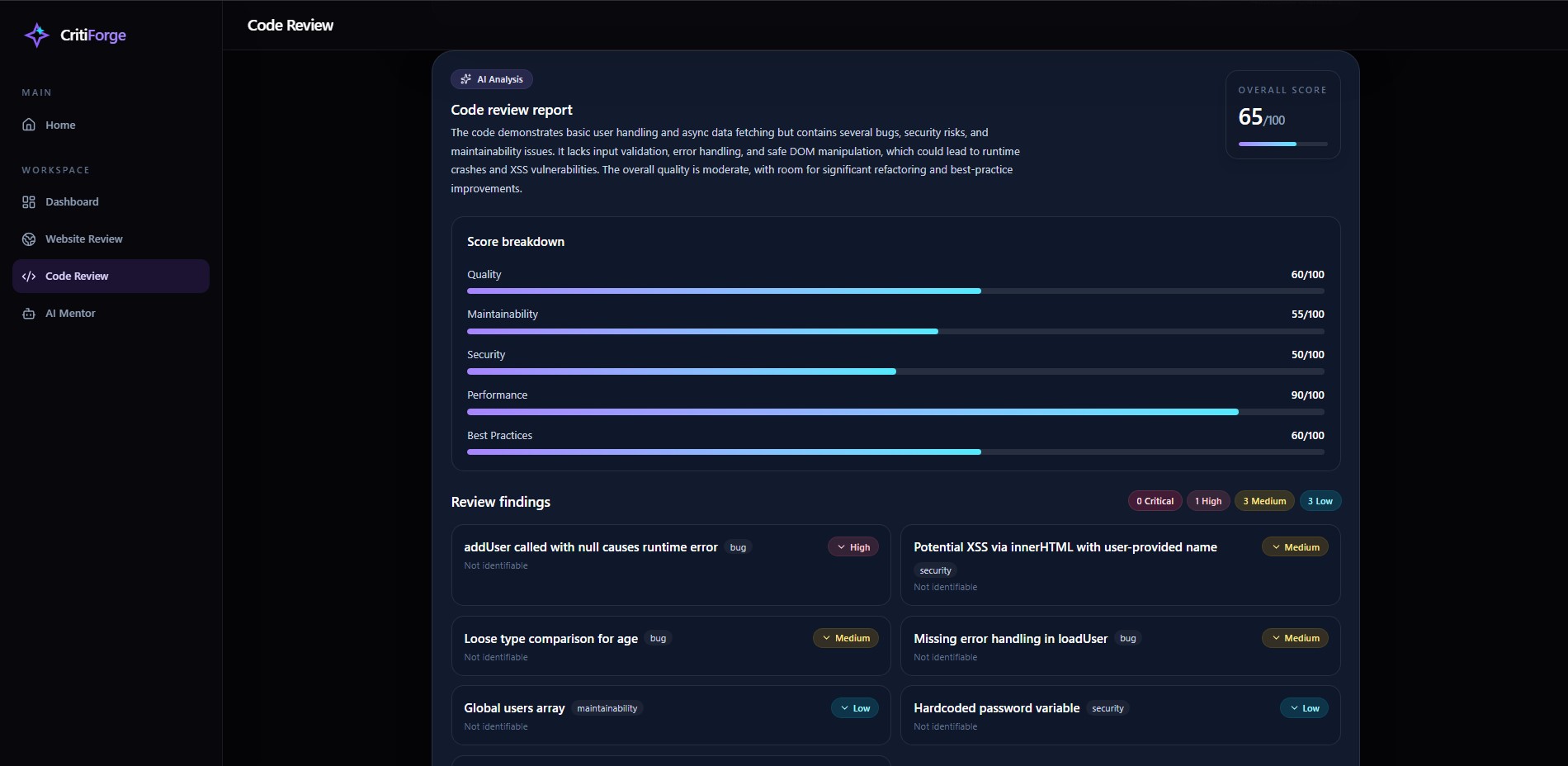
Users can paste HTML, CSS, or JavaScript. CritiForge reviews it for:
- Code quality
- Maintainability
- Security
- Performance
- Best practices
- Potential bugs and accessibility concerns
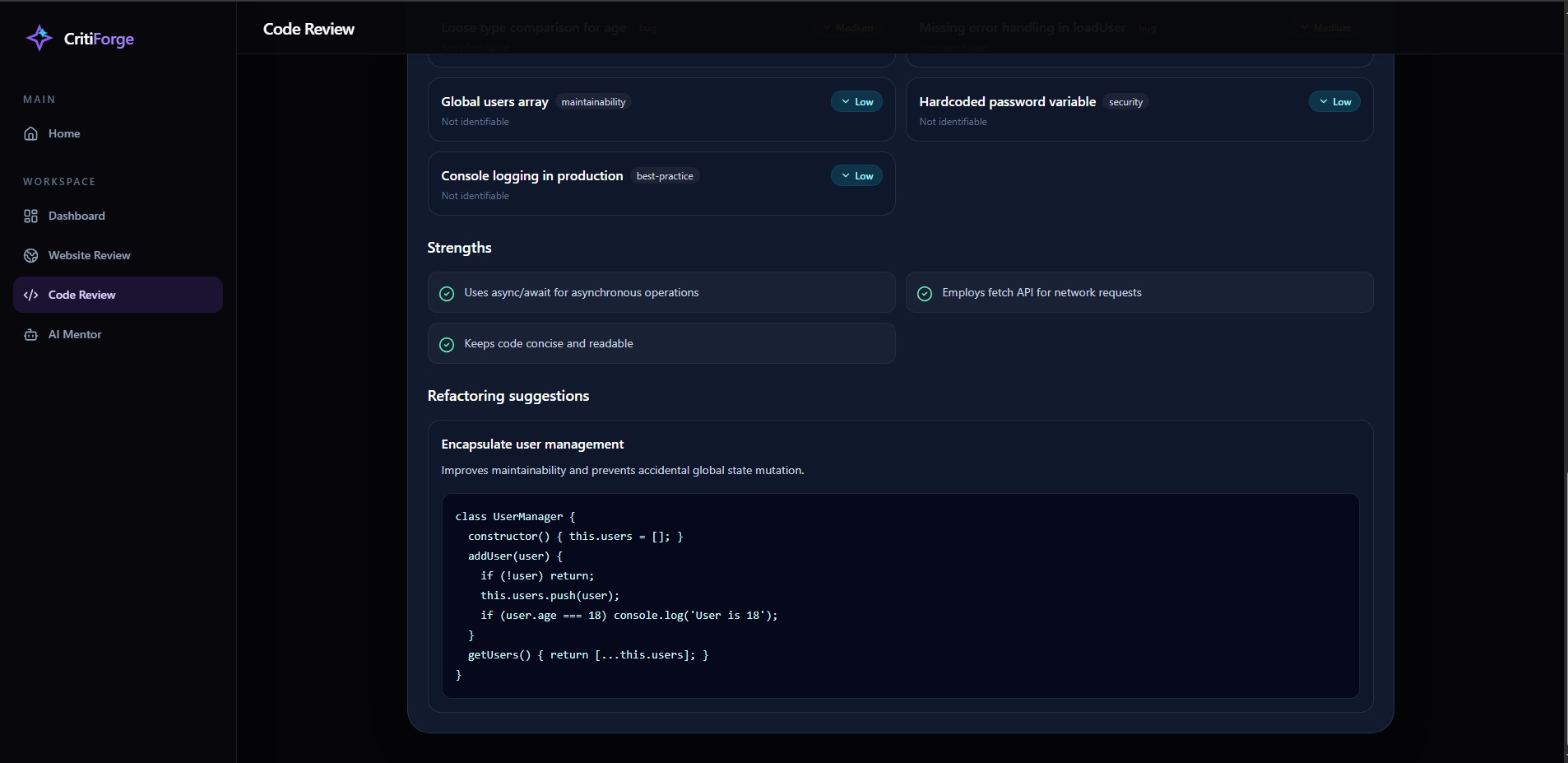
Instead of returning unstructured text, it displays score bars, issue cards, explanations, suggested fixes, and refactoring examples.
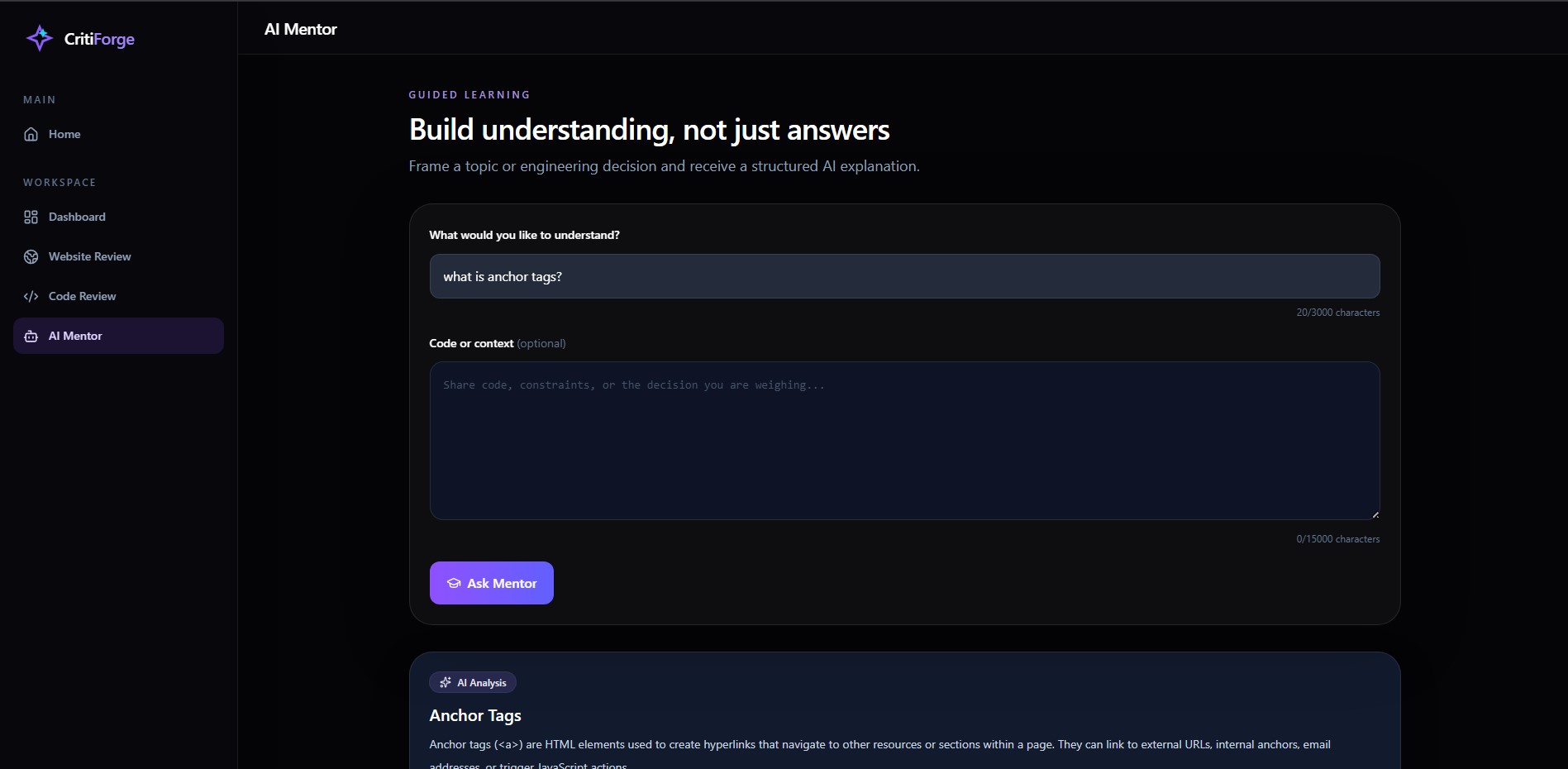
AI Mentor
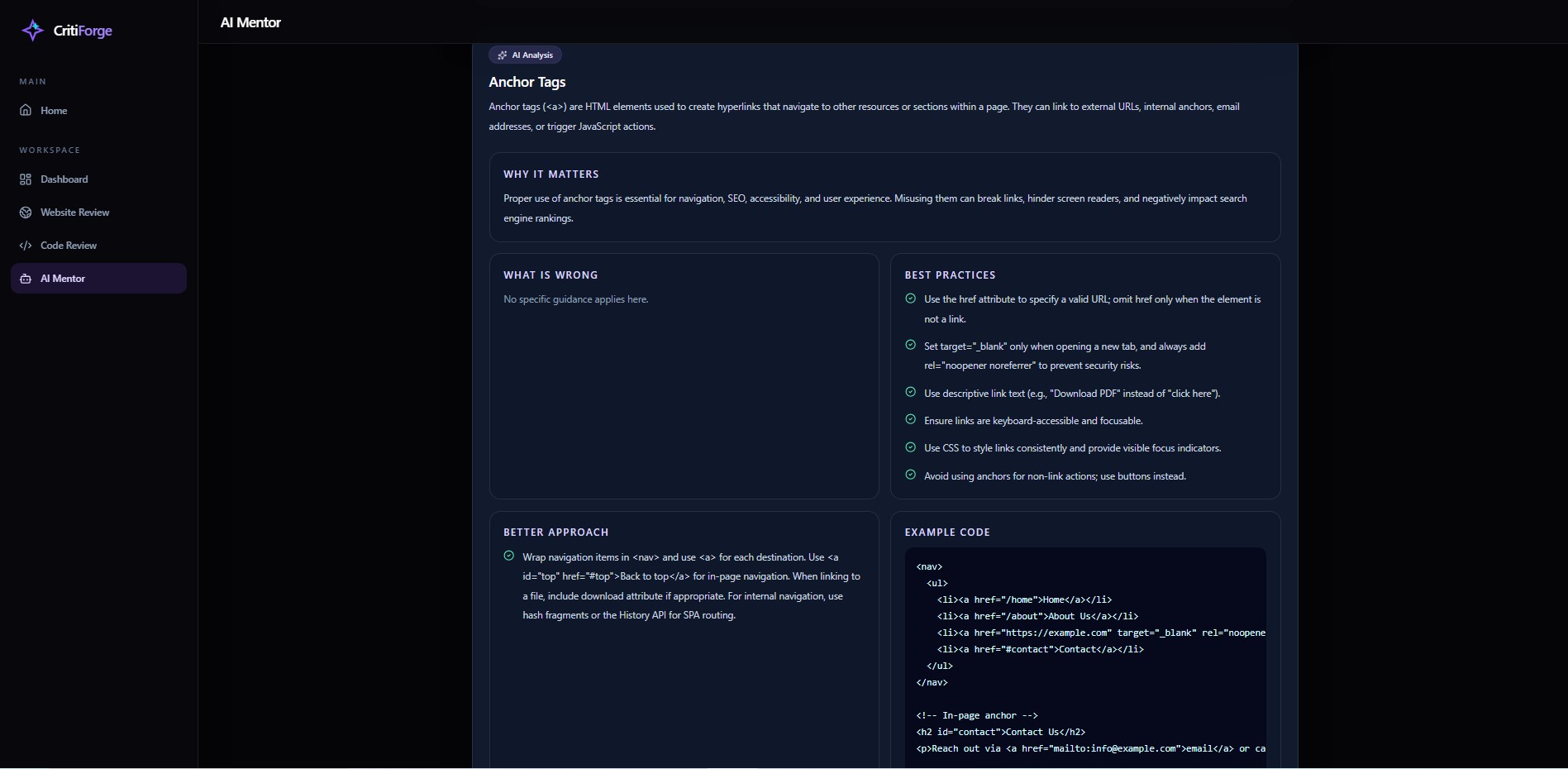
The AI Mentor focuses on teaching rather than only correcting. It explains:
- What is wrong
- Why it matters
- Best practices
- A better approach
- Example code
- Learning tips
- Suggested next steps
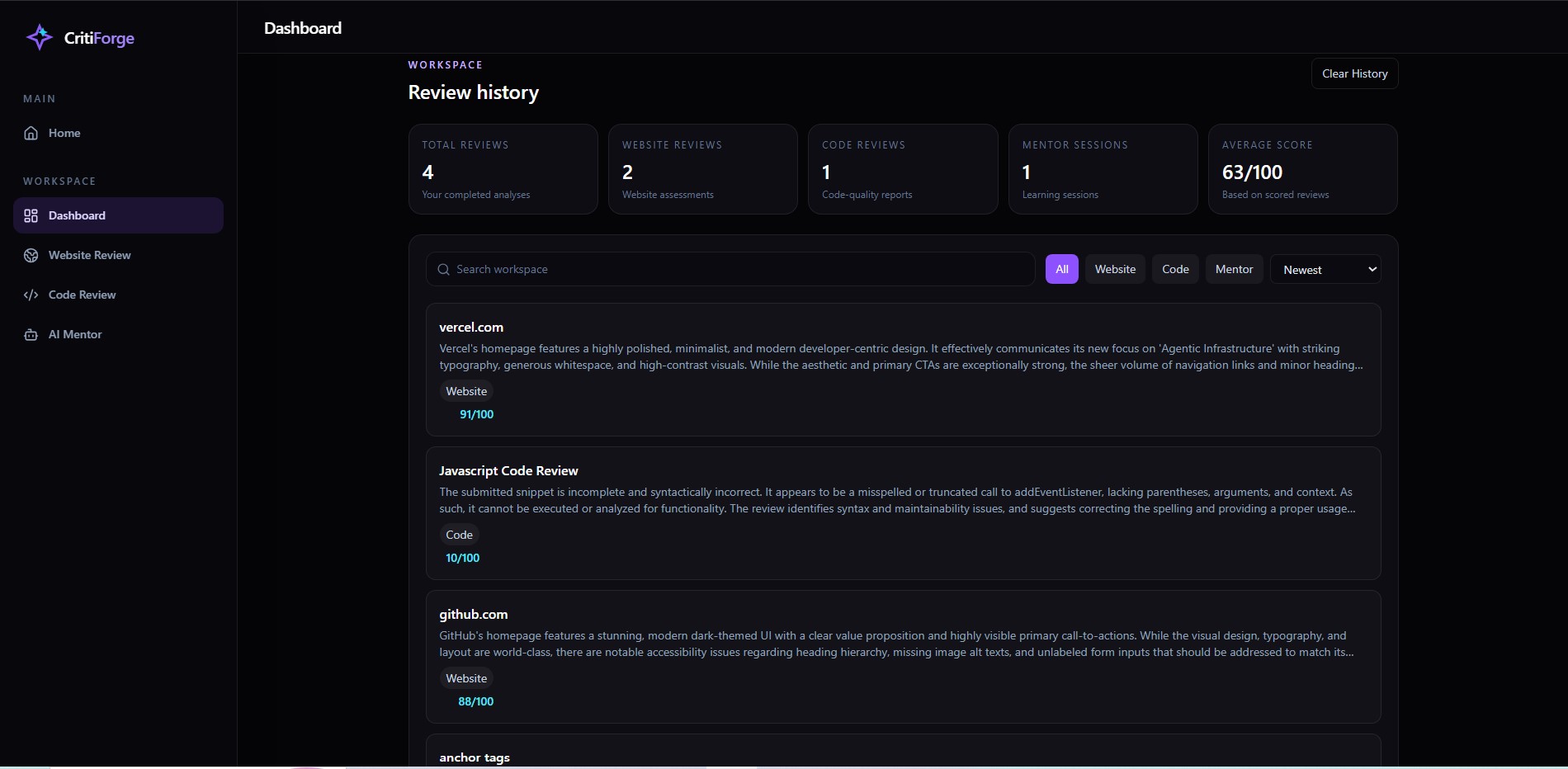
CritiForge also stores a lightweight history of completed reviews in the browser. The dashboard updates automatically with review totals, average scores, search, filters, and recent activity.
How I built it
The frontend was built with React, Vite, Tailwind CSS, and Framer Motion. I created a responsive application layout with a desktop sidebar, mobile navigation drawer, reusable report components, loading states, error handling, and a deep-black visual design.
The backend uses Node.js and Express.
For Website Review, the backend validates the URL, protects against unsafe internal addresses, extracts page evidence using Cheerio, and captures a screenshot using Playwright. The screenshot and structured evidence are analyzed with Google Gemini.
Code Review and AI Mentor use Groq-hosted language models. AI responses are parsed and validated against structured schemas before being rendered by the frontend.
The frontend is deployed on Vercel, while the Express and Playwright backend runs in a Docker container on Render.
How I used Codex and GPT-5.6 Terra
I used Codex throughout the complete development process rather than only for the initial setup.
GPT-5.6 Terra in Codex helped me with:
- Planning the frontend and backend architecture
- Creating focused implementation milestones
- Building structured AI response schemas
- Debugging API, CORS, routing, and environment-variable issues
- Improving accessibility and mobile navigation
- Refactoring duplicated components
- Optimizing Website Review performance
- Preparing Playwright and Docker deployment
- Reviewing changes before committing them
I tested each feature, read the generated code, fixed errors, and committed working milestones as the project developed.
Challenges I faced
One challenge was building Website Review as more than a URL-to-text prompt. A useful review required collecting real page evidence and capturing a visual screenshot.
Deploying Playwright was another challenge because Chromium requires Linux system dependencies. The initial native Render deployment failed, so I moved the backend to a Docker image that includes the required browser environment.
I also had to work within free API limits. I used Groq for text-based analysis and Gemini for visual website analysis while continuing to use GPT-5.6 Terra through Codex during development.
Another challenge was making the product feel like a real SaaS workspace rather than an AI chatbot. I spent significant time improving structured reports, dashboard history, navigation, empty states, loading feedback, responsiveness, and the visual identity.
Accomplishments
I am proud that CritiForge:
- Produces structured, actionable reports instead of chat messages
- Reviews both visual websites and source code
- Includes an educational AI Mentor
- Uses real webpage evidence and screenshots
- Has a dynamic dashboard with searchable review history
- Works across desktop and mobile
- Is fully deployed with separate frontend and backend services
What I learned
This project taught me how to design reliable AI workflows around structured outputs, validate model responses, safely process external URLs, work with browser automation, deploy a multi-service application, and use Codex as an engineering collaborator.
I also learned that product quality is not only about adding features. Clear UX, useful errors, responsive layouts, performance, and trustworthy output are equally important.
What's next
Future improvements could include:
- User accounts and cloud-synced review history
- Team workspaces
- PDF and shareable report exports
- GitHub repository analysis
- Measured Lighthouse integration
- Review comparisons across multiple versions
- Pull-request and CI/CD integrations
Built With
- api
- cheerio
- codex
- docker
- express.js
- framer
- gemini
- github
- gpt-5.6
- groq
- javascript
- node.js
- playwright
- react
- render
- rest
- tailwind
- vercel
- vite
- zod


Log in or sign up for Devpost to join the conversation.