-
-
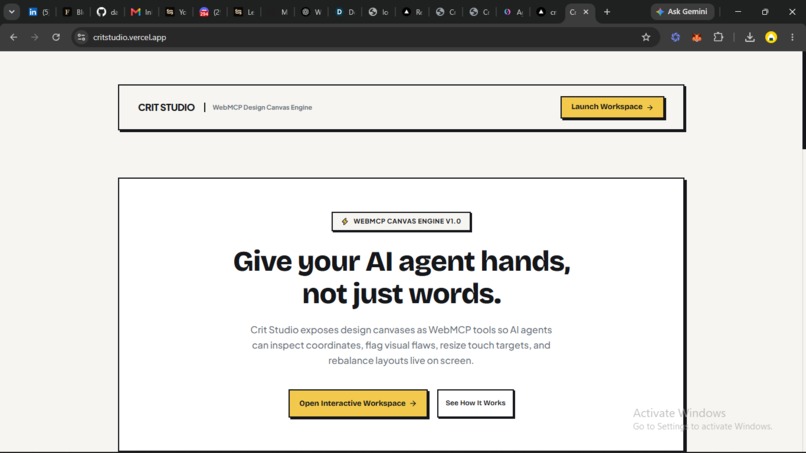
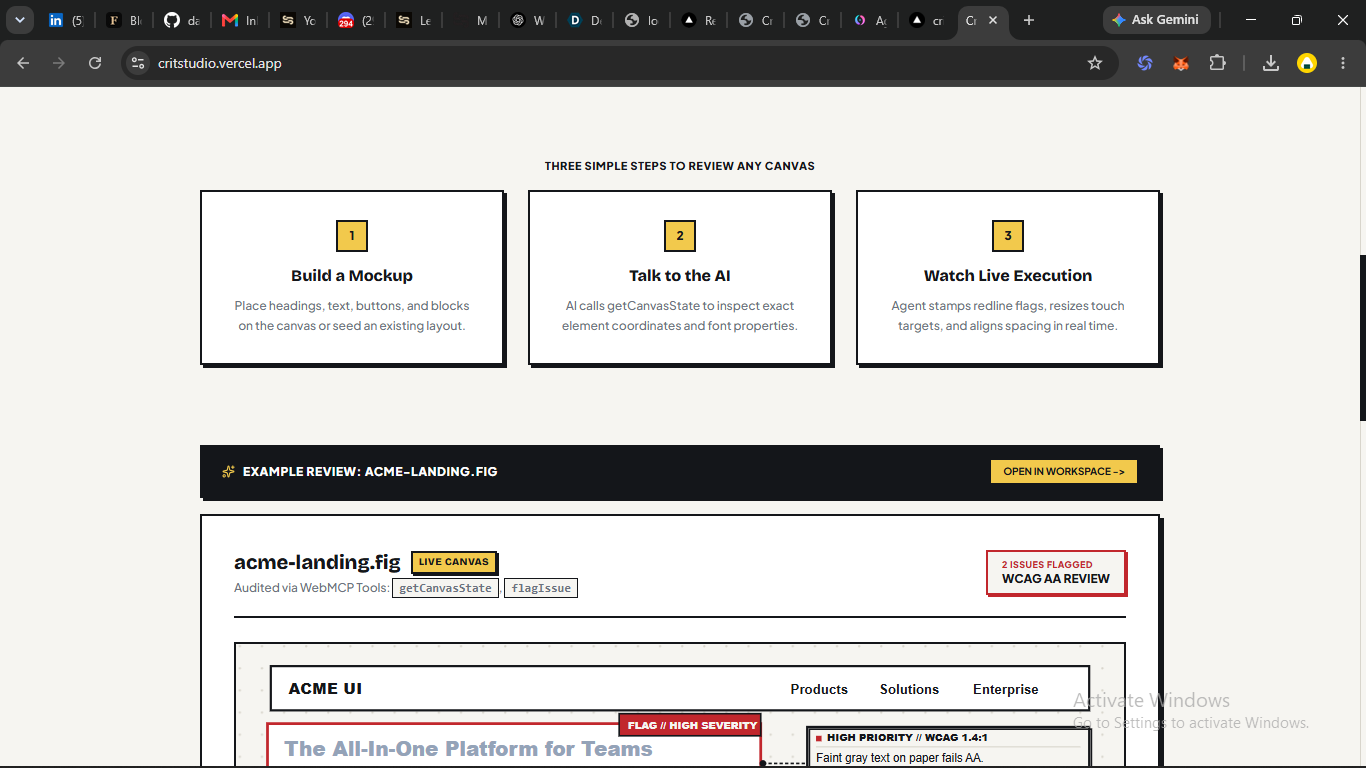
landing page
-
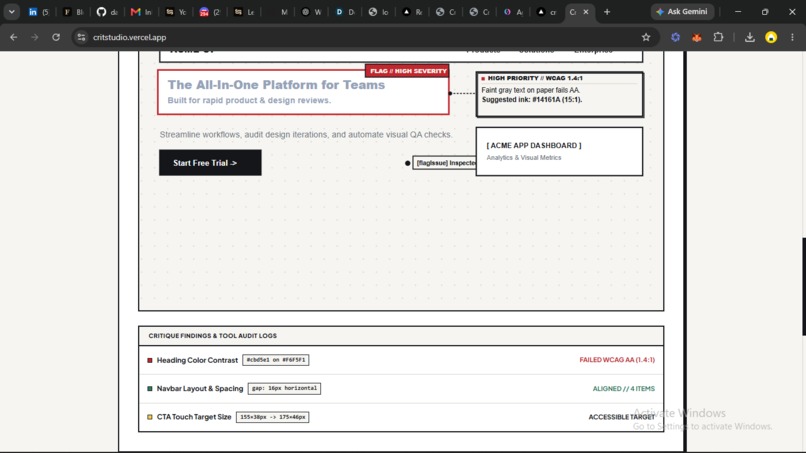
landing page
-
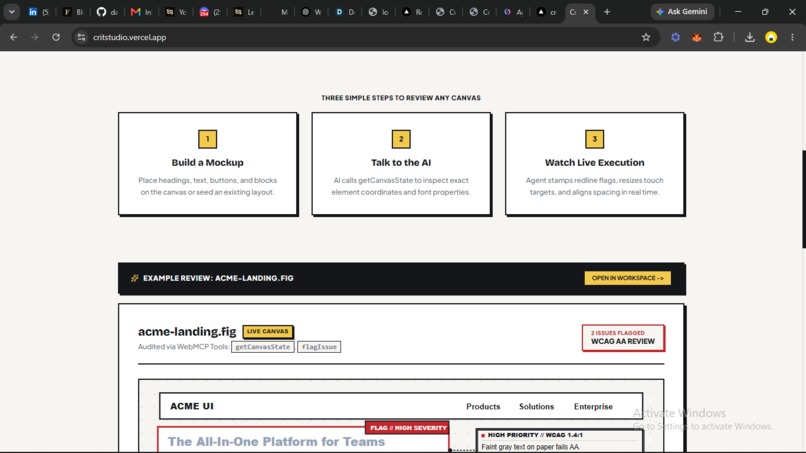
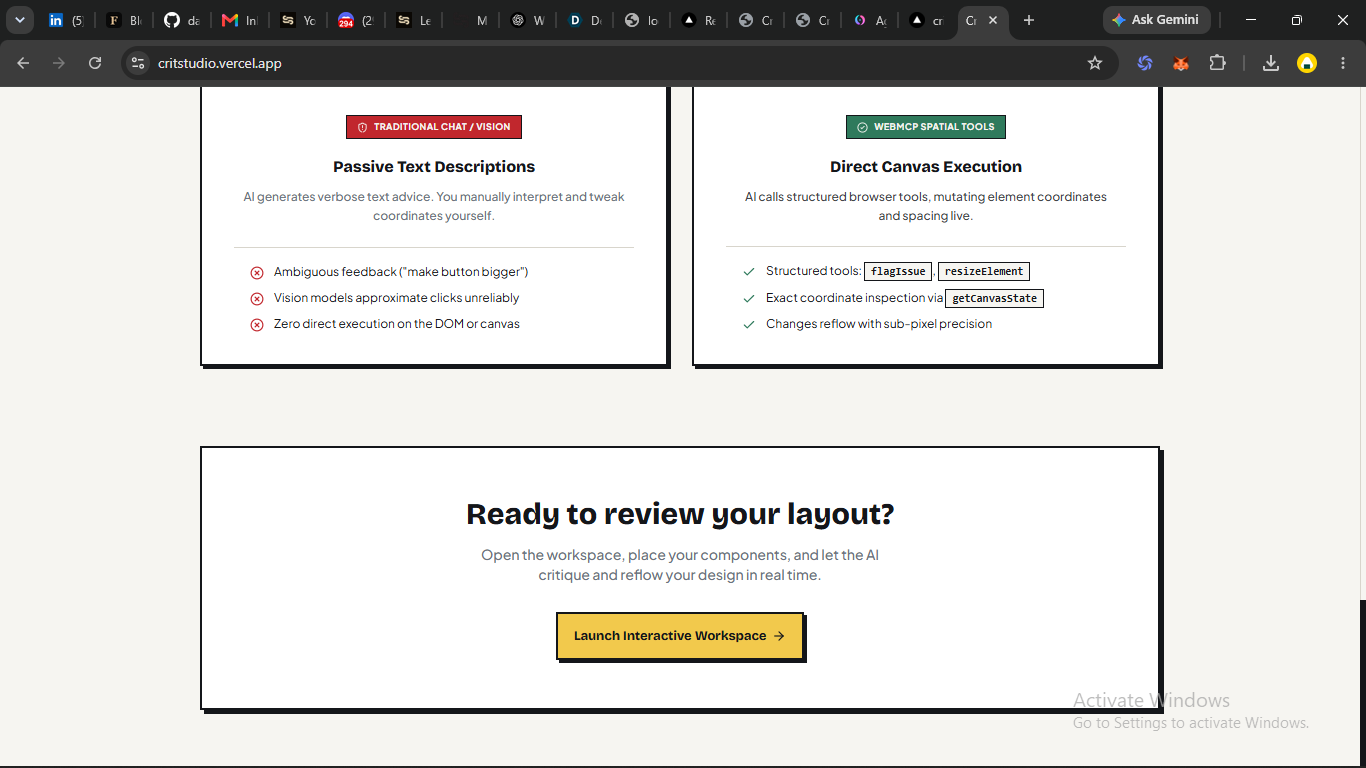
landing page
-
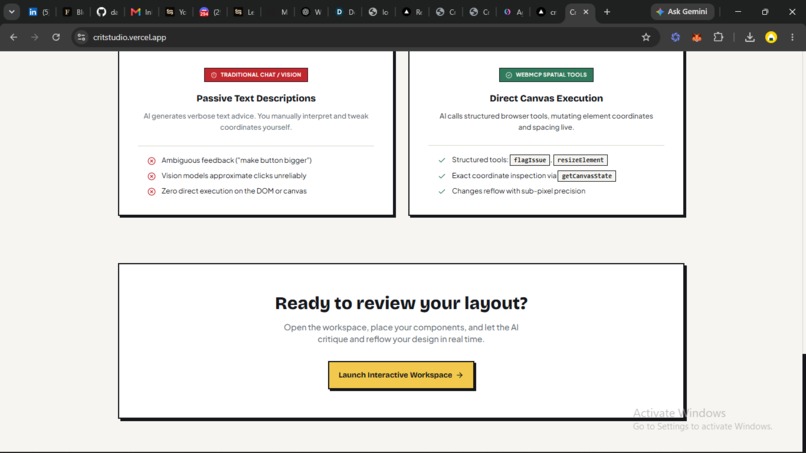
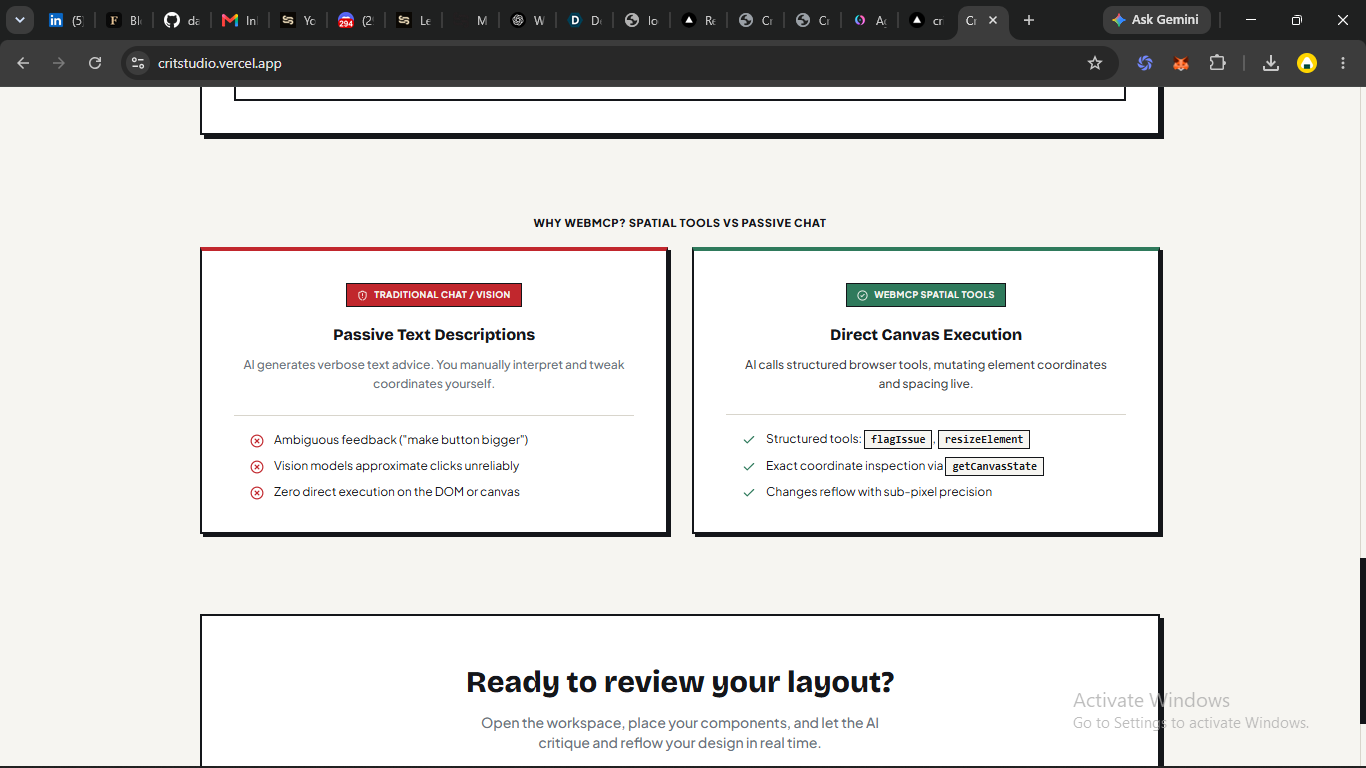
landing page
-
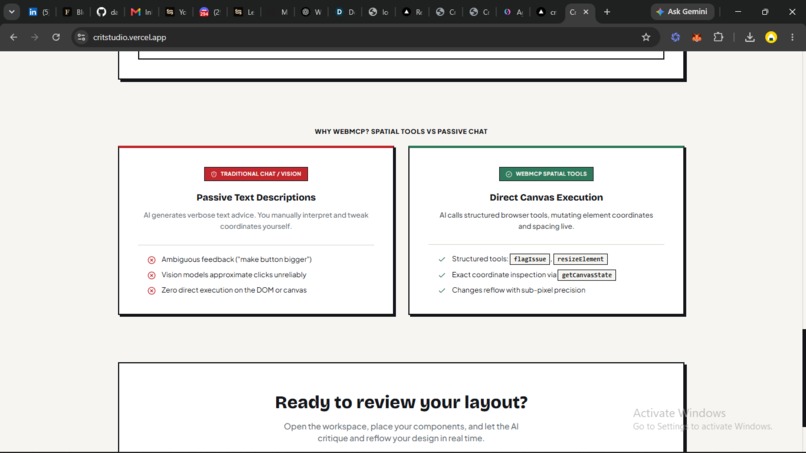
landing page
-
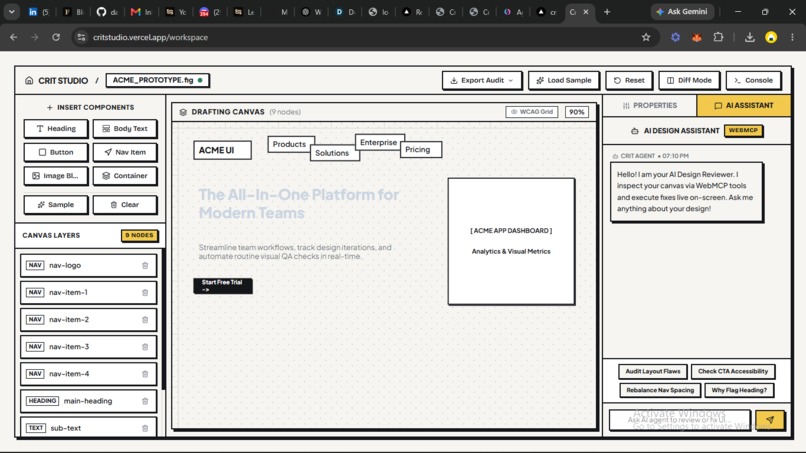
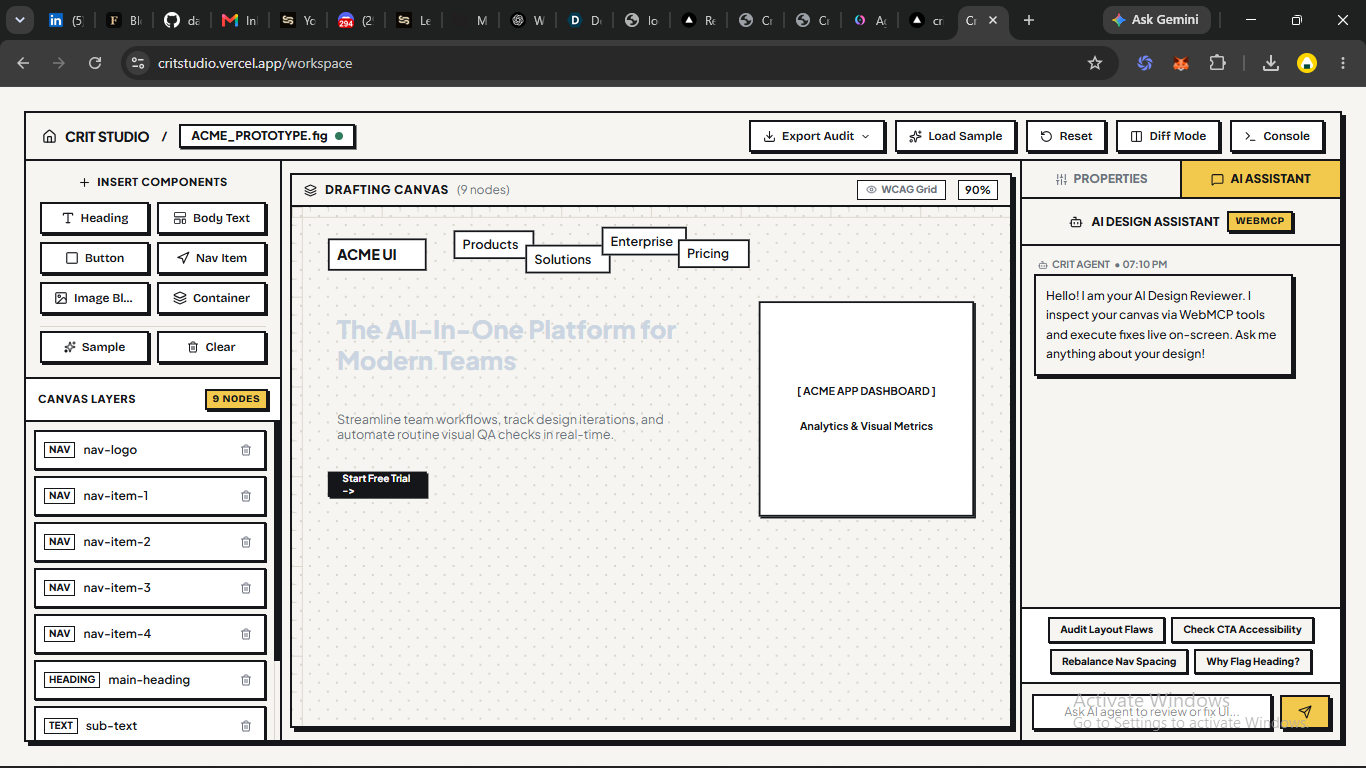
workspace view
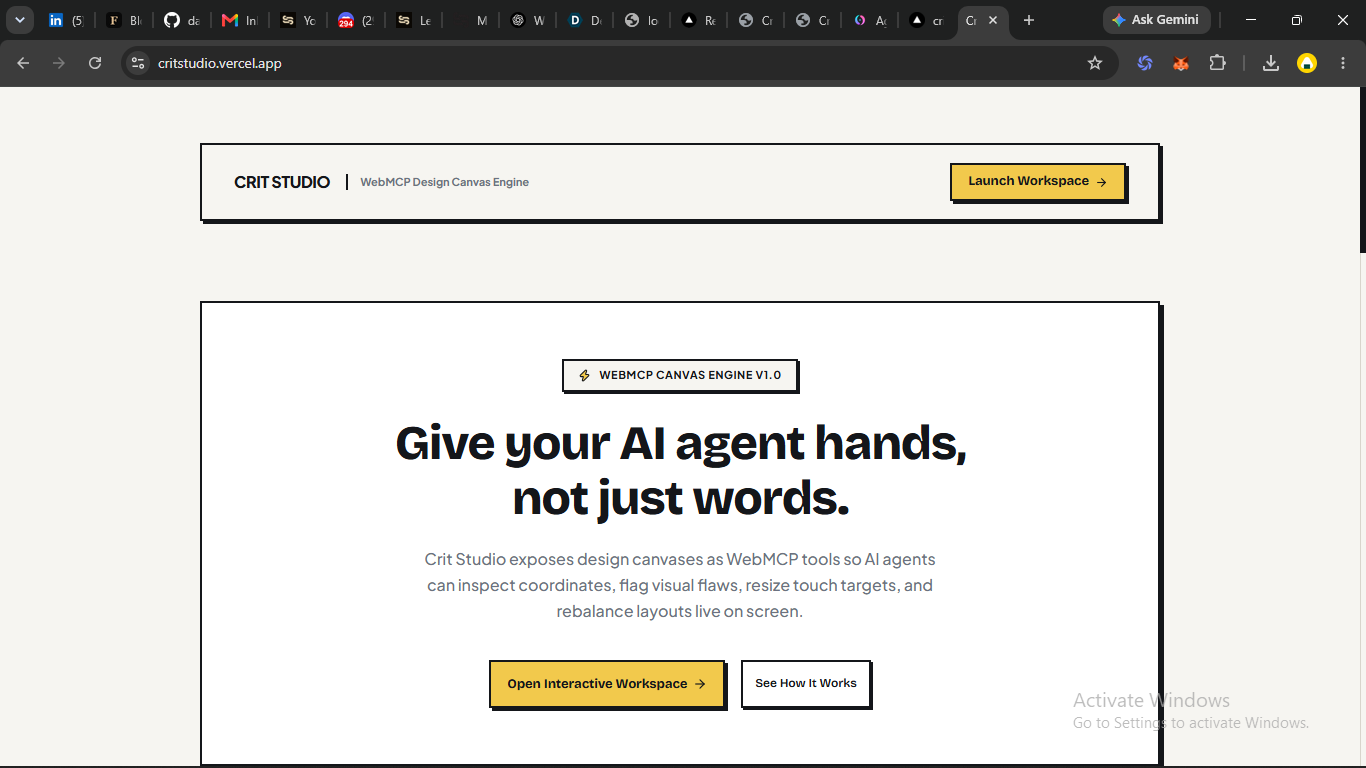
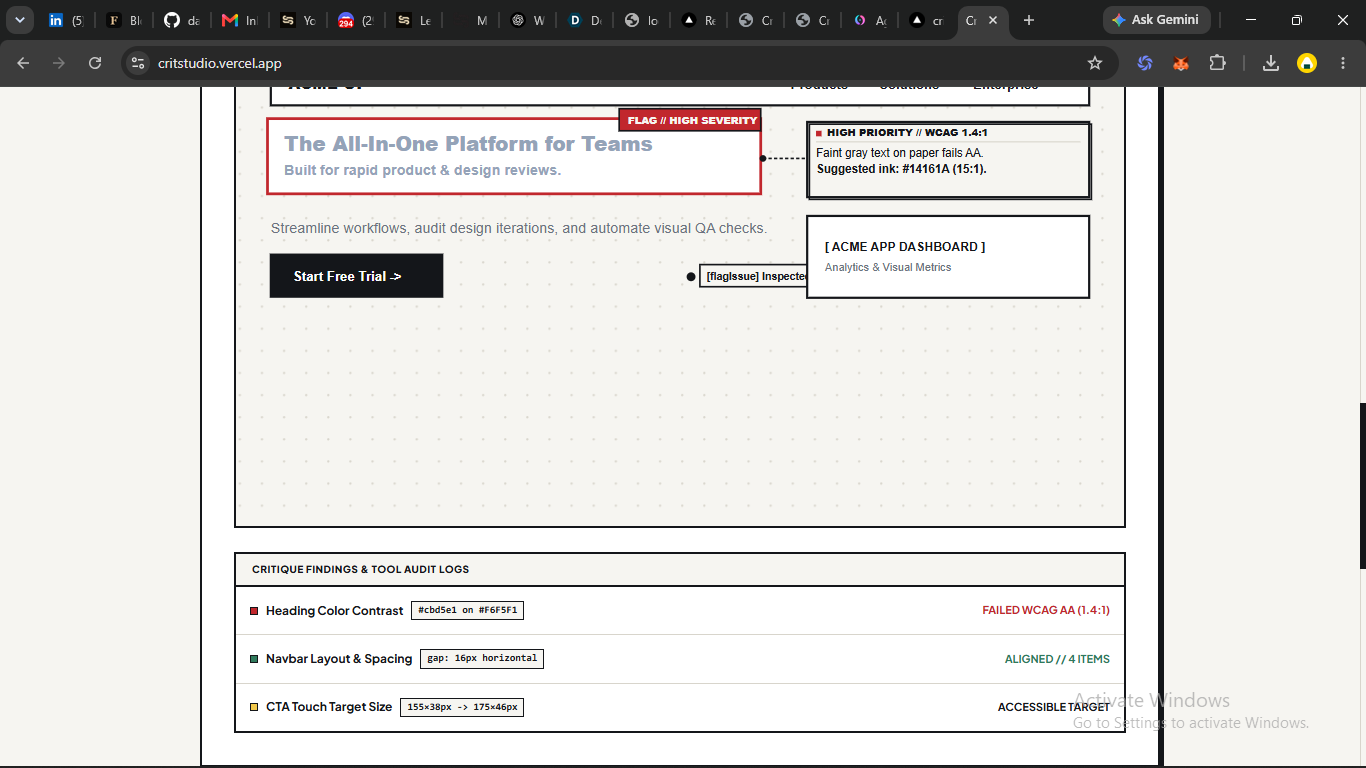
Inspiration
Most AI design tools give you feedback in a chat box.
“Your CTA needs more spacing.” “Your layout could be more balanced.”
The problem is that design is visual. If someone tells you that something is 12 pixels too far to the left, you still have to go find it, figure out what they mean, and fix it yourself.
I started wondering: what if the AI reviewing your design could actually touch the canvas?
That idea became Crit Studio.
Instead of having an AI describe what's wrong with a design, I wanted it to be able to point to the exact element, move it, resize it, and show you the fix directly.
WebMCP made that possible in a way that felt much more natural than building another AI chat interface.
What it does
Crit Studio is a live design workspace where you can build a simple mockup using a Figma-style component toolbox — headings, buttons, navigation, images, and other elements — and then ask an AI reviewer to critique it.
But the interesting part is what happens next.
The AI doesn't just send back a list of suggestions. It can actually interact with the canvas through WebMCP tools.
It can:
- Read the current layout with
getCanvasState - Flag a specific problem with
flagIssue, placing a visible badge directly on the element - Move an element with
moveElement - Resize an element with
resizeElement - Rebalance spacing across a group with
suggestSpacing - Add a comment at an exact canvas position with
annotateAt
So if the agent says your CTA is too small, you can actually watch it resize.
And if you respond, “Make it bigger, not just more spaced out,” it can make another change on the same canvas.
That back-and-forth was important to me. I didn't want Crit Studio to feel like a tool that analyzes a screenshot once and gives you a report. I wanted it to feel like you're actually working with the AI on the design.
The tools are also registered through the standard navigator.modelContext API rather than being tied to my own interface. That means any WebMCP-native agent host can discover and use them independently.
I also built an Export Audit feature. At the end of a session, you can export the entire critique, the elements on the canvas, issues that were raised and resolved, and the chronological tool-call history as Markdown or JSON.
So the session doesn't just disappear when you're done. You have an actual artifact you can share with a team or keep for documentation.
How I built it
Crit Studio is built with Next.js, TypeScript, and Zustand.
One decision I made early turned out to be one of the most important architectural choices: there should only be one source of truth for the canvas.
The Zustand store holds the entire canvas state, and every interaction reads and writes to that same store.
Whether you're dragging an element manually, the AI is calling a WebMCP tool, or the built-in review panel is making changes, everything updates the exact same state model.
That kept the application consistent regardless of who's interacting with the canvas.
I also decided to build the canvas using regular DOM elements with absolute positioning instead of using <canvas> or WebGL.
That made styling much easier, allowed smooth CSS animations, simplified positioning annotations and badges, and made serializing the canvas state for getCanvasState much more straightforward.
For the visual design, I created a small neobrutalist design system using hard borders, flat colors, and offset shadows. I wanted Crit Studio to feel like a creative design tool rather than another generic AI dashboard.
The six WebMCP tools are registered client-side with navigator.modelContext.registerTool(), each with a deliberately narrow responsibility so an agent has a clear and predictable set of actions to choose from.
Challenges I faced
One of the biggest challenges was getting the canvas to behave exactly the way I wanted visually.
I went through several different design directions before settling on the final interface, and almost every iteration revealed another layout issue.
At one point, issue badges and annotation pins kept overlapping the very content they were supposed to describe. I also ran into problems with the canvas preview clipping inside its container instead of scaling properly.
One particularly stubborn bug turned out not to be a React problem at all.
I had a global CSS reset:
* { margin: 0; padding: 0; }
and it was silently overriding Tailwind utility classes because of how CSS Cascade Layers work. Since the reset was unlayered, it could override styles inside Tailwind's @layer utilities even when the utilities looked more specific.
That bug took longer to find than I expected.
It also changed how I approached the rest of the project. I stopped treating a clean build as proof that something worked. If I couldn't visually confirm the result in the browser, I considered the issue unresolved.
I also migrated the entire project from Vite to Next.js midway through development to take advantage of built-in API routes and better font handling. That meant reworking the client and server boundaries for anything touching navigator or browser-only state, which added another layer of complexity during development.
Accomplishments I'm proud of
The thing I'm most proud of is the live interaction loop.
There's something genuinely different about asking, “What's wrong with this layout?” and then watching an AI resize a button, move a heading, or rebalance spacing directly on the canvas.
There's no screenshot round-trip, no page reload, and no copying suggestions into another editor.
Everything happens in the same workspace in real time.
That was the moment where the original idea really came together.
I'm also proud that I kept the WebMCP tool surface intentionally small. Rather than building a huge API with dozens of overlapping actions, I focused on six tools with very clear responsibilities.
I think that made the system easier to reason about and made the agent's behavior much more predictable.
What I learned
The biggest lesson for me was that WebMCP's real advantage isn't just speed.
It's precision.
A vision-based agent has to estimate positions from a screenshot, while a tool-calling agent can inspect structured layout data and interact with exact elements using deterministic coordinates.
That difference completely changes the quality of interaction.
I also learned the importance of being honest about what is actually AI-driven and what is deterministic logic supporting the experience.
There were moments during development where it would've been easy to present deterministic behavior as if it were intelligent reasoning. I deliberately avoided that distinction becoming blurry because I think technical honesty matters, especially when building AI products.
What's next for Crit Studio
The next version of Crit Studio will focus on making critiques work with real-world designs instead of only manually created mockups.
I'd like to add support for importing screenshots and reference images so users can critique existing interfaces directly.
I'm also planning to expand accessibility checks beyond contrast ratios and introduce more typography and layout intelligence, including grid alignment, hierarchy, and spacing recommendations.
The long-term goal is still the same:
Don't just tell me what's wrong with my design. Show me.
Built With
- navigator.modelcontext
- next.js
- react
- typescript
- vercel
- webmcp
- zustand

Log in or sign up for Devpost to join the conversation.