-
-
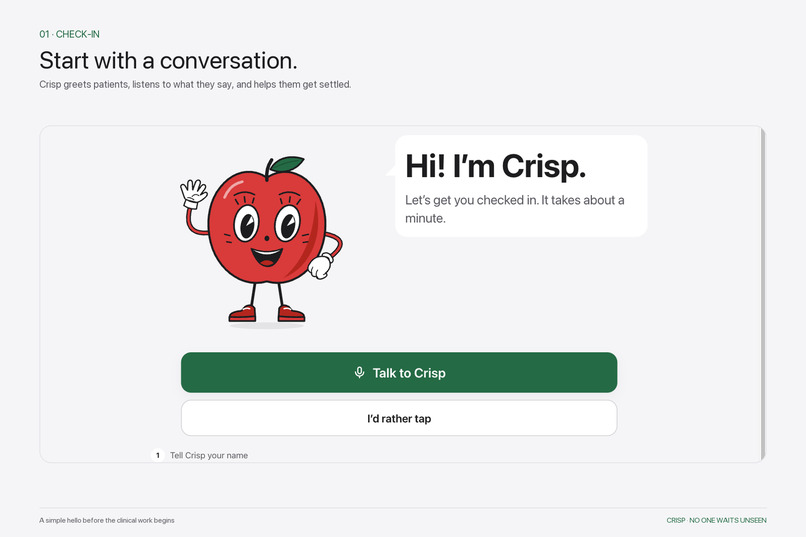
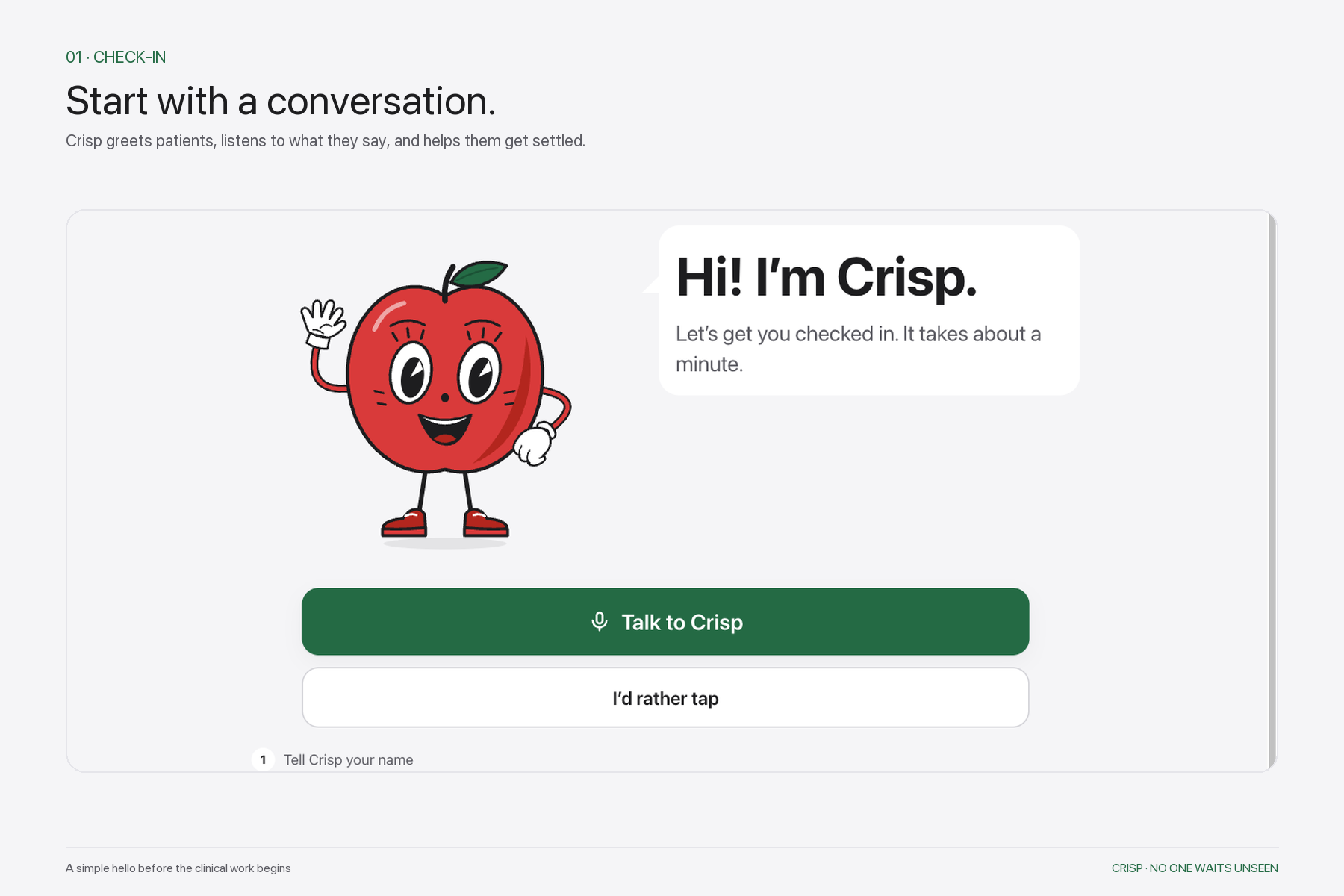
Crisp welcomes patients with a calm, conversational check-in.
-
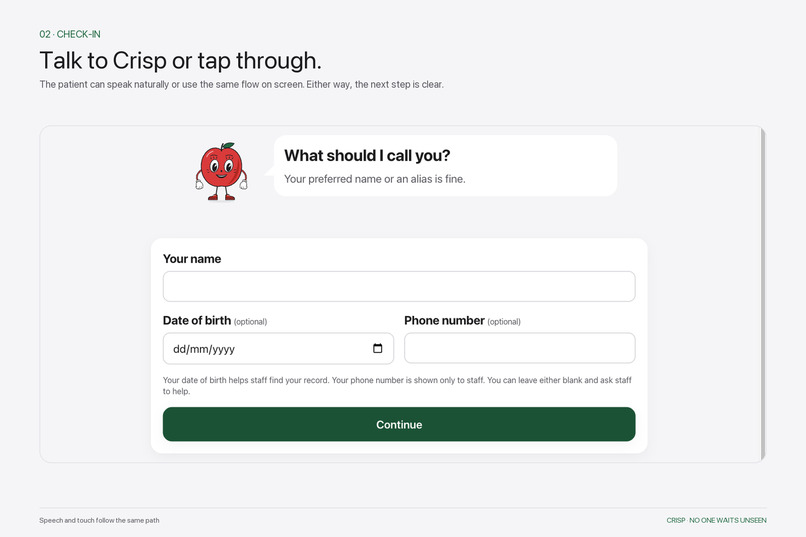
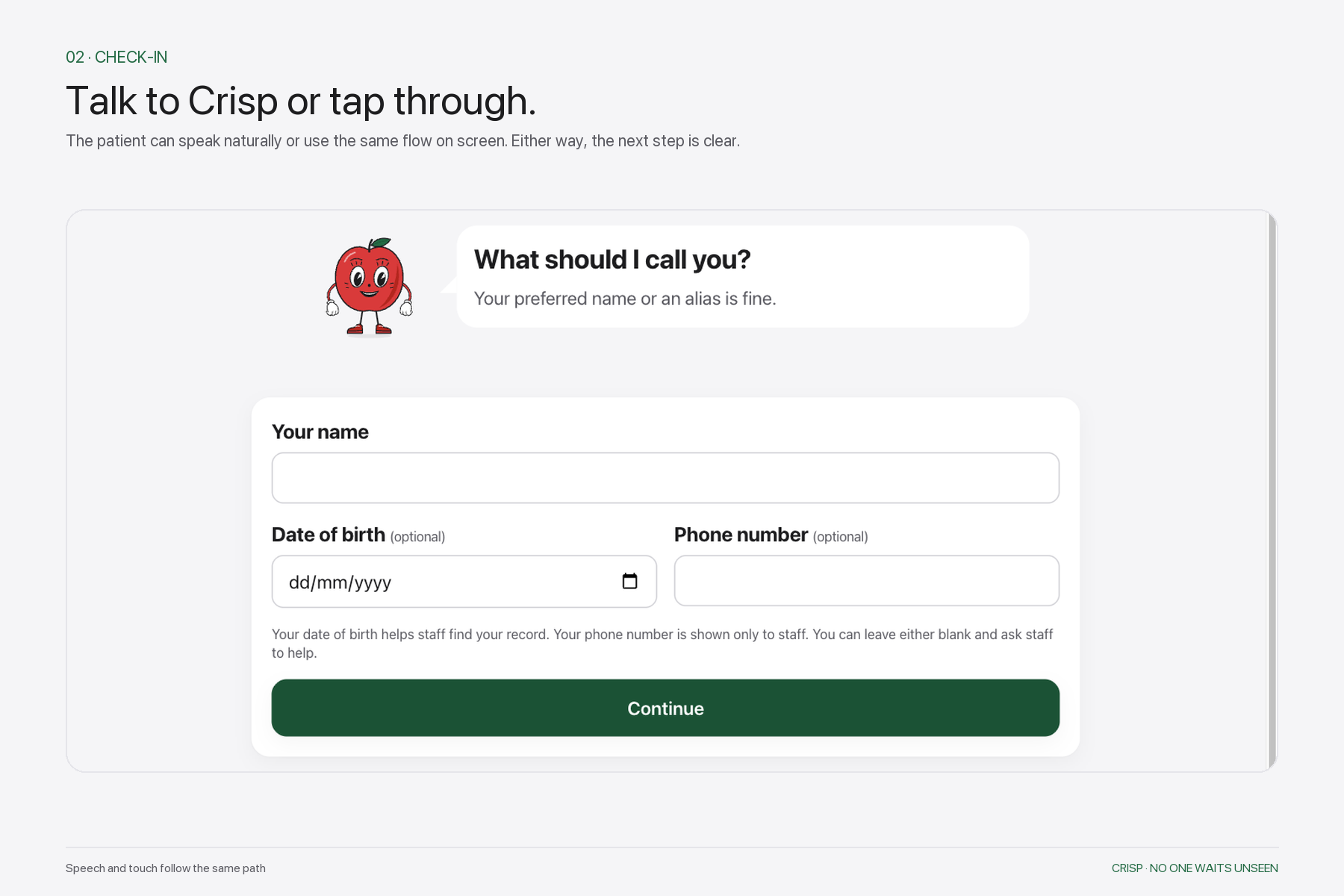
Patients can talk to Crisp or move through the same check-in flow with simple taps.
-
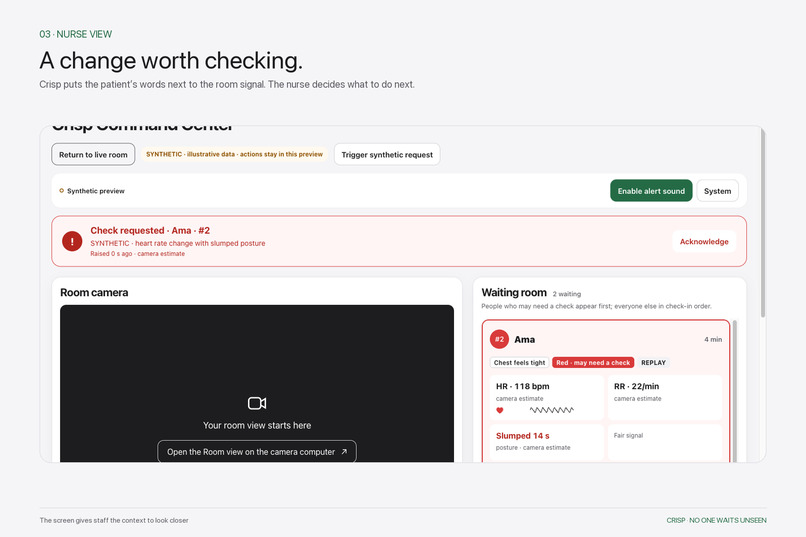
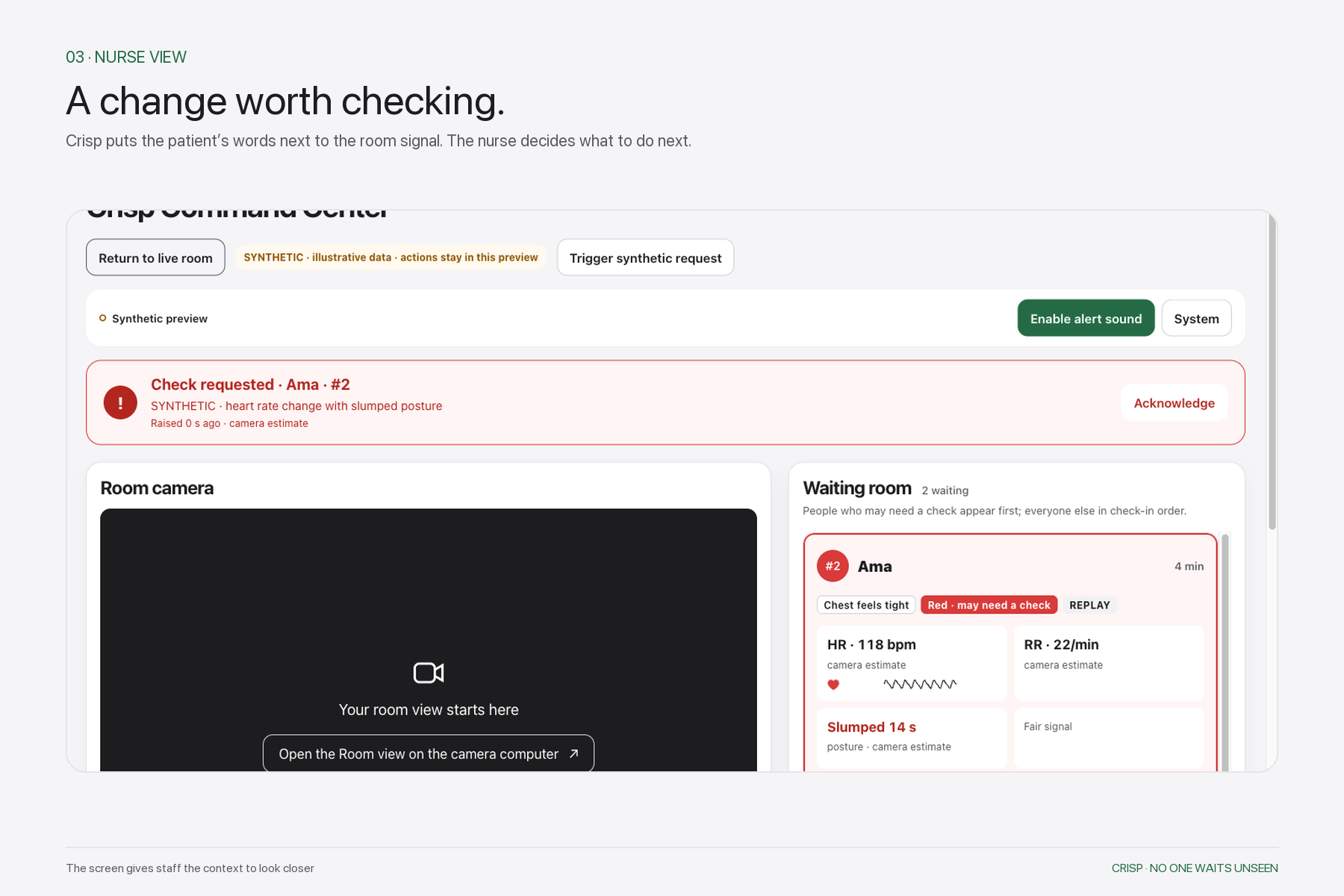
Crisp places patient-reported context beside camera estimates so staff can decide when to take a closer look.
-
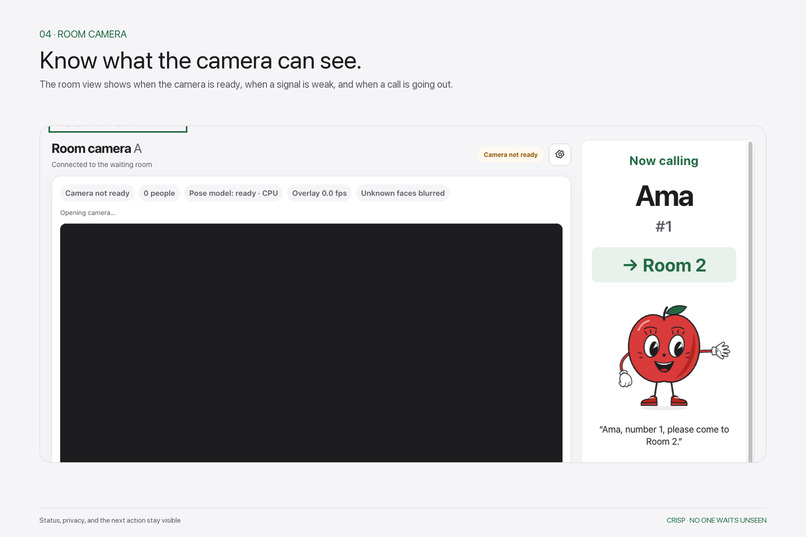
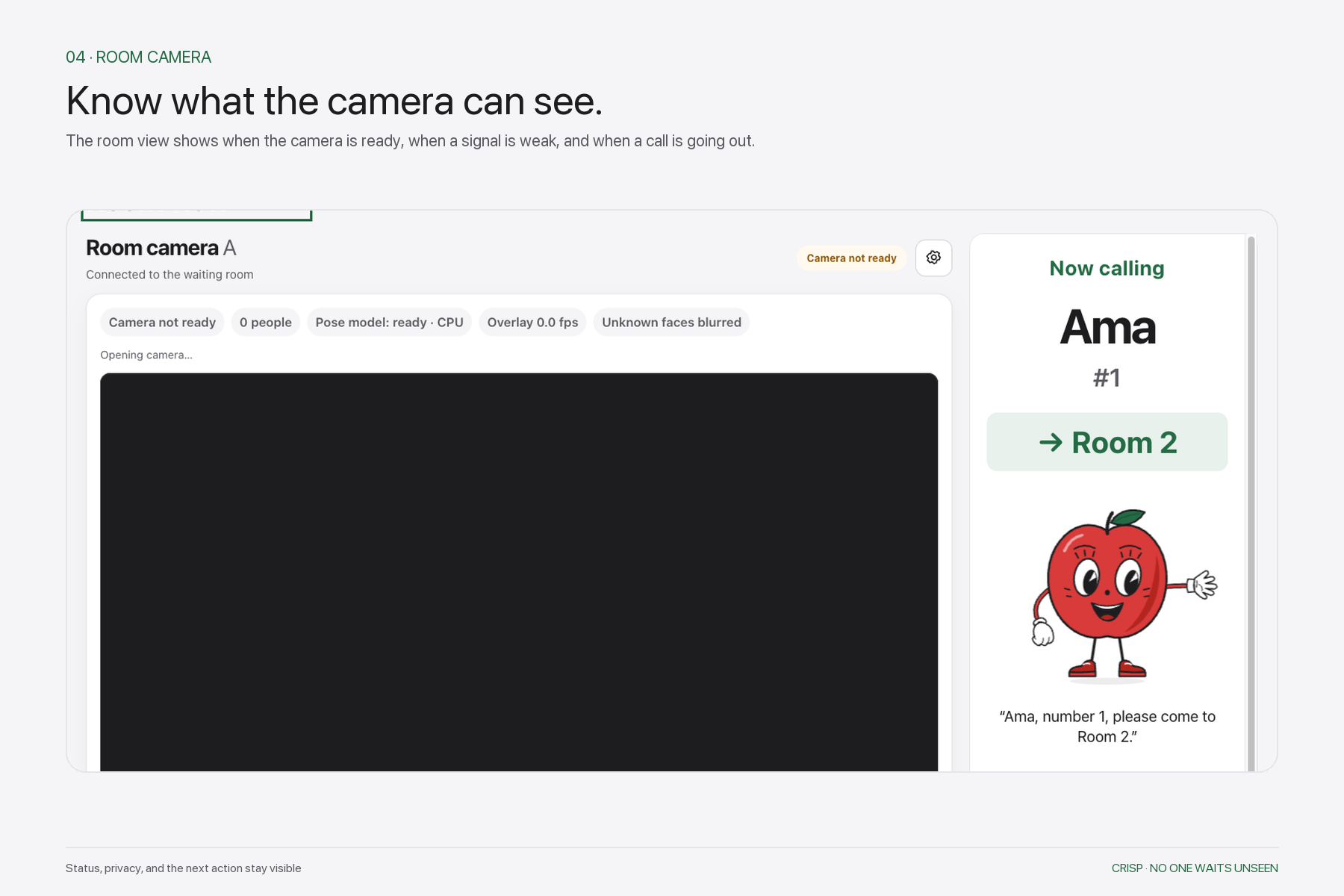
The room view keeps camera status, privacy, and patient call-outs visible in one place.
-
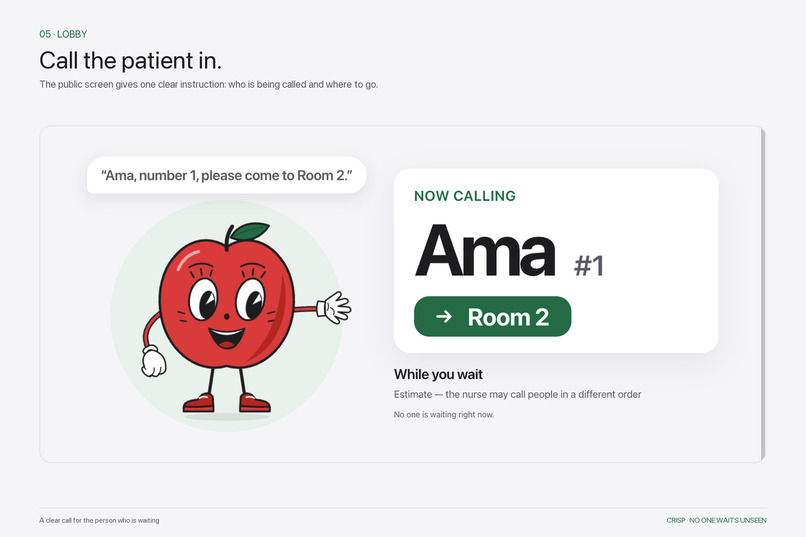
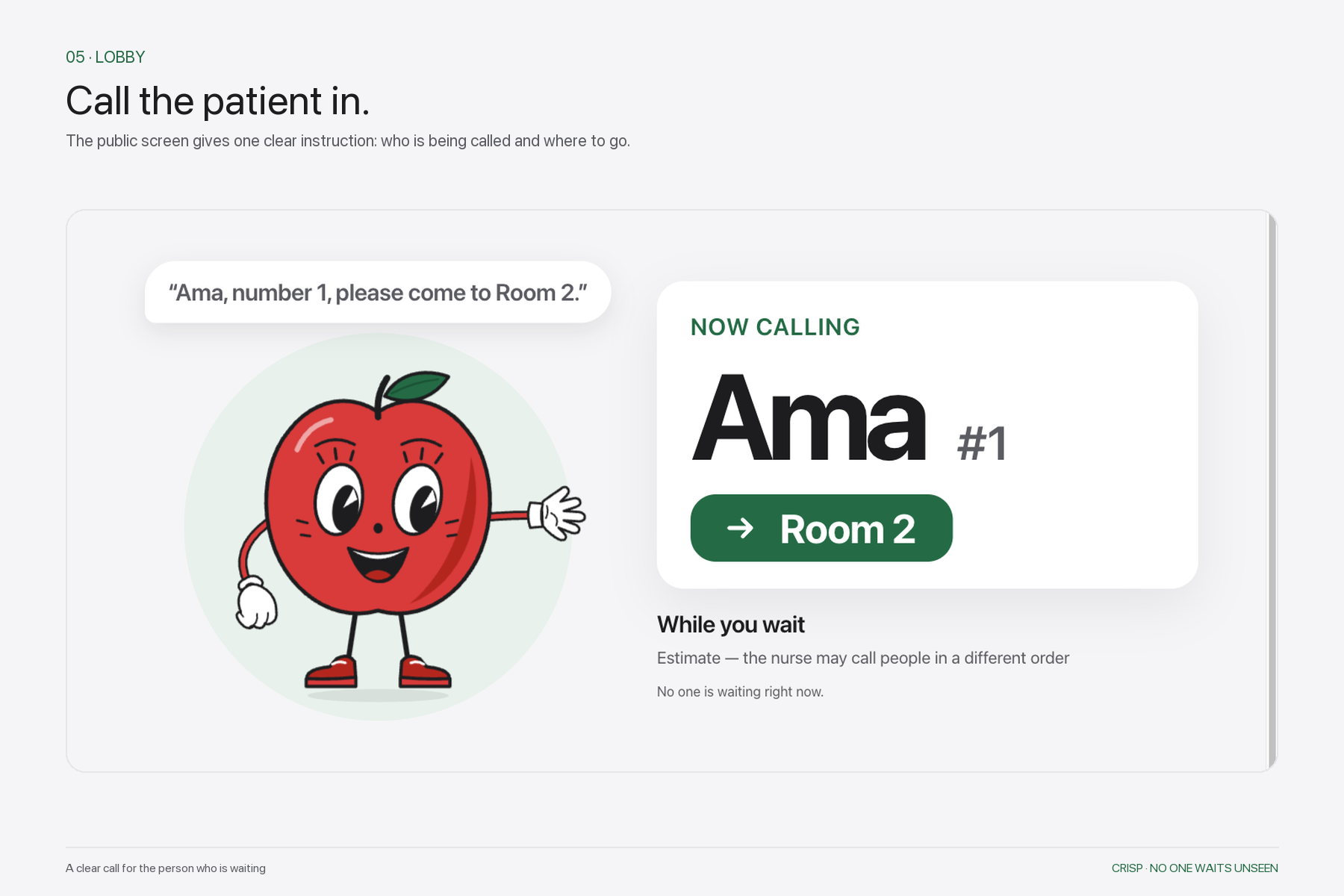
The lobby screen shows a patient’s first name, queue number, and room without exposing private details.
-
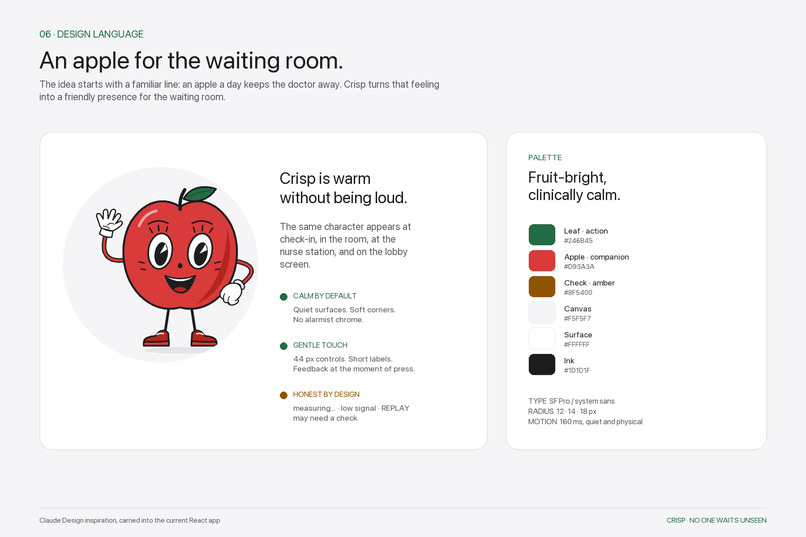
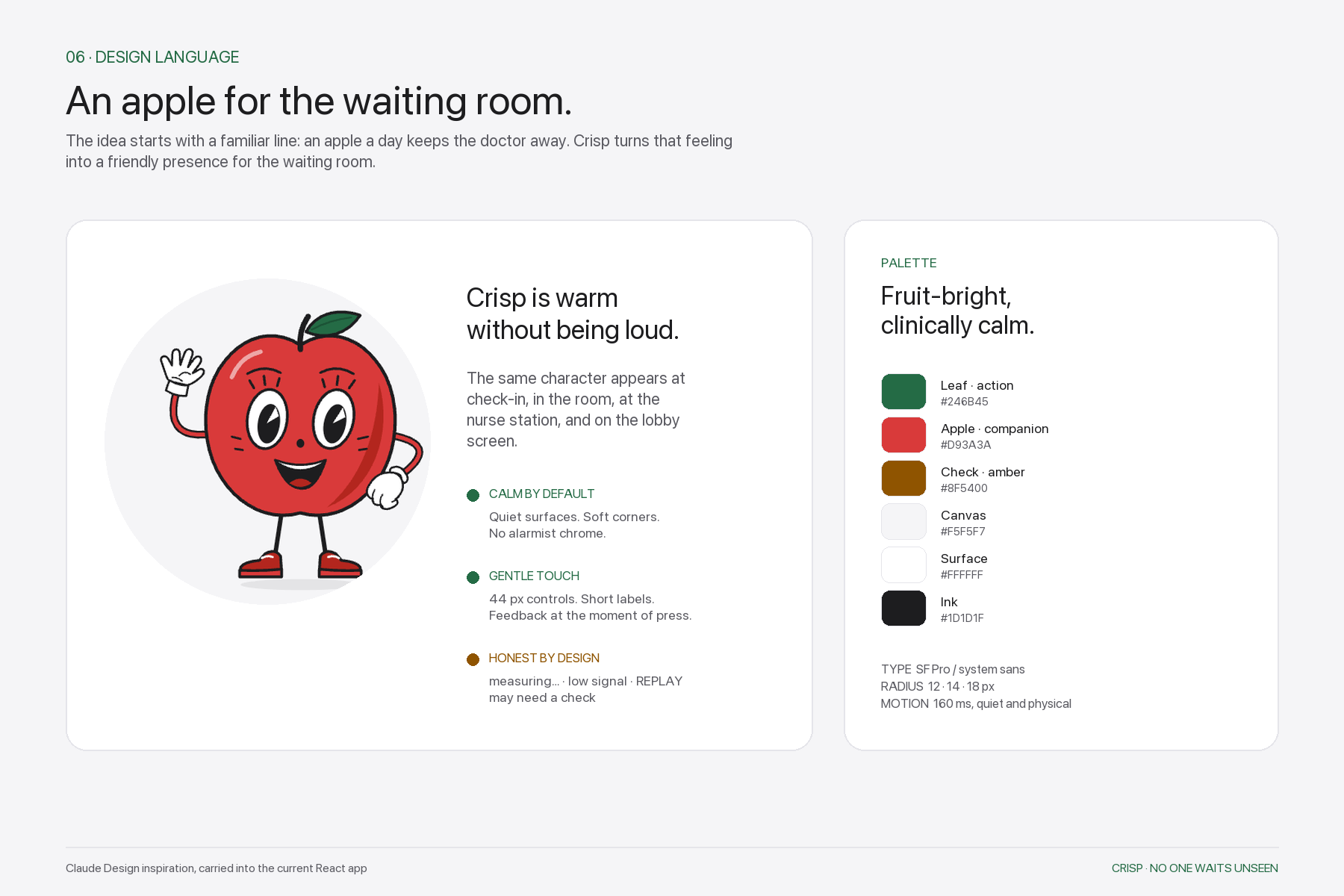
“An apple a day keeps the doctor away.” Apple red, leaf green, soft neutrals, rounded surfaces, and gentle motion.
-
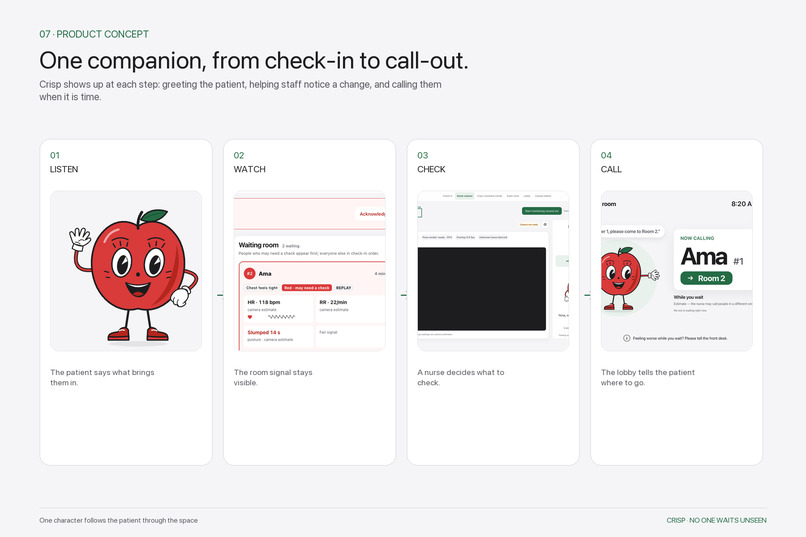
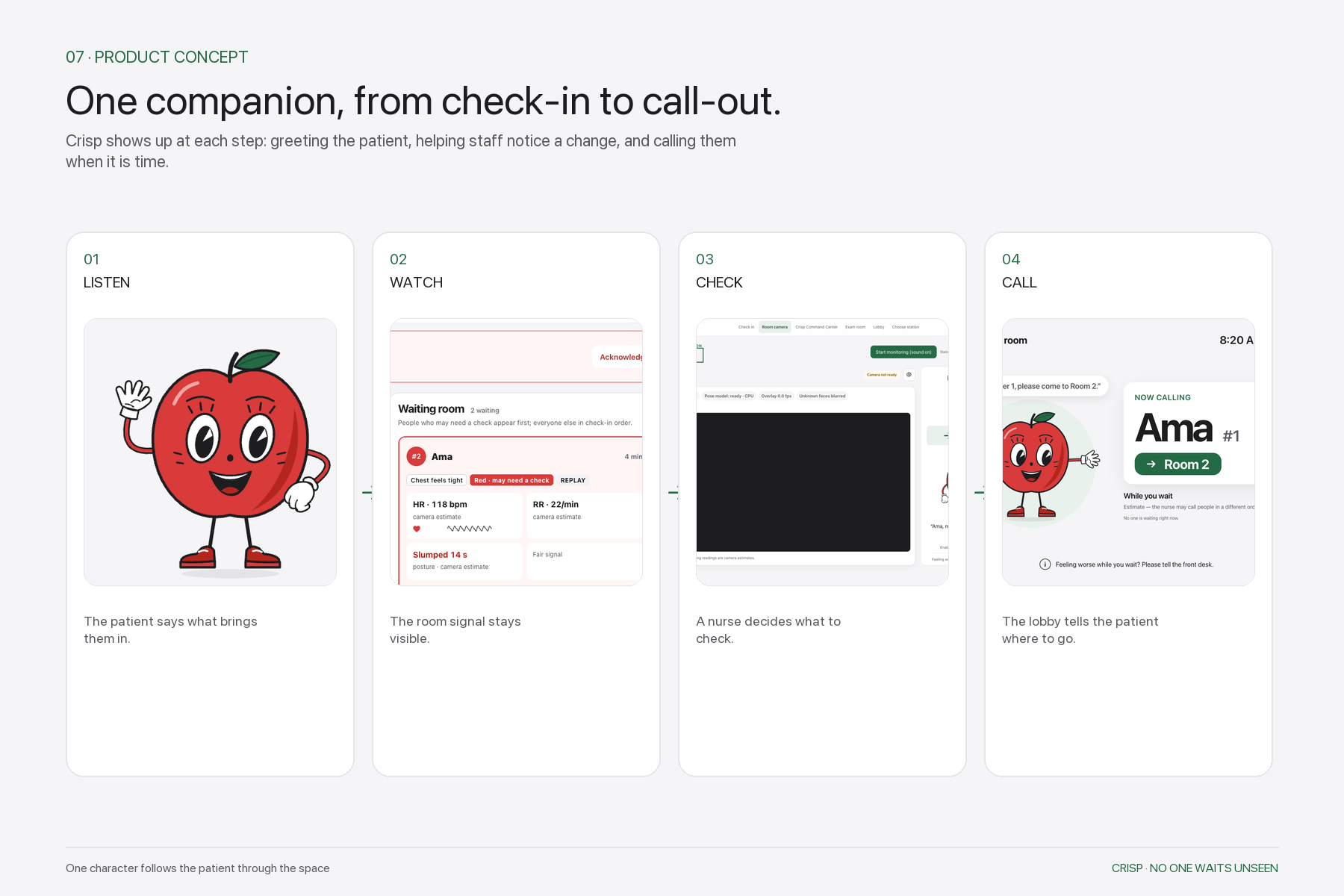
One Crisp follows the journey from listening, to watching the room, to a human check, to the final call.
-
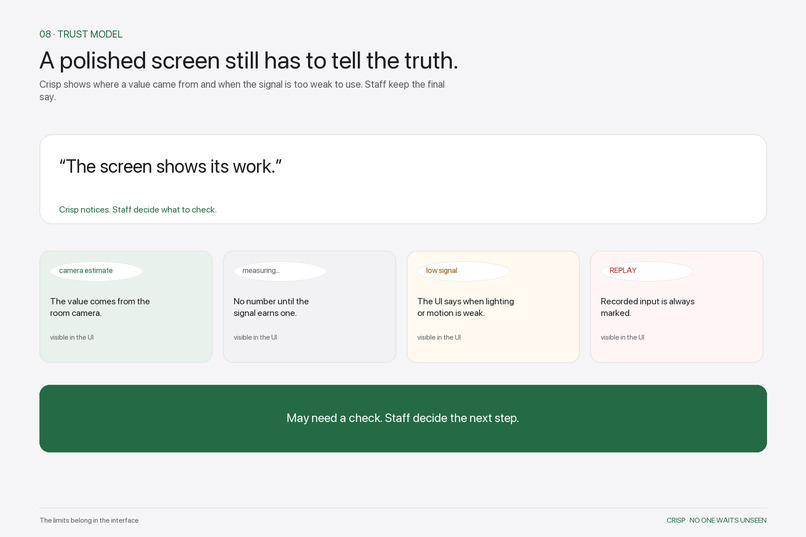
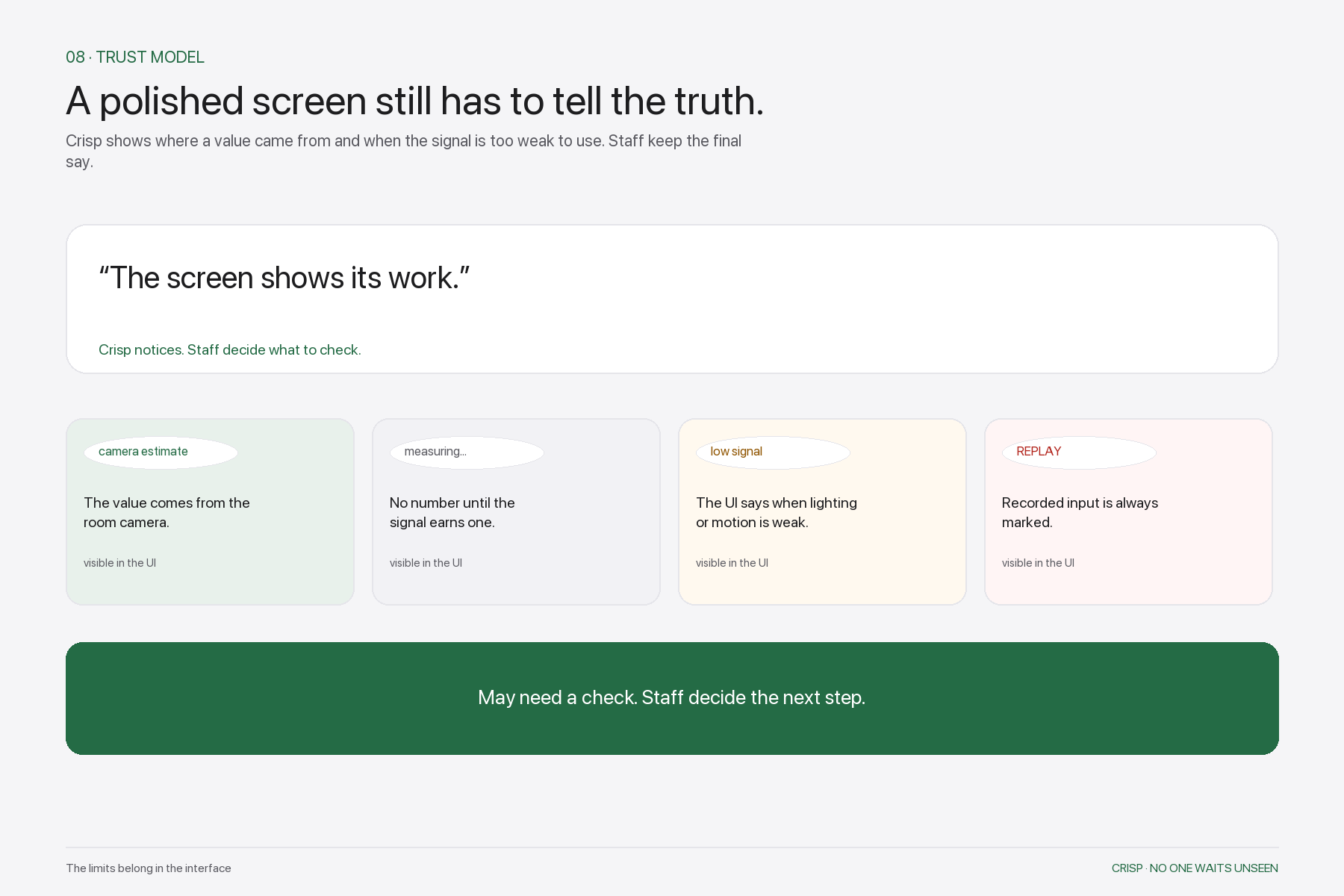
The interface shows when a value is a camera estimate, still measuring, low signal, or replay, so staff know exactly what they see.
Inspiration
Imagine walking into a clinic and meeting an assistant that already belongs to the space. It welcomes you, helps you check in, notices when someone may need attention, and brings the right information to the people caring for you.
Meet Crisp: a proactive, ambient AI assistant for hospitals and clinics.
Crisp is an original apple character with a voice, a personality and real tools: it appears on the screens people already pass, talks with them, and helps them get things done.
Crisp lives at the intersection of physical spaces and digital systems. It connects what cameras can observe, what patients tell it, and what staff need to do next.
Our broader vision spans patient support, clinical context, administrative work, communication, and coordination throughout a hospital. For this hackathon, we built one connected patient journey to demonstrate that vision—from arrival and check-in through staff response and the exam room.
Accessibility is central to the project. We want smaller clinics and healthcare systems with limited resources to be able to begin with equipment they already have.
What it does
Welcomes patients and handles check-in
Patients can talk with Crisp or use a visible form. Crisp collects their name and reason for visiting, records their own words, asks a relevant follow-up question, and provides a queue number.
Optional face enrollment lets the room camera recognize a checked-in patient later. Patients can skip the face scan or request help from staff.
Connects physical observations with patient context
The room view recognizes enrolled patients, tracks body landmarks, and observes posture and movement. It also attempts contact-free heart-rate and breathing estimates using camera signals.
Names, skeleton overlays, waveforms, and quality indicators make the process visible. When a signal is insufficient, the interface shows “measuring…” or “low signal.” Recorded input is labeled REPLAY.
Privacy mode can obscure unknown faces in the shared video, and staff can correct an identity match.
Brings changes to staff attention
Qualifying fall-like movement, sustained head-drop, and other configured posture or signal conditions create a “may need a check” request.
The request is created when the rule conditions qualify. Gemini then generates an explanation from the recorded evidence, and ElevenLabs provides the spoken announcement. Request creation does not wait for generated language.
The staff Command Center brings together the patient’s original answers, observations, signal trends, request history, an incident debrief, and available replay frames from before the event.
An optional Gemini Sees feature sends one alert frame to Gemini for a short description of visible posture and scene. The interface discloses the transfer, and the feature requires opt-in.
Lets staff work through conversation
Staff can speak to Crisp to retrieve information and carry out supported actions:
- “Who’s waiting?”
- “What happened with Jason?”
- “Call Jason to Room 1.”
- “Show me the recorded history.”
- “Give me a shift summary.”
Supported tools can retrieve patient summaries, call patients, acknowledge requests, mark someone checked, retrieve records, accept suggestions, and remove a visit from the queue. Visible controls and text paths are also available.
Takes initiative
Crisp uses recorded events and shared room state to bring forward useful next steps:
- Propose the next patient when staff mark a room free.
- Remind staff about a prolonged wait combined with a worsening report.
- Surface a patient’s request for help at the kiosk.
- Announce that a called patient’s chart is ready.
- Offer a hallway check-back for someone who has been waiting.
- Flag a missing camera sighting for staff verification.
- Produce a shift summary when requested.
Staff can accept or dismiss suggestions. Before carrying out an accepted action, the system rechecks the relevant conditions.
Carries context into the exam room
Calling a patient updates the connected screens. The hallway and lobby announce their first name, queue number, and destination. A public waiting board shows initials, people ahead, and labeled wait-time estimates.
The exam-room screen preloads the visit context, recorded timeline, clinician handoff, and pre-visit brief. Optional face matching can confirm arrival, while manual selection remains available.
A doctor can ask Crisp for recorded information, including allergies. The demonstration medical histories are clearly labeled fictional.
When staff mark the patient done, the room becomes available and Crisp can propose the next patient.
Makes the system understandable
The interface exposes camera and provider status, stale information, signal quality, and whether generated text came from Gemini or a template.
A reference-comparison tool can pair a manually entered heart-rate reading with a usable camera estimate. Microphone and sound controls, browser speech, template responses, and visible buttons provide fallback paths.
Throughout the experience, Crisp’s listening, thinking, and speaking animations—including an audio-responsive mouth—give the assistant a consistent presence.
How we built it
Vultr: one shared application across devices
We use Vultr to host the shared application, allowing separate laptops and PCs to participate in the same environment.
One device can serve as the check-in kiosk, another supplies the camera view, and others display the staff Command Center, public lobby, or exam-room context. They share visits, room status, requests, and actions through the same backend.
This is how we demonstrate one assistant operating across multiple physical stations.
Gemini API: useful language from recorded context
The Gemini API generates:
- Adaptive follow-up questions.
- Concise check-in summaries.
- Explanations of recorded check requests.
- SBAR-style clinician handoffs.
- Pre-visit doctor briefs.
- Answers grounded in recorded room and patient information.
- Shift summaries.
- Opt-in descriptions of an alert frame.
Gemini also serves as the language model for the configured conversational check-in agent.
Structured outputs, length limits, numeric grounding checks, and template fallbacks help constrain generated text. Deterministic rules decide when a check request exists.
ElevenLabs: Crisp’s voice and conversations
ElevenLabs Agents connects spoken conversation to application tools for patient check-in and supported staff actions.
ElevenLabs text to speech gives Crisp its spoken requests, proactive prompts, and patient call-outs. The same voice helps the character feel familiar across different screens.
The interface includes microphone and sound controls, with text, visible controls, and browser speech available as alternatives.
Browser vision and signal processing
face-api.js handles face detection, landmarks, and identity descriptors. MediaPipe Pose Landmarker supplies body landmarks for posture and movement tracking.
A POS remote photoplethysmography pipeline estimates pulse from subtle changes in facial color. Breathing estimation analyzes shoulder and torso movement.
The vision models and their WebAssembly runtime are served with the application and run in the browser on the camera device.
Shared state and connected interfaces
The client uses React, TypeScript, and Vite.
A plain Node.js HTTP server manages shared room state, local persistence, staff commands, request rules, and proactive suggestions. Server-Sent Events distribute updates to connected screens, while MJPEG carries the overlaid room video to the Command Center.
Designed around existing equipment
Crisp is primarily software.
A clinic can use existing laptops or desktop PCs as stations. A touchscreen connected to a computer can become a check-in kiosk, with a microphone and speaker for conversation and a camera for optional enrollment and sensing. Staff can use computers already at their desks.
Our demo uses Vultr, and the application can also run on a hospital-managed server. Enabled Gemini and ElevenLabs features still use their external APIs.
Existing security cameras offer a future integration path where compatible streams, placement, resolution, and lighting support the task. The current demonstration uses browser-accessible webcams; broader CCTV integration requires an adapter and evaluation.
We want the first useful version to have a low hardware barrier so smaller clinics and under-resourced healthcare settings can explore it.
Challenges we ran into
Making initiative useful. A proactive assistant needs to connect an observation to a concrete next step. We built suggestions around events such as a newly free room, with clear actions and staff confirmation.
Coordinating multiple devices. A single call-in needs to update the staff view, hallway, lobby, and exam room consistently. Shared state and event updates gave the screens a common source of truth.
Handling imperfect camera signals. Movement, lighting, camera conditions, and skin tone can affect optical estimates. We added quality gating, coaching, waveforms, unavailable states, and reference-comparison tools.
Keeping generated language grounded. We preserved original answers, supplied bounded facts, checked numeric claims, and used templates when generated output was rejected or unavailable.
Making voice usable in a real room. Background noise, microphone permissions, autoplay restrictions, and competing audio required explicit controls and fallback paths.
Accomplishments that we're proud of
- A connected prototype spanning patient, nurse, and doctor workflows.
- A recognizable assistant with personality, voice, and working application tools.
- Proactive suggestions connected to actual room state.
- Browser vision combining identity, posture, and optical estimates.
- A staff response workflow with explanations, trends, incident context, and replay.
- Context that follows the patient into the exam room.
- A deployment approach built around ordinary computers and peripherals.
What we learned
An assistant becomes useful when it brings relevant context to a task someone can act on.
Personality helps make that interaction approachable. A familiar character can welcome a patient, speak to a nurse, and assist a doctor while remaining one consistent presence.
Physical observations and digital information become more useful when they share a workflow. A camera event can be connected to the patient’s own words, reviewed by staff, and carried into a handoff.
We also learned to treat signal quality and unavailable information as part of the result. The interface needs to make those states understandable.
What's next for Crisp
We want to extend Crisp’s authorized connections to hospital records through EHR/FHIR, scheduling, documentation, and other administrative systems.
Next steps include compatible camera-stream adapters, more languages, broader sensing evaluation, and collaboration with healthcare staff to identify useful reminders and actions. Clinical deployment would also require access control, identity, retention, and operational safeguards.
The long-term vision is a proactive, ambient assistant across the hospital’s physical spaces and digital systems—helping patients and healthcare staff throughout their day.
Prototype scope: Camera readings are estimates with quality labels. Crisp requests a human check and does not provide diagnosis or clinical triage. Demo medical histories are fictional, recorded input is labeled REPLAY, and the prototype has not been clinically validated.
Built With
- elevenlabs
- face-api.js
- gemini-api
- mediapipe
- mjpeg
- node.js
- playwright
- react
- rppg
- server-sent-events
- svg
- typescript
- vite
- vitest
- vultr
- webassembly

Log in or sign up for Devpost to join the conversation.