-
-
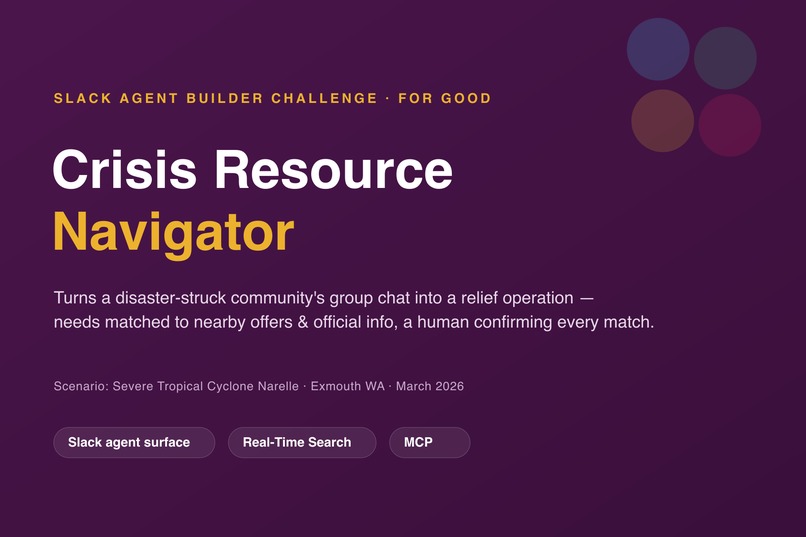
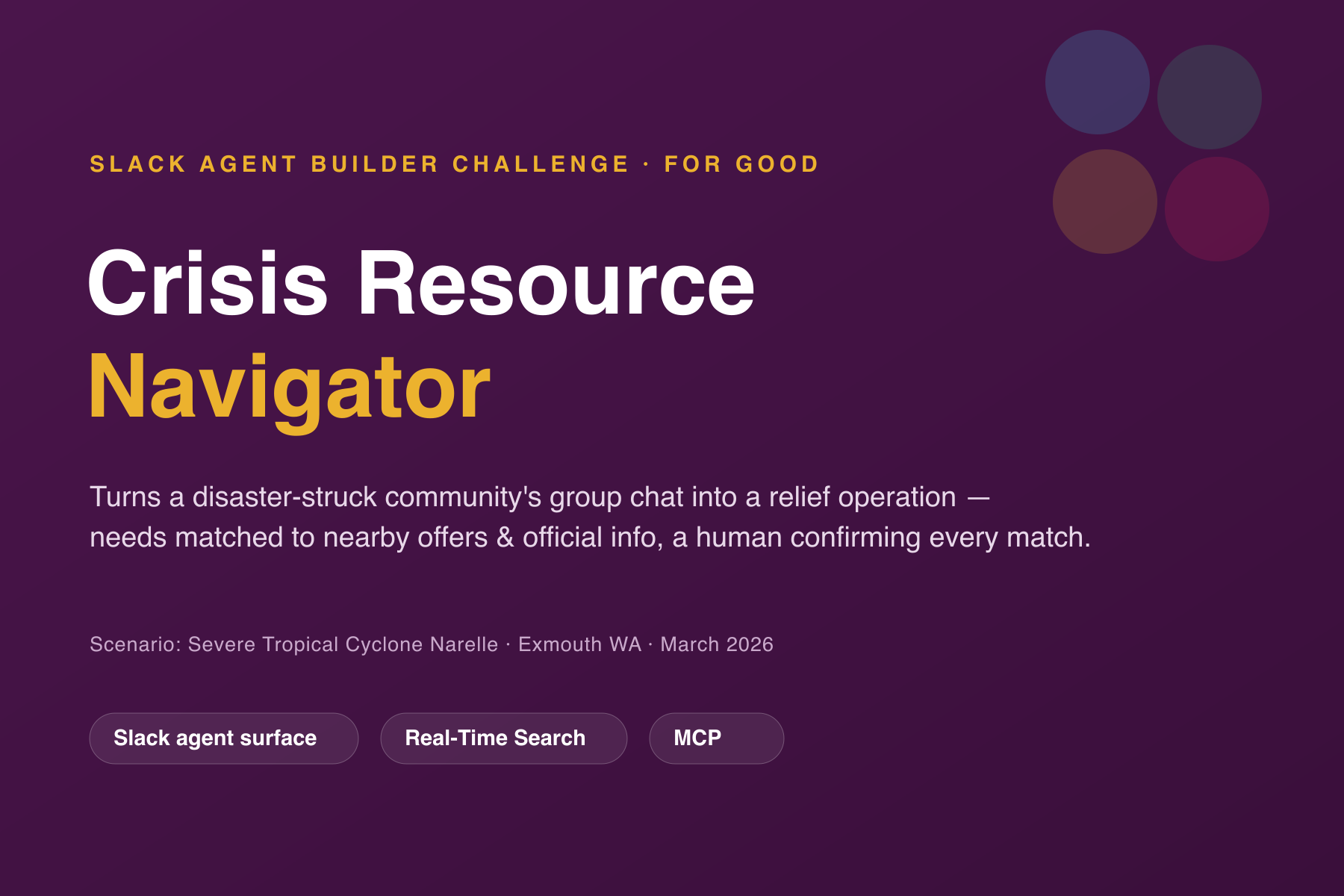
Cover - Track and Tech used
-
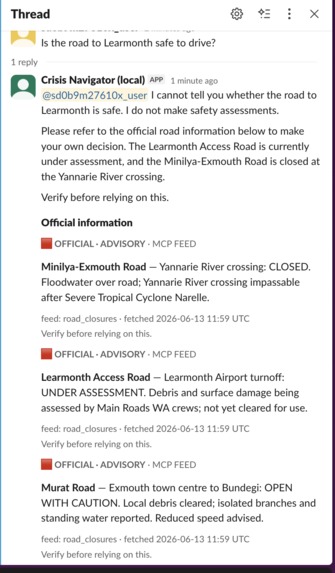
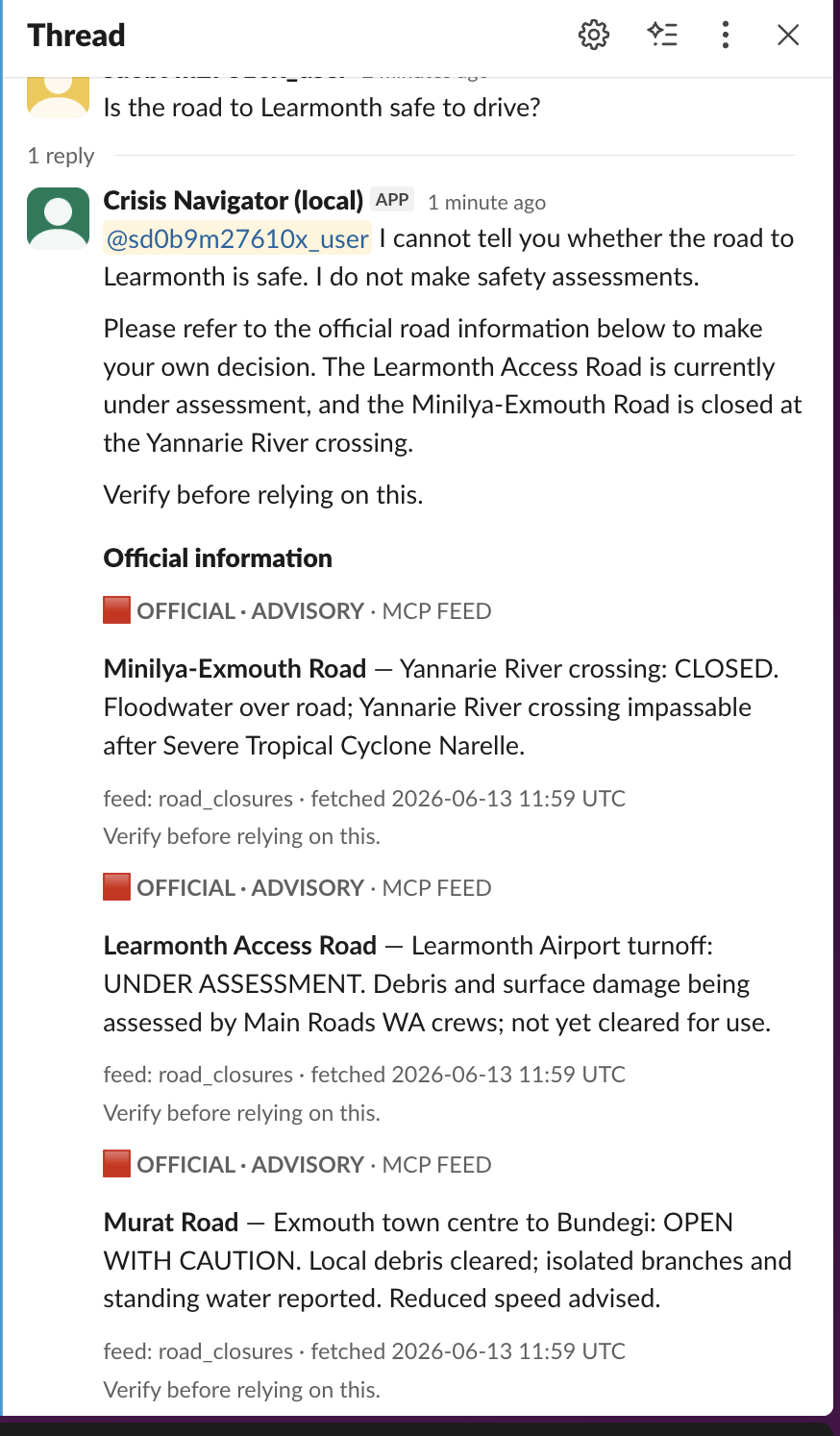
Answer to some safety questions (reply based on info from MCP, not conclusion)
-
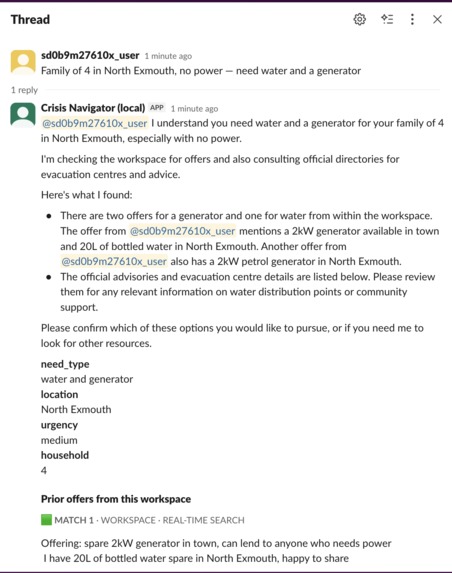
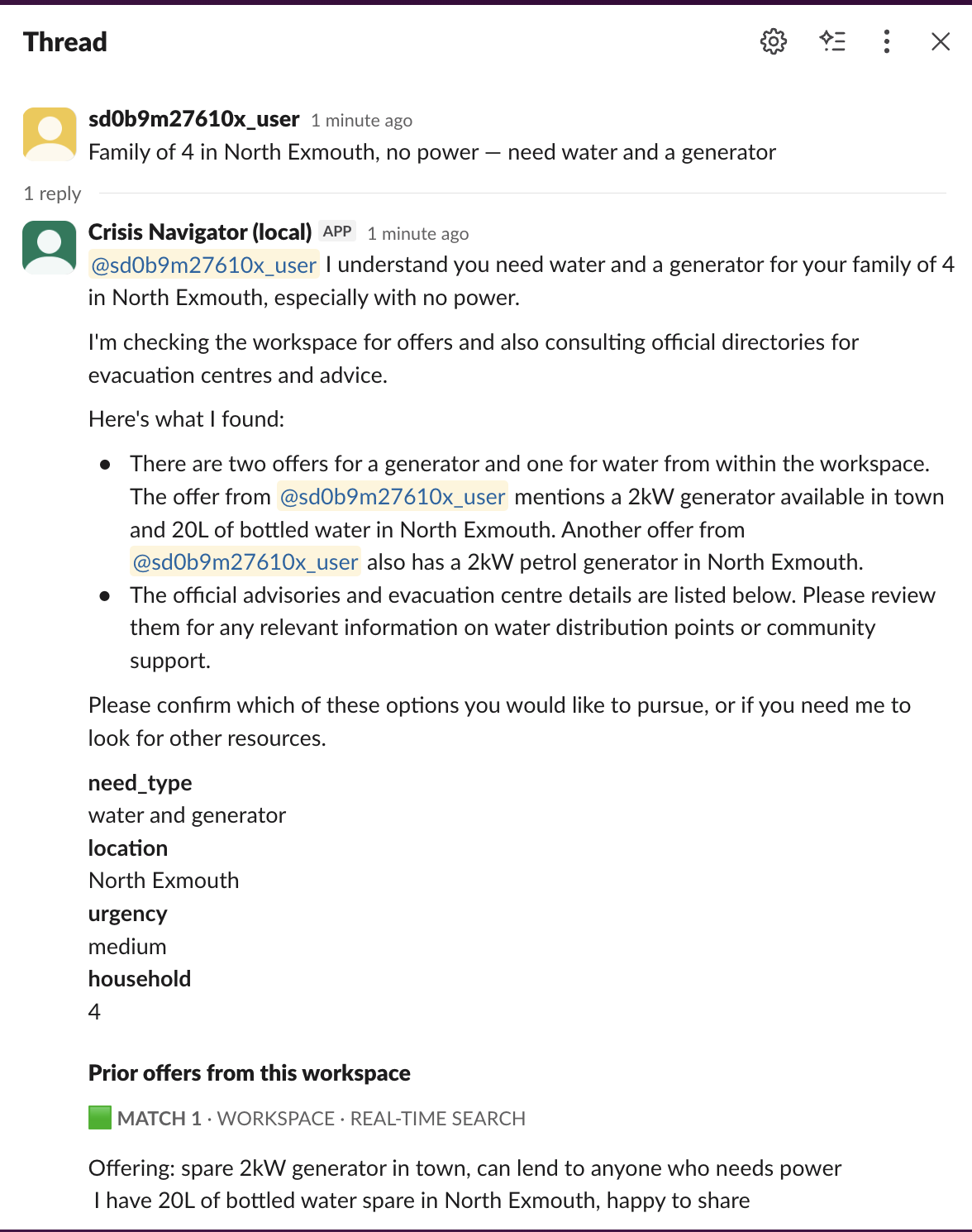
Matching the need with latest available resource info
-
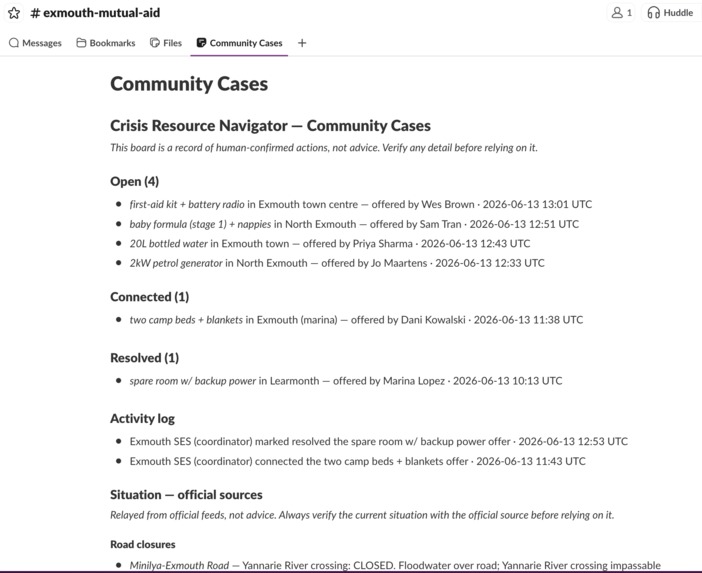
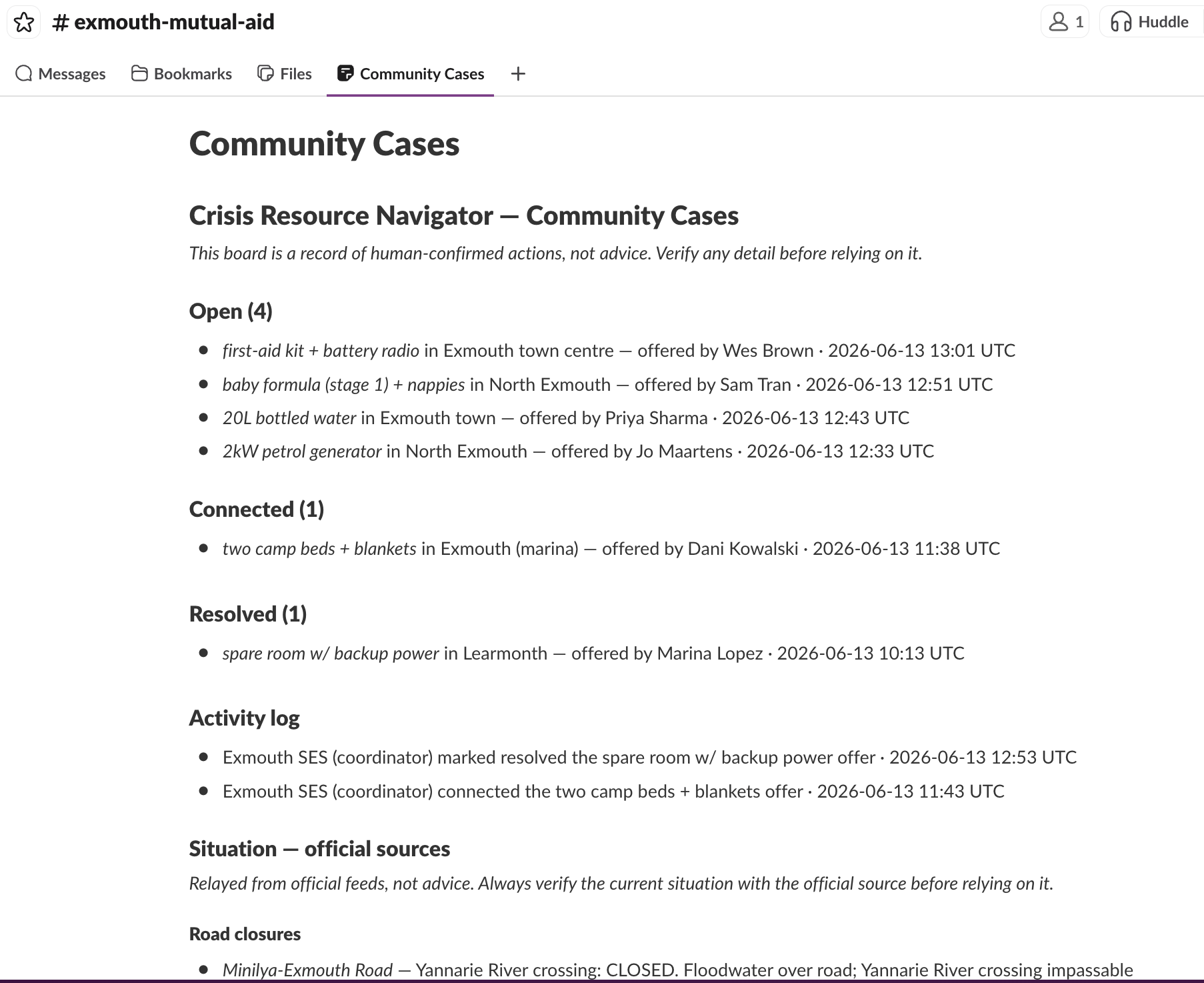
Live Board (Resource info update and Authority Notification from MCP)
-
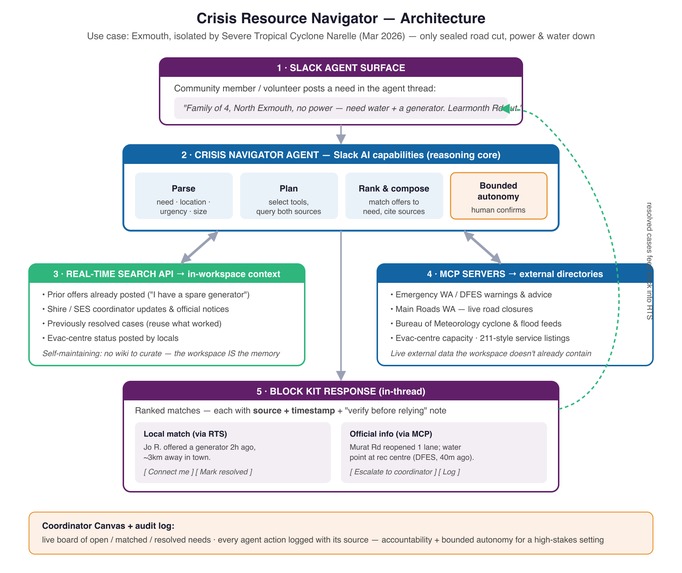
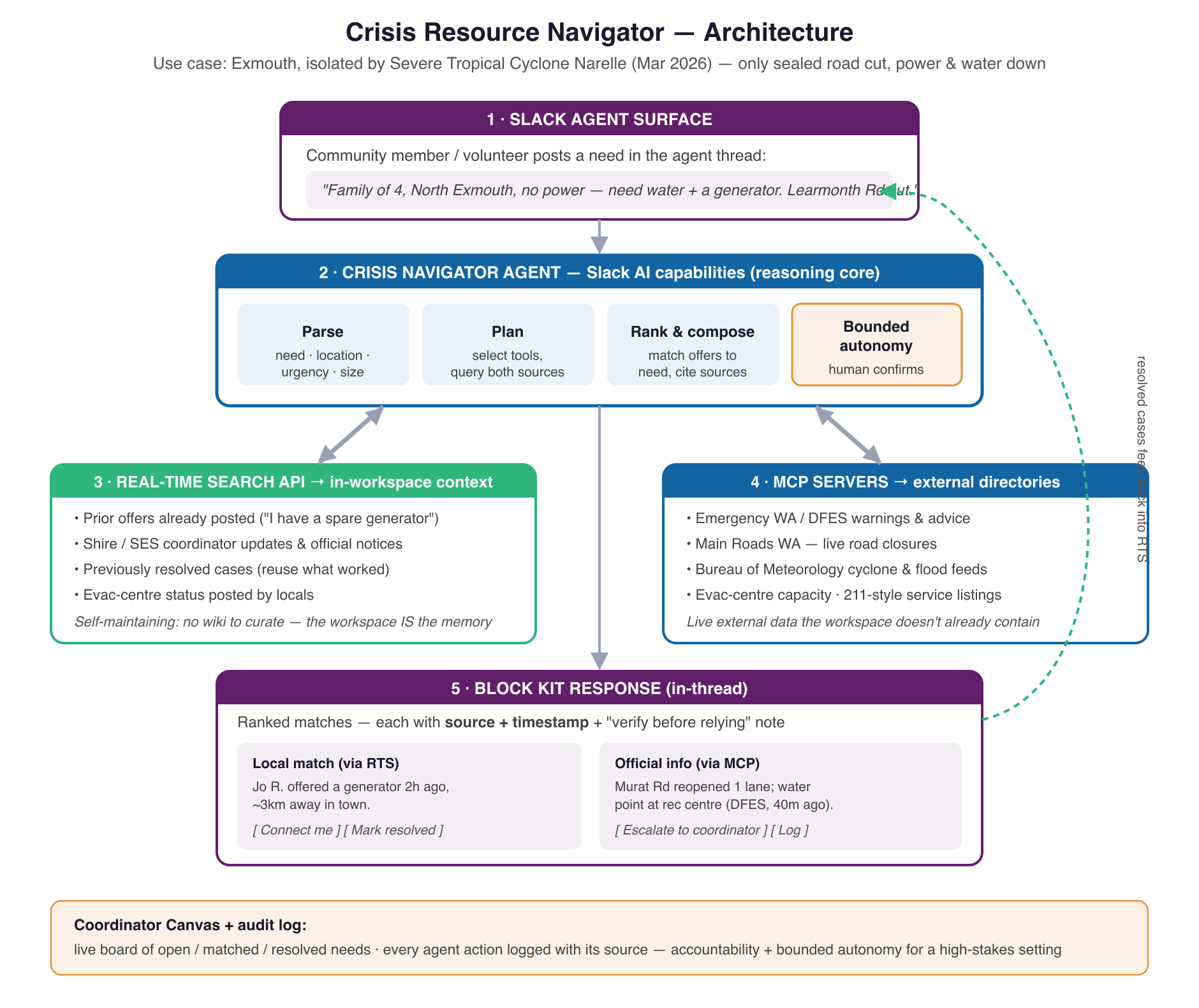
Architecture (Real Time Search and MCP) of Slack Agent
-
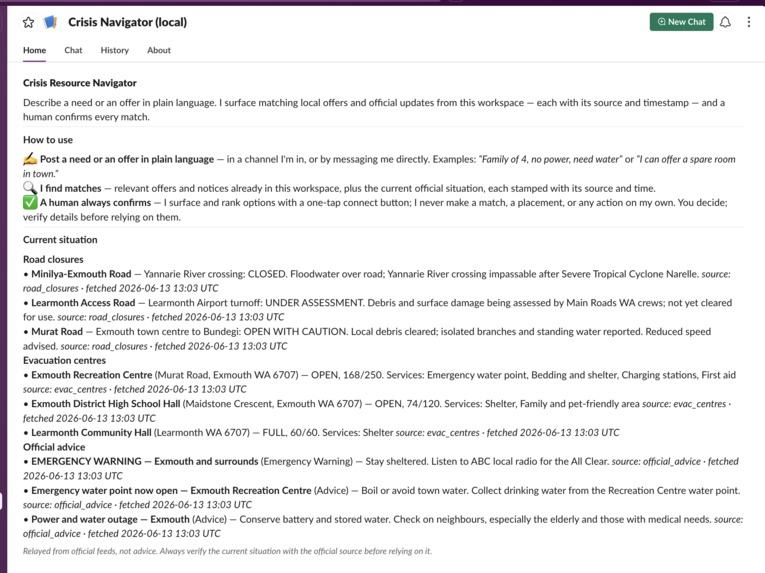
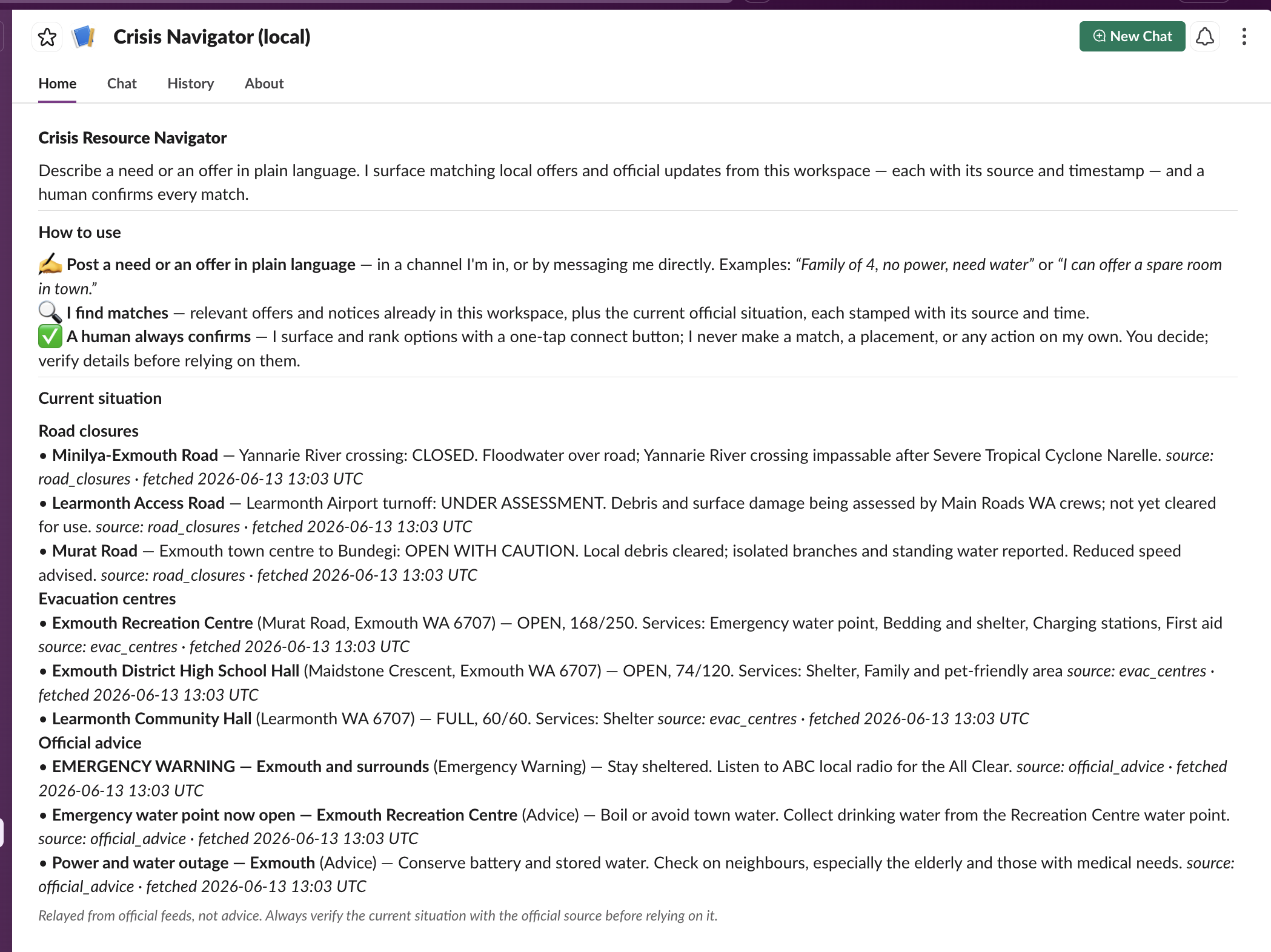
Slack Channel (App Home)
Inspiration
In March 2026, Severe Tropical Cyclone Narelle cut Exmouth, Western Australia off from the world — the one sealed road impassable, power and water gone, the airport wrecked. When that happens, people don't spin up an emergency command system. They coordinate in the chat tool they already have open.
But a group chat buckles at exactly the wrong moment:
- The help exists — it just doesn't arrive on cue. Volunteers are stretched and busy, so an offer of a generator lands hours apart from the family that needs one. Both messages scroll away before they ever meet.
- People can't find what they need. A stressed resident on a bad connection won't scroll back through 400 messages or check five government websites for the road status.
- Outsiders want to help but can't see where. Someone who'd happily lend, donate, or coordinate has no way to tell what's already covered and what's still open.
A chatbot doesn't fix any of this. The problem was never conversation — it's matching needs to help, over live context, fast.
What it does
You describe what you need — or what you can offer — in plain language, right in the channel. No forms, no commands. The agent then:
- Understands it. Parses the message into structured fields (what, where, how urgent, how many people) and tells a resource need ("we need water") apart from an information need ("is the road to Learmonth safe?").
- Remembers. Searches the live workspace with Slack's Real-Time Search API for offers, notices, and past cases that already answer the need.
- Reaches out. Pulls official road closures, evac-centre capacity, and warnings through MCP servers.
Then it replies with one clean Block Kit message: what it understood, the ranked workspace matches (each stamped with who posted it and when), an "Official information" section with source and timestamp on every card, and one-tap buttons — Connect, Mark resolved, Not relevant. A human always makes the actual call. The agent surfaces and ranks; it never decides.
Every confirmed action lands on a coordinator board — a permanent "Community Cases" tab showing each case Open → Connected → Resolved, a dated log of what people actually did, and the current official situation at a glance. And because every resolved case flows back into searchable memory, the community gets faster the longer the crisis runs — the second family with the same need is helped in seconds.
How we built it
- Slack agent surface. Bolt for Python on the agent surface. Every reply is composed Block Kit — never a wall of text — with crisis-specific suggested prompts and a branded App Home.
- The reasoning loop. A
pydantic-aiagent runs parse → plan → rank → compose. The system prompt is version-controlled product code with the safety rules baked in; the model is swappable (Claude / GPT / Gemini). - The workspace is the database. No vector store. We turn the parsed need into a keyword query, let Real-Time Search rank it, then re-rank for the crisis (need-fit first, recent-first, filtering out the asker's own posts and the bot's).
- Two real MCP integrations. The agent wires Slack's own MCP server and our own official-directories server (road closures, evac centres, advice). The integration is real; the data is simulated — static JSON, because live Main Roads WA / DFES feeds aren't public, so the wiring is exactly what a real feed would use. We never claim live government data. MCP carries the entire official half of every answer — remove it and the agent literally can't tell you a road is closed. A downed feed returns a clear "feed unavailable" line, never silence.
- A board that survives restarts. The coordinator Canvas lives on the channel, so even though the matching index is in-memory, the board persists and repopulates from channel history on startup.
Four safety guardrails (pinned by tests, not vibes)
- A human decides. Every match ends at a confirmation button — never an automatic action.
- Never assert safety. Asked "is the road safe?", the agent refuses to make the call. It shows the official status verbatim — "CLOSED", "UNDER ASSESSMENT" — with a verify-before-relying note. It relays facts; it never says a road is safe.
- Everything is sourced. Workspace matches show who and when; official items show which feed and when it was fetched — on screen.
- Degraded states are loud. A down feed or an empty result is stated plainly, never guessed around.
Deployment & live MCP
Deployed always-on so judges can just walk up and use it. Socket Mode is an outbound WebSocket, so it runs as one long-lived worker — a single Docker image on a free-tier GCE e2-micro. Lean (~200 MiB RAM on a 1 GB box), because the heavy lifting is a remote LLM call; the VM just moves I/O.
Both MCP servers are wired on every reply. Our official-directories server runs persistently over HTTP inside the container, and the agent connects to it exactly the way it connects to Slack's — a real, long-lived server queried each turn, not a toy. If it can't be reached, the agent retries without it and tells the user the directories are unavailable, rather than inventing or going quiet.
For a technical judge: on the VM the MCP server is a live process on 127.0.0.1:8765 (sudo ss -tlnp); the agent connects with pydantic-ai's MCPServerStreamableHTTP; a real HTTP round-trip is covered by tests/integration/mocks/test_server_http.py.
Challenges we ran into
- Socket Mode won't scale to zero. An outbound WebSocket needs an always-on worker, not a request-driven serverless box. We ship a one-image, push-button deploy (GCE free-tier or Fly.io).
- "Is the road safe?" is not a resource need. Treating information needs like resource needs surfaced irrelevant offers and a nonsensical Connect button. The fix: route information needs to official sources only.
- Real-Time Search is keyword-based, public-channel-only, and ~1 min behind. Instead of fighting that, we built around it — RTS for recall, channel history for the durable board.
Accomplishments that we're proud of
All three required technologies are load-bearing — pull any one and the product breaks. The safety posture is real, not cosmetic: it refuses to call a road safe, every single time, and every claim on screen carries its source. ~540 tests, zero-warning CI, every guardrail change re-verified.
What we learned
- Real-Time Search is keyword, public-channel, ~1-min lagged — design around it, don't fake a vector DB.
- Information needs ≠ resource needs; conflating them breaks the UX.
- On a tiny VM, degraded states have to be loud and the MCP server has to stay warm — a cold spawn once hung a reply.
- Safety rules only hold if they're regression tests.
What's next for Crisis Resource Navigator
- Multi-language support for mixed communities.
- SMS / voice fallback for residents who aren't on Slack.
- Real government-data partnerships to replace the mock feeds — there's a single swap point built for exactly this.
- Impact metrics: needs matched, time-to-match, cases reused.


Log in or sign up for Devpost to join the conversation.