-
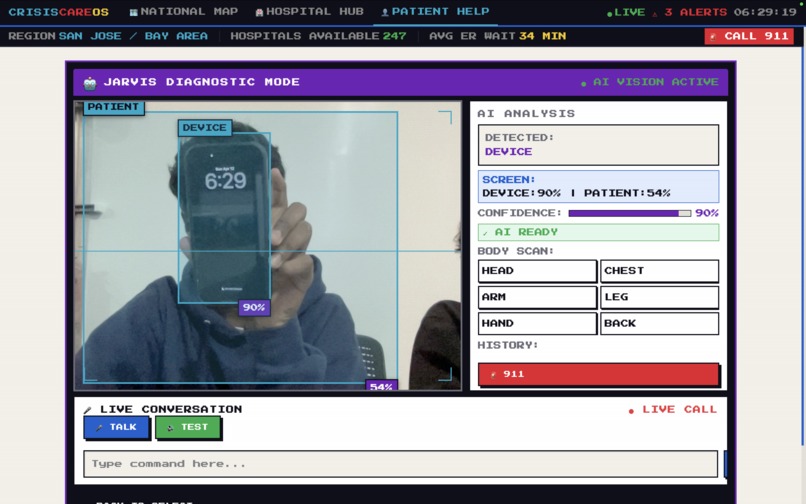
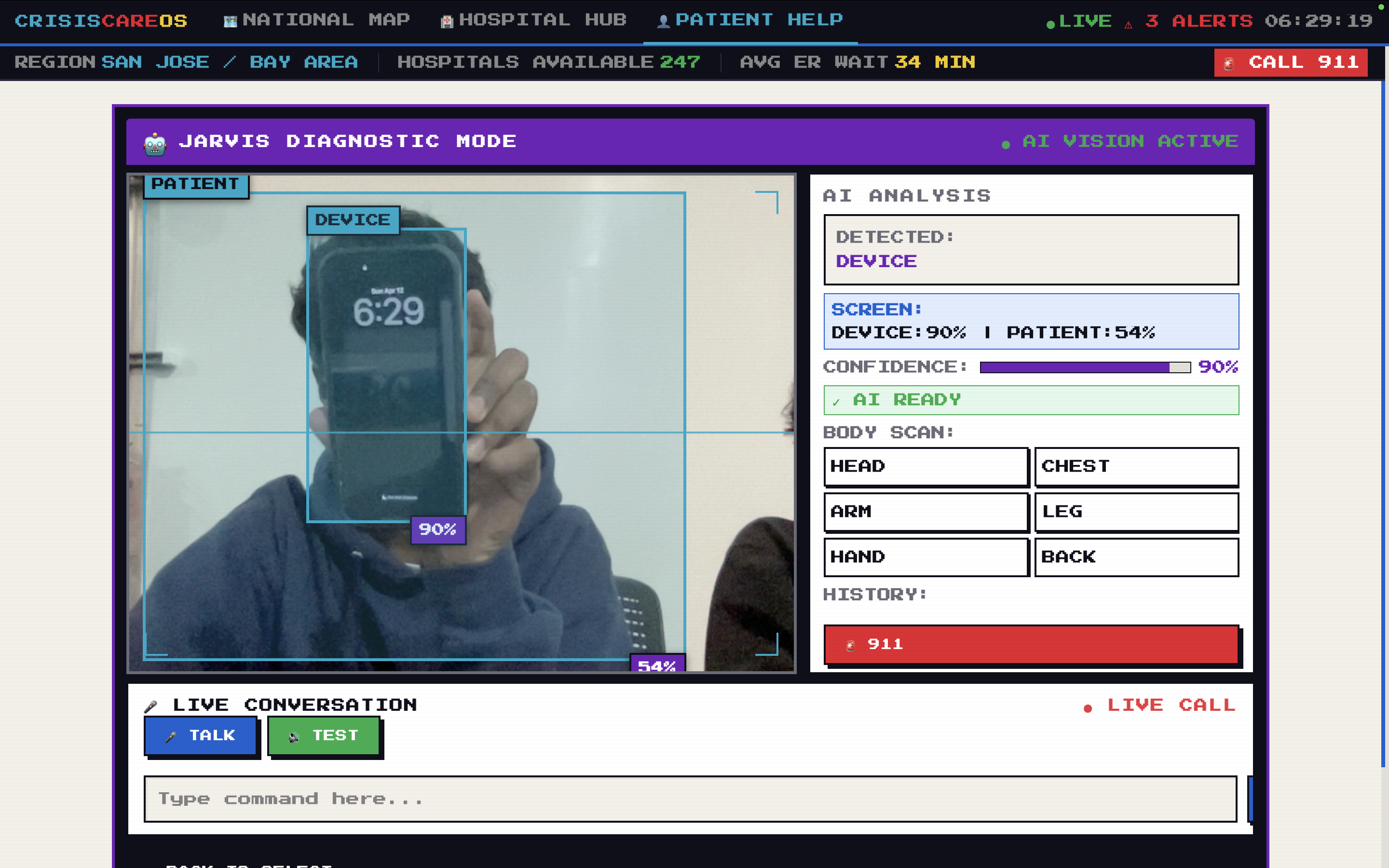
Our own Jarvis that helps Patients understand and help them what they are diagnosed with
-
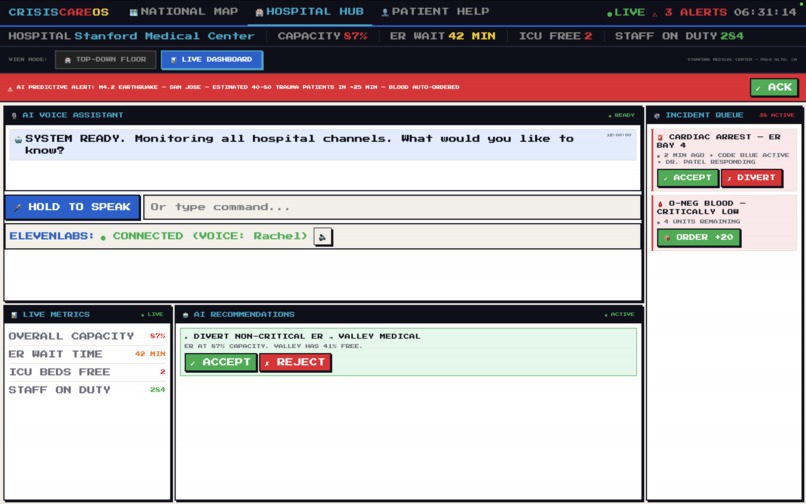
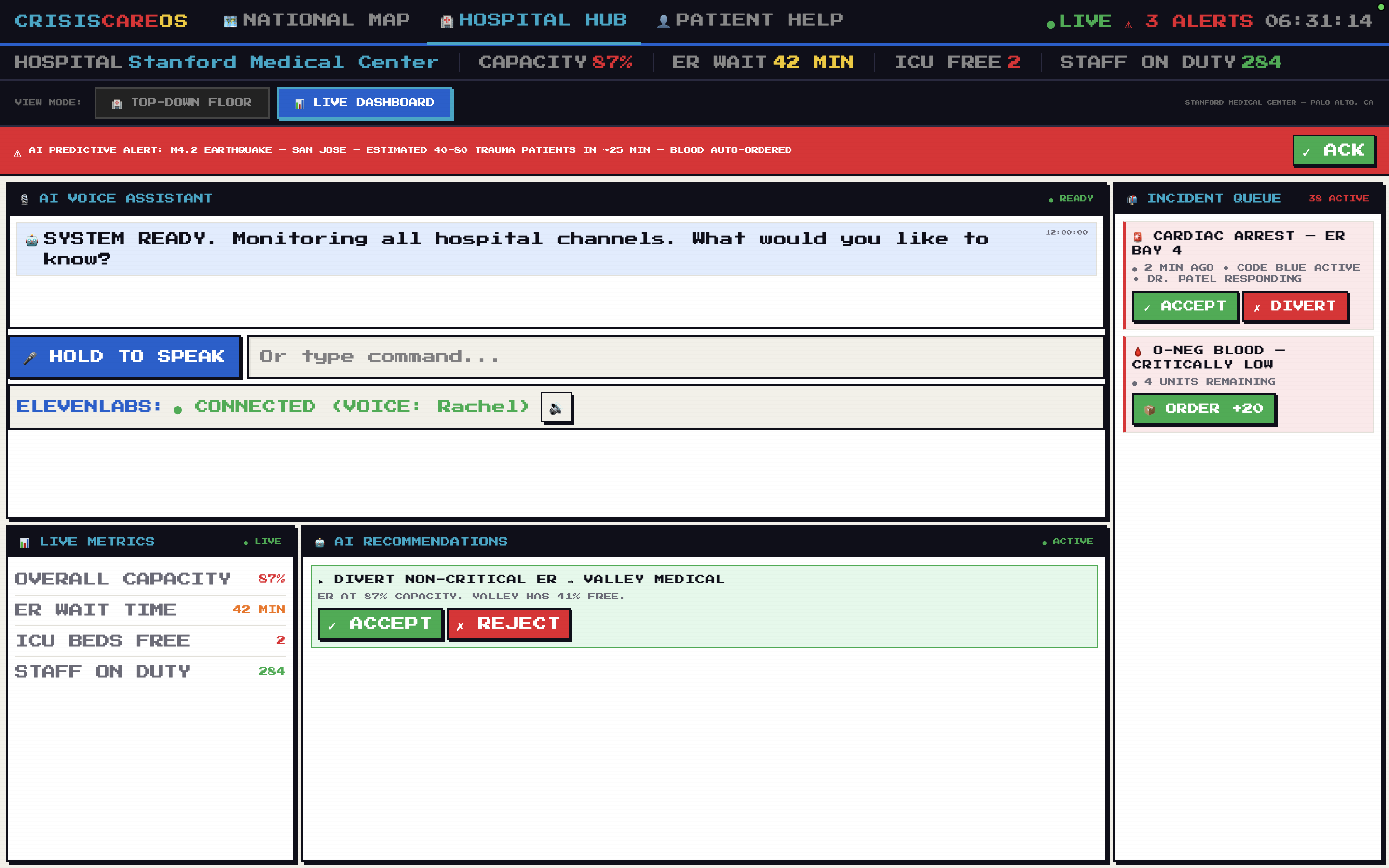
Real Time Live Dashboard Hospital Hub for in depth understand what is happening with our own power AI model
-
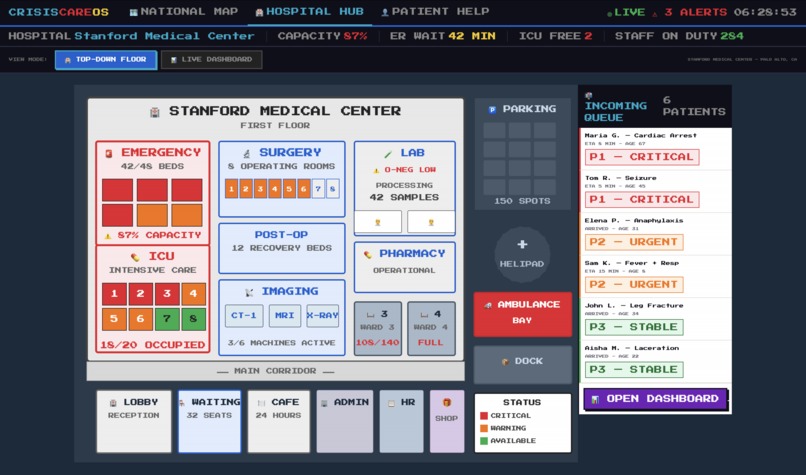
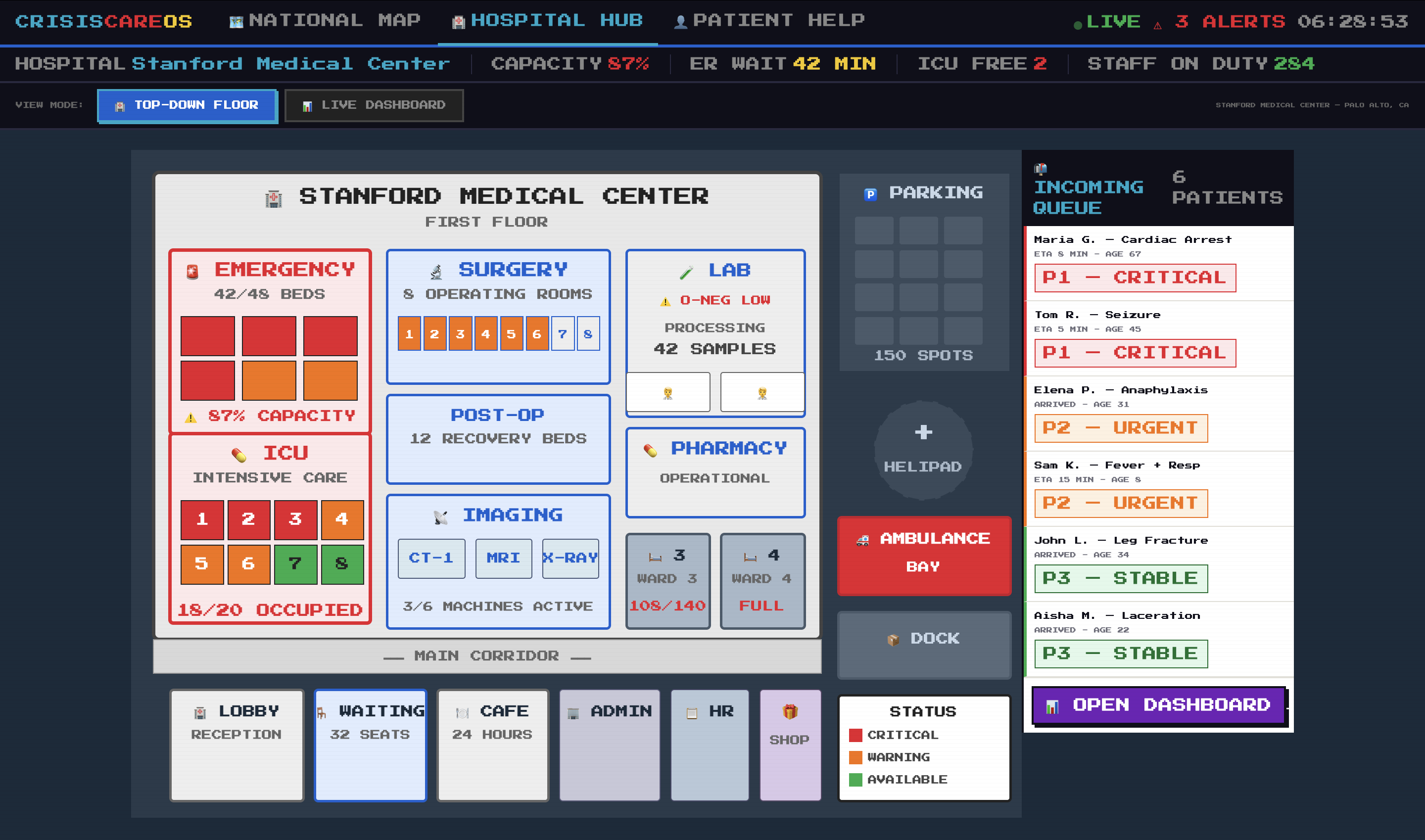
Real time Top Down Hospital Hub view
-
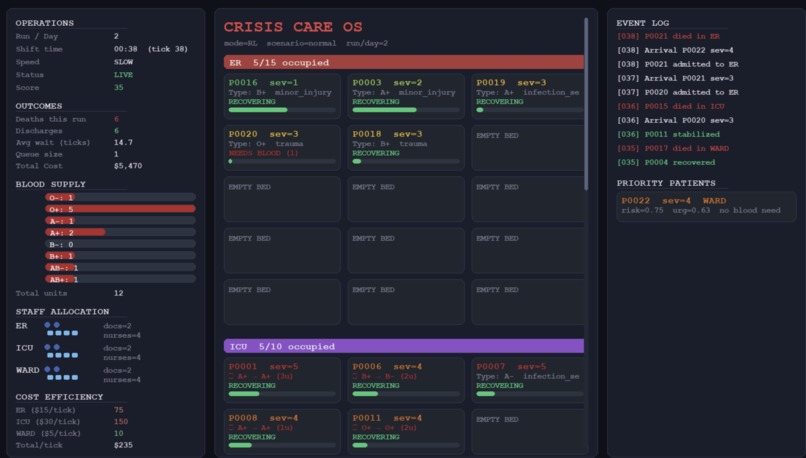
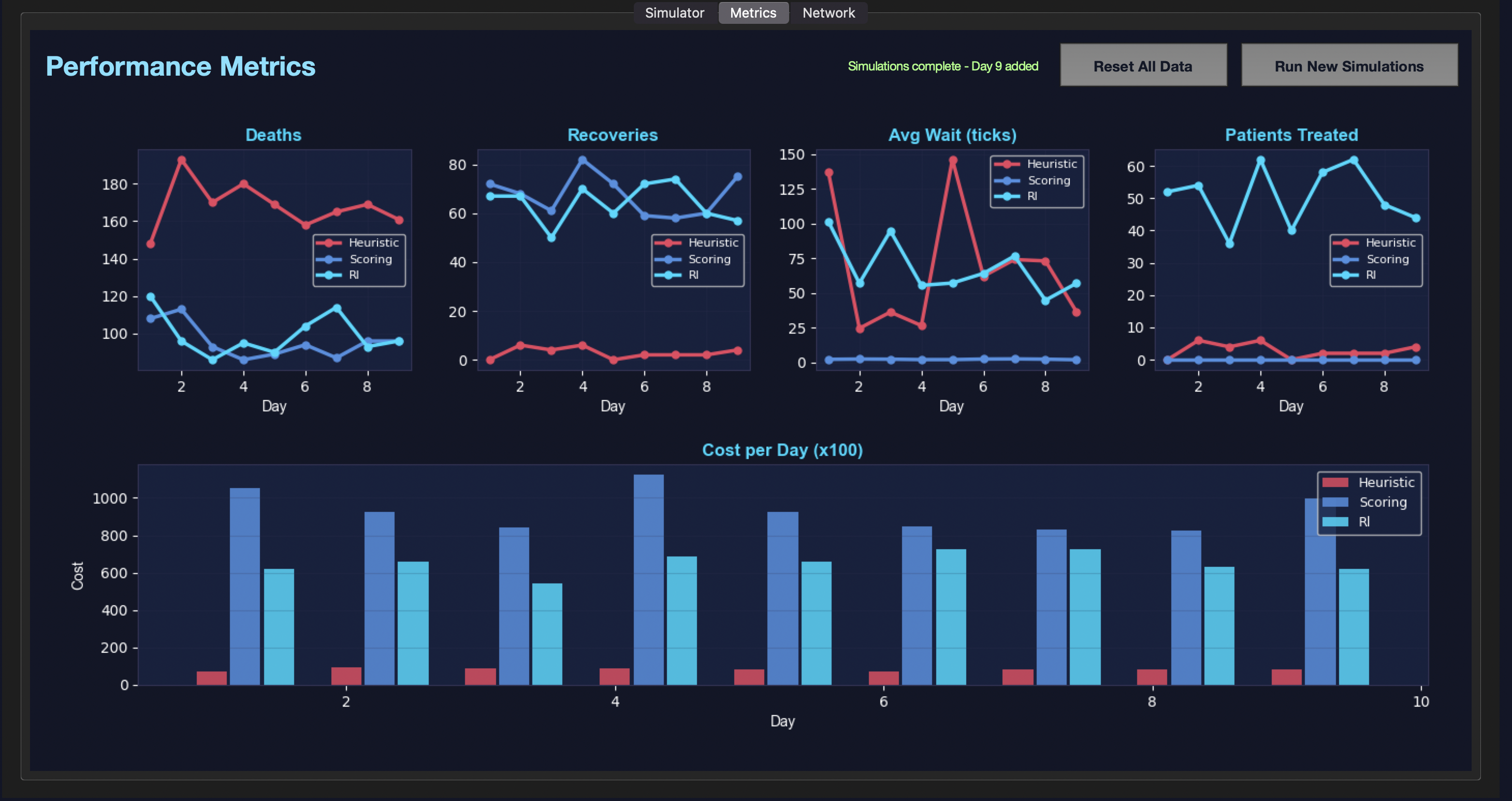
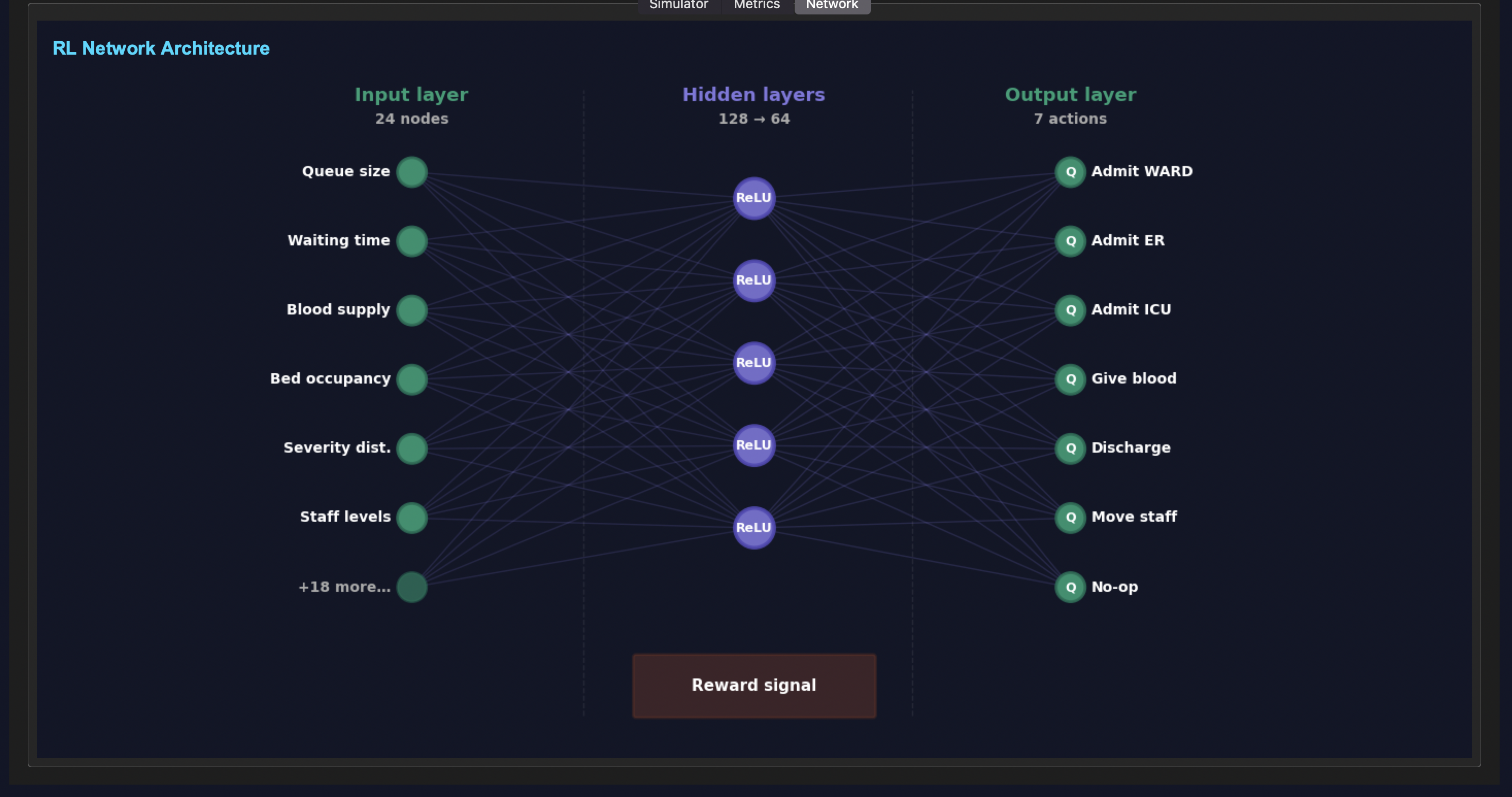
Nearal Netwokring in Action doing simulations like a Machine Learning System training itself becoming better and better
-
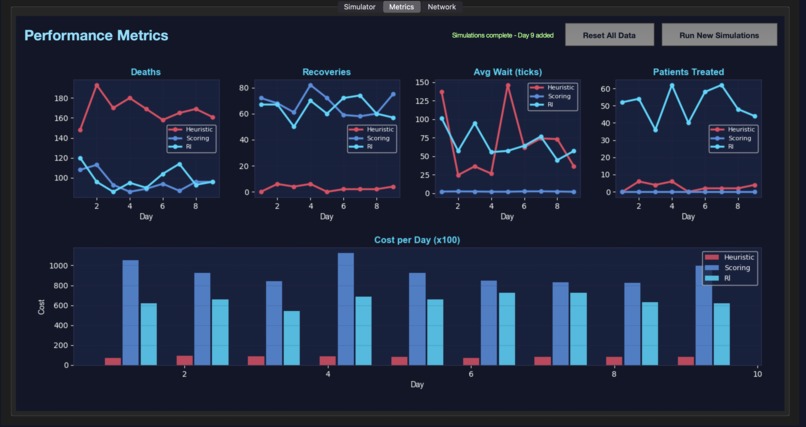
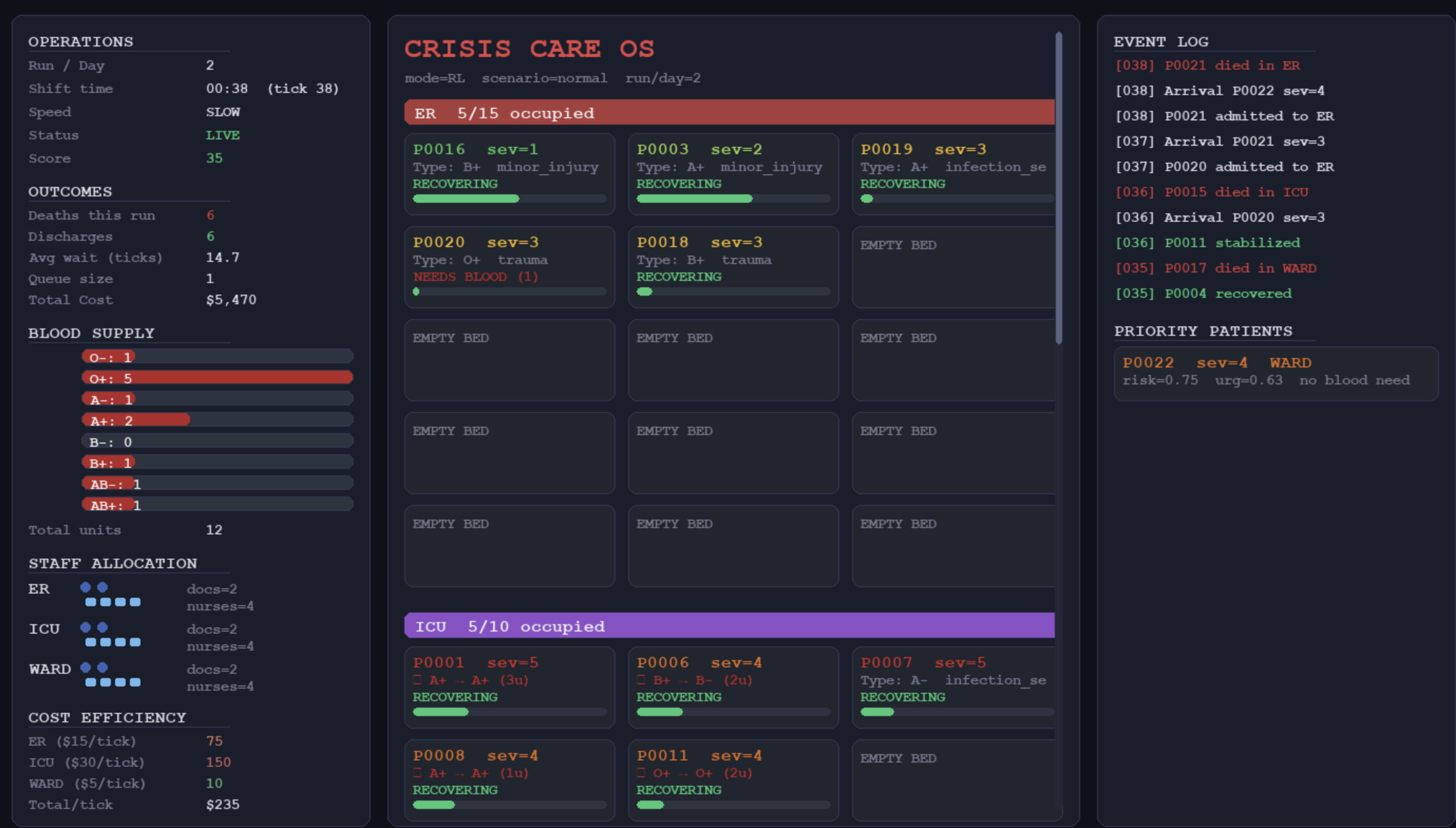
Backend System that manages the data in frontend with Neaural Networking
-
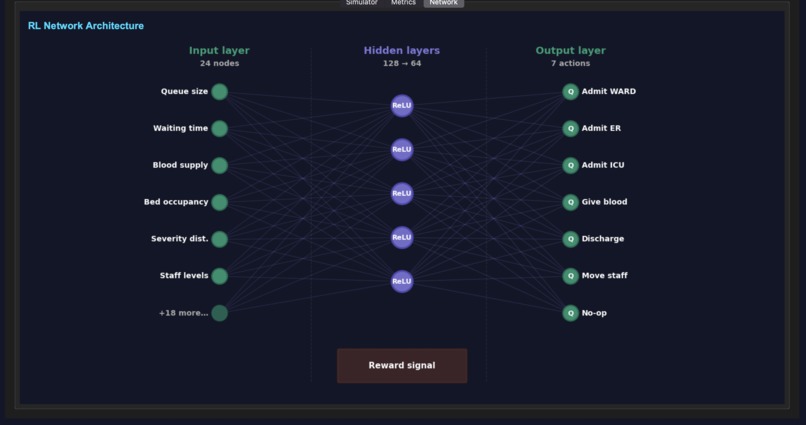
Neural Networking System with mini AI model brain links
-
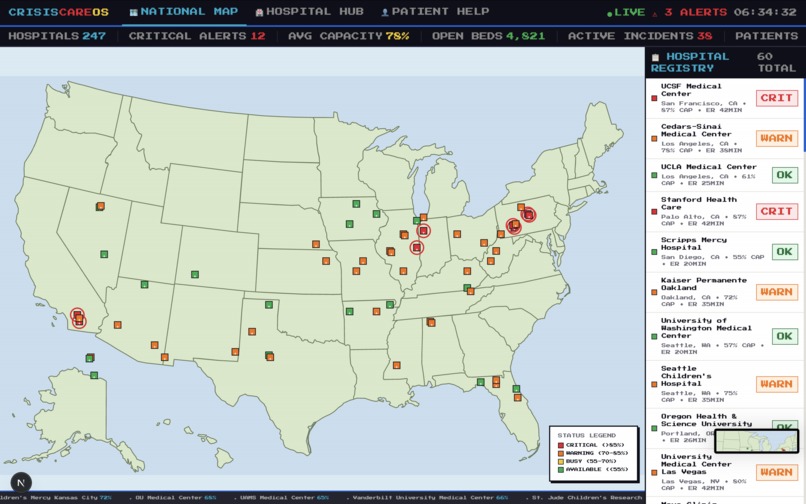
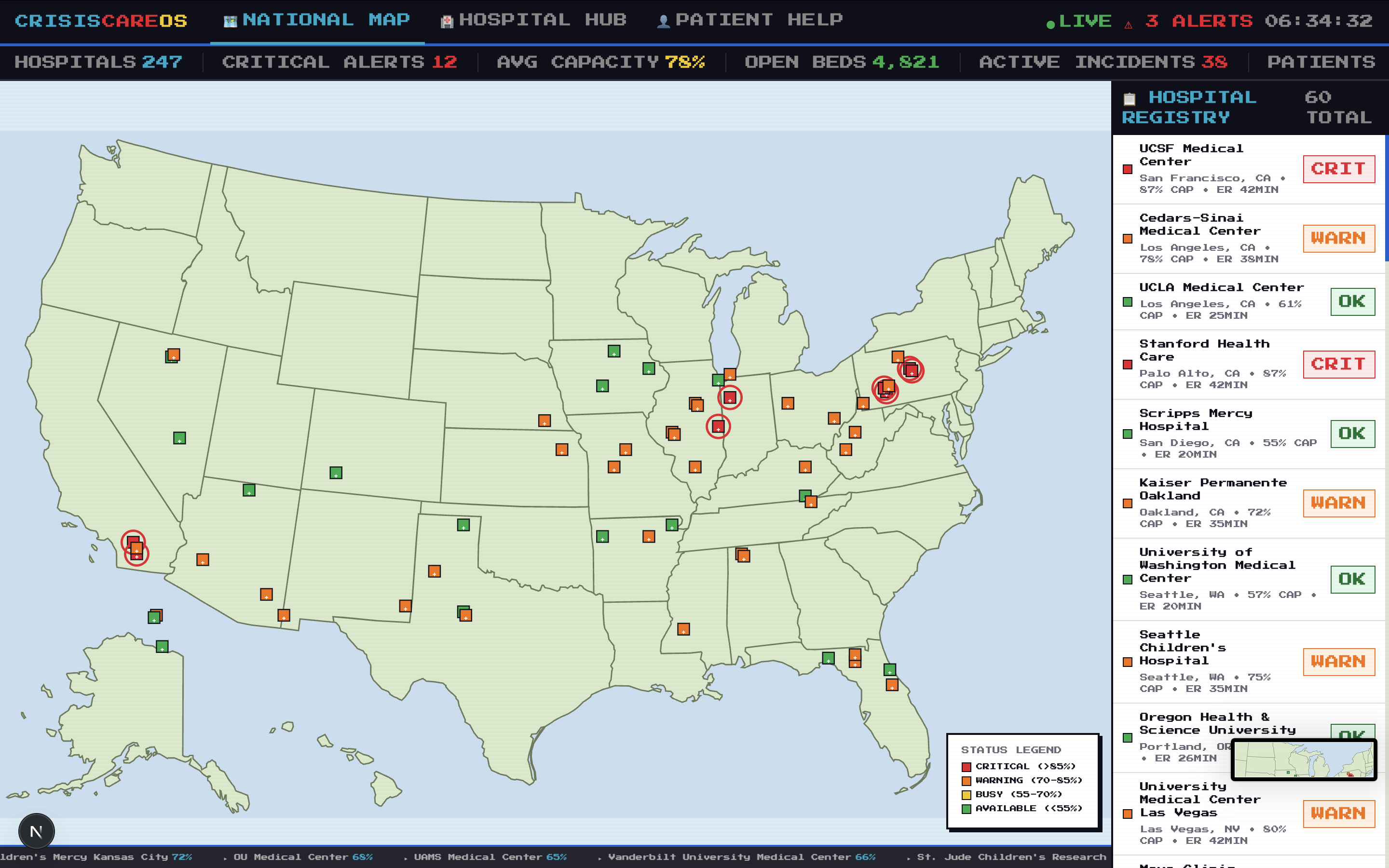
Government View of All Hospitals and its stats
CrisisCare OS
Real-time hospital capacity monitoring for emergency response - helping hospitals and users navigate emergency care options.
Project Story
Inspiration
The idea for CrisisCare OS came from observing how difficult it can be to find real-time hospital information during emergencies. When someone needs urgent care, they often don't know which nearby hospitals have capacity or what wait times look like. I wanted to build a tool that empowers both healthcare facilities and patients with transparent, real-time data that could potentially save lives.
What it does
CrisisCare OS is a comprehensive emergency response platform that provides:
- National Hospital Map - Interactive US map showing 60 real hospitals with live capacity indicators and ER wait times
- Hospital Hub - Real-time floor view of a hospital showing bed availability, ER status, ICU capacity, and active surgeries
- Patient Help (JARVIS) - AI-powered assistant that uses voice recognition and camera vision to help users describe symptoms and get guidance
- Live Dashboard - AI chat interface with text-to-speech for emergency guidance and hospital information
- Disaster Alerts - Real-time natural disaster tracking with impact assessments
How we built it
The project was built with:
- Next.js 16 with React 19 for the frontend framework
- TypeScript for type safety
- Tailwind CSS for styling with a pixel-art retro aesthetic
- TensorFlow.js (coco-ssd model) for real-time object detection in JARVIS camera mode
- Web Speech API for voice recognition and text-to-speech
- SVG-based US map with interactive hospital markers
Challenges we ran into
- Hospital location mapping - Positioning 60 real hospitals correctly on a custom SVG map coordinate system required careful calibration
- Voice recognition cleanup - Ensuring AI voice and speech recognition properly stop when navigating away from pages
- Balancing real data vs. simulation - Since there's no free real-time hospital capacity API, we used realistic simulated data for capacity/wait times while using real hospital names and locations
Accomplishments that we're proud of
- Built a fully functional emergency response dashboard with retro pixel-art aesthetic
- Implemented JARVIS AI assistant with both voice recognition and camera-based symptom analysis
- Created an interactive national map with 60 real hospital locations across the US
- Integrated text-to-speech for accessible AI interactions
What we learned
- How to integrate TensorFlow.js for real-time object detection in the browser
- Managing complex state with React hooks for multi-page single-application feel
- Building voice-enabled interfaces with Web Speech API
- Coordinate mapping between data and SVG visualization
What's next for CrisisCare OS
- Connect to real hospital APIs (CMS, state health departments) for live capacity data
- Add mobile app companion
- Expand JARVIS to handle more complex medical triage scenarios
- Integrate with emergency services for direct 911 handoff
Tech Stack
First, run the development server:
npm run dev
# or
yarn dev
# or
pnpm dev
# or
bun dev
Open http://localhost:3000 with your browser to see the result.
You can start editing the page by modifying app/page.tsx. The page auto-updates as you edit the file.
This project uses next/font to automatically optimize and load Geist, a new font family for Vercel.
Learn More
To learn more about Next.js, take a look at the following resources:
- Next.js Documentation - learn about Next.js features and API.
- Learn Next.js - an interactive Next.js tutorial. You can check out the Next.js GitHub repository - your feedback and contributions are welcome! ## Deploy on Vercel The easiest way to deploy your Next.js app is to use the Vercel Platform from the creators of Next.js. Check out our Next.js deployment documentation for more details.

Log in or sign up for Devpost to join the conversation.