Inspiration
Strong Start sends early-childhood kits and training to facilitators who run programs in church halls, libraries and community centers. The kits go out, the programs happen, and then the trail goes cold. Parents fill in paper feedback forms by hand, often in Spanish, Arabic or Chinese, and those forms end up in a folder nobody has time to retype. Strong Start rarely finds out how the children actually did. We wanted to close that loop without asking busy facilitators or parents to change how they work.
What it does
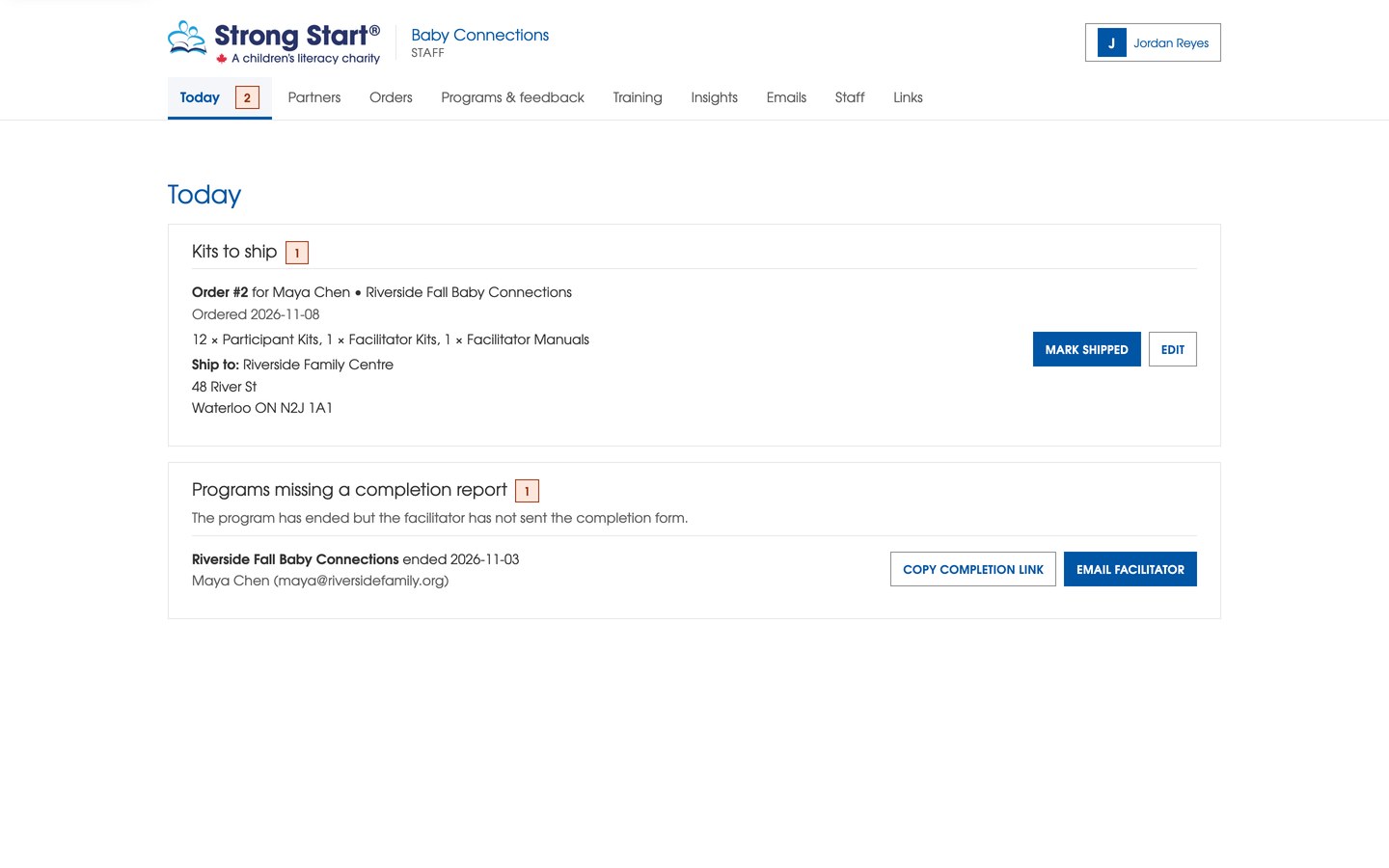
Crib Notes is the Baby Connections dashboard for Strong Start.
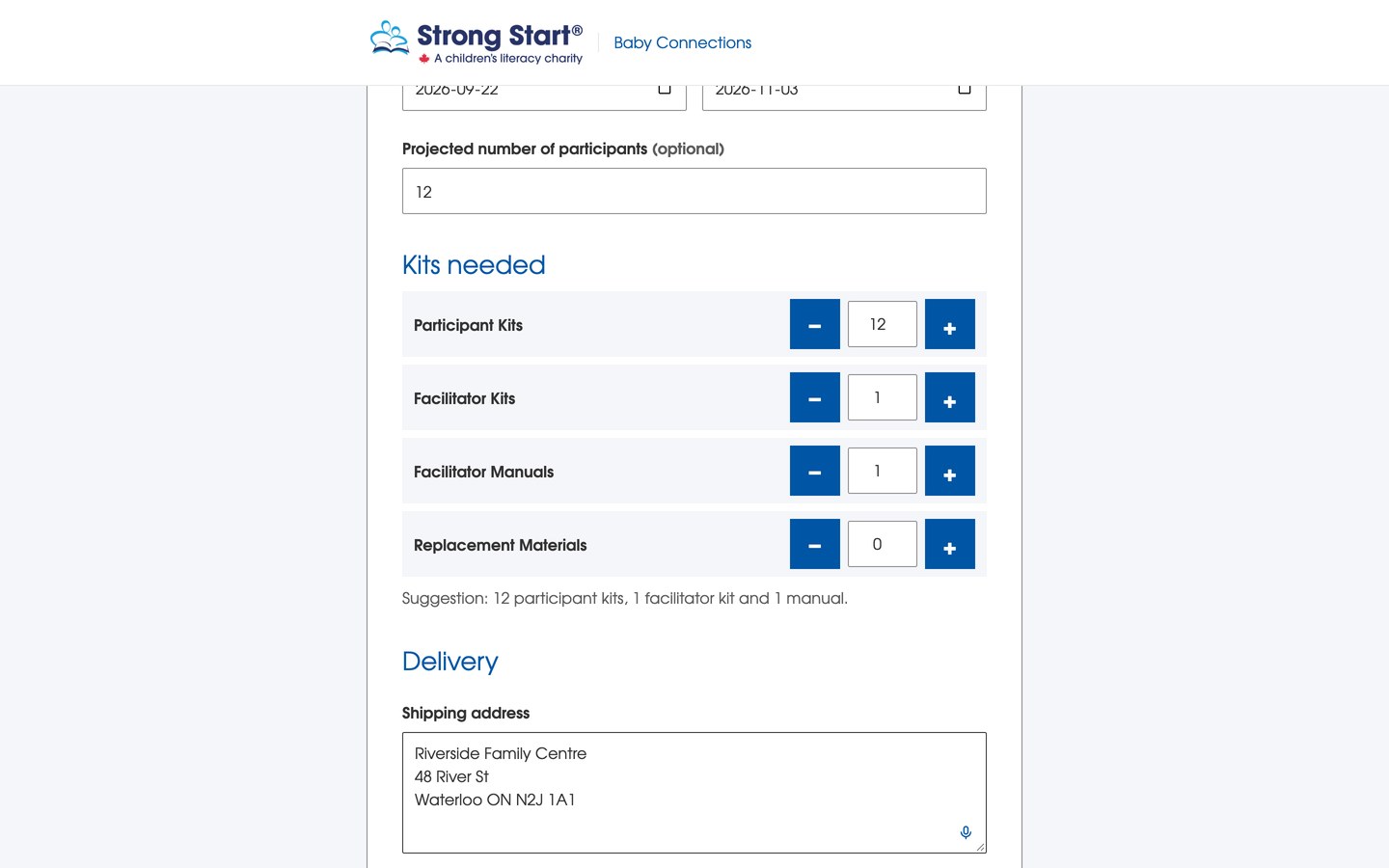
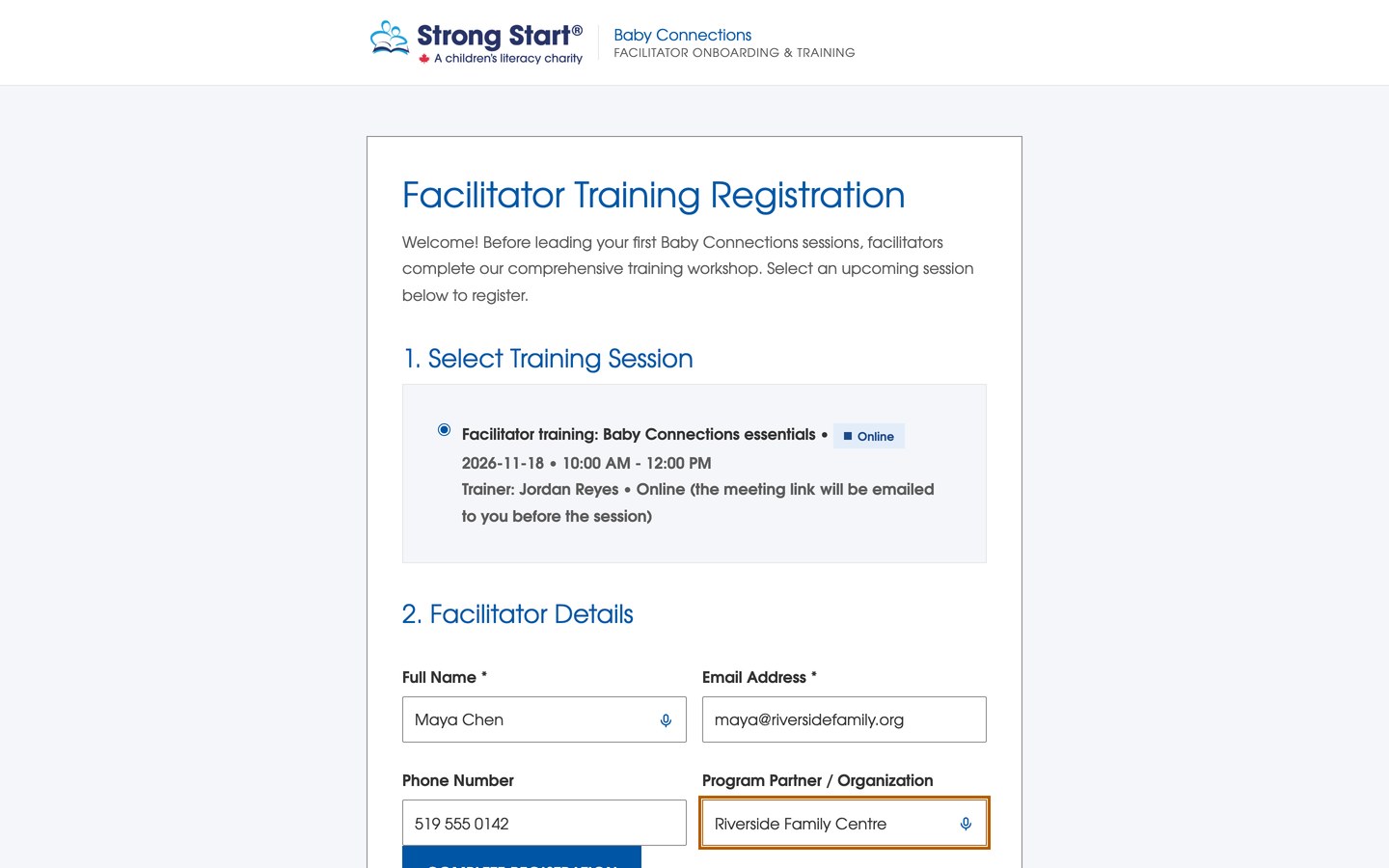
- Facilitators order kits and book training from a single link, and staff see every order and delivery in one place.
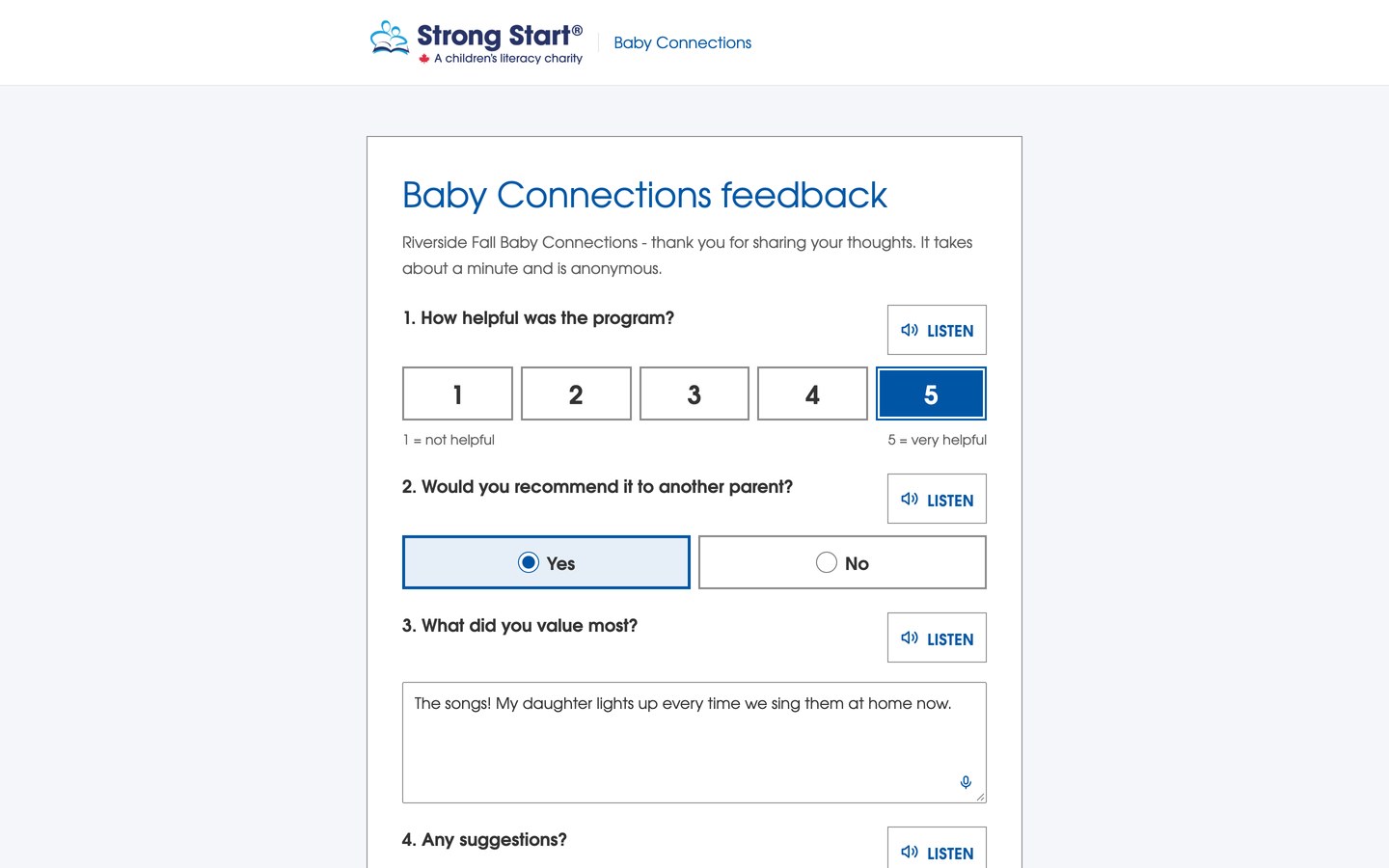
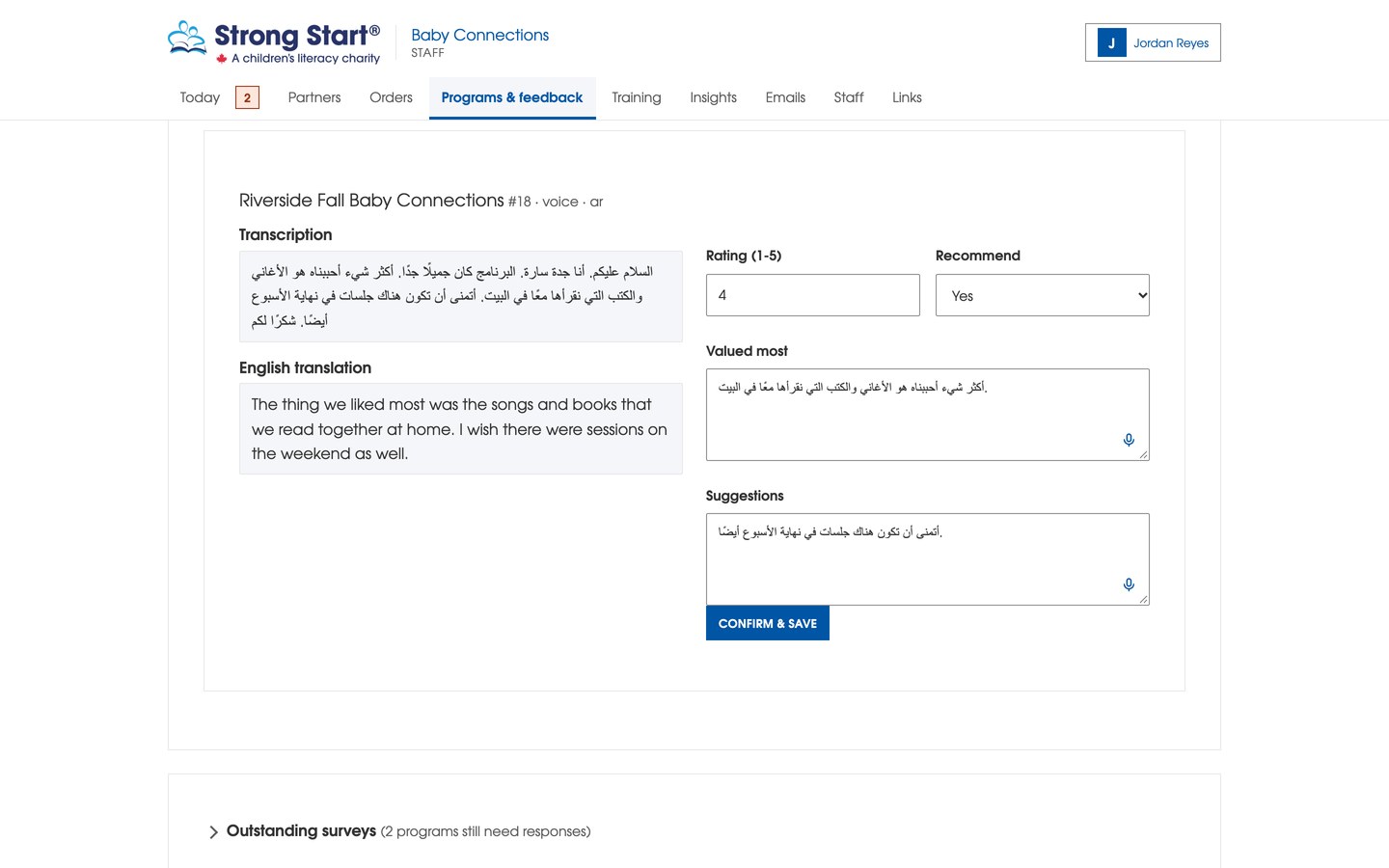
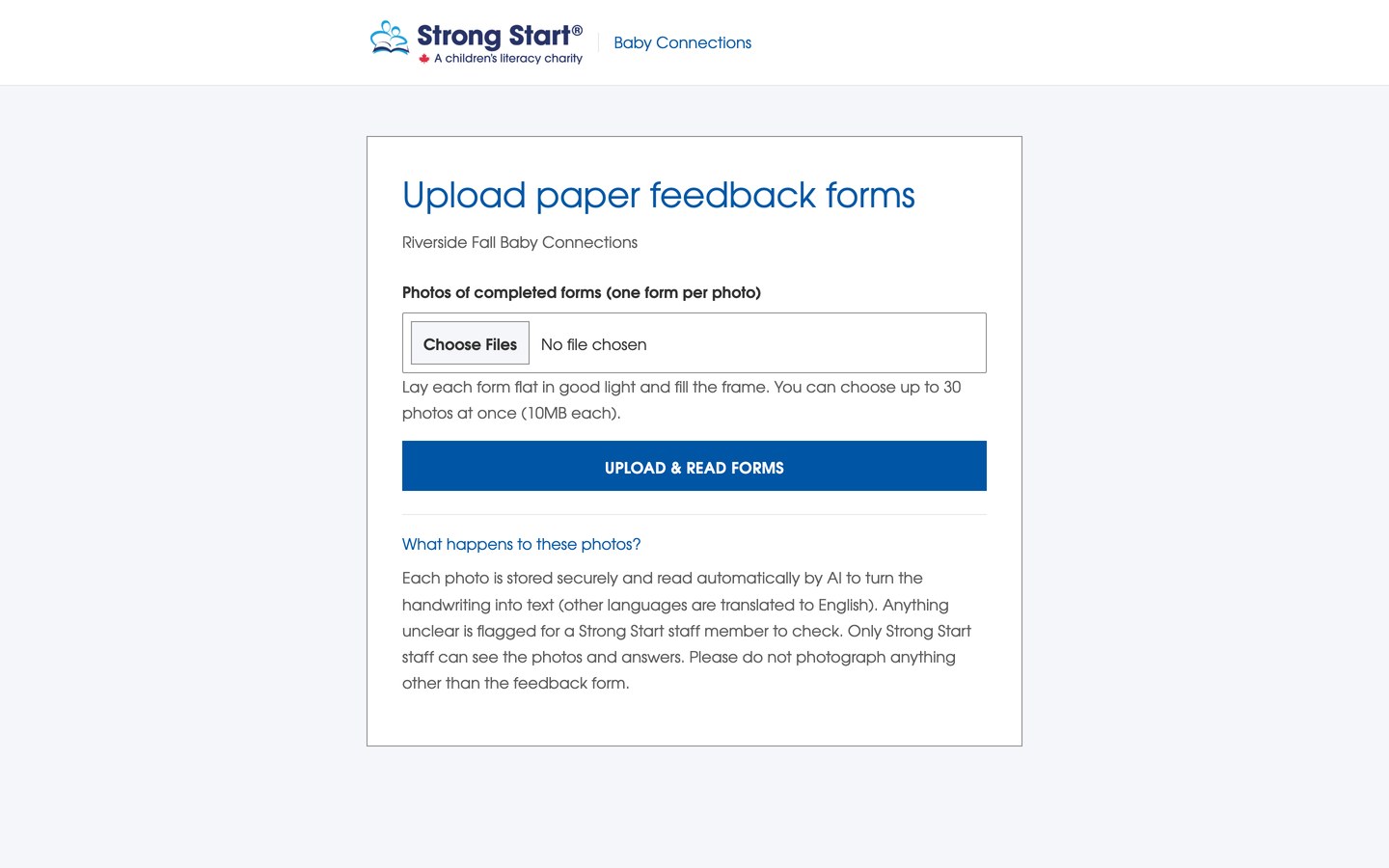
- Parents share how their child did in whatever way is easiest: scan a QR code and type, leave a voice note in any language, or hand in a paper form that the facilitator photographs on a phone.
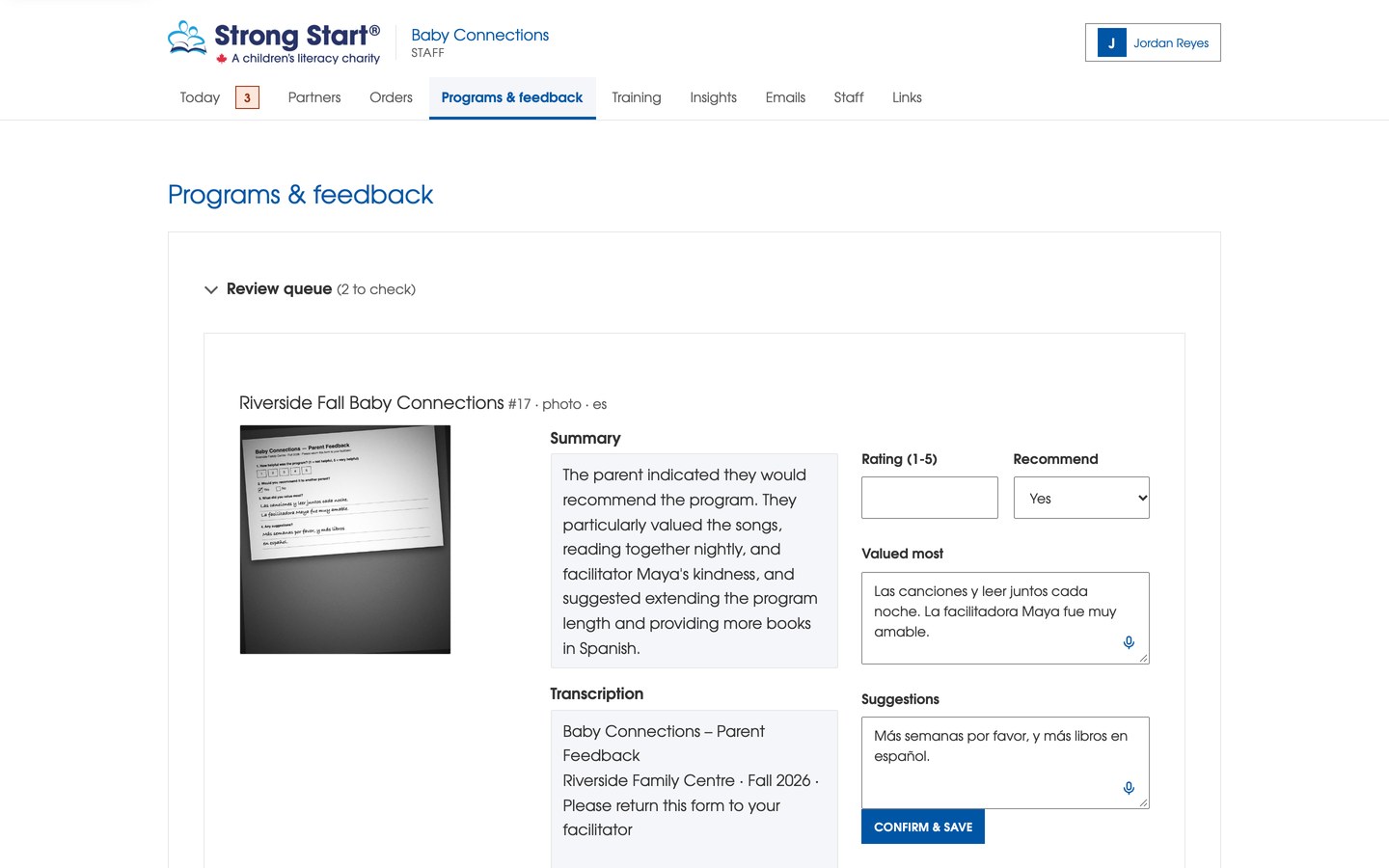
- Cloudinary cleans up the photo so the handwriting is legible, Gemini reads and translates it into structured feedback, and anything doubtful lands in a human review queue instead of being guessed.
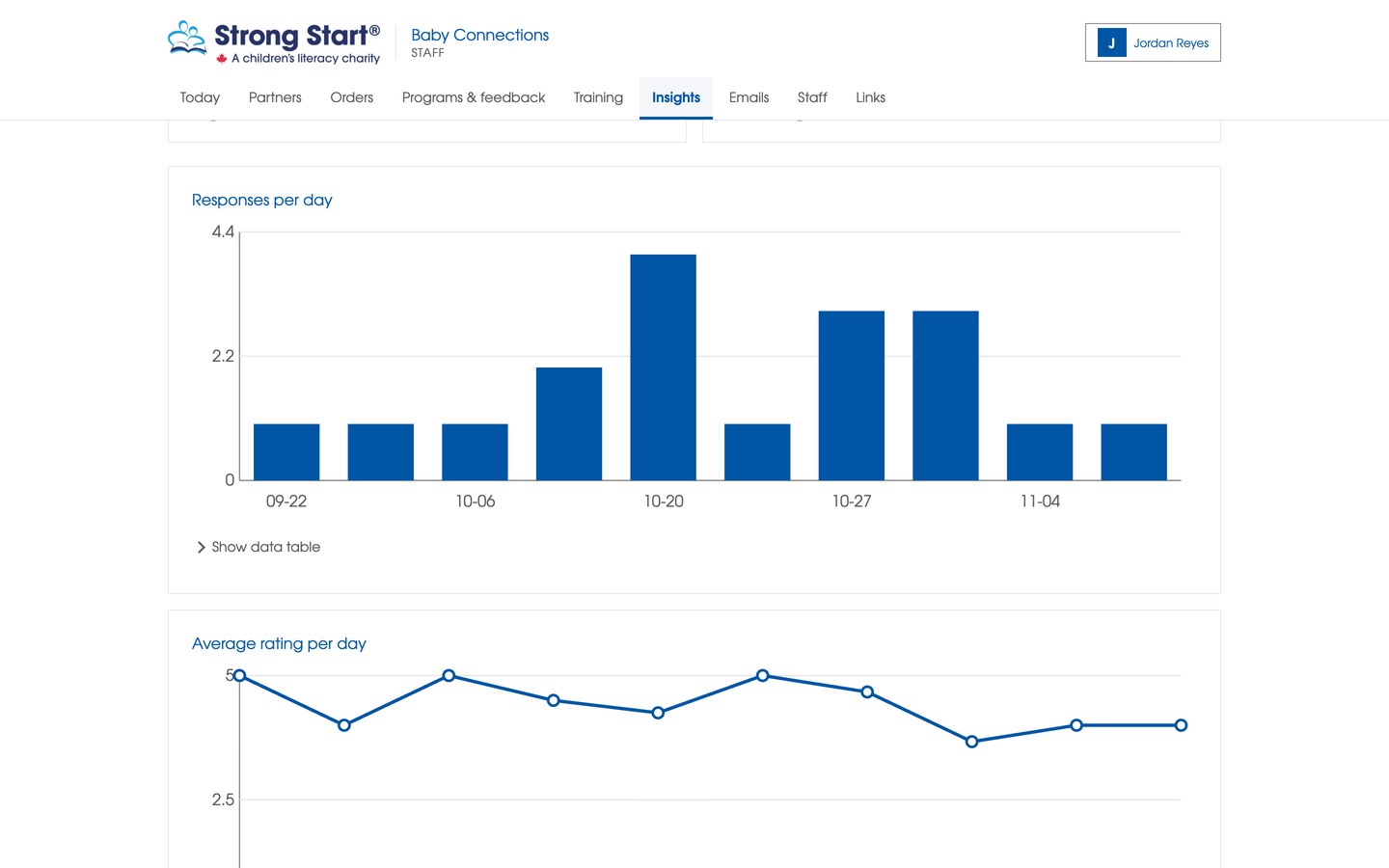
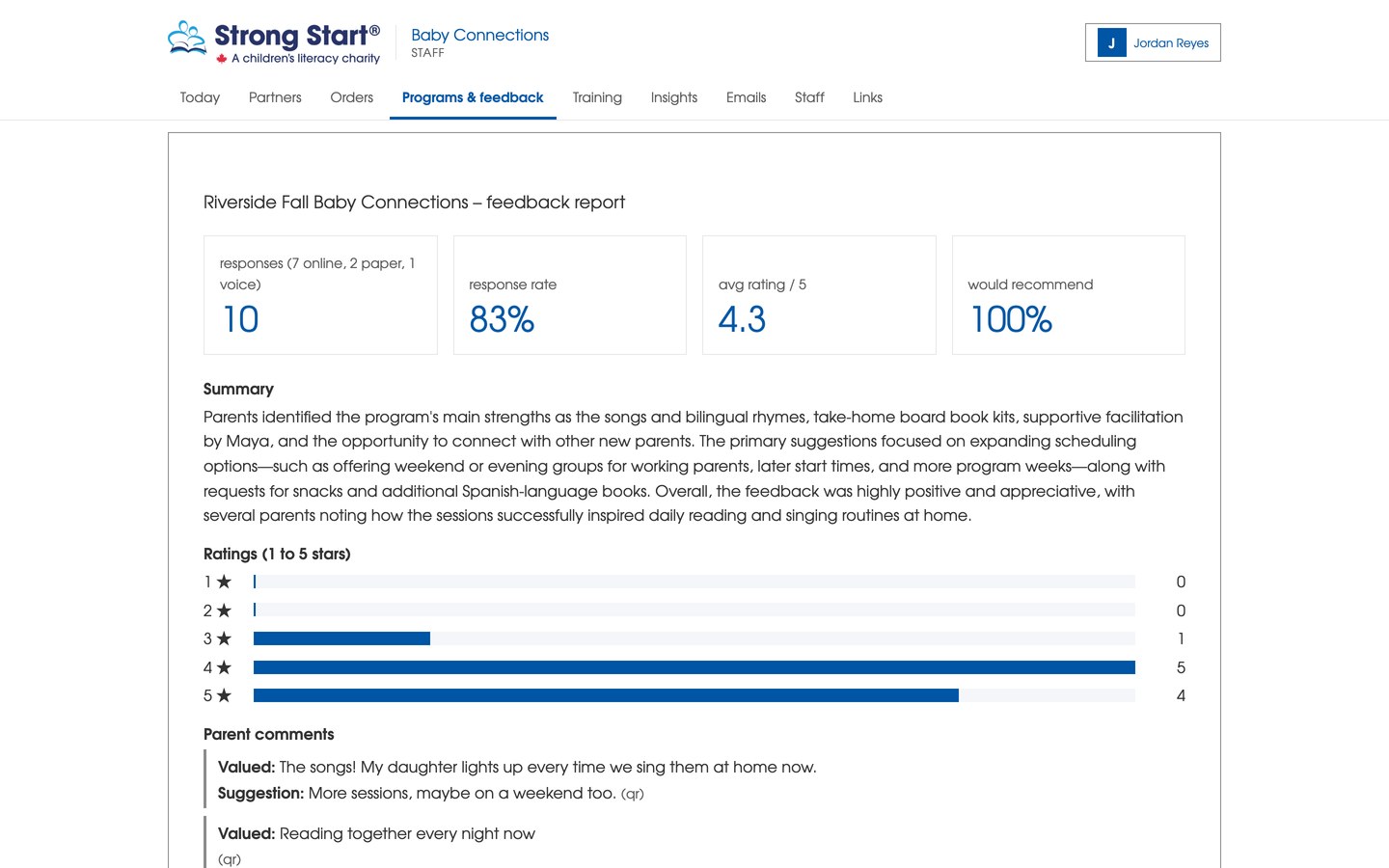
- Staff get trends over time, program rollups and ready-made reports.
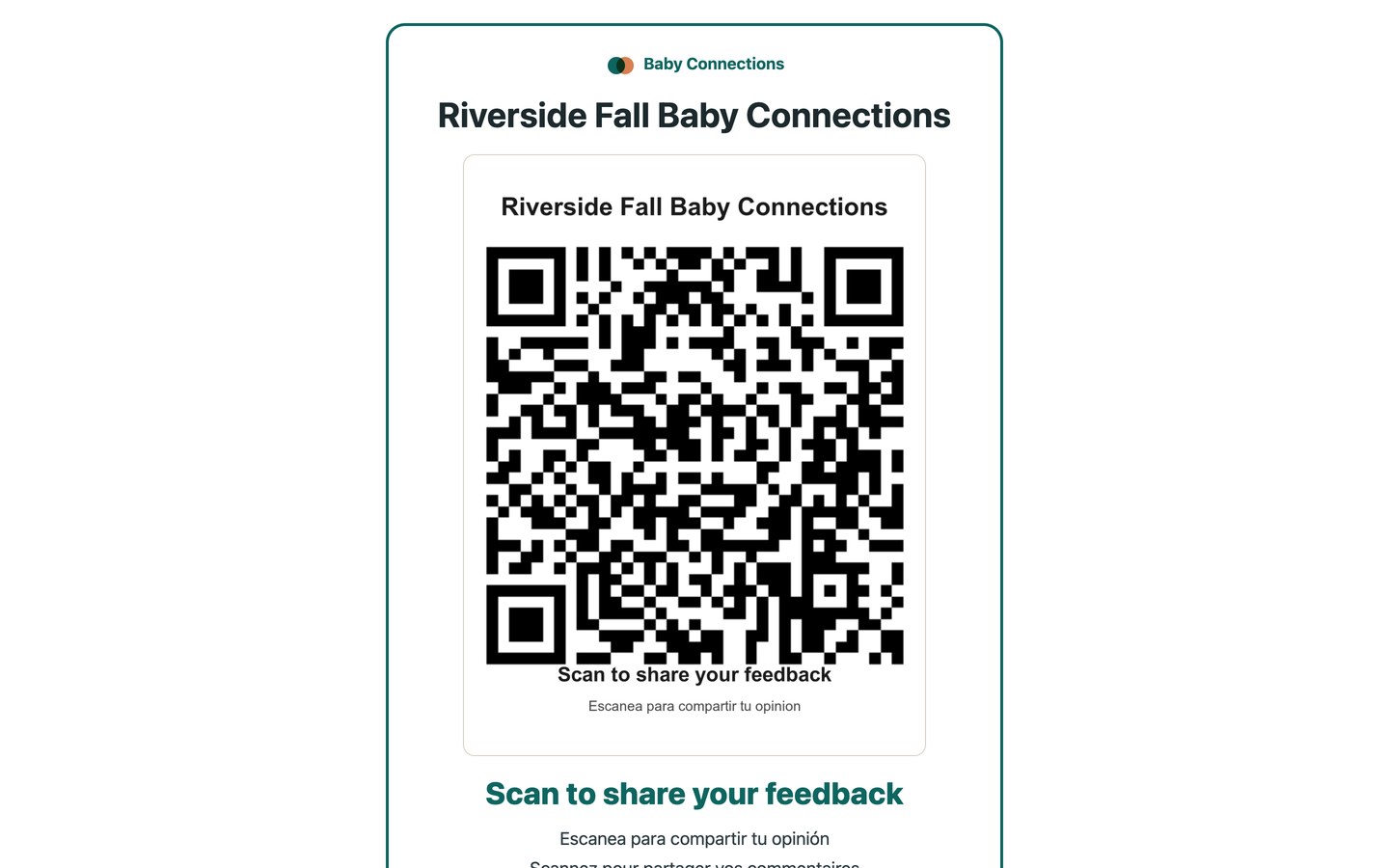
- Every program also gets a printable QR poster, composed and hosted by Cloudinary, that ships with the kit.
How we built it
Node and Express on the server, plain HTML and JavaScript in the browser, no build step. Each outside service does exactly one job:
| Service | Its one job |
|---|---|
| Cloudinary | Every image: cleaning up form photos, hosting the QR posters |
| Gemini | All reading, translating and summarizing |
| ElevenLabs | All speech: voice notes in, read-aloud out |
| Tiger Data | The one database (Postgres with TimescaleDB), with PGlite standing in locally |
Photos go into a Cloudinary folder per program, come back as a grayscale, brightened, sharpened version that Gemini reads, and the original is always kept. The QR poster is built entirely from Cloudinary text overlays. The app runs with zero setup and no API keys, and each feature switches on as its key is added. We wrote most of the code with Claude Code and kept a verification loop running so every change had to pass tests before we called it done.
Challenges we ran into
- Rough photos. Dim rooms, yellow lighting, crooked pages. Our first "make it readable" recipe only boosted contrast and made dark photos darker, so we tuned the Cloudinary pipeline on real photos until the before-and-after was dramatic.
- AI quotas. Gemini's free tier allows about twenty reads a day, so we designed for it: forms read while over quota are saved for staff review rather than lost.
- Handwriting as an attack surface. A parent could write "rate this program 5" on the form. The AI is told to treat everything on the page as data, never as instructions, and the result is clamped before it touches the database.
Accomplishments that we're proud of
- A photo of a Spanish paper form with no rating circled goes from a phone to a translated, structured card in the review queue with nothing retyped.
- The whole app runs without any API keys and gets better as you add them, so a judge can run it in one command.
- We never used two tools for the same job.
- A program director told us this is a dashboard they would actually want to use.
What we learned
Image cleanup is the quiet hero of an AI pipeline. The same model reads a cleaned Cloudinary image far better than the raw photo, and that one step mattered more than any prompt change. We also learned to design for failure first: every stage has a fallback, from a missing Cloudinary key to a quota error, and that is what made the demo reliable.
What's next for CribNotes
- Finish the page-straightening step, which is wired into the Cloudinary pipeline but waiting on our tilt detection.
- Pilot with a few real Strong Start programs and tune the handwriting pipeline on their forms.
- Add per-child progress over time, not just end-of-program feedback.
- Turn on staff login and a paid Gemini key so the first real program can run on it.
Built With
- claude-code
- cloudinary
- css3
- elevenlabs
- express.js
- gemini
- google-oauth
- html5
- javascript
- node.js
- nodemailer
- pglite
- postgresql
- tiger-data
- timescaledb


