-
-
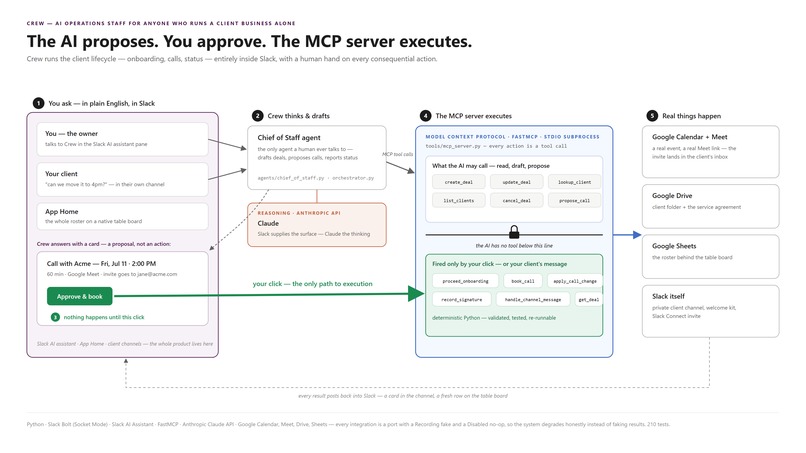
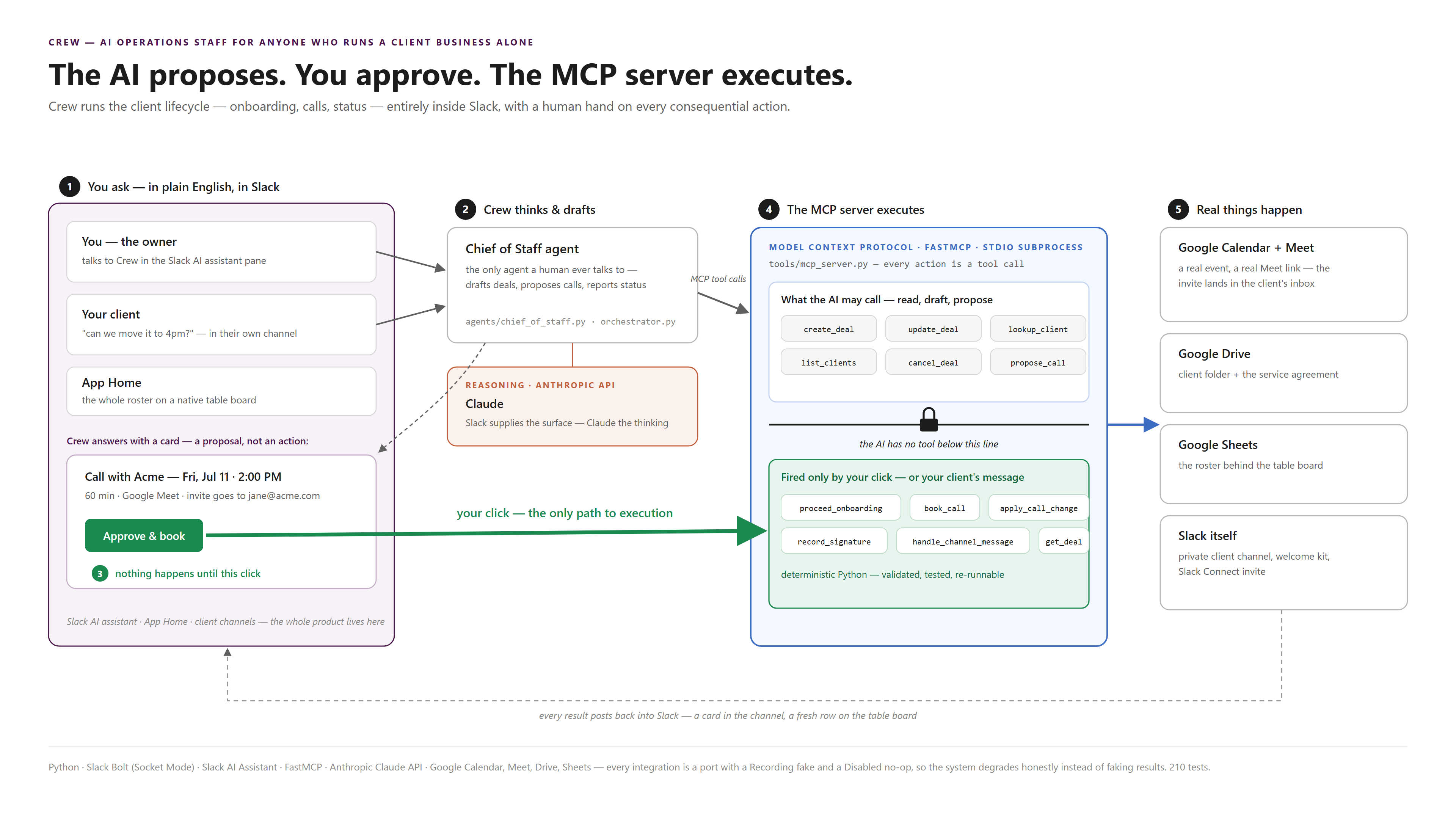
Crew's architecture: the AI reasons, a real MCP server executes, and a human approves anything booked or created for real.
-
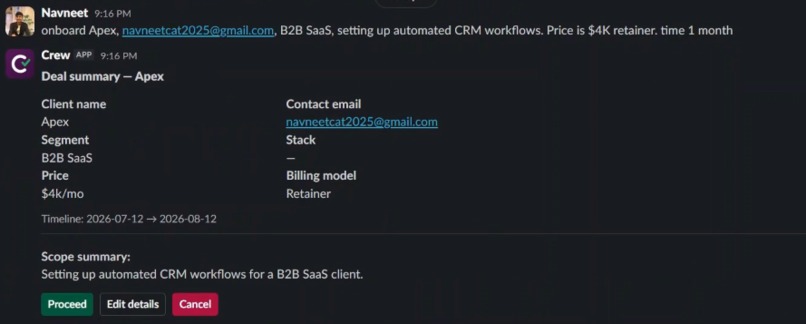
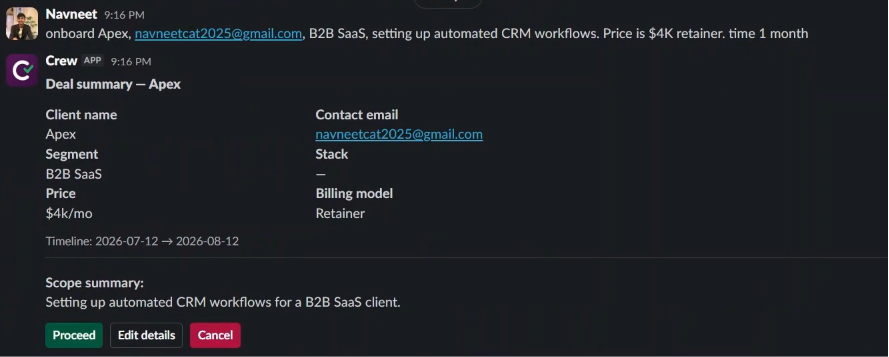
Summary Card: Crew ask for approval before onboarding new Client
-
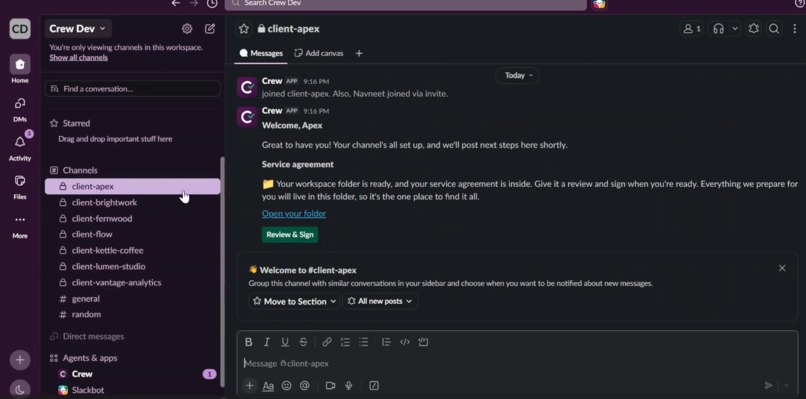
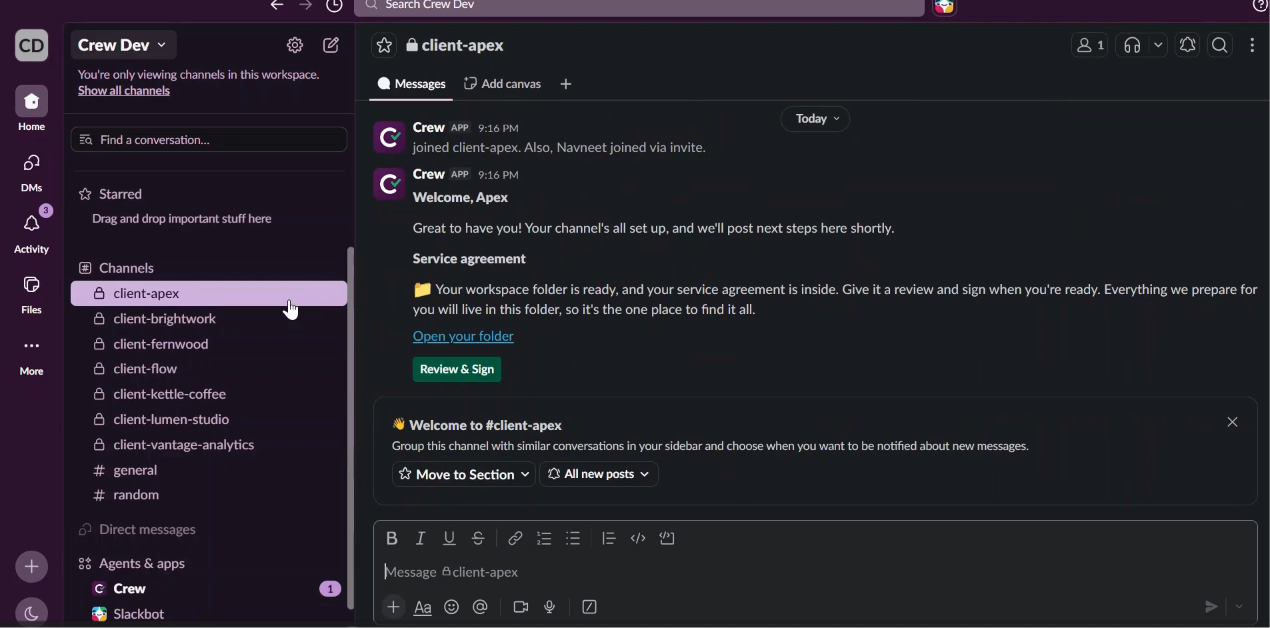
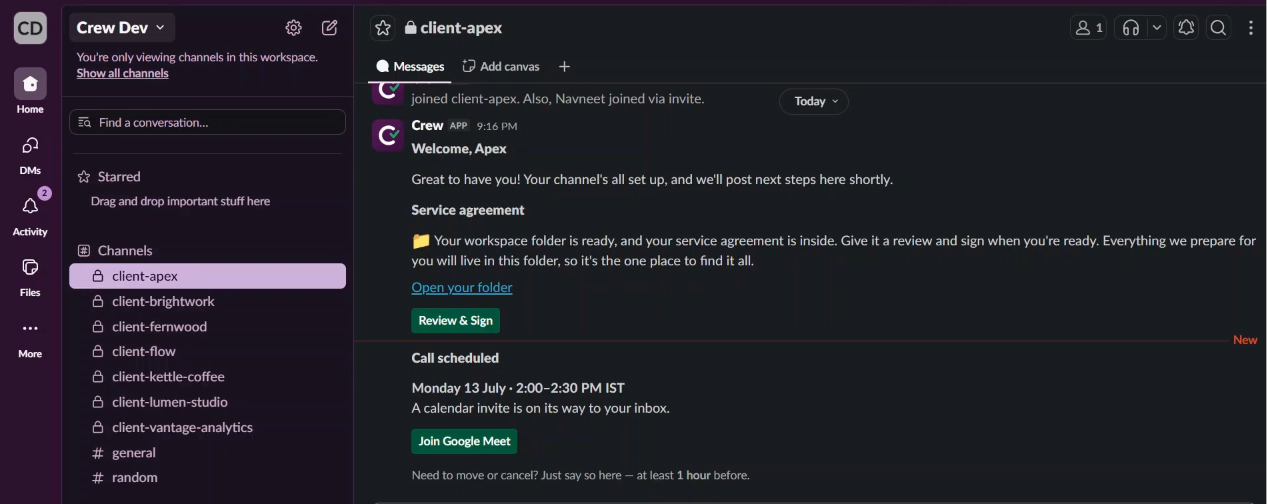
Client channel: automatic slack connect invite, welcome message, drive folder with service agreement
-
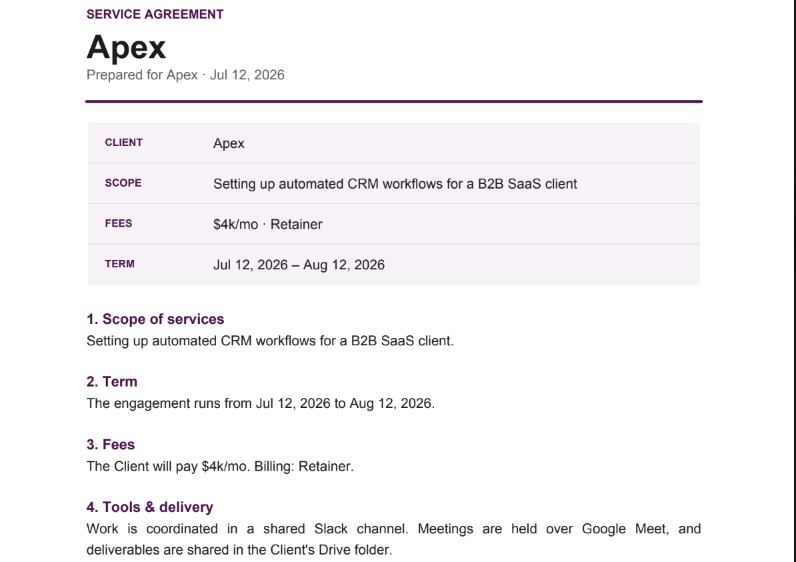
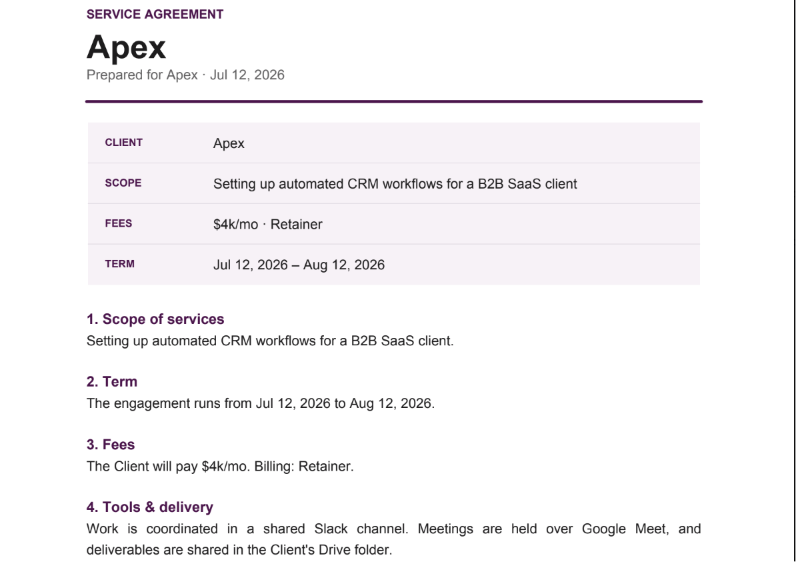
Crew Creates service agreement with the details its actually knew.
-
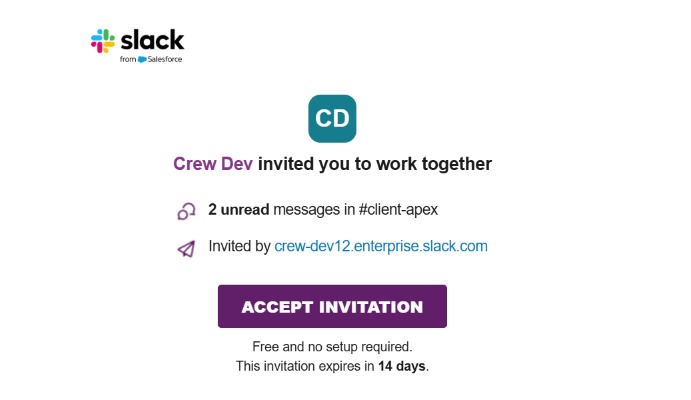
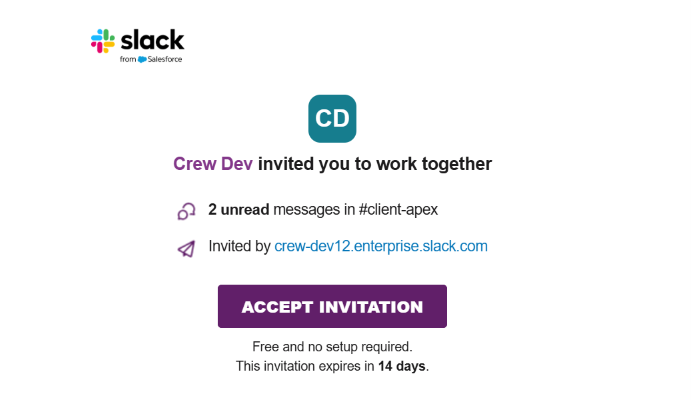
Slack connect invite
-
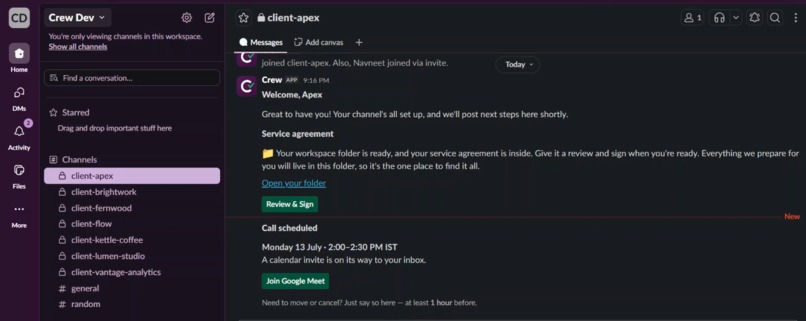
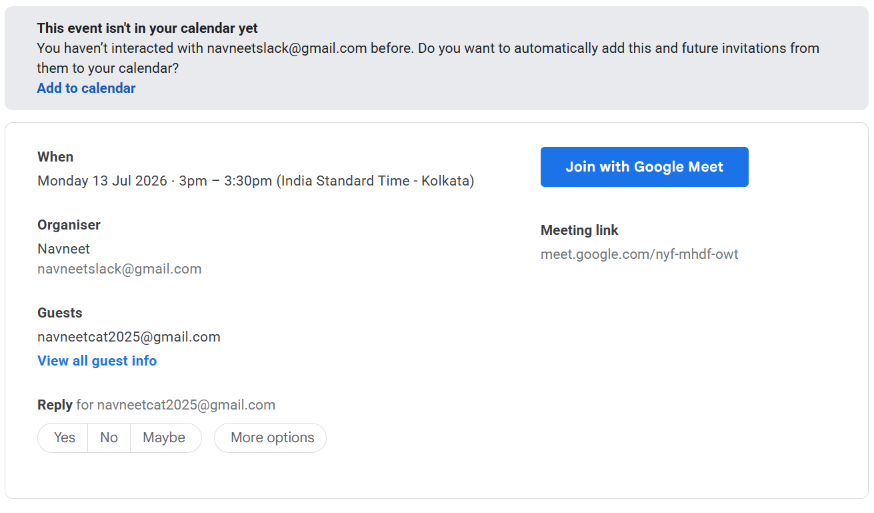
Meeting link Card.
-
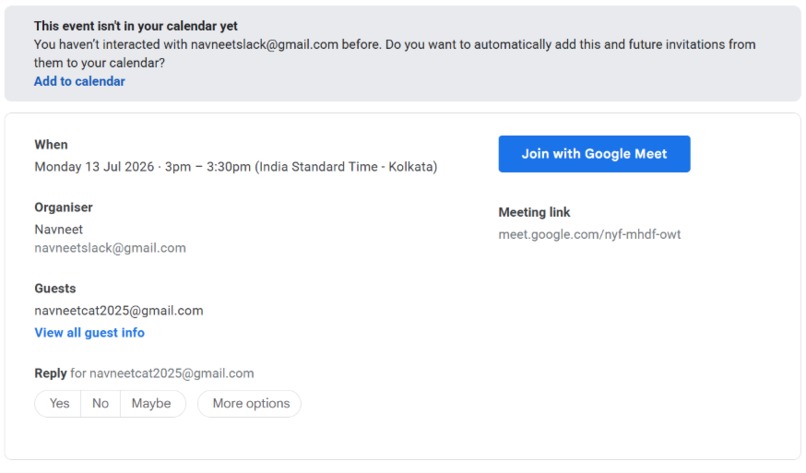
Calendar booked with working Meet link
-
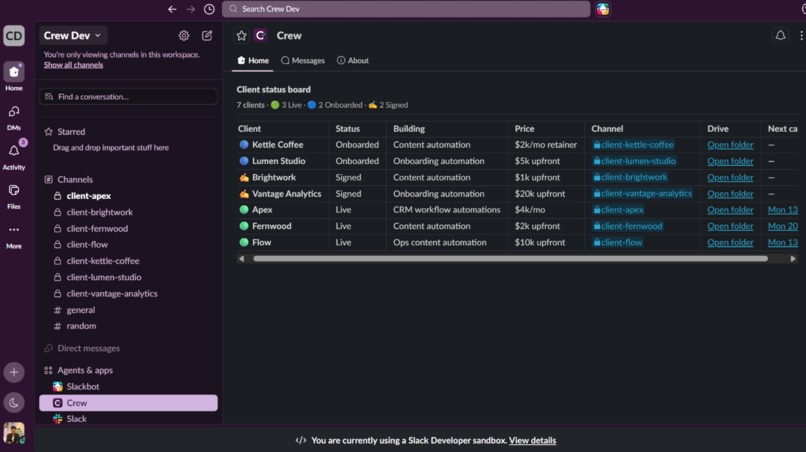
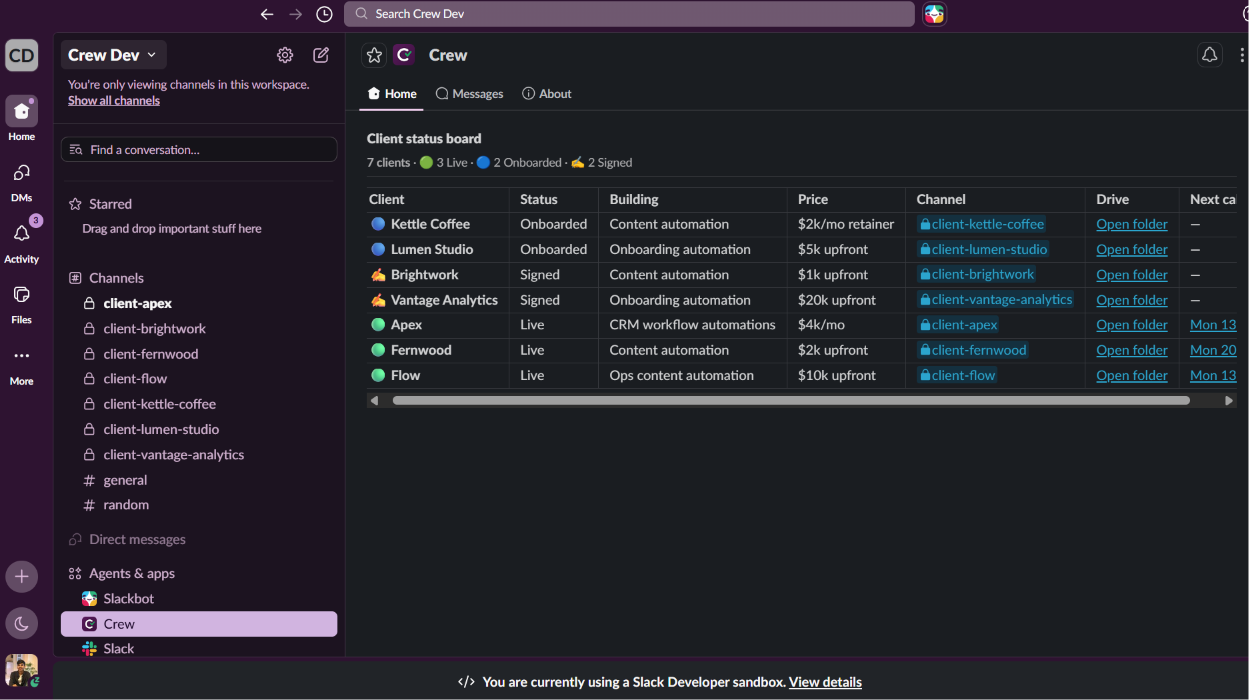
The status board: every client, their stage, price, channel, Drive folder, and next call, all as a native Slack table.
Inspiration
If you run a client business alone (freelancer, consultant, studio, boutique agency), you're the salesperson, the ops team, and the account manager all at once. The work that actually wins and keeps clients is the work that gets dropped under that load: the channel that never got created, the contract that sat in a drafts folder, the kickoff call nobody scheduled, the client whose status lives only in your head until someone asks and you go check three different places. I wanted an AI Chief of Staff that lives where the work already happens, inside Slack, and actually runs the lifecycle: creating the channels, filing the contracts, booking the calls, tracking every account.
What it does
Crew onboards a client from one sentence — "onboard Apex, contact [email protected]." It pulls the commercial terms, drafts a scope summary, and posts a Deal Summary card. Nothing happens until you click Proceed. Then, in one pass: a private Slack channel, a Google Drive folder with a service agreement filled in from the real deal terms (not a stub), and a Review & Sign card delivered to the client, invited over Slack Connect if they're external.
Say "book a call with Apex tomorrow at 2pm" and it proposes a real Google Calendar event with a Meet link. You approve; it books, invites the client for real, and announces it in their channel. If the client writes "can we push this to Friday?" in their own channel, Crew reacts with an instant 👀 and offers to reschedule or cancel — no owner approval needed, since it's their own call. Ordinary conversation gets complete silence.
Ask "where do my clients stand?", or open the App Home tab, and the whole roster renders as a native Slack table: client, status, what you're building, price, their Drive folder, and their next call as a clickable Meet link.
How I built it
Crew is built in three layers that stay separate on purpose: plain-English workflow docs describe what each process should do, the AI does the reasoning, and ordinary Python code does the actual work — the API calls, the file writes, the calendar bookings.
The important part is that the AI never acts directly. Every action runs through an MCP server (Model Context Protocol), which is the real engine underneath. The AI is the brain; the MCP server is the hands. And I only gave it half the hands: it can draft a deal or propose a call, but it has no way to onboard a client or book a calendar event by itself. Those only happen when a human clicks a button. So the approval gate holds for a simple reason: the risky actions just aren't in the AI's toolbox, so there's no rule for it to bend.
The Chief of Staff lives in Slack's AI assistant pane, with suggested prompts and a live "thinking…" status while it works. Every outside connection — Slack, Calendar, Drive, Sheets — can also run in a safe test mode with no real calls, so I could build and test the whole thing without touching anything live. When a credential is missing, it says so honestly instead of making up a fake link.
Two days before the deadline I moved it to Modal, a cloud host, so judges don't need my laptop running. A small scheduled job relaunches the bot every 23 hours (the host caps a single run at 24), so it keeps itself alive with no manual restart, whatever the timezone.
Challenges I ran into
Getting Crew reliable was harder than getting it to work the first time. Onboarding does a lot in one go: a channel, a folder, a contract, a client invite. Early on it was slow, and sometimes it failed partway without telling me. So I made each step handle its own errors and retry when a network call dropped, so a hiccup never leaves you staring at a spinner.
The approval buttons had another problem. Double-click before the screen caught up and the button fired twice, which for a real calendar booking meant two meetings and two invite emails to the client. I added a guard so it only ever acts once.
The trickiest part was hosting it so judges don't need my laptop running. Getting the Google connections (Calendar, Drive, Sheets) working in the cloud instead of on my machine took a lot of trial and error. Things that ran fine locally broke in a clean environment, and tracking down why was slow going.
What I learned
Two things stuck. Code that runs fine on your own machine can break the moment you deploy it somewhere clean; the environment matters as much as the code. And the safest way to keep an AI agent from doing something risky is to never give it the ability in the first place. Every real action, like booking a call or onboarding a client, sits behind a human approval, so there's nothing for the model to talk itself into.
What's next
RTS (Slack's Real-Time Search) is the natural next tool: query the live workspace, reason, then discard, never persisting raw message content. I kept it out of scope for this submission, gated behind everything else being verified working first.
Built With
- anthropic
- claude
- claudecode
- fastmcp
- google-calendar-api
- google-drive-api
- google-sheets-api
- mcp
- modal
- model-context-protocol
- pytest
- python
- slack
- slack-bolt

Log in or sign up for Devpost to join the conversation.