-
-
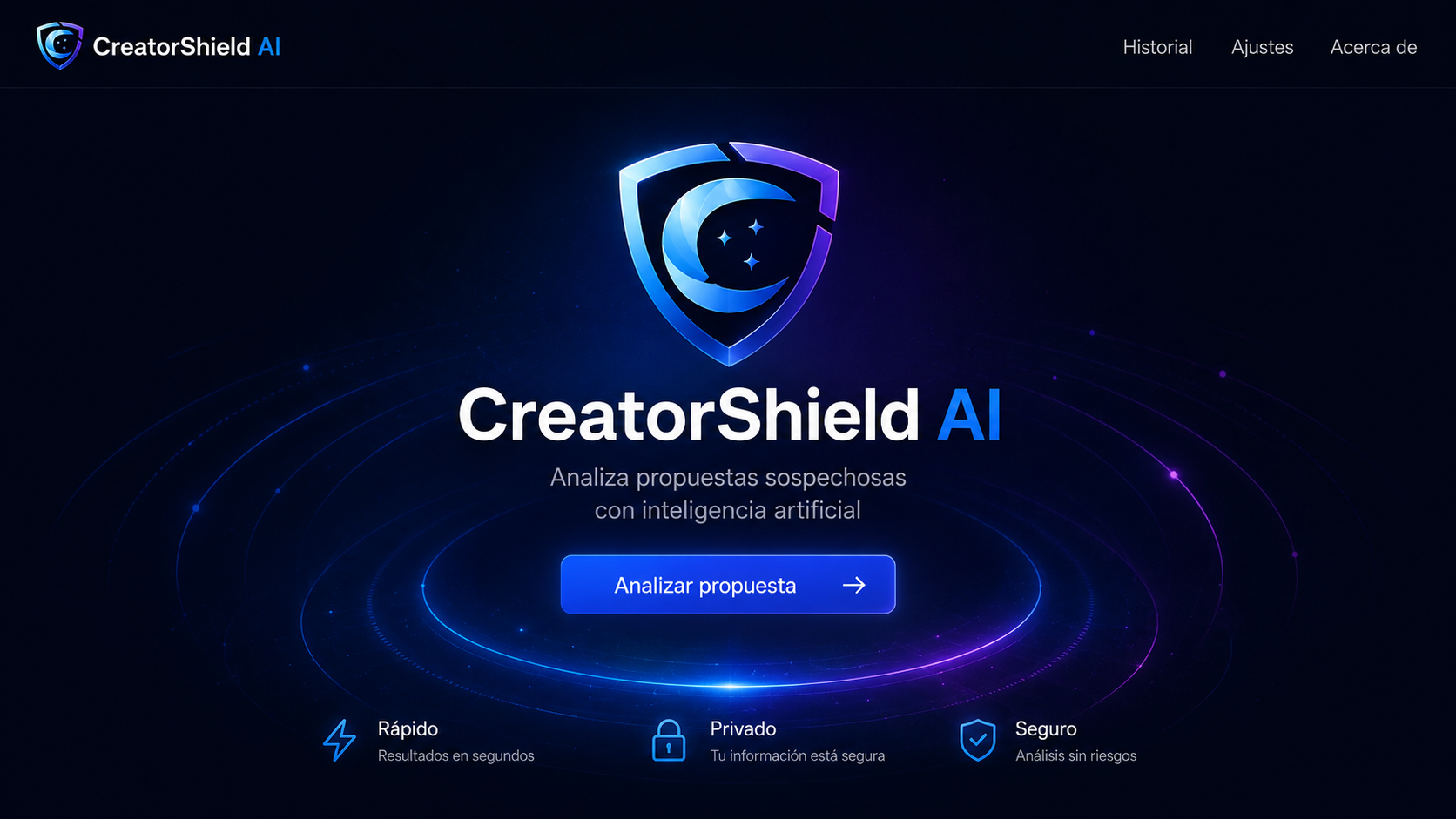
CreatorShield AI landing page and main call to action.
-
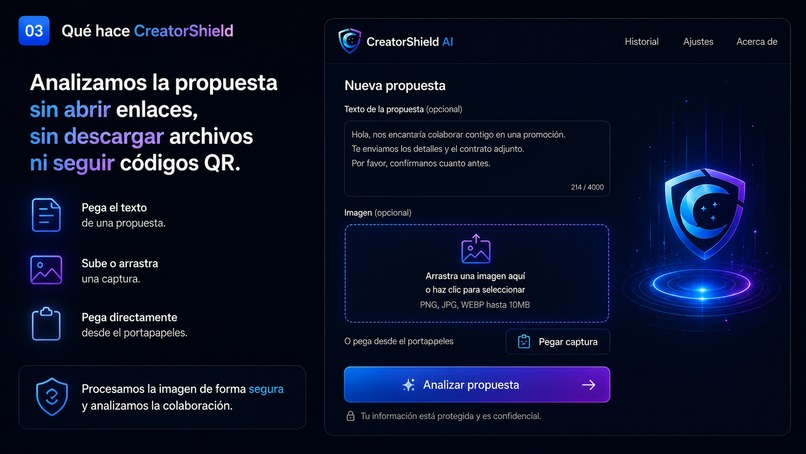
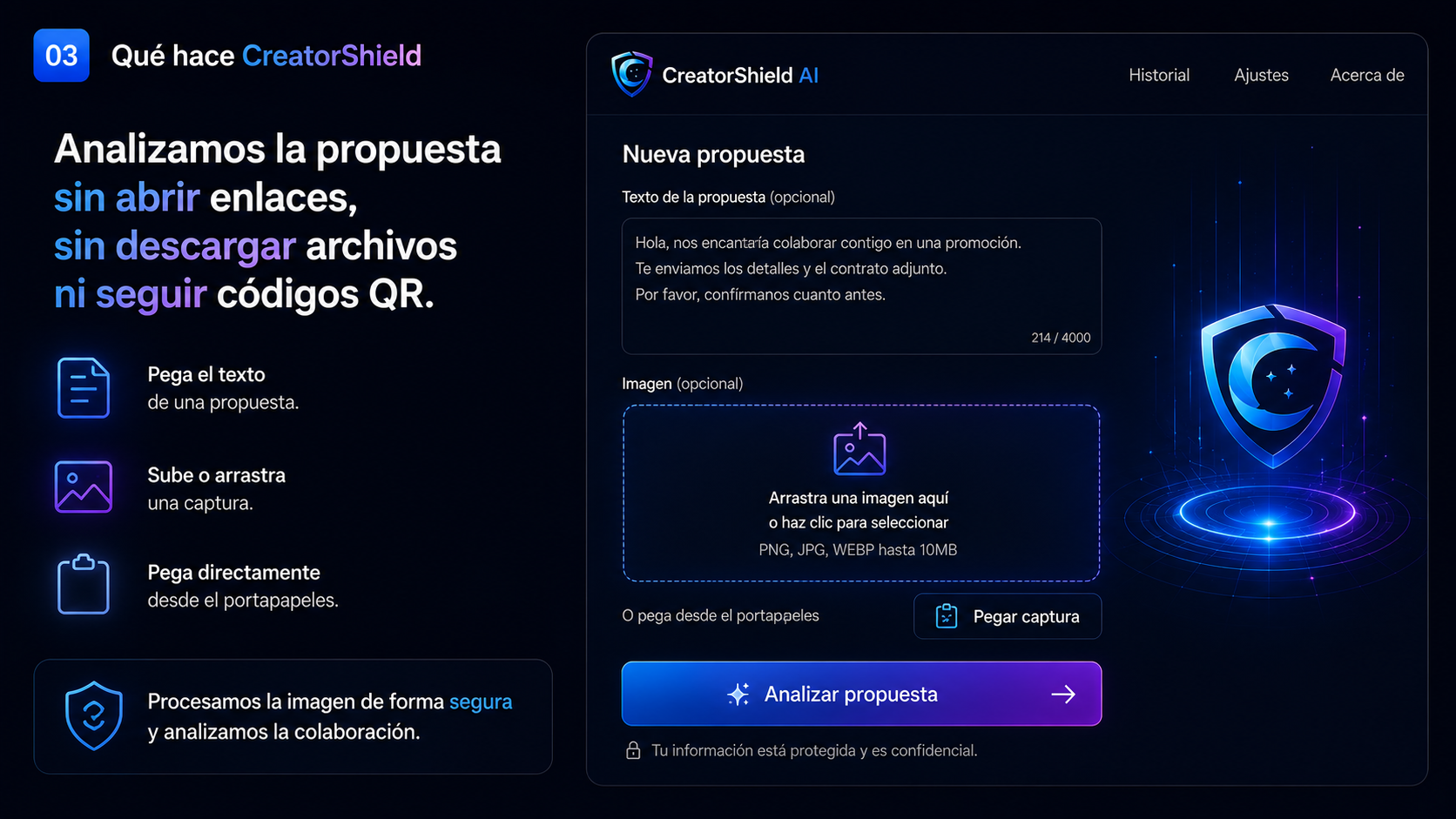
Collaboration analysis form with text, screenshot, and example inputs.
-
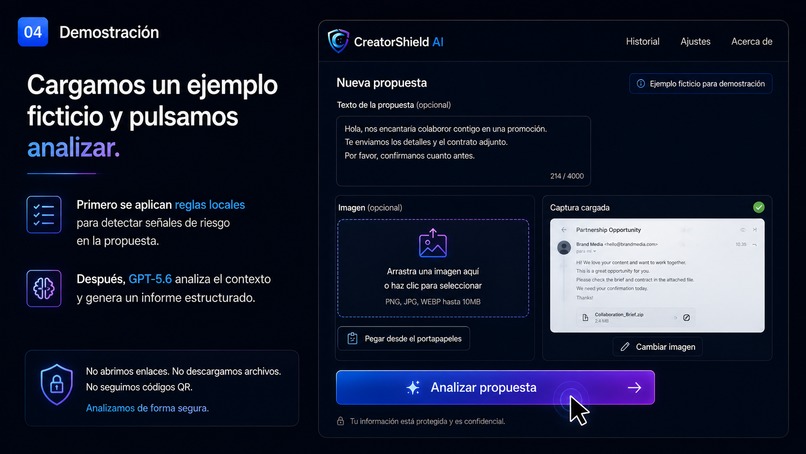
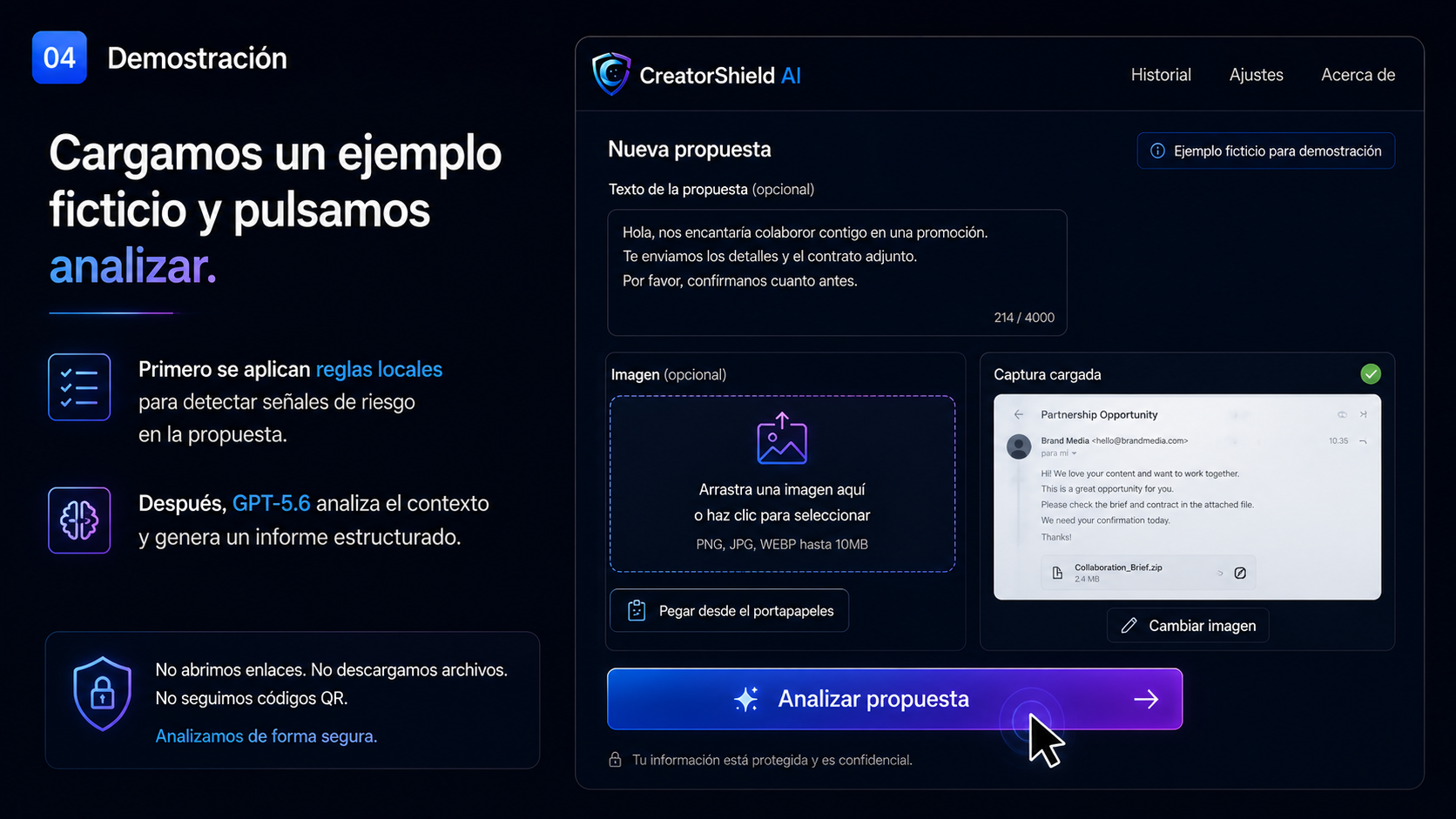
Fictitious proposal example ready to be analyzed.
-
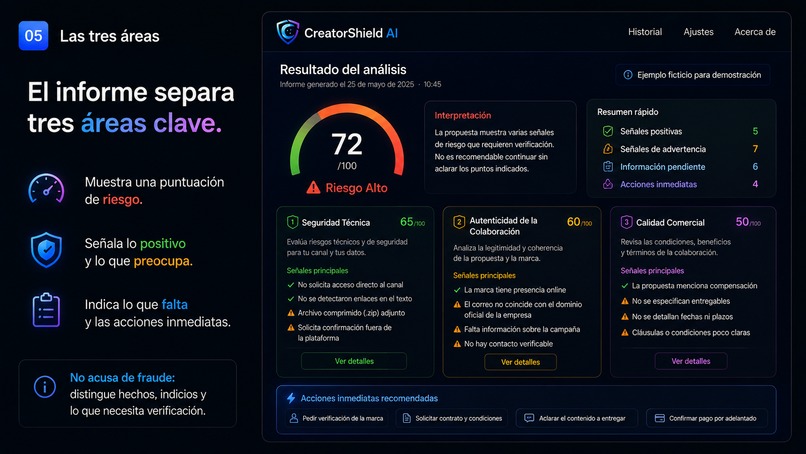
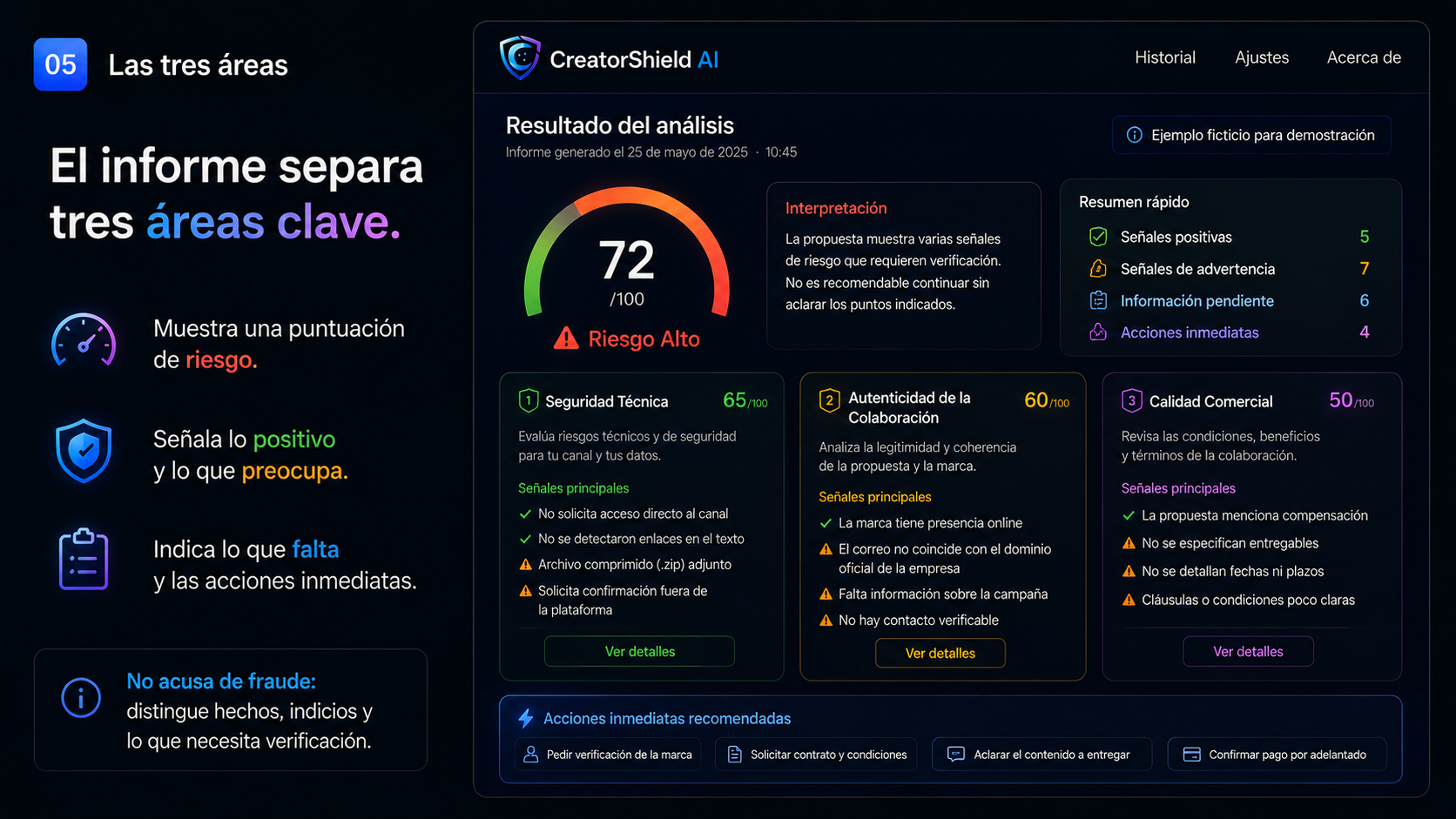
Structured risk report across three evaluation areas.
-
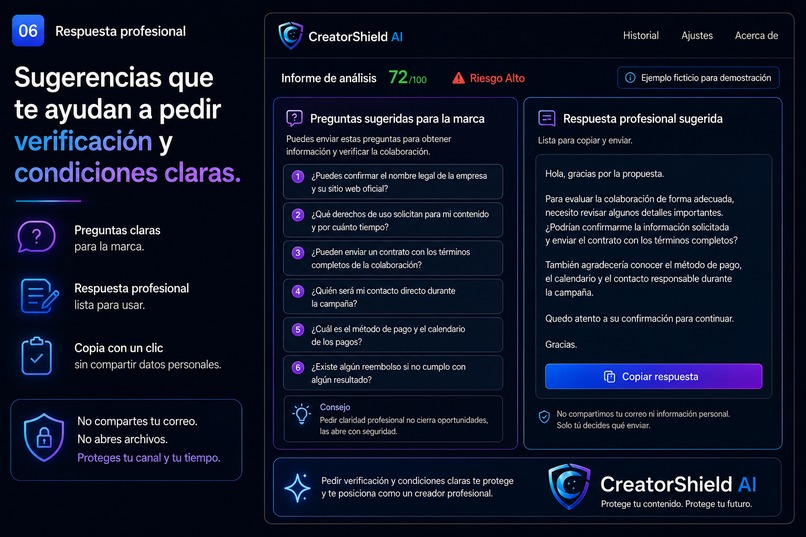
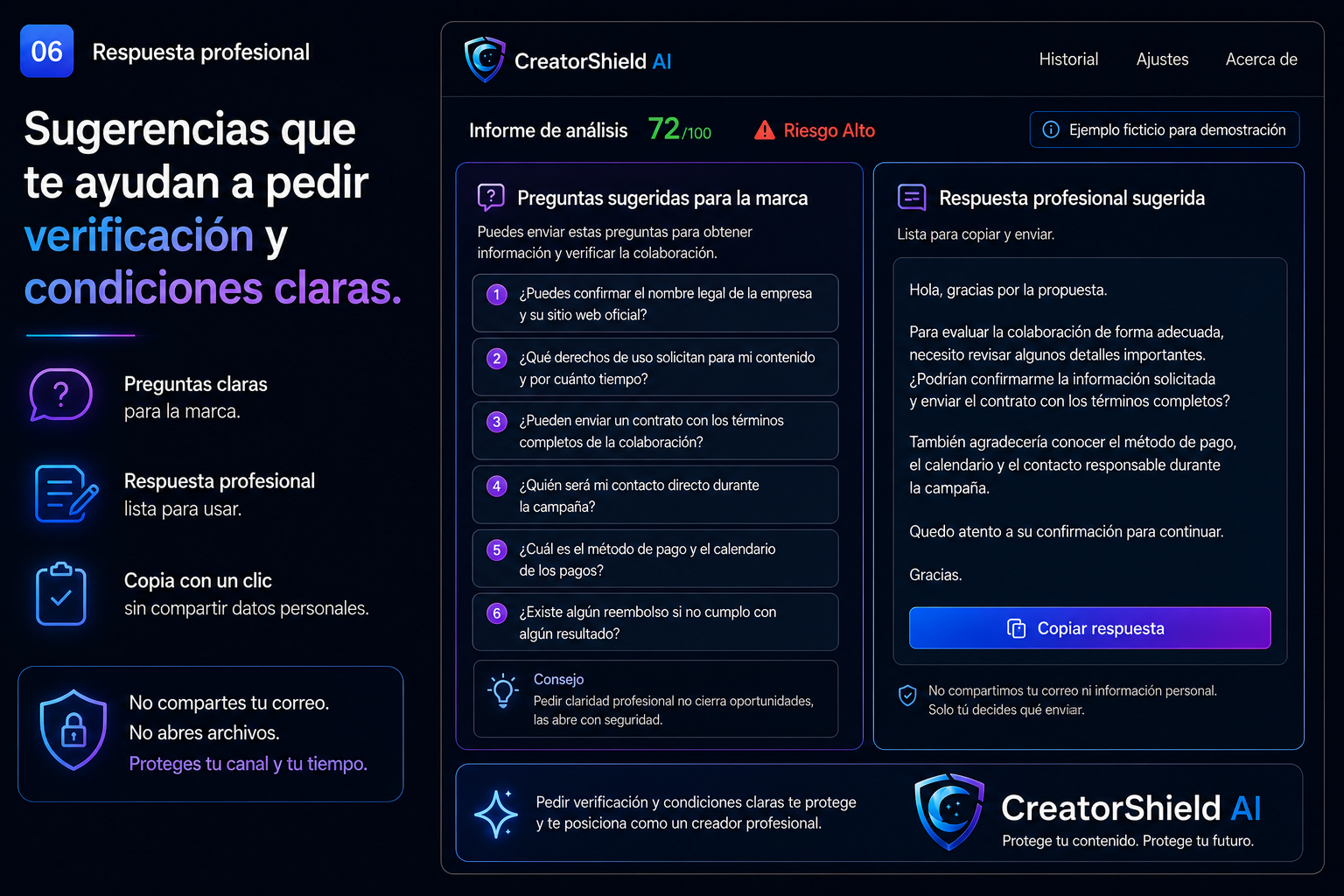
Suggested questions and a professional response for the creator.
Inspiration
As a content creator, I regularly receive collaboration proposals that look professional but leave important questions unanswered.
Rejecting every proposal can mean losing real opportunities. Trusting too quickly can put a creator’s channel, personal information, money, or reputation at risk.
CreatorShield AI was created to provide a practical pause between receiving an offer and acting on it: a tool that helps creators understand what they received, identify what needs verification, and respond professionally.
What it does
CreatorShield AI helps content creators evaluate brand collaboration proposals before responding.
Users can paste the text of an offer, upload a screenshot, or combine both. The app first applies local rules to identify suspicious links, files, urgency, account-access requests, reimbursement schemes, and potentially abusive commercial clauses.
GPT-5.6 then analyzes the context and returns a structured report covering:
- Technical security
- Collaboration authenticity
- Commercial quality
The report separates observable facts, warning signals, positive signals, missing information, and recommended next steps.
CreatorShield does not open links or execute files. Images are processed before being sent, emails and screenshots are not stored, and only an anonymous summary can remain locally on the user’s device.
How we built it
CreatorShield AI was built with Next.js, TypeScript, React, OpenAI GPT-5.6, Codex, and Vercel.
Codex helped design the architecture, build the interface and API, create and improve automated tests, review security-sensitive flows, fix responsive and visual issues, and prepare the production deployment.
Before calling GPT-5.6, the application applies local deterministic rules to identify technical and commercial warning signals. GPT-5.6 receives the proposal text, the processed screenshot when provided, and the locally detected signals.
The model returns a structured response that is validated before being displayed.
Challenges we ran into
One of the biggest challenges was producing a useful security assessment without presenting uncertain signals as proven fraud.
The system had to distinguish between facts visible in the proposal, suspicious indicators, positive signals, and information that still requires independent verification.
Another challenge was handling screenshots safely while avoiding the execution of files or interaction with links.
We also needed the AI response to remain consistent and usable, so the GPT-5.6 output is structured and validated before it is rendered.
Accomplishments that we're proud of
- Built a complete working product rather than a static prototype.
- Combined deterministic local rules with contextual analysis from GPT-5.6.
- Added text, image, clipboard, drag-and-drop, and mobile camera input.
- Added fictitious examples for quick testing.
- Created privacy-conscious image processing and anonymous local history.
- Added light, dark, and system themes.
- Reached 35/35 passing automated tests.
- Deployed a production version with no known console or runtime errors.
What we learned
We learned that AI safety tools should not simply label something as safe or fraudulent. They are more useful when they explain what was observed, what remains uncertain, and what the user should verify next.
We also learned that deterministic checks and language-model analysis complement each other. Local rules provide predictable detection of known patterns, while GPT-5.6 helps interpret context, tone, commercial conditions, and inconsistencies.
What's next for CreatorShield AI
- Support for more languages.
- Optional verification of company domains through trusted sources.
- More collaboration-contract patterns.
- Exportable reports.
- Browser extension support.
- Team features for creator agencies.
- Continued security testing using anonymized fictitious cases.
Built With
- ai
- codex
- gpt-5.6
- next.js
- openai
- react
- security
- typescript
- vercel


Log in or sign up for Devpost to join the conversation.