-
-
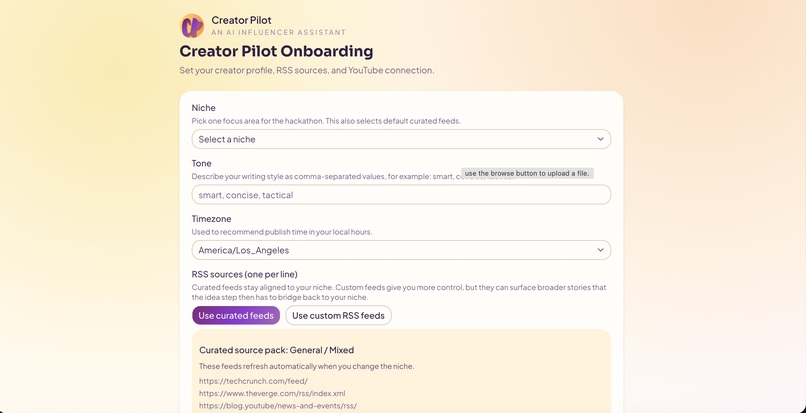
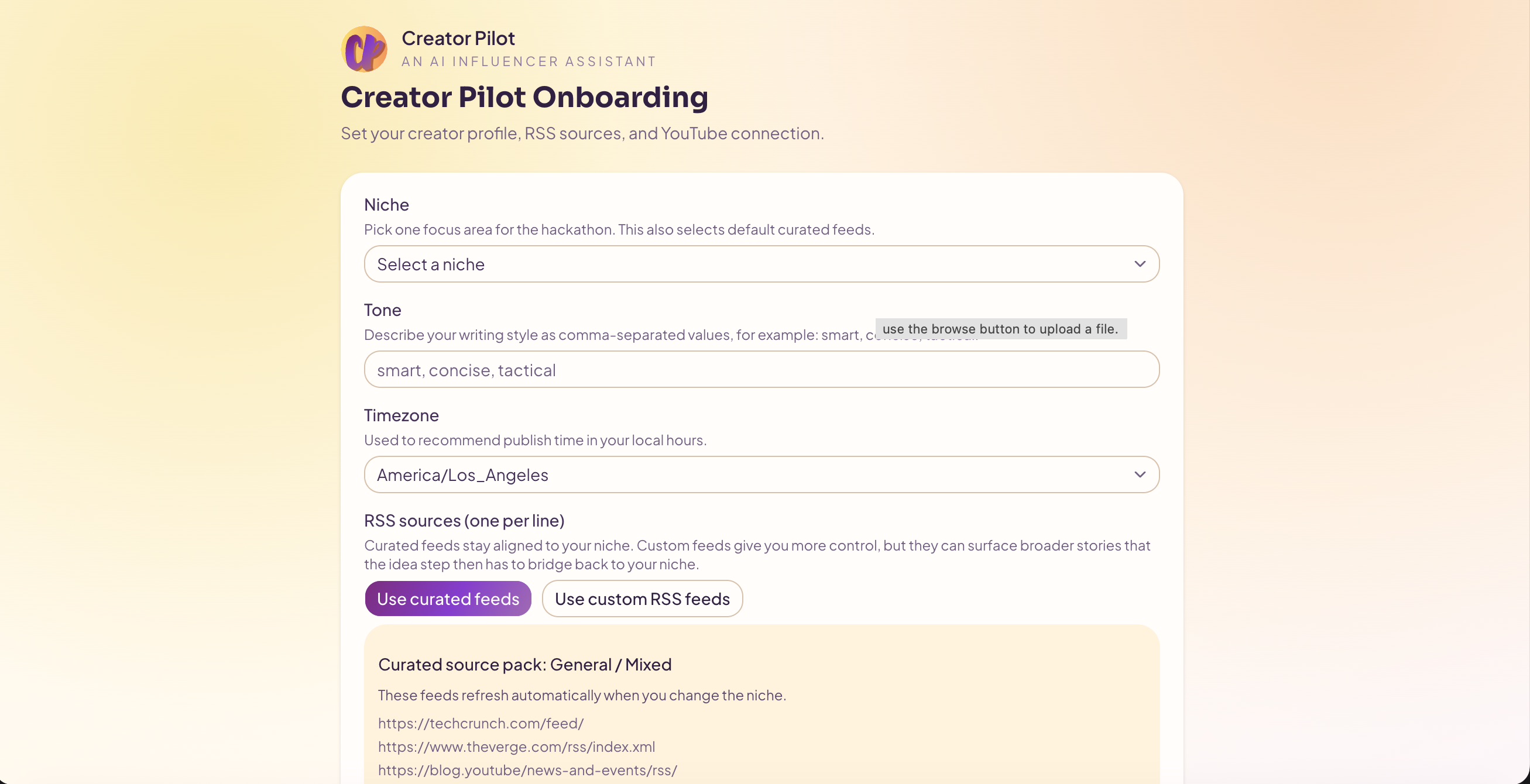
Getting Started Page
-
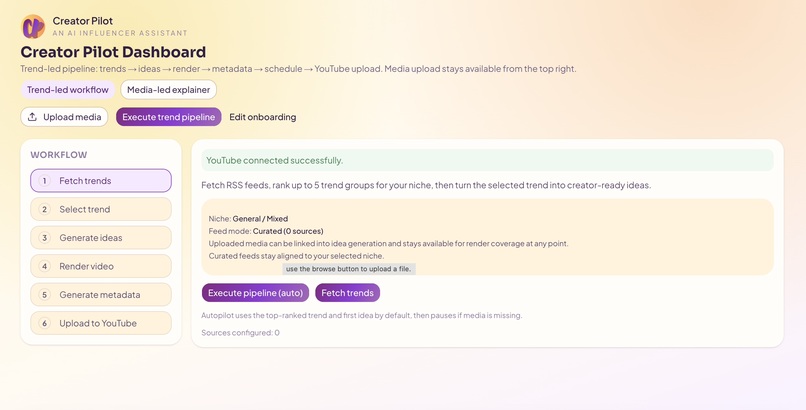
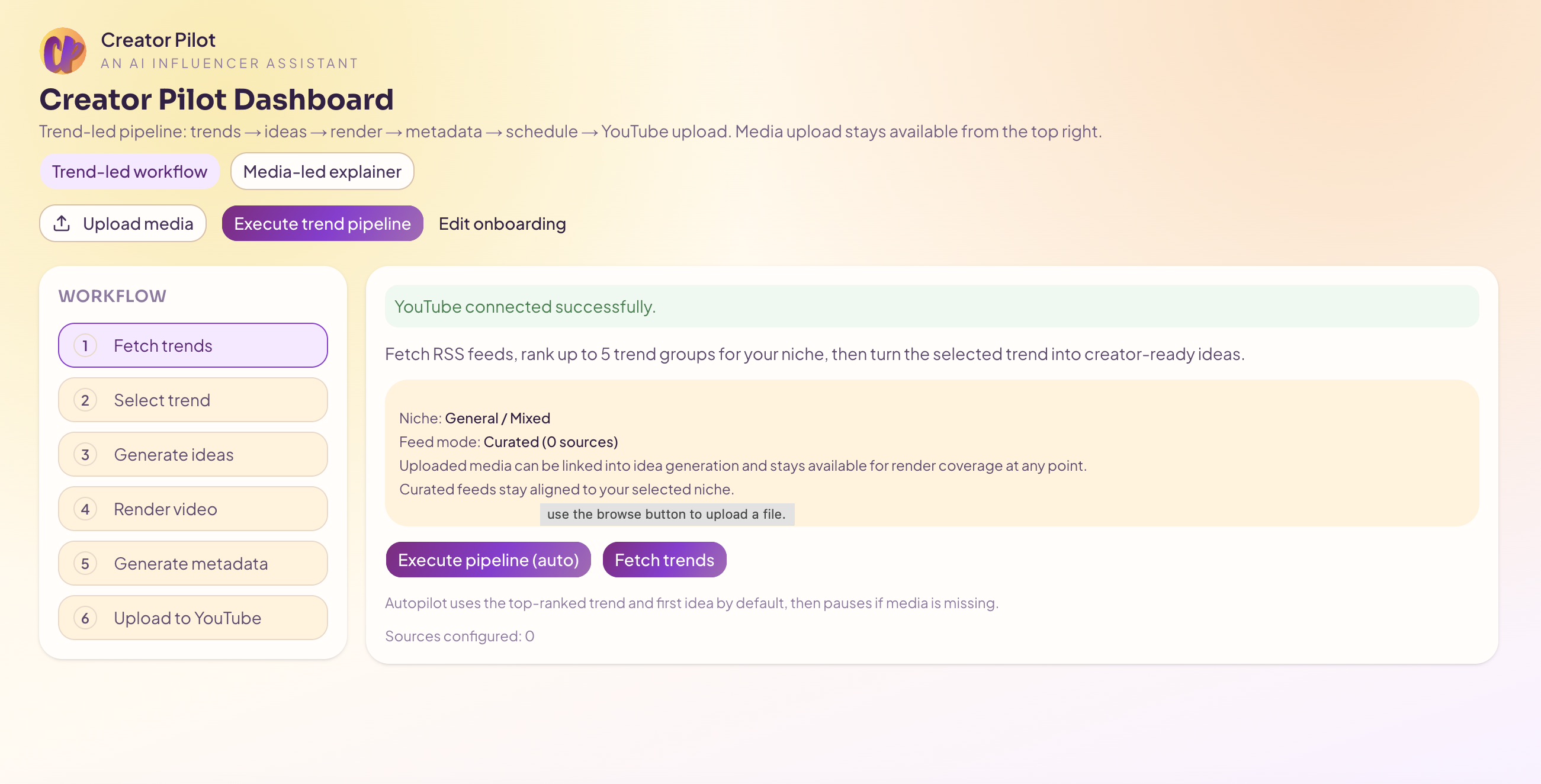
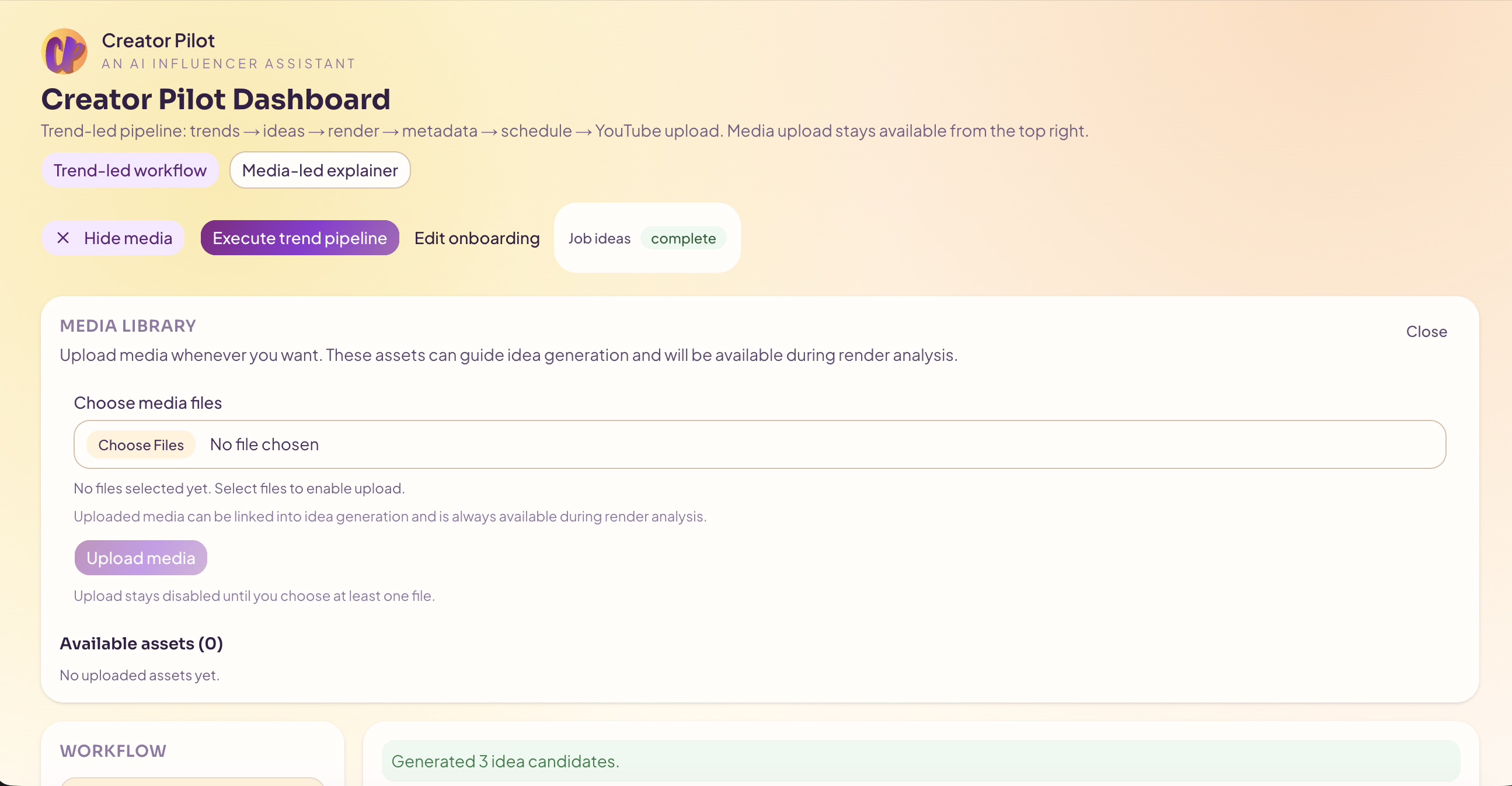
Dashboard First Step
-
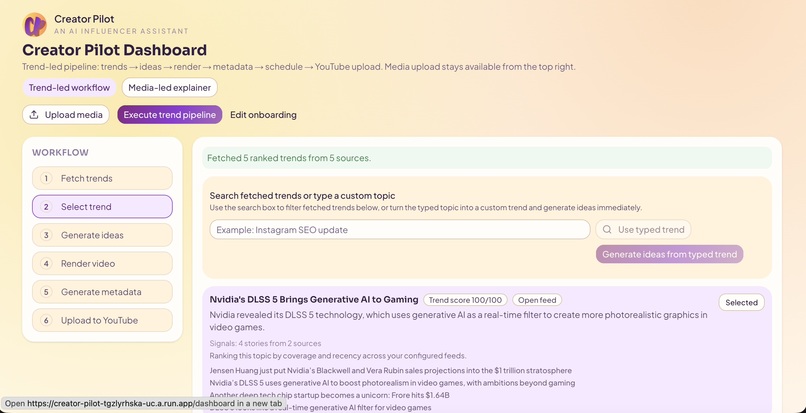
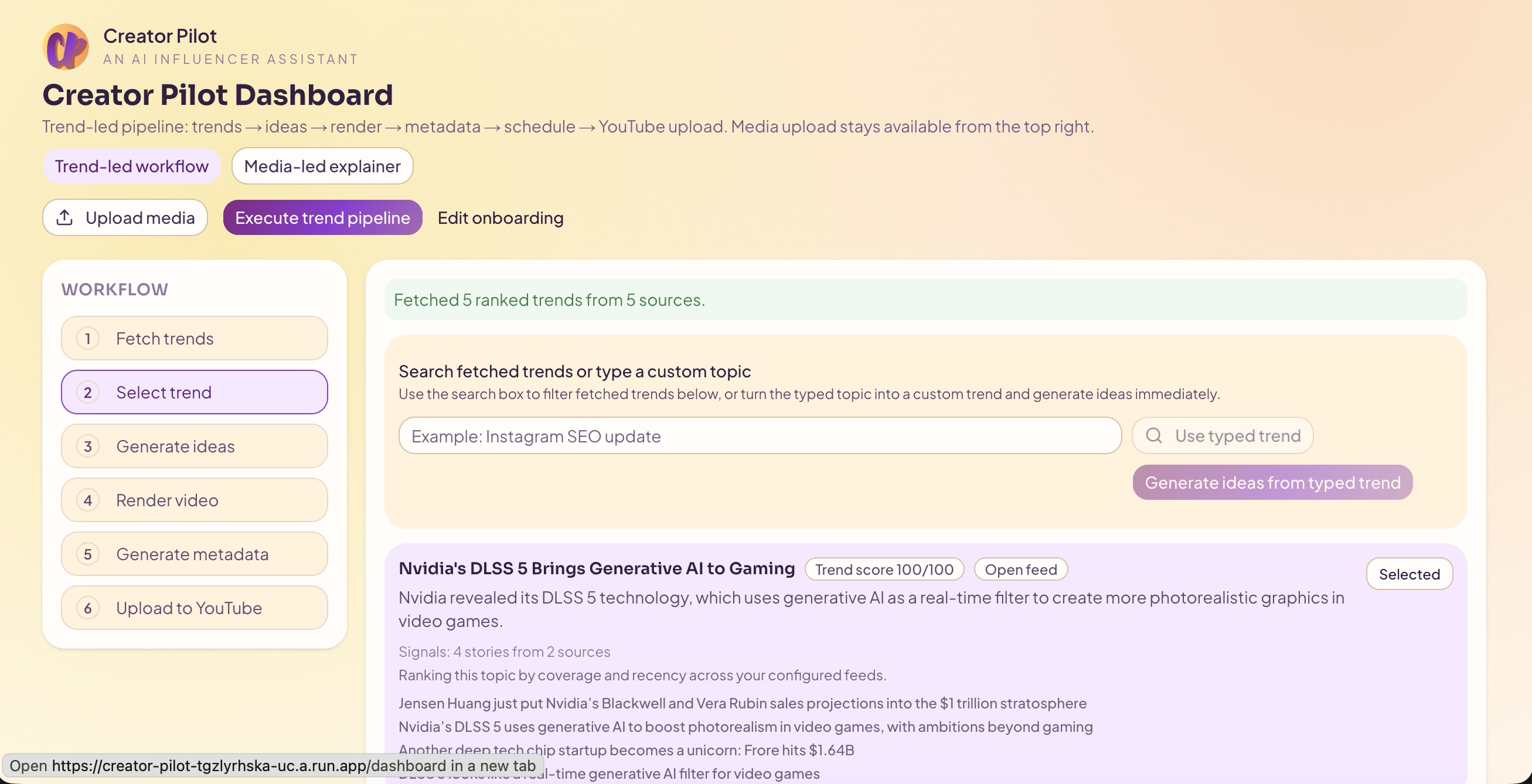
Trends generated
-
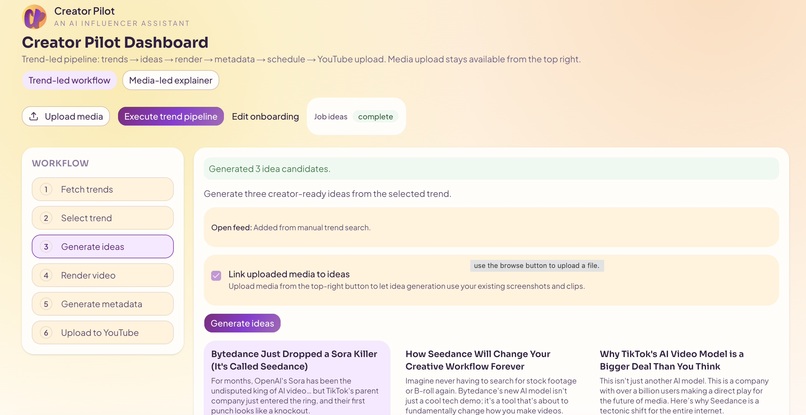
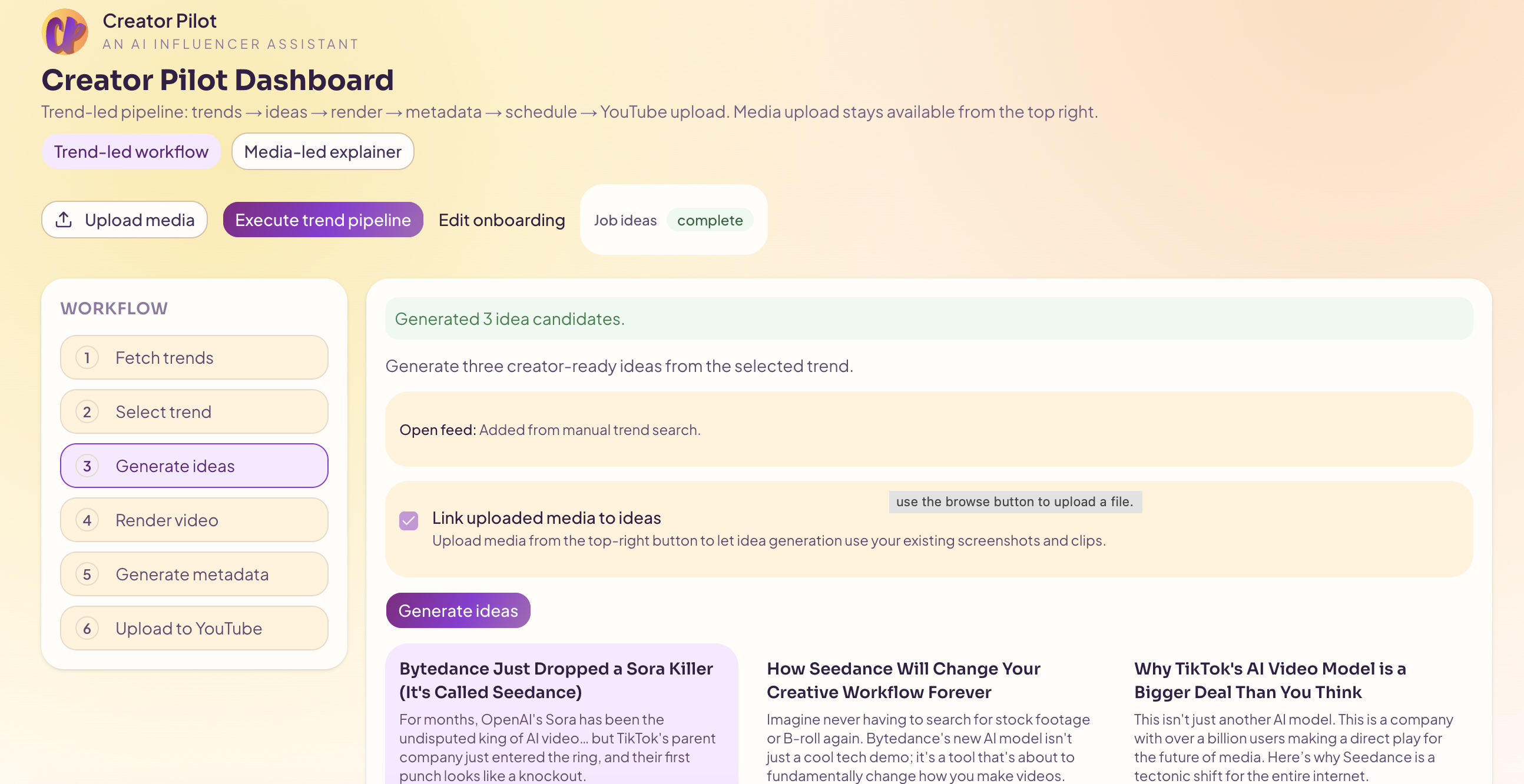
Ideas Generated
-
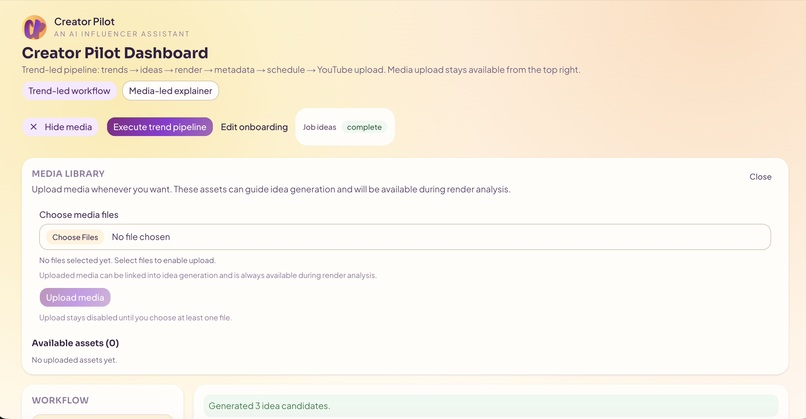
Media Upload
-
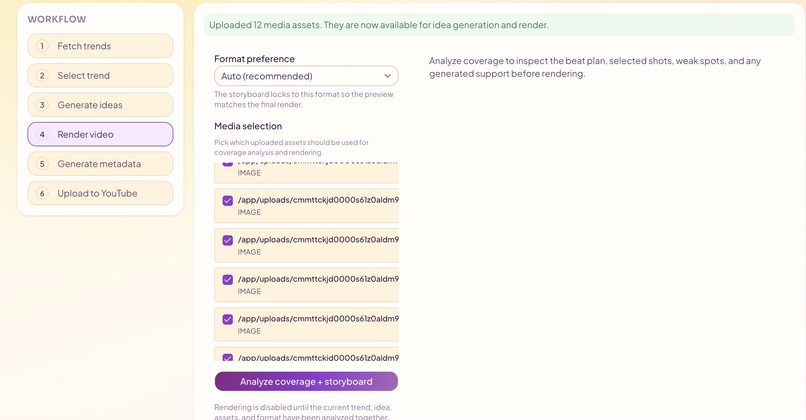
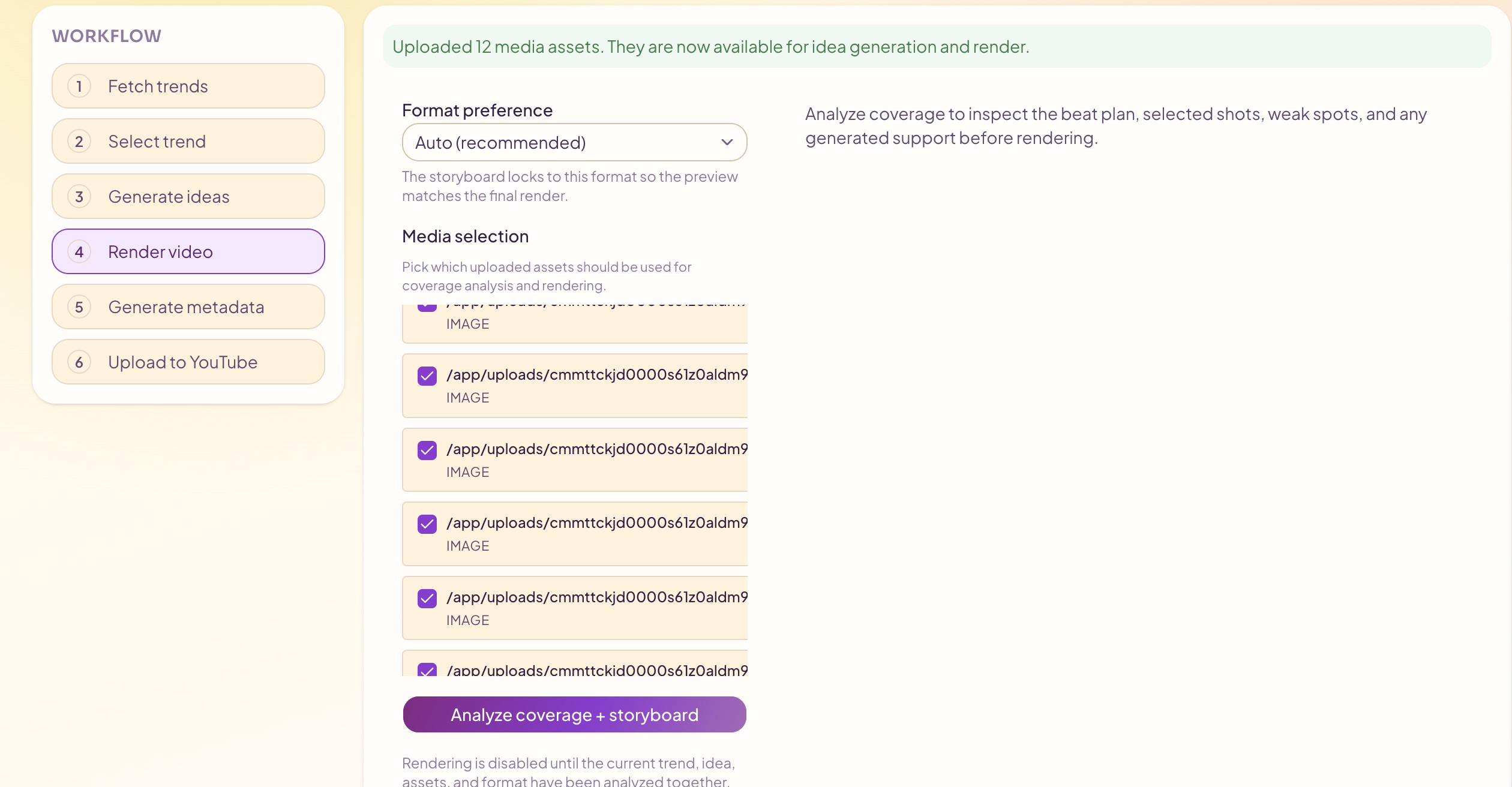
Media Uploaded and ready for storyboarding
-
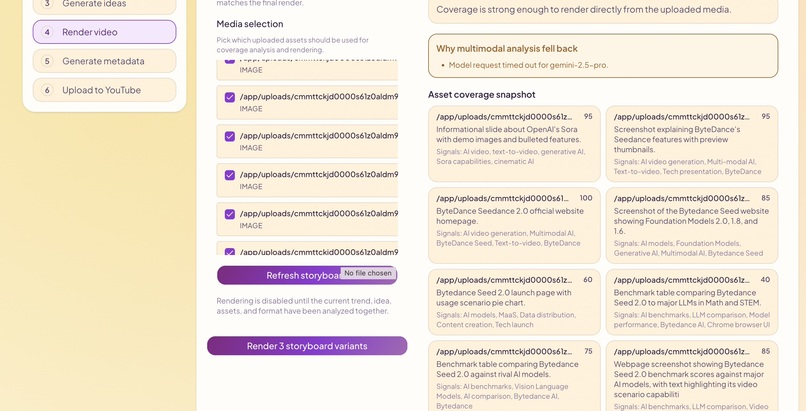
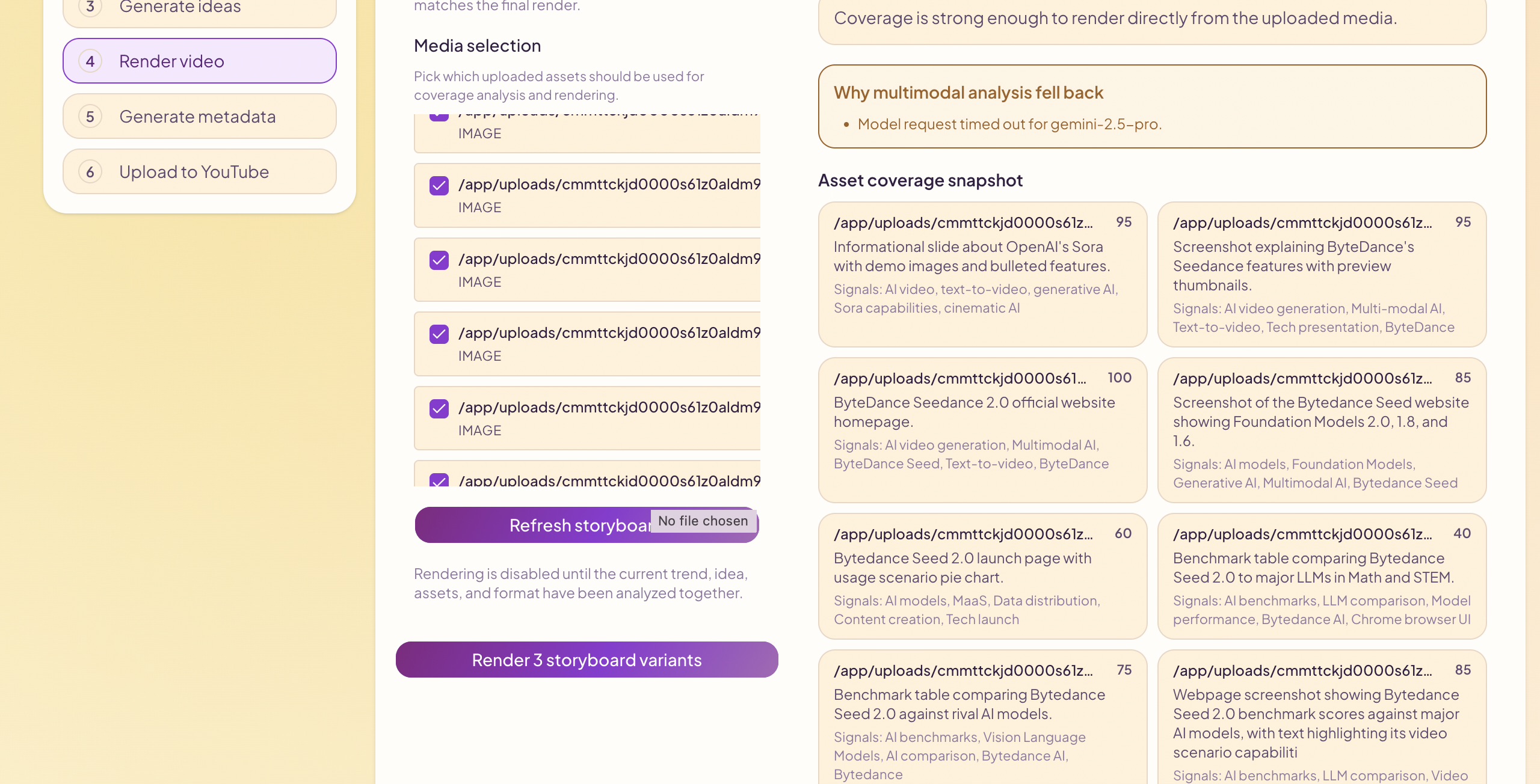
Storyboard done - ready for video generation
-
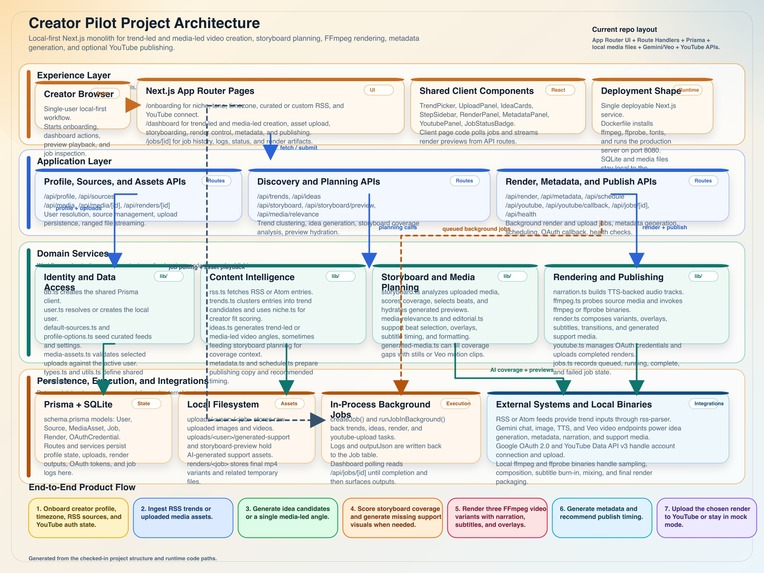
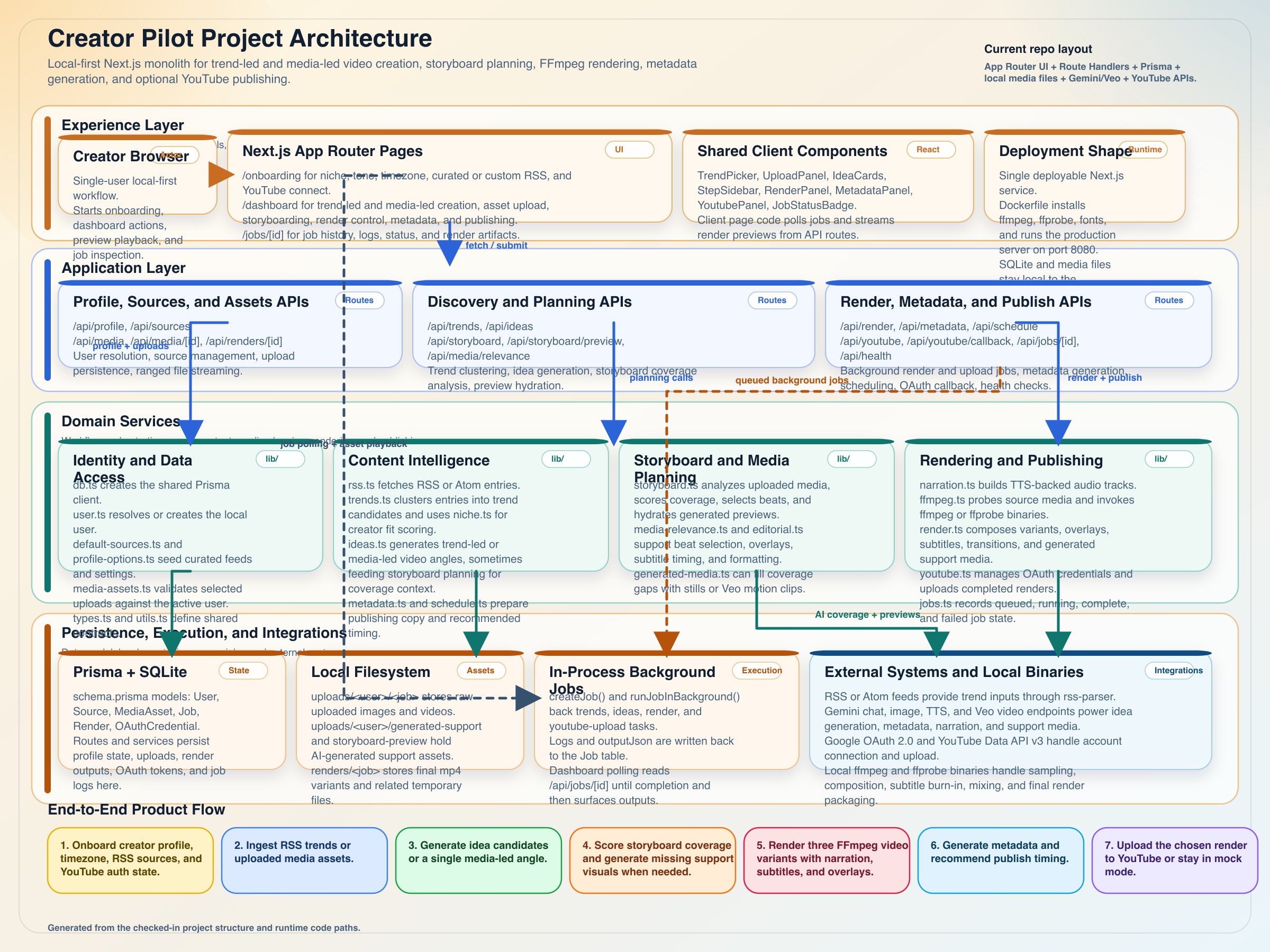
Architecture Diagram
Creator Pilot
What Inspired This Project
The inspiration for CreatorPilot came from observing how modern content creation works. Creating a short YouTube or social media video typically involves multiple manual steps:
- Research trending topics
- Write a content idea
- Find images or video clips
- Edit and assemble the video
- Write captions and titles
- Decide when to publish
Even for short content, this process can take hours for a single video.
At the same time, generative AI models have become capable of producing text, images, and video components, but most tools still operate as isolated prompts rather than coordinated agents.
I wanted to explore a new paradigm: "What if an AI agent could run the entire creator workflow automatically?"
CreatorPilot was built as an experiment to answer that question, transforming a fragmented creator workflow into a single autonomous pipeline driven by AI.
What I Learned
Building CreatorPilot provided several important insights about agentic systems and creative workflows.
1. Agents work best when they orchestrate tools rather than generate everything themselves
Instead of asking a model to do everything in one step, the system works more reliably when broken into stages:
- trend analysis
- story generation
- asset selection
- rendering
- metadata creation
Each stage becomes a tool the agent can orchestrate.
2. Creative pipelines require deterministic components
While AI generates ideas and text, some parts of the workflow require deterministic systems, such as:
- video rendering
- media processing
- file management
Combining generative models with traditional software systems is critical for reliability.
3. The biggest challenge is orchestration, not generation
Generating text or captions is easy. The difficult problem is coordinating:
- assets
- rendering steps
- metadata
- output formats
This project reinforced that agent orchestration is the key problem in practical AI systems.
How I Built It
CreatorPilot is built as a modular pipeline where an AI agent orchestrates multiple tools.
Core Components
AI Planning Layer
- Generates video concepts from trending topics
- Creates narrative scripts and captions
- Produces metadata and publishing recommendations
Media Processing Pipeline
- Accepts image or video inputs
- Organizes selected assets
- Generates structured video sequences
Video Rendering Engine
- Uses a rendering pipeline to produce the final video output
- Handles overlays, transitions, and layout composition
Metadata Generation
- Produces titles
- Generates captions
- Suggests hashtags and posting strategies
Developer-Friendly Architecture
- Modular pipeline design
- Each stage can be replaced or upgraded independently
- Designed to integrate with creator workflows
The result is a system where ####a single prompt or idea can produce a full video package automatically.####
Challenges I Ran Into
1. Managing Media Pipelines
Handling multiple types of media inputs (images, video clips, assets) required careful orchestration to ensure that the rendering pipeline produced consistent outputs.
2. Coordinating Agent Decisions
The agent needed to decide:
- what story to tell
- what assets to select
- how to structure the video
Balancing AI creativity with deterministic rendering pipelines was one of the most complex aspects of the project.
Why CreatorPilot Matters
CreatorPilot demonstrates how AI agents can move beyond simple text chat and instead execute real creative workflows. Rather than generating isolated pieces of content, the system acts as a production assistant that plans, generates, and assembles an entire piece of media. This approach hints at a future where AI agents become collaborators in creative work, not just tools.
What's next for CreatorPilot
This is a working prototype for a single machine with no session and user profiling right now. There are endless possibilities for CreatorPilot. Some of the next steps will be:
- Add User Profiles that can be accessed on multiple machines preserving user data.
- Make native apps to be able to use more native APIs and core processor strengths and native photo library
- Make video generation more professional with video editing options or integrate with professional video editing tools. At the moment it is basic for demo purposes.
- Add more social media connectivity options other than YouTube.
- Create plug-ins for content creation tools
- Add automated pipelines for content generation at a set cadence
- push notifications for users with new trends, ideas and reminders to post content.
- use old videos generated to create shorts/trailers/teasers for the user
- Multi-Lingual support
Built With
- ffmpeg
- gemini-api
- google-cloud
- google-cloud-youtube
- googleapis
- next.js
- prisma
- react
- rss-parser
- sqlite
- tailwind
- typescript


Log in or sign up for Devpost to join the conversation.