CreatorOS
Turn YouTube data into decisions, ideas, and action with AI.
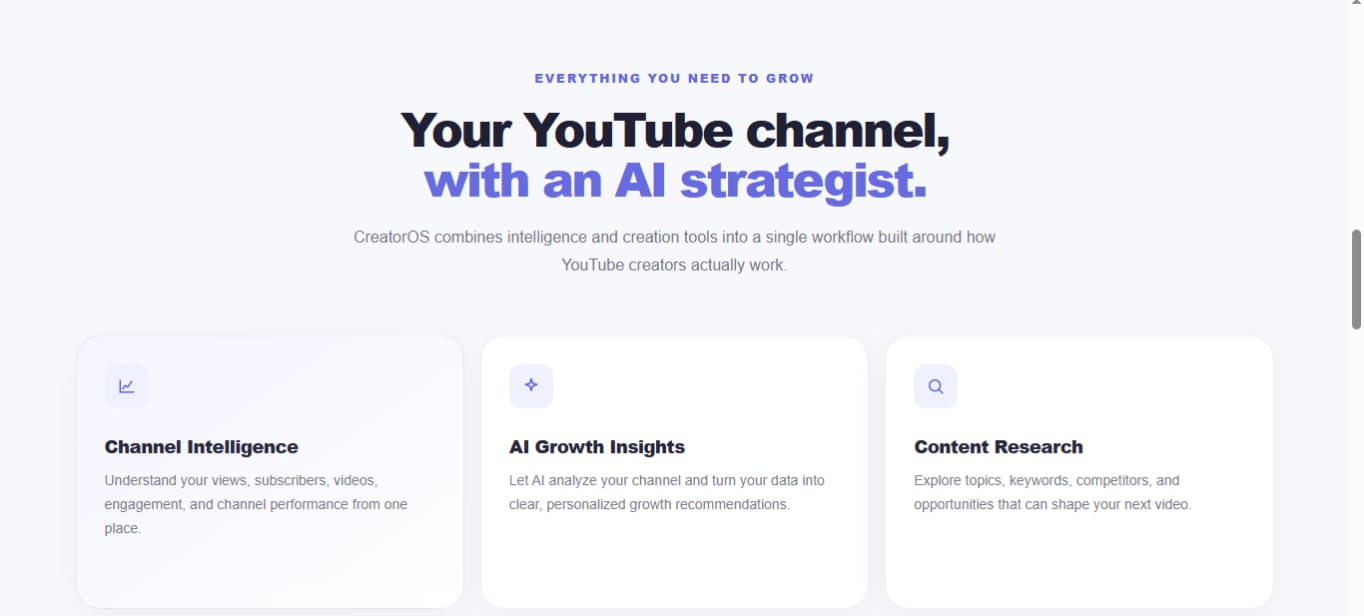
CreatorOS is an AI-powered YouTube creator workspace designed to bring channel analytics, content intelligence, research, optimization, ideation, and creation into one connected platform.








💡 The Inspiration
The idea for CreatorOS came from my own experience with YouTube.
Creators have access to a huge amount of data, but having data does not automatically mean knowing what to do with it.
A creator can see views, subscribers, videos, and performance metrics, but important questions remain:
- What is actually working?
- Why did a video perform better than another?
- What should I create next?
- Which topics could have potential?
- How can I improve my titles?
- How can I turn an idea into a complete script?
- Where should I focus my effort?
At the same time, creators often have to move between multiple tools for analytics, research, ideas, optimization, titles, scripts, and AI assistance.
I wanted to build something different.
The idea became:
What if one AI-powered workspace could understand a creator's YouTube channel and help turn that information into the next action?
That became CreatorOS.
❗ The Problem
YouTube provides creators with a large amount of information, but raw information is not the same as useful intelligence.
Creators commonly face several problems:
Too much data
Analytics dashboards contain numbers, graphs, views, subscribers, and performance metrics, but understanding what those numbers mean can take time.
Scattered research
Creators may use different platforms to research competitors, topics, keywords, and content opportunities.
Difficulty generating ideas
Coming up with a strong idea consistently can be difficult, especially when trying to align ideas with a specific channel and audience.
Optimization takes time
Titles, content direction, and other decisions often require separate research and experimentation.
Too many disconnected tools
A creator may use one platform for analytics, another for research, another for AI chat, another for scripts, and another for titles.
Generic AI
A general-purpose AI assistant does not automatically understand a creator's channel, content history, or YouTube context.
The deeper problem is the gap between:
Data → Understanding → Decision → Creation
CreatorOS was designed to connect these steps.
🚀 The Solution
CreatorOS combines YouTube data with an AI-powered creator intelligence layer.
The platform is designed around one connected workflow:
YouTube Channel
      ↓
Channel Data
      ↓
Creator Intelligence
      ↓
AI Analysis
      ↓
Research + Opportunities
      ↓
Content Ideas
      ↓
Optimization
      ↓
Titles + Scripts
      ↓
Content Creation
Instead of simply showing analytics, CreatorOS aims to help creators understand what the information means and what they can do with it.
📊 Channel Intelligence
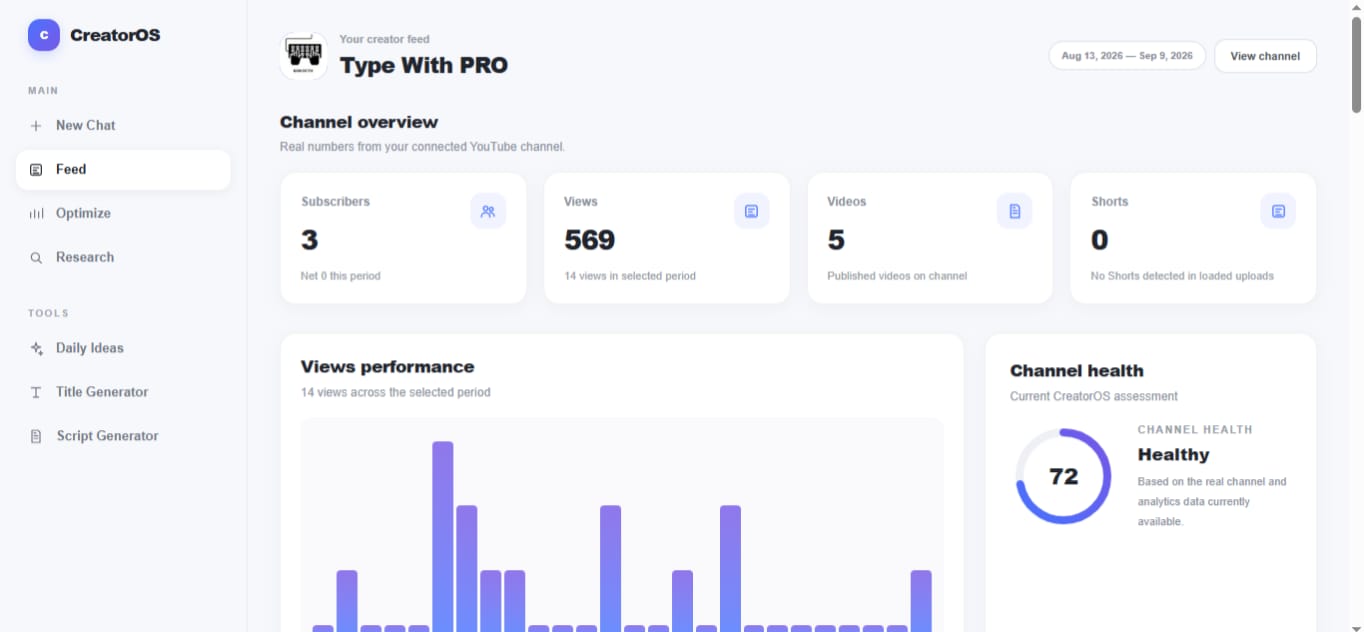
CreatorOS connects to a creator's YouTube channel and works with channel and video information.
The dashboard can bring together information such as:
- Channel information
- Subscriber information
- Video performance
- Views
- Recent content
- Video-level signals
- Performance patterns
- Content information
This provides the foundation for the AI-powered intelligence layer.
The goal is simple:
YouTube provides the data. CreatorOS provides the intelligence layer.
🧠 AI-Powered Creator Intelligence
CreatorOS uses AI to turn creator context into useful outputs.
Instead of treating AI as only a chatbot, the platform uses AI throughout the creator workflow.
AI can assist with:
- Channel insights
- Recommendations
- Content opportunities
- Content ideas
- Research
- Optimization
- Title generation
- Script generation
- Conversational creator assistance
This creates a workflow where analytics and AI are connected instead of existing as separate features.
⚡ Groq AI Integration
Groq is an important part of the CreatorOS AI layer.
Groq is used for several generative AI features inside the platform.
🏷️ AI Title Generation
CreatorOS uses Groq to generate and refine YouTube title ideas.
The goal is to help creators quickly explore different ways of presenting a video while keeping the title connected to the content context.
✍️ AI Script Generation
Groq is also used for AI-assisted script generation.
Creators can take a content idea and turn it into a structured script, helping reduce the time between having an idea and actually preparing the content.
💬 AI Chat / Copilot
CreatorOS also uses Groq for its AI chat experience.
The AI assistant can help creators interact conversationally with the platform, ask questions, explore ideas, and receive assistance while working on their content.
This makes Groq part of the actual product experience rather than simply being listed as a technology used during development.
🔎 Research
Research is another part of the CreatorOS workflow.
The goal is to help creators investigate:
- Content opportunities
- Topics
- Competitors
- Channel patterns
- Video performance
- Potential directions for future content
Rather than treating research as a completely separate process, CreatorOS is designed to connect research with the creator's existing channel context.
💡 Content Ideas
CreatorOS helps creators move from analytics and research toward possible content ideas.
Instead of asking:
"Give me random YouTube ideas."
the goal is to make ideas more relevant to the creator's channel and available context.
The broader workflow becomes:
Channel Data
     ↓
Performance Patterns
     ↓
Research
     ↓
Opportunities
     ↓
Content Ideas
This gives creators a more structured way to decide what they could create next.
🎯 Optimization
CreatorOS also includes optimization-focused workflows.
The purpose is to help creators think about how content can be improved rather than simply producing more content.
Optimization can involve areas such as:
- Titles
- Content direction
- Topic selection
- Video strategy
- Growth opportunities
- Channel-level recommendations
The goal is to turn information into practical actions.
✍️ Script Generation
Once a creator has an idea, CreatorOS can help move that idea toward production.
Using Groq, the platform provides AI-assisted script generation.
The workflow becomes:
Idea
 ↓
Context
 ↓
AI Generation
 ↓
Structured Script
 ↓
Creator Editing
The generated output is intended to accelerate the creative process while leaving the creator in control of the final content.
💬 AI Chat / Creator Copilot
CreatorOS includes an AI-powered conversational experience.
The Copilot is designed to help creators interact with their workflow through natural language.
Creators can use AI assistance for things such as:
- Content questions
- Ideas
- Strategy
- Titles
- Scripts
- Optimization
- General creator assistance
The chat system is powered by Groq.
The larger goal is to make AI feel like a connected part of the creator workspace rather than a separate website that creators have to open in another tab.
🏗️ One Connected Creator Workspace
CreatorOS brings multiple creator workflows together:
┌─────────────────────────────┐
│        CreatorOS            │
├─────────────────────────────┤
│ Analytics                   │
│ Channel Intelligence       │
│ Research                    │
│ Content Ideas              │
│ Optimization               │
│ Titles                     │
│ Scripts                    │
│ AI Chat / Copilot          │
└─────────────────────────────┘
The product is designed around the idea that these features should work together.
A creator can move from understanding their channel to researching an opportunity, developing an idea, generating a title, creating a script, and using AI assistance without leaving the CreatorOS environment.
🔄 The CreatorOS Workflow
The overall concept can be represented as:
                YouTube Channel
                       │
                       ▼
                 Channel Data
                       │
                       ▼
              Creator Intelligence
                       │
              ┌────────┼────────┐
              ▼        ▼        ▼
          Insights  Research  Opportunities
              │        │        │
              └────────┼────────┘
                       ▼
                 Content Ideas
                       │
                       ▼
                  Optimization
                       │
                       ▼
             ┌─────────┴─────────┐
             ▼                   ▼
          AI Titles          AI Scripts
             │                   │
             └─────────┬─────────┘
                       ▼
                  AI Copilot
                       │
                       ▼
                Creator Action
The objective is to reduce the distance between understanding a channel and actually creating content.
🤖 AI/ML Integration
AI is not simply an additional chatbot inside CreatorOS.
It is integrated into multiple stages of the workflow.
YouTube Data
     ↓
Structured Context
     ↓
AI Analysis
     ↓
Insights & Recommendations
     ↓
Content Opportunities
     ↓
Groq AI
 ┌────┼────┐
 ▼    ▼    ▼
Titles Scripts Chat
 └────┼────┘
      ▼
Creator Action
The AI layer helps transform information into useful creator-facing outputs.
Groq is specifically used for:
- Title generation
- Script generation
- AI chat / Copilot
This makes AI/ML a core component of the product rather than a decorative feature.
🛠️ How We Built It
CreatorOS is a full-stack web application.
The main technologies include:
- Next.js
- React
- TypeScript
- Tailwind CSS
- YouTube APIs
- Groq
- AI models / APIs
- OAuth
- REST APIs
- GitHub
The application combines a modern frontend with backend API routes, authentication, YouTube integration, and AI-powered services.
🧩 Technical Architecture
The high-level architecture is:
                    Creator
                       │
                       ▼
              CreatorOS Frontend
                       │
                       ▼
              Next.js Application
                       │
             ┌─────────┴─────────┐
             ▼                   ▼
       Backend APIs         Authentication
             │
       ┌─────┴──────────────┐
       ▼                    ▼
 YouTube APIs             Groq AI
       │                    │
       ▼                    ▼
 Channel / Video      Titles / Scripts /
 Data                 AI Chat
       │                    │
       └──────────┬─────────┘
                  ▼
          Creator Intelligence
                  │
                  ▼
       Insights / Research /
       Ideas / Optimization
                  │
                  ▼
           Creator Actions
This architecture separates external data sources, application logic, and AI-powered generation.
💻 Frontend
The frontend was built using:
- Next.js
- React
- TypeScript
- Tailwind CSS
- Next.js App Router
The interface is designed as a centralized creator workspace rather than a collection of unrelated pages.
The platform includes areas for workflows such as:
- Dashboard
- Feed
- Optimization
- Research
- Thumbnails
- Clipping
- Competitors
- Create
- Daily Ideas
- Calendar
- Generate
- Learn
- Script Writer
- Subscribers
- Title Generator
- Video Generator
- AI Chat / Copilot
The interface was designed to keep creator workflows accessible from one consistent environment.
🔐 YouTube Integration
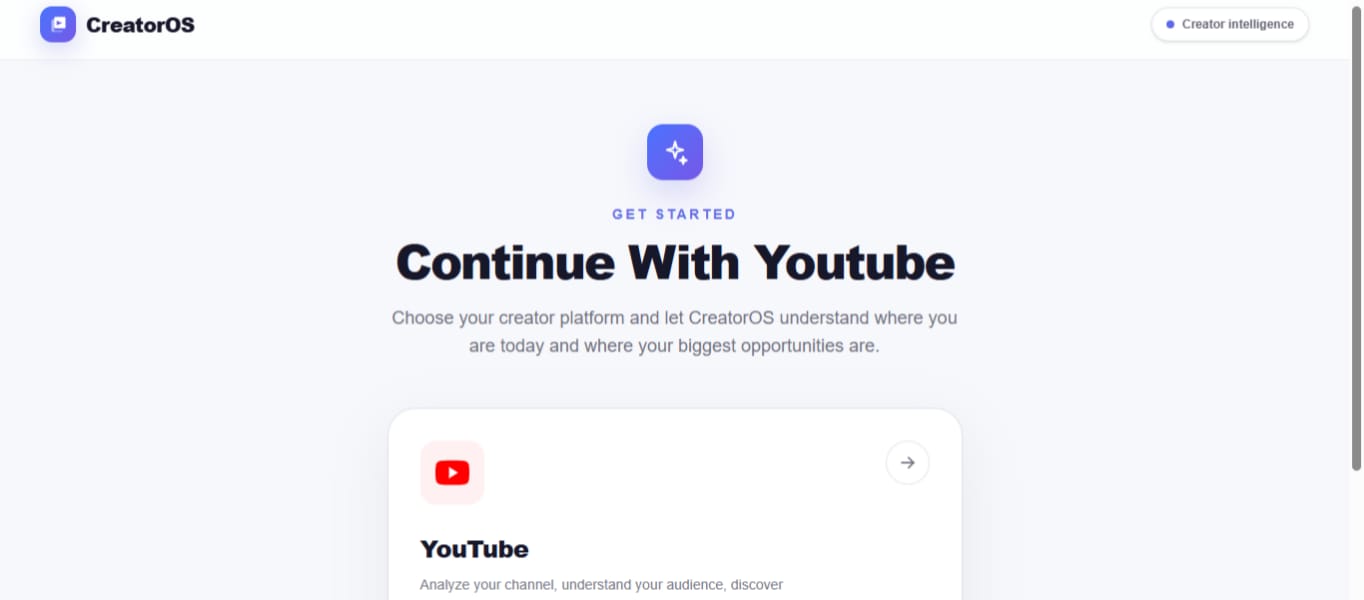
YouTube integration is an important part of CreatorOS because the platform is designed around real creator data.
The application handles the connection between:
Creator
  ↓
Authentication
  ↓
YouTube Authorization
  ↓
YouTube API
  ↓
Channel Data
  ↓
CreatorOS Dashboard
This allows CreatorOS to work with channel information instead of relying entirely on manually entered data.
📡 From Raw Data to Intelligence
One of the main engineering goals was to create a pipeline from raw information to useful creator decisions.
Raw YouTube Data
       ↓
Structured Information
       ↓
Context
       ↓
AI Interpretation
       ↓
Insights
       ↓
Recommendations
       ↓
Creator Action
This is an important distinction.
The goal is not simply to display more analytics.
The goal is to help answer:
"What should I do with this information?"
🧪 Challenges We Faced
Building CreatorOS involved several technical challenges.
Turning data into decisions
It was not enough to retrieve YouTube data. The harder problem was determining how that information could become useful creator intelligence.
YouTube authentication and APIs
Connecting a real YouTube account required handling authentication, authorization, API requests, responses, and errors.
Full-stack integration
The frontend, backend APIs, authentication, YouTube services, and AI functionality needed to work together as one application.
AI context
Generic AI responses are not enough for a creator platform. AI outputs need relevant context to make them useful.
Building multiple AI workflows
Titles, scripts, and conversational AI each have different requirements while still needing to feel like parts of the same product.
AI-assisted development
AI tools helped accelerate development, but generated code still required debugging, testing, modification, and integration.
🏆 What We Accomplished
Through CreatorOS, I built a working full-stack concept for an AI-powered YouTube creator operating system.
The project brings together:
- Real YouTube integration
- Channel analytics
- Creator intelligence
- AI-powered insights
- Research workflows
- Content ideas
- Optimization
- AI title generation
- AI script generation
- AI chat / Copilot
- A centralized creator workspace
The biggest accomplishment was connecting these pieces into one product concept instead of building isolated AI tools.
📚 What I Learned
One of the biggest lessons from building CreatorOS was that an AI product is not simply:
API + prompt + button.
A useful AI product also requires:
- Good data
- Relevant context
- Structured workflows
- Product design
- Backend architecture
- API integration
- Error handling
- Testing
- User experience
- Iteration
I also learned that AI can accelerate development significantly, but the developer still needs to understand the generated code, debug problems, make architectural decisions, and test the final implementation.
🔮 What's Next
CreatorOS has a much larger direction beyond its current implementation.
Future improvements could include deeper personalization based on:
- Channel history
- Audience behavior
- Content patterns
- Video performance
- Creator goals
- Research history
- Content preferences
Future AI improvements could include:
- More context-aware recommendations
- Deeper competitor intelligence
- Better content opportunity detection
- More advanced title intelligence
- Channel-aware script generation
- Long-term performance analysis
- Content planning
- Creator goal tracking
- More personalized AI Copilot responses
The long-term goal is to make CreatorOS increasingly aware of the creator it is helping.
🌎 Vision
Creators should not have to become data analysts just to understand their own YouTube channel.
They should be able to connect their channel, understand what is happening, discover opportunities, and move toward creating better content.
That is the vision behind CreatorOS:
Understand. Discover. Create.
🧠 Why CreatorOS?
There are many tools that provide analytics.
There are many tools that provide AI chat.
There are many tools that generate titles or scripts.
CreatorOS is built around a different idea:
Connect the entire creator workflow.
Instead of treating analytics, intelligence, research, ideation, optimization, and creation as separate products, CreatorOS aims to bring them together.
The ultimate goal is to create an AI-powered operating system for YouTube creators.
🧰 Built With
Frontend
- Next.js
- React
- TypeScript
- Tailwind CSS
Platform & APIs
- YouTube APIs
- OAuth
- REST APIs
AI / Machine Learning
- Groq
- AI models / APIs
Development
- GitHub
- Full-stack web development
🔗 Try CreatorOS
Source Code
https://github.com/zayaanakhan1-cmd/Creator-OS1
🤖 AI Tools Disclosure
AI-assisted development tools were used during the development of CreatorOS for:
- Code generation
- Debugging
- Development assistance
- Experimentation
- Problem solving
AI-generated code was reviewed, modified, tested, and integrated during development.
AI is also directly integrated into the final product.
Groq powers:
- AI title generation
- AI script generation
- AI chat / Copilot
The AI functionality is therefore both part of the development process and a core component of the final CreatorOS product.
🚀 Final Thought
The future of creator tools should not just be about showing creators more numbers.
It should be about helping them understand those numbers and turn them into action.
CreatorOS is built around that idea.
Analyze. Discover. Create.

Log in or sign up for Devpost to join the conversation.