-
-
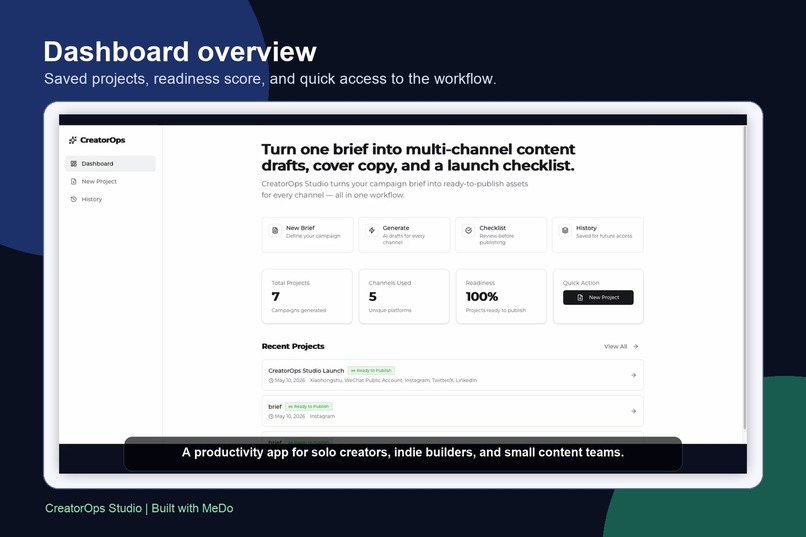
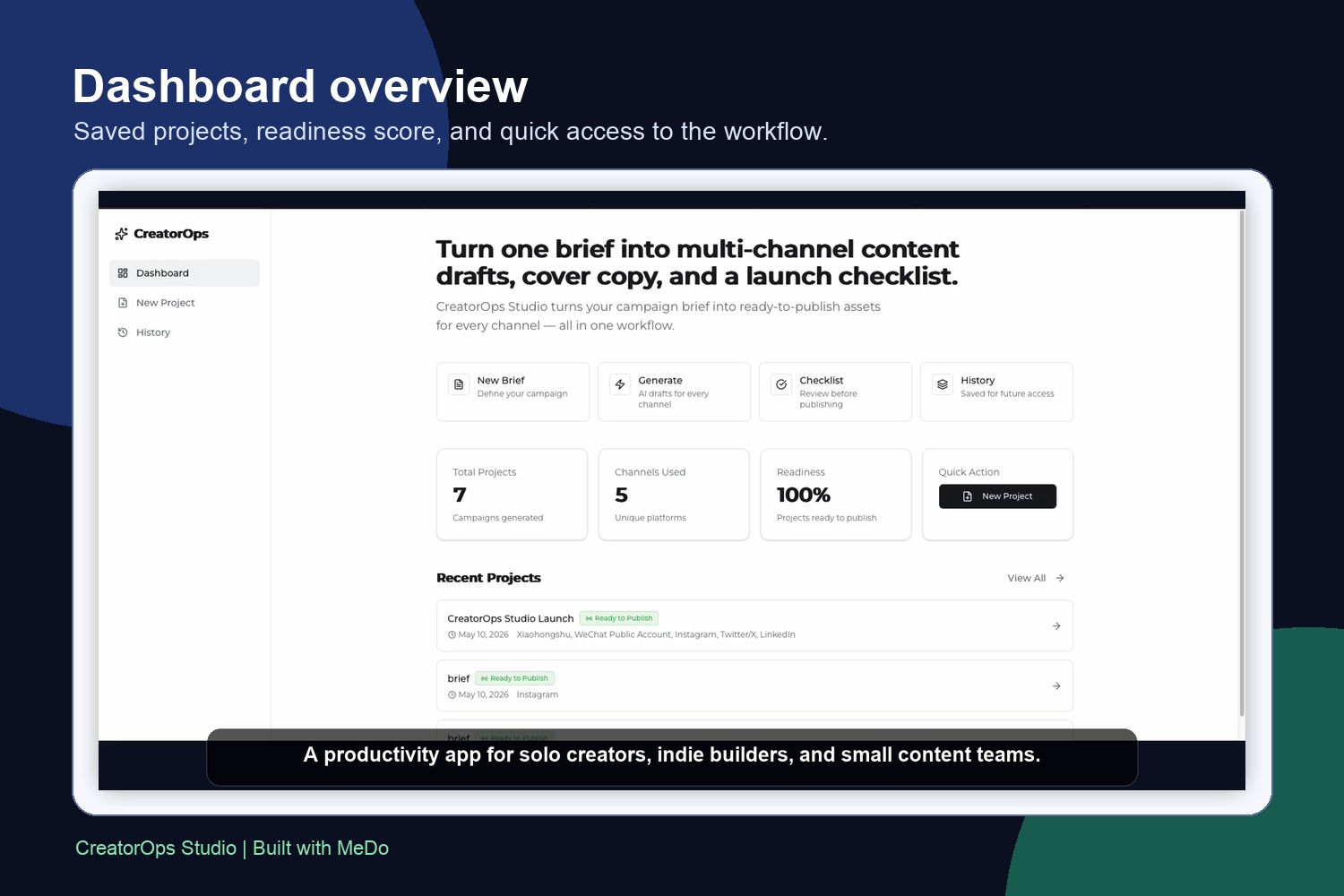
Dashboard overview with saved campaigns readiness status and quick actions.
-
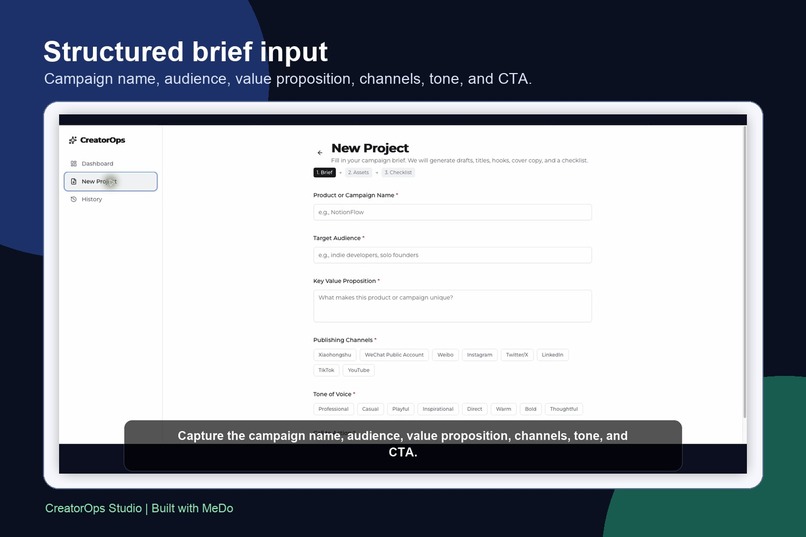
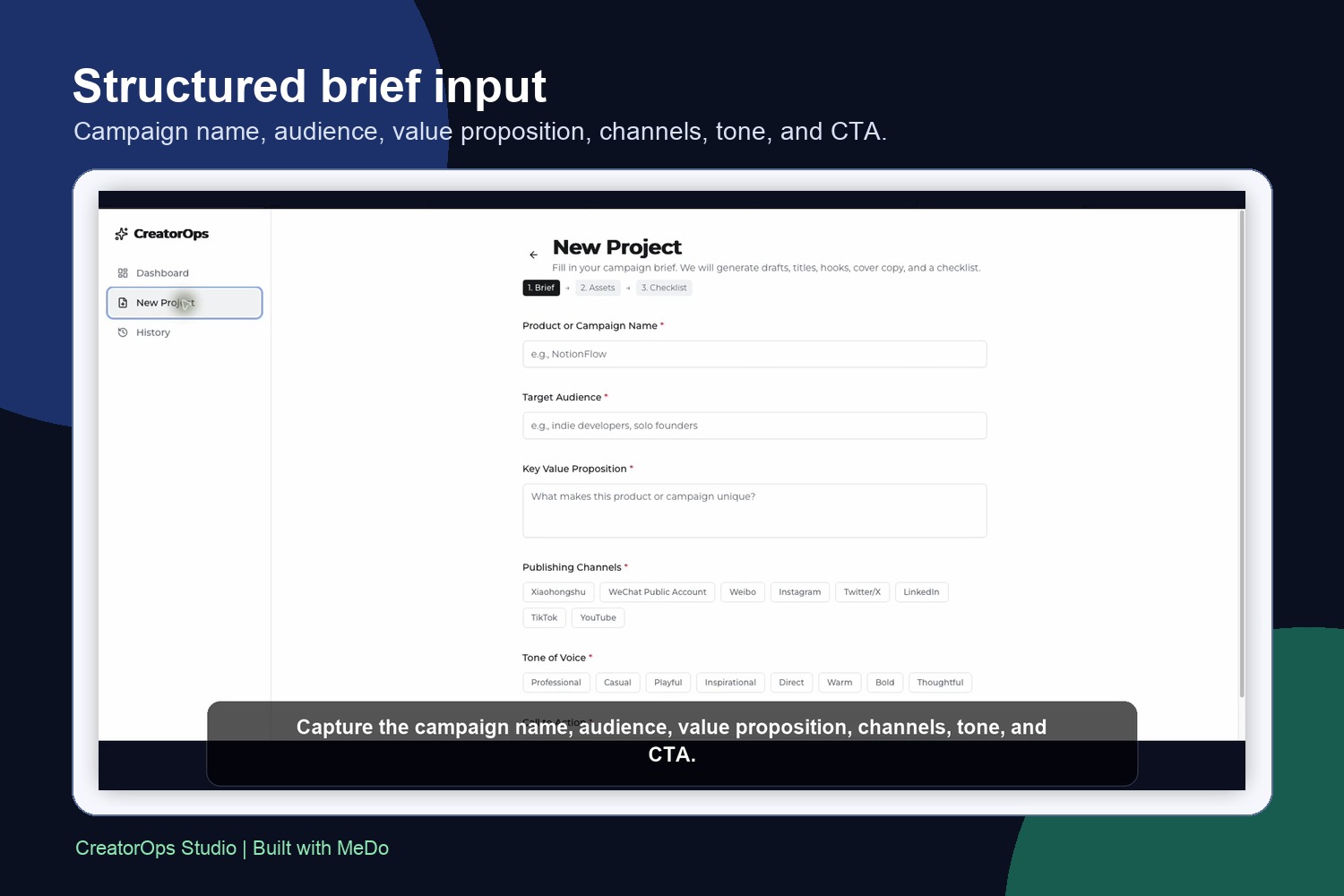
Structured brief form captures audience channels tone value proposition and CTA.
-
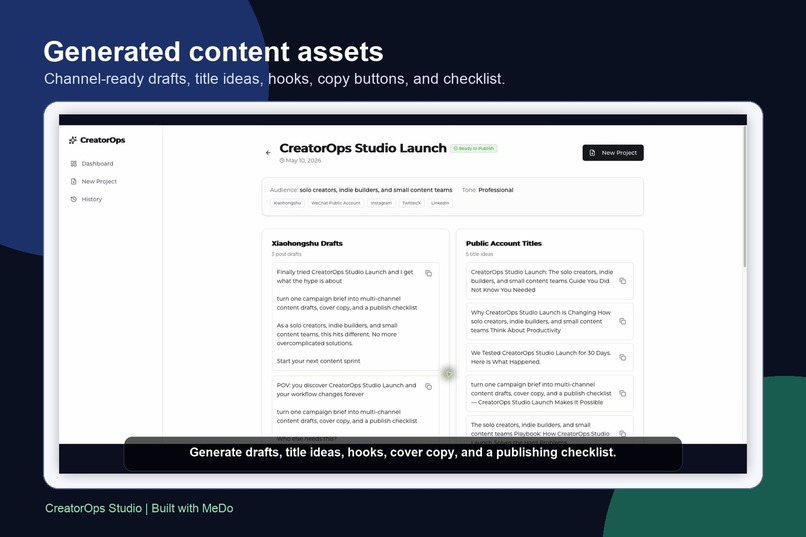
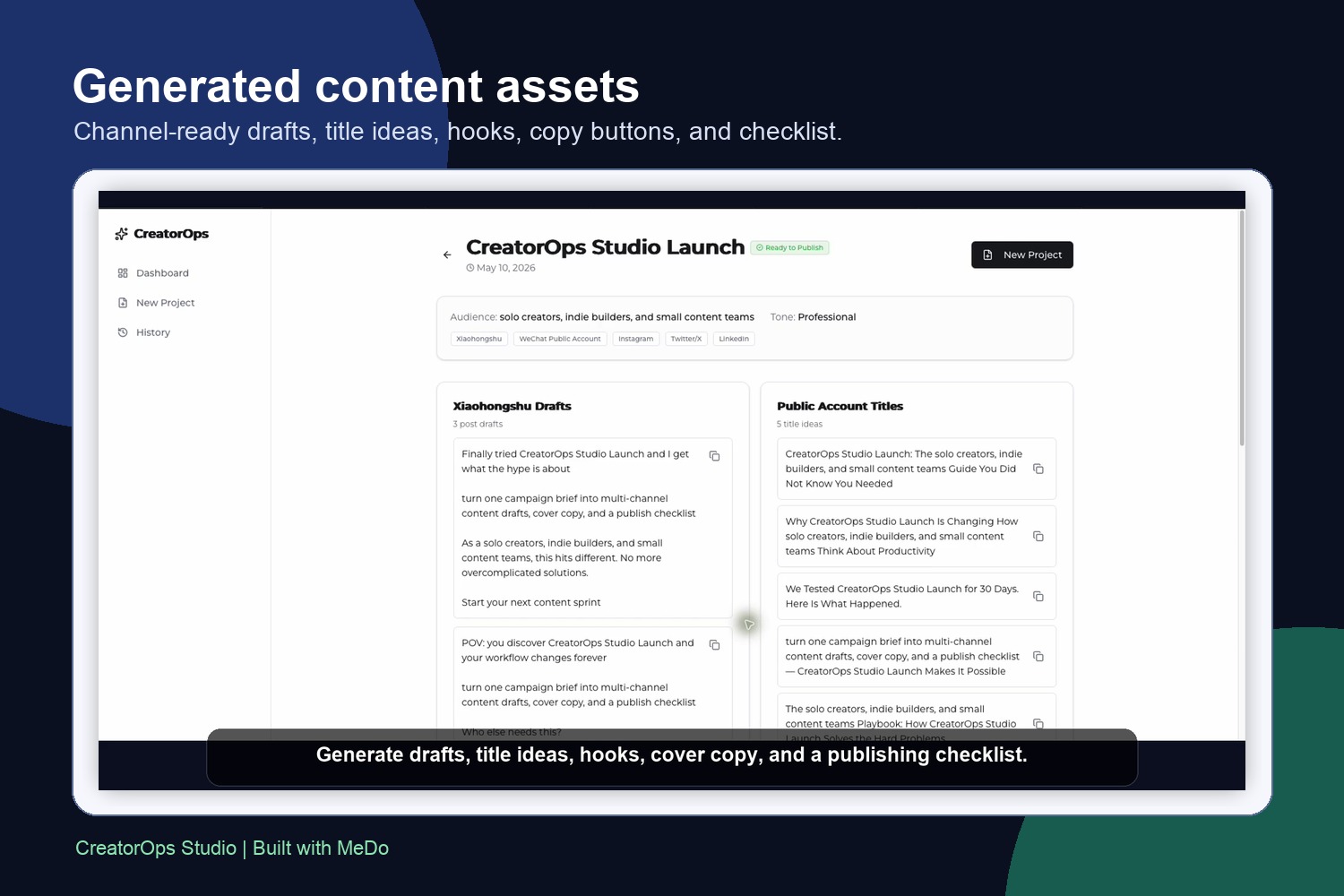
Generated outputs include drafts titles hooks cover copy and a publish checklist.
Inspiration
Creators and small content teams often start with one campaign brief, then spend most of their time rewriting the same idea into platform-specific assets. A launch brief may need Xiaohongshu drafts, public-account titles, short social hooks, cover copy, and a publishing checklist before it is actually ready to go live.
What it does
CreatorOps Studio turns a single product or campaign brief into channel-ready content assets. The user enters a campaign name, audience, value proposition, publishing channels, tone of voice, and call to action. The app then generates structured outputs for multiple channels, including post drafts, title ideas, social hooks, cover-copy options, a publish checklist, and posting-time guidance.
How I built it with MeDo
I used MeDo's natural-language app builder to create and iterate on the full workflow: dashboard, new-project form, generated-result cards, copy buttons, checklist interaction, saved project history, and a deployed MeDo application URL. I kept the scope focused on a complete productivity workflow rather than a generic content generator.
What I learned
The strongest MeDo use case is not only creating a page, but turning an operational process into a working app. I iterated multiple times to improve output structure, make the generated content easier to use, and fix checklist interaction issues so the app behaves like a practical productivity tool.
Why it matters
For solo creators, indie builders, and small teams, CreatorOps Studio reduces repetitive content-preparation work and helps users move from brief to publish-ready assets faster. That is why it is submitted for the Work & Productivity track.
Built With
- ai-generated
- full-stack
- medo
- react
- supabase
- tailwind-css
- typescript


Log in or sign up for Devpost to join the conversation.