-
-
-
-
-
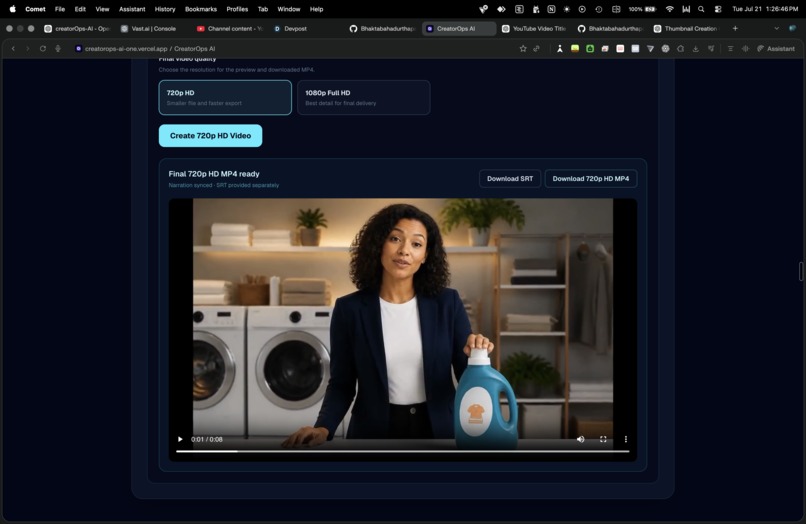
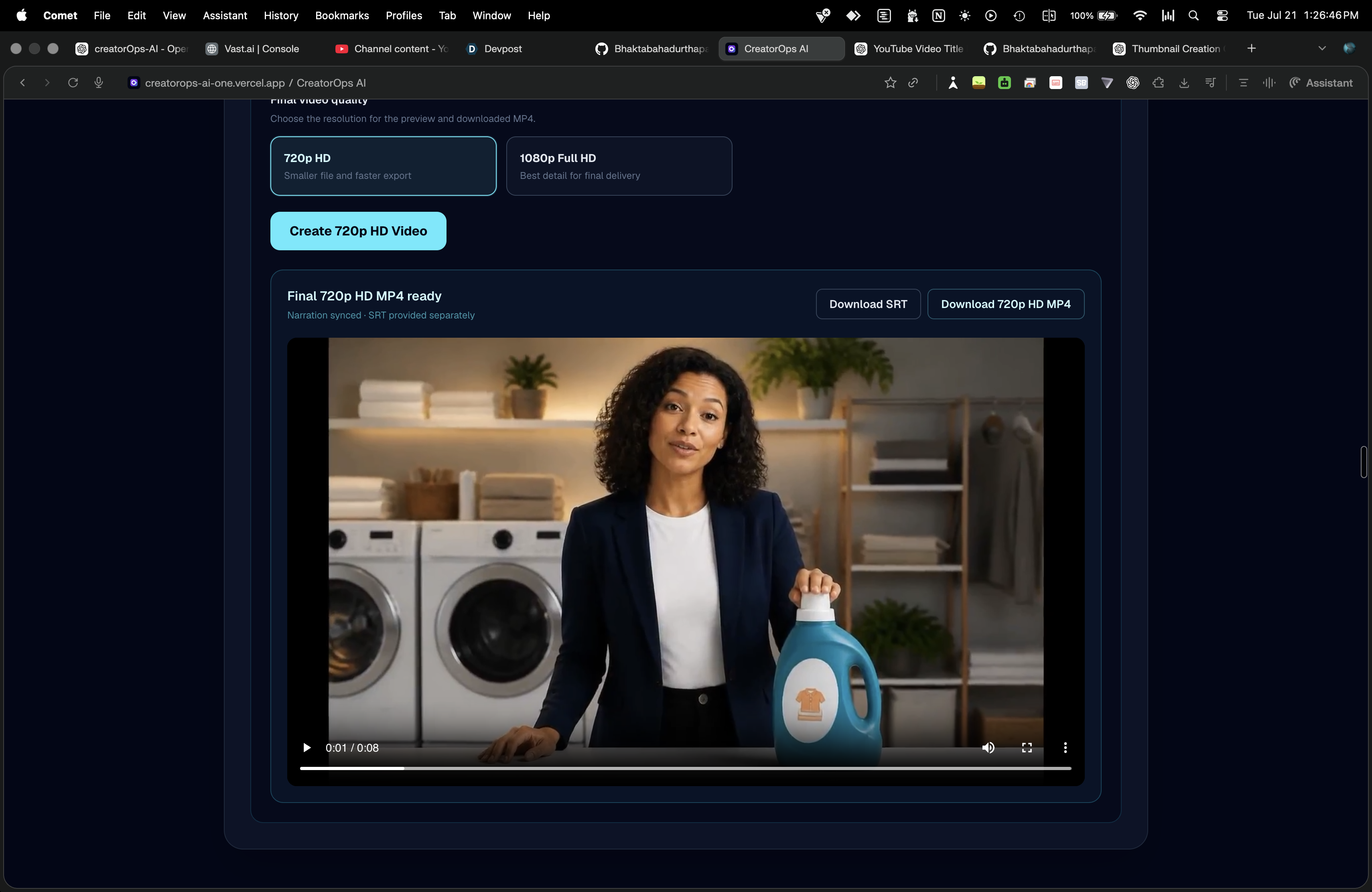
Live Demo Video Gene.
-
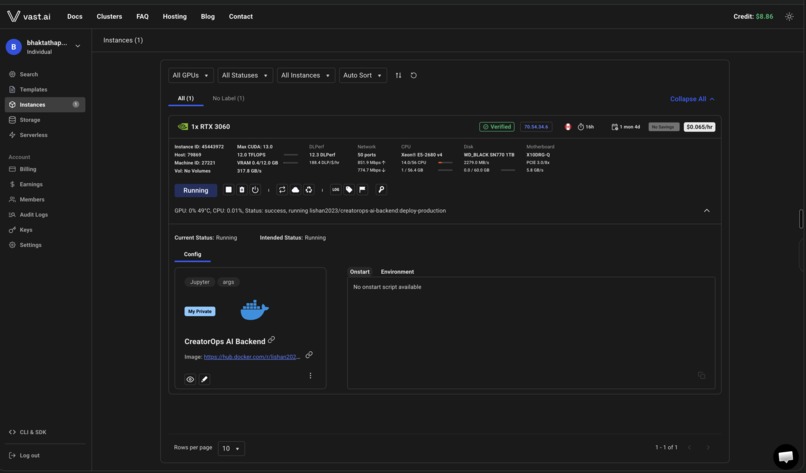
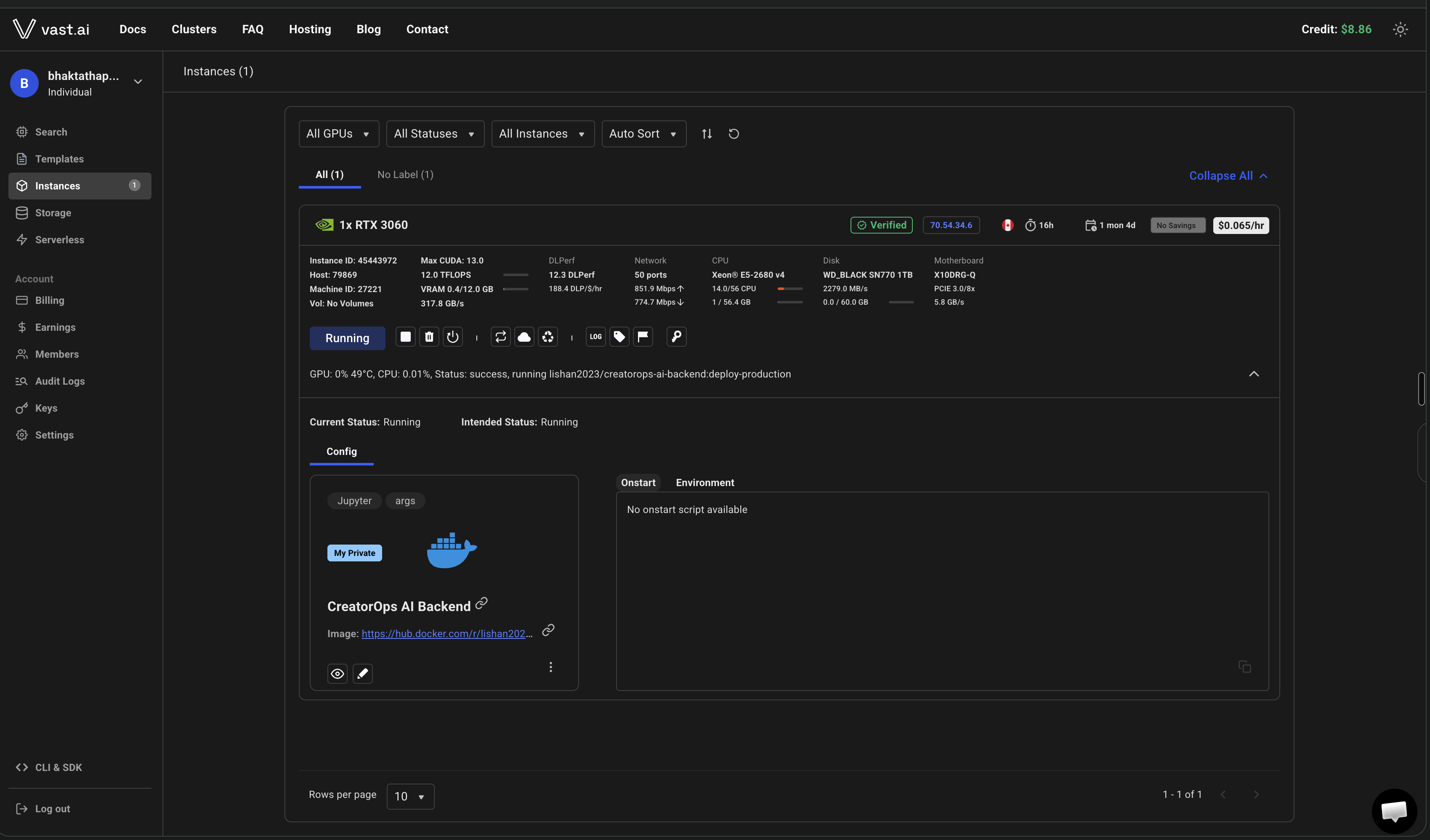
Server Backend running via Container ( Docker HUB Repo)
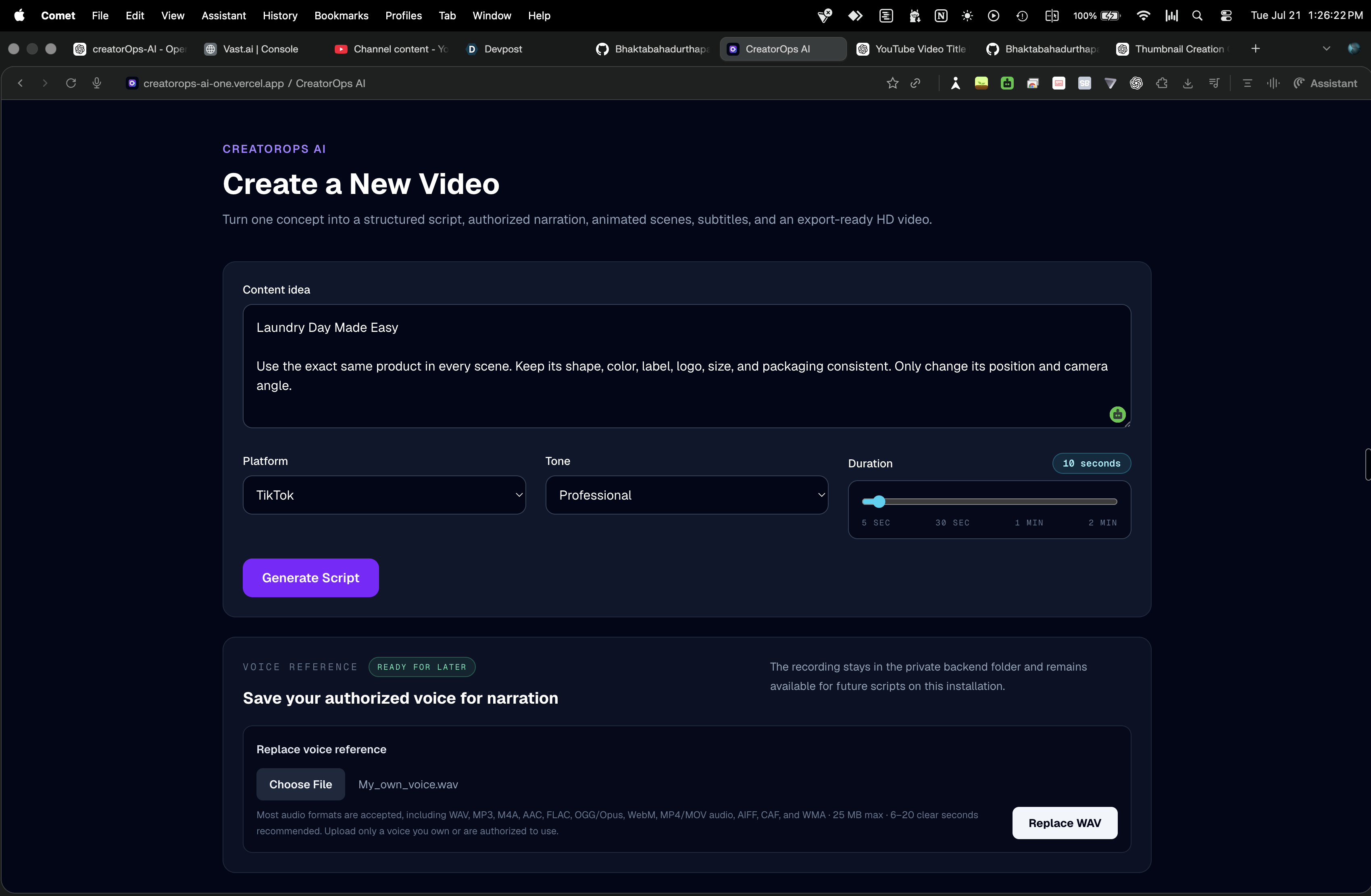
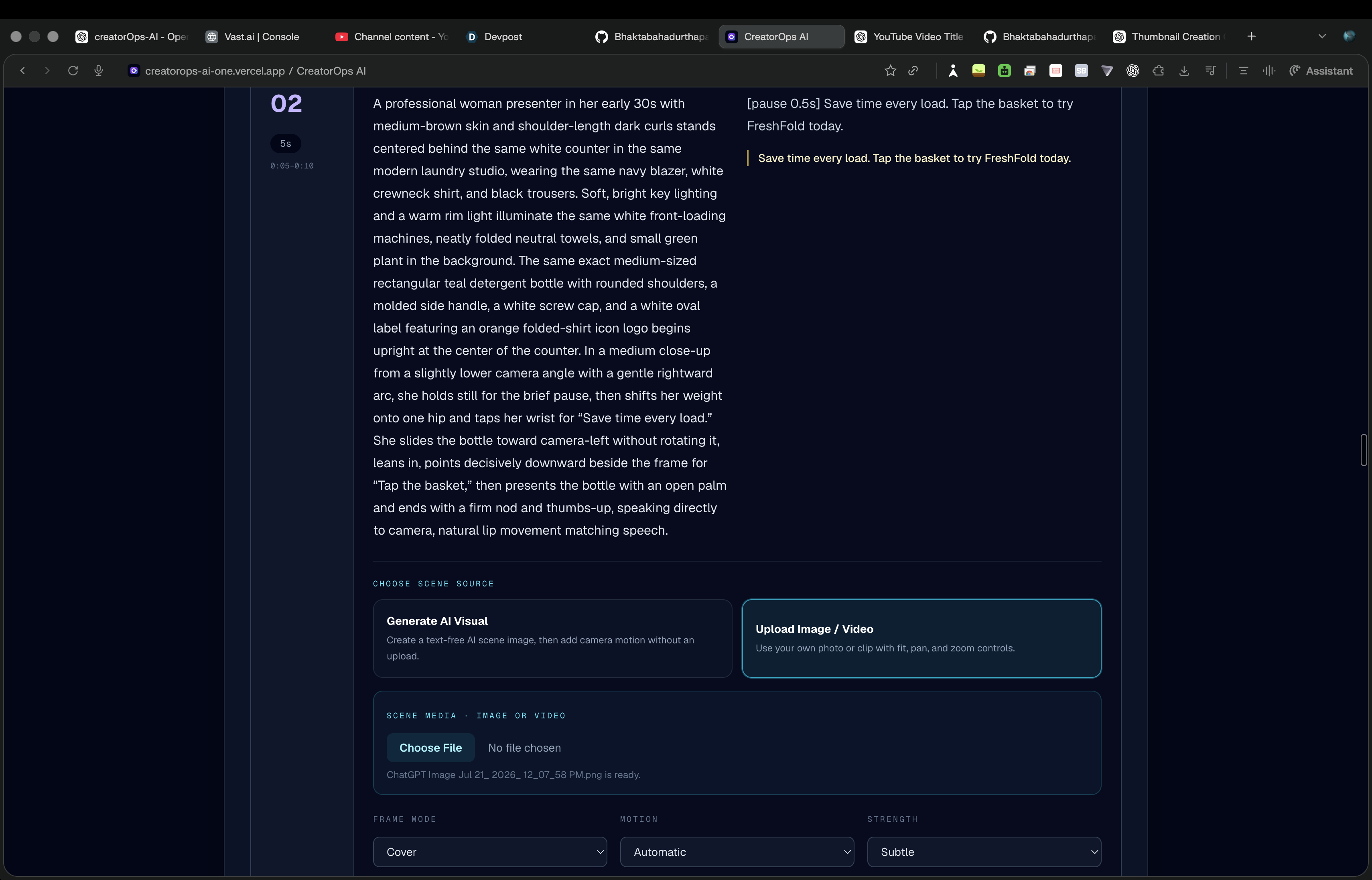
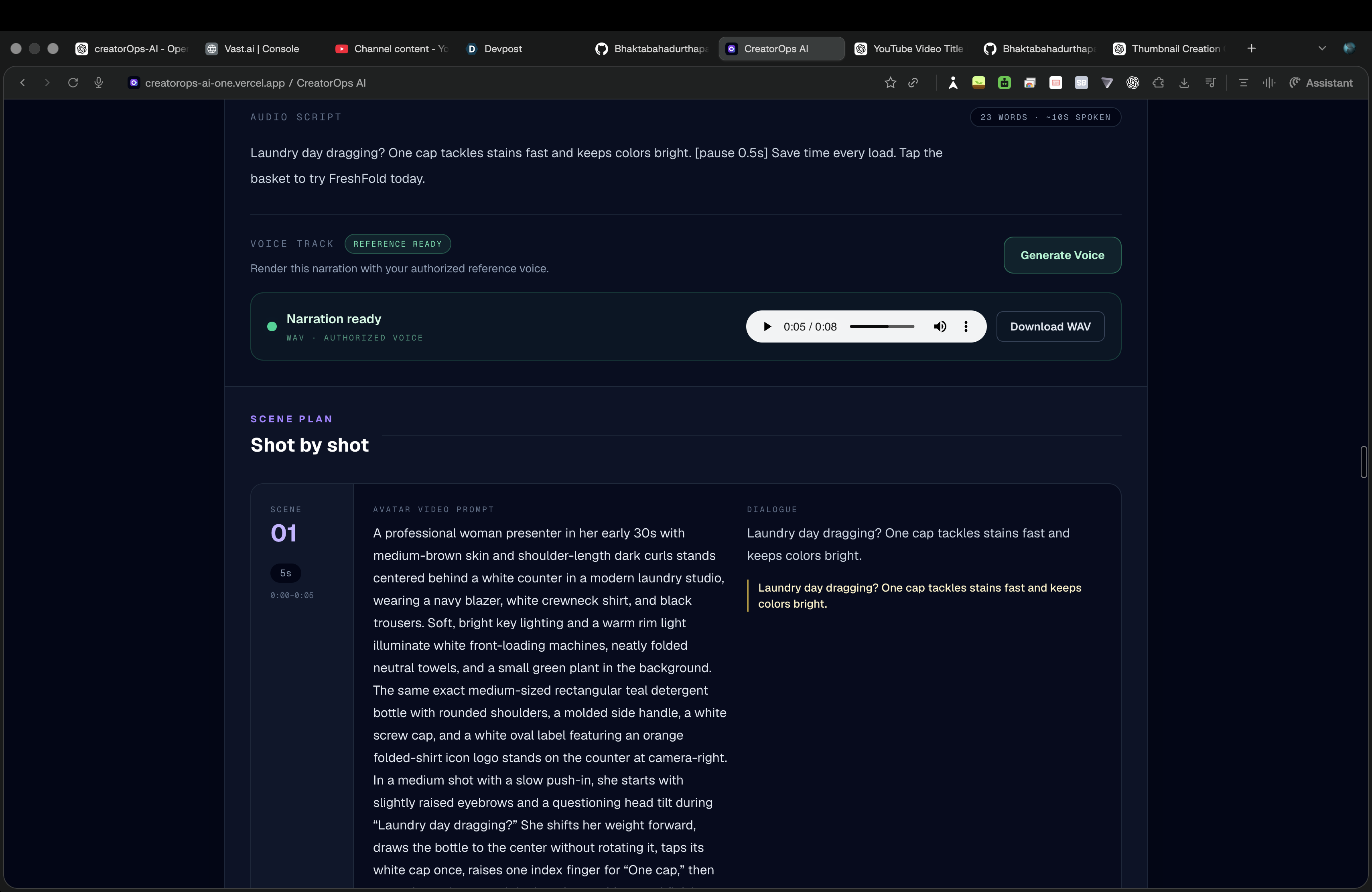
Inspiration
Creating one short video usually requires many separate tools.
A creator may need one tool for script writing, another for voice generation, another for images, another for subtitles, and another for video editing.
This process is slow, repetitive, and difficult for solo creators, educators, small businesses, and marketing teams.
I wanted to build one system that could take a simple idea and turn it into a complete video workflow.
What it does
CreatorOps AI turns one idea into a finished video.
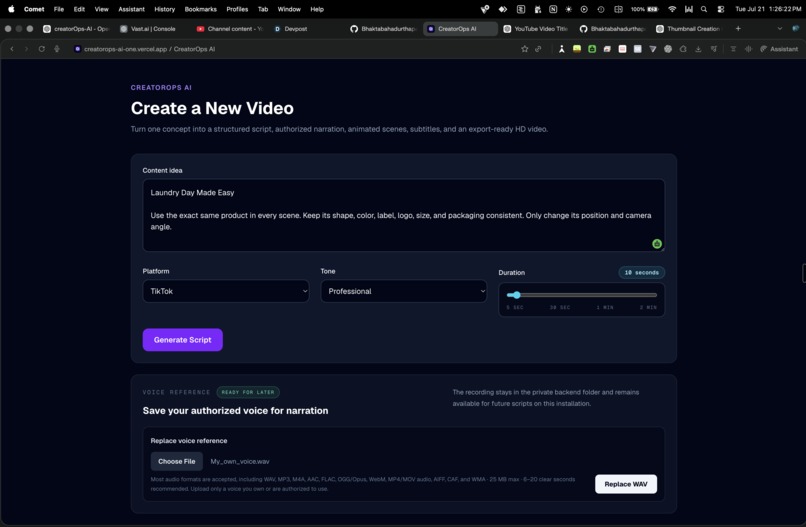
The user enters:
- A topic
- Platform
- Tone
- Video duration
- An authorized voice reference
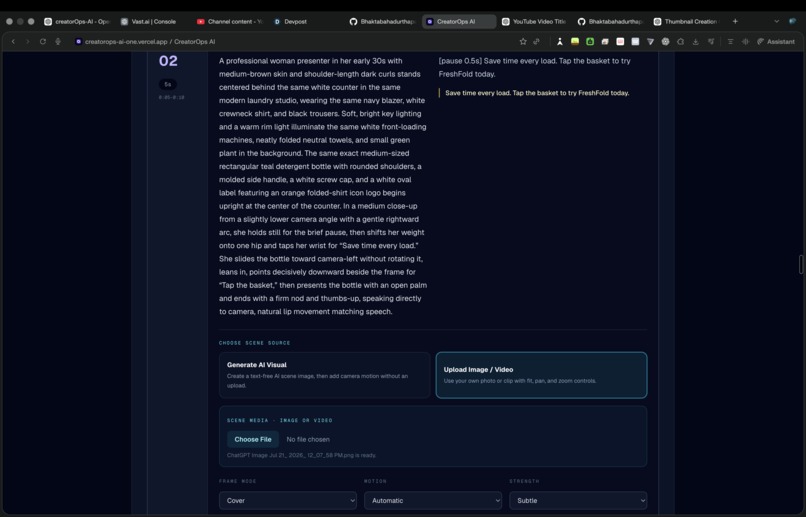
- Optional images, videos, logo, and music
CreatorOps AI then creates:
- A structured script
- Title and hook
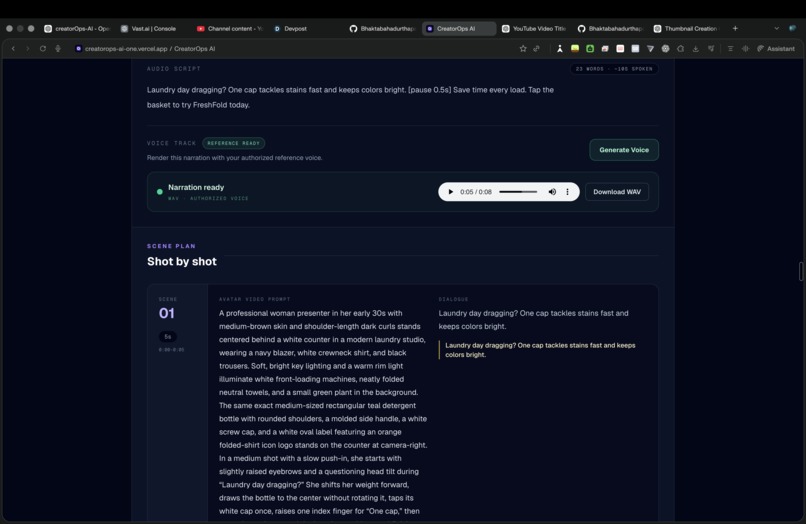
- Narration
- Call to action
- Timed scene plan
- Subtitle text
- Authorized voice narration
- Uploaded or AI-generated visuals
- Motion and transitions
- Final 720p or 1080p video
- Downloadable SRT subtitle file
The full workflow is:
Idea → Script → Voice → Visuals → Render → MP4
How I built it
The frontend is built with:
- Next.js 16
- React
- TypeScript
- Tailwind CSS
The backend is built with:
- Python
- FastAPI
- Pydantic
- Uvicorn
GPT-5.6 is used through the OpenAI Responses API to generate a structured production plan.
The response includes the title, hook, narration, scene order, visual direction, subtitles, and duration for each scene.
Chatterbox Turbo generates narration from a voice reference that the user owns or has permission to use.
The OpenAI Image API can generate missing scene visuals.
FFmpeg combines the narration, images, video clips, motion effects, subtitles, logo, music, and transitions into the final MP4.
Long-running voice and video jobs run asynchronously. The frontend polls the backend and shows job status such as queued, processing, completed, or failed.
The frontend is deployed on Vercel. The Dockerized backend can run locally or on a Vast.ai NVIDIA GPU instance.
How GPT-5.6 is used
GPT-5.6 is the planning engine of CreatorOps AI.
It generates a validated production blueprint that controls:
- Script content
- Narration
- Scene order
- Scene duration
- Visual prompts
- Subtitle timing
- Final rendering flow
The structured output becomes the single source of truth for the rest of the system.
How Codex helped
Codex helped me:
- Connect the Next.js frontend and FastAPI backend
- Integrate structured OpenAI responses
- Build the script-generation workflow
- Adapt the authorized voice-generation module
- Improve the FFmpeg rendering pipeline
- Add asynchronous job polling
- Add file validation and safer path handling
- Add backend tests
- Fix deployment issues
- Prepare Docker and Vast.ai deployment
- Improve the README and architecture documentation
Challenges I faced
The main challenges were:
- Matching narration with scene timing
- Keeping subtitles synchronized
- Handling long-running GPU jobs
- Managing large voice models
- Validating uploaded files safely
- Creating smooth motion from still images
- Connecting a Vercel frontend to a GPU backend
- Supporting both local and cloud environments
What I am proud of
I built a working end-to-end AI video-production system.
CreatorOps AI can:
- Generate a structured script
- Create authorized narration
- Generate or accept visual media
- Add motion and transitions
- Create subtitles
- Render a final video
- Export MP4 and SRT files
- Track project status
It is more than a chatbot or a single API demo. It connects AI planning, voice generation, visual generation, media processing, and video rendering into one complete workflow.
What I learned
I learned how to use GPT-5.6 as part of a larger production system.
I also learned how to connect:
- Structured AI outputs
- Voice generation
- Image generation
- Async APIs
- GPU workloads
- Media storage
- FFmpeg rendering
- Frontend job polling
The biggest lesson was that AI becomes more useful when it is connected to a complete workflow that solves a real business problem.
What is next
Next, I plan to add:
- Redis and background workers
- Automatic file cleanup
- Authentication
- User-specific project storage
- PostgreSQL or Supabase
- Object storage
- Reusable brand kits
- Multiple authorized voices
- Team collaboration
- Scheduled publishing
- More video templates
CreatorOps AI is designed to become a complete content-production workspace for creators and small businesses.
Built With
- api
- chatterbox
- codex
- css
- cuda
- docker
- fastapi
- ffmpeg
- ffprobe
- github
- gpt-5.6
- image
- next.js
- nvidia
- openai
- pydantic
- python
- react
- responses
- tailwind
- turbo
- typescript
- uvicorn
- vast.ai
- vercel


Log in or sign up for Devpost to join the conversation.