-
-
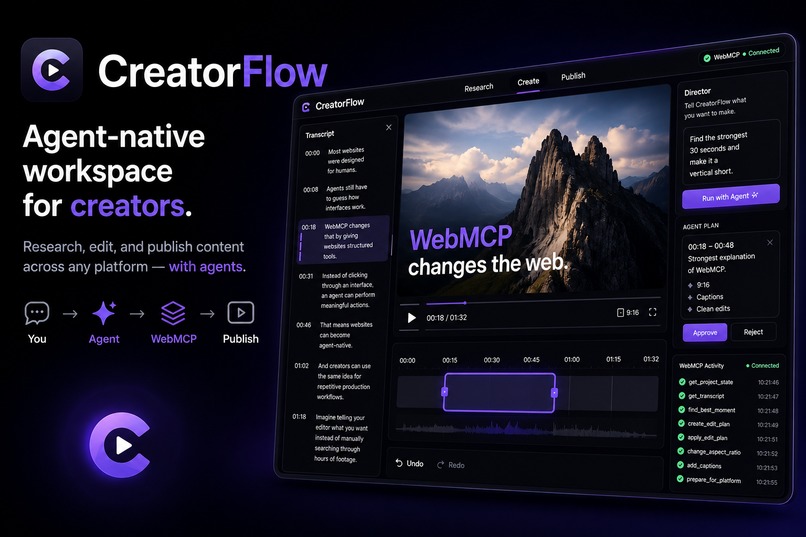
Thumbnail of Project
-
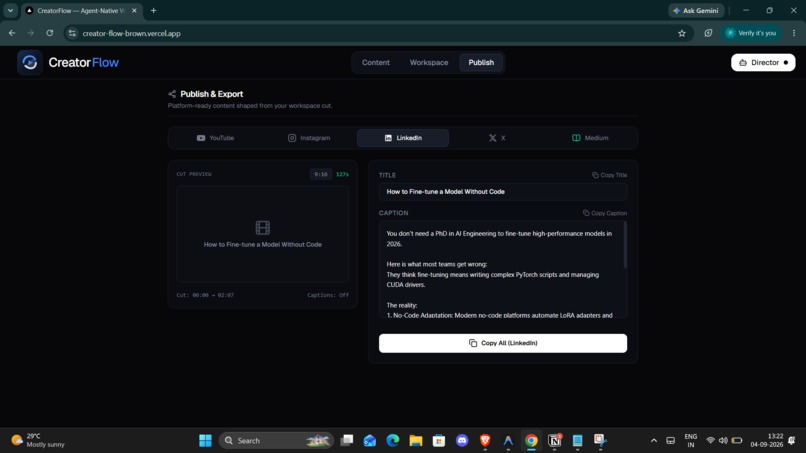
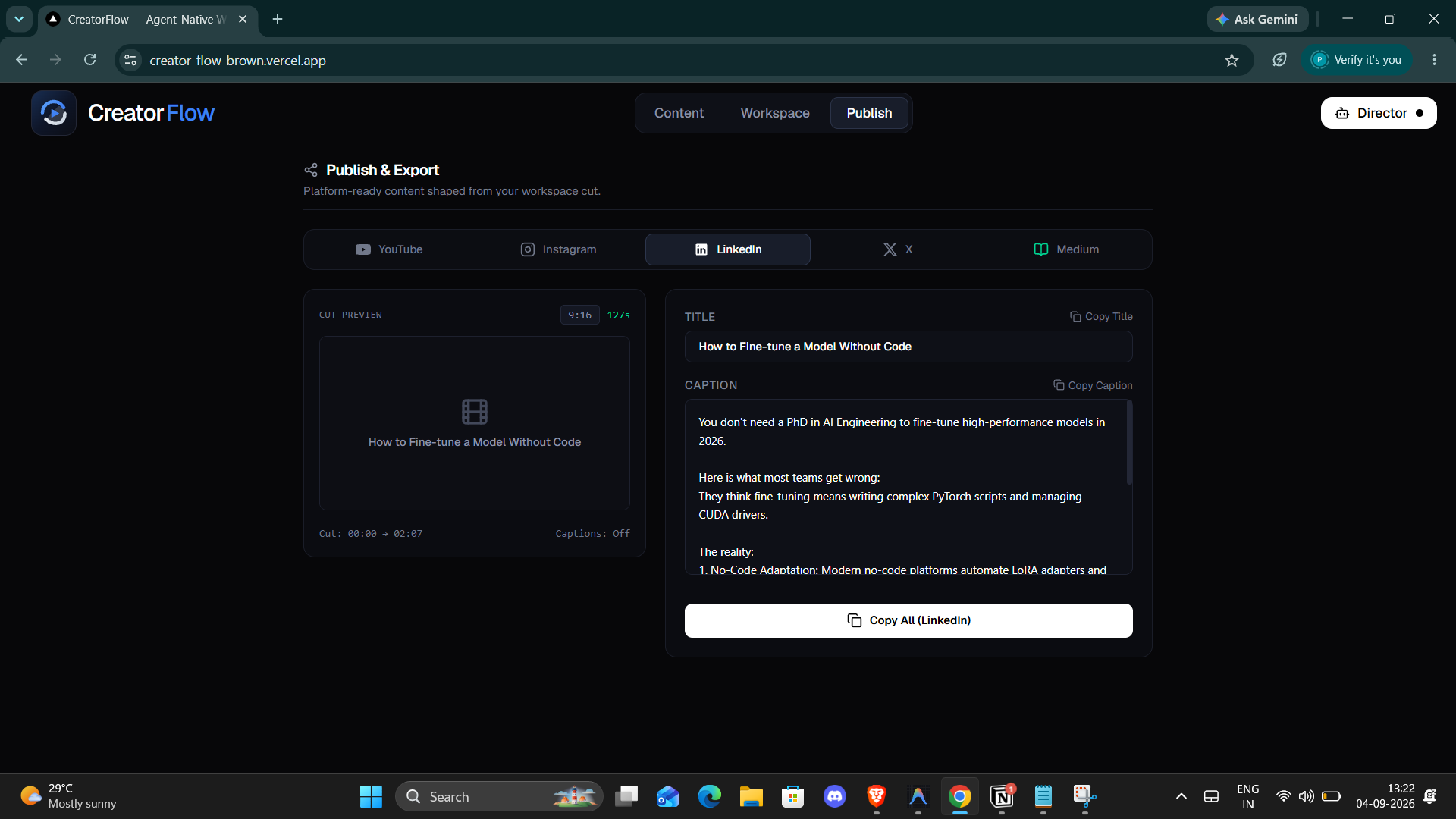
Publish Page
-
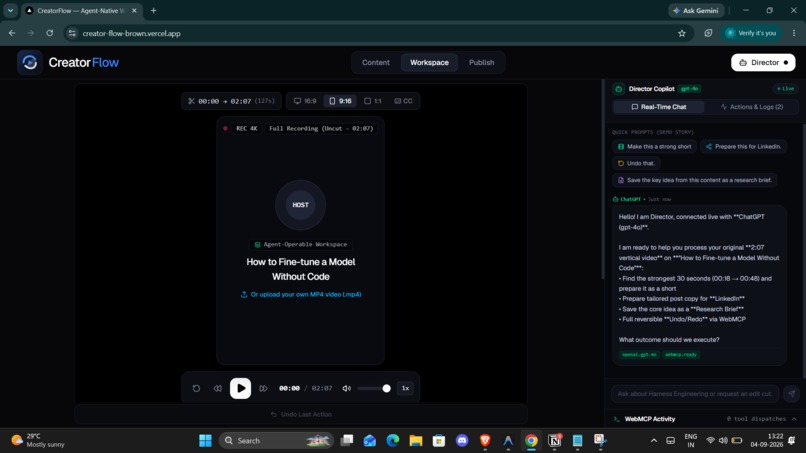
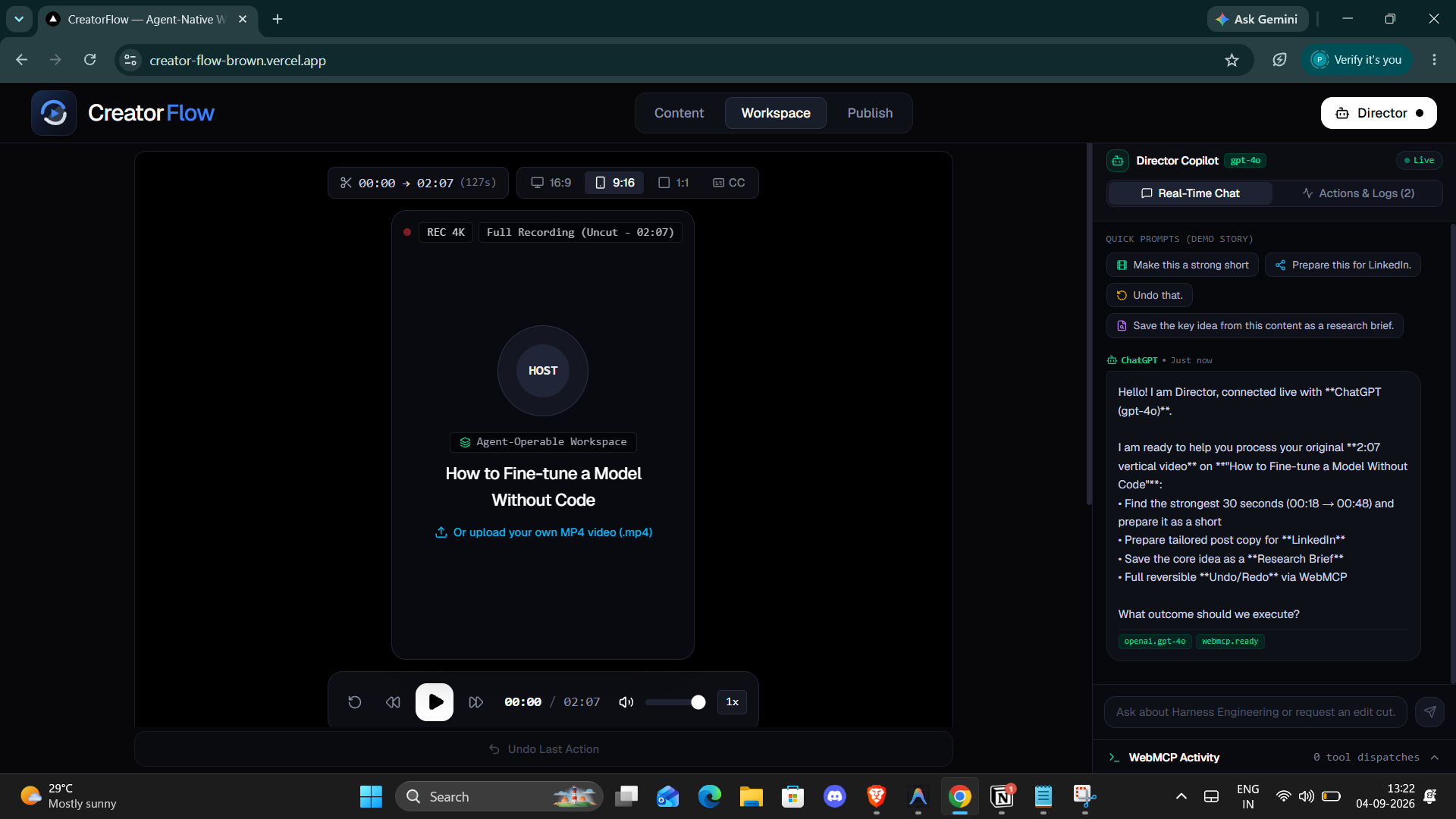
Workspace Page
-
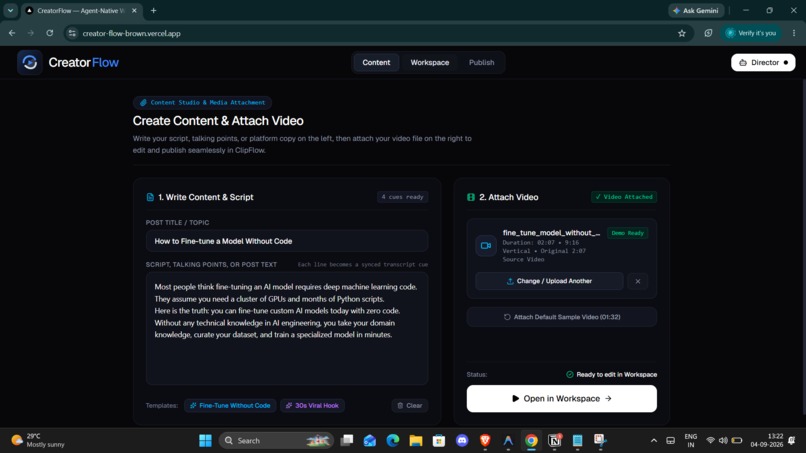
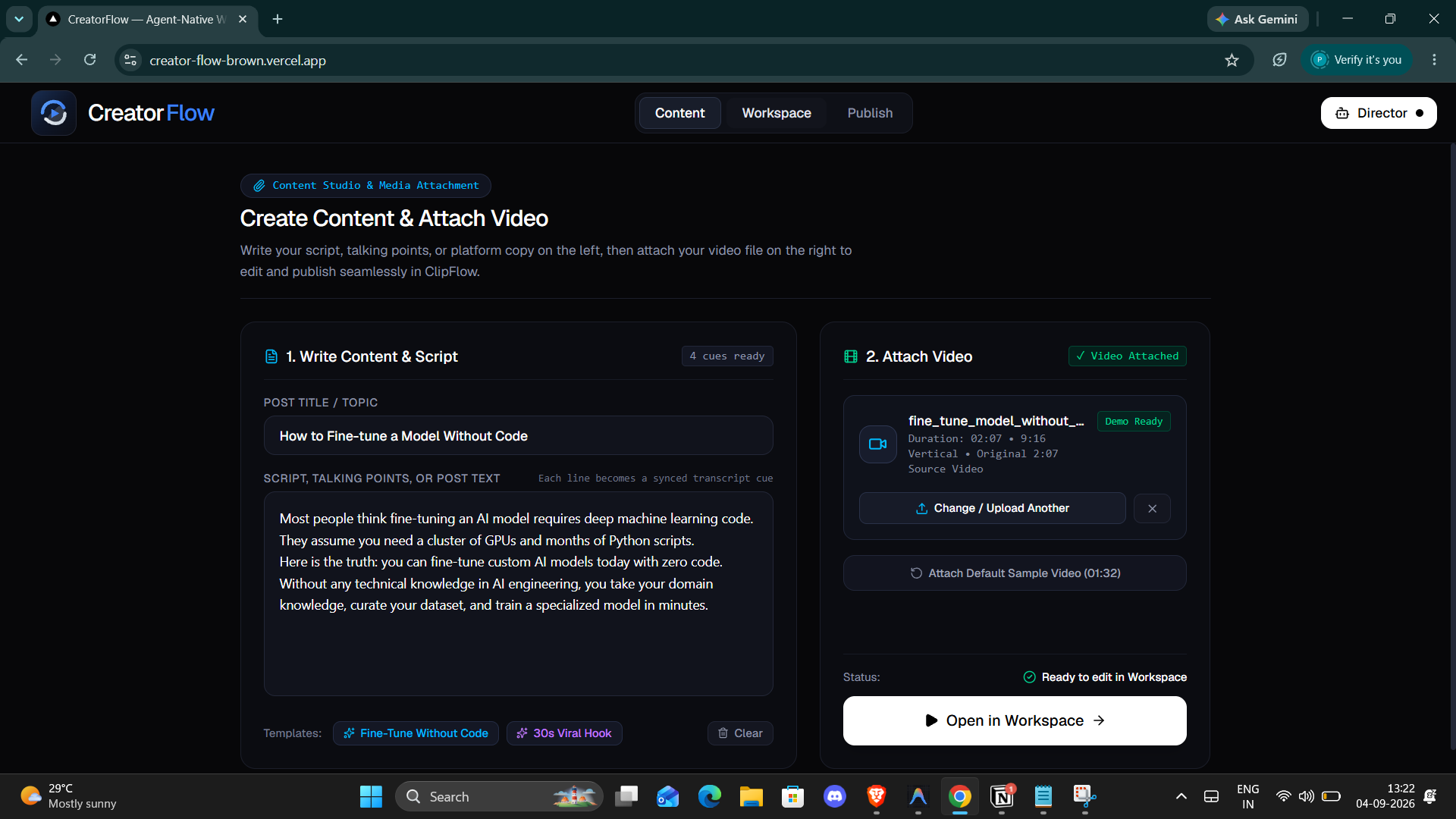
Content Page
-
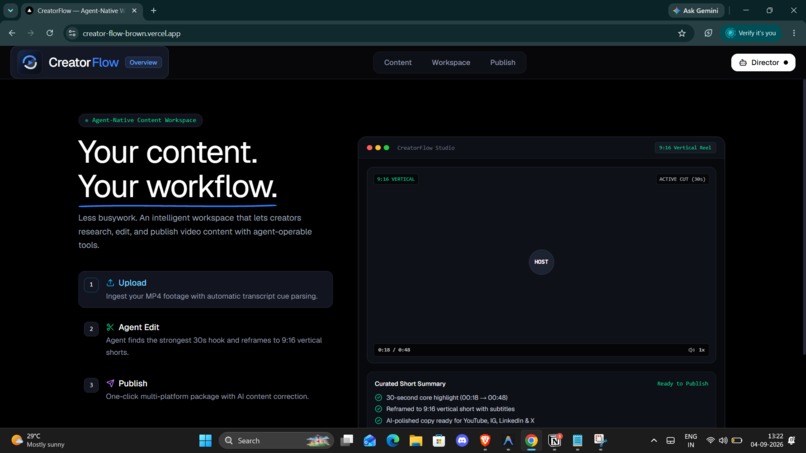
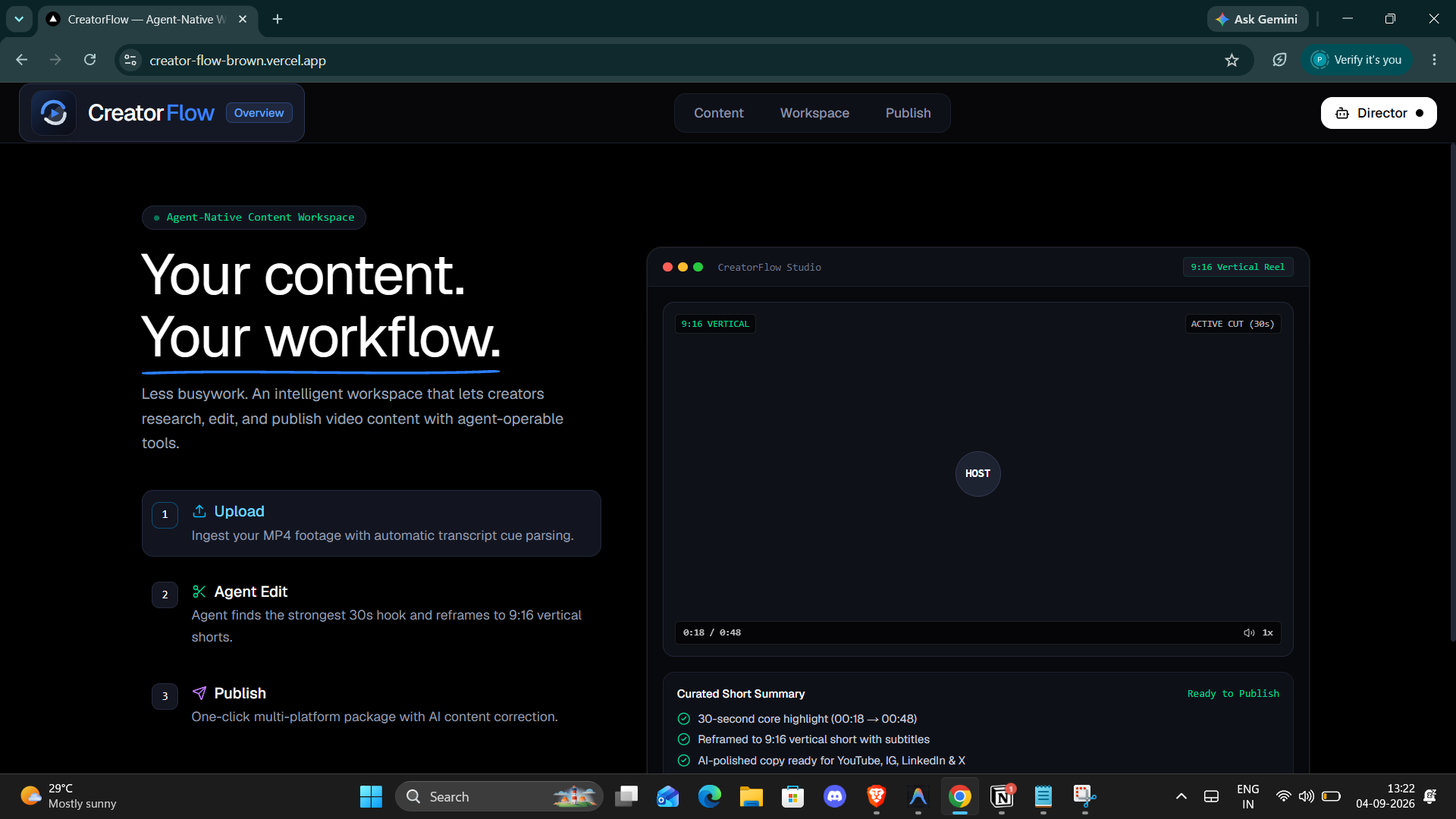
Landing Page
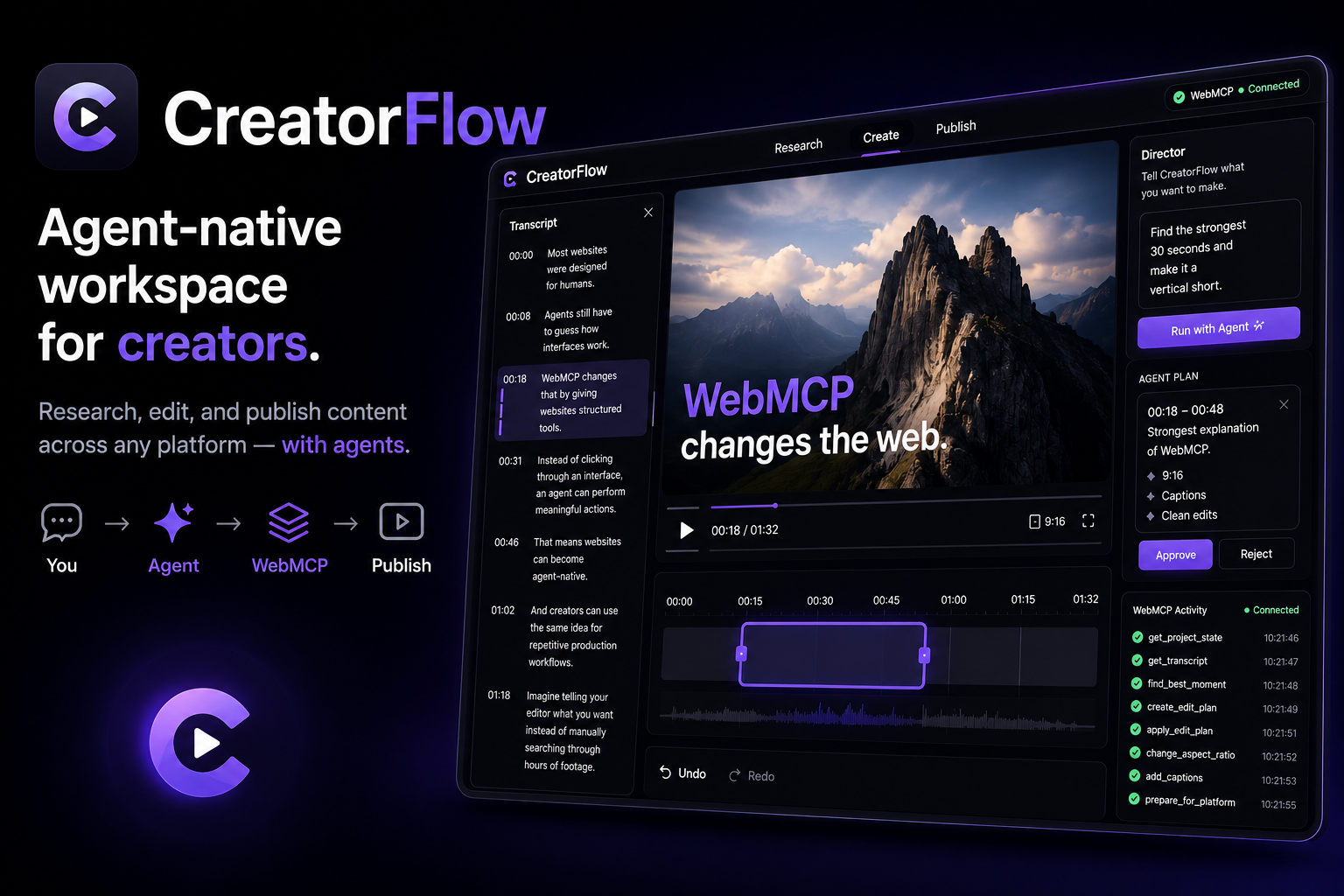
Inspiration
Creators already have the content. The hard part is everything between recording and publishing.
A creator might have a video, an idea, or a piece of writing, but turning it into something ready for different platforms often means jumping between editors, research tools, formatting tools, and publishing workflows.
We wanted to explore a simpler idea:
What if a creator could tell an agent what they want to do, and the agent could actually operate the creator workspace instead of just giving instructions?
That became CreatorFlow.
CreatorFlow is not an AI creator that replaces human creativity. It is an agent-native creator workflow where the creator provides the idea, content, and judgment while the agent helps with repetitive production work.
What it does
CreatorFlow gives creators one simple workspace to:
Research → Edit → Prepare → Publish
For example, a creator can ask:
"Find the strongest 30 seconds and make it ready as a vertical short."
Instead of manually navigating through the editor, the agent can use CreatorFlow's WebMCP tools to understand the project, find a useful moment, create an edit plan, apply the edit, change the aspect ratio, and add captions.
The creator can then review the result, modify it, or undo the changes.
CreatorFlow can also prepare content for different publishing formats such as:
- YouTube
- X
- Medium
The goal is not to replace professional editing software. It is to make the repetitive workflow around publishing faster and easier.
Why WebMCP fits CreatorFlow
Content creation is full of small, repetitive actions—finding a moment, trimming a clip, changing the format, adding captions, and preparing content for a platform.
WebMCP fits because it lets CreatorFlow expose these real application capabilities as tools an agent can directly use, instead of making the agent click through the interface like a human.
What people + agents can do together
The creator provides intent and creative judgment:
“Find the best part of this video and prepare it as a short.”
The agent handles the workflow:
Understand content → Find moment → Edit → Reframe → Caption → Prepare for platform
The creator can then review, change, approve, or undo the result.
So the key difference is:
Without WebMCP: Agent → tries to navigate the UI → clicks buttons → hopes it works.
With WebMCP: Agent → discovers CreatorFlow's tools → performs structured actions → UI updates → creator reviews.
That's why WebMCP is the core of CreatorFlow: it doesn't just put an AI assistant beside the editor; it makes the creator workspace operable by an agent while keeping the human in control.
How we built it
CreatorFlow is built as a web application using:
- Next.js
- TypeScript
- React
- Zustand
- HTML5 Video
- WebMCP
The most important part is the WebMCP layer.
Instead of creating a separate AI system that controls the UI through clicks, we exposed meaningful CreatorFlow capabilities as WebMCP tools.
Examples include:
get_project_stateget_transcriptfind_best_momentcreate_edit_planapply_edit_planchange_aspect_ratioadd_captionsprepare_for_platformundo_last_action
These tools operate on the same project state used by the CreatorFlow interface.
This means the agent and the human are working with the same workspace rather than maintaining two separate systems.
We also added a WebMCP activity panel so users can see which tools are being called and what the agent is doing.
Challenges we ran into
The biggest challenge was understanding how to make WebMCP meaningful instead of simply adding tools for the sake of the hackathon.
We initially thought about building a much larger AI video editor, but that quickly became too complicated.
We narrowed the product down to the workflow that matters:
Understand the content → make an edit → prepare it for publishing.
Another challenge was keeping the creator in control.
Some operations change the project, so we designed the workflow around proposals, approval, and undo rather than allowing an agent to silently change everything.
We also had to make sure that WebMCP tools were connected to real application state instead of being disconnected demo functions.
Accomplishments we're proud of
We are proud that CreatorFlow demonstrates a different way of thinking about web applications.
The important part isn't simply that an agent can chat with the application.
The important part is that the application's actual capabilities are exposed as tools that an agent can understand and operate.
A creator can express an outcome such as:
"Make this into a vertical short."
The agent can translate that intent into a sequence of structured operations while the creator watches the workspace change.
We are also proud of the shared state architecture, where human interactions and WebMCP tool calls use the same underlying operations.
What we learned
We learned that building for agents changes how we think about UI design.
Traditional interfaces are designed around:
buttons → menus → clicks → navigation
An agent-native interface can instead expose:
intent → tools → actions → result
WebMCP makes this possible directly inside the web application.
We also learned that agents should not necessarily replace the user. In creative workflows, the better experience can be human + agent collaboration, where the agent handles repetitive work and the human remains responsible for taste and final decisions.
What's next for CreatorFlow
This hackathon version focuses on demonstrating the core idea.
Next, we would make the workflow production-ready by adding:
- Real video processing and rendering
- Real transcription
- More intelligent editing suggestions
- Direct publishing integrations
- Platform-specific content optimization
- More WebMCP tools for research and content preparation
- Better agent approval and safety controls
The long-term vision is simple:
CreatorFlow becomes a place where people bring their content and intent, while agents handle the repetitive work required to turn that content into something ready to publish.
Built With
- agent
- and-lucide-react
- antigravity
- chatgpt
- chrome
- next.js-16.3.4
- react-19.2.8
- tailwind-css-4
- typescript-5
- vercel
- webmcp
- zustand-5

Log in or sign up for Devpost to join the conversation.