-
-
05_creatorflow_content_scheduler.jpg
-
06_creatorflow_analytics_overview.jpg
-
01_creatorflow_dashboard.jpg
-
03_creatorflow_captions_subtitles.jpg
-
04_creatorflow_thumbnail_generator.jpg
-
02_creatorflow_seo_engine.jpg
Inspiration
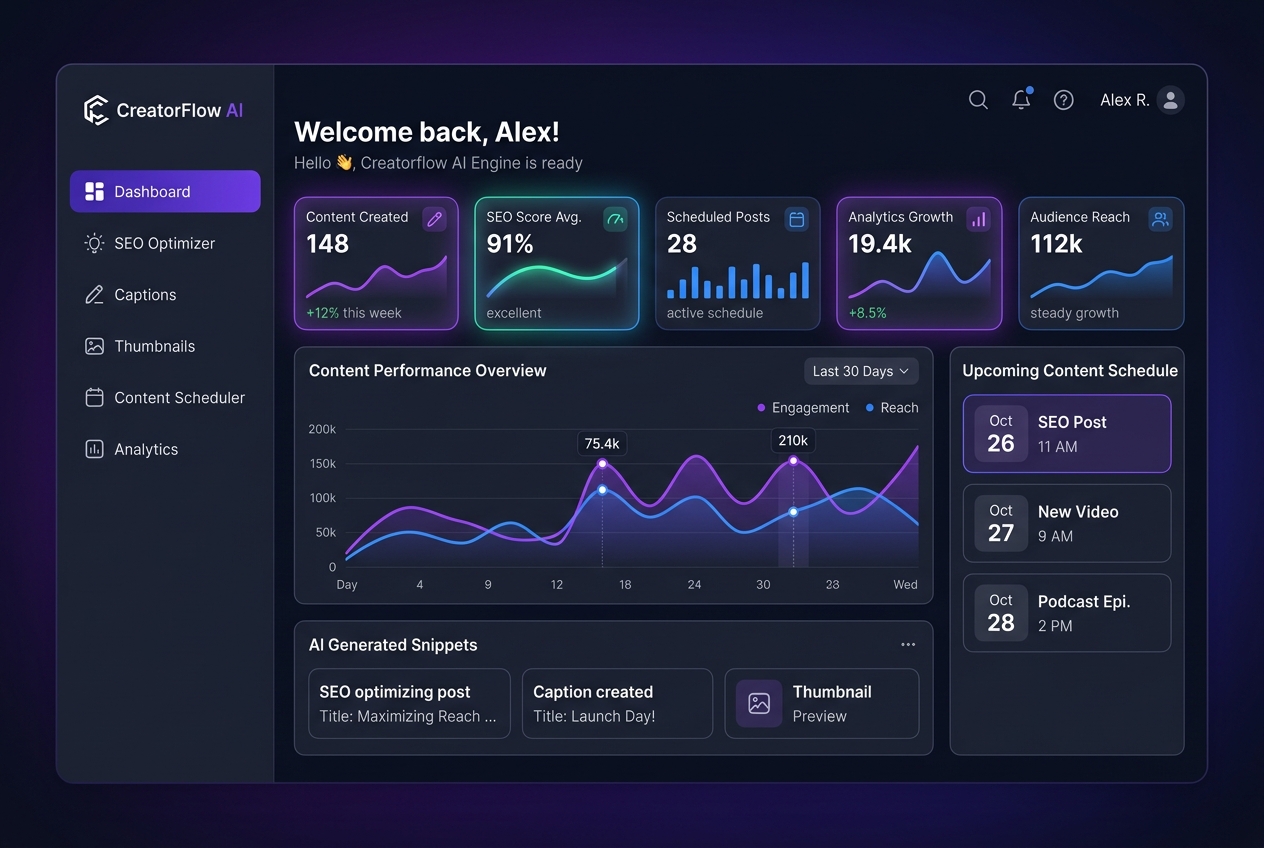
For solo content creators and small media teams, creating the actual content is often only 30% of the job. The remaining 70% is swallowed by tedious, fragmented post-production tasks: calculating SEO search keywords, rewriting metadata for YouTube and social algorithms, generating timestamped captions (.srt/.vtt) by hand, agonizing over thumbnail click-through-rate (CTR) formulas, and trying to decipher when the audience is actually online.
We built **CreatorFlow AI** to eliminate this post-production friction. Our goal was simple: provide an all-in-
one, unified AI automation engine where creators can turn a raw topic or video script into an entire publication- ready release package in just a single click.
What it does
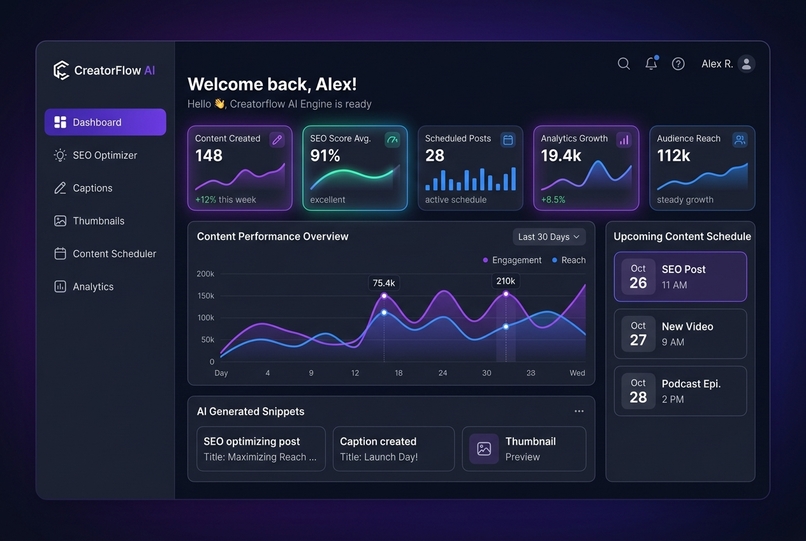
CreatorFlow AI automates the 5 most critical bottlenecks in the creator workflow:
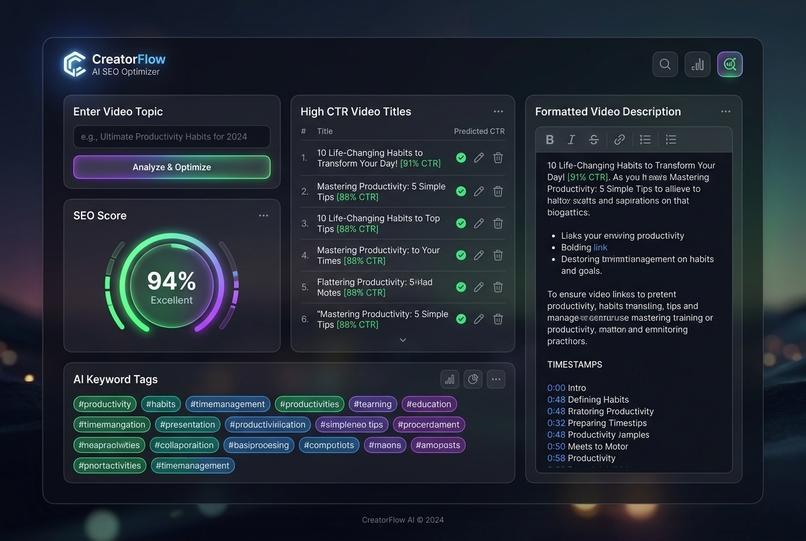
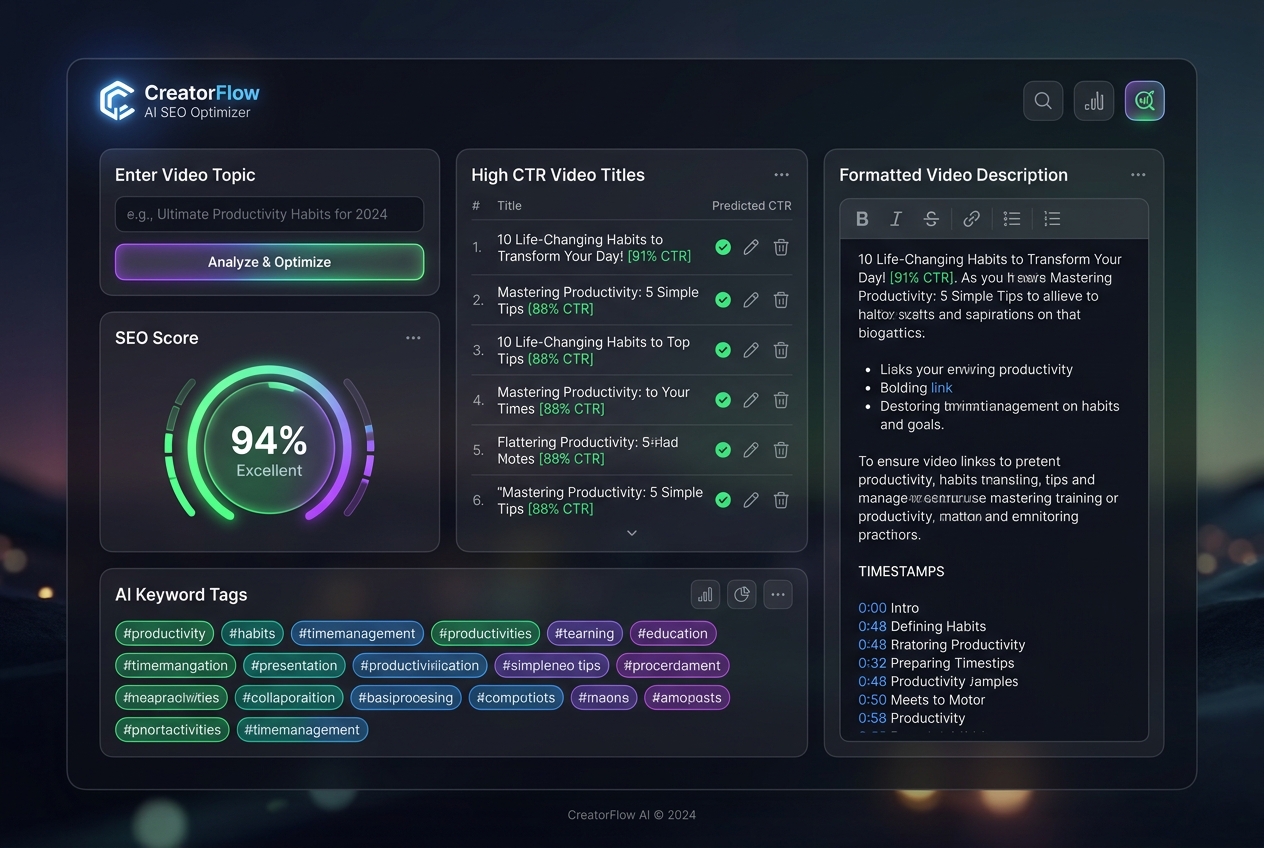
1. **AI SEO Optimizer**: Evaluates video topics and niches to calculate a real-time SEO Score (0–100%). It
produces tested, high-CTR title variations, auto-generates structured YouTube descriptions complete with chapter
timestamps, and extracts search-ranked tags and hashtags.
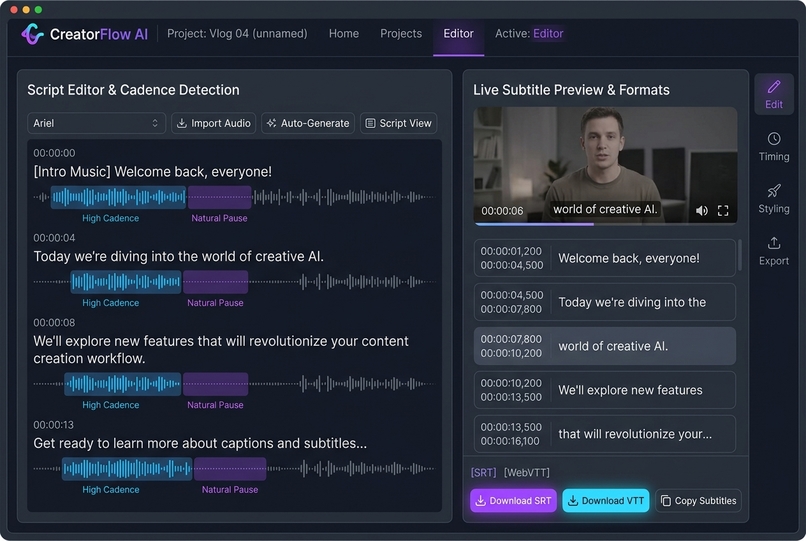
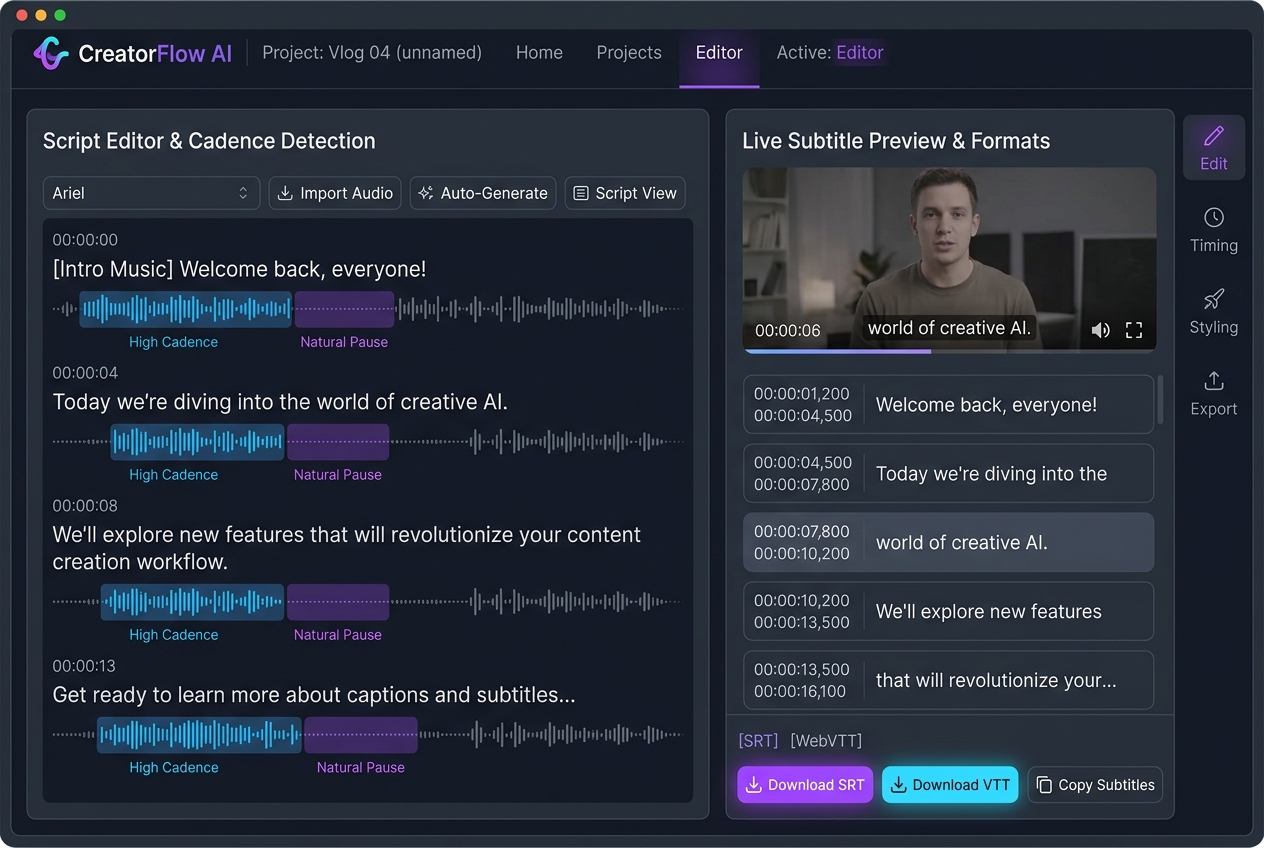
2. Auto-Cadence Caption Generator: Takes raw spoken scripts and computes cadence-aware timestamps based on
natural speech pacing (120/150/180 WPM). Creators can preview subtitles in real time and download standard .srt
or .vtt files ready for direct import into YouTube, TikTok, or Premiere Pro.
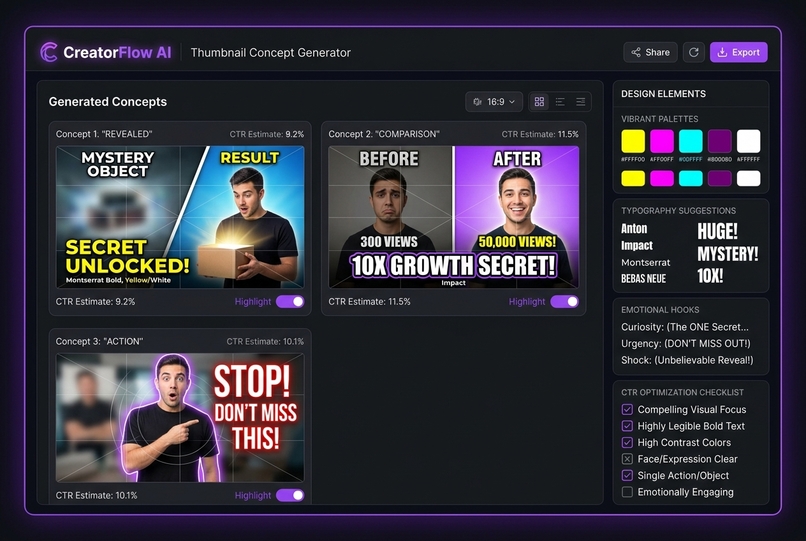
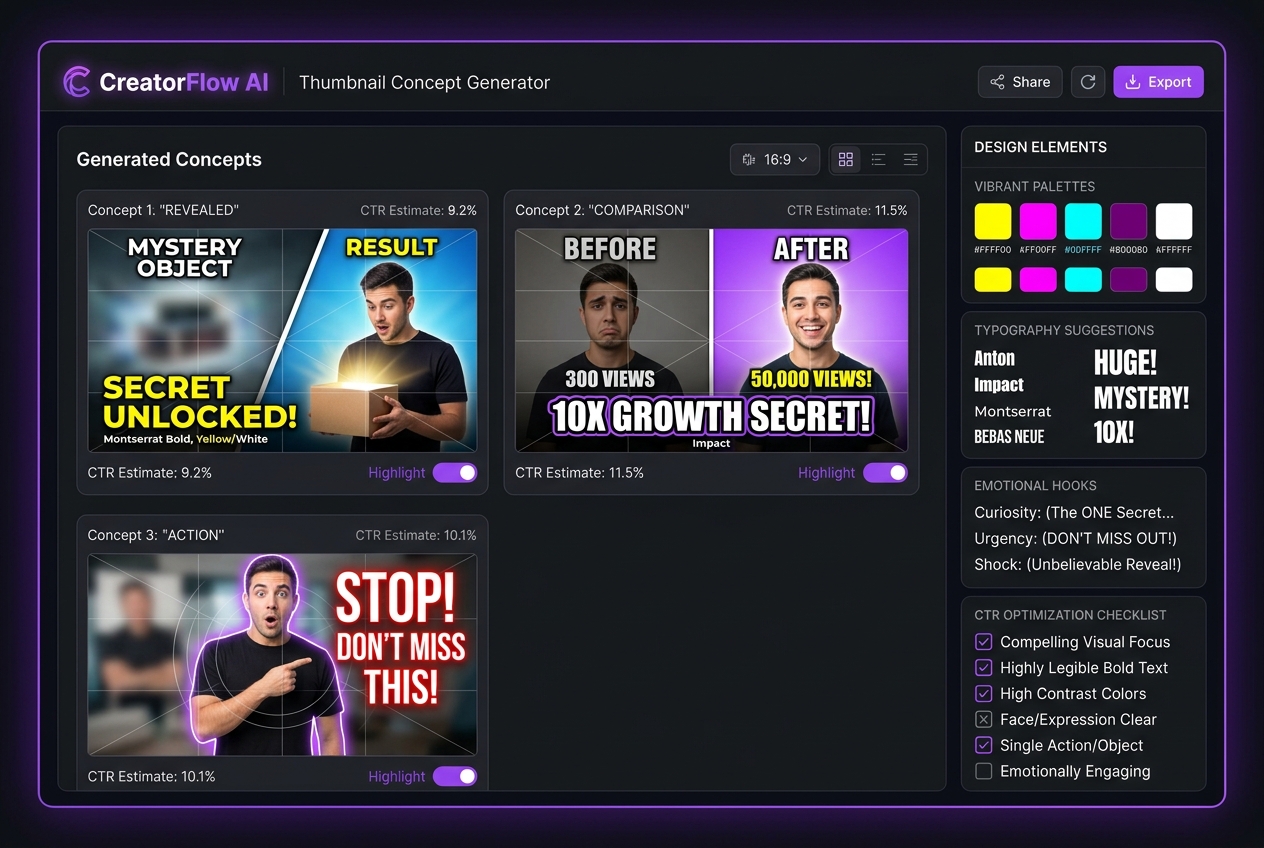
3. Thumbnail Concept Studio: Overcomes creator's block by generating psychological thumbnail blueprints —
detailing split-screen/reaction layouts, contrast color palettes with exact hex codes, high-impact font pairings,
and emotional hook formulas.
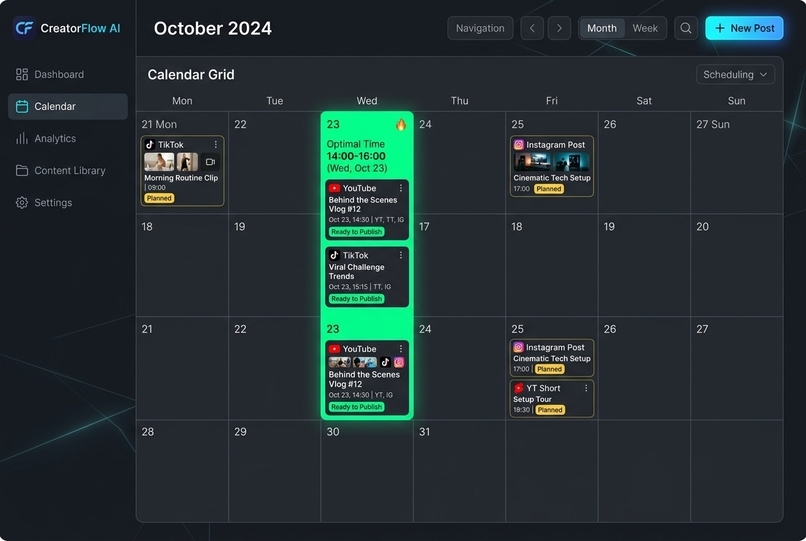
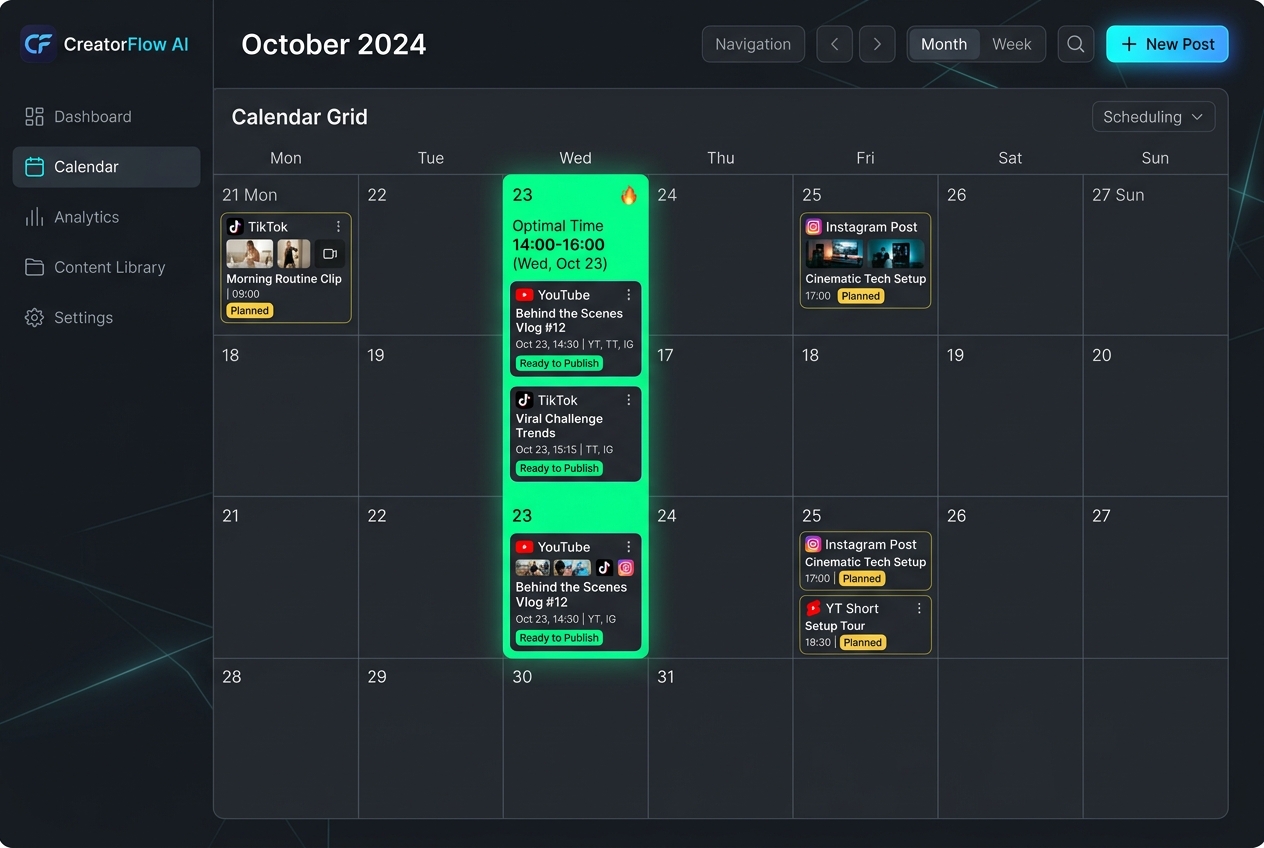
4. Content Scheduler & Peak Windows: Generates an actionable multi-week publishing calendar mapped against
audience activity heatmaps (highlighting peak upload hours like Wednesday 14:00–16:00) across YouTube, TikTok, and
Instagram.
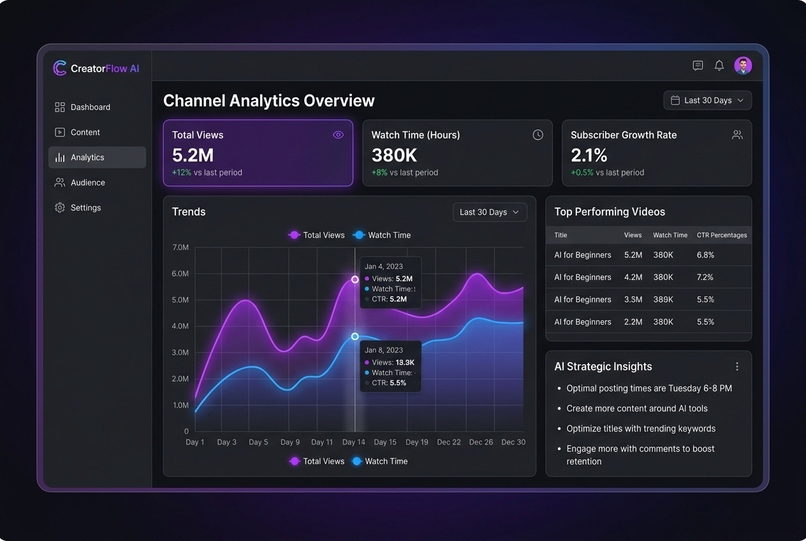
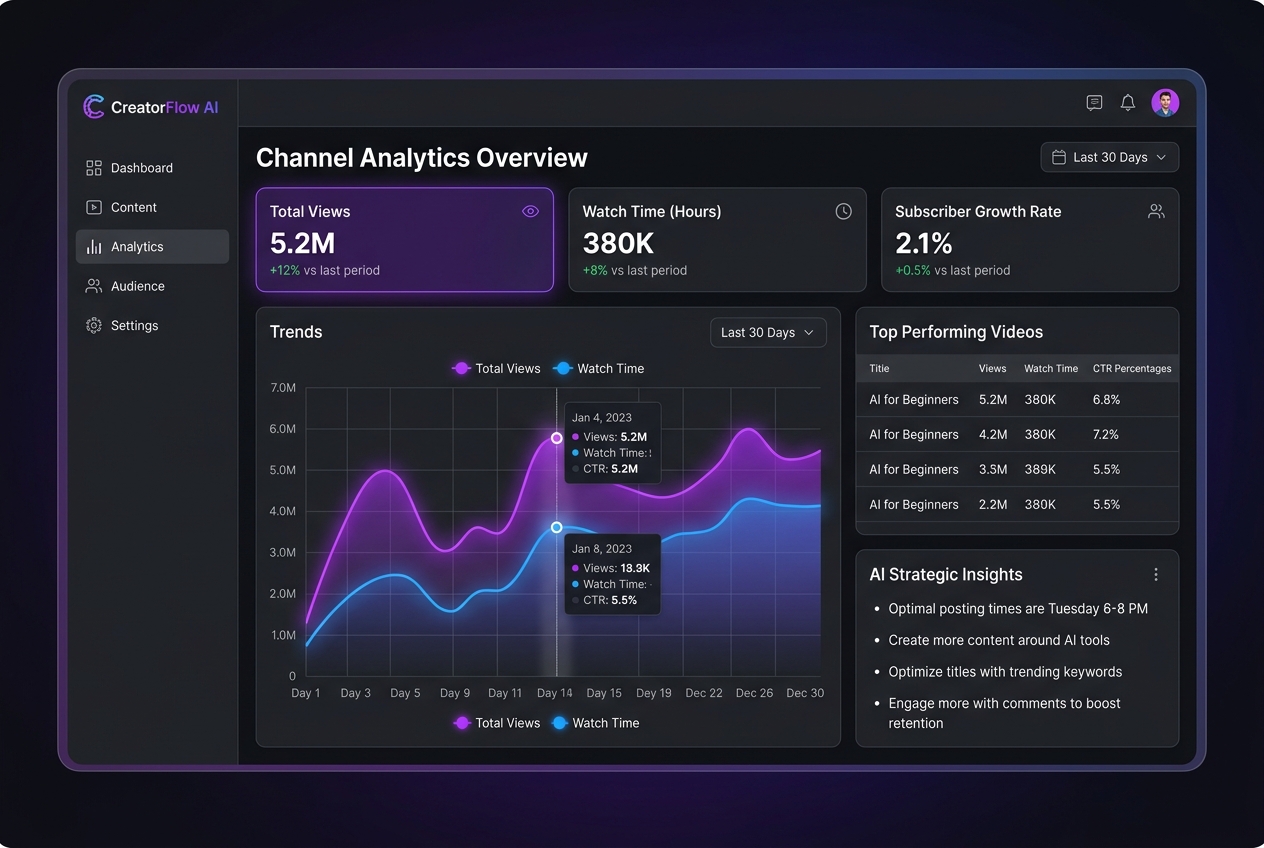
5. Channel Analytics & AI Insights: Provides an 8-week performance trend tracker, engagement visualizers, top
video leaderboards, and algorithmic recommendations on what content to produce next.
How we built it
- Backend: Built with FastAPI (Python 3.11) providing fast, asynchronous API endpoints for SEO parsing,
keyword extraction, cadence-based subtitle timing calculations, and scheduling engines.
- Frontend: A modern, responsive dark-mode glassmorphism interface engineered with HTML5, Tailwind CSS, and Chart.js for live data visualization.
- Containerization & Deployment: Packaged into a lightweight Docker image and deployed to Fly.io
(
https://creatorflow-ai.fly.dev) on dedicated internal port8090with full IPv4/IPv6 public ingress. - Open Source: Version-controlled and published to GitHub with complete setup instructions, API docs, and architecture walkthroughs. ## Challenges we ran into
- Accurate Subtitle Cadence Timing: Converting unformatted text scripts into realistic
.srttimestamp intervals without relying on heavy external speech-to-text models required designing an algorithmic syllable and word-cadence calculator that dynamically handles punctuation pauses and subtitle character wrapping.- Real-Time Deployment & Port Isolation: Ensuring the app deployed cleanly onto Fly.io without conflicting
with other running projects in the organization. We configured custom internal port routing (
8090) and dedicated IP allocations to guarantee high availability and instant spin-up. - Self-Contained Architecture: Building an intelligent content engine that produces high-value, production- ready outputs reliably without exceeding third-party API rate limits or requiring expensive external keys. ## Accomplishments that we're proud of
- Working, Live Full-Stack Tool: Delivering a fully functional, live web application on Fly.io that any creator can open and use right now — not just mockups or static concept slides.
- Real File Exports: Generating actual, standards-compliant
.srtand.vttfiles that creators can immediately upload to their YouTube videos or video editors. - Unified UX: Consolidating five separate tools (SEO tools, caption converters, color pickers, Notion calendars, analytics sheets) into a single cohesive, lightning-fast dashboard. ## What we learned
- Creator workflows thrive on speed and tactile feedback — features like one-click copy buttons, instant file downloads, and animated SEO score rings make creator tools significantly more engaging.
- Standard subtitle formats (
.srtand.vtt) have strict millisecond formatting rules, and getting cadence pacing right makes a huge difference in viewer retention. - Deploying microservices on Fly.io using containerized FastAPI backends enables rapid global distribution with minimal latency. ## What's next for CreatorFlow AI
- Real-Time Deployment & Port Isolation: Ensuring the app deployed cleanly onto Fly.io without conflicting
with other running projects in the organization. We configured custom internal port routing (
- Direct YouTube & TikTok API Publishing: Enabling OAuth login so creators can publish descriptions,
thumbnails, and schedule videos directly to YouTube Studio and TikTok with one tap.
- AI Thumbnail Image Synthesis: Integrating diffusion models to generate the actual 1280×720 thumbnail images directly within the app using the generated blueprint formulas.
- Multi-Language Caption Translation: Automatically translating generated
.srtcaptions into 10+ languages to help creators unlock international audiences. - Audio-Driven Waveform Sync: Allowing creators to drop in their raw
.mp3or.mp4files for automated Whisper-based transcription and millisecond-accurate sync.

Log in or sign up for Devpost to join the conversation.