-
-
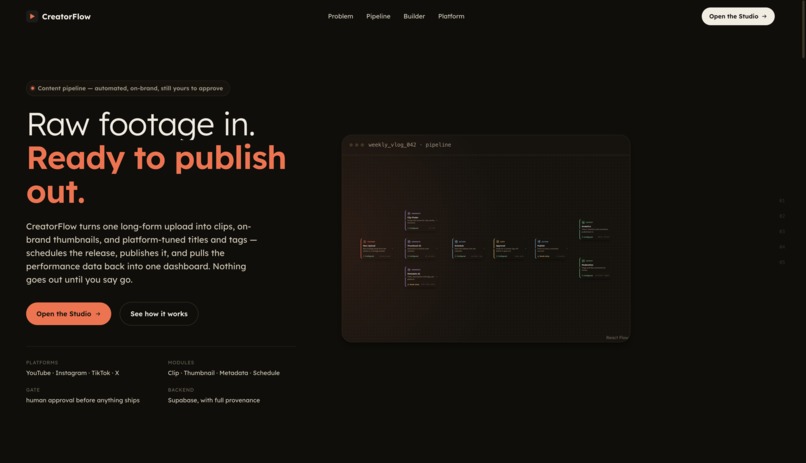
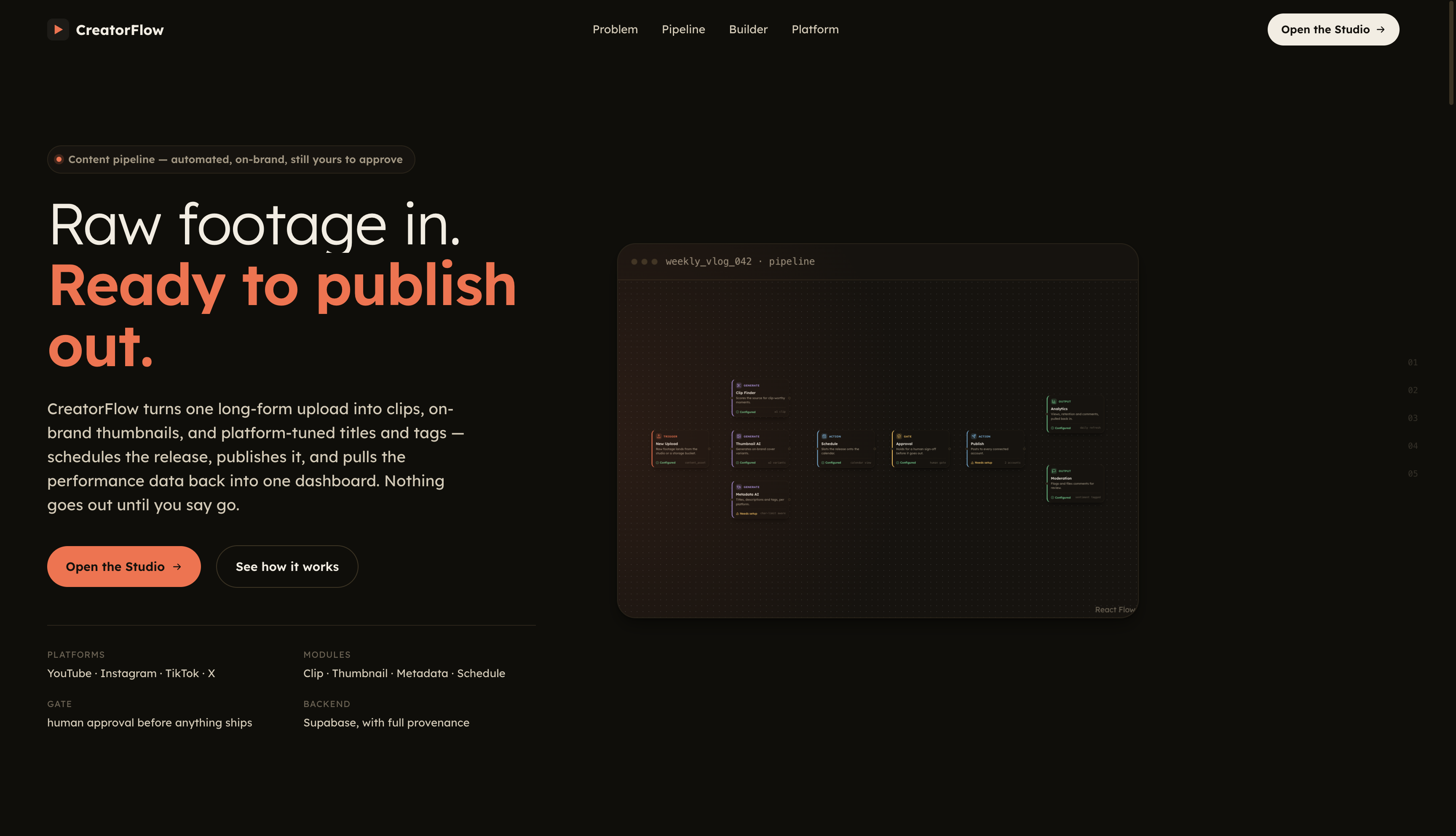
CreatorFlow - Raw footage in. Ready to publish out.
-
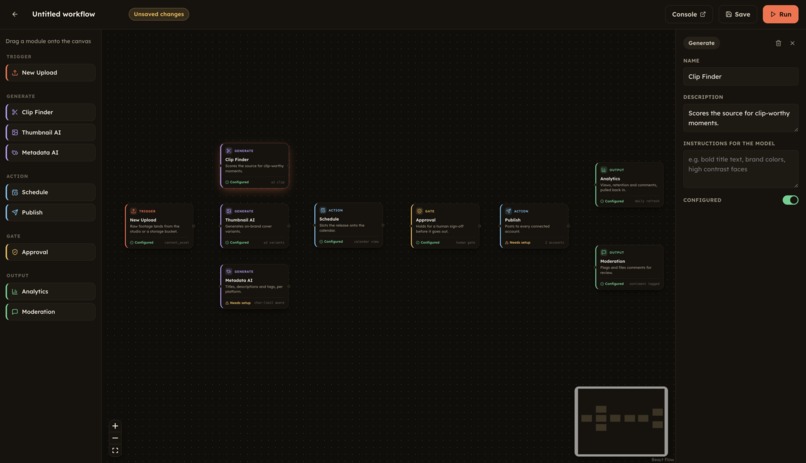
Flexible node configurations
-
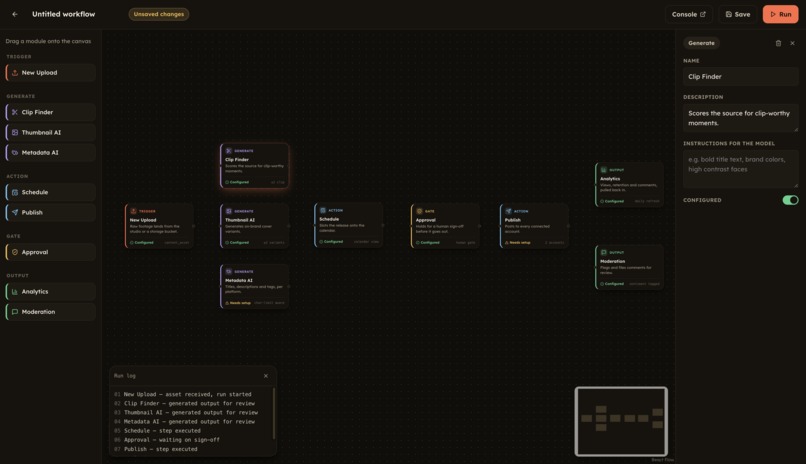
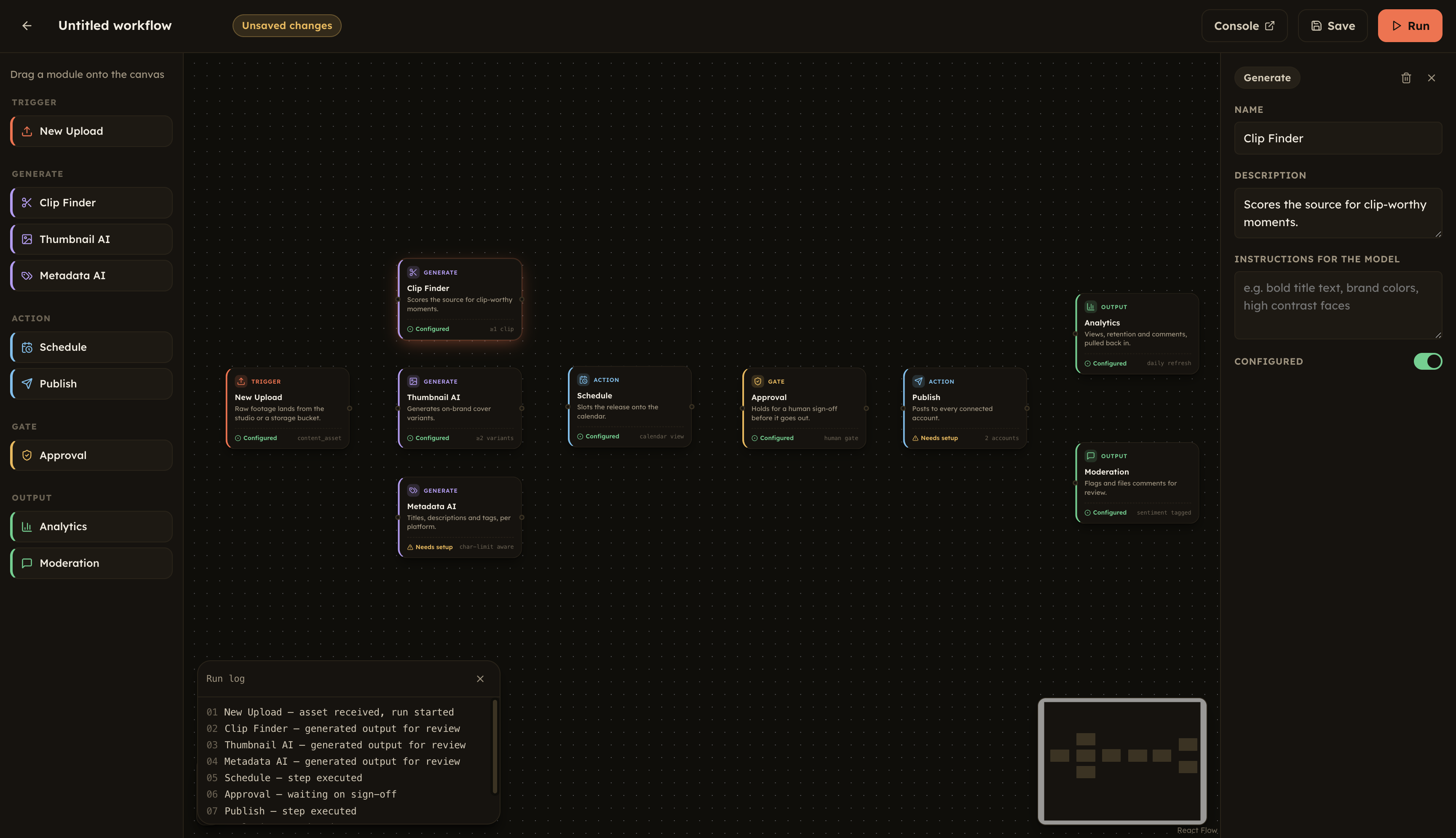
Running nodes altogether with live log updates
-
-
-
CreatorFlow
What is CreatorFlow?
Creating content is only half the job for a creator.
The other half is everything that happens after the video is finished: coming up with a good title, writing the description, making a thumbnail, finding the right time to publish, managing comments, and finally figuring out whether the post actually performed.
We built CreatorFlow to bring that entire workflow into one place.
The idea is simple:
Upload your content once. Let CreatorFlow handle the repetitive work around it.
Instead of jumping between an editor, an AI chatbot, a thumbnail tool, YouTube Studio, analytics dashboards, and automation tools, creators get one workspace where the process happens step by step.
What can CreatorFlow do?
AI-powered content preparation
Once content is uploaded, CreatorFlow can generate the supporting content needed to publish it:
- Titles
- Descriptions
- Captions
- Tags and hashtags
- SEO suggestions
- Multiple content variations
We use an LLM through OpenRouter for the text generation layer, while keeping the generated output editable so the creator remains in control.
The goal isn't to replace the creator's voice. It's to remove the blank-page problem and the repetitive work around publishing.
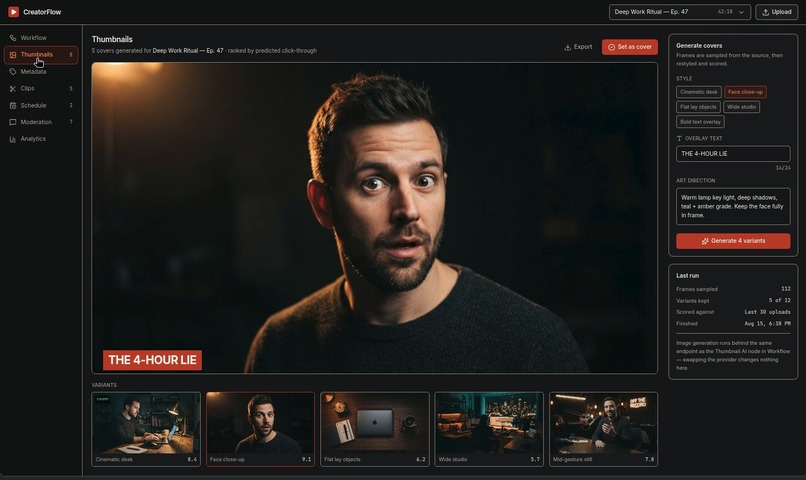
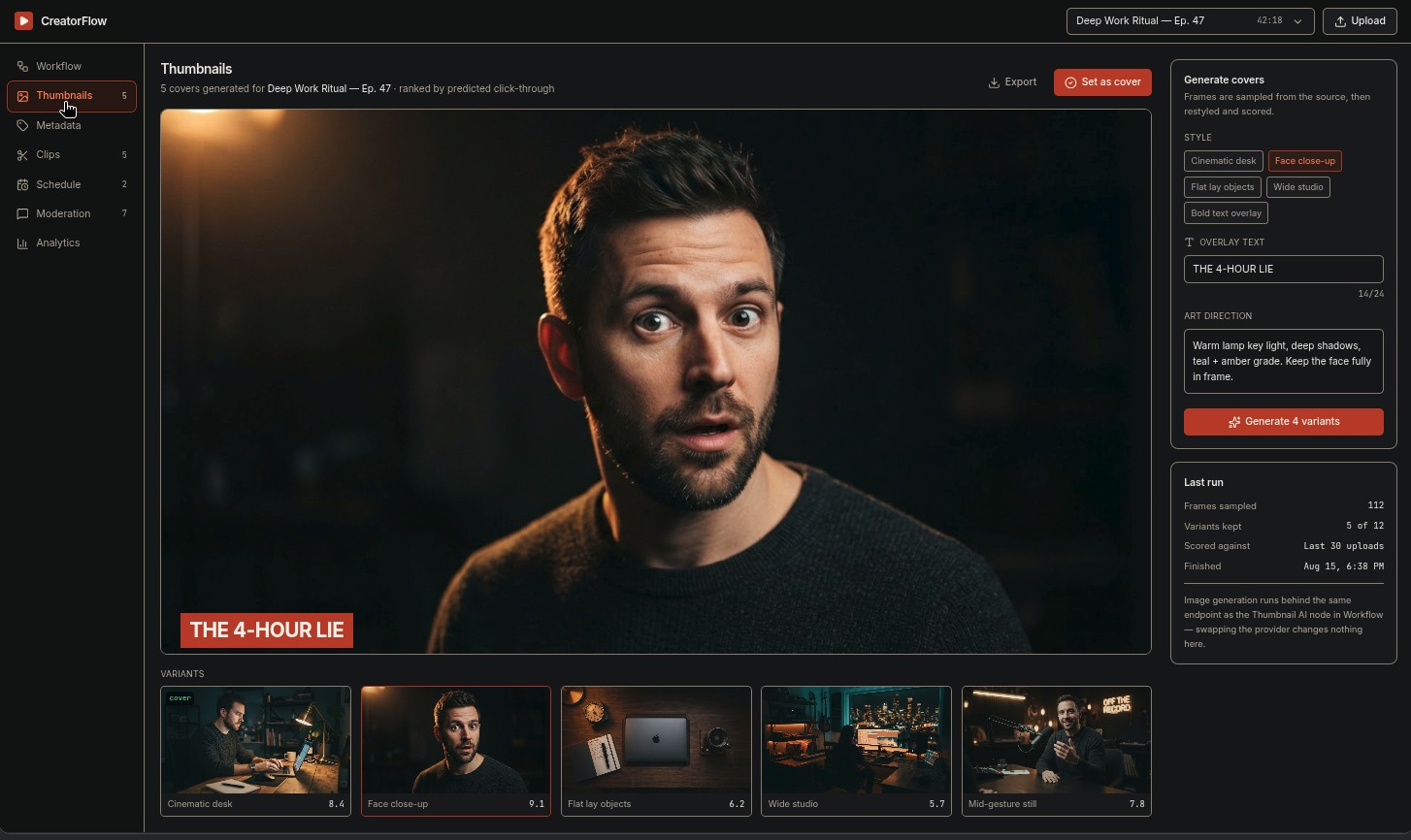
Thumbnail generation
Creators can generate thumbnail variations and select the one they want to use.
The thumbnail is treated as part of the same publishing workflow rather than as a separate tool.
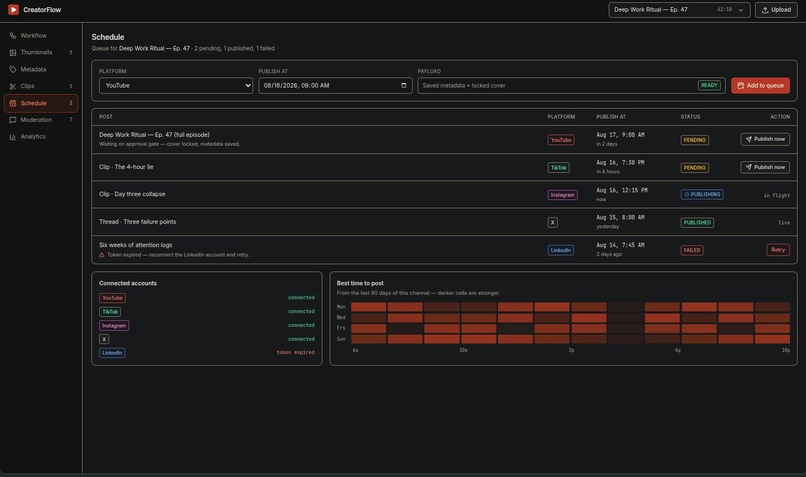
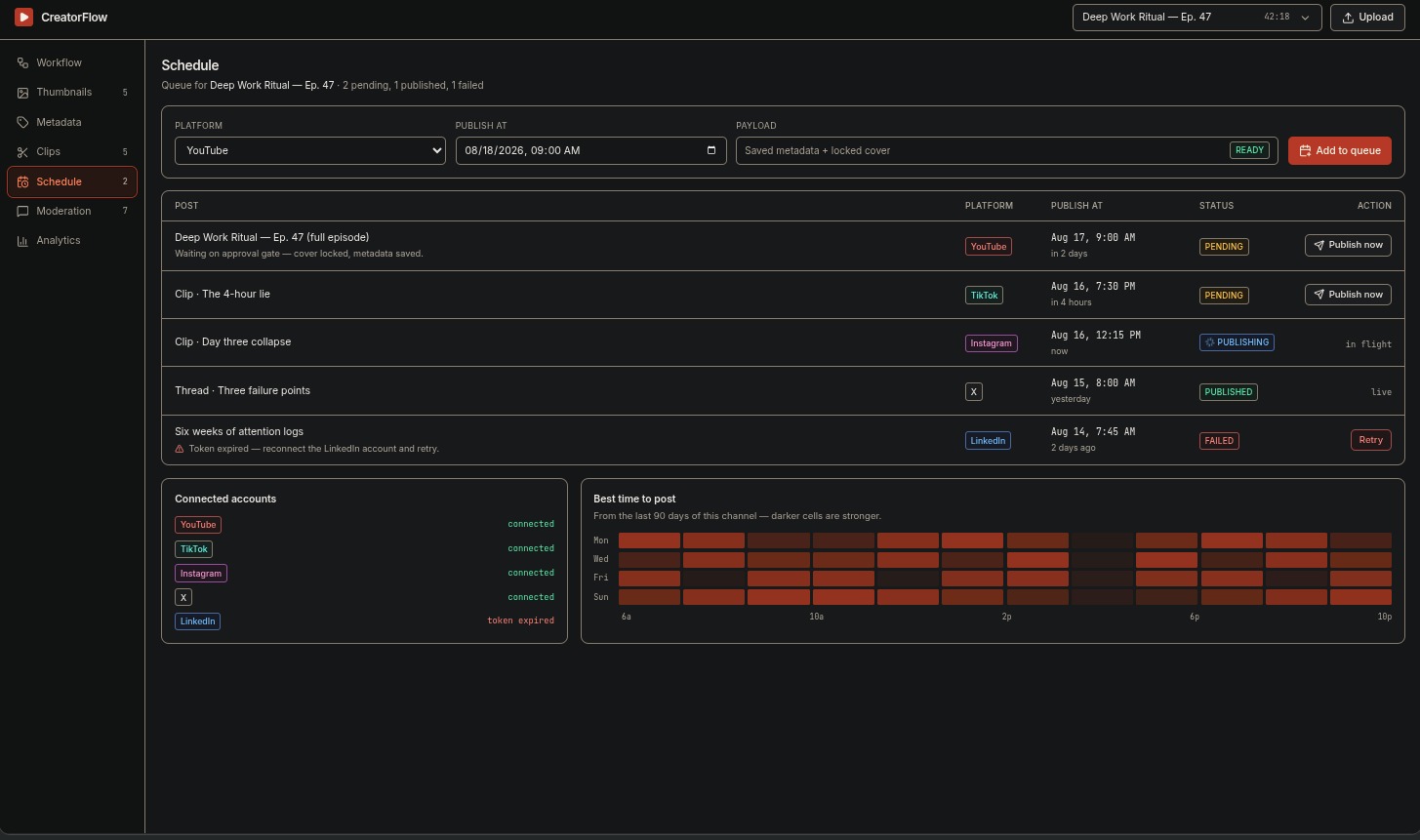
Publishing and scheduling
CreatorFlow connects to the creator's social account and turns the prepared content into an actual publishing workflow.
For the MVP, we focus deeply on YouTube rather than pretending to support every platform equally.
A creator can prepare the content, choose the publishing time, and send it through the workflow without leaving CreatorFlow.
Analytics
After publishing, CreatorFlow brings performance data back into the same workspace.
Instead of simply showing raw numbers, the dashboard gives the creator a place to see how the published content is performing and connect that information back to the content they created.
Comment moderation
Comments can be analyzed with AI to help identify sentiment and potentially problematic content.
This gives creators a way to deal with large comment sections without manually reviewing everything.
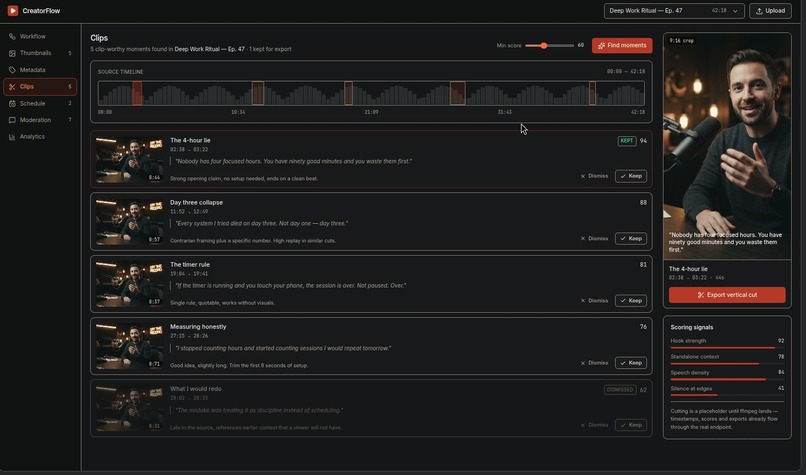
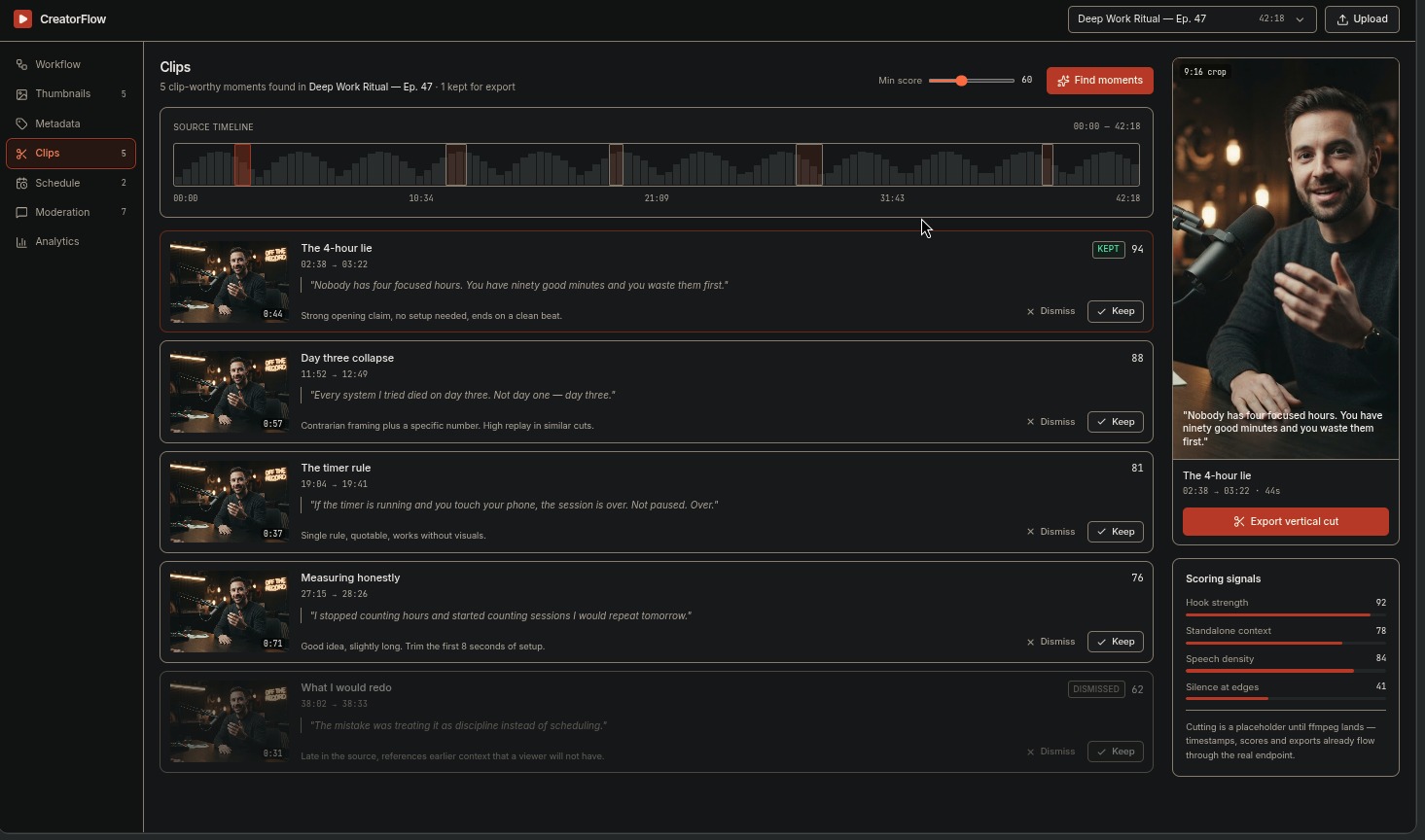
Automatic clips
Long-form content can also be turned into shorter clips using media processing and AI-assisted selection.
This creates another path from one piece of content to multiple publishable pieces.
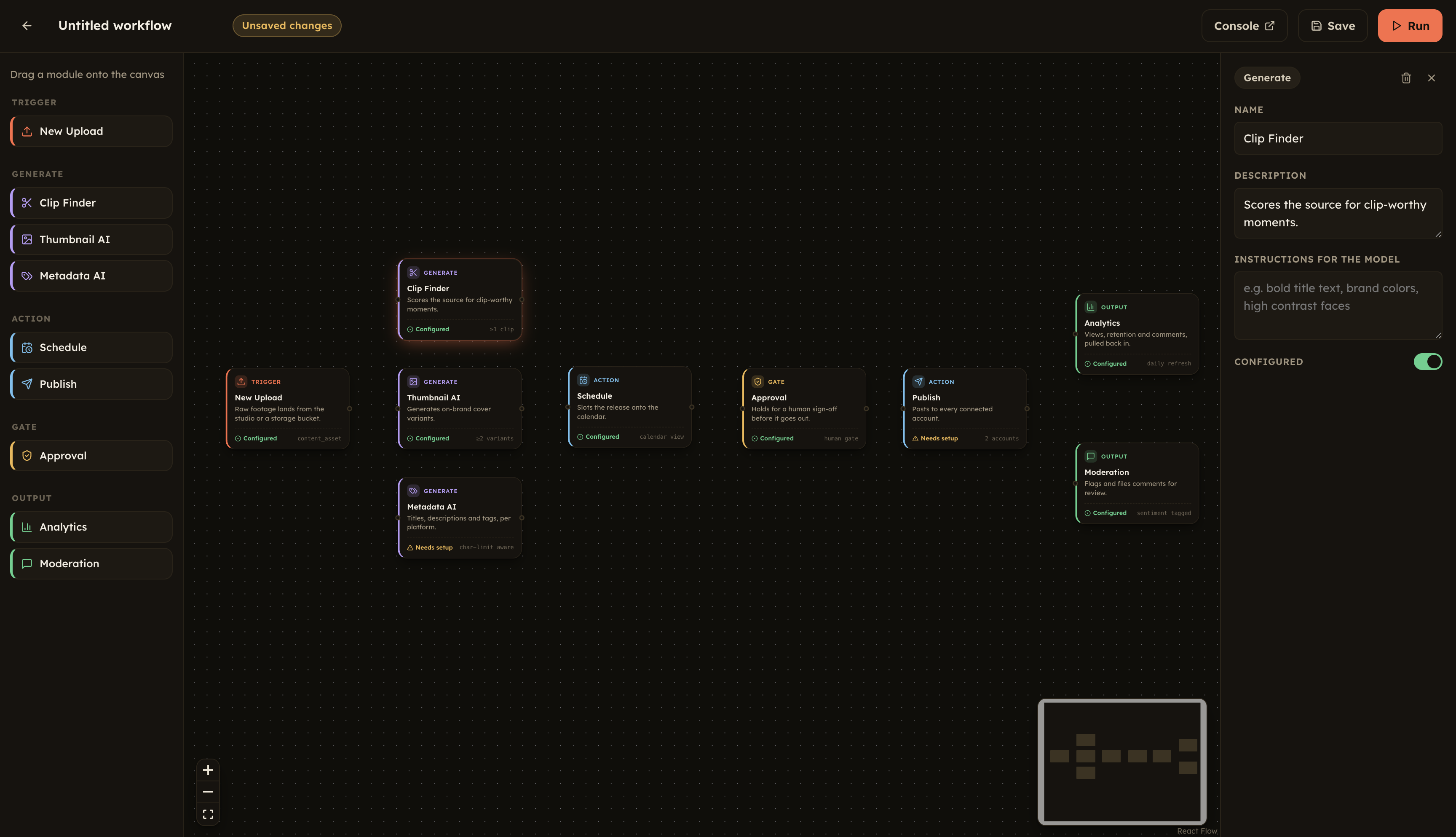
The part we're most excited about: the live workflow
We didn't want automation to feel like a black box.
When a creator starts a process, CreatorFlow exposes the individual steps as a live workflow.
For example:
Upload Content
      ↓
Analyze
      ↓
Generate Metadata
      ↓
Generate Thumbnail
      ↓
Prepare for Publishing
      ↓
Publish / Schedule
      ↓
Collect Analytics
Each step has its own state, so the creator can see what is currently running, what has completed, and where something needs attention.
Under the hood, we use n8n to orchestrate these workflows. CreatorFlow presents the execution state inside its own interface rather than exposing the underlying automation tooling.
This makes the automation understandable instead of hiding it behind a single loading spinner.
How we built it
The MVP is intentionally built around managed services so we could spend our time on the product rather than infrastructure.
Core stack
- React + Vite + TypeScript — frontend
- Supabase — authentication, PostgreSQL database, storage, and backend services
- n8n — workflow orchestration
- OpenRouter — LLM access for content generation and AI analysis
- YouTube Data API — publishing and analytics
- FFmpeg — video processing and clip generation
- Image generation API — thumbnail generation
The architecture is modular: each capability is treated as a separate part of the content workflow rather than a collection of unrelated AI features.
Why we built it this way
There are already hundreds of tools that can generate a title, create an image, analyze comments, or schedule a post.
The problem is that creators still have to connect all of those tools themselves.
The real friction is the workflow between them.
CreatorFlow focuses on that missing layer:
[ \text{Content} \rightarrow \text{Preparation} \rightarrow \text{Publishing} \rightarrow \text{Feedback} ]
The output of one step becomes the input for the next.
That is what makes CreatorFlow more useful than simply putting several AI buttons on a dashboard.
What makes the MVP different?
We made one deliberate tradeoff: depth over breadth.
Rather than building shallow integrations for every social platform, we built the workflow around YouTube and made the architecture extensible for additional platforms later.
The same workflow model can eventually support:
- TikTok
- Other publishing platforms
without changing the fundamental creator experience.
Challenges we faced
The hardest part wasn't calling an LLM.
It was making all the different pieces behave like one system.
A content generation request can take time. A video can take time to process. An external API can fail. A publishing request can be retried. Analytics are only available after something has actually been published.
That meant we needed to treat each operation as a workflow with an explicit state rather than assuming every API call would immediately succeed.
The live workflow view came directly from this problem.
If automation is going to perform several steps on behalf of a creator, the creator should be able to see what is happening.
What's next?
The MVP gives us the foundation for a much larger creator operating system.
The next steps would be:
- More social platform connectors
- Smarter content repurposing
- Better clip detection
- Deeper analytics and recommendations
- More advanced moderation actions
- Creator-specific brand voice and style
- Cross-platform publishing
The long-term goal is straightforward:
Give creators one place to turn an idea into content, distribute it, and learn from what happens next.
Built for the hackathon
CreatorFlow was built as an MVP with one question in mind:
What if the tedious parts of being a creator could happen automatically, while the creator still stays in control?
That's the problem we're trying to solve.


Log in or sign up for Devpost to join the conversation.