-
-
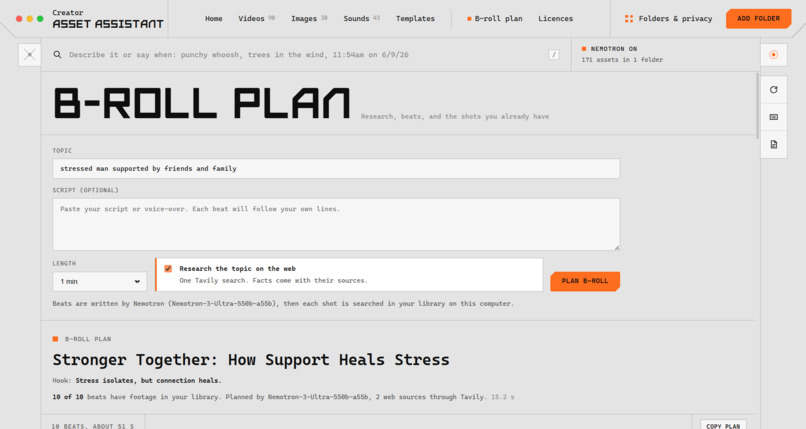
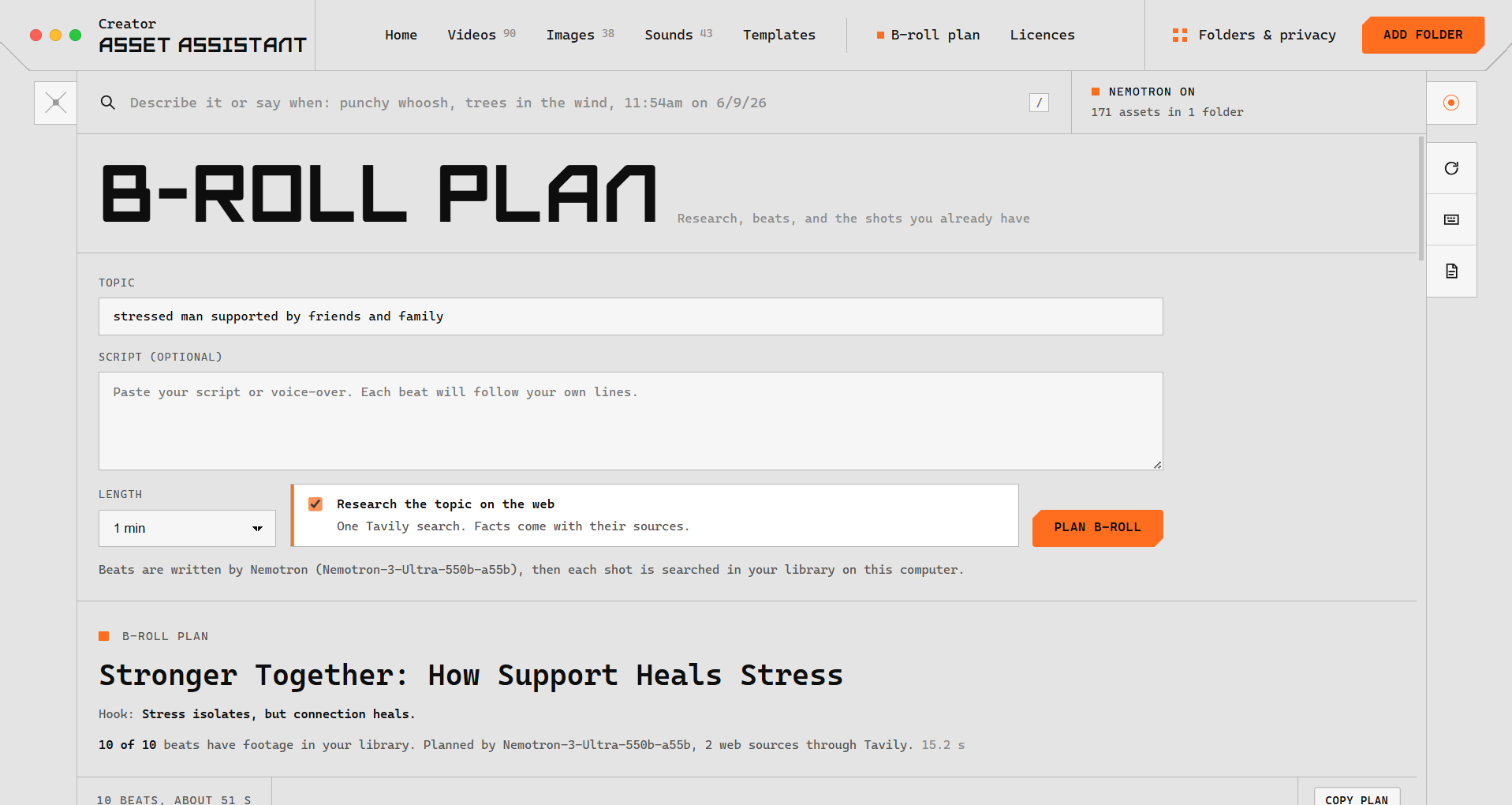
B-roll Plan generator interface with topic entry, script input, web research toggle via Tavily, and Nemotron plan summary.
-
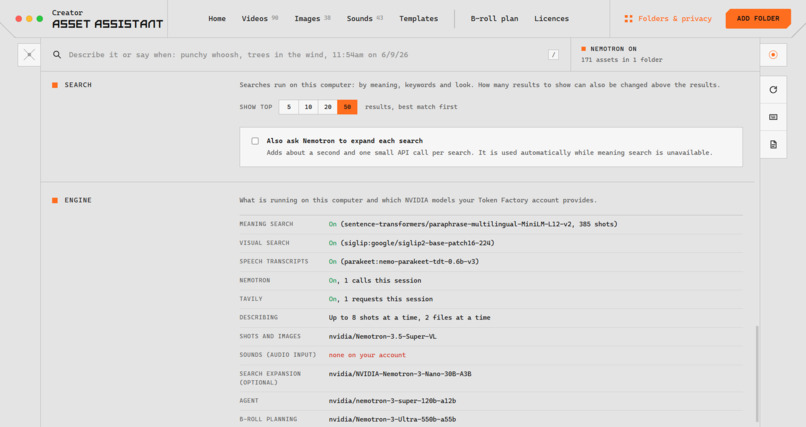
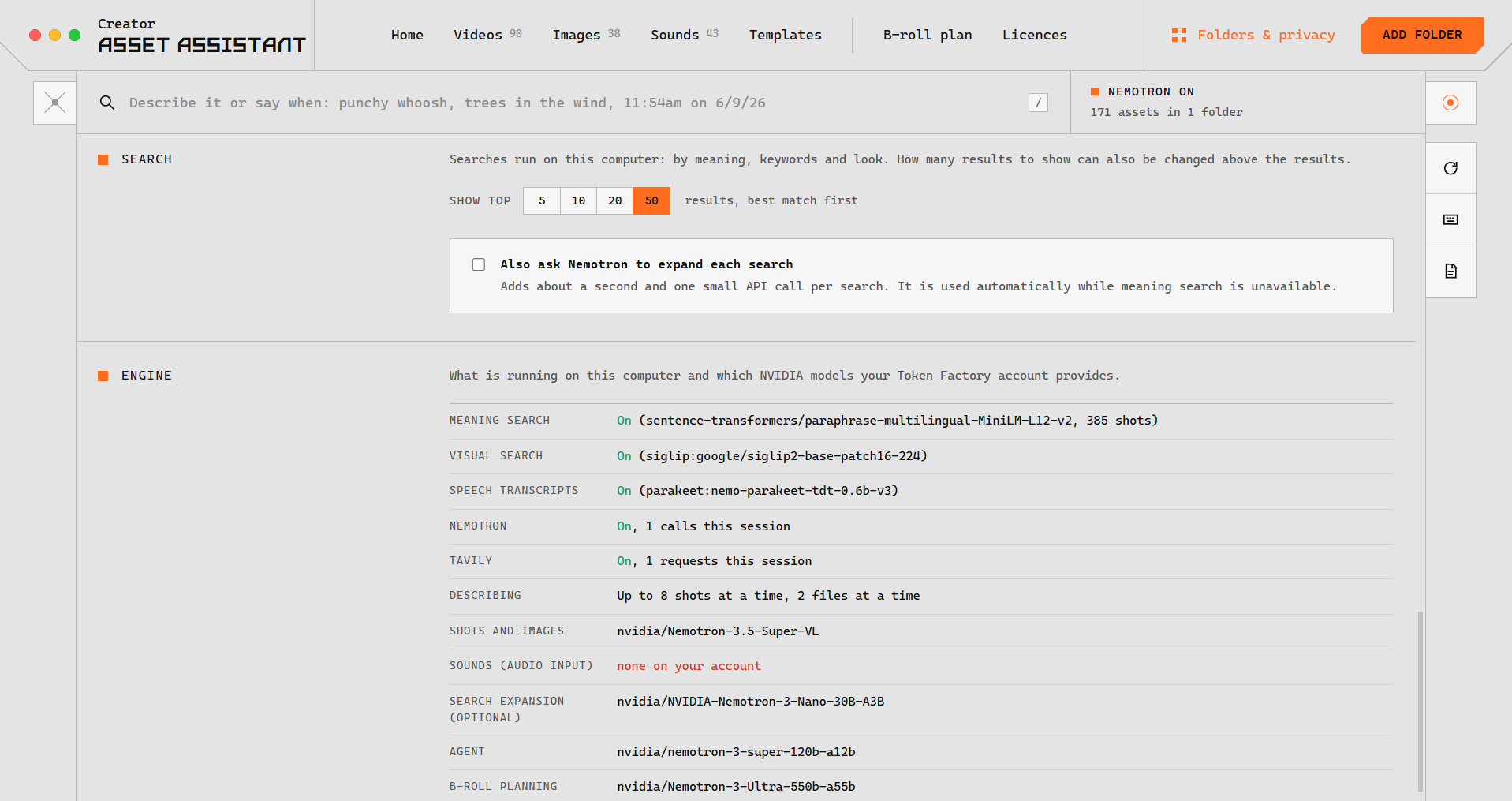
Engine settings tab showing configured AI models including MiniLM, SigLIP2, Parakeet, and NVIDIA Nemotron endpoints.
-
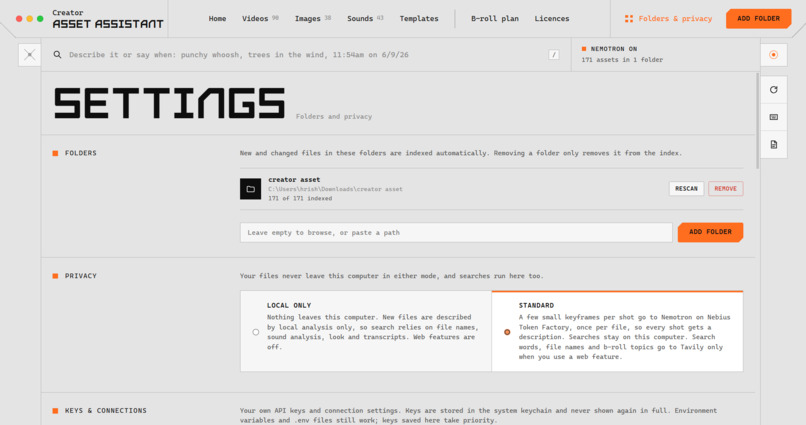
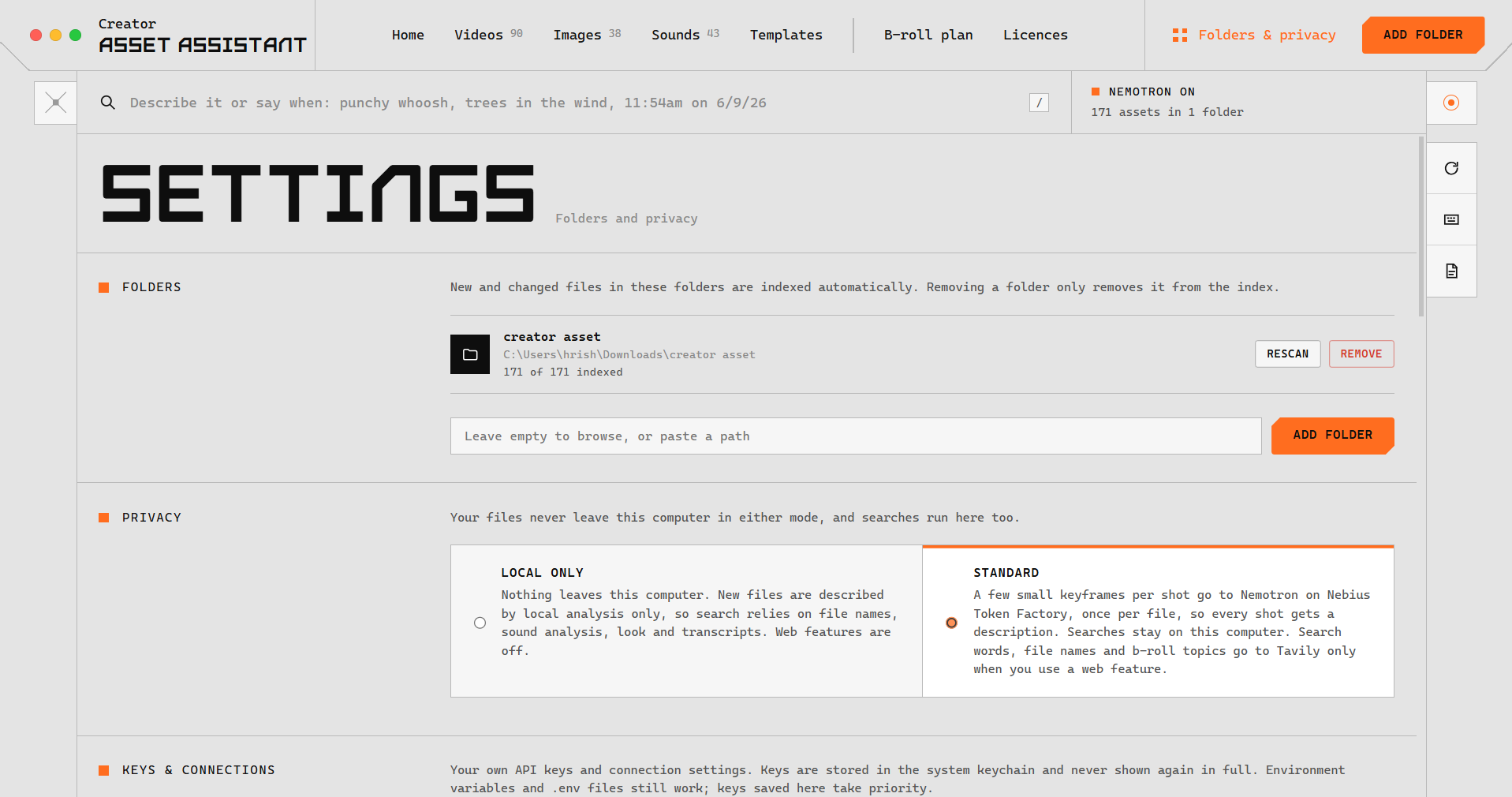
Settings page showing indexed folder paths (171 files) and privacy mode selection between Local Only and Standard.
-
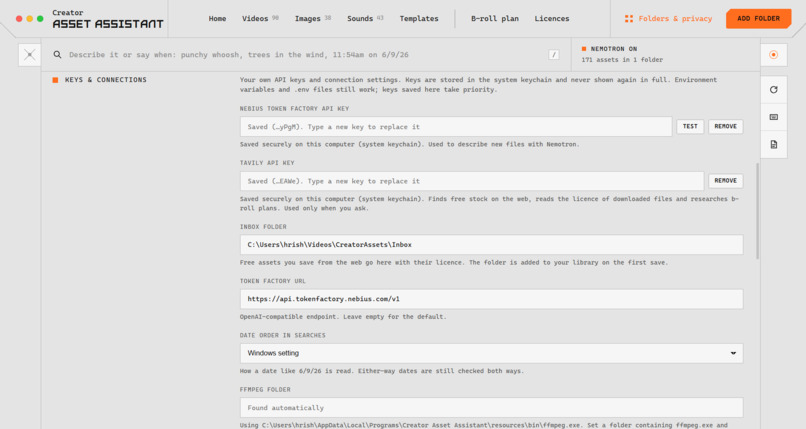
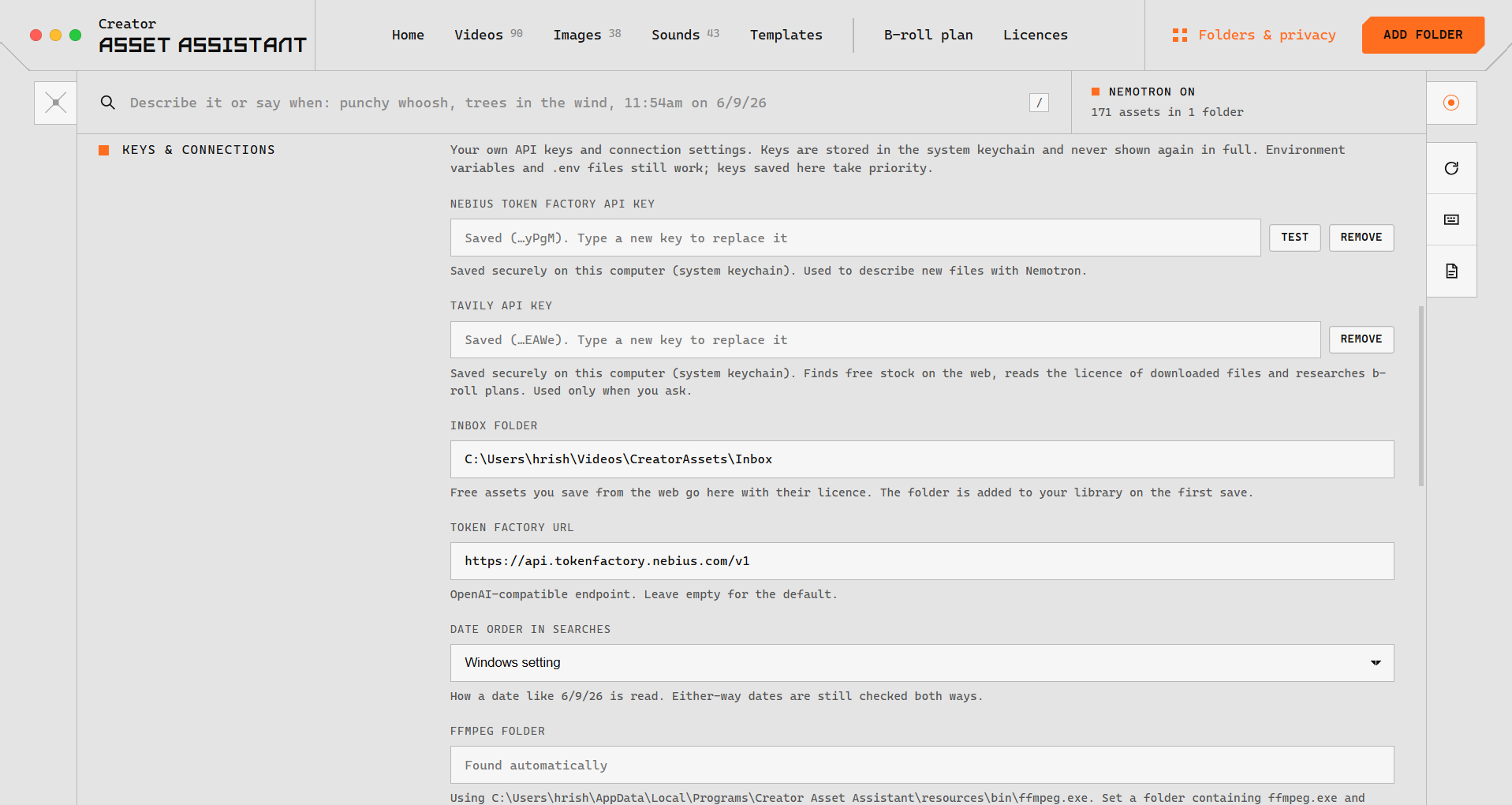
Keys & Connections settings displaying API keys for Nebius Token Factory and Tavily, inbox folder path, and FFmpeg location.
-
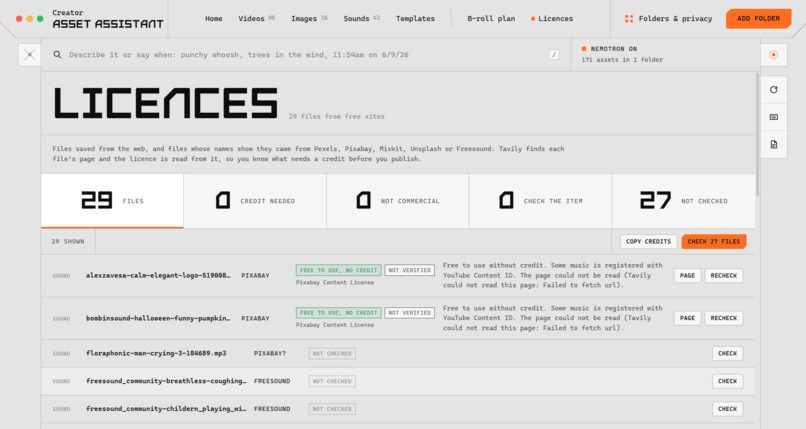
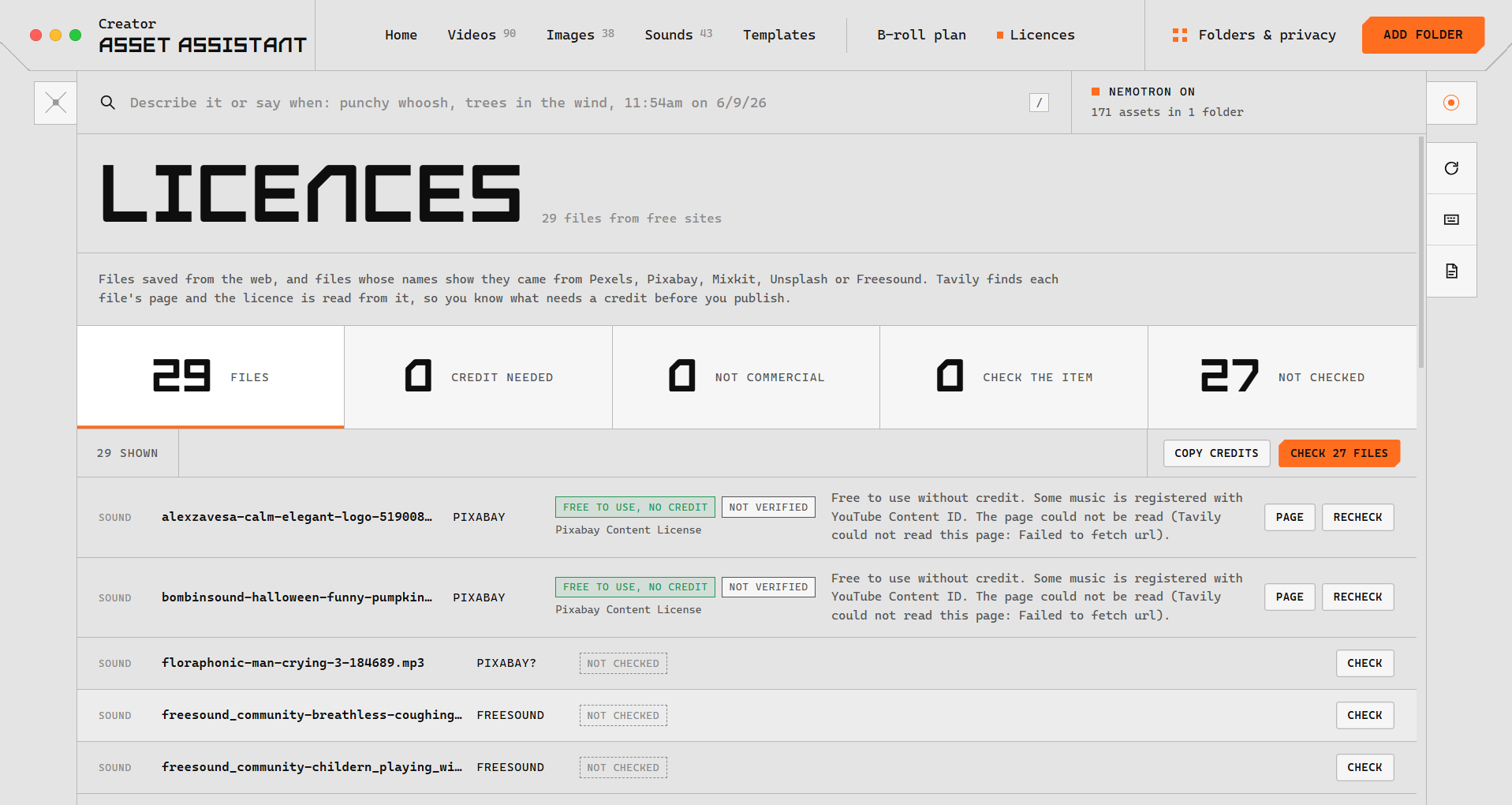
Licenses tab showing tracking for 29 free web files, license status summaries, and attribution verification for Pixabay/Freesound.
-
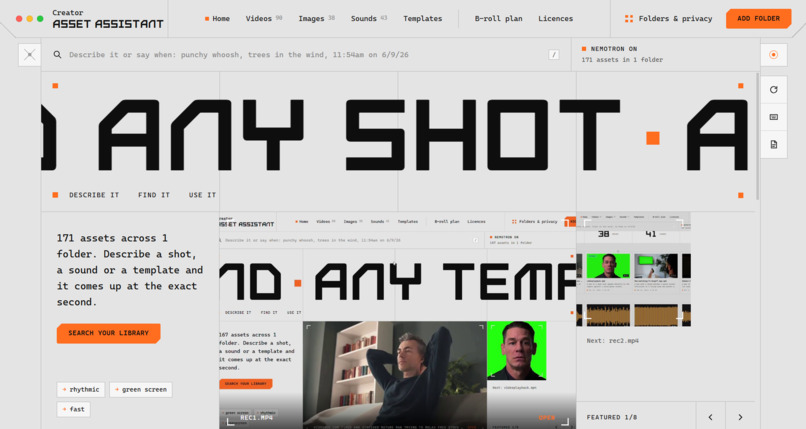
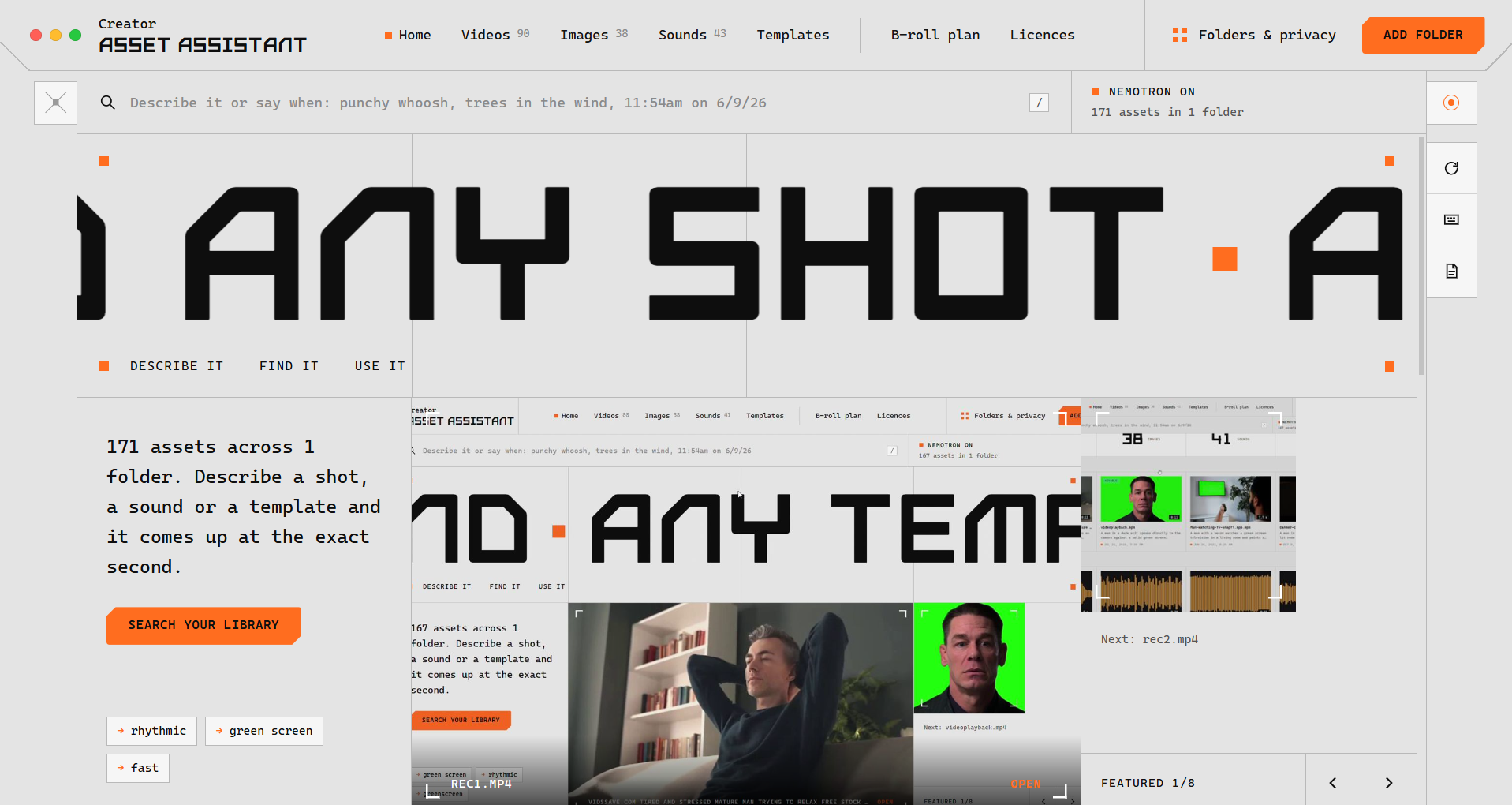
Home tab
-
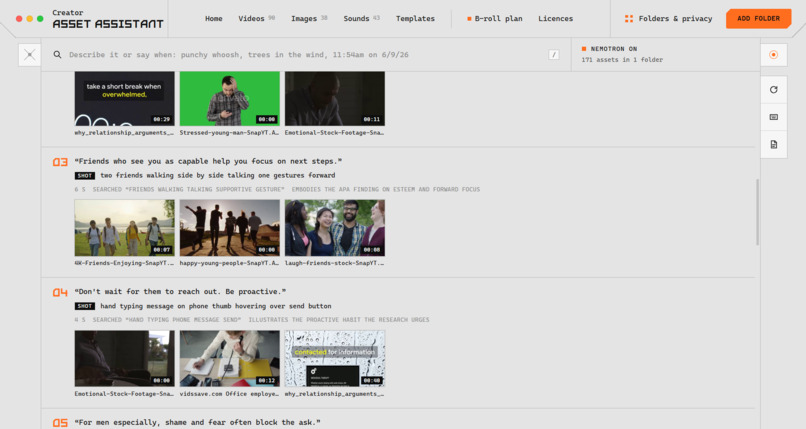
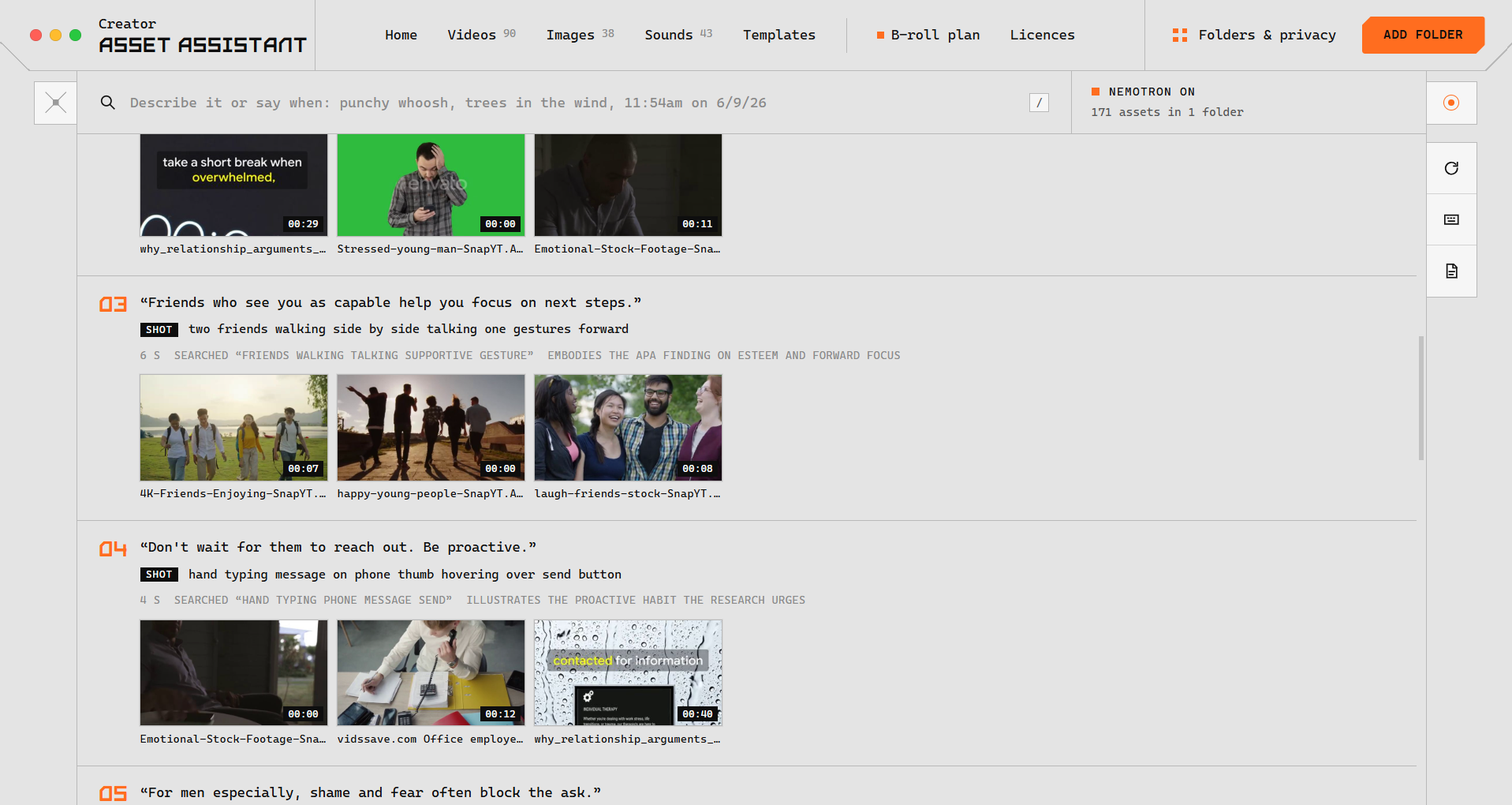
B-roll plan results displaying generated script beats, search criteria, and matching video thumbnails from the local library.
-
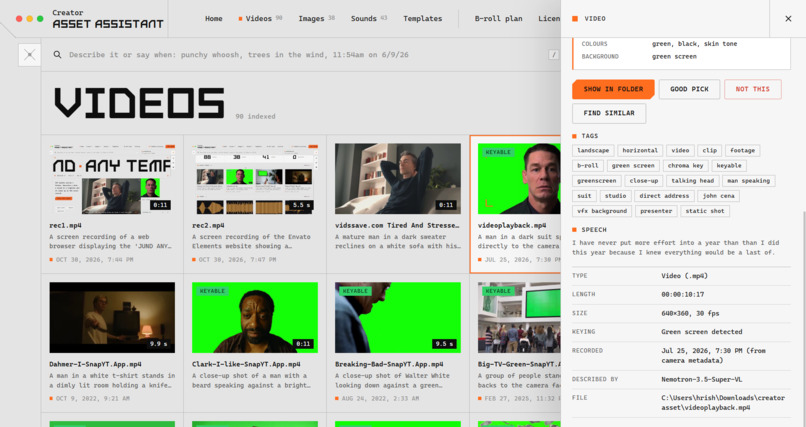
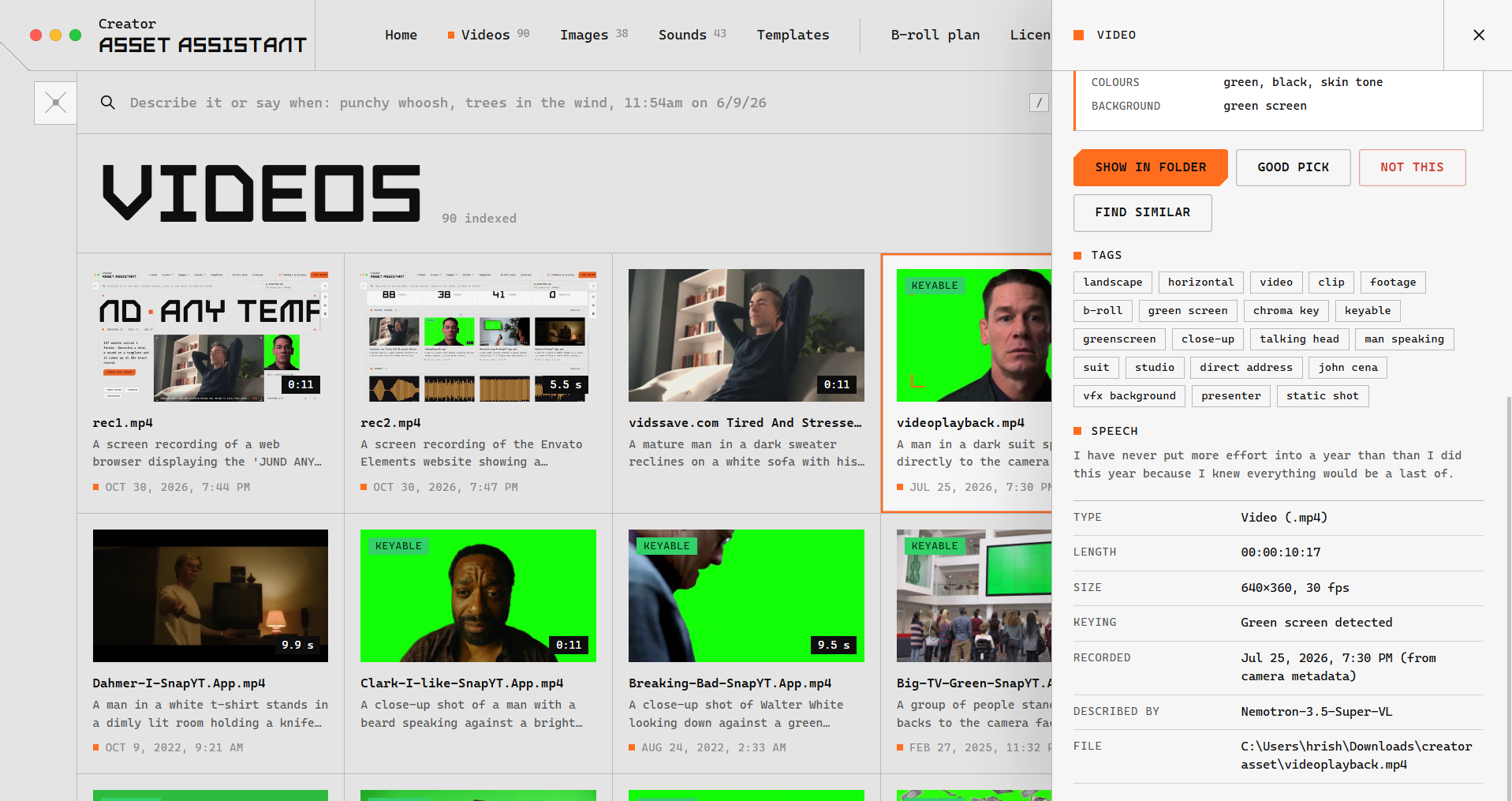
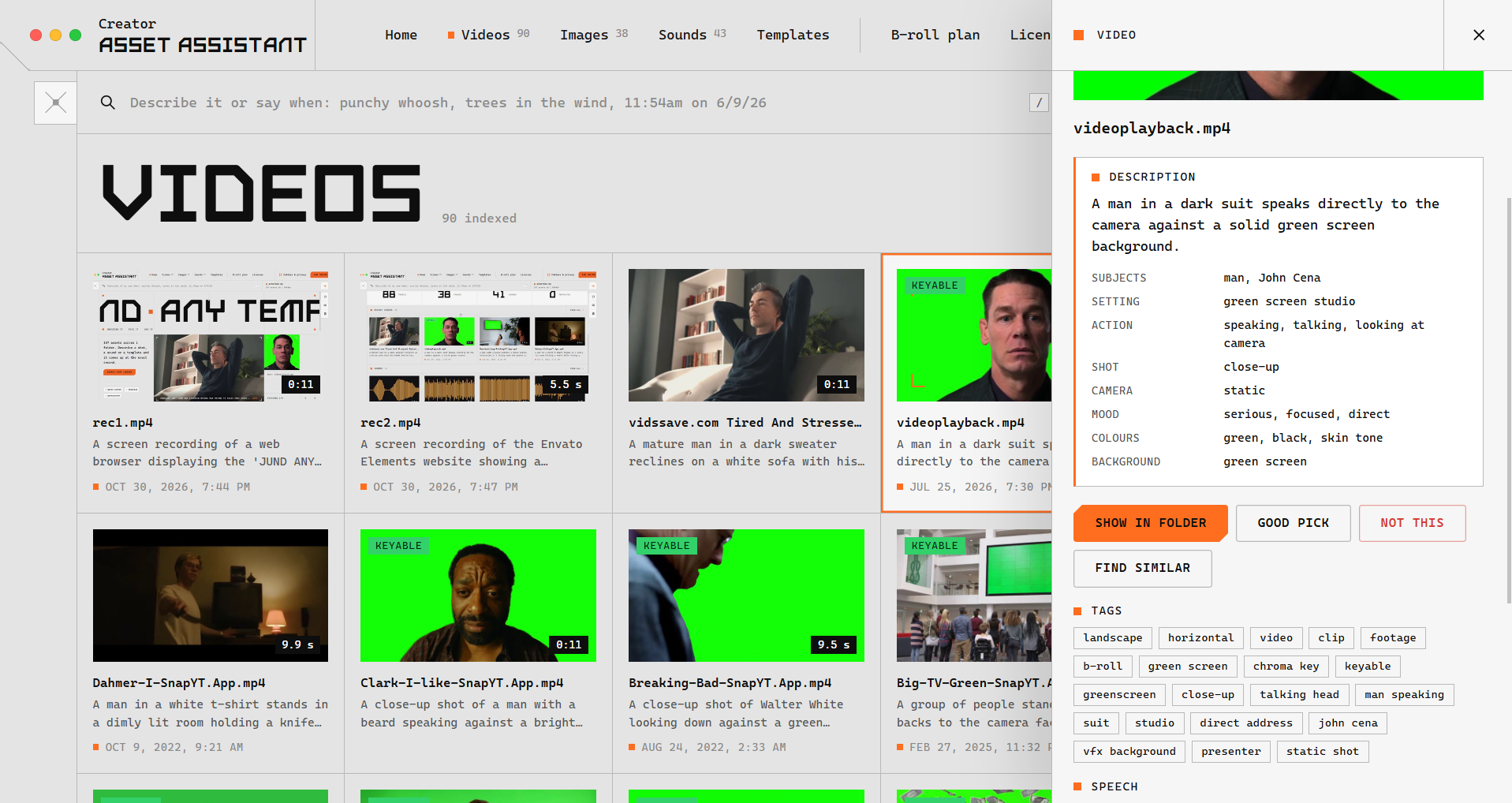
Videos gallery showing 98 indexed clips and a side panel with tags, speech transcript, duration, and green screen detection.
-
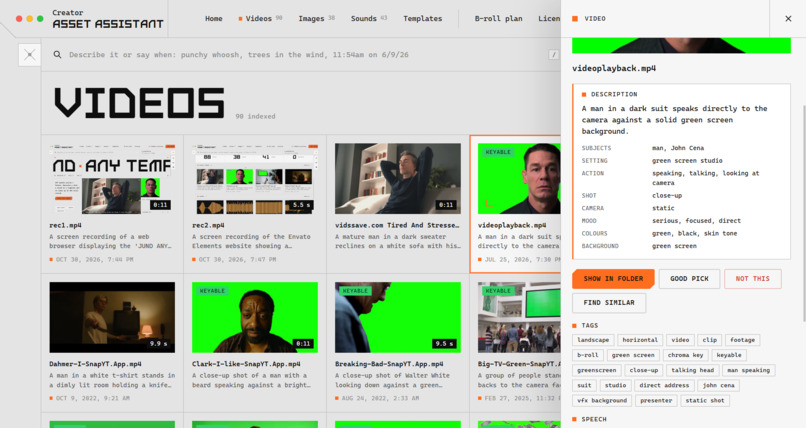
Video sidebar showing AI visual descriptions by Nemotron-3. 5-Super-VL including subjects, setting, camera motion, and mood.
-
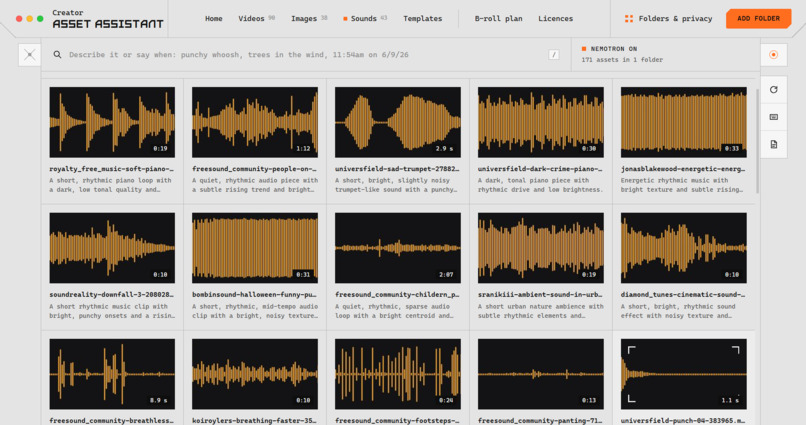
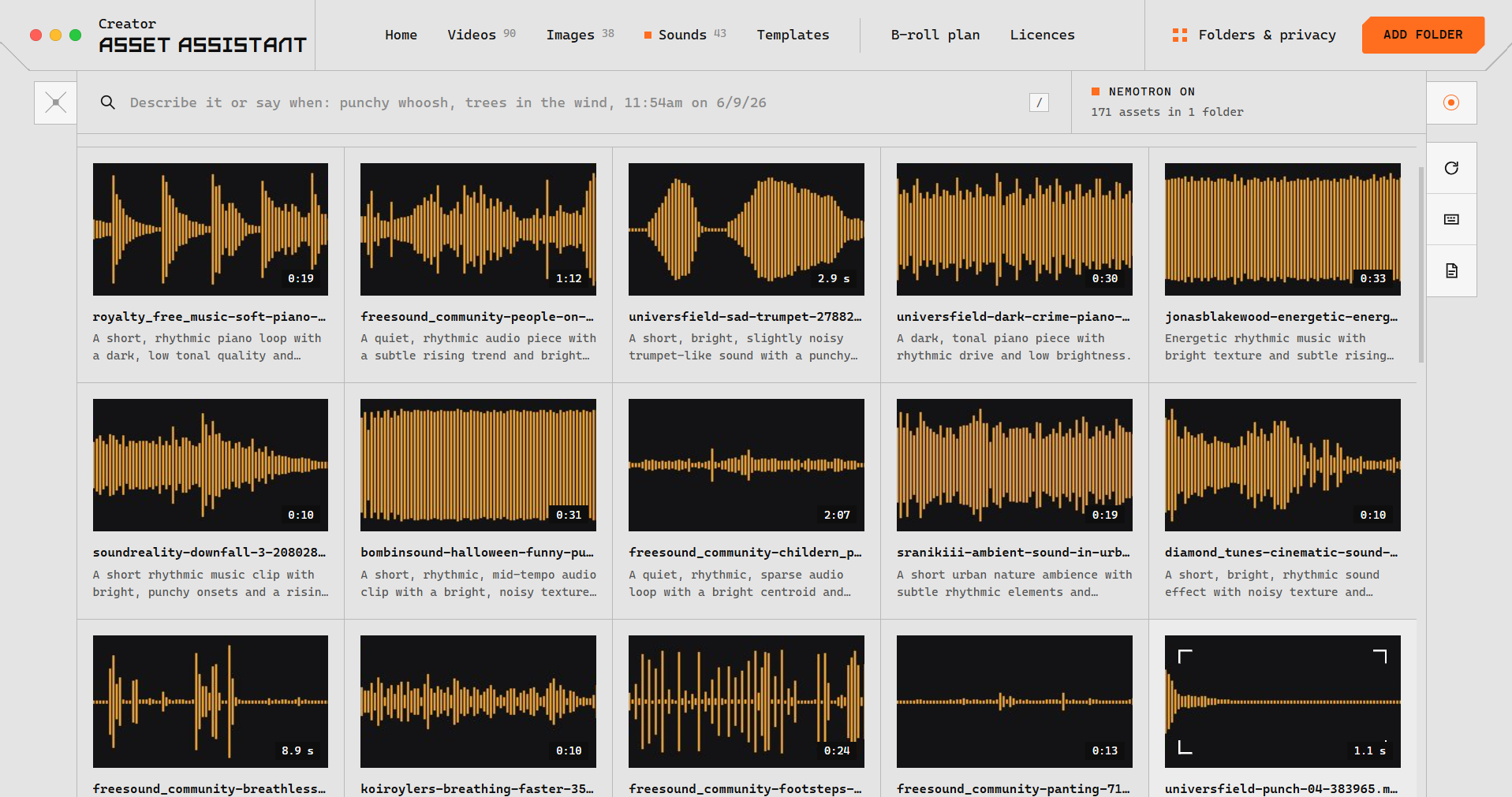
Sounds library displaying 43 indexed audio assets with interactive waveform visualizers, track lengths, and AI audio descriptions.
-
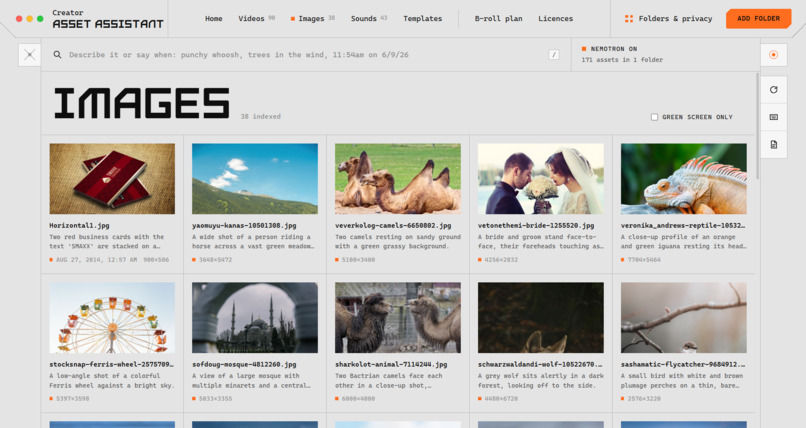
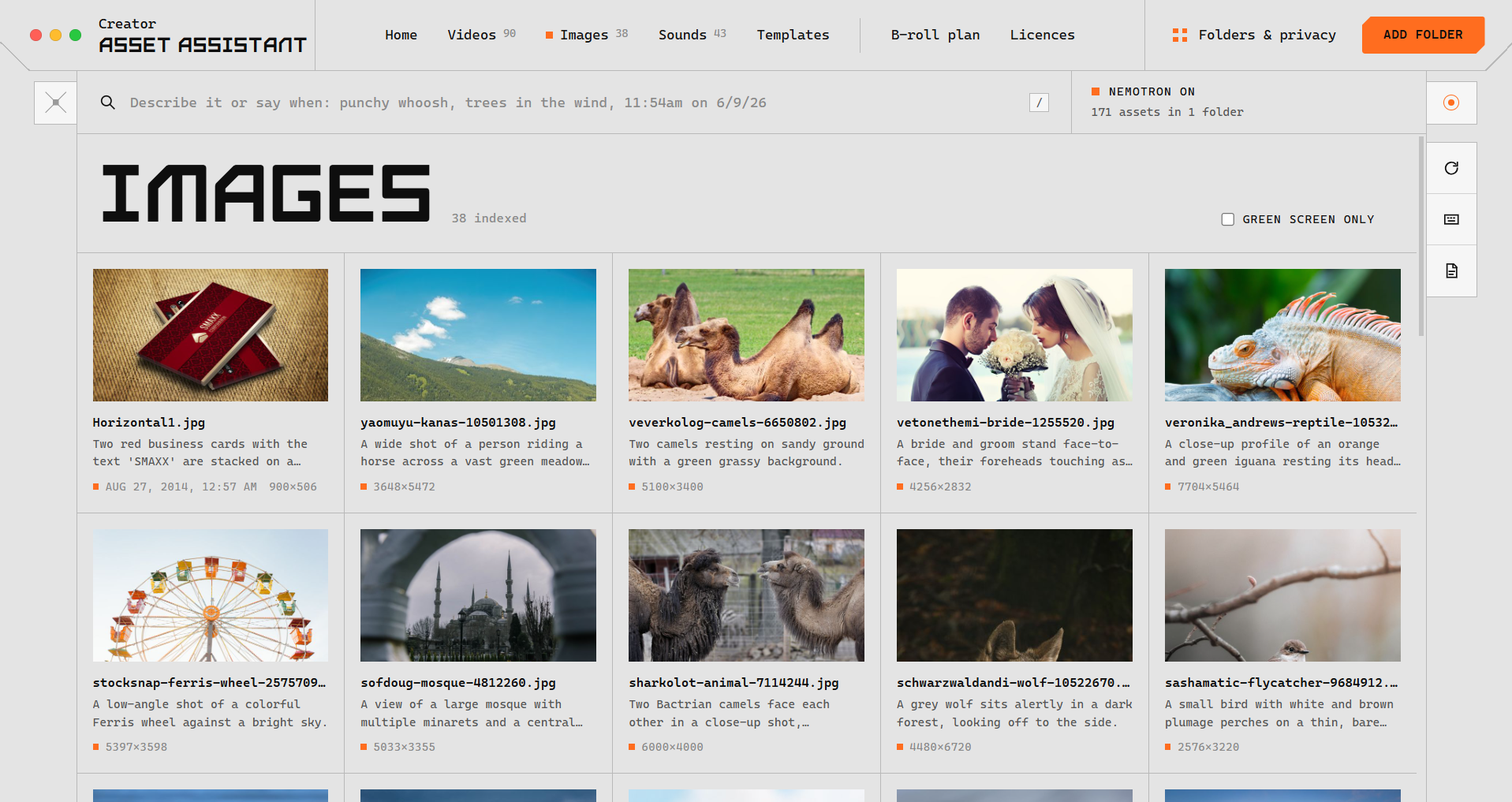
Images gallery displaying 38 indexed photos with thumbnail previews, filenames, generated descriptions, and image dimensions.
Inspiration
A creator often remembers a shot better than its filename: a plane wing above the clouds, a particular expression, or the moment the light changed. Finding it can mean opening folders, scrubbing through recordings, and interrupting the edit.
When the footage is missing, the workflow fragments further: search stock websites, inspect usage terms, collect attribution, and return to the project.
We built Creator Asset Assistant to connect those steps—a desktop tool that understands your existing media library, finds relevant moments, and helps plan what comes next.
Your next shot might already be in your library.
What it does
Creator Asset Assistant indexes videos, photos, audio, and templates from folders you select, including folders synced through Google Drive for desktop.
- Find footage by description. Search for “plane wing above the clouds” and preview the matching moment within a clip.
- Search across different signals. Combine meaning, visual similarity, keywords, and recording-date information.
- Plan b-roll. Enter a topic or script to generate a researched, beat-by-beat plan, then find matching shots in your own library.
- Discover missing assets. Find stock suggestions and save supported downloads into an Inbox folder for indexing.
- Review licences and attribution. Retrieve source-page information, interpret usage conditions, and prepare credit lines.
- Choose your privacy mode. Keep processing local or enable cloud-assisted descriptions and web features.
The downloadable Windows application is the full product. The website offers a demo video and a limited interactive preview: a prepared sample library with browser-side keyword search and timestamped playback. It does not reproduce the desktop app’s semantic search or full workflow.
How we built it
Turning files into searchable moments
Our Python engine uses FFmpeg and ffprobe to inspect media, detect shot boundaries, extract representative keyframes, and generate previews.
The indexing pipeline combines complementary information:
- NVIDIA Nemotron 3.5 Super VL, through Nebius Token Factory, generates structured descriptions of visual content.
- Google SigLIP 2, running locally, creates visual embeddings.
- NVIDIA Parakeet-TDT 0.6B v3, running locally, transcribes speech with word timestamps.
- Multilingual MiniLM-L12-v2, running locally, creates text embeddings from descriptions and other searchable information.
SQLite stores asset records, shot timestamps, transcripts, embeddings, keywords, licences, and feedback. Original media stays in its existing folders.
Hybrid retrieval
The desktop search pipeline combines three approaches:
- Keyword matching for exact words and filenames.
- Semantic retrieval for related meanings and multilingual queries.
- Visual retrieval for matching a description to what appears in the footage.
Each approach covers different weaknesses. A filename may contain a useful exact term; a description may capture the scene’s meaning; visual embeddings may reveal something the caption missed.
Results retain their shot timestamps, so the interface can open a relevant moment rather than just the beginning of a file. Persistent feedback helps adjust subsequent rankings.
Matching models to tasks
We use different Nemotron variants for distinct responsibilities:
- Super VL: visual descriptions.
- Nano Omni: audio descriptions when available.
- Nano 30B-A3B: licence interpretation, fallback audio descriptions from local analysis, and optional query expansion.
- Ultra: b-roll planning, with Super and Nano as fallbacks.
All Nemotron inference runs through Nebius Token Factory. We did not provision GPUs or fine-tune model weights. We used task-specific prompts requesting structured JSON, alongside caching, validation, and fallback handling.
Connecting the library to the web
Tavily supplies web research and page extraction for stock discovery, licence checks, and b-roll planning.
For planning, the application supplies research notes to Nemotron, requests source-linked facts and shot suggestions, and searches the local library for each suggested shot. Missing footage can lead to stock suggestions.
For licences, deterministic rules handle recognised terms before model interpretation. The resulting summaries and credit lines assist review; they do not guarantee that an asset is suitable for every use.
Desktop application and public preview
The desktop application combines Electron with a Starlette and Uvicorn backend. Its interface supports library browsing, media previews, search, settings, licence review, and b-roll planning.
For the Vercel preview, we export selected public metadata and sample media into static files. Keyword matching runs entirely in the browser, without model weights, API credentials, or a persistent server.
This makes the preview easy to access while keeping the full processing workflow in the downloadable application.
Privacy by design
Ordinary desktop searches, embeddings, and transcription run locally.
In Standard mode, selected downscaled keyframes and short audio excerpts may be sent to Nebius for descriptions. Web and planning features send the inputs needed for those tasks.
Local-only mode disables cloud inference and web features. Users can search their indexed media without uploading their original library.
Challenges we ran into
- Processing large video files. Decoding every frame unnecessarily makes indexing expensive. Lightweight shot analysis and selective frame extraction helped reduce that work.
- Searching beyond filenames. One retrieval method was not enough. We combined keywords, text embeddings, and visual embeddings to support different kinds of queries.
- Handling model availability. Configurable model roles and fallback chains helped accommodate unavailable models and failed requests.
- Interpreting licences responsibly. We needed clear precedence between recognised licence rules and model-generated interpretation, with source information available for verification.
- Downloading stock reliably. Some sites require browser interaction. The application needs to handle unsupported downloads without saving an HTML page as if it were a media file.
- Shipping a practical public preview. We separated the desktop engine from a lightweight static experience that can run on Vercel without a VM.
Accomplishments that we're proud of
- Finding moments, not just files. Search results connect descriptions to timestamped shots that users can preview.
- Connecting discovery and planning. The workflow extends from existing footage to researched b-roll plans and missing-asset suggestions.
- Combining local and hosted models. Local models handle retrieval and transcription, while Nemotron enriches media descriptions and supports planning.
- Providing a usable Windows application. The project includes an installer and a desktop interface built around a creator’s library.
- Making the project accessible online. The static preview demonstrates keyword search and timestamped navigation without exposing API credentials.
- Testing important workflows. Automated checks cover parts of indexing, search, web integration, and deployment, alongside browser verification of the interactive preview.
What we learned
A useful AI application needs more than a strong model. Media preprocessing, retrieval, structured outputs, caching, error handling, and clear privacy choices all affect whether the tool fits a real workflow.
We learned that words and pixels provide complementary search signals. We also found that lightweight techniques—keyword indexing, metadata extraction, and deterministic rules—remain valuable alongside generative models.
Most importantly, we learned to separate model-generated interpretation from verified information. Research citations support fact-checking, and licence summaries assist review; neither should be presented as a guarantee.
What's next for Creator Asset Assistant
These integrations are planned and are not included in the current release.
A local MCP server for your AI creative assistant
Connect compatible AI assistants to selected library information so they can understand what footage you already have while helping you brainstorm scripts and scenes.
The assistant could search descriptions, inspect transcripts, identify available shots, and turn missing footage into a targeted shoot list. Creators would choose what information to expose; a local MCP server would not automatically make a connected cloud assistant private or local.
Video-editor extensions
Bring search directly into Adobe Premiere Pro and DaVinci Resolve.
Creators could search their library, preview matching moments, and bring selected clips into their project without opening a separate application. Timeline context could also support relevant b-roll suggestions while editing.
Asset-informed production planning
Extend planning into shot-gap analysis, shoot lists, call sheets, and rough-cut exports through formats such as OpenTimelineIO and FCPXML.
An optional agent layer
Explore Hermes Agent and OpenShell for persistent memory, reusable skills, scheduled workflows, and controlled access to tools and files.
Richer local analysis
Explore motion-aware retrieval, audio stem separation, and practical consumer-GPU inference to improve media understanding while preserving local processing options.
Our next priority is to bring the library into the tools creators already use to think, write, and edit.

Log in or sign up for Devpost to join the conversation.