Inspiration
Creating original music traditionally requires instruments, music theory, production software, or expensive licensing. Stock music can also feel generic and may not match the exact mood, pacing, or style a creator needs.
We built Create Music AI to make music creation more accessible. Anyone should be able to describe an idea, enter lyrics, and turn it into a complete song without needing a studio or years of production experience.
What it does
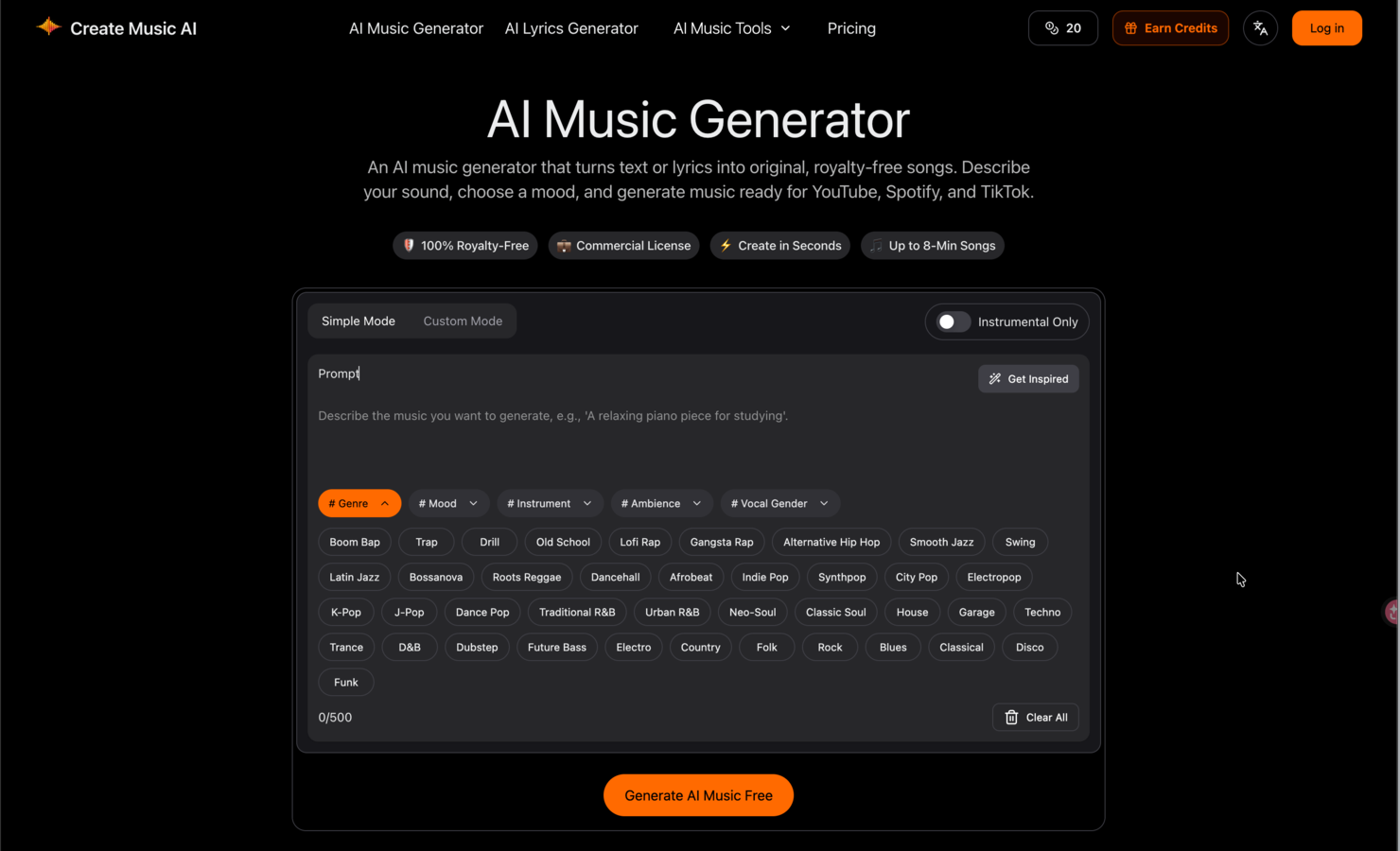
Create Music AI turns text prompts or lyrics into complete, original songs.
Users can:
- Describe a genre, mood, instrument, or creative scene
- Generate songs from text prompts or custom lyrics
- Create music with AI vocals or choose instrumental-only tracks
- Preview generated tracks before downloading
- Download finished music as MP3 or WAV
- Create music for videos, podcasts, games, ads, demos, and social content
Create Music AI also includes a broader set of tools for music creation and editing, including an AI lyrics generator, vocal remover, stem splitter, BPM and key detection, audio-to-MIDI conversion, song covers, and music visualizers.
How we built it
Create Music AI is built as a browser-based music creation platform using Next.js, React, TypeScript, and Tailwind CSS.
The backend coordinates asynchronous AI generation tasks, user authentication, credits, subscriptions, file processing, and downloadable results. PostgreSQL and Drizzle ORM manage application data, while cloud object storage handles generated audio and media files.
We also integrated multiple AI and audio-processing services to support music generation, lyrics creation, vocal separation, stem extraction, song covers, and other creative workflows.
Challenges we ran into
One of the biggest challenges was turning a complex AI music workflow into a simple experience for users without music-production knowledge.
Music generation is asynchronous and can take time, so we needed to reliably manage task progress, failures, retries, previews, and downloads. We also had to design controls that give experienced creators useful flexibility without overwhelming first-time users.
Another challenge was bringing generation, editing, analysis, and export tools into one consistent workspace.
Accomplishments that we're proud of
We created an end-to-end music workflow that lets users move from a short idea to a playable song directly in the browser.
Instead of switching between separate tools, creators can generate songs, write lyrics, isolate vocals, split stems, analyze BPM and key, convert audio to MIDI, and prepare music for real creative projects in one place.
We are especially proud that users can create both vocal songs and instrumentals without needing instruments, a DAW, or music theory knowledge.
What we learned
We learned that creative control is just as important as generation speed. Users want to guide the genre, mood, instrumentation, vocals, and structure—and then quickly iterate when the first result is not quite right.
We also learned that an AI music product needs more than a Generate button. Previewing, editing, organizing, analyzing, and downloading the result are all essential parts of the creative workflow.
What's next for Create Music AI
Next, we plan to improve prompt control, expand supported music styles, and make generated tracks easier to refine.
We also want to strengthen our editing, stem-separation, song-cover, and music-video workflows so creators can move from an initial musical idea to a finished, shareable project without leaving Create Music AI.
Built With
- games
- next.js
- podcasts
- react
- royalty-free-songs-with-vocals-or-instrumentals?ready-for-videos
- tailwind
- typescript
