CraveCode
Inspiration: what problem did I see?
When people around me order food, they often want something that tastes good, fits their budget, and feels like a worthwhile meal. Finding it takes more work than it should. We scroll through menus, compare prices and restaurant ratings, and try to guess whether a dish will be filling or nutritious. When you are spending your own money, you want to make a good choice, but an attractive photo and a menu price do not tell you much about the food itself.
I noticed this especially with Indian food delivery. There are plenty of choices, but reliable nutrition information for a particular restaurant’s dish is hard to find. A person looking for dinner under ₹300, with at least 30 grams of protein and no more than 800 calories, has to piece together information from several places. Even then, delivery fees may change the total and the portion may be different from what they imagined. I built CraveCode to make that search quicker and more honest about what can actually be verified.
What I built
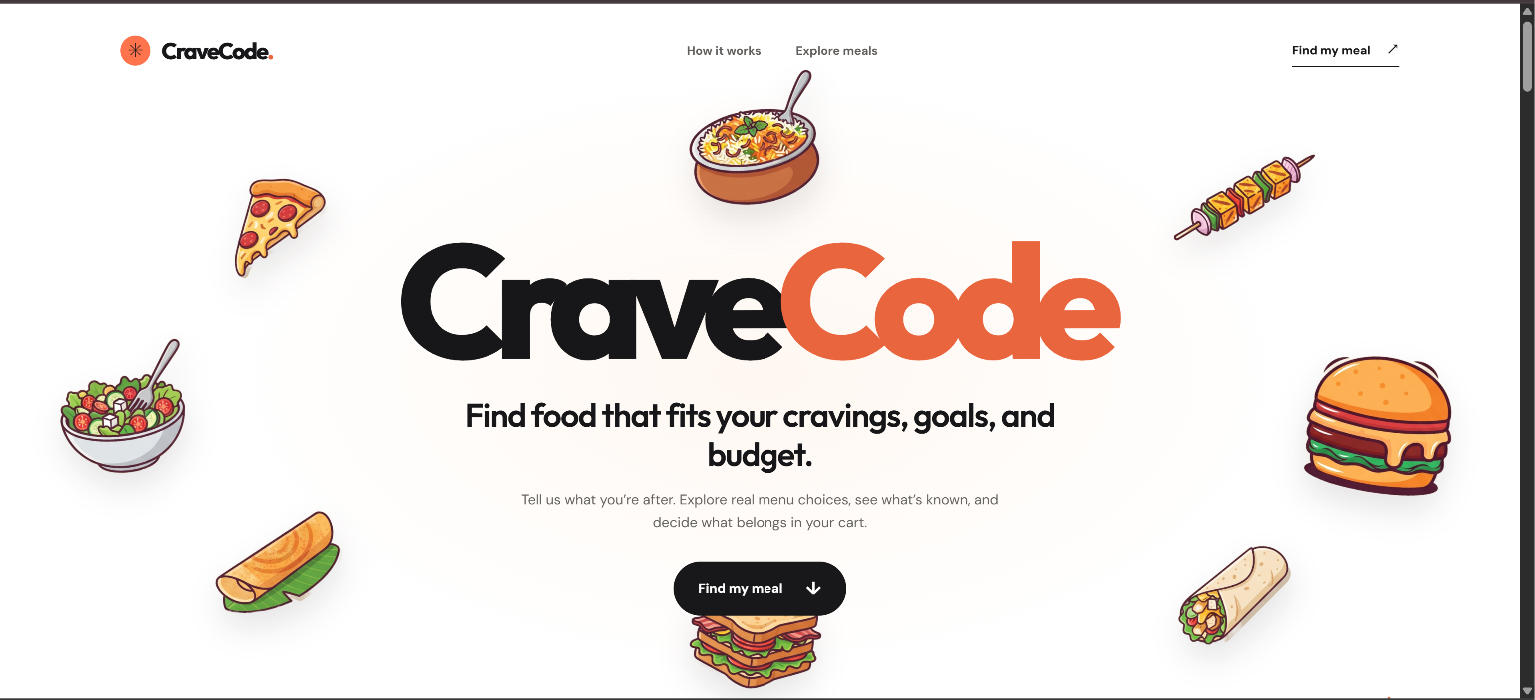
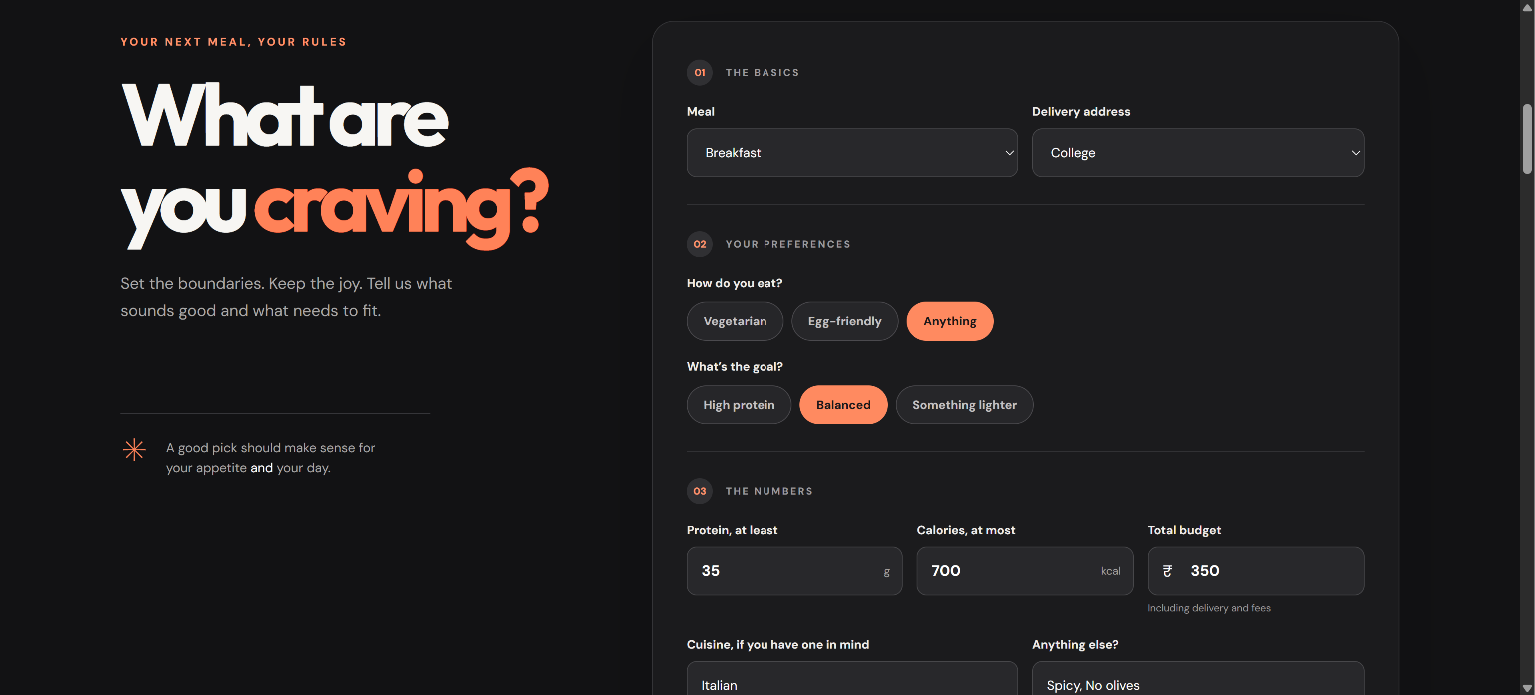
CraveCode turns a food search into a short meal brief. You choose a meal, diet, goal, protein minimum, calorie ceiling, and total budget. Cuisine, a particular dish, ingredients to avoid, and a preference for better-reviewed restaurants are optional. Leaving the dish field blank lets the app explore different kinds of food instead of forcing you to know what to search for first.
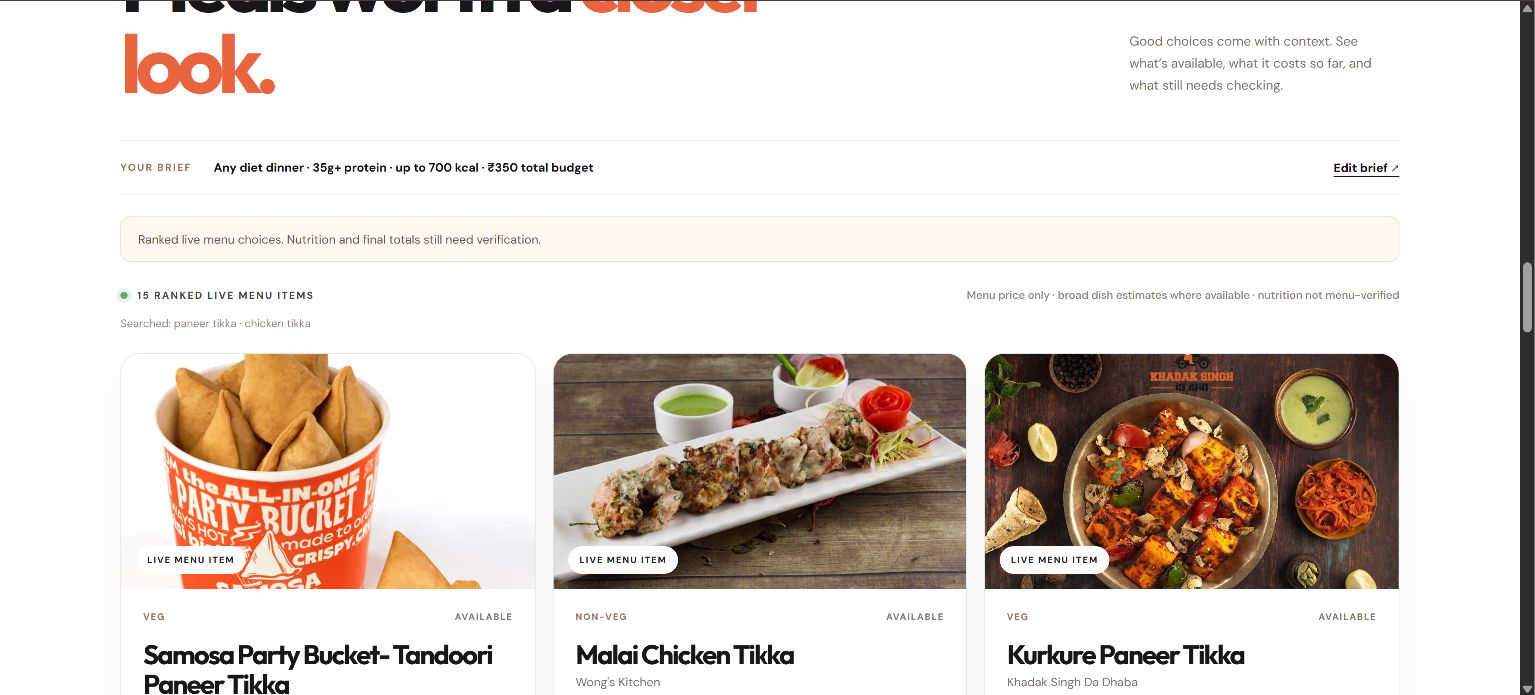
In the signed-in local demo, CraveCode searches live Swiggy menus for a saved delivery address and presents up to 15 varied items. Each card explains why it appeared and distinguishes menu facts from estimates. It can show a menu price, a diet or availability signal, and restaurant rating context when Swiggy provides them. For recognizable dishes, it may show a broad, dish-level calorie and protein range. That range is a browsing aid, not verified nutrition for the restaurant’s portion. A menu price is also not the final amount payable after delivery and fees.
The hosted preview lets people try the interface and discover city-specific food pages through web search. It cannot yet connect to a Swiggy account yet (due to production access approval), so those results are labelled as web leads rather than live menu items. The local demo shows the fuller search experience.
How I built it
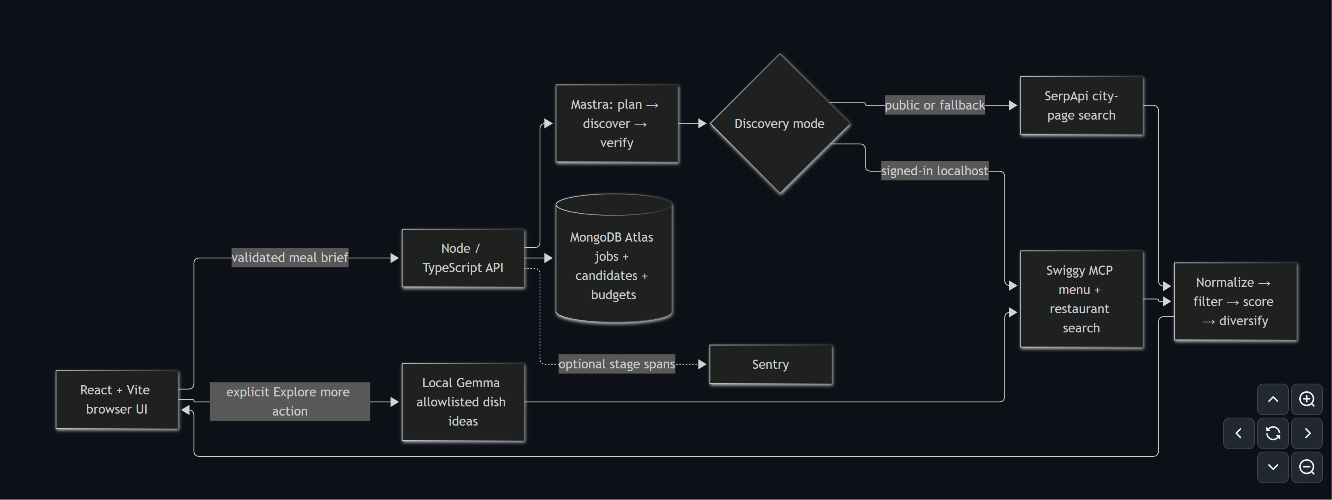
The interface uses React, TypeScript, and Vite. A Node.js API validates the meal brief with Zod and runs a Mastra workflow to plan searches, discover candidates, and check the evidence labels before returning results. The local integration uses Swiggy’s MCP tools for menu and restaurant searches. The hosted preview uses SerpApi for bounded, city-specific discovery. MongoDB Atlas supports saved search data and request-budget controls; Sentry tracing is available when configured.
The search planner chooses dish families using the meal brief, then starts with two menu queries. If the results are too narrow, it can try up to two more. For an “Anything” diet, it deliberately explores both vegetarian and non-vegetarian dishes. The engine removes incompatible or unavailable items, weighs relevant menu evidence and restaurant feedback, and spreads the shortlist across dishes, restaurants, and price ranges.
I also added an optional local Gemma action to explore more dish ideas. Its job is limited to suggesting search terms from a checked list. It does not decide whether a meal meets someone’s macros or invent nutrition facts.
Challenges and what I learned
The hardest problem was evidence. A dish name can suggest an approximate nutritional range, but it cannot establish the calories or protein in one restaurant’s serving. I learned to let the app say “unknown” or “possible” where the data does not support a stronger claim. Restaurant ratings have a similar limit: they provide customer feedback, not a food-safety certification.
Search quality was another challenge. Early searches could overlook a requested cuisine or show too many similar vegetarian dishes even when the user allowed any diet. I improved the query planning and ranking, and added regression checks for relevance, variety, and the number of provider searches. Those checks use test menus; they are not a claim that I have measured accuracy across every city and restaurant.
Finally, the local Swiggy sign-in cannot simply be moved to a public deployment without production access and secure, durable user sessions. I kept the hosted experience clearly labelled instead of presenting public web pages as live menu results. Cart updates and final-price verification also remain unfinished, so CraveCode does not place an order.
What comes next
I want to test the search with more people and addresses, measure which suggestions they actually find useful, and improve the cases where the engine returns irrelevant or repetitive food. The next major steps are production Swiggy access, nutrition evidence tied to an exact restaurant item and portion, and a cart flow that verifies the final payable amount before anyone commits to an order.
CraveCode is designed to be usable on a phone, with labelled form controls, keyboard focus states, and reduced-motion support. My hope is that it can eventually help people in my community spend less time researching dinner and feel more confident about the money they spend.
AI assistance disclosure: I used OpenAI Codex as a coding assistant during implementation, debugging, testing, and documentation. The application also includes an optional local Gemma feature for generating additional dish-search ideas.
Built With
- api
- mastra
- mongodb
- node.js
- react
- serpapi
- swiggy-mcp
- typescript

Log in or sign up for Devpost to join the conversation.