Inspiration
Learning to drive can be stressful, expensive, and often inaccessible. Traditional driving lessons and instructors cost hundreds of dollars, and many beginners struggle to build confidence behind the wheel.
We wanted to create a safe, affordable, and AI-powered virtual alternative, a system that helps people learn and improve their driving skills from anywhere. By combining VR immersion, AI feedback, and custom hardware, we aimed to build a simulator that feels realistic, builds confidence, and provides the same (or better) learning experience as a real instructor, without the cost or risk of being on the road.
What it does
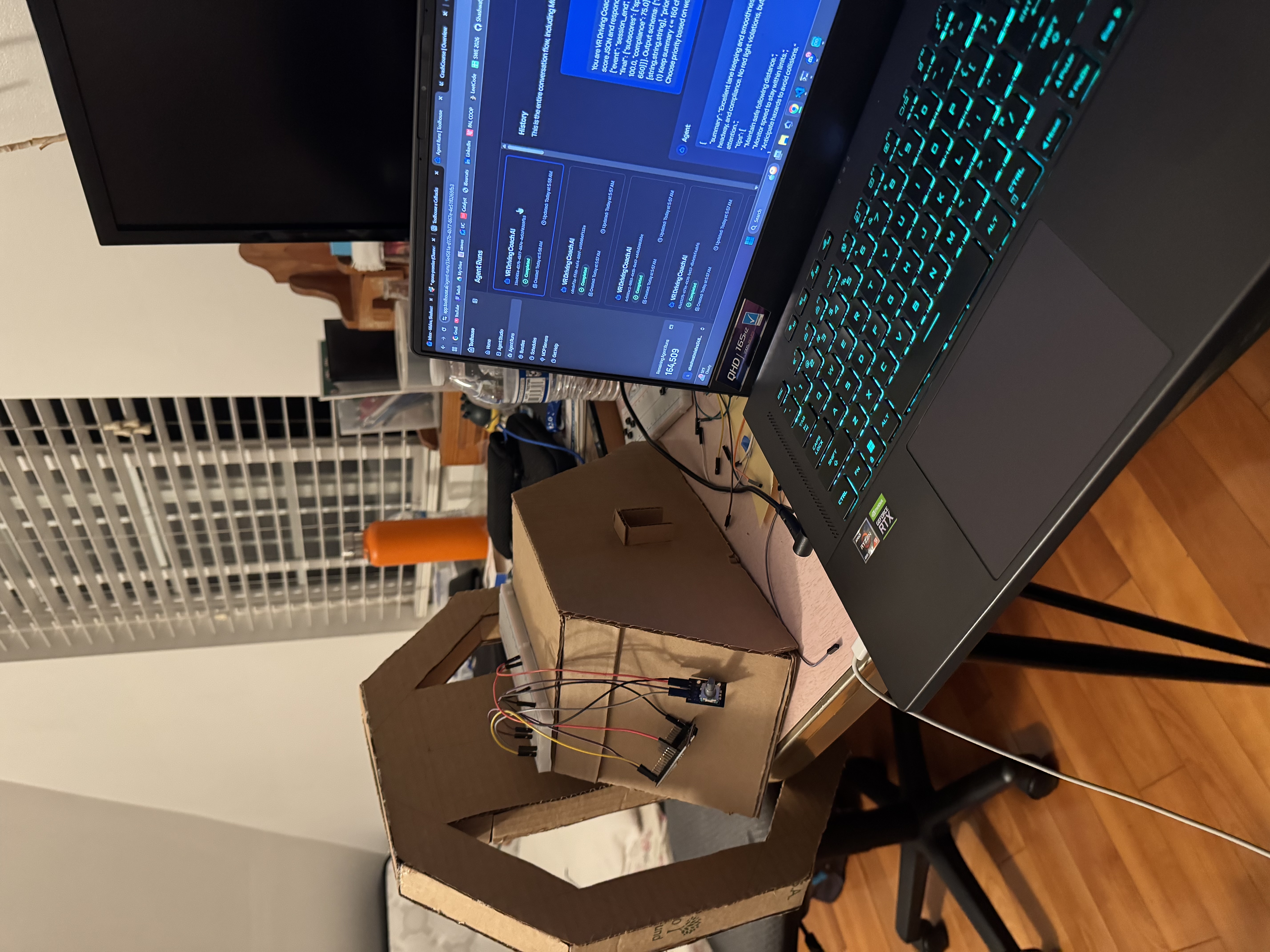
The VR driving simulator has different experiences or tracks for drivers to try and test their skills. Each experience is built with a specific goal in mind such as merging lanes on a highway, turning at intersections, and much more. The game feed is sent to a YOLOv8 computer vision model, which performs real-time object detection (cars, signs, pedestrians, etc.) and extracts telemetry data (speed, steering angle, lane deviation, collisions). This data is analyzed by the AI to generate performance cues and feedback. These cues are passed to our custom Toolhouse AI agent that acts as a virtual driving coach, providing real-time commentary and post-session advice. The coach’s responses are converted into natural speech using Fish AI and played inside the VR environment, creating the effect of a live instructor talking to you while you drive. The coach also gives the driver a final score based on their overall performance along with tips to improve their driving!
How we built it
Hardware:
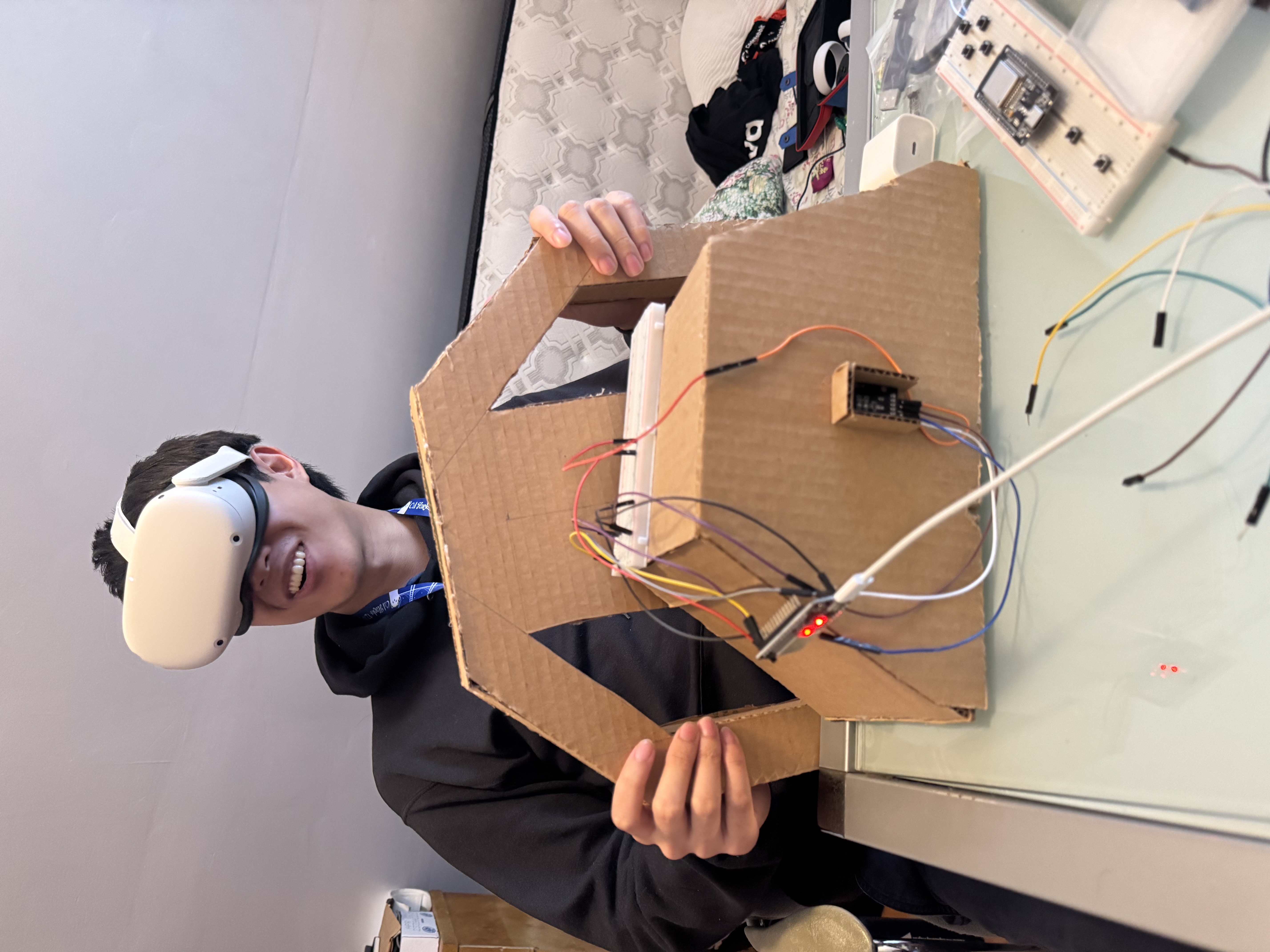
- Built a custom steering wheel system using an ESP32 microcontroller and rotary encoder for steering input.
- Established serial communication between the ESP32 and Unity for real-time input mapping. (The encoder was later discovered to be faulty, preventing final calibration — but hardware communication and Unity integration were functional.)
Software & AI Pipeline:
- The driving simulator environment was created in Unity using the XR SDK for VR support.
- The gameplay feed was captured and sent to a Python FastAPI server running YOLOv8 for real-time object detection.
- Telemetry data (steering angle, acceleration, collisions) was streamed to the same endpoint for analysis.
- The AI model evaluated performance and generated driver cues such as “Slow down,” “Maintain lane,” or “Pedestrian ahead.”
- These cues were sent to a Toolhouse AI agent, which structured them into natural coaching dialogue and feedback.
- The final text was passed through Fish AI for text-to-speech conversion, and the resulting audio was played directly inside Unity.
Tech Stack:
- Hardware: ESP32, Rotary Encoder, Serial over USB
- Software: Unity (C#), Python, FastAPI, YOLOv8, OpenCV
- AI Tools: Toolhouse AI (driving coach), Fish AI (text-to-speech)
- VR Platform: Oculus/Meta headset
Challenges we ran into
While building our custom steering wheel, we ran into multiple hardware related challenges such as our rotary encoder malfunctioning or being defective and not reading the pulses correctly. This prevented us from completing the steering input mapping. However, we pushed through and worked with what we had to connect the VR headset to the Unity driving simulation. Another challenge we had was integrating real-time object detection with Unity while maintaining performance in VR. This required significant optimization of the models. Managing synchronization between multiple systems (Unity, ESP32, YOLOv8, Toolhouse AI, Fish AI) in real time was complex. Building natural-sounding, contextual AI feedback that felt like a real driving coach required prompt engineering and tuning.
Accomplishments that we're proud of
We are really proud that even through times of adversity when our hardware was not functioning properly, we did not give up and worked through creating this project to build something that integrated hardware, VR, and AI! We achieved real time analysis of the driving footage using the YOLOv8 model We also created a driving coach AI agent that talks to the user making the experience more human like for the driver. Finally we were able to almost wrap up creating a custom steering wheel for the VR headset driving.
What we learned
We learned a lot about choosing various AI models pretrained on hugging face and fine tuning them to our use case. Moreover, we learned how to use custom hardware such as ESP32 boards, rotary encoder, and connecting embedded systems with VR.
What's next for CrashCourse
We plan on building more experiences in the driving simulation for people to use. We want to create all kinds of driving scenarios for our users to practice so that they feel prepared and confident before they hit the roads!


Log in or sign up for Devpost to join the conversation.