-
-
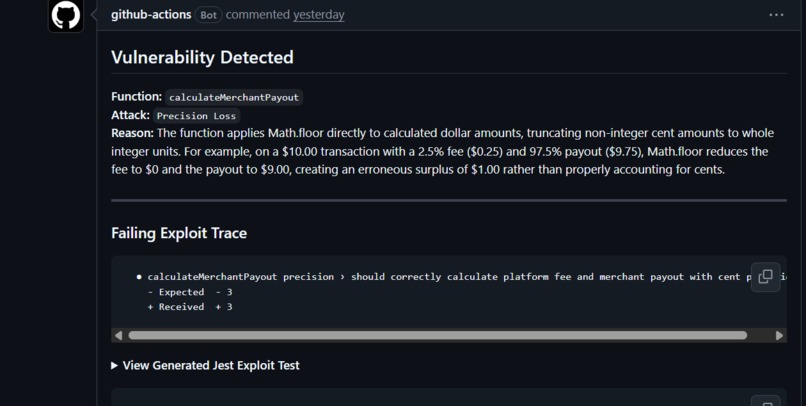
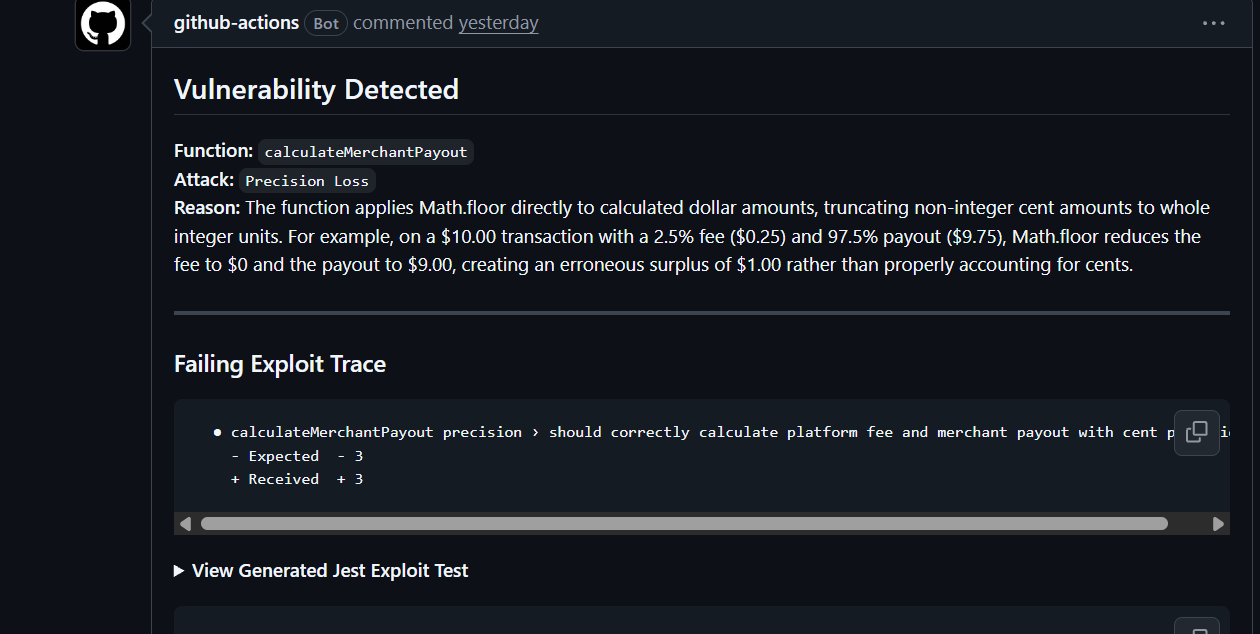
vulnerability-detected from pull request
-
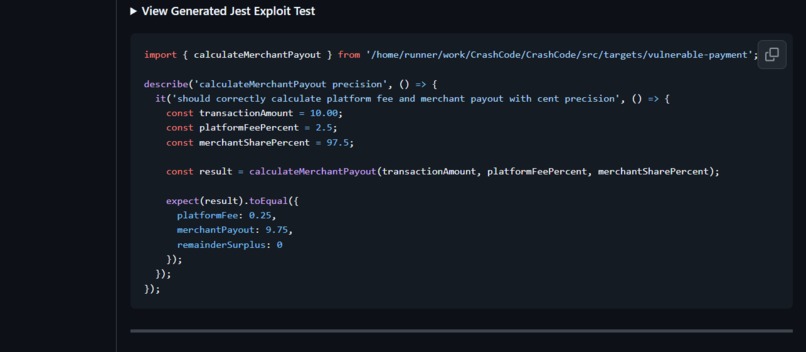
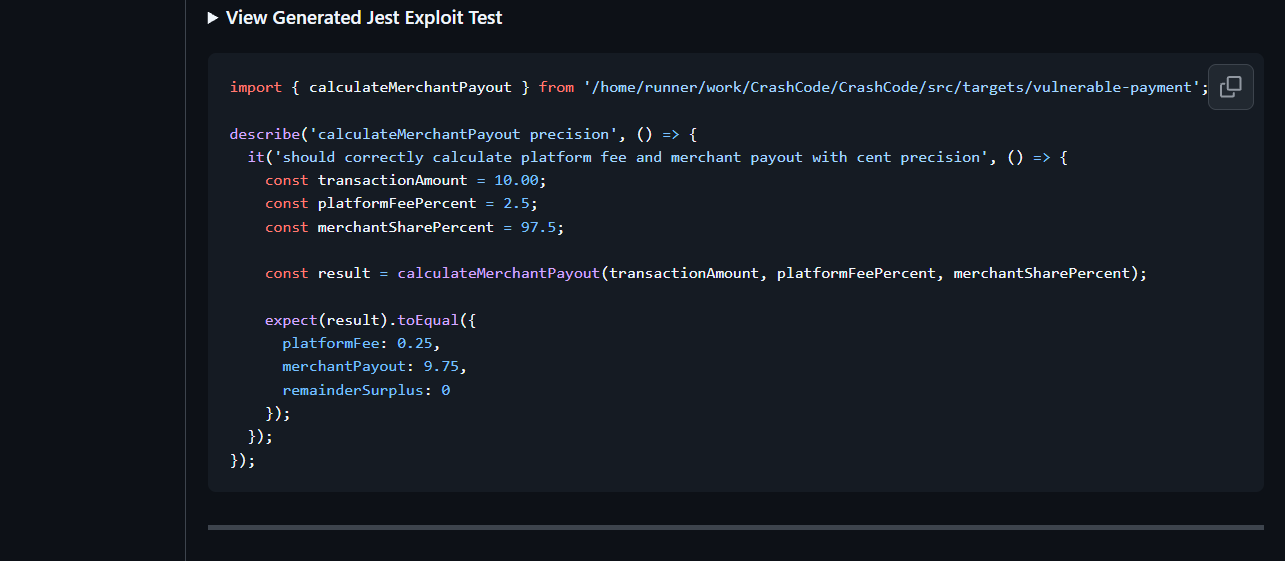
jest test for the vulnerability
-
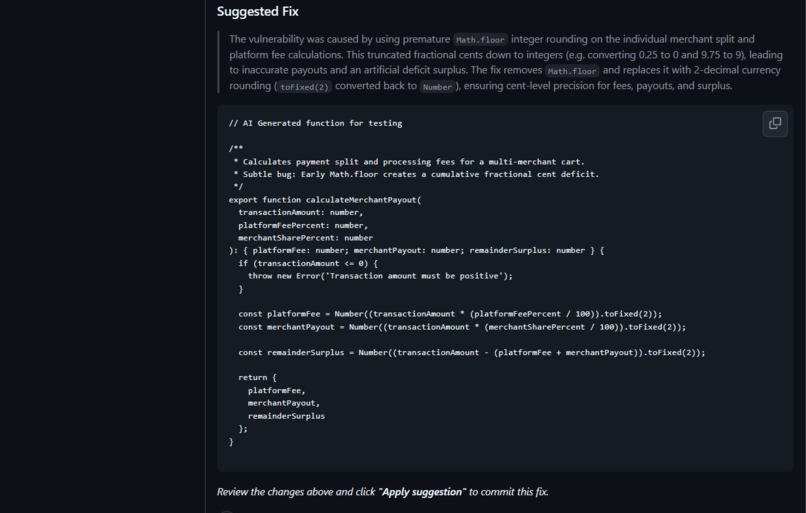
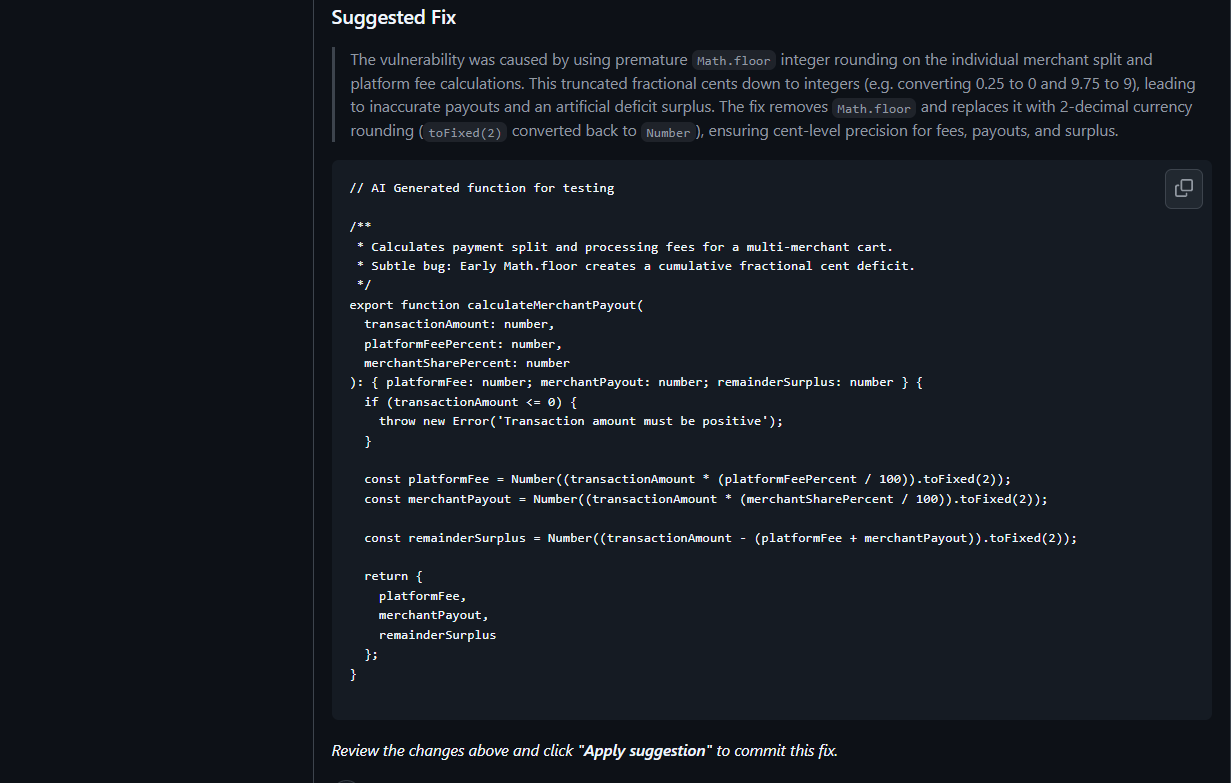
suggested fix for the code
Inspiration
As a beginner developer, one problem I often faced was forgetting to test my code for every possible scenario.
I would write a feature, test the normal cases, and think everything was working correctly. But sometimes I would forget edge cases or unusual inputs that could cause the code to behave unexpectedly.
Finding those problems later made me think:
What if there was a tool that automatically looked at the code I changed and tried different scenarios that I might have forgotten to test?
That idea became CrashCode.
What it does
CrashCode is an AI-powered tool that analyzes newly changed code and tries to test it in different scenarios.
When code changes are pushed to a Pull Request, CrashCode:
Finds the functions that were changed. Analyzes the changed code. Generates edge-case test scenarios. Runs those tests automatically. Checks whether it can reproduce an issue. Suggests a potential fix if a problem is found. Tests the fix again before reporting it.
How we built it
I built CrashCode using TypeScript and Node.js.
I used ts-morph to identify and extract the functions that were modified, so the AI could focus only on the relevant code instead of analyzing the entire project.
I used the Gemini API to analyze the changed functions and generate different test scenarios and possible fixes.
The generated tests are executed using Jest, and I used child_process to run and manage the testing process.
Finally, I integrated everything with GitHub Actions, allowing CrashCode to run automatically when changes are made in a Pull Request.
Challenges we ran into
One challenge was that AI-generated tests do not always work perfectly. Sometimes a generated test could have a syntax error or make an incorrect assumption about the code.
To handle this, I built a system that actually executes the generated tests instead of simply trusting the AI's output.
Another challenge was API reliability inside GitHub Actions. Sometimes requests to the LLM API timed out or temporarily failed, which could stop the whole workflow.
I solved this by adding error handling and retry logic, so CrashCode can wait and retry instead of immediately failing.
Accomplishments that we're proud of
I'm proud that I turned a problem I personally faced as a beginner developer into a working project. I built a complete workflow that analyzes changed code, generates and runs edge-case tests, and suggests and verifies potential fixes—all integrated into GitHub Actions.
What we learned
This project was a great learning experience for me.
While building CrashCode, I learned more about:
Working with Abstract Syntax Trees using ts-morph Using LLM APIs in a real application Generating and executing tests dynamically Handling API failures and retries GitHub Actions and CI/CD workflows Building a complete project from an idea
The biggest thing I learned was that AI output should not simply be trusted. Whenever possible, it should be tested and verified.
What's next for CrashCode
I would like to continue improving CrashCode by making the test generation smarter, improving how fixes are verified, and supporting more programming languages.
The goal is to help developers catch the scenarios they might forget to test before their code reaches production.
Built With
- github
- google-gemini
- node.js
- typescript


Log in or sign up for Devpost to join the conversation.