Try it: cramclub.study · Judges: cramclub.study/demo seats you at a table with a study buddy and a 1-minute pomodoro, and cramclub.study/proof tests our Tiger Data, Vultr and Auth0 claims live.
Inspiration
Exam season has a way of shrinking your world down to a desk. When you're buried in readings and problem sets, going outside starts to feel like something you can't afford, and whole days pass where the only people you "see" are in a group chat. Plenty of students are so busy, or so locked in, that they barely leave their room, even though they still really want to be around people.
The usual fixes don't feel real. A video call means hours on camera, which is tiring and awkward, and a "study with me" stream is something you watch, not somewhere you are. What we missed was the realistic feeling of studying around other people: walking into a library, picking a seat, and looking up to see someone across the table working too. That quiet company (psychologists call it body doubling) makes it easier to start and to keep going.
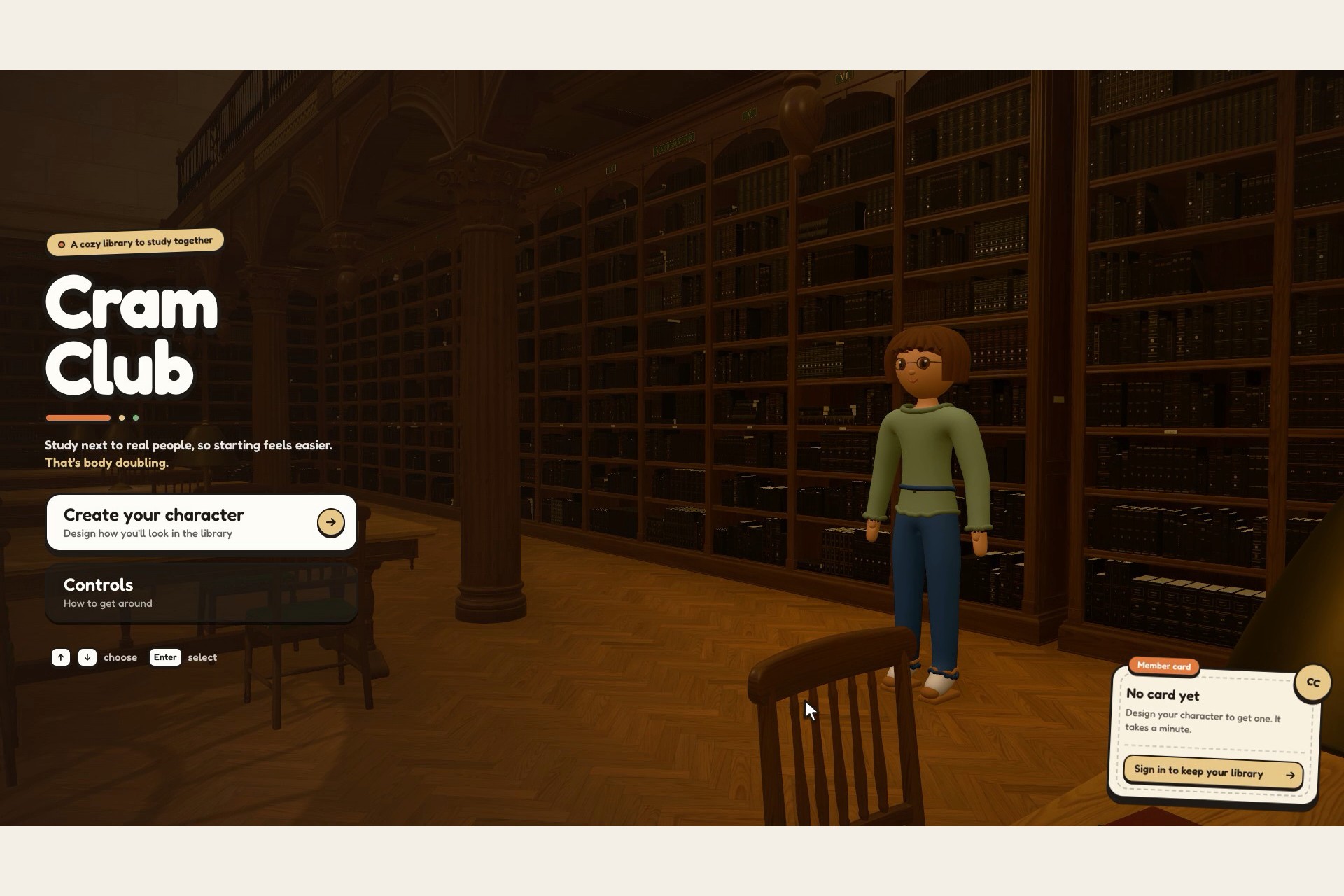
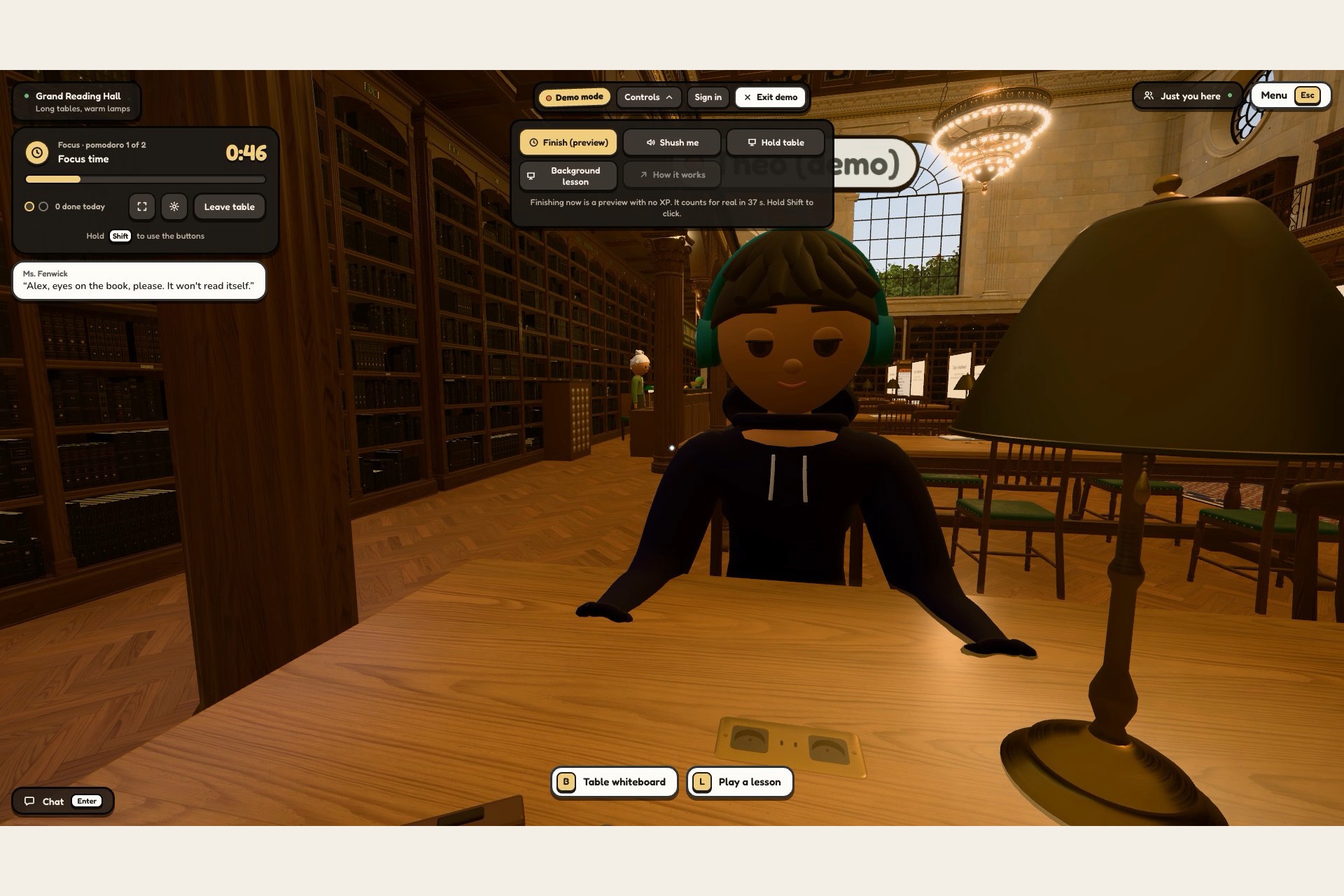
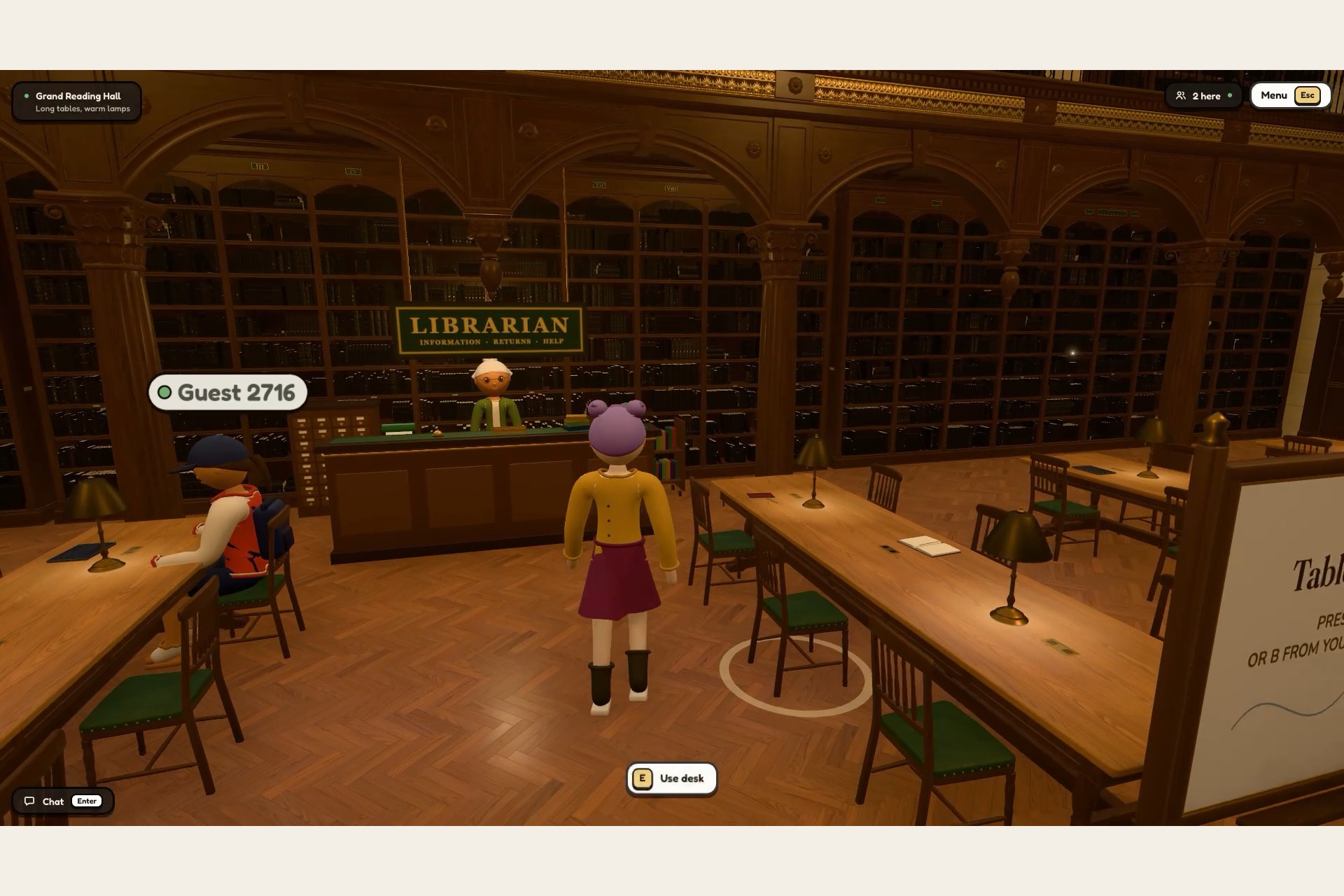
So we built that place. In Cram Club you walk into a cozy library as your own avatar, sit down next to real people, and study together. You never have to show your face: your avatar can follow your expressions if you want, but no video ever leaves your laptop. That also makes it an easy way to meet new people. Strangers end up at the same table, chat a little between pomodoros, and leave having studied alongside someone, the way you might in a real library, without the pressure of being on camera.
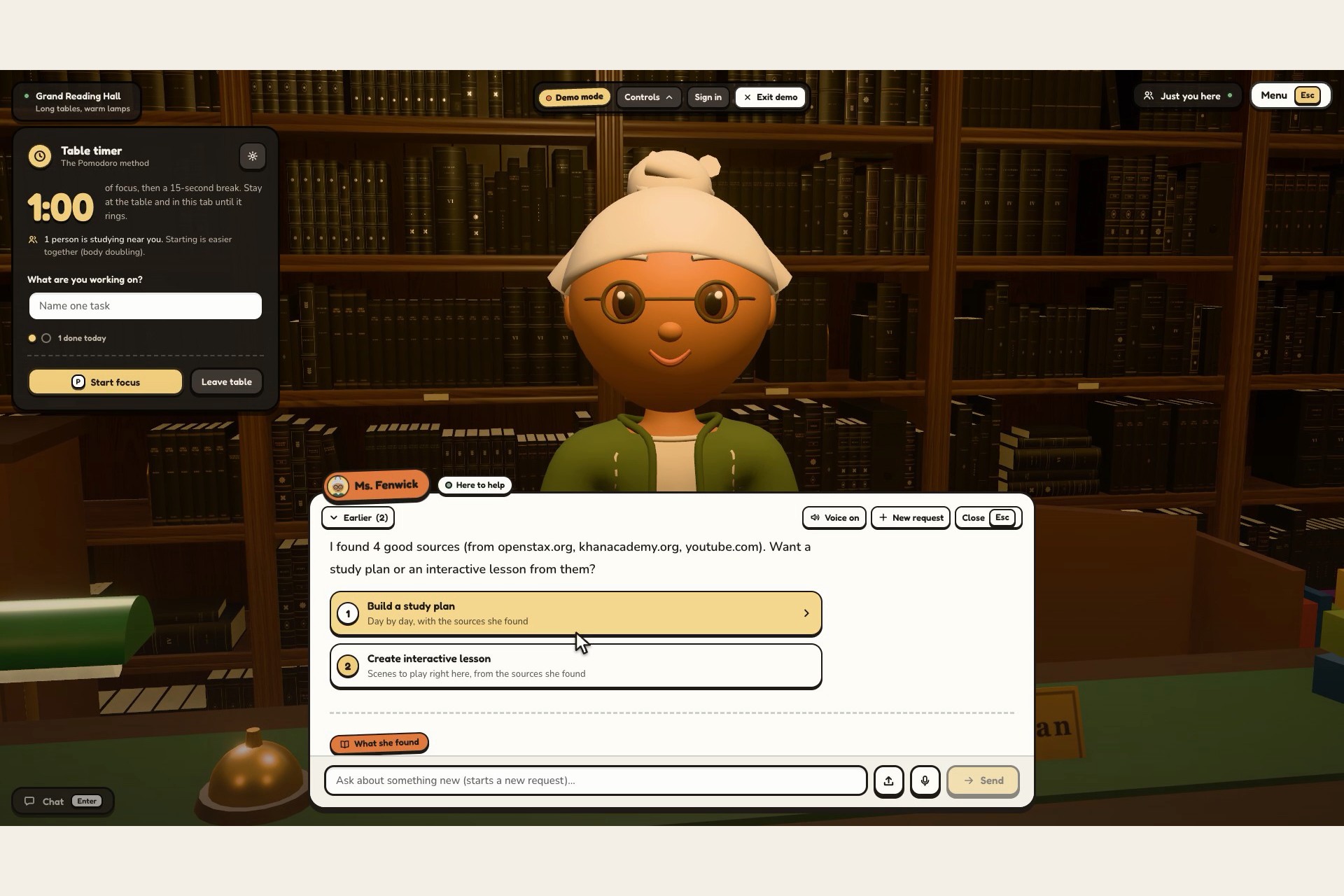
And since studying alone also means getting stuck alone, we gave the library a librarian, Ms. Fenwick, who can actually help.
What it does
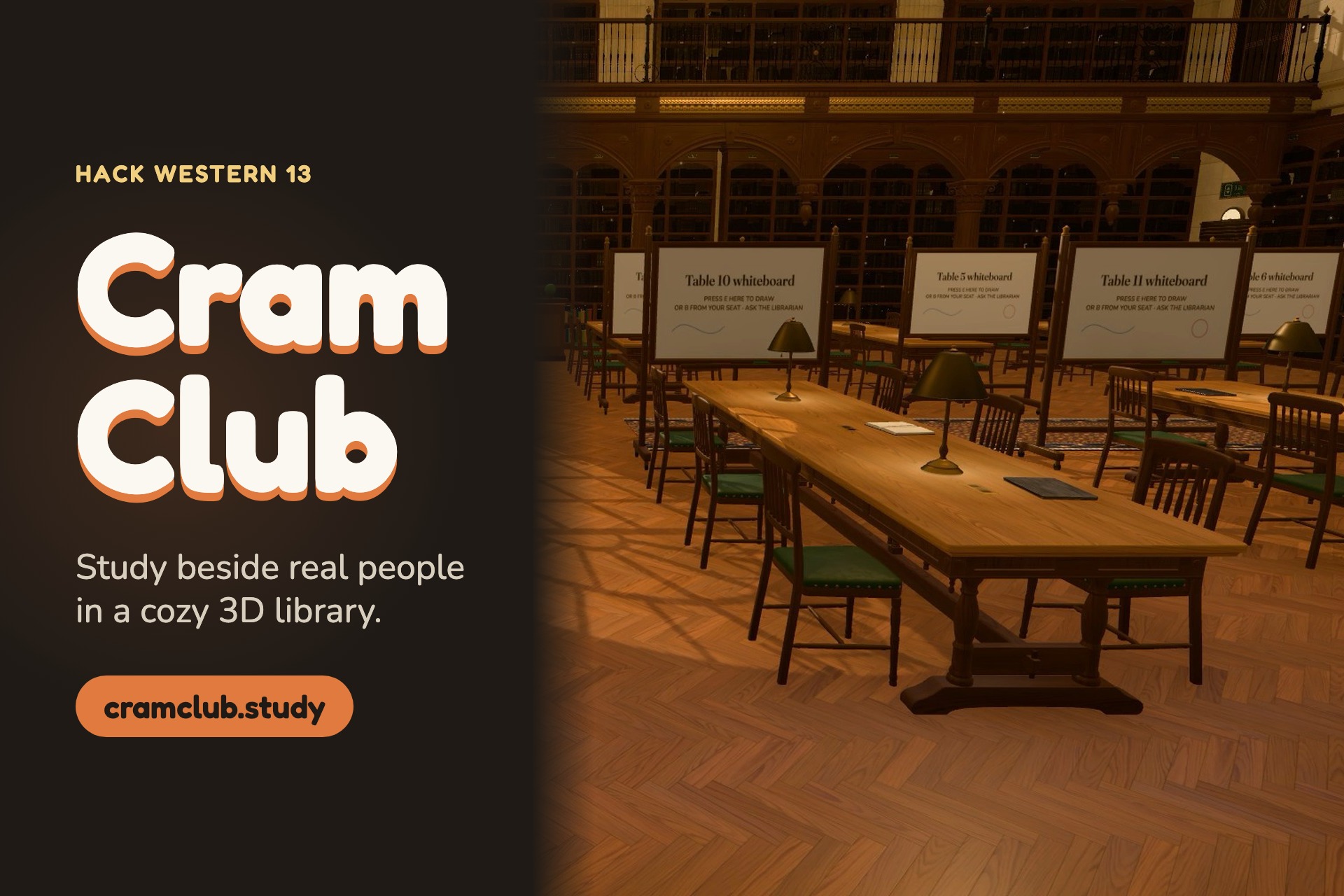
Cram Club is a browser-based 3D university library you study in together.
- Walk in as yourself. Make an avatar in the Character Studio, walk the Grand Reading Hall and its upper gallery (more than 27,000 books), and sit at one of 12 long study tables or a gallery desk. Up to 15 students share a room in real time.
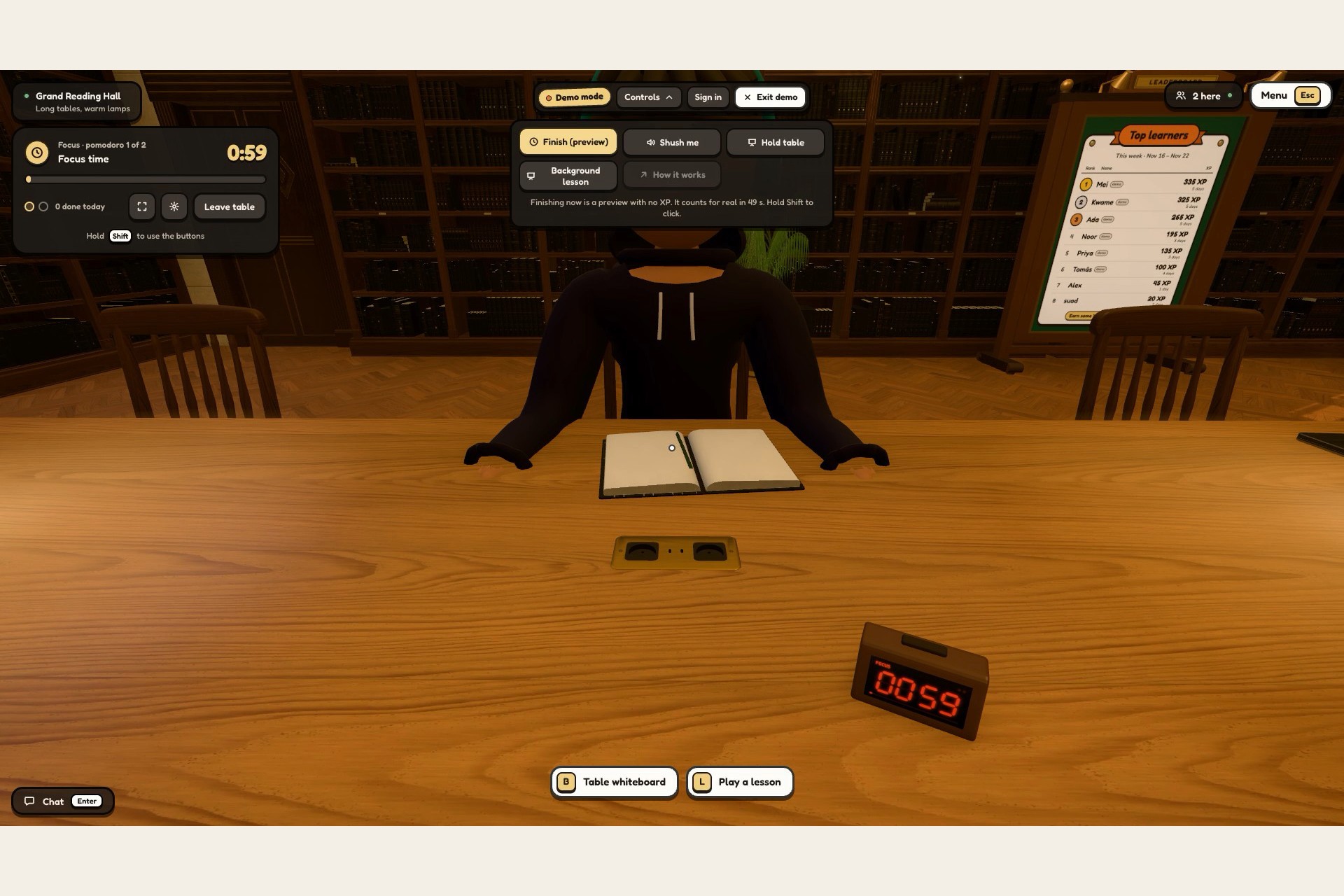
- Study beside someone. Sit down and the idle card tells you who's studying near you. Hold a table for yourself or a Study Circle, open it to everyone, or invite friends by email.
- A pomodoro on your table. A desk clock runs 25 / 5 / 15 cycles with strict or gentle rules for staying at the table and in the tab.
- Your face, not your video. Turn on face tracking (opt-in) and your avatar blinks, smiles and turns its head with you. It runs entirely in your browser: only eight numbers are sent, never a picture.
- Verified focus minutes. With tracking on, each pomodoro also records how much of it you were actually at the desk ("Seen at desk 94%"). It's an honesty signal, never a requirement.
- Ms. Fenwick keeps you honest. Drift away for 8 seconds, or come back after nearly leaving the tab, and the Librarian shushes you by first name, in her own voice. Kindly, and at most 3 times a pomodoro.
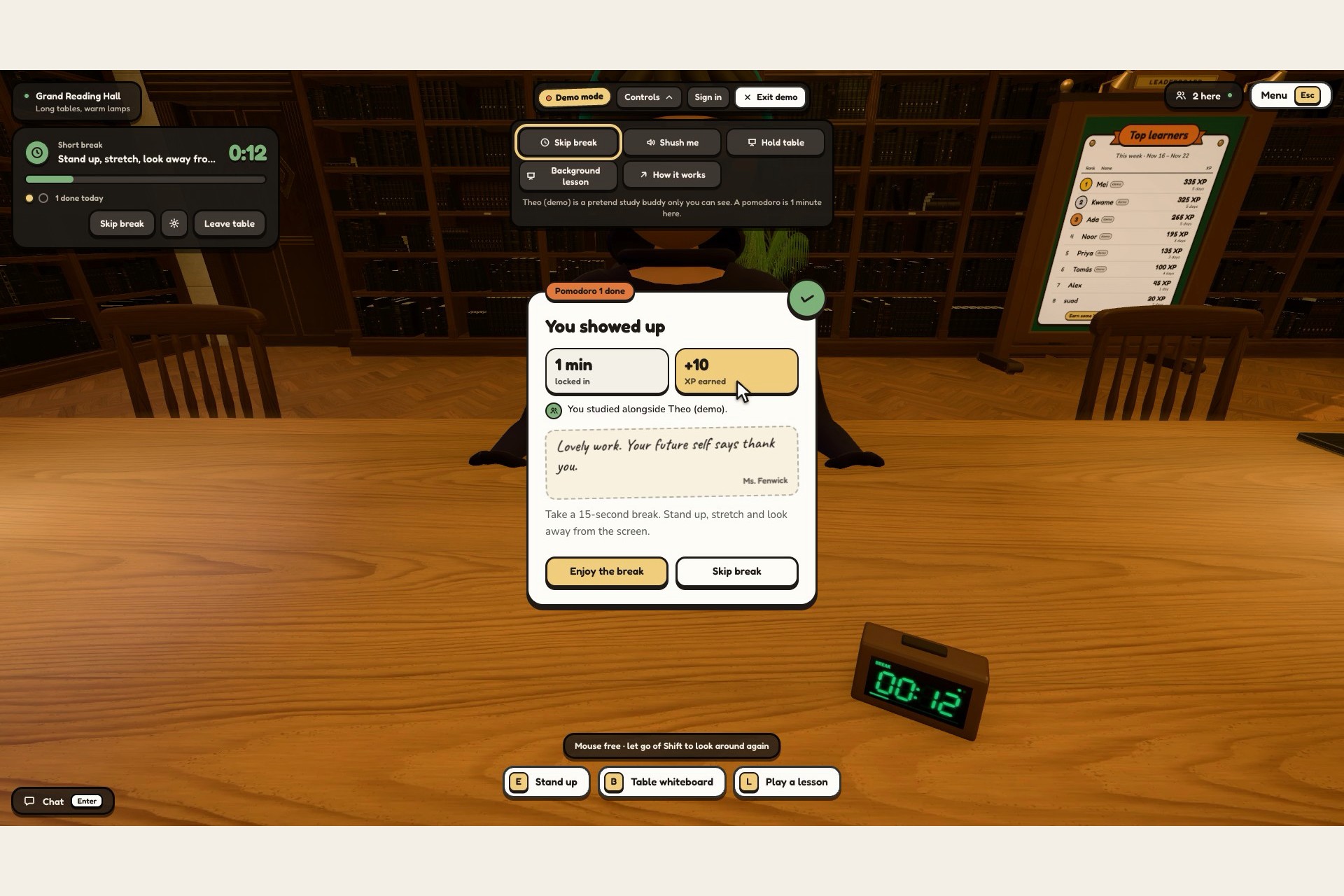
- "You showed up." After every pomodoro: your minutes, how much you were seen, who you studied alongside, and the XP you earned. Streaks forgive one rest day a week, so one bad day doesn't erase a month.
- Ask Ms. Fenwick anything. She researches the web, ranks credible sources first (universities, OpenStax, Khan Academy, official docs), and answers from what she found with every source shown. She won't write work you'd hand in as your own, and when she can't find good material she says so instead of making something up.
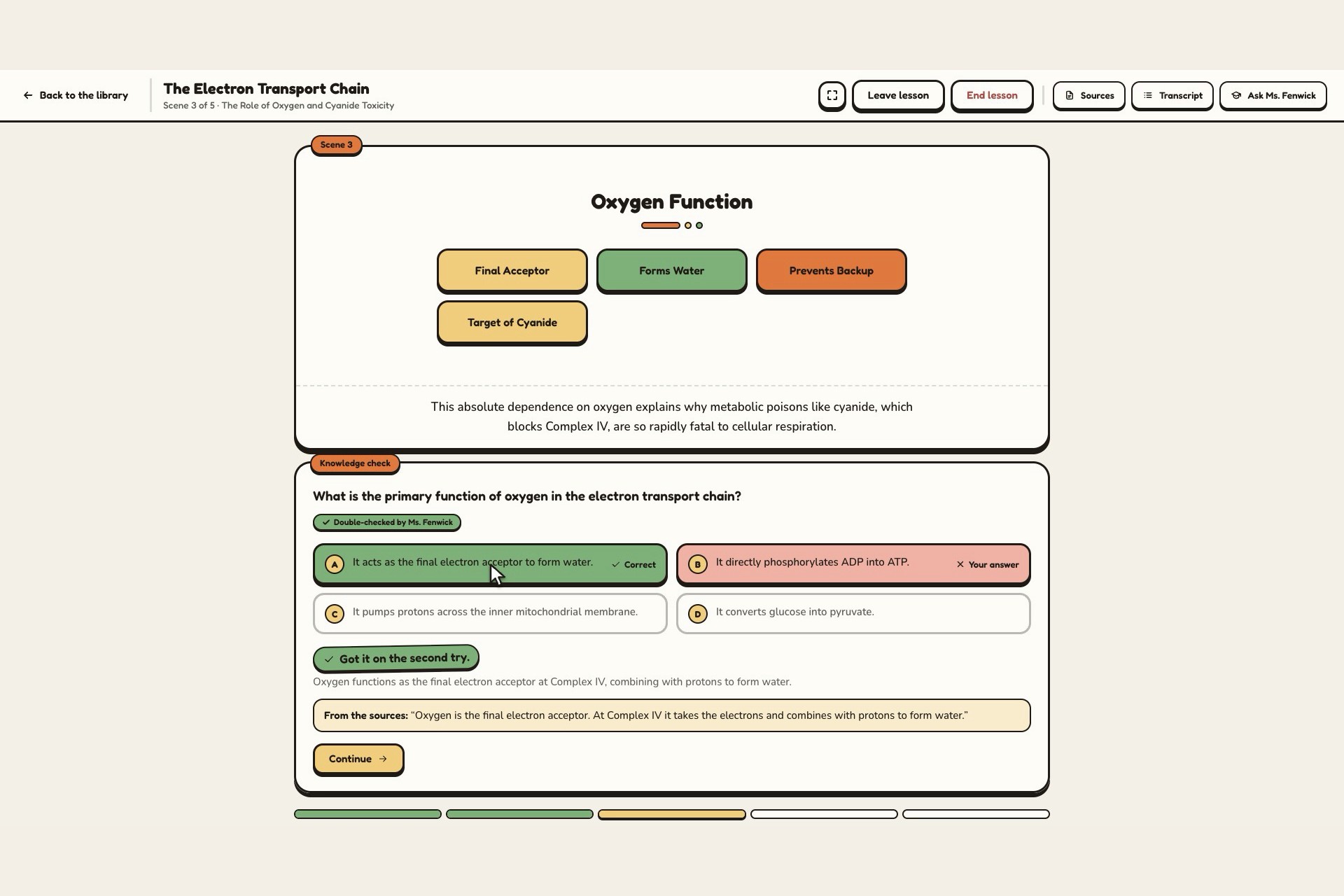
- Lessons on the whiteboard. She turns a topic, or your own uploaded notes, into a narrated interactive lesson that plays on the table's rolling whiteboard. Lessons keep being made in the cloud after you close the tab.
- Quizzes that check themselves. Every section of a lesson ends with a question. Each quiz question is answered a second time from the sources alone, without the answer key. If the answer key was wrong, it's fixed, or the question becomes an open reflection. A wrong answer gets a hint and one more try, and the right answer comes with a quote from your notes that really is in your notes.
- For judges:
/demoseats you at a table with a pretend study buddy and short timings, and/prooftests the Tiger Data, Vultr and Auth0 pieces live.
How we built it
- Frontend: Next.js 16 and React 19 (with the React Compiler), React Three Fiber for the 3D library, zustand for state, Tailwind 4 with our own cartoon design tokens.
- Art: the avatar kit and the library are generated by Python scripts in Blender, exported to glTF and compressed with meshopt.
- Multiplayer: a Colyseus 0.18 game server validates every move against the same floor plan the browser renders (one TypeScript package shared by both): inside the building, on a walk surface, within walking speed. Face numbers are rate-limited on the client and relayed by the server.
- Face tracking: MediaPipe Face Landmarker in the browser, smoothed with a One Euro filter per value, reduced to eight numbers.
- Backend: Next.js API routes,
postgres.jsto Tiger Data, a separate lesson worker process, all in Docker Compose on one Vultr server behind Caddy. - Tests: Vitest across the monorepo (1,070 web tests, 67 game server tests and 48 shared tests at our last run), with every outside API faked and opt-in suites against the real database.
browser ──https / wss──▶ Caddy (Vultr) ──▶ Next.js web ──▶ Tiger Data, Gemini, TinyFish, ElevenLabs
                                   └──▶ Colyseus game server (checks single-use join tickets)
               lesson worker ──claims jobs (SKIP LOCKED)──▶ Tiger Data
                     └──▶ Vultr Object Storage (private) ◀── short-lived signed URLs ── browser
How we used each sponsor
Tiger Data
Tiger Data is where every minute of studying is recorded, and it's also our job queue.
learning_eventsis a hypertable (7-day chunks) of every validated pomodoro, lesson and quiz answer, append-only.- Three continuous aggregates with real-time aggregation:
learning_daily,focus_presence_daily, andfocus_presence_weekly, a hierarchical aggregate built on the daily one. A pomodoro finished a second ago is already in the leaderboard. - The columnstore compresses chunks older than 30 days; there's no retention policy, so a student's history is kept.
- CHECK constraints make impossible presence readings unstorable (seen time can't exceed camera time, which can't exceed the pomodoro).
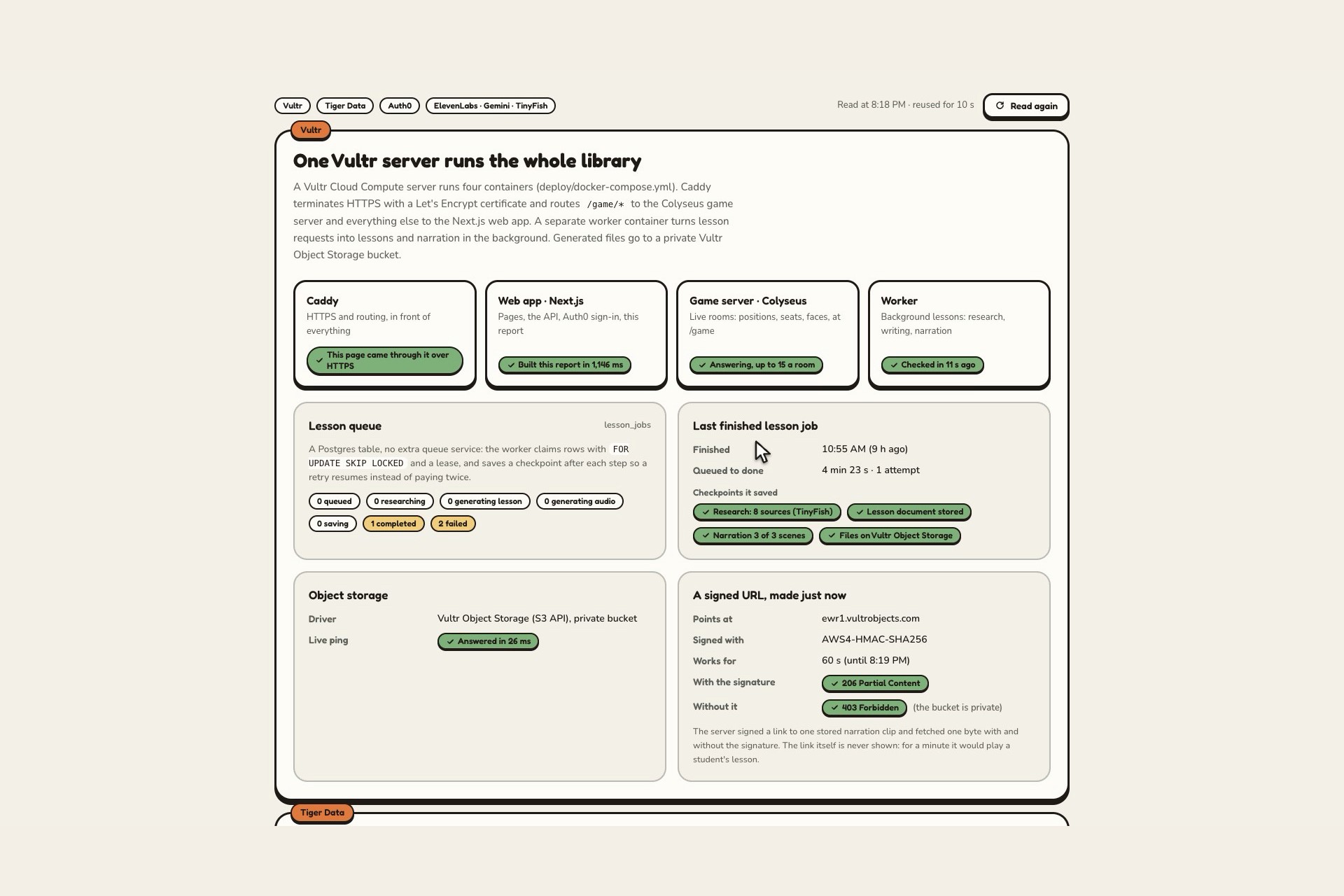
- Lesson jobs are claimed with
FOR UPDATE SKIP LOCKEDplus leases and fencing, so we needed no separate queue service. /proofruns a live integrity check: it recomputes the last 7 days from raw rows and compares them with the aggregates group by group. Our last run: 0 drift.
Vultr
- One Cloud Compute server runs Caddy, the web app, the game server and the lesson worker with Docker Compose; one script deploys it.
- Object Storage keeps generated lessons and narration in a private bucket. Students get audio only through an access-checked redirect to a presigned URL that expires.
/proofsigns one live and shows the signed request succeed (206) and the unsigned one fail (403). - The worker survives deploys: on shutdown it hands unfinished jobs back to the queue at their last checkpoint.
Auth0
- Optional sign-in with
@auth0/nextjs-auth0; guests get a signed cookie and their progress moves to their account the first time they sign in. - The web app turns the Auth0 session into a signed, single-use join ticket for the game server (5-minute expiry, unique id claimed in a ledger).
/proofreplays a real ticket: the first use is accepted, the second refused. - Private tables can be shared by email; invites match the verified email on the Auth0 account.
Gemini
- Ms. Fenwick's understanding of each request, her research overviews, study plans and lessons, all as structured output validated with zod.
- The quiz self-check, an independent second pass without the answer key, that fails open so it never blocks a lesson.
ElevenLabs
- Ms. Fenwick's voice, including her shushes; lesson narration stored as MP3s; and push-to-talk with Speech to Text. If ElevenLabs can't speak (no credits, an error, or blocked audio), the browser's own voice says her line, so a shush is never silent.
TinyFish
- Search, Fetch and Research power her web research, with sources ranked for study and sites that block automated reading kept as clearly labelled snippet-only sources.
- Our demo post on X, tagging TinyFish: x.com/cramclubstudy
GoDaddy Registry
- Cram Club lives at cramclub.study, a free GoDaddy Registry domain: a
.studyname for a study library. Caddy on the Vultr server serves it over HTTPS, andwwwand our first address redirect to it.
Challenges we ran into
- Making "verified" honest without a camera requirement. We settled on an extra signal: the browser reports only camera-on seconds and seen seconds, the server clamps them, and the database refuses impossible rows. With the camera off, a pomodoro still counts.
- A continuous aggregate that looked right and wasn't. Our first weekly roll-up materialised the unfinished current week, so new pomodoros vanished from it. A database test caught it; the fix was a hierarchical aggregate created with no data and a 7-day end offset.
- Quiz checking that doesn't make things worse. A strict checker can throw out good questions. We only re-key a question when the checker has a word-for-word quote and the generator doesn't, swap a question that doesn't hold up for an open reflection, so every section still asks something, and fail open on timeouts.
- Movement you can trust. The server keeps every move inside the building, on a walk surface from the shared floor plan and within a walking-speed budget, and checks every seat claim, so nobody teleports into your seat.
- Demoing live services reliably. Research and lessons can take a while, so demo mode offers a saved example after about 25 seconds while the real request keeps going.
Accomplishments that we're proud of
- Face tracking costs at most 15.5 kbit/s on the wire; a 720p webcam stream is 77 times that (Zoom's published 1:1 bitrate). A 25-minute pomodoro of face data is at most about 2.9 MB on the wire (1.9 MB of payload) instead of about 225 MB of video.
- On our laptop, a face update reaches another player in 0.64 ms (p50) through the real game server, and a move in 15.4 ms (p50), with 0 of 300 lost (local loopback, not internet latency).
- A judge-facing
/proofpage that tests our security claims live instead of describing them.
What we learned
- Real-time continuous aggregates make "instant" dashboards easy, but materialisation windows still matter.
- Postgres is a perfectly good job queue (
SKIP LOCKEDplus leases) for a hackathon-sized worker. - The most useful privacy feature is the data you never collect: eight numbers instead of video.
- Kind wording matters: a shush that uses your name and cheers you on feels like a friend, not a proctor.
What's next for Cram Club
- Proximity voice at tables, and shared whiteboards everyone at the table can draw on.
- Group challenges for Study Circles ("our table studied 10 hours this week").
- Measure real-world latency from students' homes to the Vultr server.
- Phone and tablet support.
Built With
- auth0
- blender
- caddy
- colyseus
- docker
- elevenlabs
- gemini
- godaddy-registry
- mediapipe
- next.js
- postgresql
- react
- react-three-fiber
- tailwindcss
- three.js
- tiger-data
- timescaledb
- tinyfish
- typescript
- vitest
- vultr
- vultr-object-storage
- websockets
- zod
- zustand


