Inspiration
Most people have notes they never review. Revision usually means sitting at a screen, and nobody quizzes you unless you ask someone. Alexa+ is voice-first, so I wanted to see whether studying could work like a short conversation: say what you learned, hear it back briefly, and get quizzed out loud.
What it does
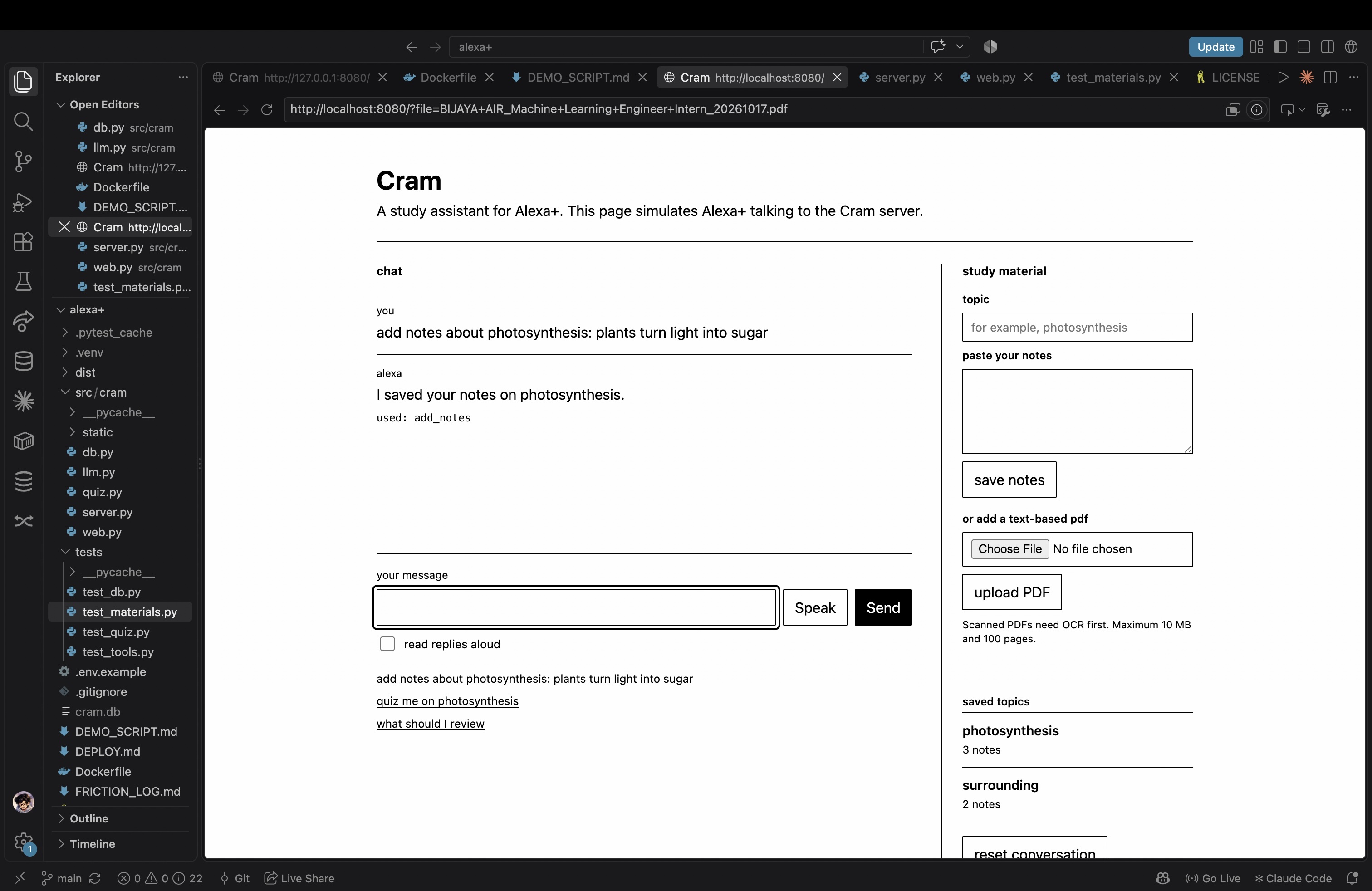
Cram is a voice study assistant built as an MCP server for Alexa+. A student can:
- save notes under a topic
- hear a short spoken summary of a topic
- take a quiz one question at a time, answering by voice, with feedback after each answer and a final score
- ask what to review next, based on which topics they got wrong most often
All replies are short plain sentences with no lists or markdown, so they sound natural when read aloud.
How we built it
The core is an MCP server in Python using the official MCP SDK (FastMCP) with Streamable HTTP, following the 2025-11-25 spec. It exposes seven tools: add_notes, list_topics, summarize_topic, start_quiz, answer_question, repeat_question and what_to_review. Notes and quiz history are stored in SQLite.
Because I did not have an Alexa+ device or a real add-on deployment, I built a small simulated Alexa+ client: a FastAPI chat page (plain black-and-white HTML, CSS and JS) running a Strands Agents SDK agent that connects to the MCP server and calls the tools. In a real setup, Alexa+ would replace this agent as the MCP client.
The language model is optional and free: any OpenAI-compatible endpoint, such as a local LM Studio model. If no model is available, the tools fall back to simple rules (for example, fill-in-the-blank questions and keyword matching), so they keep working. The repo includes tests, a Dockerfile, deploy notes and an MIT license.
Challenges we ran into
- No real Alexa+ testing. I could not test on a device or deploy a real add-on, so the Alexa+ side is simulated and the README says so clearly.
- Small local models are weak at tool calling. The agent prompt names each tool explicitly and retries once if the model skips an obvious tool call.
- Keeping everything free. I wanted no paid cloud service or API key, which ruled out Bedrock. The Strands SDK still pulls in boto3 as a dependency even though Cram never calls AWS, and I documented that in the README.
- Time. I started the project with only a few days left, so I kept the scope to seven tools and one simple interface.
- Choosing a track. I first looked at the Bee track, but it needs a Bee device or an Apple Watch running Bee, which I could not get, so I switched to Alexa+.
Accomplishments that we're proud of
- A complete working loop: notes, summary, quiz, scoring and review suggestions through MCP tools.
- It still works without a model, using fallbacks.
- It is fully free and local to run, with tests and clear documentation.
- A plain, readable interface that is usable by keyboard and by voice.
What we learned
- How MCP works in practice: tool descriptions matter a lot, because they are what the assistant reads to decide which tool to call.
- Writing replies for the ear is different from writing for the eye. Short sentences and no formatting make a big difference.
- Small models need very direct instructions, and fallbacks make a project much more reliable.
- Writing down friction as it happens (see FRICTION_LOG.md) is easier than reconstructing it at the end.
What's next for Cram
- Deploy the server on a public HTTPS URL and connect it as a real Alexa+ add-on with the Alexa AI CLI.
- Support multiple users with sign-in, so each student has their own notes.
- Spaced repetition, so weak topics come back at the right time.
- Import notes from files or photos.
- Better quiz variety, such as true or false and explain-it-back questions.
Built With
- alexa+
- css
- fastapi
- fastmcp
- html
- httpx
- javascript
- lm-studio
- mcp
- model-context-protocol
- openai-compatible-api
- pytest
- python
- sqlite
- strands-agents
- streamable-http
- uv
- uvicorn
- web-speech-api

Log in or sign up for Devpost to join the conversation.