-
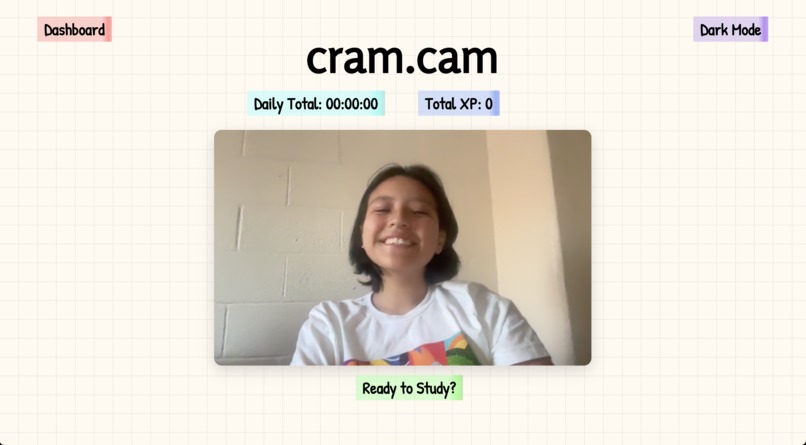
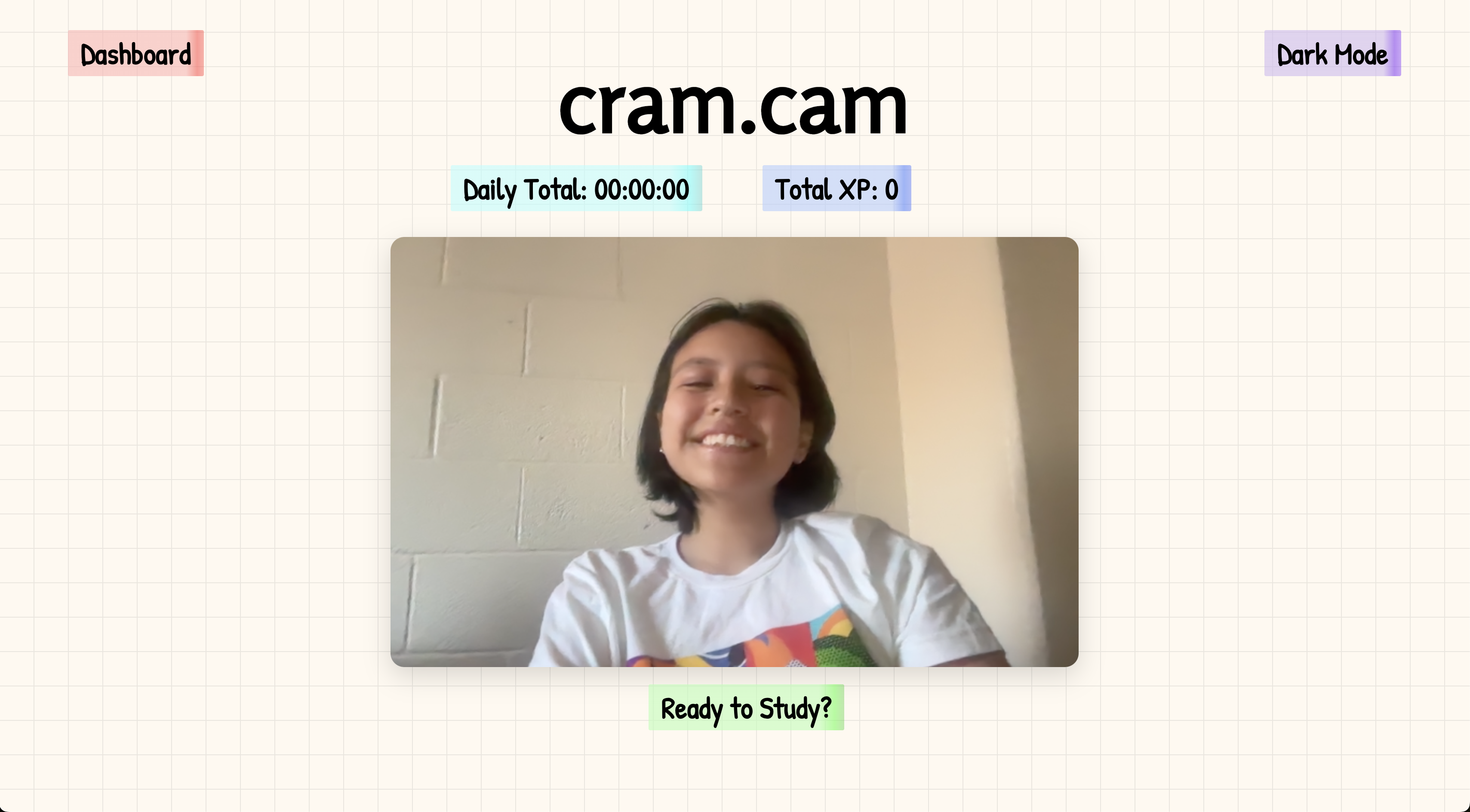
The home page, displays today's total study time, XP, an option to toggle between light and dark mode, and a button to enter study mode
-
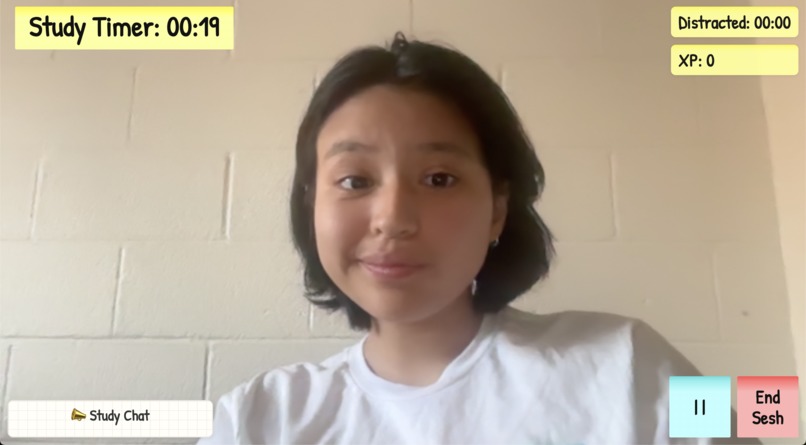
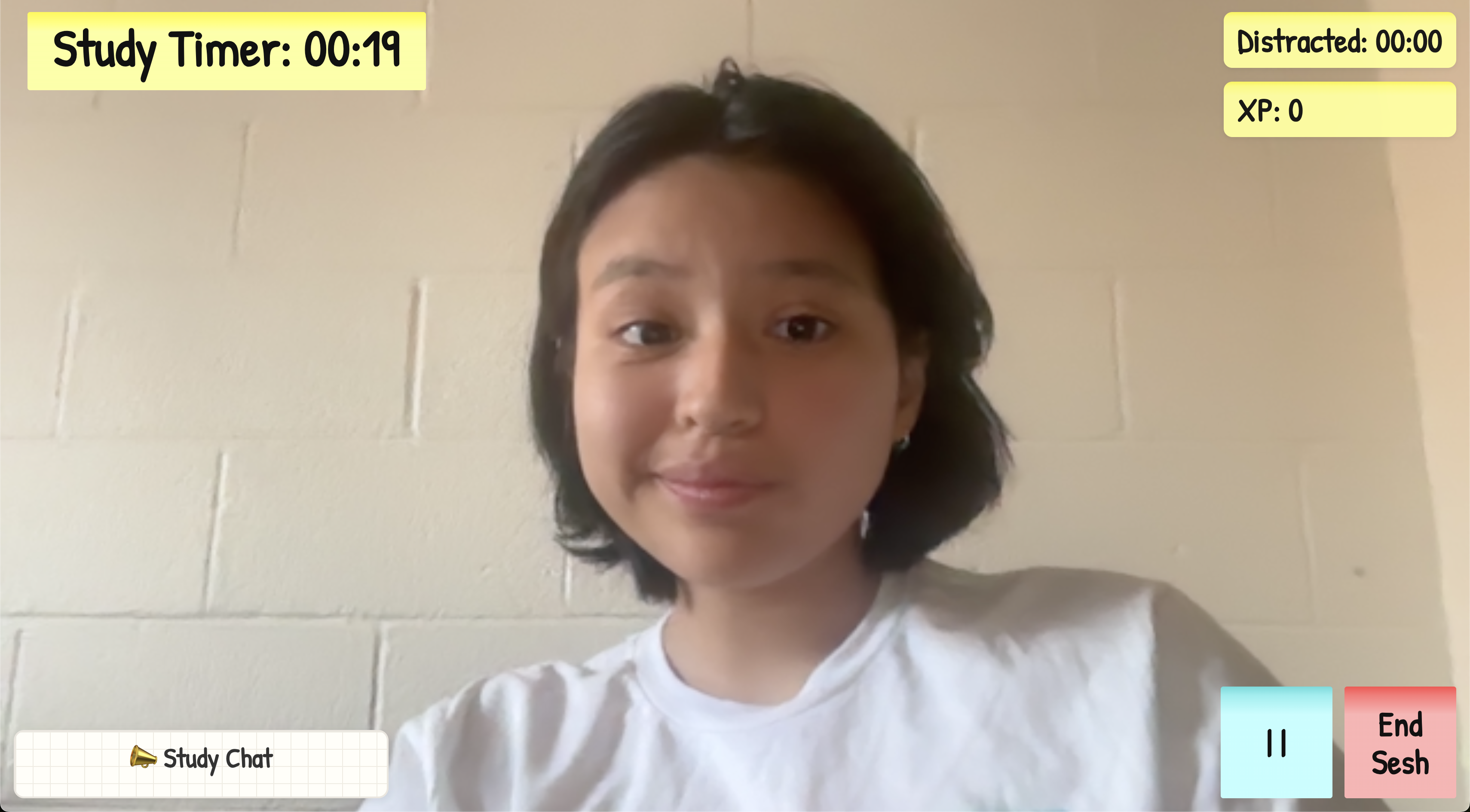
The study screen, with a timer counting the amount of time spent studying and a different counter for the time spent distracted
-
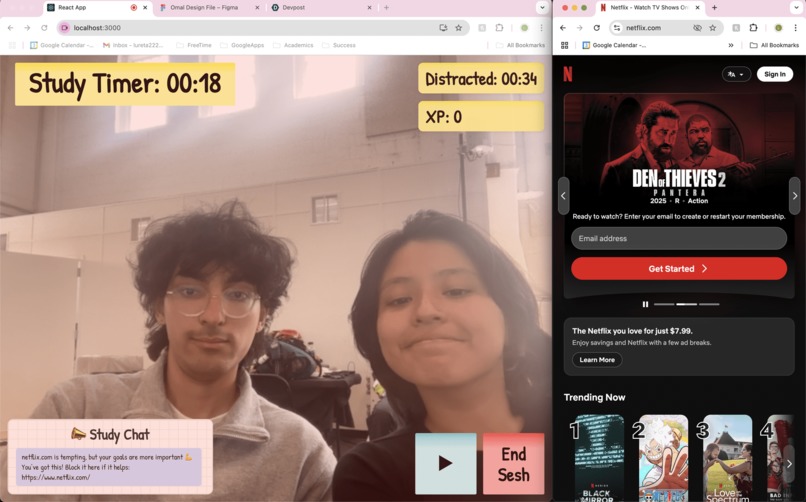
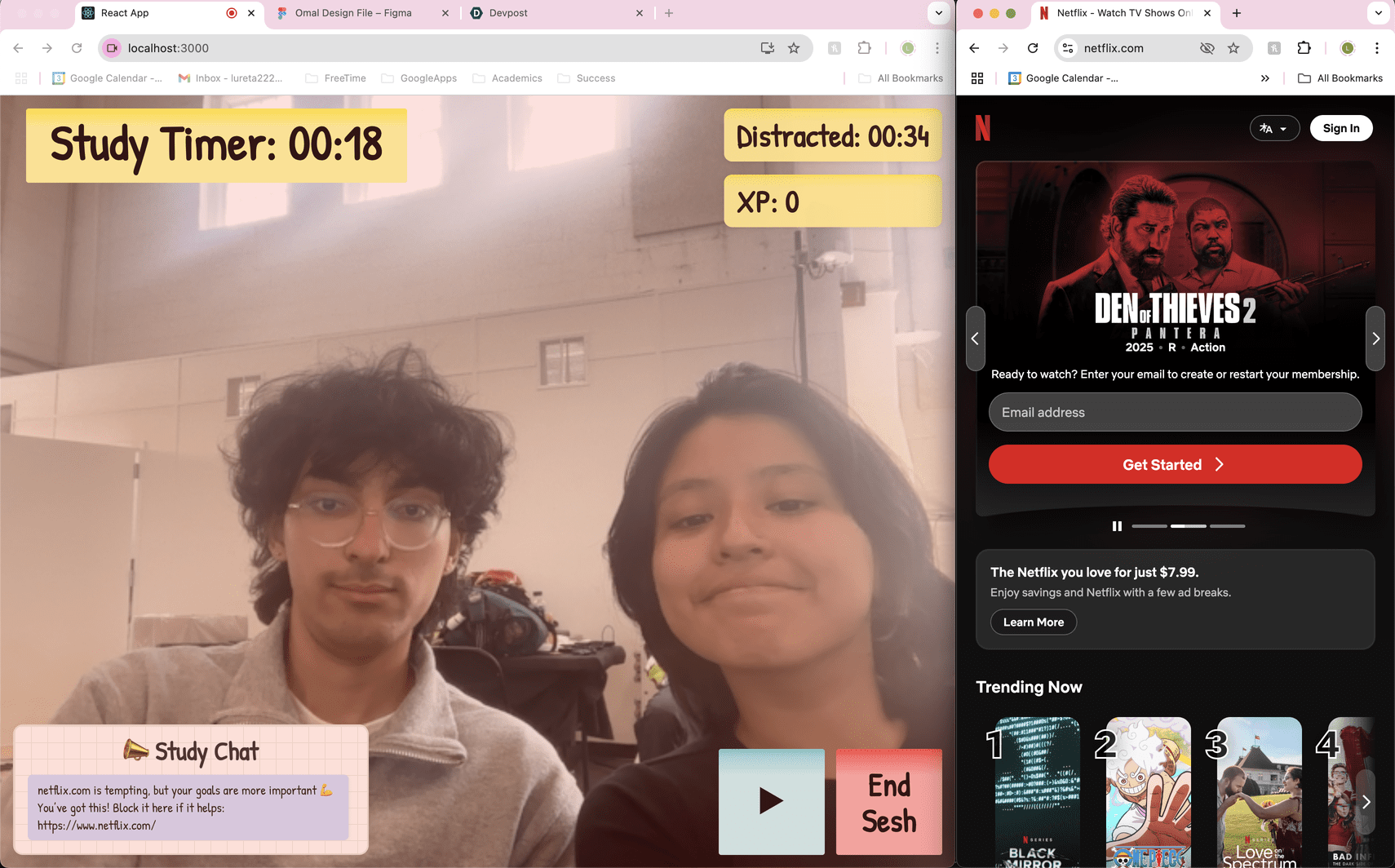
Opening Netflix causes an alert and pauses the study counter
-
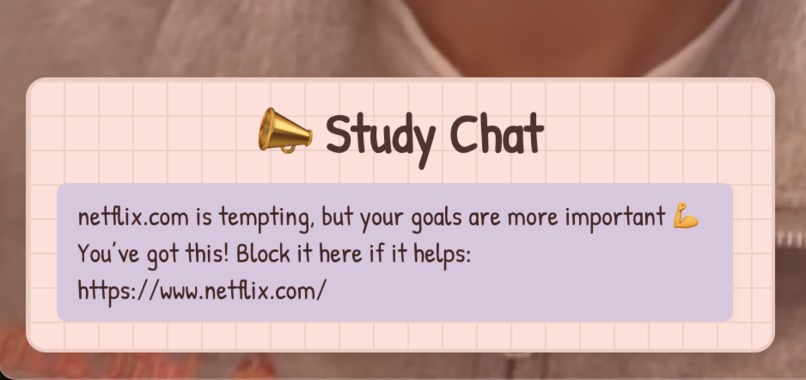
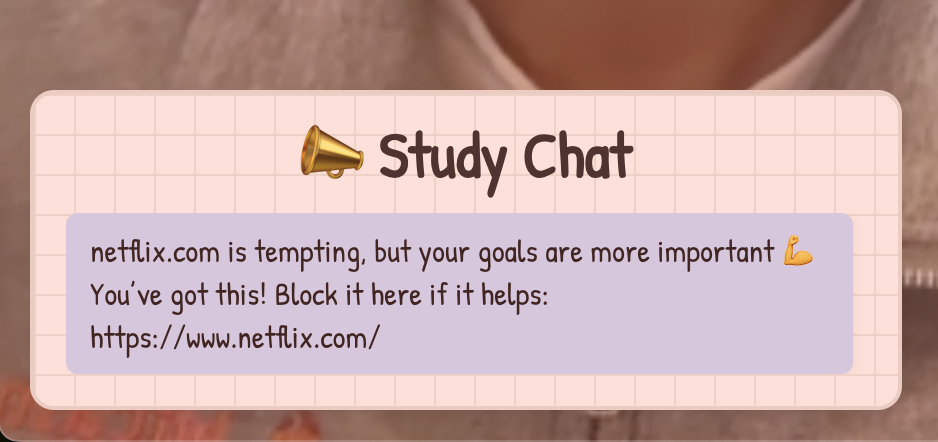
Zoom in of the study chat where the site encourages you to stay focused after detecting procrastination/distraction
-
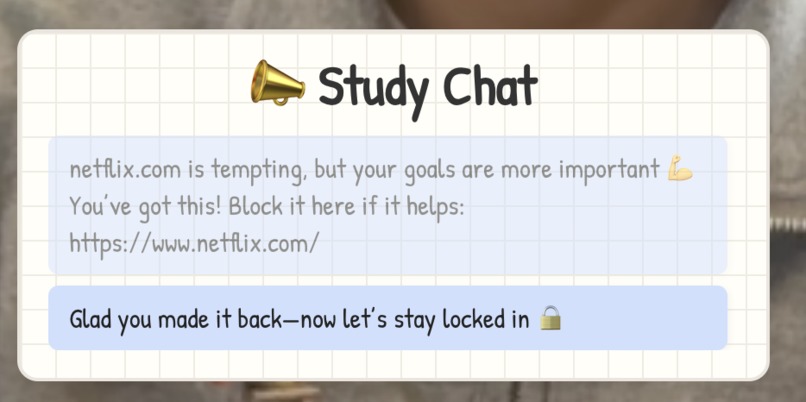
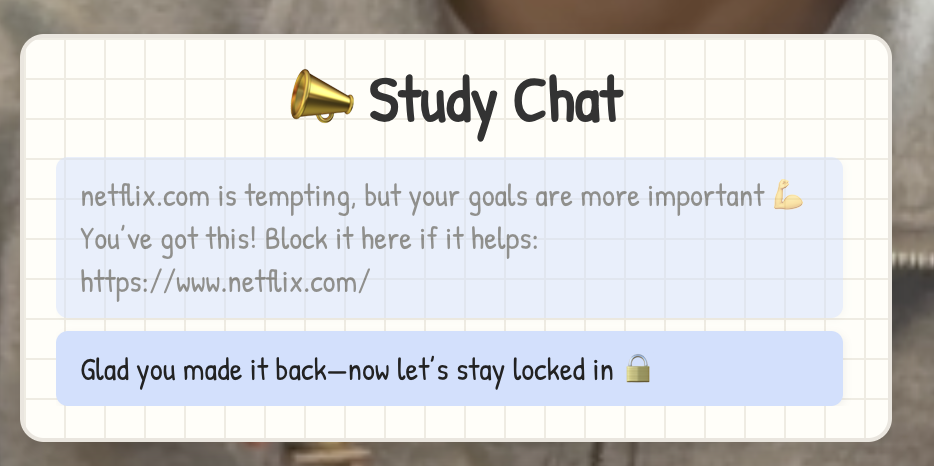
After you close the distracting website you get an encouraging message and the counter resumes
Inspiration
We built cram.cam because it’s way too easy to get distracted. You sit down to study but then suddenly end up deep in a YouTube rabbit hole. We thought to ourselves, what if study time felt like a game? What if leaving your seat or opening a distracting website had real consequences? That’s when we decided to make cram.cam, a gamified study app that uses computer vision and a Chrome extension to help students stay locked in.
What it does
cram.cam is a gamified study app that keeps students focused by tracking both their attention and their browser activity.
- Uses webcam-based computer vision to detect if you're actively studying
- Detects when you leave your seat or look away
- Chrome extension flags sites like Netflix, YouTube, and Tiktok
- Earn 10 XP for every minute you’re focused
- Lose 15 XP if you're distracted
- Red overlay activates when focus is lost
- A live chat hypes you up or calls you out in real time
- A dashboard displays your daily and weekly study time
- You can unlock and apply virtual accessories (like hats and glasses) to your webcam avatar while studying, based on XP
How we built it
- Frontend: Built in React with a UI inspired by physical study notes, with pastel colors, highlighter text, sticky notes, and a grid paper background.
- Backend: Developed with FastAPI, using OpenCV to detect whether the user is present on camera. . Created a Python script with OpenCV to detect facial landmarks and detect whether the user is present on camera and studying. Developed a FastAPI backend to serve webcam data from the frontend to OpenCV and return an analysis of the user's actions (studying or procrastinating), which the frontend uses to alert the user that it knows they are not locked in :). It also manages pause state, XP logic, notifications, and counters for how long the user is studying or distracted.
- Chrome Extension: Written in JavaScript, it listens for tab updates and POSTs to the backend if a distracting site is opened.
- Webcam Polling: Every 3 seconds, the frontend sends a base64 screenshot to the backend, which returns whether the user is focused or not, and polls the backend to see if the pause endpoint has been activated, either by the python script or the extension.
- Dashboard: A separate component shows XP progress, daily/weekly stats, and available filter accessories based on unlocks.
Challenges we ran into
- Handling
CORSissues between the Chrome extension and the FastAPI server. - Designing a single polling loop that merges webcam detection and backend pause logic without creating race conditions.
- Preventing webcam-triggered auto-resume from overriding manual or extension-based pauses.
- Making the computer vision detection reliable across lighting, angles, and different laptops.
- Building a fun UI that doesn't feel cheesy or overwhelming while still giving clear feedback.
- Getting dashboard stats and virtual accessories to update in sync with XP and timer state
Accomplishments that we're proud of
- Fully implemented webcam-based presence detection and made it work seamlessly in a React frontend.
- Created a working Chrome extension from scratch that detects and reports distracting websites in real time.
- Built a live XP tracker with motivational and sarcastic chat messages to keep you accountable.
- Designed an interface that looks and feels like a real study space, with highlighters, sticky notes, and pastel visuals.
- Developed a clean, interactive dashboard that shows daily and weekly progress and lets users unlock study accessories
What we learned
- How to integrate
OpenCVinto a modern web stack usingFastAPI. - How to build and communicate between a
Chrome extensionand an external backend. - Better state management in React when pulling in multiple async data sources.
- Designing UI/UX with a strong metaphor, making cram.cam feel like a digital notes page.
- Balancing functionality and aesthetic, especially with stats, overlays, and visual feedback all updating in real time
What's next for cram.cam
- Add leaderboards to see how your focus stacks up against friends.
- Add XP leveling and unlockable rewards or study themes.
- Build a mobile app for more focusing on different apps.
- Expand filter accessory options and customize webcam overlays
Built With
- css
- fastapi
- html/css
- javascript
- opencv
- python
- react


Log in or sign up for Devpost to join the conversation.