-
-
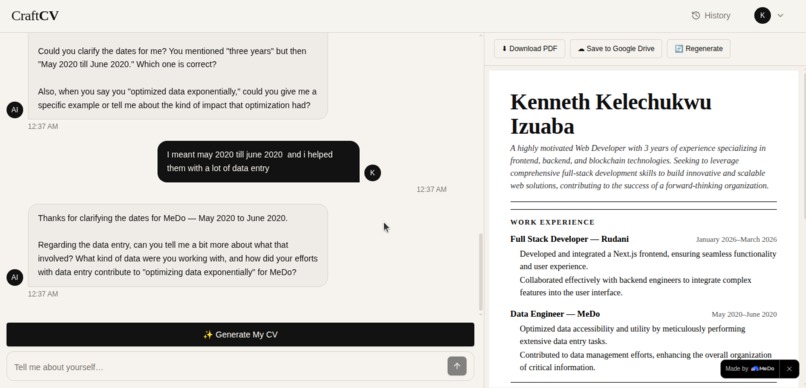
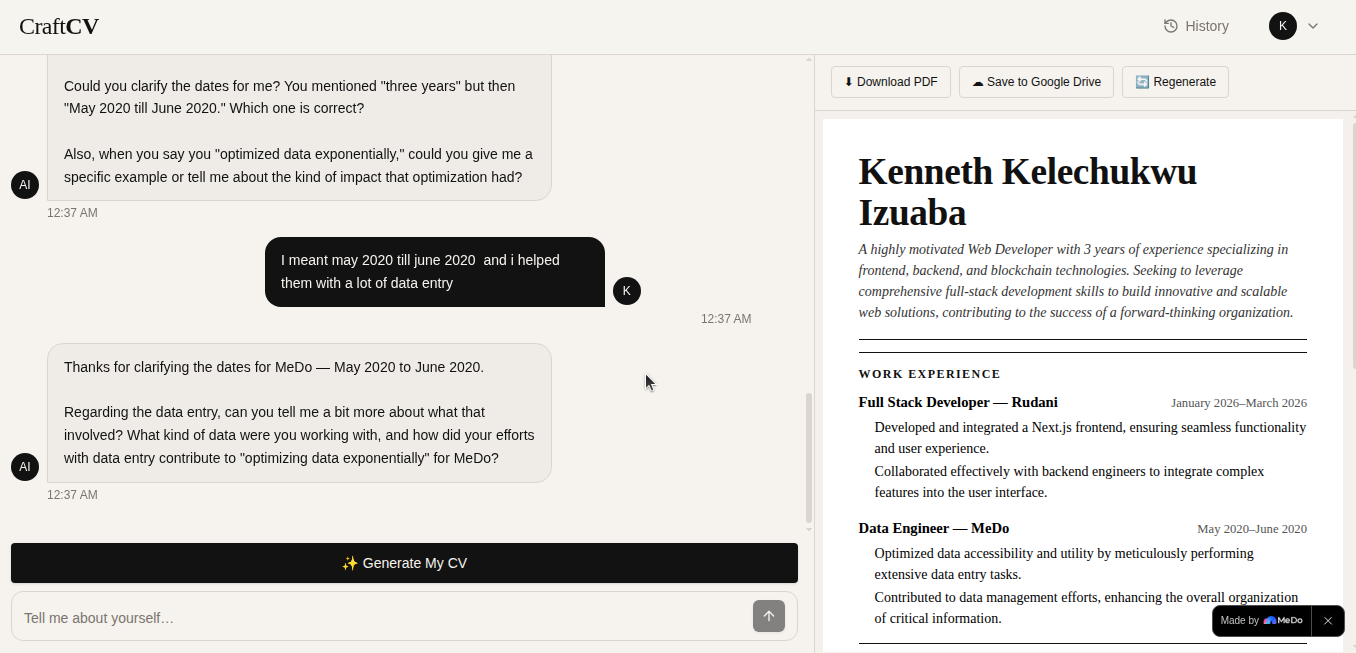
Chat page
-
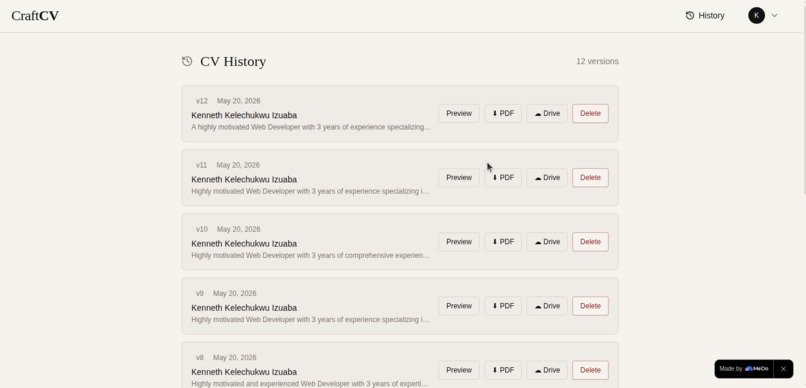
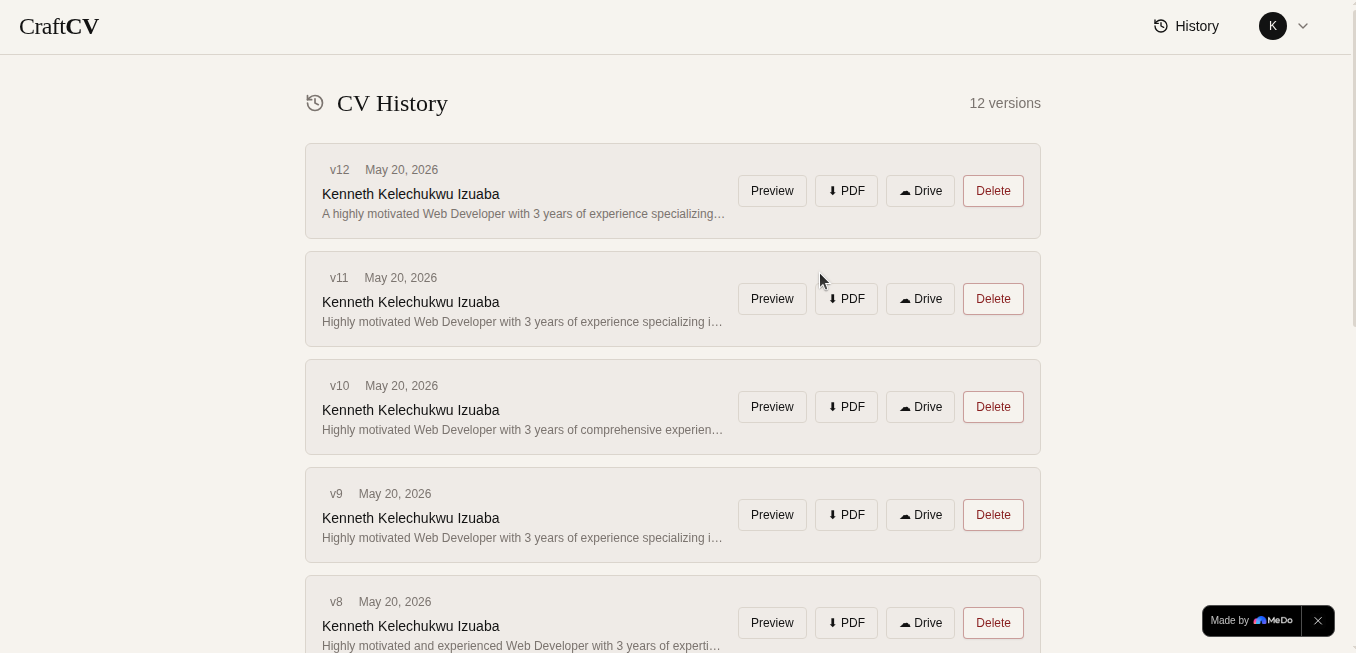
History page
Inspiration
There is a cruel irony at the heart of job hunting: the people who need a great CV the most are usually the ones least equipped to write one.
A fresh graduate in Lagos who spent three years hustling — freelancing, volunteering, running a small side business — sits down to write their CV and freezes. Not because they lack experience. Because nobody taught them how to translate lived experience into professional language. They stare at a blank document, type a few lines, feel inadequate, and either submit something mediocre or give up entirely.
We have seen this happen too many times. Smart, capable people underselling themselves on paper because the tools available to them — traditional CV builders — assume you already know what to write. They give you empty boxes and expect you to fill them with polished, action-verb-led bullet points. That is not how most people think about their own careers.
The insight behind CraftCV is simple: everyone can talk about what they've done. Not everyone can write about it. So we built a tool that starts with a conversation — and handles the writing itself.
What it does
CraftCV is a conversational AI-powered CV builder. Instead of filling in forms, users have a natural chat with an AI career coach that asks smart questions, digs for specific achievements, and extracts everything needed to build a professional CV — then generates it instantly.
The full workflow:
Sign up and start chatting — Users create an account and are taken straight into a chat with their AI career coach. No onboarding forms. No tutorial. Just a warm greeting and an open question: "Tell me about yourself."
The AI coaches, not just collects — The AI asks follow-up questions that go beyond surface-level data. If a user says "I managed a team," the AI asks "How many people? What did you achieve together?" It probes for numbers, outcomes, and specifics that make CVs stand out.
Generate with one click — When the user feels ready, they click "Generate My CV". A second AI call processes the full conversation and extracts structured data across every CV section.
Instant preview — The CV renders live in a clean preview panel — formatted, professional, and ready. The overall quality score of the CV is estimated as a function of section completeness:
$$Q_{cv} = \frac{\sum_{i=1}^{n} w_i \cdot \mathbb{1}[\text{section}i \neq \emptyset]}{\sum{i=1}^{n} w_i} \times 100$$
Where $w_i$ represents the weight of each section (work experience weighted highest at 0.35, followed by education at 0.20, skills at 0.15, and so on), and $\mathbb{1}[\cdot]$ is an indicator function that equals 1 if the section has content.
Download or save to Drive — Users download a PDF instantly or save it directly to Google Drive with one click via OAuth 2.0.
Return and regenerate — The conversation is saved permanently. Users can come back days later, tell the AI about a new job or certification, click Regenerate, and get an updated CV. Every version is stored separately — nothing is ever overwritten.
How we built it
CraftCV was built entirely through MeDo's AI editor, starting from a detailed requirements.md that served as the complete specification for the build.
Step 1 — Spec first, build second. Before opening MeDo, we wrote a thorough requirements document covering the design system, all five features, the Supabase schema, the two AI system prompts, the Google Drive OAuth flow, and 30 edge cases. This upfront thinking made the MeDo session dramatically more productive.
Step 2 — Two-panel layout. The core UI is a split-screen: chat on the left, CV preview on the right. On mobile it stacks vertically. MeDo scaffolded this layout from our description of the two-column interaction model.
Step 3 — Two separate AI calls. The chat and the CV generation are powered by two distinct API calls to FreeModel's OpenAI-compatible endpoint (https://api.freemodel.dev) using gpt-3.5-turbo:
- Chat call: conversational, warm, probing — uses a career coach system prompt
- Generation call: extraction-focused — uses a strict JSON schema prompt to pull structured CV data from the full conversation history
Step 4 — Conversation persistence via Supabase. Every message is saved to a Supabase PostgreSQL database in real time. On return visits, the full history is loaded and sent back to the API — preserving context across sessions. The API is stateless; the database provides the state.
Step 5 — PDF generation and Google Drive. The CV preview is captured using html2canvas and converted to PDF via jsPDF. Google Drive saving uses the Drive REST API v3 with Google Identity Services for OAuth 2.0, scoped to drive.file so the app only ever touches files it creates.
Step 6 — Deploy. MeDo deployed the finished app to a public URL in one click.
Tech stack:
- Frontend: React + Vite + Tailwind CSS
- Auth & Database: Supabase (Auth + PostgreSQL + Row Level Security)
- AI: FreeModel OpenAI-compatible API —
gpt-3.5-turbo - PDF:
jsPDF+html2canvas - Google Drive: Google Drive REST API v3 + Google Identity Services
- Fonts: Cormorant Garamond, Epilogue, EB Garamond (Google Fonts)
- Builder & Deployment: MeDo
Challenges we ran into
1. Designing two distinct AI personalities in one app
The chat AI and the CV generation AI need to behave completely differently. The chat AI should be warm, curious, and conversational — never overwhelming the user. The generation AI needs to be precise, structured, and return only valid JSON. Getting both system prompts right — especially preventing the chat AI from ever trying to generate the CV itself in the conversation — required careful prompt engineering and several iterations.
2. Stateless API, stateful experience
gpt-3.5-turbo has no memory between API calls. Every request must carry the full conversation history. As conversations grow, this approaches the model's context window limit. We handled this by capping the API payload at the last 80 messages while always preserving the full history in Supabase — so the database is the source of truth and the API only gets a working window.
3. JSON reliability under varied inputs
Users describe their careers in wildly different ways — vague, verbose, non-linear, sometimes in mixed languages. Getting the generation API to return clean, parseable JSON regardless of input quality required defensive parsing (stripping markdown fences, optional chaining on every field, graceful empty-state handling) and a fallback error state that encourages the user to add more detail and try again.
4. Google OAuth in a client-side app
Implementing Google Drive OAuth entirely on the frontend — no backend to handle token exchange — meant dealing with popup blockers, token expiry mid-session, and the nuances of Google Identity Services' newer API (which replaced the older gapi.auth2 flow). We also had to handle the distinction between Testing and Production consent screens, since the app runs in Testing mode during the hackathon.
5. CV layout fitting one page
A CV that overflows onto two pages looks unprofessional. But the amount of content varies wildly between a fresh graduate and a 15-year professional. We implemented progressive font scaling — reducing from 20pt to 18pt to 16pt — and section-level conditional rendering (empty sections are omitted entirely) to keep everything on one clean page regardless of content length.
6. No email service
We had no transactional email infrastructure available — no SMTP, no SendGrid. This meant removing email confirmation on sign-up and the password reset flow entirely. We leaned into it as a design decision: instant sign-up with no verification step makes onboarding faster and reduces drop-off. Sometimes a constraint produces better UX than the original plan would have.
Accomplishments that we're proud of
The coaching prompt — The AI career coach is genuinely useful. It asks the right questions, pushes for specifics, and handles vague answers gracefully. Users who came in thinking they had "nothing impressive" on their CVs left with three strong achievement bullets they hadn't thought to include.
Conversation persistence across sessions — Users can close the tab, come back a week later, and pick up exactly where they left off. The full conversation is restored and the AI has full context. This transforms CraftCV from a one-time tool into an ongoing career companion.
CV versioning — Every time a user regenerates, a new version is saved. Nothing is ever lost. The history page gives users a complete archive of every CV they've ever generated — which is surprisingly reassuring during an active job search.
Google Drive integration — One click saves the PDF directly to Google Drive, named and dated automatically. No downloading, no manual uploading. It just appears in their Drive.
30 edge cases handled — Token overflow, API timeouts, rate limiting, network drops, PDF generation failures, Drive OAuth errors, empty CV sections, mobile keyboard viewport — all handled gracefully with friendly, actionable error messages.
What we learned
Prompt engineering is the hardest part of an AI product. Writing code is straightforward. Writing a system prompt that reliably produces a specific behaviour — across thousands of different users with different backgrounds, writing styles, and languages — is genuinely difficult. The two system prompts in CraftCV went through more iterations than any other part of the build.
Conversation is a surprisingly powerful UI paradigm. Traditional CV builders put the cognitive burden on the user — you have to know what to write before you can write it. A conversational interface inverts that: the AI carries the structure, and the user just responds. The output quality is higher because the AI can probe for detail that a form would never surface.
MeDo rewards clear thinking. The quality of what MeDo generates is a direct reflection of the quality of the requirements you give it. The investment in writing a thorough requirements.md upfront — with edge cases, schema, API call structures, and system prompts all spelled out — paid back tenfold in the build session.
Persistence changes the product category. Without conversation persistence, CraftCV is a one-shot CV generator. With it, it becomes a career management tool that grows with the user over time. One Supabase table and a few lines of restore logic make the difference between a toy and a real product.
What's next for CraftCV
The core loop works: chat → generate → download → return and update. Here is where we take it:
Short term
- [ ] Password reset — Add transactional email via Resend or Postmark so users can recover accounts
- [ ] CV templates — Offer 3–4 layout options (classic, modern, compact) so users can choose a style that fits their industry
- [ ] Completeness score — Show users a live completeness indicator as they chat, motivating them to keep going until every section is filled
Medium term
- [ ] Job description matching — Paste a job description and CraftCV rewrites your bullet points to match the keywords and tone, improving ATS pass rates
- [ ] Cover letter generation — A second document generated from the same conversation, targeted at a specific role
- [ ] LinkedIn import — Paste a LinkedIn profile URL and pre-populate the conversation with extracted data
Long term
- [ ] University partnerships — White-label CraftCV as a career services tool for universities across Africa, where career guidance infrastructure is thin and graduates need structured support
- [ ] Recruiter dashboard — Recruiters post roles; CraftCV users apply with one click, sending a CV tailored to that specific job description
- [ ] Mobile app — Native iOS/Android with voice input so users can literally speak their career story and get a CV back
The vision is clear: no one should be held back in their career because they couldn't translate their experience into professional language. That is a solvable problem — and CraftCV solves it.
Built With
- 2.0
- api
- auth
- cormorant
- css
- css3
- drive
- eb
- epilogue
- fonts
- freemodel
- garamond
- gpt-3.5
- html2canvas
- html5
- identity
- javascript
- jspdf
- level
- medo
- oauth
- openai
- postgresql
- react
- row
- security
- services
- supabase
- tailwind
- turbo
- vite


Log in or sign up for Devpost to join the conversation.